
What Is Business Data Enrichment?
Business data enrichment is the process of supplementing your existing contact and company records with additional verified information from third-party data sources. Instead of working with a bare-bones lead list containing only a name and email address, enrichment fills in the gaps – job titles, direct phone numbers, company revenue, industry classifications, technology stacks, and dozens of other data points that help you qualify, segment, and personalize your outreach.
Every sales and marketing team depends on data. But raw data collected from web forms, event sign-ups, or purchased lists is almost always incomplete. A typical lead capture form yields a name, email address, and maybe a company name. That is not enough to score a lead properly, route it to the right sales rep, or craft a message that actually resonates with the recipient.
Business data enrichment bridges that gap. It takes the minimal information you already have and expands it into a complete profile by cross-referencing external databases, public records, professional networks, and proprietary data providers. The result is a CRM full of actionable records instead of half-empty contact cards.
The need for enrichment is not optional when you consider how fast business data decays. Research from MarketingSherpa (via DemandScience) shows that B2B data decays at approximately 2.1% per month, which means roughly 22-25% of your contact database becomes inaccurate within a single year. People change jobs. Companies restructure. Phone numbers get disconnected. Email addresses bounce. Without a systematic enrichment process, your CRM gradually fills with dead records that waste sales time and tank your outreach metrics.
This guide covers everything you need to know about business data enrichment: how it works, what types exist, which tools to use, how to build an enrichment workflow from scratch, and how to connect enriched data to revenue outcomes.
How Business Data Enrichment Works
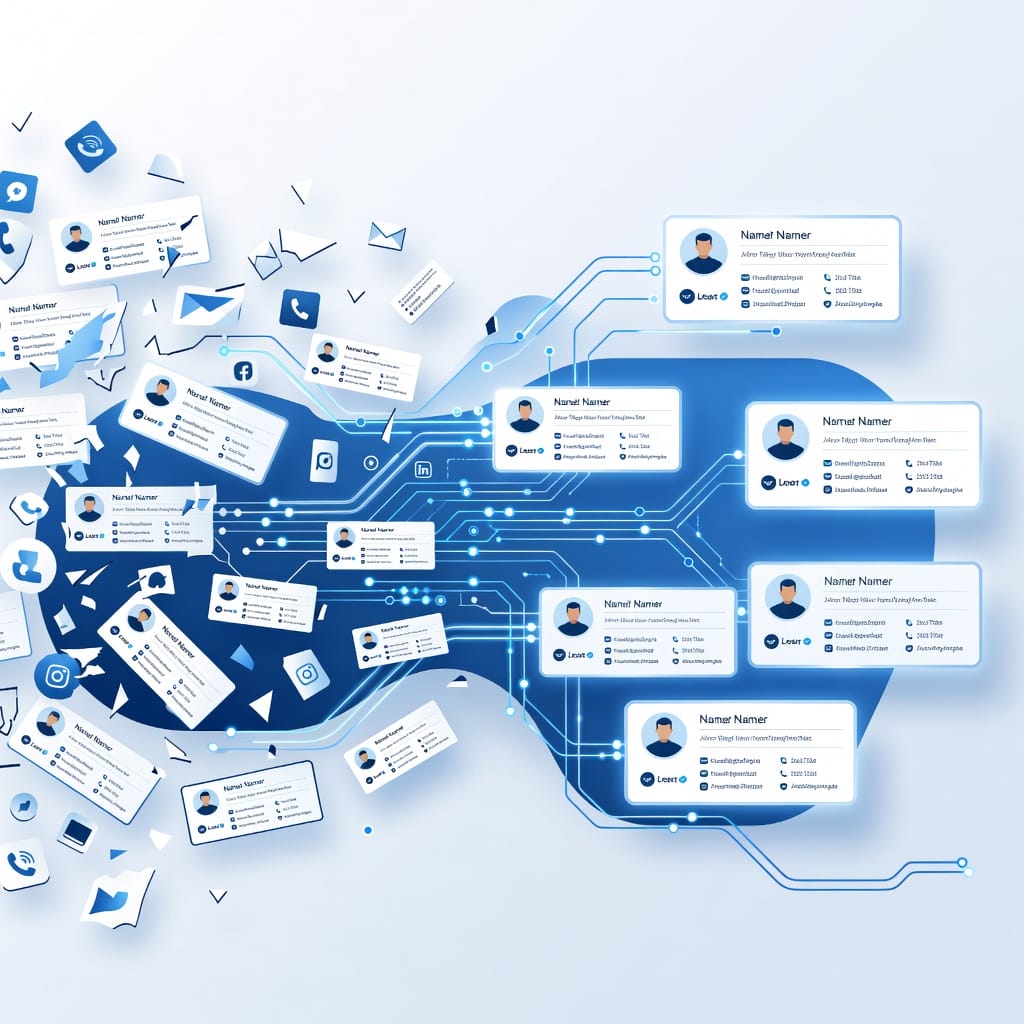
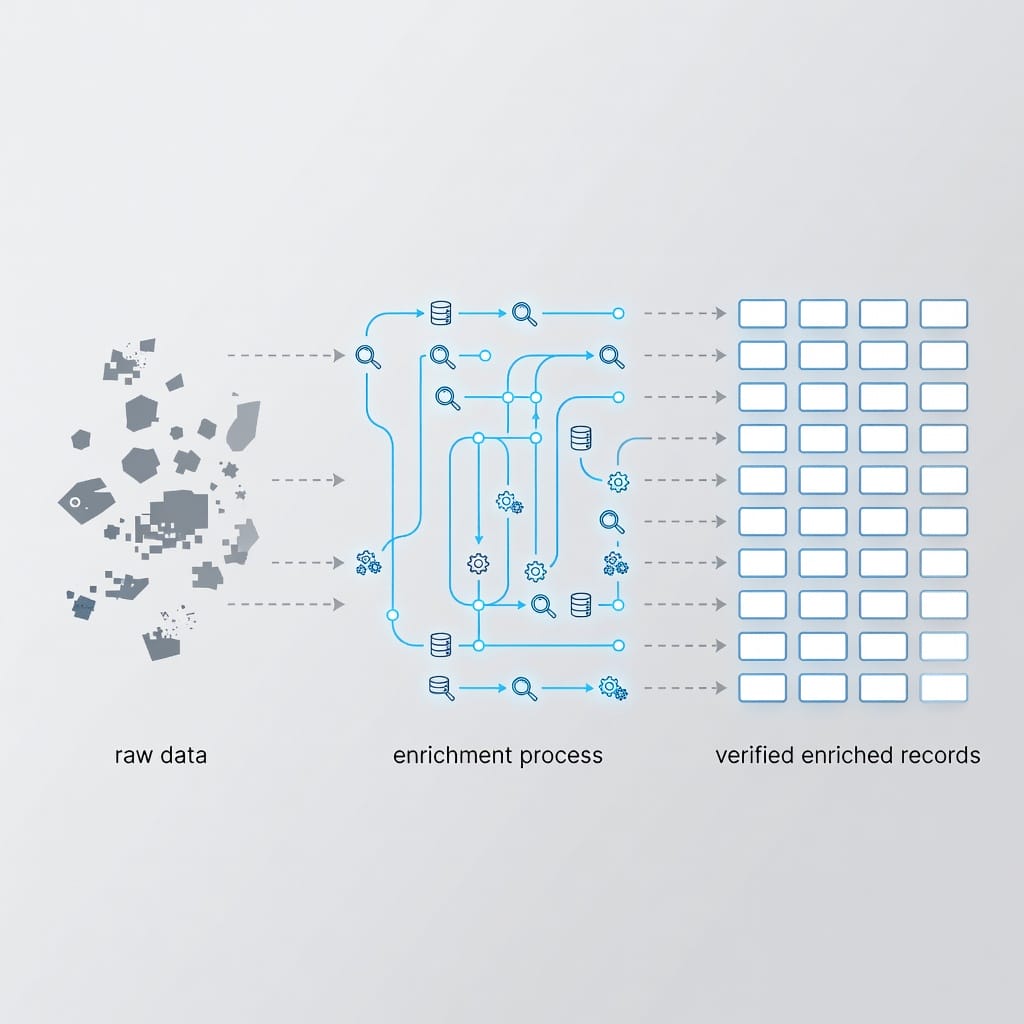
At its core, business data enrichment follows a straightforward process: you start with a partial record, match it against one or more external data sources, and merge the verified results back into your database.
Here is the basic flow:
- Input: You provide a starting data point – typically an email address, company domain, or LinkedIn profile URL.
- Matching: The enrichment system searches its database(s) for records that match your input. Some tools use exact email matching, while others use fuzzy matching on company names or domains.
- Retrieval: When a match is found, the system pulls all available data points associated with that record – job title, phone number, company size, industry, revenue, location, technology stack, and more.
- Validation: Quality enrichment tools validate the retrieved data before returning it. This includes email deliverability verification, phone number validation, and freshness checks against the most recent update timestamp.
- Merge: The enriched data is written back into your CRM or database, filling empty fields according to your configured rules (for example, only fill empty fields, or overwrite stale data older than 90 days).
Enrichment can happen in two modes:
- Batch enrichment: You process an entire list or database at once. This is useful for historical data cleanup, initial CRM migration, or periodic database refreshes.
- Real-time enrichment: New records are enriched automatically as they enter your system – when a form is submitted, a deal is created, or a lead reaches a scoring threshold. This ensures every new contact arrives with a complete profile.
Most teams use a combination of both. Batch enrichment cleans up the existing database, while real-time enrichment keeps new records accurate from the start.
Types of Business Data Enrichment
Not all enrichment adds the same kind of value. Understanding the different types helps you prioritize what to enrich first based on your specific sales and marketing needs.
| Enrichment Type | What It Adds | Primary Use Case | Impact Level |
|---|---|---|---|
| Contact Enrichment | Job title, seniority, direct phone, verified email, LinkedIn URL, social profiles | Personalization, direct outreach, lead routing | High – directly affects message relevance |
| Firmographic Enrichment | Industry, employee count, annual revenue, company type, founding year, headquarters location | ICP matching, lead scoring, segmentation, territory planning | High – foundation of qualification |
| Technographic Enrichment | Technology stack (CRM, marketing automation, hosting, analytics tools, ERP systems) | Competitive displacement, integration-based selling, account prioritization | Medium-High – enables highly relevant pitches |
| Intent Enrichment | Topic-level buying signals, content consumption patterns, competitor research activity, keyword searches | Timing outreach, prioritizing active buyers, ABM targeting | High – captures real-time buying readiness |
Contact Enrichment
Contact enrichment is the most common starting point. It fills in the personal details that make outreach possible: verified email addresses, direct dial phone numbers, current job titles, seniority levels, and LinkedIn profile URLs. Without this data, your sales team is guessing at who to contact and how to reach them.
Contact enrichment is especially valuable for teams doing cold outreach. A verified direct phone number and accurate job title mean your sales rep can skip the gatekeeper and speak to the right person. A validated email address means your message actually reaches the inbox instead of bouncing.
Firmographic Enrichment
Firmographic data describes the company, not the individual. It includes industry classification, employee count, annual revenue, company type (public, private, subsidiary), year founded, and geographic headquarters. This data is the backbone of lead scoring and ICP matching. If your ideal customer is a mid-market SaaS company with 50-500 employees and $10M-$100M in revenue, firmographic enrichment is what tells you whether a lead fits that profile.
Technographic Enrichment
Technographic data reveals what technology a company uses. Knowing that a prospect runs Salesforce as their CRM, HubSpot for marketing automation, and AWS for hosting gives your sales team an immediate angle. If you sell a product that integrates with Salesforce, technographic data lets you prioritize companies already using it. If you sell a competing product, you know exactly what you are displacing.
Intent Enrichment
Intent data captures behavioral signals that indicate a company is actively researching a topic related to your product. This includes website visits to competitor sites, content downloads on relevant topics, search queries for category keywords, and engagement with industry publications. Intent enrichment helps you prioritize outreach to accounts that are already in a buying mindset, rather than cold-calling companies that have never heard of you.
Why Automated Enrichment Beats Manual Research
Some teams still enrich data manually: a sales rep looks up each lead on LinkedIn, checks the company website, searches Google for revenue figures, and manually updates the CRM. This works for a handful of leads per day. It completely falls apart at scale.
| Factor | Manual Research | Automated Enrichment |
|---|---|---|
| Speed | 5-15 minutes per lead | Instant (API) or minutes (batch) |
| Scale | 10-30 leads per rep per day | Thousands to millions per batch |
| Consistency | Varies by rep, prone to human error | Standardized fields and formatting |
| Freshness | Snapshot at time of research, quickly stale | Continuously updated with scheduled refreshes |
| Cost per record | $1-5+ (factoring in rep time) | $0.01-0.50 depending on provider and depth |
| Compliance | Difficult to audit or document | Built-in audit trails and source tracking |
According to Validity’s 2024 State of CRM Data Health report, 24% of CRM administrators believe less than half their data is accurate and complete. That is not surprising when enrichment depends on manual effort. People forget to update records. They skip fields. They enter inconsistent data. Automation eliminates these problems by applying the same enrichment logic to every record, every time.
The cost argument alone makes automation compelling. If a sales rep earns $40/hour and spends 10 minutes researching each lead, that is roughly $6.67 per enriched lead. An API-based enrichment tool typically charges $0.05-$0.50 per record. At 1,000 leads per month, the difference between manual and automated enrichment is $6,000 vs. $50-$500.
Where to Source Enrichment Data
Enrichment data comes from multiple source categories. The best enrichment strategies combine several sources to maximize coverage and accuracy.
- Public professional profiles: LinkedIn, company websites, press releases, SEC filings, and industry directories provide firmographic and contact data.
- Business registrations: Government databases, chamber of commerce records, and corporate registries offer verified company information.
- Third-party data providers: Companies like Apollo, Clearbit (now part of HubSpot), ZoomInfo, Lusha, and Seamless.AI aggregate data from multiple sources and provide it through APIs or browser extensions.
- Technology detection: Tools like BuiltWith and Datanyze scan websites to identify the technology stack a company uses.
- Intent data networks: Providers like Bombora, G2, and TrustRadius track content consumption patterns across publisher networks to identify companies researching specific topics.
- Email verification services: Dedicated validation tools check whether an email address is deliverable, risky, or invalid without sending a message. This is a critical layer in any enrichment pipeline.
When evaluating data sources, look for three things: coverage (what percentage of your records get enriched), accuracy (how often the enriched data is correct), and freshness (how recently the data was verified). A provider with 90% coverage but 60% accuracy is less useful than one with 70% coverage and 95% accuracy.
How to Choose the Right Enrichment Tool
The enrichment tool market is crowded. Choosing the right one depends on your budget, data needs, scale, and technical requirements. Use this decision matrix to narrow your options:
| Your Situation | Recommended Approach | Example Tools | Typical Cost |
|---|---|---|---|
| Solo or small team, budget under $200/month | Browser extension with pay-as-you-go credits | Lusha, Kaspr, Seamless.AI | $30-$150/month |
| Mid-size team, need CRM integration | API-first platform with native CRM connectors | Apollo, Clearbit, Clay | $200-$1,000/month |
| Enterprise, need maximum coverage and accuracy | Multi-provider waterfall enrichment with custom integrations | ZoomInfo + waterfall through multiple APIs | $1,000-$10,000+/month |
| Need technology stack data specifically | Technographic specialist | BuiltWith, Datanyze, Wappalyzer | $100-$500/month |
| Need intent signals to prioritize outreach | Intent data provider | Bombora, G2 Buyer Intent, TrustRadius | $500-$5,000/month |
| Primary need is email validation | Dedicated email verification service | Filter Bounce, NeverBounce, ZeroBounce | $5-$500/month based on volume |
Before committing to a tool, request a test batch. Send 100-500 of your real records through the enrichment API and measure the match rate, accuracy of returned data, and email verification results. Compare outputs from 2-3 providers on the same sample set. The differences in coverage and accuracy between providers are often significant.
Key Questions to Ask Any Enrichment Vendor
- What is your data sourcing methodology? Do you scrape, aggregate from partners, or use user-contributed data?
- How frequently is your database updated? What is the average data age?
- What is your match rate on our specific use case (B2B contacts in our target industries/regions)?
- Do you offer email verification as part of the enrichment, or is that a separate service?
- What compliance certifications do you hold? Are you GDPR and CCPA compliant?
- Can I test with my own data before committing to a contract?
- What is your overwrite policy? Can I configure rules to only fill empty fields?
Step-by-Step: Building Your Enrichment Workflow
Follow this seven-step process to build an enrichment workflow that integrates cleanly with your existing sales and marketing stack.
Step 1: Audit Your Current Data
Before enriching anything, understand what you have. Export your CRM data and assess:
- What percentage of records have missing email addresses, phone numbers, job titles, or company information?
- How many records are duplicates?
- When was the last time key fields were updated?
- What is your current email bounce rate?
This audit establishes your baseline. You need these numbers to measure improvement after enrichment.
Step 2: Define Your Ideal Customer Profile (ICP)
Your ICP determines what data points matter most. If you sell to mid-market technology companies, you need firmographic data (employee count, revenue, industry) and technographic data (what tools they use). If you sell to local service businesses, you need geographic data and business registration details.
Document the specific data fields that drive your lead scoring, routing, and personalization logic. These are your enrichment priorities.
Step 3: Select Your Data Sources and Tools
Based on your ICP and data gaps, choose 1-2 enrichment providers that cover your target market well. Add an email verification service if your enrichment provider does not include one. For most teams, the stack looks like this:
- Primary enrichment: API-based platform (Apollo, Clearbit, ZoomInfo, or Clay)
- Email verification: Dedicated service like Filter Bounce or ZeroBounce
- Backup/enhancement: Browser extension for manual lookup when API returns no match (Lusha, Kaspr)
Step 4: Connect to Your CRM and Outreach Tools
Set up integrations so enriched data flows automatically into your CRM. Most enrichment platforms offer native integrations with Salesforce, HubSpot, and Pipedrive. For outreach, enriched data should flow directly into your email sequencing and calling tools so your team can act on it immediately.
If you are running cold email campaigns, this connection is critical. Enriched and validated email addresses should feed directly into your email platform. Using a cold email platform with built-in warmup ensures that your enriched, validated contacts actually receive your messages.
Step 5: Enrich a Test Batch
Process 100-500 records through your enrichment pipeline. Then validate the results:
- Check a random sample of 50 enriched records manually against LinkedIn and company websites.
- Compare the enriched email addresses against your email verification service.
- Verify that company data (revenue, employee count) matches public filings or known benchmarks.
- Confirm that enriched data mapped correctly to your CRM fields.
Step 6: Enrich at Scale with Automation
Once your test batch validates well, roll out enrichment across your full database. Set up automation triggers:
- New lead created: Trigger real-time enrichment immediately.
- Deal stage change: Re-enrich when a deal moves to a qualified stage.
- Scheduled refresh: Batch re-enrich contact data quarterly, firmographics annually.
- Lead score threshold: Trigger deeper enrichment (technographic, intent) when a lead hits a qualifying score.
Step 7: Monitor, Measure, and Optimize
Track these metrics on an ongoing basis:
- Match rate: What percentage of submitted records get enriched?
- Accuracy rate: How often is enriched data correct when spot-checked?
- Email bounce rate: Are enriched emails actually deliverable? Target under 2%.
- Data completeness: What percentage of records have all priority fields filled?
- Decay rate: How quickly does enriched data become stale?
Schedule a quarterly data quality review. Re-enrich records that have not been updated in 90+ days. Remove or archive records that have bounced multiple times or show no engagement.
Common Business Data Enrichment Mistakes to Avoid
Teams new to data enrichment often make predictable mistakes that undermine their investment. Here are the most damaging ones:
- Enriching everything without a strategy. If you do not know which data points drive your lead scoring, routing, and personalization, you will waste money enriching fields that do not matter. Define your ICP and priority fields first.
- Ignoring compliance requirements. Enrichment data must come from legitimate sources. If your provider scrapes private data or violates terms of service, you inherit that compliance risk. Always verify your provider’s data sourcing methodology and compliance certifications.
- Overwriting verified data. Enrichment should fill gaps, not replace data your team has already verified. Configure your enrichment tool to only fill empty fields, or set specific overwrite rules (for example, overwrite data older than 180 days but not manually verified records).
- Skipping email validation. Enriching a record with an invalid email address is worse than not enriching it at all, because it creates a false sense of data quality. Always validate emails as part of your enrichment pipeline. A bounce rate above 2% signals a validation problem that damages your sender reputation.
- Setting up enrichment and forgetting it. Data decays constantly. An enrichment run you did six months ago is already stale for contact-level fields like job titles and phone numbers. Build refresh schedules into your workflow from day one.
- Using a single data provider. No single provider has 100% coverage. If your primary provider returns no match for 30% of your records, you are leaving a significant portion of your database incomplete. Consider waterfall enrichment through multiple providers to maximize coverage.
- Not tracking enrichment ROI. If you cannot demonstrate that enriched records convert at a higher rate than unenriched ones, you cannot justify the investment. Set up before/after tracking from the start.
Connecting Enrichment to Outreach and Revenue
Enrichment data sitting in your CRM does not generate revenue. You have to act on it. The value of enrichment is realized when enriched data flows directly into your outreach workflows: email campaigns, phone outreach, LinkedIn sequences, and multi-channel cadences.
Here is how enrichment connects to each outreach channel:
| Outreach Channel | Enrichment Data Used | Impact on Results |
|---|---|---|
| Verified email, job title, company name, industry | Lower bounce rates, higher open rates, better reply rates through personalization | |
| Phone | Direct dial number, job title, company size | Fewer gatekeepers, more meaningful conversations, faster connect rates |
| LinkedIn URL, job title, company, mutual connections | More targeted connection requests, relevant messaging, higher acceptance rates | |
| Multi-channel cadences | All contact and firmographic data points | Consistent personalization across channels, higher overall engagement |
The strongest outreach strategies combine enrichment with email validation and deliverability management. Good email deliverability starts with clean data, but it also requires proper authentication (SPF, DKIM, DMARC), gradual volume ramp-up, and inbox placement monitoring. Enrichment gives you the verified addresses; deliverability practices ensure those addresses actually see your messages.
For teams running outbound campaigns at scale, connecting enrichment to a sequencer that handles follow-ups, A/B testing, and reply management closes the loop between data quality and revenue outcomes. You enrich a record, validate the email, feed it into a multi-step sequence, and track whether it converts to a meeting, opportunity, or closed deal.
Measuring the Revenue Impact of Enrichment
Track these metrics to connect enrichment directly to revenue:
- Enriched vs. unenriched conversion rates: Compare how enriched leads perform against leads that went through outreach without enrichment. Measure at each stage: open rate, reply rate, meeting booked rate, opportunity created rate.
- Time to first meaningful contact: How much faster can your team reach the right person with enriched data (direct dials, accurate titles) vs. without it?
- Email deliverability delta: Compare bounce rates on enriched and validated lists vs. raw lists. Every bounce is a wasted send and a hit to your sender reputation.
- Pipeline generated per 1,000 enriched records: This is the ultimate metric. Track how much pipeline value results from every batch of enriched data.
- Cost per qualified conversation: Factor in enrichment tool costs, email platform costs, and sales rep time. Divide total cost by the number of qualified conversations generated.
Most teams that implement enrichment properly see a positive ROI within 1-3 months, primarily through reduced sales research time, lower bounce rates, and higher meeting conversion rates.
Data Privacy and Compliance for Enriched Records
Business data enrichment operates in a regulatory environment that is getting stricter every year. Failing to comply with data privacy laws does not just risk fines – it damages your brand and can get your email domain blacklisted.
Key Regulations to Know
| Regulation | Region | Key Requirements for Enrichment |
|---|---|---|
| GDPR | EU/EEA | Requires lawful basis for processing (legitimate interest for B2B outreach); right to object and erasure; data minimization; documentation of data sources |
| CCPA/CPRA | California, USA | B2B contacts have opt-out rights; must disclose data sources; honor deletion requests; maintain reasonable security |
| CAN-SPAM | USA | Must include opt-out mechanism in every email; honor opt-outs within 10 business days; include valid physical business address |
| CASL | Canada | Requires express or implied consent for commercial electronic messages; strict opt-out requirements |
Compliance Best Practices
- Use enrichment providers that source data from publicly available information. Providers that aggregate data from professional profiles, company websites, and public records have a stronger compliance position than those that scrape private data or buy from questionable brokers.
- Document your lawful basis for processing. For B2B outreach under GDPR, legitimate interest is the most common basis. Conduct and document a Legitimate Interest Assessment (LIA) before starting outreach with enriched data.
- Implement opt-out mechanisms. Every outreach email must include a clear way to opt out. Honor opt-out requests promptly. Maintain a suppression list and check it before every campaign.
- Maintain data provenance records. Track where each data point came from, when it was enriched, and which provider supplied it. This is essential for responding to data subject access requests (DSARs) and regulatory audits.
- Set data retention limits. Do not keep enriched data indefinitely. Establish retention periods based on your legitimate business need and delete records that are no longer relevant.
- Validate compliance regularly. Review your enrichment practices, provider agreements, and outreach processes at least quarterly. Regulations evolve, and what was compliant last year may not be compliant today.
Key Takeaways
- Business data enrichment fills gaps in your contact and company records by adding verified third-party data, transforming incomplete lead lists into actionable profiles.
- B2B data decays at 2.1% per month (MarketingSherpa via DemandScience), meaning roughly a quarter of your database goes stale every year without active enrichment.
- Four types of enrichment (contact, firmographic, technographic, intent) each add different value – prioritize based on your ICP and outreach strategy.
- Automated enrichment costs 90-99% less per record than manual research and delivers more consistent, fresher data at scale.
- Choose tools based on your actual needs – budget, data volume, integration requirements, and compliance obligations – not on which vendor has the flashiest demo.
- Email validation is non-negotiable. Enriched data without email verification creates false confidence. Keep bounce rates under 2% to protect sender reputation.
- Follow the 7-step workflow: audit, define ICP, select tools, connect CRM, test batch, scale, and monitor continuously.
- Avoid common mistakes: enriching without strategy, skipping compliance, overwriting verified data, using a single provider, and failing to track ROI.
- Connect enrichment to outreach to realize revenue impact – enriched data sitting in a CRM does not generate meetings or pipeline.
- Compliance is not optional – GDPR, CCPA, CAN-SPAM, and CASL all apply to enriched business data used in outreach. Document your lawful basis, honor opt-outs, and audit regularly.
Frequently Asked Questions
What is the difference between data enrichment and data cleansing?
Data cleansing focuses on fixing and removing bad data – invalid email addresses, duplicate records, outdated phone numbers, and incorrectly formatted fields. Data enrichment adds new information that was not there before – job titles, company revenue, technology stack, and intent signals. Most teams need both processes. Cleanse first to remove the bad records, then enrich to fill the remaining gaps. Running enrichment on a database full of duplicates and invalid emails wastes money and produces unreliable results.
How often should I refresh enriched data?
The right refresh frequency depends on the data type and your sales cycle length. Contact-level data (job titles, phone numbers, email addresses) should be refreshed quarterly because people change roles frequently. Firmographic data (company revenue, employee count, industry) can be refreshed annually since company fundamentals change more slowly. Intent signals should be monitored continuously or at least weekly, since buying intent is time-sensitive. For high-value accounts in active sales cycles, refreshing contact data monthly is worth the investment.
Is business data enrichment GDPR compliant?
Enrichment itself is not inherently compliant or non-compliant – it depends on how you source the data, what you use it for, and how you handle individual rights. Under GDPR, B2B outreach using enriched business contact data can operate under legitimate interest as the lawful basis, provided you conduct and document a Legitimate Interest Assessment. You must also respect the right to object, honor erasure requests, and only collect data that is necessary for your stated purpose. Using enrichment providers that source data from publicly available professional information and maintain their own GDPR compliance makes your position significantly stronger.
How does data enrichment improve email deliverability?
Enrichment improves deliverability in two ways. First, email validation as part of the enrichment pipeline catches invalid, risky, and disposable email addresses before you send to them. This directly reduces bounce rates. Second, accurate personalization enabled by enrichment data (correct name, company, job title) leads to higher engagement rates, which signals to email providers that your messages are wanted. A bounce rate above 2% starts damaging your sender reputation, and above 5% you risk domain-level blacklisting. Enrichment with validation is the most effective way to keep your bounce rate well below those thresholds.
What is waterfall enrichment and when should I use it?
Waterfall enrichment is a method where you run each record through multiple data providers in sequence, starting with the cheapest option. If the first provider returns a match, you use that data. If it does not, the record moves to the next provider, and so on until you get a result or exhaust your provider list. This approach maximizes match rates while minimizing cost, because you only pay premium prices for records that cheaper providers could not match. Use waterfall enrichment when your primary provider’s match rate is below 80% and you need higher coverage for your target market.
Can small businesses benefit from data enrichment?
Yes. Even a solo salesperson or a small team of 3-5 people benefits from enrichment. If you are sending cold emails to 200 prospects per month, validating those 200 email addresses costs roughly $2-$10 and prevents bounces that would otherwise damage your domain. Basic firmographic enrichment helps you prioritize the prospects most likely to convert instead of treating every lead equally. Many enrichment tools offer pay-as-you-go pricing that works for small budgets – you do not need an enterprise contract to get started.
How do I measure the ROI of data enrichment?
Compare the cost of enrichment (tool subscriptions, email verification credits, integration time) against the revenue impact (meetings booked from enriched leads, pipeline generated, deals closed). The simplest approach: segment your outreach into enriched vs. unenriched cohorts and compare conversion rates at each funnel stage. Most teams find that enriched leads convert at 2-3x the rate of unenriched leads. Factor in the time savings for your sales team (less manual research per lead) and the deliverability improvement (fewer bounces, better sender reputation). A well-implemented enrichment program typically shows positive ROI within the first 1-3 months.
What data should I enrich first?
Start with email verification because invalid emails waste every downstream resource – your sending volume, your sender reputation, and your sales team’s time. Next, add firmographic data (industry, employee count, revenue) because it is the foundation of lead scoring and ICP matching. After that, enrich job titles and seniority levels to enable proper lead routing and personalized messaging. Finally, add phone numbers and LinkedIn URLs for multi-channel outreach capability. Technographic and intent enrichment come last because they add the most value for teams that already have the basics covered and are ready for advanced targeting.