
Clay cost starts at $0 on the Free plan and scales to custom enterprise pricing, but the sticker price tells only part of the story. Clay uses a dual-metric system – Actions and Data Credits – where the real expense depends on how many enrichments you run, which data providers you tap, and whether you govern your credit consumption. This guide breaks down every 2026 plan, explains the credit model in plain language, and shows you what you will actually pay at each tier.
What Is Clay?
Clay is a B2B data enrichment and workflow automation platform that lets sales teams find leads, enrich contact records, and orchestrate multi-channel outreach from a single workspace. Instead of juggling separate tools for prospecting, enrichment, and sequencing, Clay connects over 100 data providers and integrations into a unified table-based interface.
The platform uses a credit-based pricing model with two distinct metrics. Actions cover platform usage like running enrichments, table operations, AI model calls, and data exports. Data Credits purchase information from third-party data and AI vendors in Clay’s marketplace. Understanding this split is the key to predicting your actual monthly cost.
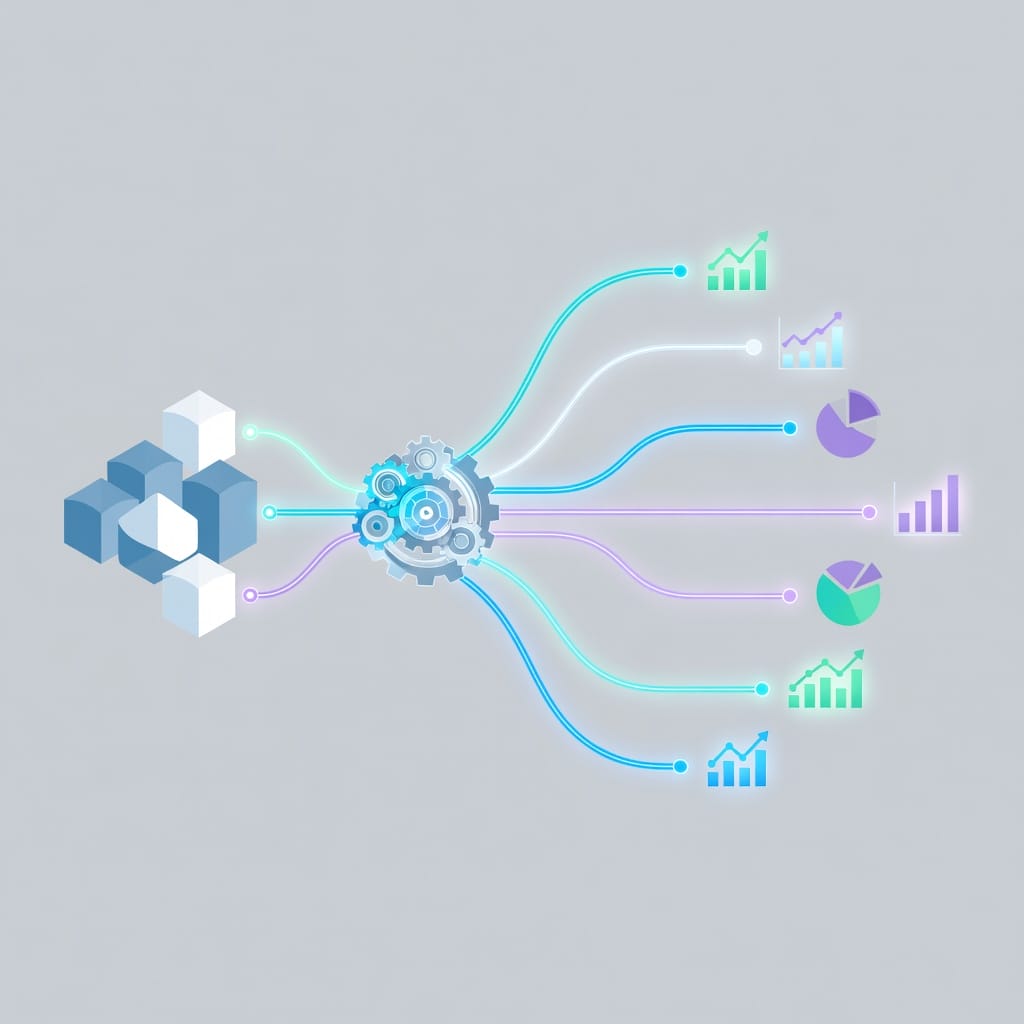
Clay positions itself as the data backbone for outbound teams. You build prospect tables, run enrichment waterfalls across multiple providers, and push enriched records into your CRM or sequencing tool. The value is not just the data itself but the automation layer that connects enrichment to action without manual copy-paste work.
The platform holds SOC 2 Type II, GDPR, CCPA, ISO 27001+, and ISO 42001 certifications, making it viable for teams with compliance requirements. It integrates natively with Salesforce, HubSpot, and dozens of other CRMs, and its Chrome extension lets you enrich records while browsing LinkedIn or company websites. For teams evaluating whether Clay justifies its price, the answer depends almost entirely on how disciplined you are with credit governance – which we will cover in depth below.

Clay Pricing Plans: The Full 2026 Breakdown
Clay retired its older Starter, Explorer, and Pro tiers and restructured into four plans: Free, Launch, Growth, and Enterprise. Each plan bundles a monthly allowance of Actions and Data Credits, with the option to buy more.
Free Plan
| Metric | Monthly | Annual |
|---|---|---|
| Cost | $0 | $0 |
| Actions | 500 | 6,000 |
| Data Credits | 100 | 1,200 |
| Rows per table | 200 | 200 |
The Free plan gives you unlimited seats and tables, multi-provider waterfalls, Claygent AI enrichment, and the ability to bring your own API keys (BYOK). It works as a sandbox for testing workflows before committing budget. The 200-row table limit and 100 monthly Data Credits mean you cannot run meaningful outbound campaigns, but you can validate whether Clay’s enrichment model fits your stack.
Launch Plan
| Metric | Monthly Billing | Annual Billing |
|---|---|---|
| Cost | From $167/mo | From $54/mo |
| Actions | 15,000/mo | 180,000/yr |
| Data Credits | 3,000/mo | 30,000/yr |
| Rows per table | 50,000 | 50,000 |
Launch adds phone number enrichment, unlimited Audiences search, job change and signal tracking, email campaign integrations, and reusable functions. Annual billing saves roughly 10% and grants all credits upfront. This tier suits small teams running focused campaigns on a defined ICP list. If you are prospecting 500-1,000 accounts per month with moderate enrichment depth, Launch provides enough runway.
Growth Plan (Recommended)
| Metric | Monthly Billing | Annual Billing |
|---|---|---|
| Cost | From $446/mo | From $185/mo |
| Actions | 40,000/mo | 480,000/yr |
| Data Credits | 6,000/mo | 72,000/yr |
| Rows per table | 50,000 | 50,000 |
Growth unlocks CRM auto-sync and enrichment, HTTP API integrations, webhook automation, web intent signals, one ads audience, and priority support. This is where Clay starts replacing multiple tools for mid-market teams. CRM auto-sync alone eliminates hours of manual data transfers each week. If your team runs multi-touch sequences and needs real-time CRM updates, Growth is the minimum viable tier.
Enterprise Plan
| Metric | Details |
|---|---|
| Cost | Custom (annual commitment required) |
| Actions | Custom |
| Data Credits | Custom |
| Premium features | Unlimited ads audiences, SSO, RBAC, workbook-level credit budgets |
Enterprise adds a dedicated growth strategist (CSM), onboarding and co-building sessions, bi-annual business reviews, 15-minute source sync frequency, six-month table version history, and custom CSA/DPA agreements. You also get SSO for security compliance and RBAC with workbook-level credit budgets so department heads cannot blow through the team allocation. Enterprise makes sense when you have dedicated RevOps managing Clay at scale.
How Clay Credits Work: Actions vs. Data Credits
Clay’s dual-metric model confuses first-time buyers because neither metric maps cleanly to dollars. Here is how each works.
What Counts as an Action?
Actions are the platform currency for everything Clay does on your behalf. Running an enrichment, executing a table operation, calling an AI model, exporting data, and syncing to your CRM all consume Actions. Clay’s pricing page states that Actions start at less than $0.01 each and get cheaper at scale. You do not spend Actions on prospecting from Google Maps, GitHub, web scraping, or CRM tools – those are free. Actions only apply to enrichment and workflow execution.
What Are Data Credits?
Data Credits purchase data from third-party vendors in Clay’s marketplace. When you enrich a record with a phone number from Provider X or pull technographic data from Provider Y, each call costs a specific number of Data Credits. These costs start at $0.05 per credit and vary by provider and data type. The exact per-action cost appears in-app on each action’s green cost bubble, so you always see the price before confirming.
Fixed-Price vs. Variable AI Models
Clay offers two AI pricing modes. About 80% of AI models cost a flat number of Data Credits per task, making costs predictable. The remaining models – including advanced options like GPT-5.1 and Claude 4.6 Sonnet – use variable pricing that charges actual token consumption with no markup. These variable models display an estimated cost with a tilde (~), and Clay reports that 75% of runs cost less than the estimate. If your AI enrichment tasks work well on fixed-price models, you can avoid cost variance entirely.
Free Actions That Cost Zero Credits
Several categories of actions are completely free on Clay. Data cleaning and formatting operations, CRM integrations (on higher tiers), email sequencing integrations, and prospecting from sources like Google Maps, GitHub, and web scraping do not consume credits. This is an important distinction: building your prospect list costs nothing, but enriching that list with external data does.

Clay Cost per Credit: What You Actually Pay
The headline monthly price is less useful than the per-unit cost. Here is what you pay at each tier when you break down the bundled allocation.
| Plan | Monthly Cost (from) | Actions/mo | Data Credits/mo | Cost per 1K Actions | Cost per 100 Data Credits |
|---|---|---|---|---|---|
| Free | $0 | 500 | 100 | N/A | N/A |
| Launch | $167 | 15,000 | 3,000 | ~$11.13 | ~$5.57 |
| Growth | $446 | 40,000 | 6,000 | ~$11.15 | ~$7.43 |
| Enterprise | Custom | Custom | Custom | Custom | Custom |
On annual billing the effective rates drop significantly. Launch annual ($54/mo effective) drops the cost per 1,000 Actions to approximately $3.60. Growth annual ($185/mo effective) brings it to approximately $4.63. The annual discount rewards committed usage and front-loads credits for the year.
Credit Top-Ups and Overflow Pricing
When you exhaust your monthly allocation, Launch and Growth plans offer credit top-ups at a 30% premium over the bundled rate. If your base Data Credits cost $0.05 each, top-up credits cost $0.065 each. This premium discourages reactive spending and rewards teams that plan their enrichment needs in advance. Enterprise customers negotiate custom top-up rates.
Rollover rules differ between metrics. Actions reset each billing cycle with no rollover. Data Credits roll over for Launch and Growth plans, accumulating up to 2x the monthly amount. Enterprise can roll over up to 15% of the prior year’s purchased credits upon renewal. The no-charge policy applies here too: if an enrichment returns no result, you are not charged Data Credits or Actions.
Clay Pricing vs. Competitors: Side-by-Side Comparison
Clay does not exist in a vacuum. Here is how its pricing stacks up against other enrichment and data platforms.
| Tool | Starting Price | Model | Key Differentiator | Best For |
|---|---|---|---|---|
| Clay | $0 free / $167/mo Launch | Dual-metric (Actions + Credits) | 100+ data provider waterfall, table-based workflow | Multi-source enrichment automation |
| Apollo.io | $0 free / $49/mo Basic | Per-user + credits | Built-in sequencing and dialer | All-in-one outbound |
| ZoomInfo | ~$14,995/yr | Seat-based + credits | Largest B2B database, intent signals | Enterprise data access |
| Lusha | $0 free / $36/mo Pro | Credit-based | Browser extension, simple UI | Quick lookups |
| Cognism | Custom | Seat-based | GDPR-compliant European data | EMEA-focused teams |
| UpLead | $74/mo Essentials | Credit-based | 95% email accuracy guarantee | Accuracy-first buyers |
Clay’s pricing sits in the middle of the market. It is cheaper than ZoomInfo and Cognism for mid-market teams, but more expensive than Apollo and Lusha for basic contact lookups. The real differentiator is not the data itself but the workflow layer: Clay lets you orchestrate multi-step enrichment waterfalls that pull from multiple providers in sequence, retrying with cheaper sources before falling back to premium ones. If you need a simple email finder, Clay is overpriced. If you need automated multi-source enrichment at scale, it delivers value that cheaper single-source tools cannot match.
For a deeper look at Apollo’s pricing model, see our Apollo pricing breakdown.
Hidden Costs in Clay That Most Teams Miss
The subscription price is the most visible cost, but several hidden expenses add up fast if you do not plan for them.
Deliverability and Email Warm-Up
Clay enriches your data and can push records to sequencing tools, but it does not handle email deliverability. You still need warm-up infrastructure, SPF/DKIM/DMARC authentication, domain rotation, and bounce management. Teams that skip warm-up see 30-50% of their enriched leads never receive the email. Factor in a warm-up tool or dedicated sending infrastructure when calculating total campaign cost. This is a line item most first-time Clay buyers do not budget for, and it can add $50-200/month depending on the number of sending domains you maintain.
Data Hygiene and Bounce Credits Wasted
Every enrichment on a bad email address wastes credits. If your bounce rate exceeds 5%, you are burning money on enrichments that produce undeliverable contacts. Running email verification before enrichment – not after – saves credits and protects your sender reputation. A single verification call costs a fraction of a full enrichment, making pre-verification one of the highest-ROI investments in the Clay workflow. The math is simple: if you enrich 2,000 records per month at even $0.10 per enrichment and 15% bounce, you waste $30/month on invalid data. Verification at $0.01 per record ($20 total) saves you that $30 plus the downstream cost of damaged sender reputation.
CRM Sync Limitations by Plan
CRM auto-sync is only available on the Growth plan ($446/mo monthly). On Launch, you must manually export and import data or build custom webhook flows. For teams that rely on real-time CRM updates to trigger sequences, this limitation means either upgrading to Growth or accepting workflow friction that reduces the time savings Clay promises. If your sales process depends on enriched records triggering automated sequences the moment a signal appears, missing CRM sync adds hours of latency that negates the speed advantage Clay is supposed to provide.
Credit Waste from Poor Targeting
Clay credits are consumed regardless of whether the enriched lead fits your ICP. If you enrich 1,000 records and only 200 are qualified, you just wasted 800 enrichment calls. Pre-qualification filters – firmographic filters, technographic checks, or intent signals – applied before enrichment dramatically reduce waste. This is the single biggest lever for controlling Clay cost. A practical approach: run a lightweight free scrape first using Clay’s built-in tools, filter for your ICP criteria, and only then run paid enrichments on the filtered set. This two-step process typically recovers 40-60% of what would otherwise be wasted credits.
For teams comparing enrichment costs at the enterprise level, our ZoomInfo pricing guide covers a different pricing model entirely.
Credit Governance: How to Stop Clay Costs from Spiraling
The teams that get the most value from Clay are not the ones with the biggest budgets. They are the ones that govern credit consumption deliberately. Here is a practical framework.
Pre-Qualify Before Enriching
Run ICP filters on your prospect list before spending a single credit. Filter by company size, industry, technology stack, and geography. Only enrich records that match your target profile. This simple step typically reduces credit waste by 40-60%.
Set Per-Campaign Credit Caps
Clay supports workbook-level credit budgets on Enterprise. On other plans, enforce caps manually or through API limits. Define a maximum credit allocation per campaign, per SDR, and per week. When someone hits the cap, they must justify additional spend. This prevents runaway enrichment on low-priority segments.
Use Waterfall Enrichment
Waterfall enrichment runs multiple providers in sequence, starting with the cheapest and falling back to premium sources only when cheaper ones return no result. Clay’s marketplace makes this easy to configure. A typical waterfall might check a free provider first, then a mid-tier source, and finally a premium provider – ensuring you only pay top dollar for contacts that cheaper sources cannot find. This strategy alone can cut Data Credit spend by 25-40%.
Monitor Credit-to-Outcome Ratios
Track three metrics every week: credits consumed, qualified conversations generated, and meetings booked. Calculate your cost per qualified conversation (CPQC) and meetings per 1,000 credits (M/1k). If CPQC is rising or M/1k is falling, your targeting or enrichment strategy needs adjustment – not more credits. These numbers also give your finance team the unit economics they need to approve budget.
Is Clay Worth the Cost? ROI by Team Size
Clay’s value proposition changes depending on your team size and maturity. Here is what to expect at each stage.
For Solo Founders and Small Teams (1-3 People)
On the Free plan with BYOK (bring your own API keys), solo operators can access Clay’s workflow engine at near-zero cost. The limitation is the 200-row table cap and 100 monthly Data Credits. Once you validate the workflow, Launch at $54-167/mo gives you enough runway for focused campaigns. The risk is hitting credit limits during experimentation. Start with narrow ICP definitions and expand only when your conversion rates justify the spend.
For Growing SDR Teams (4-15 People)
Growth is usually the right tier. CRM auto-sync alone saves each SDR 2-3 hours per week on manual data transfers. At $446/mo monthly or $185/mo annual, the per-SDR cost is $30-112/mo depending on billing – well below the cost of a manual data entry contractor. The key metric is time-to-first-touch. With Clay feeding enriched records directly into your sequencer, you can target same-day outreach on signal-based accounts. If your team is also running cold email outreach, Clay’s enrichment plus a dedicated sequencing tool is a powerful combination.
For Enterprise RevOps (15+ People)
Enterprise makes sense when you need SSO, RBAC, custom credit budgets, dedicated CSM support, and sub-hour sync frequencies. The custom pricing puts Clay in ZoomInfo territory, but the value comes from replacing 3-5 point tools with a single enrichment platform. The annual commitment and negotiated rates can bring the effective per-credit cost well below the published tiers. Enterprise teams should benchmark Clay against building an in-house enrichment pipeline – for most, Clay wins on speed to deployment.
Customer results from Clay’s pricing page show real outcomes: HEX reported a 50% lift in win-rate, Rippling achieved 2x cold email performance, and Intercom grew outbound pipeline by 140%. These results reflect teams that paired Clay with disciplined credit governance and strong sequencing tools.
Clay Pricing Decision Matrix
Use this matrix to match your team profile to the right Clay plan.
| Factor | Free | Launch | Growth | Enterprise |
|---|---|---|---|---|
| Team size | 1-2 | 1-5 | 4-20 | 15+ |
| Monthly enrichment volume | <500 records | 500-3,000 | 2,000-8,000 | 5,000+ |
| CRM sync needed | No | Manual OK | Real-time required | Real-time + custom |
| Webhook/API needs | No | Basic | Advanced | Custom |
| SSO/RBAC needed | No | No | Nice to have | Required |
| Budget sensitivity | $0 only | <$200/mo | $200-600/mo | Negotiable |
| Best for | Testing workflows | Focused campaigns | Multi-channel outbound | Full RevOps integration |
If you are unsure, start on Free or Launch annual and measure your CPQC for 30 days. If CPQC is below your target and you need CRM sync or webhooks, upgrade to Growth. Skip Enterprise unless you need SSO, custom contracts, or a dedicated CSM.
Complementing Clay with Sequencing and Deliverability
Clay is a data and enrichment platform. It does not send emails, warm up domains, or manage deliverability. To turn enriched records into booked meetings, you need complementary tools for sequencing, sending, and verification. The total cost of a Clay-powered outbound campaign includes the enrichment layer (Clay), the sending layer (sequencer + infrastructure), and the verification layer (email validation). Ignoring any one of these layers produces either wasted credits or undeliverable emails.
The Sequencing Layer
For cold email sequencing with AI-powered personalization and a built-in warmup engine, Mystrika handles the outreach side of the workflow. It connects to Clay via webhook or CSV export, letting you push enriched records directly into multi-step sequences with automatic follow-ups. The unibox feature consolidates replies across all accounts so your team never misses a warm lead. Mystrika’s AI personalization uses the enriched data from Clay to craft relevant first lines and follow-ups, turning raw enrichment into personalized outreach without manual copywriting. Starting at $15/month, it fills the sequencing gap that Clay leaves open and provides the warmup infrastructure that protects your sending domains.
The Sending Infrastructure Layer
If you need unlimited sending capacity across multiple domains, DoYouMail provides dedicated infrastructure with automatic SPF/DKIM/DMARC setup. For teams that send at volume, the per-domain cost is far cheaper than per-mailbox pricing models. Domain rotation is essential at scale – sending more than 30-50 emails per day per domain risks spam filters. DoYouMail lets you spread volume across dozens of domains without manual DNS configuration.
The Verification Layer
Before enriching any list, run it through Filter Bounce for real-time email verification. At roughly $0.01 per verification, cleaning a 1,000-record list costs about $10 and prevents wasting hundreds of dollars in Clay credits on invalid addresses. This one step – verify first, enrich second – is the single highest-ROI addition to any Clay workflow. The optimal pipeline is: verify emails first (Filter Bounce), enrich clean records (Clay), then sequence verified and enriched contacts (Mystrika). This order minimizes waste at every stage and produces the lowest cost per qualified conversation.
Key Takeaways
- Clay’s 2026 pricing uses four plans (Free, Launch, Growth, Enterprise) with a dual-metric model: Actions for platform usage and Data Credits for third-party data.
- The Free plan works for testing, but meaningful campaigns start at Launch ($167/mo monthly, $54/mo annual).
- Growth ($446/mo monthly) unlocks CRM auto-sync, webhooks, and intent signals – the features mid-market teams actually need.
- Enterprise pricing is custom and includes SSO, RBAC, dedicated CSM, and 15-minute sync frequency.
- Credit waste from poor targeting is the biggest hidden cost. Pre-qualify before enriching and use waterfall enrichment to reduce spend.
- Verify emails before enriching to avoid wasting credits on invalid addresses.
- Clay does not handle sequencing or deliverability – pair it with a sequencing tool and email warmup platform for complete campaigns.
- Track cost per qualified conversation (CPQC) and meetings per 1,000 credits (M/1k) to prove ROI to your finance team.
- Annual billing saves roughly 10% and front-loads all credits for the year.
Frequently Asked Questions
How much does Clay cost per month?
Clay costs $0 on the Free plan, from $167/mo on Launch (monthly billing), and from $446/mo on Growth (monthly billing). Annual billing drops Launch to approximately $54/mo and Growth to approximately $185/mo. Enterprise pricing is custom and requires an annual commitment. The exact cost depends on your Actions and Data Credits consumption beyond the bundled allocation.
Is there a free version of Clay?
Yes. Clay’s Free plan costs nothing and includes 500 Actions and 100 Data Credits per month. You get unlimited seats, unlimited tables, multi-provider waterfalls, Claygent AI enrichment, and BYOK support. The limits are the 200-row table cap and low credit allocation, which make it suitable for testing but not for production campaigns.
What happens when I run out of Clay credits?
When you exhaust your monthly Actions or Data Credits, Launch and Growth plans offer credit top-ups at a 30% premium over the bundled rate. Actions reset each billing cycle with no rollover. Data Credits roll over for Launch and Growth plans, accumulating up to 2x your monthly allocation. Enterprise plans negotiate custom rollover and top-up terms. If you consistently exhaust credits, upgrading to a higher tier is usually cheaper than buying top-ups.
Are Clay credits refundable?
Clay does not refund consumed credits. However, the no-charge policy means you are not charged for enrichments that return no result – if a data provider cannot find information for a record, the credit cost is zero. Top-up credits are non-refundable. To avoid wasted spend, use pre-qualification filters and verify emails before enrichment.
How does Clay pricing compare to ZoomInfo?
Clay starts at $0 with a free plan and scales to custom enterprise pricing. ZoomInfo begins at approximately $14,995 per year with no free tier. Clay uses a dual-metric credit model while ZoomInfo uses seat-based licensing with credits. Clay is significantly cheaper for small and mid-market teams. ZoomInfo offers a larger database and deeper intent data for enterprise buyers. For most teams under 50 people, Clay delivers better value per dollar spent on enrichment.
Can I bring my own API keys to reduce Clay costs?
Yes. BYOK (bring your own API keys) is available on all plans, including Free. When you use your own API keys for data providers, you skip Data Credits entirely and only consume Actions. This is one of the most effective ways to reduce Clay cost if you already have accounts with providers like Apollo, Lusha, or Clearbit.
What is the cheapest way to use Clay?
The cheapest effective approach is: start on the Free plan with BYOK, build your prospect list using free prospecting sources (Google Maps, GitHub, web scraping), verify emails externally before enrichment, apply strict ICP filters to minimize waste, and use waterfall enrichment starting with the cheapest providers. This strategy lets you run meaningful enrichment for under $20/month on the Free plan.
Is Clay worth it for small businesses?
For small businesses with fewer than 500 leads per month, Clay’s Free or Launch plan provides genuine value – especially if you use BYOK and waterfall enrichment. The platform saves hours of manual data work and connects enrichment directly to your outreach workflow. The risk for small businesses is credit waste from broad targeting. Define your ICP tightly, verify emails before enriching, and monitor your cost per qualified conversation monthly. If you are a two-person startup sending 100-200 emails per week, the Free plan with BYOK plus a verification tool gets you 80% of the value at zero subscription cost. The key is to resist upgrading until you have a repeatable enrichment-to-meeting workflow that justifies the spend with real pipeline numbers.