
What Makes a Great Content Creation and Social Media Management Stack in 2026
Content creation tools and social media management platforms serve different but complementary purposes. Content creation tools handle the production side – writing copy, designing graphics, editing videos, and recording audio. Social media management platforms handle the distribution side – scheduling posts, monitoring engagement, analyzing performance, and managing community interactions across channels.
Most businesses need both. A design tool like Canva creates the asset, but a platform like Buffer or Hootsuite gets it published at the right time to the right audience. Trying to manage social media without proper creation tools leads to generic, uninspired content. Trying to create content without management tools leads to inconsistent posting and missed engagement windows.
The right stack depends on three factors: your team size, your content volume, and your budget. A solo creator producing three posts per week has completely different needs than a 10-person agency managing 30 client accounts.
Before comparing individual tools, here is the selection criteria we used to evaluate every tool in this guide:
- Ease of use – Can a new user become productive within 30 minutes?
- Feature depth – Does the tool solve a real problem or duplicate what you already have?
- Integration capability – Does it connect with your existing stack through APIs or native integrations?
- Pricing transparency – Are the plans clear, and does the free tier offer real value?
- AI features in 2026 – Does the tool use AI to save time on repetitive tasks?
- Scalability – Will the tool still work as your team and content volume grow?

Top Content Creation Tools for Social Media in 2026
Content creation spans four major categories: writing, design, video, and audio. The best tools in each category have added AI features over the past two years, but the quality of those AI features varies significantly.
AI Writing and Copy Tools
AI writing tools help you draft social media captions, blog posts, email sequences, and ad copy faster. The key distinction in 2026 is between tools that generate generic AI text and tools that learn your brand voice over time.
ChatGPT (OpenAI) – The most versatile AI writing tool. Use it to brainstorm post ideas, rewrite captions for different platforms, and generate content calendars. The free tier handles most social media writing tasks. ChatGPT Plus ($20/month) adds longer context windows and image generation.
Jasper – Purpose-built for marketing teams. Jasper’s brand voice feature learns your tone from existing content and applies it consistently across outputs. Starts at $49/month for the Creator plan. Best for teams producing high volumes of branded content across channels.
Copy.ai – Focuses on short-form marketing copy. Its workflow templates handle social media captions, ad copy, and product descriptions with minimal input. Free plan includes 2,000 words per month. Pro plan at $49/month removes limits and adds brand voice training.
Writesonic – Strong at long-form content repurposing. Feed it a blog post and it generates social snippets, email summaries, and ad variations. Starts at $16/month annually.
Key consideration: AI writing tools save time on first drafts, but every output needs human review. AI-generated captions that sound generic or off-brand hurt engagement more than publishing less frequently with higher quality.
Visual Design and Graphics Platforms
Visual content drives 2-3x more engagement than text-only posts on most platforms. These tools handle everything from Instagram carousels to LinkedIn infographics.
Canva – The industry standard for non-designers. Canva’s drag-and-drop editor, template library, and brand kit features make it possible for anyone to produce professional graphics. Free plan includes 250,000+ templates. Pro plan at $15/month adds background remover, brand kits, and 100+ million stock photos. Teams plan at $10/person/month adds collaboration and approval workflows.
Adobe Express – Adobe’s answer to Canva. Stronger photo editing capabilities thanks to Adobe’s ecosystem, but a smaller template library. Free plan available. Premium at $9.99/month includes Adobe Fonts and advanced editing.
Figma – Not just for UI designers. Figma works well for teams creating social media templates at scale. Its component system means you update a master template and all derived assets update automatically. Free plan allows 3 projects. Professional plan at $15/editor/month removes limits.
Visme – Specializes in data-driven content: infographics, charts, presentations, and reports. Good for B2B brands that share data on LinkedIn. Free plan available. Starter at $12.25/month.
Video Editing and Short-Form Video Tools
Short-form video is the highest-performing content format on Instagram, TikTok, YouTube Shorts, and LinkedIn in 2026. These tools handle editing, captioning, and format optimization.
CapCut – ByteDance’s free video editor, purpose-built for short-form content. Auto-captions, trending effects, and direct TikTok publishing make it the fastest tool for creating Reels and Shorts. Free with optional Pro features at $9.99/month.
Descript – Edit video by editing text. Descript transcribes your footage, then lets you cut, rearrange, and polish video by editing the transcript like a document. Overdub AI fixes mistakes without re-recording. Hobbyist plan at $24/month. Best for talking-head content, podcasts, and tutorial videos.
VEED – Browser-based video editor with strong auto-subtitle features. Clean interface that does not require video editing experience. Free plan with watermark. Basic plan at $25/month removes watermark and adds 1080p export.
Opus Clip – AI-powered tool that takes long videos and automatically generates short clips. Useful for repurposing webinars, podcasts, and YouTube videos into social content. Free tier available. Starter at $19/month.
Key consideration: Choose your video tool based on your primary content format. Talking-head content works best with Descript. Trending-audio content works best with CapCut. Repurposing long-form content works best with Opus Clip.
Audio and Podcast Creation Tools
Podcast content repurposes well across social media. These tools handle recording, editing, and distribution.
Riverside – Records separate audio and video tracks for each participant, ensuring high quality regardless of internet connection. Free plan available. Standard at $15/month.
Adobe Podcast – Free browser-based tool with AI-powered noise removal and audio enhancement. Excellent for cleaning up recordings made in non-studio environments.
Descript (also listed above) – Handles both video and audio editing with the same transcript-based workflow. Particularly strong for podcast editing since you can remove filler words automatically.
Top Social Media Management Platforms in 2026
Management platforms handle the operational side of social media: scheduling, publishing, monitoring, analyzing, and responding. Unlike content creation tools, where you might use 3-4 specialized tools, most teams need only one primary management platform.
All-in-One Scheduling and Publishing Tools
These platforms cover the full publishing workflow: composing posts, scheduling across multiple networks, and tracking basic performance.
Buffer – The simplest scheduling tool to start with. Clean interface, minimal learning curve, and a genuine free plan for up to 3 channels with 10 scheduled posts per channel. Essentials plan starts at $6/month per channel. Buffer’s strength is its simplicity – it does not try to be everything, but scheduling and basic analytics work reliably.
Hootsuite – The most feature-rich management platform. Handles scheduling, monitoring, analytics, ad management, and team collaboration in a single dashboard. Starts at $99/user/month for the Professional plan. Best for teams that need a unified command center and have the budget to justify it.
Later – Originally built for Instagram scheduling, Later has expanded to cover TikTok, Pinterest, Facebook, LinkedIn, and Twitter/X. Its visual content calendar and Link in Bio tool are standout features. Starts at $25/month for the Starter plan. Best for visually-driven brands.
Sprout Social – Premium management platform with deep analytics, social listening, and customer care features. Starts at $99/user/month for the Standard plan, with advanced plans reaching $249/user/month. Best for mid-size to enterprise teams that need comprehensive reporting and approval workflows.
Sendible – Affordable all-in-one option at $29/month for the Creator plan. Includes scheduling, monitoring, analytics, and a content library. Good alternative for teams that need Hootsuite-level features at a lower price point.
Social Listening and Analytics Platforms
Listening tools monitor brand mentions, industry conversations, and competitor activity across the web and social media.
Brandwatch – Enterprise-grade social listening with AI-powered sentiment analysis and trend detection. Custom pricing, typically starting around $800/month. Best for large brands and agencies managing reputation at scale.
Mention – Monitors brand mentions across social media, blogs, forums, and news sites. Starts at $49/month for the Solo plan. Good middle ground between basic monitoring and enterprise listening.
Keyhole – Focuses on hashtag tracking, campaign monitoring, and influencer identification. Starts at $89/month. Best for teams running hashtag campaigns or tracking influencer performance.
Metricool – Combines social media analytics with web traffic data from Google Analytics. Free plan covers one brand per platform. Starter plan at $25/month. Particularly useful for understanding how social traffic converts on your website.
Community Management and Inbox Tools
Community management tools unify comments, DMs, and mentions into a single inbox for faster response times.
Agorapulse – Built around a unified social inbox that aggregates comments, messages, and mentions. Automated rules categorize and assign conversations. Free plan available. Standard plan at $99/user/month. Best for teams that receive high volumes of social interactions.
Vista Social – Combines scheduling, review management, and social listening with a shared inbox. Starts at $79/month. Good value for teams that need inbox management without the premium pricing of Agorapulse.
Front – Not a social-media-specific tool, but effective for teams that manage customer conversations across email, social, SMS, and chat in one place. Starts at $19/seat/month.
Content Creation and Management Tool Comparison Matrix
This matrix covers the most important tools across both categories. Use it to shortlist tools based on your primary need, budget, and whether you need a free plan.
| Tool | Category | Best For | Starting Price | Free Plan? |
|---|---|---|---|---|
| ChatGPT | AI Writing | Versatile content drafting | $20/month | Yes |
| Jasper | AI Writing | Brand-voice marketing copy | $49/month | No |
| Copy.ai | AI Writing | Short-form marketing copy | $49/month | Yes (2k words/mo) |
| Canva | Design | Non-designer graphics | $15/month | Yes |
| Adobe Express | Design | Photo-forward social graphics | $9.99/month | Yes |
| Figma | Design | Template system at scale | $15/editor/month | Yes (3 projects) |
| CapCut | Video | Short-form video creation | Free / $9.99/month | Yes |
| Descript | Video + Audio | Talking-head and podcast editing | $24/month | No |
| VEED | Video | Browser-based subtitle-heavy video | $25/month | Yes (watermark) |
| Opus Clip | Video | Long-to-short video repurposing | $19/month | Yes |
| Buffer | Management | Simple scheduling | $6/channel/month | Yes |
| Hootsuite | Management | Full-featured management | $99/user/month | No |
| Later | Management | Visual content calendar | $25/month | No |
| Sprout Social | Management | Enterprise analytics and care | $99/user/month | No |
| Sendible | Management | Affordable all-in-one | $29/month | No |
| Agorapulse | Inbox + Mgmt | Unified social inbox | $99/user/month | Yes |
| Metricool | Analytics | Social + web analytics | $25/month | Yes |
How to Build Your Content Creation and Social Media Workflow
Having the right tools is only half the equation. The other half is building a repeatable workflow that turns ideas into published content consistently.
Step-by-Step Workflow Setup
Follow these steps to build a content workflow from scratch:
Step 1: Define your content pillars. Choose 3-5 topic categories that align with your brand and audience. Every piece of content you create should fit one of these pillars. Example for a SaaS company: product updates, customer stories, industry insights, how-to tutorials, team culture.
Step 2: Set your publishing cadence. Be realistic about how often you can publish high-quality content. It is better to post 3 excellent pieces per week than 7 mediocre ones. Map your cadence per platform: Instagram 4-5x/week, LinkedIn 3-4x/week, Twitter/X daily, TikTok 3-5x/week.
Step 3: Build your content calendar. Use a tool like Notion, Trello, or Airtable to plan content 2-4 weeks ahead. Each calendar entry should include: publish date, platform, content pillar, format (image, video, carousel, text), caption draft, and status (idea, drafted, designed, approved, scheduled).
Step 4: Create in batches. Set aside dedicated creation days. Write all captions in one session. Design all graphics in another session. Edit all videos in a third session. Context-switching between writing, designing, and editing wastes more time than most people realize.
Step 5: Schedule and automate. Upload finished content to your management platform and schedule it according to your calendar. Buffer, Hootsuite, and Later all support bulk scheduling. Use analytics data to identify the best posting times for each platform.
Step 6: Monitor and respond. Check your social inbox daily for comments and DMs. Agorapulse or Vista Social’s unified inbox makes this faster than checking each platform individually.
Step 7: Analyze and iterate. Review performance weekly. Track which content pillars, formats, and posting times drive the most engagement. Double down on what works and drop what does not.

Content Calendar and Planning Checklist
Use this checklist every time you plan a new content cycle:
- [ ] Review last cycle’s analytics – identify top-performing posts and underperformers
- [ ] Check upcoming dates – product launches, holidays, industry events, conferences
- [ ] Assign content pillars to each publishing day
- [ ] Draft captions for all planned posts (batch writing session)
- [ ] Create or source visual assets for each post (batch design session)
- [ ] Edit and caption any video content (batch video session)
- [ ] Review all content for brand voice consistency
- [ ] Get approvals from stakeholders if required
- [ ] Upload and schedule all content in your management platform
- [ ] Set reminders for real-time engagement on publish days
- [ ] Prepare backup content for unexpected gaps (sick days, breaking news)
- [ ] Update your content library with finished assets for future repurposing
Choosing the Right Tools for Your Team Size and Budget
The biggest mistake teams make is buying tools designed for a different team size. A solo creator does not need Sprout Social’s enterprise workflows. An agency managing 20 clients cannot operate on Buffer’s free plan.
Decision Matrix: Solo Creator vs. Small Team vs. Agency
| Factor | Solo Creator | Small Team (2-5 people) | Agency (6+ people, multiple clients) |
|---|---|---|---|
| Content creation | Canva Free + ChatGPT Free | Canva Pro + Jasper or Copy.ai | Canva Teams + Jasper Business + CapCut Pro |
| Scheduling | Buffer Free (3 channels) | Buffer Essentials or Later Growth | Hootsuite or Sprout Social |
| Analytics | Native platform analytics | Metricool or Buffer analytics | Sprout Social or Brandwatch |
| Collaboration | Notion or Trello (free) | Notion + approval workflows | Hootsuite or Sprout Social team features |
| Video | CapCut Free | CapCut Pro + Descript | Descript + Opus Clip |
| Social inbox | Check platforms directly | Agorapulse Free or Vista Social | Agorapulse Standard or Sprout Social |
| Monthly budget | $0-$30 | $50-$200 | $500-$2,000+ |
| Key priority | Speed and simplicity | Consistency and collaboration | Scale and client reporting |
Pricing Comparison at a Glance
| Budget Tier | Monthly Cost | Recommended Stack |
|---|---|---|
| Free | $0 | Canva Free + ChatGPT Free + CapCut Free + Buffer Free + native analytics |
| Starter | $30-$75 | Canva Pro ($15) + Buffer Essentials ($6/channel) + CapCut Pro ($10) + Metricool ($25) |
| Growth | $100-$250 | Canva Teams ($10/person) + Jasper Creator ($49) + Later Growth ($40) + Agorapulse ($99) |
| Professional | $300-$600 | Jasper Pro ($69) + Hootsuite Professional ($99/user) + Descript Pro ($24) + Brandwatch (custom) |
| Enterprise | $1,000+ | Sprout Social Advanced + Jasper Business + custom video production + dedicated analytics platform |
Budget tip: Start with the free or starter tier of every tool. Upgrade only when you hit a specific limitation – not because a feature looks nice in a sales demo. Most teams use less than 40% of the features they pay for.
Integrating Email Outreach with Social Media Strategy
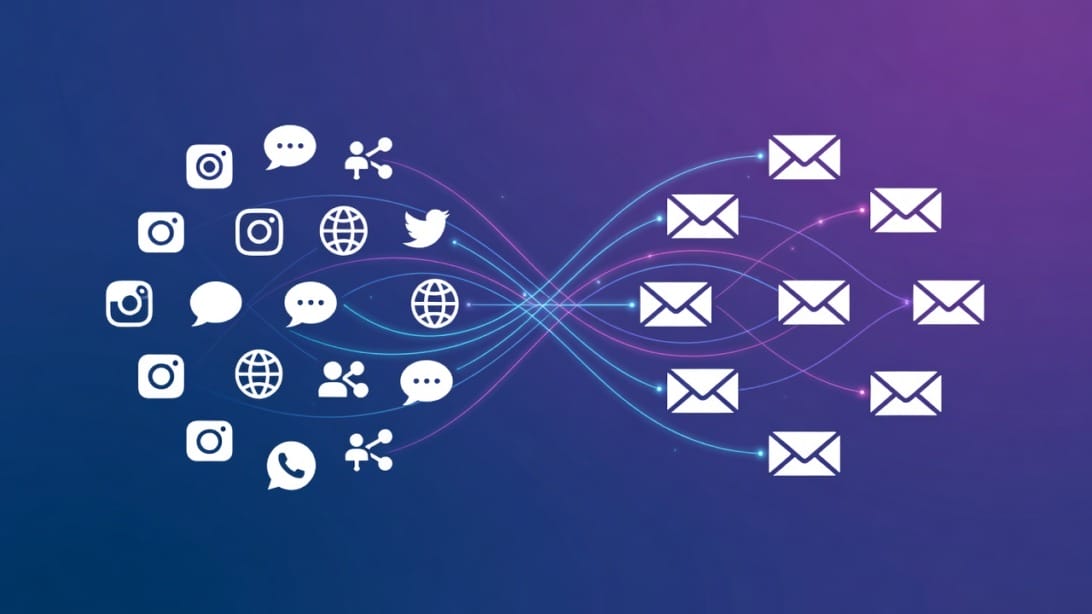
Social media tools create awareness and engagement, but email outreach converts that interest into conversations and revenue. The most effective content strategies in 2026 connect social media publishing with targeted email campaigns.
Here is how it works in practice: your social media content builds brand recognition and trust over weeks or months. When a prospect engages with your posts – liking, commenting, sharing, or visiting your profile – that signals interest. Your email outreach tool then follows up with a personalized message that references their engagement and offers a specific value.
This multi-channel approach outperforms either channel alone. Social media warms up the relationship. Email drives the conversation forward.
Mystrika is built exactly for this use case. As a cold email outreach platform starting at $15/month, it handles email sequencing, AI-powered personalization, deliverability warmup, and a unified inbox for managing replies. When you combine consistent social media publishing with Mystrika’s outreach sequences, you create a pipeline where social engagement feeds directly into personalized email conversations. You can learn more about building effective [cold email outreach](https://blog.mystrika.com/cold-email-outreach/) strategies on our blog.
DoYouMail provides the dedicated email infrastructure that powers high-volume outreach. Instead of sending from your primary domain and risking your sender reputation, DoYouMail gives you separate domains and mailboxes configured for outreach. This separation protects your main business email while enabling the volume needed for effective campaigns.
Filter Bounce handles the critical first step: verifying that your outreach list contains valid, deliverable email addresses. Sending to invalid addresses damages your sender reputation and tanks your inbox placement rate. Running your list through Filter Bounce before launching a campaign is a non-negotiable step for maintaining good [email deliverability](https://blog.mystrika.com/email-deliverability/).
The workflow connecting social media and email outreach looks like this:
1. Publish consistently on social media using your content creation and management tools
2. Track engagement signals (profile visits, post interactions, link clicks)
3. Build outreach lists from engaged prospects
4. Verify email addresses with Filter Bounce
5. Set up personalized email sequences in Mystrika
6. Send from dedicated DoYouMail infrastructure
7. Manage replies in Mystrika’s unified inbox
8. Use social proof from your active social presence to reinforce email credibility
This integrated approach turns your social media content into a lead generation engine instead of just a branding exercise. For teams ready to start, understanding the [warmup process](https://blog.mystrika.com/email-warmup/) is essential before sending your first outreach campaign.
Key Takeaways
- Content creation and social media management are two separate categories of tools – you need both. Creation tools (Canva, CapCut, ChatGPT) produce the content. Management platforms (Buffer, Hootsuite, Later) schedule, publish, and track it.
- AI tools have matured significantly in 2026 but still require human oversight. Use ChatGPT, Jasper, or Copy.ai for first drafts and brainstorming, but always review and refine for brand voice.
- Start with free tiers and upgrade based on real limitations, not feature envy. Buffer Free, Canva Free, ChatGPT Free, and CapCut Free together cover the needs of most solo creators.
- Short-form video is the highest-performing content format in 2026. Invest in CapCut or Descript if video is not yet part of your content strategy.
- Your team size should determine your tool choices more than features or pricing. Solo creators need speed and simplicity. Small teams need collaboration and consistency. Agencies need scale and client reporting.
- Connecting social media with email outreach multiplies results. Social content builds awareness; email outreach drives conversations. Tools like Mystrika, DoYouMail, and Filter Bounce bridge the gap between social engagement and revenue-generating outreach.
- Build a repeatable workflow before adding more tools. A consistent content calendar with batch creation days beats having access to every tool on the market.
Frequently Asked Questions
What are the best free tools for content creation and social media management?
The strongest free stack in 2026 combines Canva Free for graphics, ChatGPT Free for writing assistance, CapCut Free for video editing, and Buffer Free for scheduling up to 3 channels. Google Business Profile adds free review management for local businesses. This stack handles the needs of most solo creators and early-stage startups without requiring any paid subscriptions. The main limitation of free tiers is volume – once you need more than 3 social channels, batch scheduling, or advanced analytics, you will need to upgrade to at least one paid plan.
How much should a small business budget for social media tools?
A small business with 2-5 team members should budget between $50 and $200 per month for social media tools. The starter tier of $30-$75/month covers Canva Pro ($15), Buffer or Later essentials ($6-$40), CapCut Pro ($10), and basic analytics ($25). As your content volume grows, expect to spend $100-$250/month adding AI writing tools like Jasper ($49) and a unified inbox tool like Agorapulse ($99). Agencies managing multiple clients should budget $500-$2,000+ per month depending on the number of clients and the depth of reporting required.
Can AI tools replace human content creators?
AI tools cannot replace human content creators, but they can significantly accelerate the content creation process. In 2026, AI writing tools like ChatGPT and Jasper handle first drafts, brainstorming, and repurposing tasks efficiently. AI design tools like Canva’s Magic Studio speed up template creation. However, AI-generated content lacks brand voice consistency, cultural nuance, and strategic judgment. The most effective approach is to use AI for the 70% of content creation that is repetitive (drafting, resizing, captioning) and invest human time in the 30% that requires creativity, strategy, and brand alignment. AI is a productivity multiplier, not a replacement.
What is the difference between content creation tools and social media management platforms?
Content creation tools focus on producing the actual assets: writing copy (Jasper, ChatGPT), designing graphics (Canva, Figma), editing video (CapCut, Descript), and recording audio (Riverside, Adobe Podcast). Social media management platforms focus on distributing those assets: scheduling posts across multiple networks (Buffer, Hootsuite), monitoring engagement and mentions (Agorapulse, Mention), analyzing performance (Metricool, Sprout Social), and managing community interactions. You typically need multiple specialized creation tools but only one management platform. The creation tools produce content; the management platform gets it published, tracked, and responded to.
How do I choose between all-in-one platforms and specialized tools?
Choose all-in-one platforms when your team is small, your content volume is moderate, and you value simplicity over depth. Tools like Hootsuite, Sendible, or Sprout Social handle scheduling, analytics, and inbox management in a single dashboard, which reduces context-switching and simplifies training. Choose specialized tools when your content volume is high, your team has dedicated roles (designers, videographers, analysts), or you need best-in-class capability in a specific area. For example, a video-first brand might pair Later (scheduling) with Descript (video editing) and Agorapulse (inbox) rather than relying on one platform that does all three things at an average level. The hybrid approach takes more effort to set up but usually delivers better results at each stage of the workflow.
Sources:
- [Buffer – 17 best social media tools for marketing teams in 2026](https://buffer.com/resources/social-media-tools/)
- [Hootsuite – 17 best social media tools](https://blog.hootsuite.com/social-media-tools/)
- [Zapier – Best social media management tools](https://zapier.com/blog/best-social-media-management-tools/)
- [Sprout Social – Best social media management tools for businesses](https://sproutsocial.com/insights/social-media-management-tools/)
- [MarketBetter – Social media content creation tools](https://marketbetter.ai/blog/social-media-content-creation-tools/)