
Winnr Review: Quick Verdict for Outbound Teams
Winnr is worth evaluating if you are looking for a private cold email infrastructure path and you have the technical confidence to manage reputation, authentication, monitoring, and gradual sending discipline. It is less likely to be the easiest choice if you mainly need a complete cold outreach platform with sequencing, warmup, inbox management, analytics, and day-to-day campaign operations in one place.

This Winnr review is written for a practical buyer, not a curiosity click. If you are comparing Winnr because you need more control over outbound infrastructure, the question is not simply “does Winnr send email?” The better question is whether your team can turn infrastructure control into better pipeline without creating a deliverability maintenance burden.
Based on the available public review material, Winnr is generally positioned around private SMTP style cold email infrastructure, optional dedicated IPs, DNS configuration, and more ownership over the sending layer. That positioning can appeal to advanced operators. It can also be a trap for teams that are not ready to own the parts that mailbox based platforms usually hide.
Here is the short version:
| Buyer question | Practical answer |
|---|---|
| Is Winnr a normal cold email sequencer? | Treat it primarily as an infrastructure evaluation unless Winnr’s team confirms the exact campaign features you need. |
| Is it best for beginners? | Probably not. Beginners usually need a simpler stack with guardrails, warmup, sequencing, and reply handling. |
| Is it only for high volume? | It appears most relevant when infrastructure control matters more than simplicity. Volume is only one part of that equation. |
| What should you verify before buying? | Pricing, IP ownership, DNS support, warmup process, bounce handling, analytics, support response times, migration terms, and compliance responsibilities. |
| What is a simpler alternative path? | Use Mystrika for cold email campaigns, warmup, sequencer, unified inboxes, and outreach workflows. Use DoYouMail where email infrastructure is the main need, and Filter Bounce for verification. |
If you are choosing a tool this week, do not buy Winnr because a review says “private infrastructure” sounds powerful. Buy it only if you know what you want to control, who will operate it, how you will measure deliverability, and what your fallback plan is if reputation takes longer to build than expected.
What Is Winnr?
Winnr appears to be positioned as a cold email infrastructure option for teams that want more control over the sending environment, especially around SMTP style sending, DNS setup, and dedicated infrastructure. In plain English, that means the value is less about writing a sequence and more about controlling the pipes that deliver outbound email.
That distinction matters. Many buyers search for “Winnr” expecting a direct comparison with a campaign platform. But infrastructure and campaign execution are different layers:
- Infrastructure decides how mail is sent.
- Authentication decides whether receiving systems can trust the sender identity.
- Warmup and reputation discipline influence how new sending assets mature.
- Sequencing decides who gets which message, when, and based on what behavior.
- Reply management determines whether positive responses become pipeline.
- Verification reduces avoidable bounces before campaigns start.
A tool can be strong in one layer and limited in another. That is why the smartest way to evaluate Winnr is to map it against your outbound operating model rather than against a generic feature list.
If Winnr gives your team private infrastructure control but you still need a separate sequencer, separate warmup workflow, separate verification tool, and separate reporting system, the all-in cost and complexity may be different from the headline impression. If Winnr bundles more of those items, ask for a demo that proves each one in your exact workflow.
For teams that want an outreach platform rather than an infrastructure project, Mystrika is the more direct category fit because it combines cold email sequencing, AI-assisted campaign work, warmup, unified inbox management, and campaign operations. For teams that primarily need mailbox or infrastructure support around outbound, DoYouMail can sit closer to that infrastructure layer. For teams cleaning lead lists before any sending decision, Filter Bounce belongs in the pre-send workflow.
How Winnr Seems to Fit in a Cold Email Stack
Winnr seems to fit best as a sending infrastructure component, not necessarily as the entire outbound engine. That means you should evaluate it by asking what it replaces, what it connects to, and what remains your responsibility after onboarding.
A modern outbound stack usually includes these layers:
| Stack layer | What it does | Questions to ask about Winnr |
|---|---|---|
| Domain strategy | Separates sending domains from primary brand domains | Does Winnr advise on domain selection, redirect strategy, and risk separation? |
| DNS and authentication | Sets SPF, DKIM, DMARC, tracking, and related records | Are records created for you, audited, and monitored after setup? |
| Sending infrastructure | Handles SMTP, IPs, routing, throttling, and reputation | Are IPs shared, dedicated, pooled, warmed, or assigned by plan? |
| Warmup and ramping | Builds safer sending patterns over time | Is warmup native, recommended, managed, or left to the customer? |
| Verification | Removes risky addresses before sending | Is list verification included, integrated, or separate? |
| Sequencing | Runs messages, follow-ups, personalization, and conditions | Does Winnr include campaign sequencing or require another tool? |
| Reply management | Centralizes replies and helps teams respond | Is there a unified inbox or does your team manage replies elsewhere? |
| Monitoring | Tracks bounces, spam indicators, blocks, and reputation | What dashboards, alerts, and exports are available? |
This is the first gap in many short Winnr reviews: they focus on whether private infrastructure is good or bad, but they do not help you calculate the operational footprint. Infrastructure control is valuable only when the team has the process to use it.
If you already have deliverability expertise, a RevOps owner, and a clear monitoring cadence, Winnr may be a serious option to evaluate. If your team is still learning the difference between authentication, warmup, verification, and sequencing, start with a more guided system and revisit private infrastructure later.
For deeper context on reputation fundamentals, read Mystrika’s guide to cold email deliverability before comparing infrastructure vendors. It will make the sales conversation with any provider more useful.
Winnr Features to Verify Before You Book a Demo
The most important Winnr features are the ones you can verify, not the ones that sound impressive in a short review. Before booking or buying, convert every feature claim into an operational proof point.
Use this checklist during the demo:
- Does Winnr provide private SMTP infrastructure, dedicated IPs, shared pools, or a mix?
- Are dedicated IPs included, optional, or reserved for higher plans?
- Who owns DNS setup: Winnr, your team, or both?
- Does Winnr configure SPF, DKIM, and DMARC for every sending domain?
- Is tracking domain setup included?
- Is there a warmup workflow, and is it native or third party?
- Can you set sending limits per inbox, domain, campaign, and workspace?
- Are bounces categorized by reason?
- Are spam complaints, blocks, and deferrals visible?
- Are blacklist alerts included?
- Does the platform include sequencing, or does it only provide sending infrastructure?
- Does it integrate with your current CRM, sequencer, or data warehouse?
- Can you export logs if deliverability drops?
- What happens if an IP or domain gets listed?
- Is support handled through chat, email, Slack, ticketing, or a dedicated manager?
- What is the cancellation process?
A vendor that handles infrastructure should be comfortable answering these questions. If the answers are vague, slow, or overly dependent on custom statements like “we handle that,” ask for screenshots, sample reports, or a sandbox environment.
Feature Table: What Matters and Why
| Feature area | Why it matters | Green flag | Red flag |
|---|---|---|---|
| Dedicated infrastructure | Can isolate sender reputation | Clear explanation of assignment, ramping, and remediation | Dedicated IPs mentioned without operating guidance |
| DNS support | Prevents authentication mistakes | Guided setup plus verification | Customer is fully responsible without audit |
| Warmup | Reduces risky sudden volume changes | Gradual ramp plan with monitoring | “You can send right away” with no caveats |
| Bounce handling | Protects reputation and list quality | Bounce categories and suppression rules | Only a total bounce number |
| Reporting | Lets teams diagnose issues | Domain, inbox, campaign, and error-level visibility | Only opens and replies |
| Integrations | Keeps operations manageable | Clear integrations or export paths | Manual copy-paste workflows |
| Support | Matters during blocks or failures | Defined escalation path | No response time expectations |
This table is intentionally practical. A private infrastructure tool can look strong on a landing page while still creating hidden work for the buyer. Your goal is to find those hidden responsibilities before you sign.
Winnr Pricing: What to Ask Because Public Details Are Limited
Public pricing details for Winnr are not easy to validate from the available review material. That does not mean the product is expensive or cheap. It means you should treat pricing as a discovery topic and ask for the all-in monthly cost, not only the platform fee.
A useful pricing conversation should include:
1. Base platform fee.
2. Cost per inbox, domain, workspace, or seat.
3. Dedicated IP costs, if applicable.
4. Setup or onboarding fees.
5. Warmup costs.
6. Sequencer costs if Winnr does not include sequencing.
7. Verification costs if list cleaning is separate.
8. Support tier costs.
9. Contract length.
10. Cancellation terms.
11. Overages for volume, domains, contacts, or API usage.
12. Migration fees if you leave.
Here is a pricing worksheet you can copy into your vendor evaluation doc:
| Cost item | Ask Winnr | Your answer |
|---|---|---|
| Platform subscription | What is the monthly base fee? | |
| Sending assets | Are inboxes, domains, or IPs billed separately? | |
| Dedicated IPs | Are they included or add-ons? | |
| Setup | Is onboarding free, fixed fee, or custom? | |
| Warmup | Is it included and for how long? | |
| Sequencing | Native or separate tool required? | |
| Verification | Included, integrated, or separate? | |
| Support | What support channel and response time? | |
| Exit | How do exports, cancellations, and offboarding work? |
The main pricing mistake is comparing Winnr’s infrastructure cost against another platform’s campaign cost. That is not apples to apples. If you need a sequencer, warmup, unified inbox, verification, and reporting around Winnr, include those line items.
For example, a team using Mystrika for outreach gets a campaign environment that includes sequencing, warmup, AI assistance, and unibox style reply handling in one operating layer. A team using Winnr primarily for infrastructure may still need to assemble the campaign layer separately. The right answer depends on whether you want control, simplicity, or a hybrid stack.
Winnr Pros and Cons
Winnr’s biggest potential strength is control. Its biggest potential weakness is also control. The same infrastructure ownership that can help a mature team can slow down a lean team that just wants reliable outbound execution.
| Pros | Why it matters |
|---|---|
| More infrastructure control | Advanced teams may want control over sending environment, DNS, and routing decisions. |
| Potential dedicated infrastructure options | Dedicated resources can reduce exposure to other senders, if managed correctly. |
| Less dependence on a single mailbox provider model | Teams with specialized requirements may prefer a different architecture. |
| Better fit for technical operators | Teams with deliverability expertise may appreciate deeper configuration. |
| Useful for custom outbound systems | Engineering-heavy teams may want infrastructure that plugs into internal workflows. |
| Cons | Why it matters |
|---|---|
| More operational responsibility | Someone must monitor reputation, ramping, bounces, errors, and remediation. |
| Public pricing clarity appears limited | Buyers need a custom quote before comparing total cost. |
| May require extra tools | Sequencing, warmup, verification, or reply management may not be fully covered. |
| Not ideal for inexperienced senders | Private infrastructure can punish poor list quality and aggressive sending. |
| Migration planning matters | Reputation, DNS, domains, and campaign history do not always move cleanly between stacks. |
The right way to read this list is not “Winnr is good” or “Winnr is bad.” The right interpretation is that Winnr belongs in a specific buyer lane. If you are in that lane, it may be worth a serious demo. If you are outside that lane, the complexity may not pay for itself.
Decision Matrix: Should You Use Winnr, Mystrika, DoYouMail, or a Hybrid Stack?
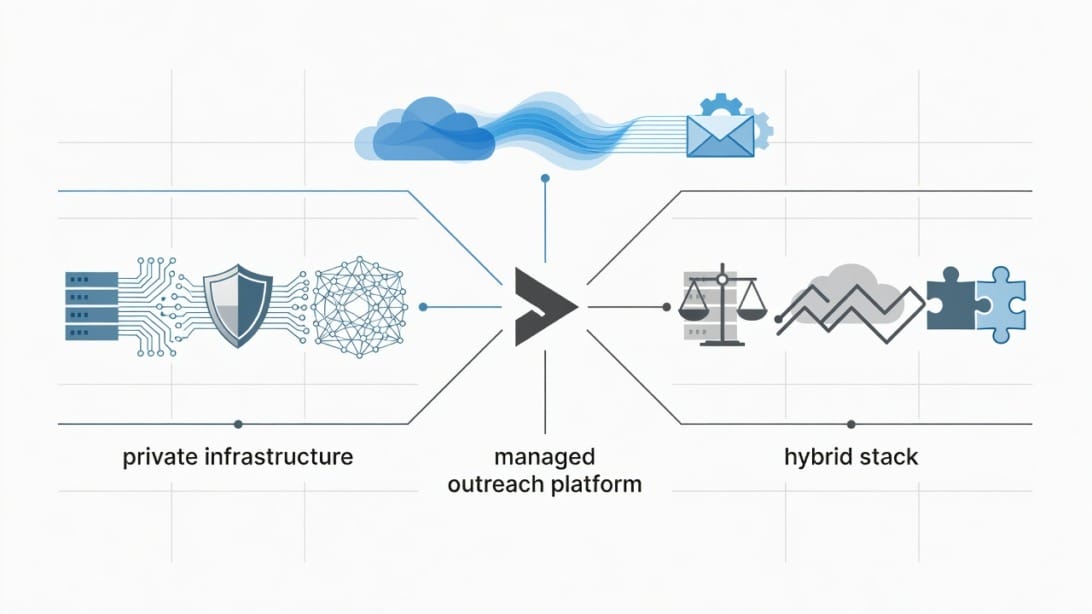
Use Winnr if infrastructure ownership is the job to be done. Use Mystrika if campaign execution, warmup, sequencing, and reply operations are the job to be done. Use DoYouMail if you are solving the sending setup layer and want infrastructure support around outbound email. Use Filter Bounce before any of those choices if your lead data quality is uncertain.
| Scenario | Best-fit direction | Why |
|---|---|---|
| Solo founder starting outbound | Mystrika | You likely need sequencing, warmup, reply management, and campaign guidance more than custom infrastructure. |
| Agency managing many client workspaces | Mystrika or hybrid | You need operational control, but also repeatable campaign workflows and inbox organization. |
| Technical team with internal sending logic | Winnr or DoYouMail | Infrastructure control may matter if you already have campaign logic elsewhere. |
| Team with poor lead data | Filter Bounce first | Verification should happen before infrastructure decisions, otherwise bounces can damage any setup. |
| Compliance-sensitive enterprise workflow | Winnr or custom hybrid | Ask detailed questions about infrastructure, data handling, logs, retention, and support. |
| SDR team needing quick campaign launch | Mystrika | A complete outbound platform is usually faster to operationalize. |
| Team separating infrastructure and campaign layers | Hybrid | You may use one tool for sending setup and another for sequencing and replies. |
A hybrid stack can make sense, but only if someone owns the seams. The seams are where problems hide: a bounce not syncing, a reply missed, a domain ramped too quickly, a blacklist alert ignored, or a sequencer sending more than the infrastructure should handle.
If your team does not have a clear owner for those seams, choose fewer moving parts.
Winnr vs a Complete Cold Email Platform
The Winnr comparison becomes clearer when you separate infrastructure control from campaign operations. A complete cold email platform is designed to help you create, launch, monitor, and manage outbound campaigns. An infrastructure-first tool is designed to help you control sending mechanics.
| Capability | Infrastructure-first evaluation | Complete outreach platform evaluation |
|---|---|---|
| Sending setup | Core feature | Included or abstracted |
| DNS authentication | Critical setup item | Usually guided or documented |
| Warmup | Must be verified | Often native or integrated |
| Sequence building | May be separate | Core feature |
| Personalization | May be separate | Core feature |
| Reply management | May be separate | Core feature |
| Deliverability reporting | Must be deep | Must be actionable |
| Team collaboration | Depends on product | Often built into workspace model |
| Learning curve | Higher for infrastructure | Lower for campaign teams |
Mystrika sits in the complete outreach platform lane. It is built for cold email operators who want AI-assisted outreach, warmup, a sequencer, unified inbox handling, and campaign management without turning infrastructure into a separate engineering project. That does not make it the answer for every team, but it does make it a more natural fit for users whose main goal is meetings and replies, not MTA ownership.
Winnr may be more attractive when the infrastructure itself is the product requirement. If your team says, “we need to control routing, IP strategy, DNS, and sending behavior because our internal system already handles campaigns,” Winnr becomes more relevant.
The wrong comparison is “which platform has more features?” The better comparison is “which platform matches the work our team is prepared to own?”
How to Evaluate Winnr in a 30-Minute Demo
A Winnr demo should prove operational fit, not just show dashboards. Go into the call with a script. If the vendor cannot answer these questions clearly, pause before moving forward.
Step 1: Explain Your Sending Model
Start with your reality:
- How many domains do you plan to use?
- How many inboxes or sending identities do you need?
- What is your daily sending target after ramping?
- Which regions and recipient types matter most?
- What tools currently handle your CRM, sequencing, enrichment, and replies?
- Who owns deliverability internally?
Do not let the demo stay generic. A tool that works for an enterprise sender may not work for a founder sending carefully targeted campaigns.
Step 2: Ask for the Infrastructure Diagram
Ask Winnr to show how mail flows from your campaign system to the recipient. You are looking for clarity around:
- Sending domains.
- SMTP layer.
- Dedicated or shared IPs.
- Tracking domains.
- Authentication records.
- Bounce processing.
- Suppression handling.
- Error logs.
- Monitoring alerts.
If you cannot explain the flow after the demo, your team may struggle to operate it after purchase.
Step 3: Request a Ramp Plan
Ask what happens during the first 30 to 60 days. Avoid any setup that jumps from zero to aggressive outbound without a careful ramp. A practical ramp plan should include authentication checks, low initial volume, gradual increases, bounce thresholds, reply monitoring, complaint monitoring, and pauses when negative signals appear.
For background on gradual reputation building, review Mystrika’s guide to cold email warmup. It explains why warming and sending discipline should be treated as operating habits, not one-time setup tasks.
Step 4: Ask What Breaks
This is the most important demo question: “What are the most common ways customers misuse this platform?”
Strong vendors answer honestly. They will mention bad lists, poor authentication, excessive volume, weak copy, missing suppression, risky tracking, and slow response to bounce spikes. Weak vendors pretend the tool solves everything.
Step 5: Confirm the Exit Plan
Before you buy, ask how to leave:
- Can you export settings?
- Can you export logs?
- What happens to dedicated IPs?
- What happens to domains?
- Can you keep campaign history?
- Is cancellation self-serve?
- Is there a notice period?
A good exit plan is not pessimism. It is operational maturity.
Deliverability Risks to Consider Before Choosing Winnr
Deliverability risk is not unique to Winnr. It exists in every outbound stack. The difference is that infrastructure-first systems can expose more of that risk directly to the operator.
The biggest risks are:
1. Sending too much too soon.
2. Using weak or unverified lead data.
3. Misconfiguring authentication.
4. Relying on one domain or one sending path.
5. Ignoring bounce categories.
6. Treating opens as the only quality signal.
7. Missing replies because the campaign layer and inbox layer are disconnected.
8. Failing to pause campaigns when negative signals appear.
9. Using the same copy pattern across too many recipients.
10. Not monitoring blacklist status.
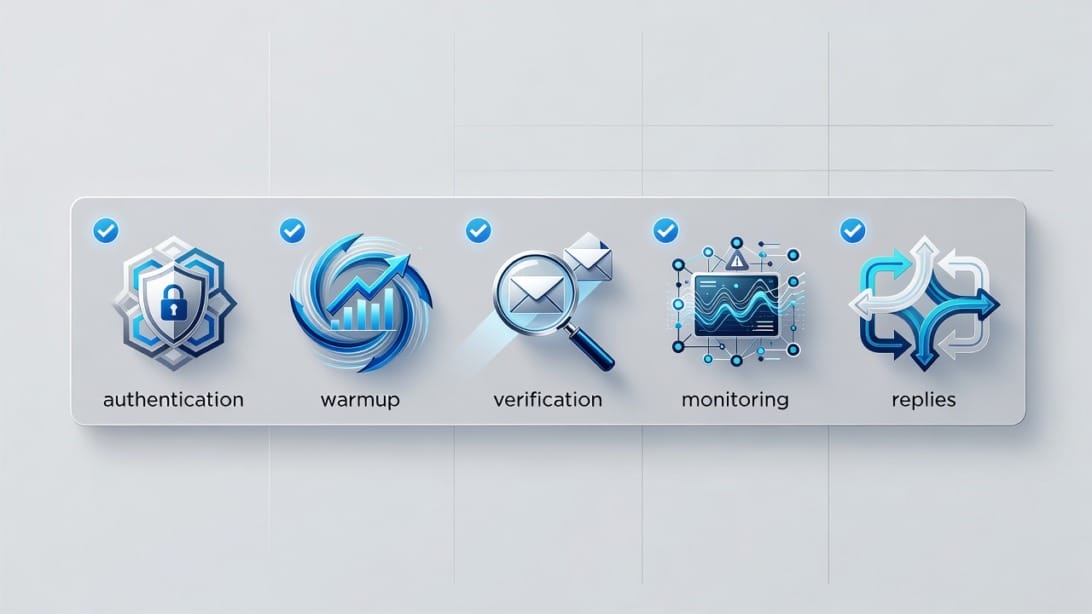
Here is a practical deliverability checklist for any Winnr evaluation:
- Confirm SPF, DKIM, and DMARC are configured correctly.
- Use separate sending domains rather than risking your primary domain.
- Verify lead lists before launch with a tool like Filter Bounce.
- Start with conservative sending limits.
- Increase volume only when bounce and reply signals justify it.
- Track bounces by category, not just total count.
- Monitor domain and IP reputation indicators.
- Use an email blacklist check when diagnosing sudden deliverability drops.
- Keep suppression lists clean and synced.
- Review replies manually so positive interest does not get lost.
Private infrastructure does not forgive sloppy sending. It can give advanced teams more control, but it does not make poor data, poor targeting, or poor copy safe.
Winnr Alternatives and When Each Makes Sense
The best Winnr alternative depends on what job you are hiring the tool to do. Do not compare alternatives only by price. Compare them by workflow ownership.
Mystrika
Mystrika is a strong fit when you want a cold email outreach platform rather than an infrastructure project. It is designed around practical campaign execution: AI-assisted cold email work, warmup, sequencer, unified inbox management, and white-label options. Pricing starts at $15 per month, which makes it approachable for founders while still useful for teams that need structured outbound workflows.
Use Mystrika when:
- You want to launch campaigns without stitching together many tools.
- You need a sequencer and reply workflow.
- You want warmup and campaign operations in one place.
- You care more about pipeline execution than private infrastructure control.
- You are building repeatable outbound processes for a team or clients.
A useful next read is Mystrika’s guide to building a cold email sequence, because infrastructure only matters if the campaign itself earns replies.
DoYouMail
DoYouMail is relevant when your primary need is email infrastructure for outbound operations. If you are evaluating Winnr because of sending setup, domains, or mailbox infrastructure, DoYouMail belongs on the shortlist. It can be part of a stack where another tool handles campaign logic.
Use DoYouMail when:
- Infrastructure is the immediate bottleneck.
- You want to separate sending setup from campaign software.
- You have a clear plan for sequencing and reply handling elsewhere.
- You need a more infrastructure-oriented outbound foundation.
Filter Bounce
Filter Bounce is not a Winnr replacement. It is a pre-send safety layer. Use it before any outbound infrastructure or campaign platform if your lists include scraped, enriched, purchased, old, or unverified contacts.
Use Filter Bounce when:
- Bounce risk is uncertain.
- Lists come from multiple sources.
- You are sending to old data.
- You are entering a new market or segment.
- You want to protect new domains during ramping.
Hybrid Stack
A hybrid stack can combine infrastructure, sequencing, verification, and CRM tools. It is powerful when the team is mature. It is messy when no one owns operations.
Use a hybrid stack when:
- You have a RevOps or deliverability owner.
- You can document data flows.
- You can monitor failures across tools.
- You need specific components that no single platform provides.
- You can afford the extra integration overhead.
Buyer Questions Winnr Should Answer Clearly
Before buying Winnr, ask questions that expose responsibility. The best vendors clarify what they own and what you own.
Infrastructure Questions
- Are IPs shared, dedicated, pooled, or assigned by tier?
- Can we choose regions or sending locations?
- How are new sending assets warmed?
- What happens when an IP or domain reputation declines?
- Are logs accessible for troubleshooting?
- Do you provide blacklist monitoring or only advice?
DNS and Authentication Questions
- Do you configure SPF, DKIM, and DMARC?
- Do you validate records after setup?
- Do you support custom tracking domains?
- Do you monitor authentication failures over time?
- Can we see a sample DNS checklist?
Campaign and Workflow Questions
- Is sequencing native?
- Can we create conditional follow-ups?
- Is there a unified inbox?
- Are replies classified or routed?
- Can users collaborate inside the platform?
- What CRM integrations exist?
Support and Operations Questions
- What support channels are included?
- What is the expected first response time?
- Is urgent deliverability escalation available?
- Who helps during migration?
- Is onboarding self-serve or guided?
- Are there implementation documents?
Legal and Compliance Questions
- Where is customer data processed?
- What logs are retained?
- Can data be deleted on request?
- How does the platform support unsubscribe handling?
- What does the customer remain responsible for under CAN-SPAM, GDPR, and similar rules?
Do not treat legal and compliance answers as legal advice. Treat them as operational clarity. Your team still needs its own compliance review for the markets where you send.
Red Flags and Green Flags During a Winnr Evaluation
A good Winnr evaluation should leave you with fewer unknowns. If the demo creates more mystery, slow down.
| Green flag | Red flag |
|---|---|
| Clear explanation of who owns each stack layer | Vague promise that “everything is handled” |
| Specific setup checklist | No documented onboarding steps |
| Visible bounce categories and logs | Only high-level campaign metrics |
| Honest discussion of ramping | Claims that high volume is safe immediately |
| Clear pricing breakdown | Custom quote without line-item clarity |
| Defined support process | No escalation path for deliverability issues |
| Export and cancellation clarity | Lock-in terms discovered late |
| Practical guidance on list quality | Tool positioned as a fix for bad data |
The highest-risk red flag is a vendor that presents infrastructure as a deliverability shortcut. There is no shortcut around relevant targeting, clean data, authentication, patient ramping, suppression discipline, and useful copy.
Practical Example: Three Teams Considering Winnr
Example 1: A Founder Sending 300 Carefully Targeted Emails per Week
This founder wants replies, not infrastructure ownership. Winnr may be more tool than needed unless there is a specific technical reason to control the sending layer. Mystrika is likely easier because the founder can focus on offer, list, copy, sequence logic, and reply handling.
Recommended path:
1. Verify the list with Filter Bounce.
2. Set up sending domains and warmup carefully.
3. Build a short sequence in Mystrika.
4. Monitor replies and bounces.
5. Improve targeting before increasing volume.
Example 2: An Agency Managing Outbound for Several Clients
This team needs repeatability. Winnr could make sense if the agency has a technical operator and wants to control infrastructure. But the agency also needs workspace separation, client reporting, reply routing, suppression, campaign templates, and monitoring.
Recommended path:
1. Map client workspaces.
2. Decide whether infrastructure and campaign operations should be separate.
3. Use Mystrika if campaign management is the core bottleneck.
4. Consider DoYouMail or Winnr if infrastructure control is the core bottleneck.
5. Create a standard deliverability checklist for every client.
Example 3: A Technical RevOps Team With an Internal Outreach System
This is the strongest Winnr-style use case. If the team already has internal campaign logic, data routing, CRM sync, and reporting, it may only need a controllable sending layer.
Recommended path:
1. Ask Winnr for infrastructure diagrams and log access.
2. Test with a limited domain pool.
3. Define ramp rules before production use.
4. Monitor by domain, campaign, bounce category, and recipient segment.
5. Keep an exit plan in writing.
These examples show why one review cannot produce one universal verdict. The right choice depends on which part of outbound is broken.
Implementation Checklist if You Choose Winnr
If you decide Winnr is the right fit, implement it like an infrastructure project, not like a casual SaaS signup.
Before Setup
- Define the owner for deliverability operations.
- Document sending domains and use cases.
- Separate primary brand domains from outbound domains.
- Clean your lead lists.
- Decide which tool handles sequencing.
- Decide which tool handles replies.
- Create suppression rules.
- Create a rollback plan.
During Setup
- Configure SPF, DKIM, and DMARC.
- Verify tracking domains.
- Confirm inbox or identity limits.
- Start with conservative volume.
- Tag campaigns by domain and segment.
- Confirm bounce handling.
- Confirm unsubscribe handling.
- Test reply routing.
After Launch
- Review bounce categories daily at first.
- Pause campaigns that show negative signals.
- Check blacklist status during deliverability drops.
- Track replies by segment, not only total volume.
- Keep copy and targeting changes documented.
- Review support response quality during the first issue.
- Recalculate total cost after the first billing cycle.
The operating cadence matters more than the initial setup. Many outbound teams break deliverability after the demo because no one owns ongoing hygiene.
Final Verdict: Is Winnr Worth It?
Winnr is worth a demo if your team specifically wants cold email infrastructure control and has the technical maturity to operate it. It is not the first tool I would suggest for a beginner, a solo founder who needs guided campaign execution, or an SDR team that mainly wants sequencing, warmup, inbox management, and reply workflows in one place.
Choose Winnr if:
- You know why private infrastructure matters for your use case.
- You have a person responsible for deliverability.
- You can evaluate DNS, IPs, logs, ramping, and support quality.
- You already have or plan to build the campaign layer around it.
- You are comfortable with a more technical buying process.
Choose Mystrika if:
- You want to run cold email campaigns without building a toolchain from scratch.
- You need warmup, sequencing, AI assistance, and reply handling together.
- You want a platform that supports actual outreach operations, not only infrastructure.
- You are optimizing for pipeline execution and speed to launch.
Choose DoYouMail if your infrastructure layer is the immediate need. Choose Filter Bounce if list quality is uncertain. In many cases, the best stack is not a single tool. It is the smallest reliable combination that your team can operate every week.
Key Takeaways
- Winnr appears most relevant for teams evaluating private cold email infrastructure, not for beginners who only need a simple campaign tool.
- The biggest question is operational fit: who will manage DNS, warmup, bounce handling, monitoring, and remediation?
- Public pricing clarity appears limited, so buyers should request an all-in cost breakdown before comparing Winnr with alternatives.
- A complete outreach platform like Mystrika is a better fit when sequencing, warmup, AI-assisted campaign work, unified inboxes, and day-to-day outreach workflows are the main requirements.
- DoYouMail belongs in the evaluation when infrastructure is the bottleneck, while Filter Bounce should be used before sending if lead quality is uncertain.
- Do not treat private infrastructure as a deliverability shortcut. Clean data, authentication, patient ramping, relevant copy, and monitoring still matter.
- The best Winnr demo is one that shows infrastructure flow, ramp plan, support process, reporting depth, and exit terms.
Frequently Asked Questions
What is Winnr?
Winnr appears to be a cold email infrastructure option focused on giving teams more control over the sending layer. Buyers should verify whether it includes full campaign sequencing and reply management or whether it is mainly meant to support the infrastructure side of outbound email.
Is Winnr good for cold email beginners?
Winnr is probably not the simplest starting point for cold email beginners if the main need is guided campaign execution. Beginners usually benefit from a platform that combines warmup, sequencing, reply handling, and campaign analytics with fewer infrastructure decisions.
Does Winnr include dedicated IPs?
Available competitor review material positions Winnr around private SMTP style infrastructure and optional dedicated IPs, but buyers should confirm the exact terms directly with Winnr. Ask whether IPs are dedicated, shared, pooled, included, or billed as add-ons.
How much does Winnr cost?
Public pricing details are not easy to validate from available research, so treat pricing as a sales discovery topic. Ask for the base fee, add-on costs, IP costs, setup fees, support costs, contract length, and cancellation terms before comparing Winnr with other tools.
What should I ask before buying Winnr?
Ask about DNS setup, SPF, DKIM, DMARC, dedicated IPs, warmup, bounce handling, blacklist monitoring, sequencing, integrations, support response times, data retention, cancellation, and exports. The goal is to understand what Winnr owns and what your team must operate.
Is Mystrika a Winnr alternative?
Mystrika is an alternative if your goal is cold email campaign execution rather than private infrastructure ownership. It includes AI-assisted outreach, warmup, a sequencer, unified inbox functionality, and campaign workflows, with pricing starting at $15 per month.
When should I choose DoYouMail instead of Winnr?
Consider DoYouMail when your immediate problem is outbound email infrastructure and you already understand how the rest of your campaign stack will work. It can be a better fit for teams separating sending setup from sequencing and reply management.
Should I use Filter Bounce with Winnr?
Yes, use Filter Bounce or another verification process before sending if your lead list quality is uncertain. Infrastructure choices cannot fully protect you from poor data, and excessive bounces can damage any outbound setup.
Is private SMTP better than mailbox based cold email?
Private SMTP is not automatically better. It can offer more control for advanced teams, but it can also require more reputation management, monitoring, and technical discipline. Mailbox based or platform based outreach can be easier for teams that prioritize campaign execution.
What is the safest way to test Winnr?
Start with a limited pilot, separate domains, conservative volume, verified leads, clear bounce thresholds, and a written ramp plan. Do not migrate your entire outbound motion until you have seen stable authentication, reply routing, support quality, and deliverability signals.