
Maildeck Review: Quick Verdict
Maildeck is best understood as a cold email infrastructure provider, not a full outbound operating system. Based on the competitor research available, Maildeck is positioned around mailbox provisioning across Google Workspace, Microsoft 365, and SMTP infrastructure. That makes it interesting for teams that want cheap inbox supply and platform diversification, but it also means buyers must evaluate warmup, monitoring, verification, sequencing, and domain risk separately.
If you only remember one thing from this Maildeck review, remember this: cheap inboxes are not the same as a reliable outbound system. A cold email stack still needs clean domains, correct SPF, DKIM, and DMARC records, realistic sending limits, reply handling, bounce prevention, spam complaint monitoring, and a sequencer that keeps campaigns organized. Maildeck may solve part of the infrastructure problem, but it does not remove the need for operational discipline.

The short answer
Maildeck can make sense if you already know how to run cold email infrastructure and mainly need mailbox volume across multiple provider types. It is less ideal if you want a simpler all-in-one workflow where warmup, sequencing, unibox management, and deliverability controls sit in one operational dashboard.
For many teams, a practical stack looks more like this:
- Use DoYouMail when the priority is managed cold email infrastructure and mailbox provisioning.
- Use Mystrika when the priority is outreach execution, AI-assisted sequencing, warmup, unified inbox management, and campaign control.
- Use Filter Bounce before campaigns to reduce preventable hard bounces and protect sender reputation.
This matters because infrastructure, sequencing, and verification are separate jobs. When one tool tries to look cheap by pricing only the mailbox layer, the real cost may appear later as warmup subscriptions, failed pilots, support delays, or deliverability troubleshooting.
Maildeck verdict table
| Evaluation area | Verdict | What it means for buyers |
|---|---|---|
| Infrastructure breadth | Strong on paper | Google Workspace, Microsoft 365, and SMTP options give teams provider diversity. |
| Pricing clarity | Mixed | Competitor sources show different package structures, so verify current pricing before buying. |
| Deliverability control | Depends on your process | Mailboxes alone do not guarantee inbox placement. Warmup, authentication, list quality, and sending behavior still matter. |
| Ease for beginners | Moderate to low | Multi-tier infrastructure can confuse teams that do not already understand domain, tenant, and SMTP risk. |
| Agency fit | Potentially useful | Agencies may value platform variety, but must isolate client domains and monitor performance carefully. |
| Small sender fit | Questionable | Minimums, setup overhead, and monitoring needs may outweigh savings. |
| Best alternative stack | Mystrika plus DoYouMail plus Filter Bounce | Useful when you want infrastructure, sequencing, warmup, unibox, and verification covered more deliberately. |
What Is Maildeck?
Maildeck is described by ranking competitor pages as a cold email infrastructure provider that offers mailbox options across Google Workspace, Microsoft 365, and SMTP. In practical terms, that means Maildeck is closer to an inbox and sending infrastructure supplier than a complete sales engagement platform.
That distinction is important. A mailbox provider gives you accounts, credentials, and sometimes DNS help. A sequencer sends campaigns, controls follow-ups, manages replies, and helps sales teams operate. A deliverability workflow protects reputation through authentication, warmup, verification, and monitoring. If you buy infrastructure without the rest, you still have to assemble the operating system yourself.
What Maildeck appears to sell
Competitor research consistently frames Maildeck around three infrastructure routes:
| Infrastructure type | Typical buyer reason | Main risk to evaluate |
|---|---|---|
| Google Workspace inboxes | Familiar mailbox environment and strong provider reputation | Cost, account policy risk, warmup needs, and domain-level limits. |
| Microsoft 365 inboxes | Outlook-heavy prospect markets and provider diversification | Tenant configuration, authentication, throttling, and suspension handling. |
| SMTP inboxes | Low headline cost and bulk sending flexibility | IP reputation, spam foldering, warmup burden, and monitoring requirements. |
The value proposition is not that every route is equally safe. The value proposition is optionality. You can mix premium provider mailboxes with cheaper SMTP capacity if your team knows what each lane is for.
What Maildeck is not
Maildeck should not be evaluated as if it automatically replaces your entire outbound stack. Unless its current product has changed materially, you should not assume it gives you all of the following in one place:
- AI-assisted campaign writing.
- Full cold email sequencer workflows.
- Native warmup for every mailbox type.
- Unified inbox for replies across campaigns.
- Built-in list verification.
- Real-time blacklist and DNS alerting.
- Deep pipeline reporting.
- Automatic deliverability remediation.
That does not make Maildeck bad. It simply changes the buying question. You are not asking, “Is Maildeck a complete outbound platform?” You are asking, “Is Maildeck the right infrastructure layer for the outbound system I already have or plan to build?”
For a deeper primer on the operational side, review Mystrika’s guide to cold email deliverability before choosing any mailbox provider.
Maildeck Pricing and True Cost
Maildeck pricing is one of the main reasons people search for a Maildeck review. Competitor pages position Maildeck as a low-cost infrastructure option, especially for SMTP and high-density Microsoft-style setups. However, the exact numbers vary across sources, and pricing can change quickly in this category. Treat any third-party number as a starting point, not a contract.
The better question is not, “What is the cheapest inbox price?” The better question is, “What is the real monthly cost per usable sending inbox after warmup, verification, monitoring, domains, and operational time?”
Price is only one layer
A cold email infrastructure budget usually includes more than mailbox rental:
| Cost item | Why it matters | Common mistake |
|---|---|---|
| Domains | Protects your primary brand and separates campaigns | Buying too few domains and overloading each one. |
| Mailboxes | Gives each domain sending capacity | Comparing only headline inbox price. |
| Warmup | Builds sending history gradually | Starting campaigns before inboxes have stable behavior. |
| Sequencer | Runs campaigns and follow-ups | Assuming infrastructure provider equals sequencer. |
| Verification | Reduces hard bounces | Uploading old or scraped lists without validation. |
| Monitoring | Detects blacklist, DNS, bounce, and placement issues | Waiting until reply volume drops to investigate. |
| Support time | Human troubleshooting cost | Ignoring the cost of delayed incident resolution. |
If Maildeck is cheaper on inboxes but requires separate tools for warmup, sequencing, reply management, and verification, then the real cost gap can shrink. Sometimes it disappears entirely.
A simple true-cost formula
Use this formula before comparing Maildeck with any alternative:
“`text
True monthly cost = domains + mailboxes + warmup + sequencer + verification + monitoring + support time
“`
Then divide by the number of inboxes that are actually safe to send from. Do not divide by the number of purchased inboxes. Purchased inboxes that are warming, suspended, misconfigured, or producing high bounces are not productive capacity.
Example: why cheap infrastructure can become expensive
Imagine a team buys 100 low-cost inboxes because the per-inbox price looks attractive. The team then discovers that:
1. A separate sequencer is required.
2. A separate warmup process is needed.
3. DNS setup takes longer than expected.
4. Several domains need replacement.
5. Bounce rate is high because the list was not verified.
6. Reply handling is split across too many places.
7. Nobody checks blacklist status until campaign results collapse.
The headline inbox price may still be low, but the campaign cost is not. Worse, poor infrastructure operations can burn domains and reduce future campaign performance.
Pricing questions to ask Maildeck before buying
Use this checklist in your sales or support conversation:
- What is the current price per mailbox by provider type?
- Are there minimum order sizes for Google Workspace, Microsoft 365, or SMTP?
- Are domains included, or do I bring my own?
- Is DNS setup included for SPF, DKIM, and DMARC?
- Is warmup included, optional, or external?
- Are inboxes pre-warmed, fresh, or mixed?
- What happens if a domain or tenant is suspended?
- Is replacement included, discounted, or billed separately?
- What support channels are available during incidents?
- Is there a cancellation, refund, or proration policy?
- Are there sending limits by inbox, domain, tenant, or IP?
- Can I export credentials in bulk?
- Are there API endpoints for provisioning and status checks?
If a vendor cannot answer these questions clearly, do not scale with them yet. Run a pilot first.
Maildeck Features
The core Maildeck feature set, as described by competitor pages, is infrastructure breadth. The most repeated idea is that buyers can access Google Workspace, Microsoft 365, and SMTP options from one provider relationship.
That breadth can be useful. It can also create complexity. A team that understands provider mix, domain allocation, and risk segmentation may benefit from the flexibility. A beginner may simply end up with more choices than they can safely manage.
Feature breakdown
| Feature | Why it matters | Buyer caveat |
|---|---|---|
| Google Workspace option | Useful for trusted business mailbox environments | Usually not the cheapest path and still requires careful sending behavior. |
| Microsoft 365 option | Useful for Outlook-heavy recipient markets | Tenant health and account policy handling matter. |
| SMTP option | Useful for low-cost volume and controlled routing | Deliverability depends heavily on IP reputation and monitoring. |
| DNS assistance | Reduces setup errors | Verify SPF, DKIM, and DMARC yourself after setup. |
| Bulk export | Helps connect to sequencers | CSV export is not the same as deep native integration. |
| Provider diversification | Reduces dependence on one platform | Diversification only works if you monitor each lane separately. |
| Possible domain replacement | Helps after burn events | Replacement does not recover lost campaign time or reputation history. |
The feature that matters most: control
The most important feature in cold email infrastructure is not merely mailbox count. It is control. You need to control:
- Which domains send to which audience segments.
- How fast each inbox ramps.
- Which campaigns use which provider type.
- How replies are routed and assigned.
- How bounces and complaints are suppressed.
- How quickly damaged infrastructure is paused.
- How fast you can replace or migrate a failing lane.
If Maildeck gives you low-cost inboxes but your team lacks this control layer, results will be inconsistent. If you already have a mature process, Maildeck may be easier to evaluate because you can plug it into existing controls.
Integration depth: what to verify
Competitor pages mention compatibility with sequencers through standard mailbox credentials or exports. That may be enough for many teams, but it is not the same as native operational integration.
Ask these questions:
1. Can credentials be exported in a clean format for your sequencer?
2. Does the platform support IMAP and SMTP details for every mailbox type?
3. Are there provider-specific throttling rules?
4. Can you see mailbox health without logging into multiple systems?
5. Is there an API for bulk provisioning or status checks?
6. Can failed mailboxes be identified quickly?
7. Does the system alert you before a campaign is damaged?
For teams using Mystrika as the outreach layer, infrastructure should support clean sending, predictable warmup, and organized reply handling. Mystrika starts at $15/month and brings together cold email sequencing, AI assistance, warmup, unibox, and campaign operations, which is a different buying category from infrastructure-only provisioning.
Deliverability: The Real Trade-Off
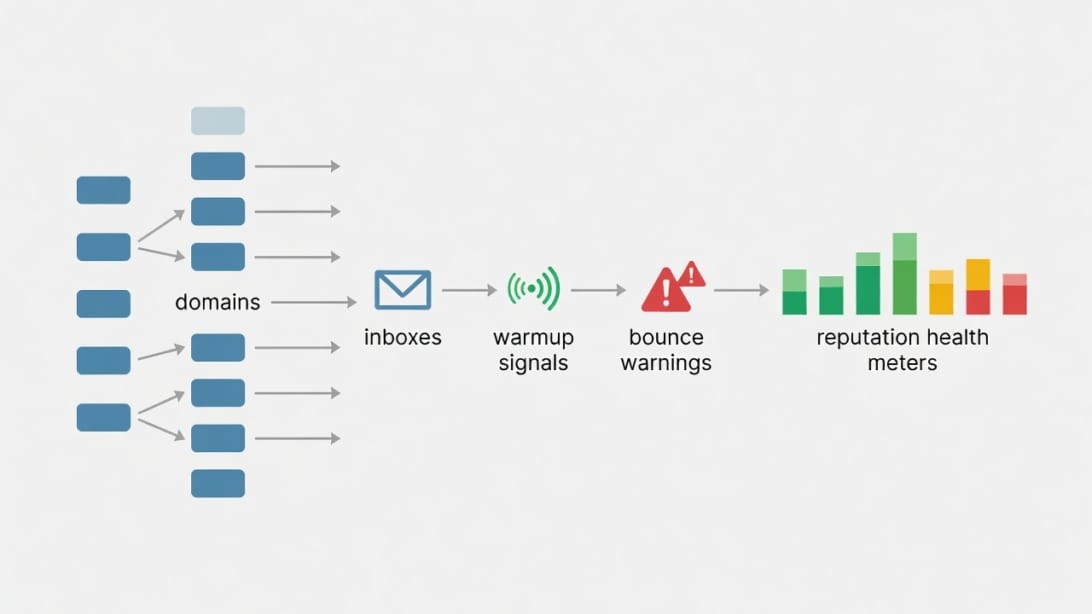
Maildeck deliverability should not be judged by vendor claims alone. Deliverability is the outcome of infrastructure quality, domain reputation, authentication, message quality, list quality, sending patterns, reply engagement, and complaint behavior. No provider can guarantee strong inbox placement if the operating inputs are poor.
The infrastructure trade-off
Each Maildeck-style lane has a different risk profile:
| Lane | Potential advantage | Primary deliverability risk | Best use case |
|---|---|---|---|
| Google Workspace | Familiar provider ecosystem | Cost and policy sensitivity | High-value, lower-volume outbound. |
| Microsoft 365 | Good fit for Outlook-heavy recipients | Tenant and account health issues | B2B markets with many Microsoft recipients. |
| SMTP | Low-cost scale | IP reputation and spam filtering | Carefully monitored, lower-value top-of-funnel tests. |
The mistake is treating all inboxes as interchangeable. They are not. A Google Workspace inbox, a Microsoft 365 inbox, and a private SMTP inbox may send the same message, but mailbox providers and spam filters evaluate them through different signals.
Warmup is not optional
Warmup is the process of gradually building sending history before pushing real campaign volume. It does not magically make bad campaigns safe. It helps new or quiet inboxes establish normal sending behavior.
A practical warmup process includes:
1. Confirm SPF, DKIM, and DMARC are valid.
2. Start with very low sending volume.
3. Increase volume gradually only if bounces and complaints stay controlled.
4. Keep daily sends per inbox conservative.
5. Avoid sudden changes in copy, links, attachment usage, or audience quality.
6. Monitor replies, bounces, spam complaints, and placement signals.
7. Pause inboxes that show abnormal behavior.
For a deeper operational walkthrough, see the Mystrika guide to cold email warmup.
Authentication checklist
Before sending from any Maildeck-provisioned infrastructure, verify these records:
- SPF: The sending source is authorized for the domain.
- DKIM: Outgoing mail is cryptographically signed.
- DMARC: The domain defines how receivers should handle authentication failures.
- MX records: Mail can be received properly.
- Tracking domain: Click and open tracking do not damage trust signals.
- Custom return-path: Bounce processing is aligned where applicable.
- Domain age: Fresh domains need extra caution.
- Website presence: A credible domain should not look empty or disposable.
Do not rely only on a dashboard saying setup is complete. Use independent checks, send tests, and monitor real campaign behavior.
The density problem
Some Maildeck competitor analysis discusses high inbox density, such as many inboxes per domain or tenant. High density can reduce per-inbox cost, but it concentrates risk. If one domain carries too many inboxes, a single domain-level reputation problem can affect a large slice of capacity.
Lower density costs more but gives you better isolation. That matters for agencies, multi-offer teams, and companies running campaigns into different industries.
A simple rule: never let one domain, tenant, or IP lane become a single point of failure for your entire outbound program.
Deliverability scorecard
Use this scorecard during a 30-day pilot:
| Signal | Healthy pattern | Warning sign |
|---|---|---|
| Hard bounce rate | Low and stable after verification | Rising quickly or concentrated by list source. |
| Reply quality | Real responses from relevant prospects | Auto-replies, angry replies, or irrelevant recipients dominate. |
| Spam complaints | Rare | Any repeat pattern by campaign or audience segment. |
| Inbox placement tests | Stable across provider types | One lane consistently underperforms. |
| Domain health | No blacklist or DNS issues | Listings, authentication failures, or sudden filtering. |
| Sending consistency | Gradual, predictable volume | Spikes, pauses, and sudden jumps. |
| Support resolution | Fast enough for incidents | Waiting long enough to lose campaign days. |
Use an email blacklist check as part of the monitoring workflow, not as a one-time setup task.
Maildeck Pros and Cons
Maildeck’s advantages and disadvantages depend heavily on buyer maturity. Experienced operators may appreciate flexibility. New teams may underestimate how much work remains after mailbox provisioning.
Pros
| Pro | Why it matters |
|---|---|
| Multi-provider infrastructure | Google Workspace, Microsoft 365, and SMTP options can reduce dependence on one lane. |
| Potentially low headline inbox cost | Useful for teams where mailbox volume is the primary constraint. |
| Infrastructure flexibility | Different campaigns can use different sending routes. |
| Useful for agencies | Agencies often need many inboxes across many client domains. |
| May simplify vendor management | One infrastructure provider can be easier than juggling several suppliers. |
Cons
| Con | Why it matters |
|---|---|
| Cheap inboxes can hide true cost | Warmup, sequencing, verification, monitoring, and troubleshooting still cost money. |
| Multi-tier choice adds complexity | Teams must understand which lane fits which campaign. |
| SMTP requires careful monitoring | Low-cost SMTP can underperform if IP reputation is weak or poorly managed. |
| Not automatically a full outreach platform | You may still need a sequencer, unibox, warmup, and AI workflow. |
| Pricing details vary by source | Current pricing should be verified directly before purchase. |
| Vendor claims need validation | Run your own pilot instead of relying on marketing metrics. |
The balanced view
Maildeck is not automatically a bad choice because it is infrastructure-focused. Many strong outbound teams deliberately separate infrastructure from sequencing. The issue is whether your team has the process maturity to manage that separation.
If you do, Maildeck can be tested like any other infrastructure vendor. If you do not, start with a simpler stack where the sending workflow, warmup, reply handling, and campaign management are easier to control.
Who Should Use Maildeck?
Maildeck is most likely to fit buyers who already understand cold email operations and need flexible infrastructure supply. It is less about teaching you how to run outbound and more about giving you mailbox options to plug into an existing process.
Strong-fit buyer profiles
| Buyer profile | Why Maildeck may fit | What to watch |
|---|---|---|
| Cold email agency | Needs many mailboxes across clients and campaigns | Client isolation, replacement policy, and support speed. |
| Advanced RevOps team | Can test provider mix scientifically | Monitoring and internal ownership. |
| Infrastructure-heavy outbound team | Already has sequencer, warmup, and verification stack | True cost and integration depth. |
| Team testing provider diversification | Wants Google, Microsoft, and SMTP comparison | Pilot design and clean measurement. |
Agency example
An agency running campaigns for five clients might want separate infrastructure lanes per client. Maildeck could be considered if it helps provision mailboxes quickly. However, the agency should not pool risk. Each client should have separate domains, separate campaign tracking, separate suppression lists, and clear replacement rules.
A better agency workflow would look like this:
1. Buy or prepare client-specific sending domains.
2. Configure authentication records.
3. Provision mailboxes through an infrastructure provider.
4. Warm accounts gradually.
5. Verify all lead lists through Filter Bounce.
6. Run campaigns in Mystrika with client-level organization.
7. Monitor bounces, replies, complaints, and placement.
8. Pause weak lanes before they damage the whole account.
Internal SDR team example
An internal SDR team may care less about maximum inbox count and more about predictable reply flow. In that case, Maildeck’s cheapest lanes may not be the best lanes. Higher-quality mailboxes with conservative sending limits, strong list quality, and a capable sequencer may produce better business results than more inboxes.
Who Should Avoid Maildeck?
Maildeck may be the wrong starting point if you are new to cold email infrastructure, have a small sending program, or need one vendor to own the full workflow from warmup to replies.
Weak-fit buyer profiles
| Buyer profile | Why Maildeck may be a poor fit | Better direction |
|---|---|---|
| Solo founder sending low volume | Setup overhead may exceed savings | Start with a simple sequencer and conservative mailbox setup. |
| Team without deliverability knowledge | Infrastructure choices can become confusing | Use a workflow that includes guidance, warmup, and monitoring. |
| Brand-sensitive enterprise | Risk tolerance is lower | Use strict compliance, dedicated monitoring, and conservative sending. |
| Team expecting guaranteed inboxing | No provider can guarantee results | Build a measurement and suppression process. |
| Tiny outbound test | Minimums may be inefficient | Validate messaging before scaling infrastructure. |
Red flags before buying
Pause the purchase if any of these are true:
- You do not know your acceptable bounce threshold.
- You have not verified your lead sources.
- You do not know how many domains you need.
- You plan to send high volume immediately.
- You have no process for spam complaints.
- You do not know who will monitor DNS and blacklist status.
- You are buying because the inbox price looks cheap, not because the infrastructure fits your strategy.
Maildeck may still be useful later. But infrastructure should follow a validated outbound process, not replace it.
Maildeck Alternatives and Stack Options
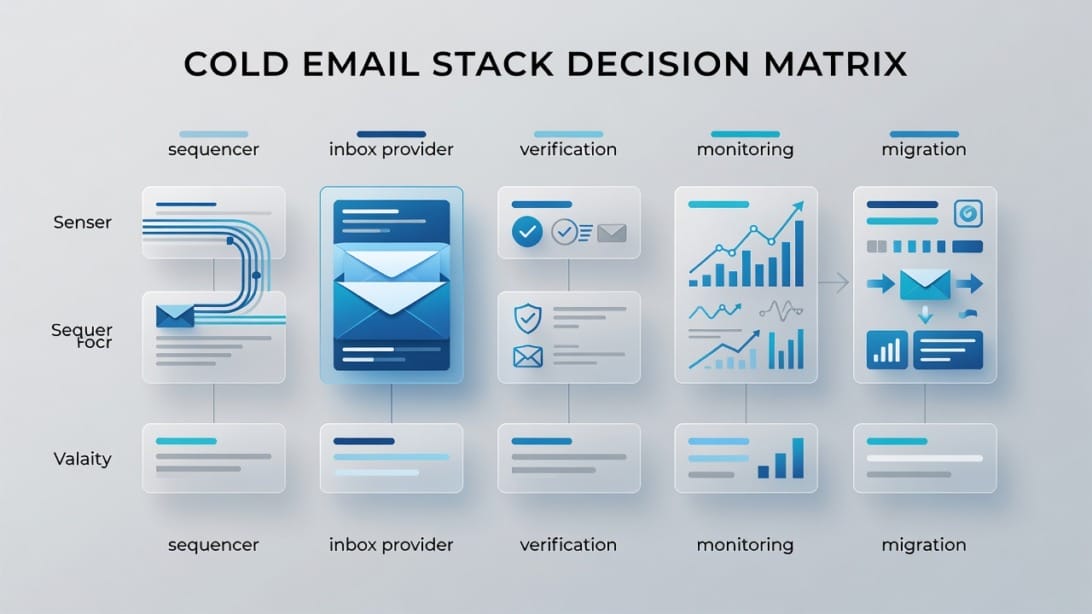
The right alternative to Maildeck depends on what job you are hiring the tool to do. If the job is mailbox provisioning, compare Maildeck with infrastructure providers. If the job is campaign execution, compare it with sequencers. If the job is list quality, compare it with verification tools.
Decision matrix
| Need | Best-fit option | Why |
|---|---|---|
| Run cold email campaigns | Mystrika | AI-assisted sequencing, warmup, unibox, whitelabel, and outreach workflows starting at $15/month. |
| Provision cold email inboxes | DoYouMail | Useful when the main need is mailbox infrastructure for outbound. |
| Verify lists before sending | Filter Bounce | Helps reduce preventable hard bounces and protects sending reputation. |
| Buy mixed infrastructure | Maildeck | Potential fit if you specifically need Google, Microsoft, and SMTP lanes from one provider. |
| Run advanced internal monitoring | Custom stack | Larger teams may add independent DNS, blacklist, seed, and event monitoring. |
Mystrika vs Maildeck
Mystrika and Maildeck should not be evaluated as identical products. Maildeck is positioned as infrastructure. Mystrika is a cold email outreach platform that includes AI, warmup, sequencer workflows, unibox, whitelabel capability, and campaign management.
Choose Mystrika when you need:
- A sequencer for cold email campaigns.
- AI help for outbound workflow.
- Warmup as part of your operating rhythm.
- Unified inbox management.
- Whitelabel capability for agency use.
- A lower starting point, with plans beginning at $15/month.
Choose Maildeck only if the main missing piece is mailbox infrastructure and you already have the rest of the outbound operating layer.
DoYouMail vs Maildeck
DoYouMail is more directly relevant when the question is cold email infrastructure. If you are evaluating Maildeck because you need inboxes, include DoYouMail in the comparison. The right choice depends on setup speed, mailbox quality, support, replacement policy, provider mix, and how easily the infrastructure connects to your sequencer.
Filter Bounce vs Maildeck
Filter Bounce is not a Maildeck replacement. It solves a different problem: list verification. But it belongs in the same outbound stack because bad lists can ruin good infrastructure.
Before sending through Maildeck, DoYouMail, or any other provider, verify your lists. A cheap mailbox becomes expensive if it is used to send to invalid addresses, spam traps, role accounts, and stale contacts.
How to Evaluate Maildeck Before Buying
The safest way to evaluate Maildeck is with a controlled pilot. Do not move your entire outbound operation to a new infrastructure vendor based on pricing pages, review articles, or self-reported placement claims.
Step-by-step pilot plan
1. Define the use case. Decide whether Maildeck is being tested for Google Workspace, Microsoft 365, SMTP, or mixed infrastructure.
2. Choose a small domain set. Use domains that are separate from your primary brand.
3. Set authentication correctly. Verify SPF, DKIM, DMARC, MX, and tracking domain setup.
4. Warm gradually. Do not send production volume immediately.
5. Use verified lists only. Run contacts through Filter Bounce before upload.
6. Keep copy consistent. Do not test infrastructure and brand-new messaging at the same time.
7. Segment by provider lane. Track Google, Microsoft, and SMTP performance separately.
8. Monitor daily. Watch bounces, replies, complaints, and delivery errors.
9. Run for at least a full campaign cycle. Short tests can miss reputation decay.
10. Compare against your baseline. Do not judge in isolation.
Pilot measurement table
| Metric | Why it matters | How to interpret it |
|---|---|---|
| Valid send rate | Shows whether mail is leaving successfully | Low rate suggests setup, throttle, or account issues. |
| Hard bounce rate | Protects sender reputation | High rate usually means list quality failure. |
| Reply rate | Measures commercial usefulness | Low replies may be messaging, audience, or placement. |
| Positive reply rate | Separates interest from noise | More useful than raw reply rate. |
| Spam complaint pattern | Shows recipient trust problems | Complaints require immediate suppression and copy review. |
| Placement tests | Provides directional inbox visibility | Use as a signal, not absolute truth. |
| Support response time | Matters during incidents | Slow support can turn a small issue into lost pipeline. |
Questions for support during the pilot
Ask these before you scale:
- What exact provider route is each mailbox using?
- What daily send limit do you recommend per mailbox after warmup?
- What happens if one domain is flagged?
- How do you handle tenant-level issues?
- Can you replace damaged domains or inboxes?
- How fast are replacements delivered?
- Are support commitments written anywhere?
- Are there logs for delivery failures?
- Can I export everything if I leave?
A vendor that answers clearly is easier to trust. A vendor that answers vaguely should stay in pilot mode.
Migration Checklist
If you already use Maildeck and want to move to another setup, do not migrate impulsively. Cold email infrastructure has dependencies. A rushed move can break authentication, lose replies, duplicate follow-ups, or restart warmup unnecessarily.
Before migration
- Export mailbox credentials and domain lists.
- Export active campaign data from your sequencer.
- Export suppression lists, bounce lists, and unsubscribes.
- Document SPF, DKIM, DMARC, MX, and tracking records.
- Identify which domains are healthy, weak, or burned.
- Pause risky campaigns before DNS changes.
- Decide which inboxes should be retired instead of migrated.
- Notify the team about reply routing changes.
During migration
1. Move one campaign group first.
2. Keep old inboxes monitored for late replies.
3. Recheck authentication after DNS changes propagate.
4. Restart sending at conservative volume.
5. Compare bounce and reply patterns against the pre-migration baseline.
6. Keep a rollback option open until the new path is stable.
After migration
Do not celebrate too early. Watch the first two to four weeks carefully. Reputation problems often appear after volume increases, not on day one.
Post-migration monitoring should include:
- Daily bounce review.
- Weekly domain health checks.
- Reply routing checks.
- Campaign-level positive reply tracking.
- Suppression list validation.
- Provider-lane comparison.
- Inbox placement spot checks.
Example Cold Email Infrastructure Setups
The best stack depends on your volume, risk tolerance, and operational maturity. Here are practical examples.
Setup 1: Solo founder validating an offer
| Layer | Recommendation |
|---|---|
| Infrastructure | Small number of carefully configured inboxes. |
| Sequencer | Mystrika for campaign execution and reply management. |
| Verification | Filter Bounce before every campaign import. |
| Monitoring | Manual domain and bounce checks. |
| Maildeck fit | Usually not first choice unless mailbox supply is the main constraint. |
The solo founder should prioritize learning from replies, not maximizing inbox count. Sending fewer, better emails to a verified audience is usually more valuable than building a large infrastructure footprint too early.
Setup 2: Agency managing multiple clients
| Layer | Recommendation |
|---|---|
| Infrastructure | DoYouMail or another managed infrastructure path, with client separation. |
| Sequencer | Mystrika with organized workspaces and whitelabel needs considered. |
| Verification | Filter Bounce for every client list. |
| Monitoring | Client-level dashboards, blacklist checks, and campaign QA. |
| Maildeck fit | Possible if the agency has strong infrastructure operations. |
The agency’s biggest risk is cross-client contamination. A poor list or aggressive campaign for one client should not damage another client’s domains.
Setup 3: Mid-market outbound team
| Layer | Recommendation |
|---|---|
| Infrastructure | Conservative provider mix with strong support. |
| Sequencer | Mystrika or another workflow that centralizes replies and follow-ups. |
| Verification | Mandatory pre-send validation. |
| Monitoring | Formal weekly deliverability review. |
| Maildeck fit | Worth piloting if provider diversification is a strategic need. |
Mid-market teams should optimize for predictable pipeline, not lowest inbox cost. A slightly more expensive stack that protects reply flow can outperform cheaper infrastructure that creates incidents.
Setup 4: High-volume operator
| Layer | Recommendation |
|---|---|
| Infrastructure | Mixed provider lanes with strict risk isolation. |
| Sequencer | Centralized system with campaign controls and suppression enforcement. |
| Verification | Aggressive verification and list source scoring. |
| Monitoring | Daily operational dashboard with alerts. |
| Maildeck fit | Potentially relevant, but only with controlled lane testing. |
High-volume operators can evaluate Maildeck seriously because they may have the process maturity to use cheap infrastructure safely. They should still avoid over-concentration and should never scale a lane that has not passed a pilot.
Maildeck Review: Final Buying Framework
Maildeck is a maybe, not an automatic yes or no. It belongs on your shortlist if infrastructure diversity and low inbox cost are central to your strategy. It should be avoided or delayed if you need a full outreach workflow, have limited deliverability experience, or are not ready to monitor domain and provider health.
Buy or pilot Maildeck if
- You already have a sequencer.
- You understand SPF, DKIM, and DMARC.
- You know how to warm inboxes gradually.
- You can monitor bounces, replies, complaints, and domain health.
- You want to test Google, Microsoft, and SMTP provider mix.
- You can isolate risk by domain, client, and campaign.
- You are comfortable validating vendor claims with your own data.
Choose a different stack if
- You need campaign execution more than inbox supply.
- You want warmup, sequencing, and unibox in one place.
- You do not have time to manage infrastructure complexity.
- You are sending from unverified lists.
- You cannot afford deliverability incidents.
- You want simpler operations for a small team.
Recommended practical stack
For many readers, the most balanced path is:
1. DoYouMail for inbox infrastructure when you need managed cold email mailboxes.
2. Mystrika for AI-assisted sequencing, warmup, unibox, campaign workflows, and agency-friendly operations.
3. Filter Bounce for list verification before leads enter campaigns.
4. Independent monitoring for blacklist, DNS, and reputation signals as volume grows.
This stack separates jobs cleanly. Infrastructure provides sending capacity. Mystrika runs campaigns. Filter Bounce protects the list input. Monitoring catches issues before they become expensive.
Key Takeaways
- Maildeck is best evaluated as a cold email infrastructure provider, not a complete outbound platform.
- Its main appeal is provider variety across Google Workspace, Microsoft 365, and SMTP-style sending infrastructure.
- Cheap inbox pricing can be useful, but true cost includes domains, warmup, sequencing, verification, monitoring, and support time.
- Deliverability depends on the entire operating system, not just the mailbox vendor.
- SMTP and high-density inbox setups can reduce cost while concentrating reputation risk.
- Maildeck may fit agencies, advanced RevOps teams, and high-volume operators that already understand infrastructure management.
- Small teams and beginners may be better served by a simpler stack built around Mystrika, DoYouMail, and Filter Bounce.
- Always run a controlled pilot before moving production outbound volume to Maildeck or any infrastructure provider.
- Verify current pricing, support commitments, replacement policies, and integration details directly before buying.
- Do not scale until your bounce rate, reply quality, authentication, and monitoring process are stable.
Frequently Asked Questions
Is Maildeck a cold email sequencer?
Maildeck is better understood as cold email infrastructure rather than a full sequencer. Competitor research frames it around mailbox provisioning across Google Workspace, Microsoft 365, and SMTP. If you need campaign creation, follow-ups, warmup, AI assistance, and a unibox, Mystrika is the more relevant category to evaluate.
What is Maildeck best for?
Maildeck is best for teams that need mailbox infrastructure across multiple provider types and already know how to manage cold email operations. It may fit agencies, advanced RevOps teams, and high-volume senders that can monitor provider lanes separately and run controlled pilots before scaling.
Is Maildeck pricing really cheap?
Maildeck is often positioned as cheap, especially for SMTP or high-density infrastructure, but headline price is not the same as true cost. Add domains, warmup, sequencing, verification, monitoring, support time, and failed-inbox replacement before deciding whether it is actually cheaper for your team.
Does Maildeck guarantee deliverability?
No infrastructure provider should be treated as a deliverability guarantee. Inbox placement depends on authentication, domain reputation, sending volume, list quality, message relevance, reply engagement, and complaint behavior. Treat any placement claim as something to validate with your own pilot.
Do I still need warmup with Maildeck?
Yes, you should expect to warm new or quiet inboxes gradually before sending meaningful campaign volume. Warmup is not a cure for bad lists or poor copy, but it helps establish normal sending behavior and reduces the risk of sudden reputation problems.
Should I use Maildeck or Mystrika?
Use Maildeck only if your main need is mailbox infrastructure and you already have the rest of your outbound system. Use Mystrika if you need a cold email outreach platform with AI, warmup, sequencing, unibox, campaign management, whitelabel options, and plans starting at $15/month.
Should I use Maildeck or DoYouMail?
Compare Maildeck and DoYouMail when your main buying question is infrastructure. Look at mailbox quality, setup speed, provider mix, support, replacement rules, export options, and how easily each connects to your sequencer. Run a small pilot before choosing either for production volume.
Why should Filter Bounce be part of the stack?
Filter Bounce helps reduce preventable hard bounces by verifying email lists before campaigns launch. This matters regardless of whether you send through Maildeck, DoYouMail, or another provider. Bad lists can damage good infrastructure quickly.
How should I test Maildeck before scaling?
Start with a small pilot, configure authentication, warm inboxes gradually, send only to verified contacts, keep copy consistent, and measure each provider lane separately. Track bounces, replies, complaints, placement signals, support response times, and domain health before increasing volume.
What is the biggest risk with Maildeck?
The biggest risk is mistaking infrastructure access for a complete outbound system. If you buy mailboxes without strong warmup, verification, monitoring, and campaign controls, cheap capacity can become expensive through poor placement, damaged domains, and lost reply opportunities.