

Buying bulk email lists is legal in most jurisdictions when the vendor collects data with proper consent and you follow regional compliance laws. The best email list providers offer verified B2B contacts with firmographic filters, real-time verification, and transparent data sourcing. This guide covers where to buy email lists, how much they cost, what compliance rules apply, and how to use purchased lists without destroying your sender reputation.
The bulk email list market has matured significantly by 2026. Dozens of vendors sell everything from broad consumer databases to hyper-targeted B2B contact lists filtered by job title, company size, industry, technology stack, and buying intent. The challenge is not finding a vendor. The challenge is choosing one that delivers verified, compliant, and actionable data while avoiding the providers that sell scraped, outdated, or illegally collected contacts.
This guide breaks down every decision you need to make before, during, and after buying an email list.

What Buying an Email List Means and How It Works
Buying an email list means paying for access to a database of contact records that match your target audience criteria. Unlike building a list organically through opt-in forms and lead magnets, purchasing a list gives you immediate access to thousands or tens of thousands of email addresses, names, job titles, company information, and sometimes phone numbers.
There are three main types of email list purchases:
- Static list download – You receive a CSV or Excel file with a fixed set of contacts. This is a one-time purchase with no updates. The data begins aging the moment you receive it.
- Subscription-based access – You pay a recurring fee to access an always-updating database. Most B2B data platforms (Cognism, ZoomInfo, Apollo.io) operate on this model. Data is refreshed continuously as contacts change jobs, companies, or roles.
- Pay-as-you-go credits – You buy credits and spend them on individual lookups or bulk exports. This model suits teams with irregular prospecting needs.
The quality of purchased email lists varies dramatically. A high-quality list from a reputable vendor contains verified business emails, accurate firmographic data, and recent enrichment. A low-quality list from an unverified marketplace may contain scraped addresses, role-based emails (info@, sales@), spam traps, and contacts with no connection to your target market.
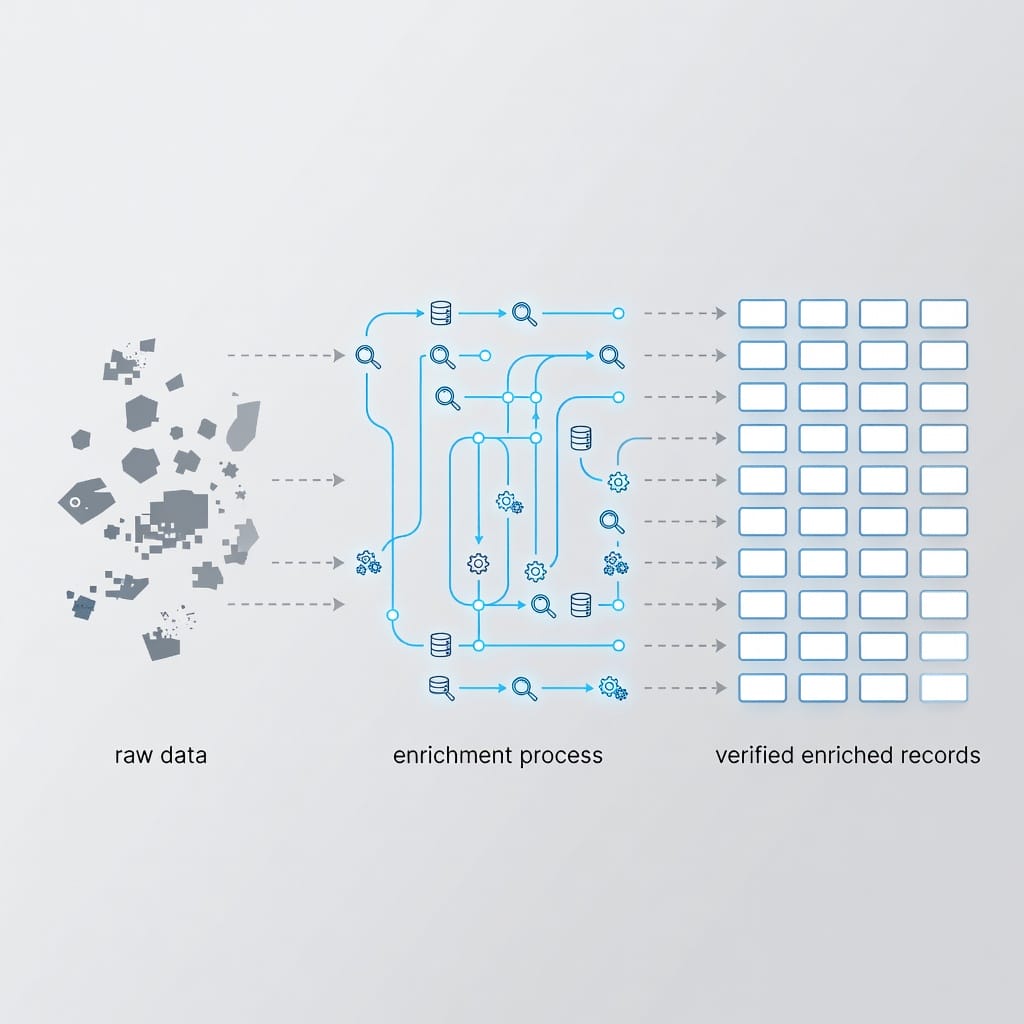
The key difference between a useful purchased list and a waste of money is verification. Every list, regardless of source, should be verified before sending a single email.
Buy vs Build vs Enrich: Which Approach Fits Your Situation
Buying, building, and enriching email lists are three distinct strategies. The right choice depends on your timeline, budget, compliance requirements, and outbound volume.
| Factor | Buy a List | Build Organically | Enrich Existing Data |
|---|---|---|---|
| Speed to first send | Hours to days | Weeks to months | Hours |
| Upfront cost | Medium to high | Low (time-heavy) | Low to medium |
| Data freshness | Depends on vendor | Always fresh | Depends on enrichment source |
| Compliance risk | Higher – needs careful vetting | Lowest – explicit opt-in | Medium – depends on source |
| Scalability | High | Slow without paid traffic | Medium |
| Best for | Cold outreach, market testing, fast pipeline | Long-term nurture, content marketing | CRM cleanup, appending missing fields |
| Sender reputation impact | Higher risk without warmup | Lowest risk | Lower risk than buying raw |
| Typical bounce rate (before verification) | 5-15% | Under 2% | 3-8% |
When buying makes the most sense:
- You need to fill pipeline quickly and cannot wait for inbound to mature.
- You are entering a new market, vertical, or geography where you have no existing contacts.
- Your ICP is broad enough that organic lead generation would take too long to produce volume.
- You have the infrastructure (dedicated domains, warmup, verification) to handle purchased data safely.
When building organically is better:
- You have time to invest in content, SEO, and inbound strategies.
- Your ICP is narrow and high-value (enterprise accounts, for example).
- Compliance is a primary concern and you want explicit opt-in consent from every contact.
- You want the lowest possible bounce and complaint rates from day one.
When enrichment is the right middle ground:
- You have an existing CRM with partial contact data (names and companies but no direct email).
- You need to append firmographic, technographic, or intent data to records you already own.
- You want to improve targeting without starting from scratch.
Many successful outbound teams use a hybrid approach. They build a core list organically, enrich it with third-party data, and supplement with purchased contacts for volume, all while maintaining strict verification and warmup discipline.
Best Places to Buy Bulk Email Lists in 2026
The following providers represent the most established options for buying B2B and B2C email lists. Each has different strengths in data quality, geographic coverage, compliance, and pricing.
Cognism – Best for Enterprise-Grade B2B Data
Cognism is a leading B2B data platform known for human-verified phone numbers and strong GDPR compliance. It covers global markets with a particular focus on European data. Cognism offers intent signals, technographic data, and two-way CRM integrations with Salesforce and HubSpot. It is best suited for mid-market and enterprise sales teams that need compliant, high-quality contact data for multi-region outbound.
- Strengths: Human phone-verified mobile numbers, GDPR-first compliance documentation, intent and technographic data
- Limitations: Higher price point, annual contract requirements, accuracy varies outside Europe
- Pricing: Enterprise, quote-based
Apollo.io – Best for Budget-Conscious Teams
Apollo.io offers a database of over 200 million contacts worldwide with built-in engagement features including customizable email sequences, open and click tracking, and phone outreach. It combines data access with a sales engagement platform in a single tool, making it attractive for smaller teams that want an all-in-one solution.
- Strengths: Large database (200M+ contacts), built-in sequences and tracking, affordable plans
- Limitations: Some records can be outdated, data quality varies by region
- Pricing: Freemium available, paid plans from $49/month per user
ZoomInfo – Best for Large Enterprises with ABM Needs
ZoomInfo is the leading enterprise data platform for companies running account-based marketing campaigns. It combines extensive contact data with intent signals that highlight companies actively searching for solutions like yours. Its advanced filtering and firmographic segmentation make it a go-to for large sales organizations.
- Strengths: Deep intent data, enterprise-grade filtering, extensive firmographic and technographic data
- Limitations: Complex pricing, high cost, better suited for enterprise adoption
- Pricing: Enterprise, quote-based, typically $15,000+ annually
Hunter.io – Best for Domain-Based Email Finding
Hunter.io specializes in finding and verifying business email addresses by domain. Users can search a company domain to discover email structures, verify individual addresses, and run bulk verification. It is a practical choice for small and mid-sized teams that need verified, low-cost access to business contacts without a full platform commitment.
- Strengths: Domain-based email discovery, email pattern detection, verification API, campaign tracking
- Limitations: Better for targeted finding than bulk list purchasing
- Pricing: Freemium available, paid plans from $34/month
Kaspr – Best for Individual Sales Reps
Kaspr is a lightweight Chrome extension that reveals verified emails and phone numbers from LinkedIn profiles and company websites. It is designed for individual contributors who need quick contact lookups without a full database subscription. Kaspr is GDPR-compliant and works well for startups and small teams.
- Strengths: Quick LinkedIn lookups, real-time data, easy for individual reps, GDPR-compliant
- Limitations: Not suited for large-scale targeting campaigns
- Pricing: Freemium available, paid plans from approximately $49/month per user
Lusha – Best for Simple Contact Lookups
Lusha offers a user-friendly browser extension with broad contact coverage across LinkedIn and company websites. It provides direct dial phone numbers and email addresses with a low learning curve. Lusha works well for small sales teams that need accessible pricing and quick contact enrichment.
- Strengths: Simple interface, broad coverage, quick enrichment
- Limitations: Data accuracy varies in less-covered industries and regions
- Pricing: Freemium available, paid plans pricing varies
Lead411 – Best for Trigger-Based Prospecting
Lead411 delivers verified phone numbers, email addresses, and company growth signals including funding news and hiring activity. Its strength is identifying trigger events that suggest purchase readiness, making it valuable for teams that want to reach prospects at the right moment.
- Strengths: Trigger event data, verified contacts, unlimited exports on higher tiers
- Limitations: Primarily US-focused with limited international coverage
- Pricing: From $49/month with 1,000 exports/month
BookYourData – Best for Pay-As-You-Go B2B Lists
BookYourData offers a flexible pay-as-you-go model for purchasing B2B email lists without long-term contracts. Users can select contacts by industry, job title, company size, and geography, then download only the records they need.
- Strengths: No long-term commitment, granular targeting filters, instant downloads
- Limitations: Per-contact cost can be higher than subscription models
- Pricing: Pay-as-you-go, starting around $0.10 per contact
Data Axle USA – Best for US B2B and B2C Lists
Data Axle USA provides both B2B and B2C data with deep segmentation by location, industry, firmographics, and demographics. It has a long track record in the US market and offers custom list building services for specific targeting needs.
- Strengths: Both B2B and B2C data, deep US segmentation, custom list building
- Limitations: B2C lists carry higher compliance and deliverability risk
- Pricing: Custom quotes based on list size and targeting criteria
RocketReach – Best for API-Driven Data Access
RocketReach offers API access to professional contact data, making it a strong choice for companies that want to integrate list data into their own systems. It provides verified emails, phone numbers, and social links through a developer-friendly interface.
- Strengths: API access, developer-friendly, verified contact data
- Limitations: Less user-friendly for non-technical teams
- Pricing: From $39/month for individual plans
B2B vs B2C Email Lists: Compliance Rules That Differ
B2B and B2C email lists are not interchangeable from a compliance perspective. The rules governing how you can contact business professionals differ significantly from the rules for contacting consumers, and misunderstanding this distinction is one of the most common mistakes teams make when buying bulk email lists.
| Factor | B2B Email Lists | B2C Email Lists |
|---|---|---|
| Primary compliance framework (US) | CAN-SPAM (commercial email) | CAN-SPAM plus state privacy laws |
| EU/UK consent requirement | Legitimate interest possible under GDPR/PECR | Explicit consent typically required under GDPR/ePrivacy |
| Canadian rules (CASL) | Implied consent through business relationship possible | Express consent required for most commercial messages |
| ESP acceptance | Some cold-email-friendly ESPs accept B2B purchased lists | Nearly all ESPs prohibit B2C purchased lists |
| Typical bounce rate (unverified) | 5-10% | 10-20% |
| Spam complaint tolerance | Lower (B2B recipients more accustomed to cold outreach) | Higher (consumers more likely to mark unfamiliar senders as spam) |
| Recommended outreach approach | Cold email with clear opt-out, personalized to business role | Generally not recommended without explicit opt-in |
The bottom line: B2B purchased lists are more broadly accepted and carry lower compliance risk than B2C purchased lists. If your target audience is consumers, focus on building your list organically through lead magnets, content marketing, and opt-in forms rather than buying a consumer list.
For B2B outreach, purchased lists can work well when sourced from compliant vendors and used with proper verification and warmup. Our guide on [cold emails are legal](https://blog.mystrika.com/cold-emails-legal-2026/) explains the compliance framework in detail.
Email Compliance Laws You Must Know Before Buying Lists
Before you buy bulk emails, you need to understand the legal frameworks that govern commercial email in your target markets. Compliance is not optional, and the penalties for violations are substantial.
CAN-SPAM Act (United States)
The CAN-SPAM Act governs commercial email in the United States. It does not require prior consent for commercial messages, but it imposes strict requirements:
- Your “From,” “To,” and “Reply-To” information must be accurate.
- Subject lines must reflect the content of the message.
- The email must include your valid physical postal address.
- You must tell recipients where you are located.
- You must include a clear opt-out mechanism.
- Opt-out requests must be honored within 10 business days.
- You cannot charge a fee or require personal information beyond an email address for opt-out.
Penalty: Up to $50,120 per email in violation (2026 FTC-adjusted amount).
GDPR (European Union)
The General Data Protection Regulation applies to any processing of personal data of EU residents. For email marketing:
- You need a lawful basis to process personal data. Legitimate interest may apply for B2B outreach, but you must document it with a balancing test.
- Recipients must be informed of how their data was obtained and how it will be used.
- Opt-out must be easy and immediate.
- Data subjects have the right to access, correct, and delete their data.
- You must maintain records of processing activities.
Penalty: Up to EUR 20 million or 4% of global annual revenue, whichever is higher.
CCPA/CPRA (California, United States)
The California Consumer Privacy Act (as amended by CPRA) gives California residents specific rights:
- The right to know what personal data is collected.
- The right to delete personal data.
- The right to opt out of the sale of personal data.
- The right to non-discrimination for exercising privacy rights.
If you buy a list that includes California residents, you need to handle their data in compliance with CCPA requirements.
CASL (Canada)
Canada’s Anti-Spam Legislation is among the strictest in the world:
- Commercial electronic messages require either express or implied consent.
- Implied consent exists only through an existing business relationship (purchased within 2 years, or inquiry within 6 months).
- Every message must include sender identification and a working unsubscribe mechanism.
Penalty: Up to $10 million CAD per violation for businesses.
PECR and ePrivacy (United Kingdom and EU)
The UK’s Privacy and Electronic Communications Regulations and the EU’s ePrivacy Directive add additional consent requirements on top of GDPR. For B2B email in the UK, the “soft opt-in” exception may apply if you have an existing business relationship, but cold outreach to purchased lists requires careful legal basis documentation.
Risks and Red Flags When Buying Email Lists
Buying email lists carries real risks. Understanding these risks before you purchase helps you avoid costly mistakes.
1. High Bounce Rates Damage Sender Reputation
Purchased lists that have not been verified often contain invalid, expired, or misspelled email addresses. A bounce rate above 5% signals to mailbox providers that your sending practices are poor. Repeated high bounce rates lead to domain blacklisting, which can take weeks or months to recover from.
2. Spam Traps Lurk in Low-Quality Lists
Spam traps are email addresses used by ISPs and anti-spam organizations to identify senders with poor list hygiene. Hitting a spam trap can get your sending domain immediately blacklisted. Cheap, unverified lists from unvetted sources are the most common source of spam trap contamination.
3. Outdated Data Wastes Money and Time
B2B contact data decays approximately 30% per year as people change jobs, companies restructure, and email addresses are deactivated. A list that was accurate six months ago may already have a 15-20% invalid rate. Always verify data freshness before purchasing.
4. Non-Compliant Vendors Expose You to Legal Risk
If a vendor collected email addresses without proper consent or cannot demonstrate how the data was sourced, using that data may violate GDPR, CCPA, CASL, or CAN-SPAM. The legal liability falls on the sender, not the vendor.
5. ESP Account Suspension
Most email service providers prohibit purchased lists. Uploading purchased contacts to a platform that forbids them can result in immediate account suspension, loss of your sending history, and permanent domain blacklisting within that platform.
Red Flags to Watch For
- The vendor cannot explain how they collect and verify data.
- Pricing is unusually low (under $0.03 per contact for B2B).
- No sample data or trial available before purchase.
- No compliance documentation, DPA, or privacy certifications.
- The list contains a high percentage of generic or role-based addresses (info@, admin@, contact@).
- No refund or replacement policy for high bounce rates.
- The vendor guarantees open rates or reply rates (no legitimate vendor can guarantee engagement).
How Much Does It Cost to Buy Email Lists
Email list pricing varies by data type, targeting specificity, verification level, and delivery model. Understanding the cost structure helps you budget accurately and avoid overpaying for low-quality data.
| Pricing Model | Typical Cost per Contact | Minimum Purchase | Best For |
|---|---|---|---|
| Pay-as-you-go (B2B) | $0.10 – $1.00+ | Usually 100-500 contacts | One-off campaigns, testing new markets |
| Subscription (B2B platform) | $49 – $500+/month per seat | Varies by vendor | Ongoing prospecting, high-volume teams |
| Enterprise contract (B2B) | $15,000 – $100,000+/year | Annual commitment | Large sales organizations, ABM programs |
| Consumer list (B2C) | $0.05 – $0.20 | Usually 1,000+ records | Direct mail, promotional campaigns |
| Specialist/niche list | $0.50 – $3.00+ | Custom | Highly targeted ICPs, specific verticals |
Factors That Increase Cost
- Specificity – Targeting by job title, company size, industry, and geography simultaneously increases per-contact cost.
- Verification level – Triple-verified contacts with phone numbers cost more than single-verified email-only records.
- Data enrichment – Adding technographic, intent, or firmographic data beyond basic contact info adds cost.
- Freshness – Recently verified or real-time enriched data costs more than bulk-exported static lists.
- Exclusivity – Some vendors offer exclusive or semi-exclusive lists at premium pricing.
How to Calculate Cost Per Usable Contact
The real cost of an email list is not what you pay per record. It is what you pay per contact that actually reaches the inbox and has a chance of engaging.
Formula: Cost per usable contact = Total list cost / (Total contacts – Invalid – Role-based – Duplicates – Suppression matches)
Example: You pay $500 for 2,000 contacts. After verification, you remove 200 invalid, 50 role-based, 30 duplicates, and 70 suppression matches. You have 1,650 usable contacts. Your real cost per usable contact is $0.30, not $0.25.
Always estimate this number before purchasing. A cheaper list with a 20% discard rate may cost more per usable contact than a premium list with a 5% discard rate.
How to Use Purchased Email Lists Safely: Step-by-Step
Buying the list is only the beginning. How you handle the data after purchase determines whether your campaign generates pipeline or destroys your sender reputation.

Step 1: Verify Every Address Before Sending
Run the entire list through a real-time email verification service. Verification should check:
- Syntax validity – Is the email formatted correctly?
- Domain existence – Does the domain accept email?
- Mailbox existence – Does the specific mailbox exist?
- Role-based detection – Is this a generic address (info@, sales@, admin@)?
- Catch-all detection – Is the domain a catch-all that accepts all addresses?
- Disposable detection – Is this a temporary or throwaway address?
- Spam trap detection – Does this address match known spam trap patterns?
Target: Remove everything that fails verification. Your post-verification bounce rate should be under 2%.
For teams processing purchased lists, [Filter Bounce](https://filterbounce.com) provides real-time email verification with bulk processing, helping you clean lists before your first send.
Step 2: Set Up a Dedicated Sending Domain
Never send cold outreach from your primary business domain. Purchase a separate domain that closely matches your brand (for example, if your domain is acme.com, use acme-team.com or getacme.com for outreach). This protects your main domain’s reputation if the cold campaign generates complaints.
- Set up SPF, DKIM, and DMARC records on the new domain.
- Create 2 to 4 sending inboxes on the domain.
- Configure each inbox with a professional sender name, signature, and reply-to address.
Step 3: Warm Up Your Sending Domain
A new domain has no sender reputation. Mailbox providers will treat high-volume sends from a cold domain as suspicious. Warm up by:
- Starting with 10 to 20 emails per day per inbox.
- Gradually increasing volume over 2 to 4 weeks.
- Mixing in replies and engagement signals (open the warmup emails, reply to them).
- Monitoring blacklists daily during the warmup period.
A platform like [Mystrika](https://mystrika.com) includes built-in email warmup that automates this process. Mystrika‘s warmup system sends, receives, and engages with emails naturally, building sender reputation without manual effort.
Step 4: Start with a Small Test Segment
Do not send to the entire list on day one. Test with 200 to 500 contacts from a single segment first. Measure:
- Bounce rate (target: under 2%)
- Spam complaint rate (target: under 0.1%)
- Open rate (expect 15-30% for well-targeted cold B2B)
- Reply rate (expect 1-5% for cold outreach)
If any metric is off, stop and diagnose before scaling. If bounce rate exceeds 3%, re-verify the remaining list. If spam complaints exceed 0.1%, review your targeting and message relevance.
Step 5: Write Cold-Appropriate Email Copy
Purchased list contacts have not opted in. Your email must acknowledge this honestly and provide immediate value. Key principles:
- Open with a specific reason for reaching out, not a generic introduction.
- Personalize by role, company, industry, or recent trigger event.
- Keep the email under 150 words for the first touch.
- Include a clear, easy opt-out mechanism.
- Do not use misleading subject lines.
Effective [cold email icebreaker examples](https://blog.mystrika.com/cold-email-icebreaker-examples/) can help you craft opening lines that earn attention rather than instant deletion.
Step 6: Build a Multi-Step Sequence
The first email rarely gets the best results. Plan a [follow-up email cadence](https://blog.mystrika.com/follow-up-email-cold-email/) of 3 to 5 touches over 2 to 4 weeks. Each follow-up should add something new: a different angle, a useful resource, a smaller ask, or a relevant case study.
Mystrika’s sequencer lets you build multi-step cold email sequences with conditional logic, automatic reply detection, and A/B testing across steps. When a prospect replies, the sequence stops automatically so you never send a tone-deaf follow-up to someone who already engaged.
Step 7: Manage Bounces and Complaints in Real Time
Monitor your campaign dashboards throughout the send. Remove bounced addresses immediately. Suppress anyone who opts out. Track complaint rates by segment. If one segment performs significantly worse than others, pause it and investigate the data source.
Deliverability Metrics After Buying Email Lists
After sending to a purchased list, your deliverability metrics tell you whether the list quality and your sending practices are working. Here are the thresholds you should monitor:
| Metric | Healthy Range | Warning Zone | Action Required |
|---|---|---|---|
| Bounce rate | Under 2% | 2-3% | Re-verify remaining list |
| Hard bounce rate | Under 1% | 1-2% | Stop, verify entire list |
| Spam complaint rate | Under 0.05% | 0.05-0.1% | Review targeting and copy |
| Open rate (B2B cold) | 15-30% | 10-15% | Check subject lines, sender reputation |
| Reply rate (B2B cold) | 1-5% | Under 1% | Improve personalization and offer |
| Unsubscribe rate | Under 0.5% | 0.5-1% | Improve targeting, reduce frequency |
For more on optimizing these numbers after your first send, see our guide on [email open rate strategies](https://blog.mystrika.com/email-open-rate-cold-leads-campaign-strategies/).
Email Service Provider Restrictions on Purchased Lists
Not all email platforms accept purchased lists. Using the wrong ESP with a purchased list can result in immediate account suspension. Here is what you need to know:
| ESP / Platform | Accepts Purchased B2B Lists? | Notes |
|---|---|---|
| Mystrika | Yes | Built for cold outreach, includes warmup and sequencer |
| DoYouMail | Yes | Unlimited cold email sending with dedicated infrastructure |
| Mailchimp | No | Explicitly prohibits purchased lists |
| HubSpot | No | Requires opt-in consent for email marketing |
| Constant Contact | No | Prohibits non-opt-in lists |
| Brevo (Sendinblue) | No | Prohibits purchased lists under acceptable use policy |
| ActiveCampaign | No | Requires explicit opt-in |
| Klaviyo | No | Prohibits purchased lists |
If you are running cold outreach with purchased data, you need a platform built for that purpose. Mystrika provides the infrastructure for cold email with dedicated warmup, sequencer, and unibox features designed for non-opt-in outreach. DoYouMail offers unlimited cold email sending capacity for teams that need high-volume infrastructure.
How to Choose the Right Email List Vendor
Use this evaluation framework to compare vendors before committing to a purchase:
Vendor Evaluation Checklist
- Data sourcing transparency – Can the vendor explain exactly how they collect email addresses?
- Verification methodology – What verification steps do they perform? Do they offer a bounce-rate guarantee?
- Compliance documentation – Can they provide a Data Processing Agreement (DPA), privacy policy, and details on GDPR/CCPA/CASL compliance?
- Data freshness – How frequently is the database updated? When was the specific record you are buying last verified?
- Sample data – Can you get a free sample of 50 to 100 records to verify quality before committing?
- Filtering and segmentation – Can you filter by job title, company size, industry, geography, technology stack, and intent signals?
- CRM integration – Does the vendor integrate directly with your CRM (Salesforce, HubSpot, Pipedrive)?
- Refund/replacement policy – Will they replace or refund contacts that bounce above a certain threshold?
- Reviews and reputation – What do independent reviews on G2, Trustpilot, or Capterra say about data accuracy?
- Pricing transparency – Is pricing clearly published, or do you have to go through a sales process for basic pricing?
Questions to Ask Before Signing
1. What is your average bounce rate for the data I am requesting?
2. How do you handle contacts who change jobs or companies?
3. Can you provide a DPA and list your compliance certifications?
4. What happens if the bounce rate exceeds 3% on the list I purchase?
5. How many other buyers have purchased these same contacts in the last 12 months?
Where NOT to Buy Email Lists
Certain sources almost always deliver low-quality, non-compliant data. Avoid these:
- Unverified marketplaces and forums – Classified ads, forum posts, and marketplace listings selling “millions of emails for $50” almost always contain scraped, stolen, or fabricated data. Using this data risks legal action, blacklisting, and zero engagement.
- Fiverr and freelance gig sites – Cheap email list gigs on freelance platforms typically deliver scraped data with no verification, no compliance documentation, and no refund policy.
- One-time bulk lists with no refresh – Static lists from vendors who do not offer data refresh or continuous verification become outdated within months.
- Vendors who cannot prove compliance – If a vendor cannot provide a DPA, explain their data collection methodology, or share compliance certifications (ISO 27001, SOC2), the risk of using their data is too high.
- Lists that seem too cheap – B2B contact data costs money to collect, verify, and maintain. If the price is under $0.03 per contact for B2B data, the quality is almost certainly poor.
Key Takeaways
- Buying bulk email lists is legal when sourced from compliant vendors and used with proper verification and warmup practices.
- B2B purchased lists are broadly accepted for cold outreach; B2C purchased lists carry significantly higher compliance and deliverability risk.
- Always verify every address before sending. Target a post-verification bounce rate under 2%.
- Use a dedicated sending domain with SPF, DKIM, and DMARC configured. Never send cold outreach from your primary business domain.
- Warm up new domains for 2 to 4 weeks before sending to purchased lists. Start with 10 to 20 emails per day and increase gradually.
- Test with 200 to 500 contacts first. Measure bounce rate, complaint rate, open rate, and reply rate before scaling.
- Most major ESPs (Mailchimp, HubSpot, ActiveCampaign) prohibit purchased lists. Use a cold-email-friendly platform like Mystrika or DoYouMail.
- Calculate cost per usable contact, not cost per raw record. A cheaper list with high discard rate may cost more than a premium verified list.
- Avoid unverified marketplaces, forums, and suspiciously cheap list sources. The compliance and deliverability risk is never worth the savings.
Frequently Asked Questions
Is it legal to buy bulk email lists?
Buying bulk email lists is legal in most jurisdictions, but compliance depends on how the vendor collected the data, which laws apply in your region, and how you use the list after purchase. In the US, CAN-SPAM permits cold email if you include accurate sender information, a physical address, and a working opt-out. In the EU, GDPR requires a lawful basis for processing personal data, which may include legitimate interest for B2B outreach if documented properly. Canada’s CASL requires either express or implied consent. Always verify that your vendor can demonstrate compliant data collection and maintain records of your lawful basis for contacting purchased contacts.
How much does it cost to buy an email list?
B2B email lists typically cost $0.10 to $1.00+ per contact depending on targeting specificity, verification level, and data depth. Subscription-based platforms range from $49 to $500+ per month per user. Enterprise contracts for platforms like ZoomInfo or Cognism can run $15,000 to $100,000+ annually. Consumer lists cost $0.05 to $0.20 per record but carry higher compliance and deliverability risk. The real metric to evaluate is cost per usable contact after verification and filtering, which can be 15-30% higher than the raw per-contact price.
Can I use a purchased email list with Mailchimp or HubSpot?
No. Mailchimp, HubSpot, ActiveCampaign, Constant Contact, and most mainstream ESPs explicitly prohibit purchased lists. Uploading purchased contacts to these platforms violates their terms of service and can result in immediate account suspension. For cold outreach with purchased data, use a platform built for non-opt-in email. Mystrika and DoYouMail are designed for cold email sending and accept purchased lists with proper verification.
How do I verify an email list before sending?
Run the entire list through a real-time email verification service that checks syntax validity, domain existence, mailbox existence, role-based addresses, catch-all domains, disposable addresses, and spam traps. Remove everything that fails. Target a post-verification bounce rate under 2%. Services like Filter Bounce offer both single and bulk verification with real-time API access for ongoing list hygiene.
What is a safe bounce rate for purchased email lists?
A healthy bounce rate for purchased email lists is under 2%. A bounce rate between 2% and 3% is a warning sign that requires re-verifying the remaining list. Above 3%, stop all sends immediately and re-verify the entire list before continuing. Above 5%, the list quality is likely too poor to use, and continuing to send will damage your sender reputation and risk domain blacklisting.
How long should I warm up a domain before sending to purchased lists?
Warm up a new sending domain for 2 to 4 weeks before any purchased-list outreach. Start with 10 to 20 emails per day per inbox and gradually increase volume over the warmup period. Use a warmup service that generates real engagement (opens, replies, removes from spam) to build positive sender history. Mystrika includes automated warmup that handles this process without manual intervention.
Should I buy B2B or B2C email lists?
B2B lists are generally safer and more practical for cold outreach. Business email addresses operate under different privacy expectations than personal emails, and B2B cold email is permitted under CAN-SPAM and may qualify for legitimate interest under GDPR. B2C lists face stricter consent requirements under GDPR, CCPA, and CASL. Most ESPs that accept purchased data only accept B2B lists. If your target audience is consumers, building your list organically through lead magnets and opt-in forms is the recommended approach.