
rDNS validation is the process of checking whether a sending IP address has a correct reverse DNS record, also called a PTR record, and whether that PTR hostname resolves forward to the same IP. Mailbox providers use this check to decide whether a server looks legitimate, misconfigured, or risky.
If you send email from a domain, an outreach platform, a dedicated IP, a self hosted mail server, or a cloud SMTP service, rDNS validation is one of the first infrastructure checks that can make or break delivery. It does not replace SPF, DKIM, DMARC, or good sending behavior. It sits underneath them as a basic identity test for the machine that is trying to connect to a receiver.
Think of it as a caller ID check for an IP address. Forward DNS answers, “Which IP does this hostname point to?” Reverse DNS answers, “Which hostname claims this IP?” rDNS validation asks whether both answers make sense together.
This guide explains what rDNS validation is, how it works, why it fails, how to test it, how to fix it, and how to connect it with a modern cold email or deliverability workflow using Mystrika, DoYouMail, and Filter Bounce where each tool naturally fits.
What Is rDNS Validation?
rDNS validation checks whether an IP address maps back to a hostname through a PTR record, then verifies that the hostname maps forward to the same IP through an A or AAAA record. In email, this helps receiving servers confirm that the sending machine has a stable, intentional identity.
A normal DNS lookup starts with a domain name and returns an IP address. For example, a hostname such as `mail.example.com` may resolve to `203.0.113.10`. A reverse DNS lookup starts with the IP address and returns a hostname. For IPv4, that lookup uses the special `in-addr.arpa` zone. For IPv6, it uses `ip6.arpa`.
The record involved is called a PTR record. A PTR record for `203.0.113.10` might point to `mail.example.com`. rDNS validation is not complete until that hostname also resolves forward to the same IP. That forward confirmation is often called forward confirmed reverse DNS, or FCrDNS.
A clean result looks like this:
| Check | Expected result | Why it matters |
|---|---|---|
| Reverse lookup | `203.0.113.10` returns `mail.example.com` | The IP has a named identity |
| Forward lookup | `mail.example.com` returns `203.0.113.10` | The hostname confirms the same IP |
| SMTP greeting | Server says `EHLO mail.example.com` or a consistent hostname | The mail server identity aligns with DNS |
| Sender authentication | SPF, DKIM, and DMARC are configured for the sending domain | Message level identity is also verifiable |
The most important detail is ownership. You usually cannot create a PTR record inside the same DNS panel where you manage your domain. PTR records are controlled by whoever owns the IP block, usually your ISP, cloud provider, hosting provider, email infrastructure provider, or dedicated IP vendor.

Why rDNS Validation Matters for Email Deliverability
rDNS validation matters because receiving mail servers treat missing, generic, or mismatched reverse DNS as a sign of poor infrastructure hygiene. A valid PTR record does not guarantee inbox placement, but an invalid one can cause deferrals, rejections, spam placement, or extra filtering scrutiny.
Mailbox providers need cheap early signals before they spend resources on deeper content and reputation checks. When a sending IP connects, the receiver can quickly ask whether that IP has a meaningful reverse DNS identity. If the answer is missing or inconsistent, the receiver may treat the connection as suspicious even before looking at the message body.
This is especially important for cold outreach and high volume sending because the infrastructure pattern is already under review. Receivers evaluate sending IP reputation, domain reputation, authentication, complaint patterns, bounce quality, content consistency, and volume behavior. rDNS is one of the foundational checks that should never be the weak link.
Here is how it fits into the larger deliverability stack:
| Layer | What it validates | Common failure |
|---|---|---|
| rDNS and PTR | The sending IP has a reverse hostname | Missing PTR, generic PTR, or mismatch |
| HELO or EHLO | The SMTP server announces a resolvable hostname | Server says `localhost`, an IP literal, or an unrelated host |
| SPF | The envelope sending source is authorized | Sending provider missing from SPF |
| DKIM | The message was signed by an authorized domain | Broken selector, missing key, or modified body |
| DMARC | The visible From domain aligns with SPF or DKIM | Misaligned third party sender |
| Reputation | Users and systems trust the sender over time | Spam complaints, bounces, spikes, blacklist listings |
Mystrika is useful after the infrastructure is correct because it helps teams run cold email outreach with AI, warmup, sequences, unified inbox handling, and whitelabel options from a deliverability aware workflow. But Mystrika cannot magically make a broken PTR record valid. The PTR must be fixed at the IP owner or email infrastructure level first.
How Reverse DNS Works Behind the Scenes
Reverse DNS works by delegating IP address space into special DNS zones where PTR records can map an IP address back to a hostname. For IPv4, the octets are reversed under `in-addr.arpa`; for IPv6, the nibbles are reversed under `ip6.arpa`.
For example, the IPv4 address `203.0.113.10` is queried as:
“`text
10.113.0.203.in-addr.arpa PTR
“`
If a PTR record exists, the DNS response might be:
“`text
10.113.0.203.in-addr.arpa. 3600 IN PTR mail.example.com.
“`
That trailing dot matters in zone files because it marks a fully qualified domain name. Without it, some DNS systems append the zone name and create a malformed hostname. This is one reason rDNS errors can be frustrating: the visible configuration can look almost right while the actual DNS answer is wrong.
A receiver then often performs a forward lookup:
“`text
mail.example.com A
“`
If that hostname returns `203.0.113.10`, the reverse and forward records are consistent. If it returns another IP, returns no address, points to a CNAME in a problematic way, or points to a generic host unrelated to the sending server, validation can fail or produce a weaker trust signal.
Reverse DNS is not a content based anti spam system. It does not know whether your email is helpful. It only checks whether the server identity is coherent. That coherence is valuable because abusive infrastructure often uses disposable IPs, generic cloud hostnames, missing PTR records, or SMTP greetings that do not match the network identity.
rDNS Validation vs SPF, DKIM, and DMARC
rDNS validation checks the connecting IP and server hostname, while SPF, DKIM, and DMARC validate message level sending authorization and domain alignment. They solve related but different problems, and deliverability teams should treat them as complementary rather than interchangeable.
SPF says which servers are allowed to send for a domain. DKIM proves that a domain signed the message and that the signed content was not altered in transit. DMARC tells receivers how to evaluate and report alignment between the visible From domain and SPF or DKIM.
rDNS asks a lower level question: “Does this IP have a legitimate reverse name, and does that name point back to this IP?” A message can pass DKIM and still originate from an IP with poor reverse DNS. A server can have valid rDNS and still fail DMARC. Both states are possible.
Use this decision table when diagnosing email authentication issues:
| Symptom | Likely layer | What to check first |
|---|---|---|
| SMTP rejection mentions PTR, reverse DNS, or rDNS | Infrastructure identity | PTR record, forward A or AAAA, HELO hostname |
| SPF fail in headers | Authorization | SPF include chain, envelope sender, DNS lookup count |
| DKIM fail in headers | Cryptographic signature | Selector, public key, body changes, signing domain |
| DMARC fail in headers | Alignment | From domain, SPF alignment, DKIM alignment, policy |
| Inbox placement poor despite passing authentication | Reputation and behavior | Complaints, bounces, volume spikes, list quality, content |
| High bounce rate from invalid recipients | List quality | Validate addresses with a verifier such as Filter Bounce before campaigns |
For a deeper sender setup workflow, pair this article with Mystrika guidance on email deliverability and make sure rDNS is handled before judging campaign copy or sequence timing.
What a Passing rDNS Validation Looks Like
A passing rDNS validation has three practical properties: the IP has a PTR record, the PTR hostname resolves forward to the same IP, and the SMTP server announces a compatible fully qualified hostname. The hostname should be stable, specific, and controlled by the sender or provider.
Here is a clean example using documentation IP space:
“`text
Sending IP: 203.0.113.10
PTR: 203.0.113.10 -> mail.example.com
A: mail.example.com -> 203.0.113.10
EHLO: mail.example.com
“`
That does not mean every visible sending domain must be `example.com`. In real systems, a sending platform may use provider controlled infrastructure hostnames while signing mail with customer domains. What matters is that the server level identity is coherent and acceptable to receivers.
A weak but sometimes technically present setup looks like this:
“`text
Sending IP: 203.0.113.10
PTR: 203.0.113.10 -> ip-203-0-113-10.hosting-provider.example
A: ip-203-0-113-10.hosting-provider.example -> 203.0.113.10
EHLO: server.local
“`
The PTR exists, but the server greeting is poor. If the hostname is generic and unrelated to the mail flow, some receivers may still distrust it. The best setup uses a meaningful mail hostname, not `localhost`, not a bare domain used for a website, not an unqualified name, and not a random default cloud label.
A failing setup looks like this:
“`text
Sending IP: 203.0.113.10
PTR: no record
A: not applicable
EHLO: localhost
“`
That failure gives receivers little reason to trust the connection. If you are sending cold email at scale, fix this before changing subject lines, copy, or warmup schedules.
How to Check rDNS Validation Step by Step
To check rDNS validation, run a reverse lookup on the sending IP, run a forward lookup on the returned hostname, compare the results, then verify the SMTP HELO or EHLO hostname. Repeat the test from outside your network so you see what receivers see.
Follow this workflow whenever you provision a new sending IP, migrate infrastructure, troubleshoot rejections, or audit a provider.
Step 1: Identify the actual sending IP
Do not guess the IP from your website DNS. The email sending IP is the IP that connects to the recipient mail server. You can find it in message headers from a test email, provider dashboards, SMTP logs, or your MTA configuration.
Look for the earliest trusted `Received` header added by the receiving system. In hosted platforms, the visible sending IP may belong to the platform rather than your domain host.
Step 2: Run the reverse lookup
On macOS or Linux:
“`bash
dig -x 203.0.113.10 +short
“`
Alternative:
“`bash
host 203.0.113.10
“`
On Windows:
“`powershell
nslookup -type=PTR 203.0.113.10
“`
The result should return a hostname, ideally a fully qualified domain name such as `mail.example.com.`.
Step 3: Run the forward lookup
Take the hostname returned by the PTR record and look it up:
“`bash
dig mail.example.com A +short
“`
For IPv6 sending:
“`bash
dig mail.example.com AAAA +short
“`
The result should include the original sending IP. If it does not, you have a forward and reverse mismatch.
Step 4: Check the SMTP greeting
If you control the MTA, check the configured hostname. For Postfix, review `myhostname`. For Exim, review `primary_hostname`. For Microsoft Exchange or another managed environment, check the send connector or transport identity settings.
You can also inspect a connection transcript where appropriate:
“`text
220 mail.example.com ESMTP
EHLO mail.example.com
“`
The exact banner and EHLO behavior depend on the server, but the identity should be a resolvable, fully qualified hostname rather than `localhost` or an internal name.
Step 5: Verify with an external tool
Use a second method to avoid local DNS cache confusion. MXToolbox, Google Admin checks, provider diagnostics, or a neutral DNS resolver can confirm whether the public internet sees the same result.
Step 6: Record the result in your sending inventory
Document the IP, PTR hostname, forward record, provider, date checked, owner, and change process. This matters during migrations because the person who controls domain DNS is often not the same person who controls reverse DNS.
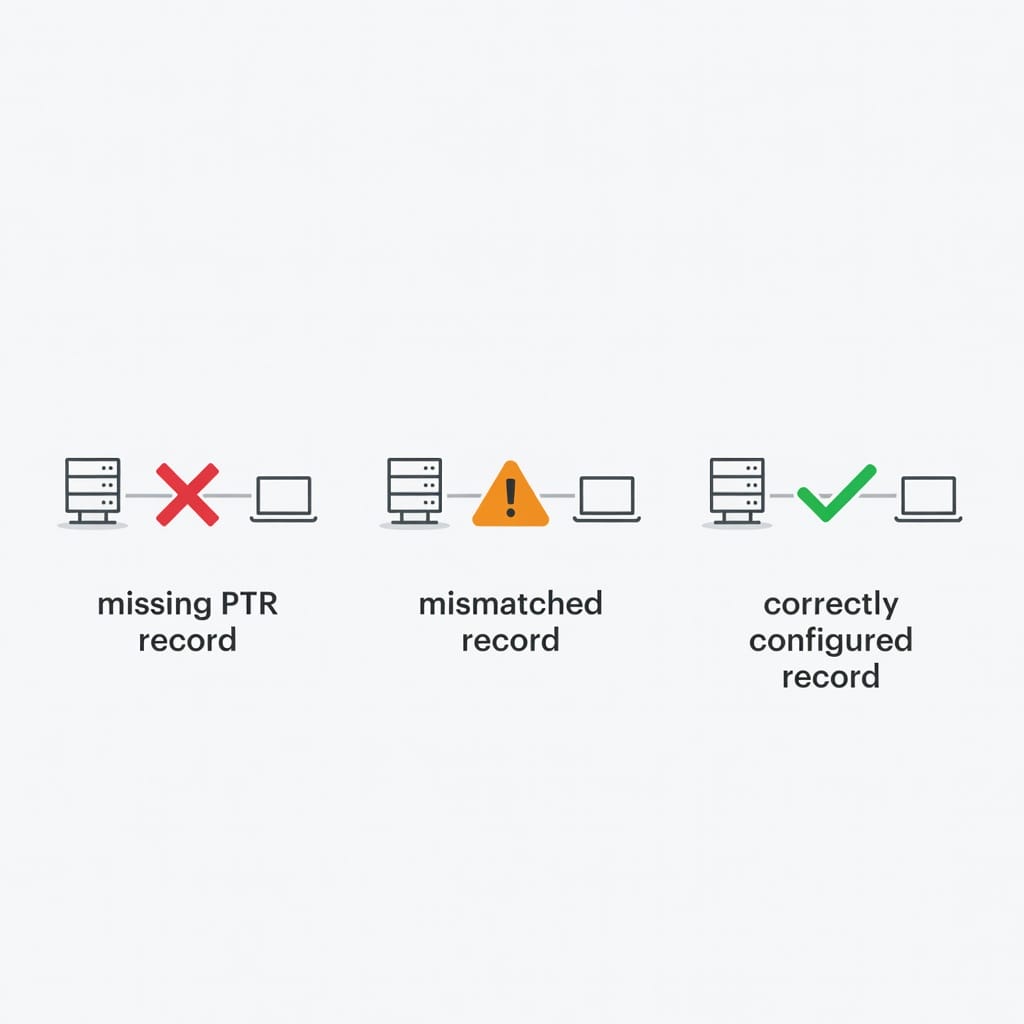
Common rDNS Validation Failures and What They Mean
The most common rDNS validation failures are missing PTR records, PTR hostnames without matching A or AAAA records, generic provider hostnames, HELO mismatches, stale records after migration, and dynamic IP use. Each failure points to a different owner and fix path.
Use this matrix to diagnose faster:
| Failure | What it usually means | Who can fix it | First action |
|---|---|---|---|
| No PTR record | IP owner never configured reverse DNS | ISP, cloud provider, SMTP provider | Open provider ticket or dashboard setting |
| PTR points to wrong hostname | Old server name, typo, or copied template | IP owner | Request corrected PTR |
| PTR hostname has no A or AAAA | Domain DNS missing forward record | Domain DNS owner | Add or fix forward record |
| Forward record points elsewhere | Migration incomplete or shared hostname issue | DNS owner and IP owner | Align records or choose correct hostname |
| HELO says `localhost` | MTA default hostname not configured | Server admin | Set MTA hostname to FQDN |
| PTR is generic cloud label | Default provider reverse DNS | IP owner | Request custom PTR if supported |
| Reverse DNS still shows old value | DNS cache or old delegation | IP owner and DNS operator | Check TTL, authoritative nameserver, propagation |
| Multiple PTR records for one IP | Confusing or non standard setup | IP owner | Use one clear canonical hostname |
| IPv6 missing PTR | IPv6 enabled but forgotten | IP owner | Add IPv6 PTR or disable unused IPv6 sending |
A frequent mistake is trying to fix PTR in the domain DNS zone. If your sending IP belongs to a cloud provider, editing `example.com` DNS will not create reverse DNS for that IP. You must use the provider that controls the IP address allocation.
Another common mistake is assuming that a PTR record must point to the visible From domain. It does not always need to. It must be a valid hostname for the sending server or provider infrastructure. For dedicated cold email infrastructure, a hostname such as `mail1.example.com` or `smtp.example.com` is often clearer than a root domain.
How to Fix a Missing or Broken PTR Record
To fix a missing or broken PTR record, choose a stable mail hostname, make sure that hostname resolves to the sending IP, then ask the IP owner to set the PTR record to that hostname. After the change, verify reverse lookup, forward lookup, and SMTP greeting alignment.
Here is the operational checklist.
1. Choose the hostname
Pick a hostname that clearly identifies the mail server or sending infrastructure. Good patterns include:
“`text
mail.example.com
smtp.example.com
outbound1.example.com
mta1.example.com
“`
Avoid:
“`text
example.com
localhost
server
203-0-113-10.example.com if it is only a throwaway label
“`
The hostname should be fully qualified, stable, and appropriate for the server. If you use multiple dedicated sending IPs, use a consistent naming pattern such as `mta1.example.com`, `mta2.example.com`, and `mta3.example.com`.
2. Create or confirm the forward DNS record
Before requesting the PTR, create the forward record:
“`text
mail.example.com. 3600 IN A 203.0.113.10
“`
For IPv6:
“`text
mail.example.com. 3600 IN AAAA 2001:db8::10
“`
Some providers refuse to set a PTR unless the hostname already resolves forward to the requested IP.
3. Request the PTR from the IP owner
Use your cloud dashboard if available. Many providers offer a reverse DNS field for static IPs. If not, open a support ticket.
Ticket template:
“`text
Please set reverse DNS for IP 203.0.113.10 to mail.example.com.
Forward DNS is already configured:
mail.example.com A 203.0.113.10
This IP is used for outbound email. Please confirm when the PTR has propagated from the authoritative reverse DNS zone.
“`
If the provider asks for justification, explain that the IP is used for outbound email and that receiving mail systems require valid reverse DNS.
4. Align the MTA hostname
Set the mail server identity to a compatible hostname. For Postfix, a simplified example is:
“`text
myhostname = mail.example.com
smtpd_banner = $myhostname ESMTP
“`
Do not copy configuration blindly into production. Confirm the setting with your mail admin and your exact MTA version.
5. Recheck after TTL expiry
DNS changes are not always instant. Query authoritative nameservers where possible and recheck after the previous TTL expires. If public resolvers disagree, wait for caches to clear and verify from multiple networks.
rDNS Validation for Cold Email Infrastructure
For cold email infrastructure, rDNS validation should be completed before warmup, sequencing, inbox rotation, or volume increases. A warmed sending identity built on a broken PTR record is unstable because receivers may distrust the connection before engagement signals can help.
A practical sequence looks like this:
1. Provision domain, mailbox, or sending infrastructure.
2. Confirm SPF, DKIM, and DMARC basics.
3. Confirm rDNS and HELO identity for dedicated IPs or provider infrastructure.
4. Validate list quality before sending using Filter Bounce or a comparable verifier.
5. Start warmup and low volume outreach.
6. Use Mystrika to manage sequences, warmup, unibox replies, AI assisted personalization, and operational consistency.
7. Monitor bounces, spam complaints, SMTP responses, and reply quality.
DoYouMail can fit when teams need sending infrastructure that abstracts away more of the technical setup. Even then, it is worth asking whether the provider manages PTR, forward DNS, and SMTP identity correctly for the IPs involved. Managed does not mean invisible. It means the provider should be able to answer the audit questions quickly.
Mystrika fits the campaign operations side. It helps you run cold email outreach in a structured way, but it should sit on top of sound DNS and authentication. If the sending layer is misconfigured, the best sequence logic cannot fully compensate.
Dynamic IPs, Shared IPs, and Dedicated IPs
Dynamic IPs are poor candidates for serious outbound email because PTR records, reputation, and provider policies can change outside your control. Shared IPs can work when a provider manages them well. Dedicated IPs give more control but also make you responsible for reputation and DNS hygiene.
| IP type | rDNS control | Reputation control | Best fit | Main risk |
|---|---|---|---|---|
| Dynamic residential or office IP | Low | Low | Not recommended for outbound campaigns | Missing PTR, ISP blocks, unstable identity |
| Shared provider IP | Provider controlled | Shared with other senders | Transactional or platform managed sending | Neighbor behavior can affect reputation |
| Dedicated provider IP | Often configurable | High | Higher volume or controlled infrastructure | You own warmup, PTR, monitoring, and complaint impact |
| Self hosted server IP | Depends on ISP or cloud | High | Advanced teams with mail ops experience | Misconfiguration burden is high |
If you are using shared infrastructure, you may not see a PTR hostname under your domain. That can be acceptable if the provider has a valid, consistent, reputable reverse DNS setup. If you are using dedicated infrastructure, you should be able to define or request the PTR hostname.
For cold outreach, dedicated control sounds attractive, but it also increases operational responsibility. Do not move to dedicated IPs just because it feels more professional. Move when you can manage volume, authentication, bounces, complaints, and monitoring with discipline.
rDNS Validation During IP or Provider Migration
During migration, rDNS validation fails when teams move sending traffic to a new IP but forget that PTR records live with the IP owner, not the domain DNS host. The safest migration plan includes forward DNS, PTR, HELO, SPF, DKIM, DMARC, and monitoring checks before traffic moves.
Use this migration checklist:
| Phase | Action | Validation |
|---|---|---|
| Before migration | Inventory old IPs, new IPs, hostnames, providers, and owners | Confirm who can change PTR |
| DNS preparation | Create new mail hostname A or AAAA records | `dig hostname A` or `dig hostname AAAA` |
| Reverse DNS request | Ask new IP owner to set PTR | `dig -x new_ip` |
| MTA setup | Configure HELO or EHLO hostname | SMTP transcript or MTA logs |
| Authentication | Update SPF, DKIM, and DMARC if sender path changes | Header test and DNS check |
| Low volume test | Send to monitored seed accounts | Check headers, rejections, spam placement |
| Ramp | Increase gradually while watching errors | Monitor 4xx and 5xx SMTP codes |
| Cleanup | Remove stale records after cutover | Document final state |
Do not assume that lowering the TTL on your domain DNS changes reverse DNS propagation. PTR records are in reverse zones controlled by the IP owner. Their TTL and update process may be separate.
If you see mixed results after migration, compare answers from the authoritative reverse DNS servers, a public resolver, and a receiver side header. That helps distinguish cache delay from wrong configuration.
Provider Request Templates and Escalation Notes
A good PTR request includes the IP, desired hostname, proof that forward DNS already resolves, and the email use case. This reduces back and forth with hosting support and helps the provider route the ticket to the team that manages reverse DNS.
Use this concise template for a normal setup:
“`text
Subject: Reverse DNS PTR request for outbound email IP
Please configure the PTR record for 203.0.113.10 to:
mail.example.com
Forward DNS is already configured:
mail.example.com A 203.0.113.10
This IP is used for outbound SMTP. Please confirm the authoritative reverse DNS value after the update.
“`
Use this escalation template if support edits the wrong DNS zone:
“`text
Thanks. The forward DNS zone for example.com is already correct. The remaining issue is reverse DNS for the IP address, which must be configured in the reverse zone controlled by the IP allocation owner.
Please update the PTR for 203.0.113.10 to mail.example.com, or route this ticket to the team that manages rDNS for the assigned IP block.
“`
Use this template when a provider says custom PTR is unavailable:
“`text
Can you confirm whether this IP supports custom reverse DNS for outbound SMTP? If not, please provide the default PTR hostname and confirm whether it has matching forward DNS and is approved for email sending.
“`
If a provider cannot set valid rDNS for an IP used for outbound email, choose a different provider or sending architecture. Treat this as an infrastructure blocker, not a minor warning.
Troubleshooting rDNS Validation Error Messages
rDNS error messages often appear inside SMTP bounce logs, provider dashboards, or mailbox provider responses. The exact wording varies, but the fix usually maps to a small set of DNS and hostname checks.
| Error wording | Likely meaning | Fix |
|---|---|---|
| `Reverse DNS lookup failed` | No PTR record or lookup timeout | Ask IP owner to set PTR and confirm DNS health |
| `Client host rejected: cannot find your reverse hostname` | Receiver could not resolve PTR | Add PTR or fix delegation |
| `IP name lookup failed` | Reverse lookup failed or returned unusable name | Fix PTR and forward record |
| `HELO hostname invalid` | SMTP greeting uses bad or non resolvable name | Configure MTA hostname |
| `Forward confirmed reverse DNS failed` | PTR hostname does not resolve back to the IP | Fix A or AAAA record or change PTR |
| `Access denied, bad PTR` | Receiver policy rejects current reverse identity | Use valid custom PTR and verify reputation |
When troubleshooting, avoid changing many things at once. Start with the IP identity chain:
1. What IP connected?
2. What PTR does that IP return?
3. What A or AAAA does the PTR hostname return?
4. What hostname does the server announce?
5. What do the message headers show?
6. Do SPF, DKIM, and DMARC pass independently?
This order prevents a common mistake: editing SPF or DMARC repeatedly when the rejection is actually about reverse DNS.
Security and Compliance Considerations
rDNS validation is not a legal compliance control by itself, but it supports trustworthy sending infrastructure by making server identity auditable. It also helps security teams distinguish authorized mail systems from unknown hosts that send under similar domains or nearby infrastructure.
In regulated or security sensitive environments, document reverse DNS ownership as part of sender governance. The record should identify a legitimate mail host, not leak sensitive internal naming, and not impersonate a domain the sender does not control.
Important cautions:
- Do not point PTR records at domains you do not own or control.
- Do not use internal hostnames such as `mail.internal.local` for public SMTP identity.
- Do not expose sensitive environment labels such as customer names, project codes, or incident references in PTR hostnames.
- Do not rely on rDNS as proof that a message is legitimate. It is one signal among many.
- Do not ignore IPv6. If your server sends over IPv6, validate IPv6 PTR and AAAA alignment too.
For organizations with many sending systems, maintain a sender inventory that includes PTR owner, domain owner, provider, authentication status, and business purpose. This makes incident response and migration work much faster.
rDNS Validation Checklist
Use this checklist before launching, migrating, or scaling outbound email. It is intentionally practical so you can copy it into a runbook.
- Identify every sending IP used by the mail stream.
- Confirm whether each IP is IPv4, IPv6, or both.
- Run reverse lookup for each IP.
- Confirm each IP returns exactly the intended PTR hostname.
- Run forward lookup for each PTR hostname.
- Confirm the forward record returns the original IP.
- Confirm the SMTP server uses a fully qualified HELO or EHLO hostname.
- Confirm the hostname is not `localhost`, an internal name, or a bare unqualified label.
- Confirm SPF includes the actual sending provider or IP where appropriate.
- Confirm DKIM signs mail with the intended domain.
- Confirm DMARC alignment for the visible From domain.
- Confirm bounce handling and reply handling are configured.
- Validate recipient addresses with Filter Bounce before sending cold campaigns.
- Start volume slowly and monitor SMTP failures.
- Recheck rDNS after provider migrations, IP changes, or server rebuilds.
- Document the owner and support path for every PTR record.

Decision Matrix: What Should You Do Next?
The right next step depends on what failed. Use this matrix instead of applying generic deliverability advice.
| Your situation | Next action | Do not do this yet |
|---|---|---|
| No PTR record exists | Ask IP owner to create PTR | Rewrite campaign copy |
| PTR exists but forward lookup fails | Add or fix A or AAAA record | Change DMARC policy |
| HELO says `localhost` | Configure MTA hostname | Buy new domains |
| Shared provider PTR is valid but not branded | Ask provider if this is expected | Demand custom PTR if shared pool policy forbids it |
| Dedicated IP has generic provider PTR | Request custom PTR | Scale volume |
| Authentication passes but inboxing is weak | Check reputation, bounces, content, and complaint signals | Blame rDNS if it already passes |
| Bounce rate is high | Clean list with Filter Bounce and review acquisition | Increase sending volume |
| You need campaign execution after DNS is sound | Use Mystrika for warmup, sequencing, AI assistance, unibox, and workflow control | Treat platform setup as a substitute for DNS validation |
Key Takeaways
- rDNS validation checks whether a sending IP maps to a PTR hostname and whether that hostname maps forward to the same IP.
- A passing setup usually includes a valid PTR, matching A or AAAA record, and a compatible SMTP HELO or EHLO hostname.
- PTR records are controlled by the IP owner, not usually by your normal domain DNS panel.
- rDNS does not replace SPF, DKIM, or DMARC. It validates server identity while those records validate message authorization and alignment.
- Missing or mismatched reverse DNS can trigger SMTP rejections, spam filtering, or extra scrutiny from receivers.
- Fix rDNS before warmup, cold outreach sequencing, migration ramp ups, or inbox placement testing.
- Mystrika is most useful after the infrastructure is healthy, helping teams manage cold email outreach, warmup, sequencer workflows, AI support, unibox replies, and whitelabel operations.
- DoYouMail can help where managed sending infrastructure is preferred, while Filter Bounce is useful before sending to reduce invalid recipient risk.
Frequently Asked Questions
What is rDNS validation in simple terms?
rDNS validation is a check that asks whether an IP address has a reverse DNS name and whether that name points back to the same IP. For email, it helps receiving servers decide whether the sending machine has a legitimate and consistent identity.
A simple way to remember it is: forward DNS turns names into IPs, while reverse DNS turns IPs back into names. rDNS validation compares both directions.
Is rDNS validation required for email delivery?
For serious outbound email, yes, you should treat valid rDNS as required. Many receivers expect sending IPs to have PTR records, and major mailbox provider guidance includes valid PTR and matching forward DNS as part of sender requirements.
A missing PTR does not mean every message will always fail everywhere, but it creates avoidable rejection and filtering risk. It is a baseline infrastructure check, not an optional optimization.
Who controls the PTR record for my sending IP?
The PTR record is controlled by whoever owns or delegates the IP address block. That is usually your ISP, cloud provider, hosting provider, dedicated IP provider, or email sending infrastructure provider.
Your normal domain DNS host controls records such as A, MX, TXT, SPF, DKIM, and DMARC for your domain. It usually cannot directly set reverse DNS for an IP address it does not own.
Does the PTR hostname need to match my From domain?
Not always. The PTR hostname should identify the sending server or provider infrastructure and resolve forward to the sending IP. In shared or managed platforms, it may be a provider controlled hostname rather than your visible From domain.
For dedicated infrastructure, using a controlled mail hostname under your domain is often cleaner. The key is consistency, legitimacy, and forward confirmed reverse DNS.
What is forward confirmed reverse DNS?
Forward confirmed reverse DNS means the IP resolves backward to a hostname, and that hostname resolves forward to the same IP. It is stronger than merely having a PTR record because it proves the two DNS directions agree.
For example, `203.0.113.10` returning `mail.example.com` is only half the check. `mail.example.com` should also return `203.0.113.10` through an A or AAAA record.
Can I send cold email without rDNS validation?
You can attempt to send, but it is a poor foundation for cold email. Cold outreach already depends on trust signals such as authentication, reputation, bounce quality, and engagement, so a broken PTR record adds unnecessary risk before your campaign is evaluated on its merits.
Fix rDNS first, then use tools such as Mystrika for warmup, sequencing, AI assisted personalization, and reply management. Infrastructure problems should not be pushed into campaign operations.
How long does a PTR record change take to work?
It depends on the provider, the authoritative reverse DNS zone, and DNS caching. Some changes appear quickly, while others require waiting for the previous TTL and provider processing time.
After the provider confirms the update, test from multiple resolvers and from outside your own network. If results disagree, check authoritative nameservers before assuming the change failed.
Does IPv6 need reverse DNS too?
Yes, if your server sends email over IPv6, the IPv6 address should also have valid reverse DNS and forward confirmation. IPv6 reverse DNS uses the `ip6.arpa` zone instead of `in-addr.arpa`.
A common failure occurs when a server has IPv6 enabled automatically and sends some mail over IPv6, but only the IPv4 identity was configured. Audit both address families.
Can a valid PTR record fix a bad sender reputation?
No. A valid PTR record removes one infrastructure defect, but it does not erase poor reputation, spam complaints, bad lists, authentication failures, or irrelevant content.
Treat rDNS as a prerequisite. After it passes, continue monitoring bounces, complaints, blocklists, engagement quality, and authentication results.
How does Filter Bounce relate to rDNS validation?
Filter Bounce validates recipient addresses, while rDNS validation checks the sending IP identity. They solve different deliverability problems.
Use rDNS validation to make sure your mail server looks legitimate to receivers. Use Filter Bounce before outreach to reduce invalid recipients, hard bounces, and list quality problems.