
What Does Undisclosed Recipients Mean?
Undisclosed recipients means the sender has hidden the recipient list from the people receiving the email. In most email clients, this is done with the Bcc field, short for blind carbon copy. Recipients can see the sender, subject, message, and usually their own address, but they cannot see the other people who received the same email.
That simple idea solves a common problem: you need to send one message to a group, but you do not want every address in the To or Cc field. Maybe you are emailing event attendees, vendors, candidates, customers, volunteers, students, investors, or a private community. Exposing the whole list can look careless, trigger reply-all chaos, and create privacy issues.
Here is the practical difference:
| Field | Who can see the addresses? | Best use | Privacy level |
|---|---|---|---|
| To | Everyone on the email | Direct recipients who are expected to respond | Low |
| Cc | Everyone on the email | People copied for visibility | Low |
| Bcc | Sender and mail systems, but not other recipients | Private group sends and quiet copies | Higher |
| Mail merge or outreach platform | Each recipient receives an individual-looking email | Personalized one-to-many sending | Highest for recipient-list visibility |
A message sent to undisclosed recipients is not magic encryption. It only hides the recipient list from the other recipients. Your email provider, sending server, recipient mailbox provider, and compliance logs may still process the recipient information. So use it for recipient privacy, not for confidential or legally sensitive communication that requires encryption.

Quick Answer: How to Send Email to Undisclosed Recipients
To send email to undisclosed recipients, put your own address or a label such as `Undisclosed recipients
Use this quick workflow:
1. Open a new email message.
2. In the To field, enter your own email address, or use the format `Undisclosed recipients
3. Open the Bcc field.
4. Paste or add the recipient list in Bcc.
5. Remove any private addresses from To or Cc.
6. Add a subject line that clearly explains the message.
7. Write the email as a group announcement, not as a personal note.
8. Send a test to yourself if the message is important.
9. Send the final message.
A safe example looks like this:
“`text
To: Undisclosed recipients
Bcc: [email protected], [email protected], [email protected]
Subject: Updated schedule for Thursday’s workshop
“`
A risky example looks like this:
“`text
To: [email protected], [email protected], [email protected]
Subject: Updated schedule for Thursday’s workshop
“`
The risky version exposes addresses to everyone. The safer version hides the list from recipients.
When Should You Use Undisclosed Recipients?
Use undisclosed recipients when one message needs to reach multiple people, but the recipients do not need to know who else received it. The ideal use case is a small or moderate group announcement where personalization, tracking, replies, and unsubscribe management are not critical.
Good use cases include:
- Sending a schedule update to event attendees.
- Emailing a small group of job applicants without exposing candidates to each other.
- Contacting vendors who should not see each other’s addresses.
- Sharing a neighborhood, club, school, or volunteer announcement.
- Sending a one-time update to people who already expect the message.
- Moving a large internal group into Bcc to prevent reply-all storms.
- Sending a private introduction follow-up where people should not see the full list.
Undisclosed recipients are especially useful when the audience relationship is horizontal. In other words, the people on the list are not collaborating with each other inside the thread. If they are expected to discuss, coordinate, or respond as a group, To or Cc may be clearer.
Use this test before you send:
If a recipient saw every address on this email, would anyone be surprised, annoyed, exposed, or put at risk?
If the answer is yes, use Bcc, mail merge, or a proper email platform.
When Should You Avoid Undisclosed Recipients?
Avoid undisclosed recipients when the message is high-volume, commercial, personalized, compliance-sensitive, or part of a repeat sending process. Bcc hides addresses, but it does not give you list hygiene, unsubscribe handling, bounce management, personalization, reply routing, sending limits, or deliverability controls.
Do not rely on Bcc for:
- Cold email campaigns.
- Newsletters with a growing subscriber list.
- Sales outreach sequences.
- Customer lifecycle emails.
- Investor updates that need personalization and tracking.
- Compliance-heavy marketing messages.
- Large lists where bounce rate and spam complaints matter.
- Any campaign where recipients should receive a personalized greeting, custom field, or unique link.
- Any message where unsubscribes must be handled consistently.
This is where many basic guides stop too early. They explain how to add people to Bcc, then imply that the job is done. For a one-time note, maybe it is. For repeated business sending, it is not.
Bcc is a privacy feature, not a bulk email strategy.
If you are sending outreach or follow-up sequences, use a platform built for that workflow. Mystrika, for example, is designed for cold email outreach with sequencing, warmup, AI-assisted writing, unified inbox management, and deliverability controls. If you are worried about bad addresses causing bounces before you send, list cleaning through Filter Bounce is the better first step. If you need sending infrastructure for outbound campaigns, DoYouMail is a more appropriate foundation than pasting a long list into Bcc.
How to Send to Undisclosed Recipients in Gmail
In Gmail, the usual method is to place your own address in the To field and the real recipient list in Bcc. Gmail does not require the visible label to say “Undisclosed recipients,” but using that label can make the message look more intentional.
Follow these steps on desktop Gmail:
1. Open Gmail.
2. Click Compose.
3. In the To field, type your own address, or type a label in this format: `Undisclosed recipients
4. Click Bcc on the right side of the compose window.
5. Add the recipient addresses to the Bcc field.
6. Add a clear subject line.
7. Write the message.
8. Recheck that no private list address is in To or Cc.
9. Send a test to yourself if the email contains links, attachments, or sensitive information.
10. Send the final email.
Use a short label if the message is from a group:
“`text
To: Workshop attendees
Bcc: private attendee list
“`
That can look more natural than the literal phrase “Undisclosed recipients,” but only use a label that honestly describes the audience. Do not imply that the email is personal if it is really a bulk message.
Gmail checklist before sending
- [ ] The recipient list is in Bcc, not To or Cc.
- [ ] The To field contains only your address or a harmless group label.
- [ ] The subject line is specific enough that recipients understand why they got the email.
- [ ] The greeting does not pretend to be individually personalized unless it truly is.
- [ ] Attachments are necessary and not too large.
- [ ] Links are correct and not hidden behind suspicious shorteners.
- [ ] The message includes a clear way to respond or opt out if appropriate.
- [ ] You sent a test copy to yourself for important messages.
Gmail limitations to remember
Gmail and Google Workspace accounts have sending and recipient limits. The exact limits depend on account type, account age, sending history, and Google policy changes. The important point is that Bcc recipients still count as recipients. If you paste hundreds of addresses into Bcc, you can still run into sending limits, temporary blocks, or deliverability problems.
Bcc also does not create individual threads for each recipient in the same way a mail merge or outreach platform can. Replies come back to the sender, but the original email still behaves like a group send. If you need personalized fields, follow-up automation, or better reply management, do not use Bcc as your main system.
For deeper sending guidance, read Mystrika’s guide to email deliverability before scaling beyond occasional group messages.
How to Send to Undisclosed Recipients in Outlook
In Outlook, the principle is the same: use Bcc for the private recipient list and keep the visible To field harmless. The exact path depends on whether you use new Outlook, classic Outlook, Outlook on the web, or a mobile app.
| Outlook version | How to show Bcc | Basic send process |
|---|---|---|
| New Outlook | Options > Show fields > Show Bcc | Add your address in To, recipients in Bcc, then send |
| Outlook on the web | New mail > Bcc, or message options | Add visible sender/self address, add recipients in Bcc |
| Classic Outlook | Options tab > Bcc | Add your address in To, add private list in Bcc |
| Outlook mobile | Tap Cc/Bcc or expand recipient fields | Add your address in To, add recipients in Bcc |
Microsoft’s own support guidance notes a few important limitations that many simplified tutorials miss: Bcc names can count toward the provider’s total address limit, distribution lists in Bcc may interfere with recipient sorting rules, and many junk filters may treat Bcc-heavy messages suspiciously. That does not mean every Bcc email goes to spam. It means Bcc is not a deliverability shortcut.
A clean Outlook example:
“`text
Bcc: private-recipient-list
Subject: Reminder: policy review session tomorrow
“`
For internal company communication, Bcc can be useful when you want to prevent reply-all storms. For external commercial communication, use more caution. A message that looks like a hidden mass email can feel impersonal or suspicious, especially if the recipient does not recognize the sender.
How to Send to Undisclosed Recipients in Apple Mail and Mobile Apps
Apple Mail, iPhone Mail, Android mail apps, and many third-party clients all support the same basic pattern: place recipients in Bcc when you do not want them visible to each other. The interface changes, but the privacy concept does not.
Use this general process:
1. Create a new message.
2. Tap or click the recipient field.
3. Expand Cc/Bcc if it is hidden.
4. Put your own address or a harmless group address in To.
5. Put the real recipient list in Bcc.
6. Write a subject line and message that make sense for a group announcement.
7. Send a test if the message is important.
8. Send the final version.
Mobile apps introduce two extra risks. First, autocomplete can insert the wrong contact if you move quickly. Second, smaller screens make it easier to miss that a private address is in To or Cc. Slow down and check every recipient field before tapping Send.
Mobile sending safety checklist
- [ ] Expand all recipient fields before sending.
- [ ] Confirm the Bcc field is visible.
- [ ] Check that the recipient list did not accidentally land in Cc.
- [ ] Avoid sending large group emails from a phone when the message is sensitive.
- [ ] Send from desktop when you need to review a long list.
- [ ] Use a platform instead of mobile Bcc for campaigns, sequences, or newsletters.
Mobile Bcc is fine for a quick update to a small group. It is a poor fit for structured outreach, sales follow-ups, or subscriber communication.
Undisclosed Recipients vs Bcc, Cc, Mail Merge, and Email Platforms
Undisclosed recipients and Bcc are closely related, but they are not identical concepts. “Undisclosed recipients” is the visible result or label. Bcc is the technical field most people use to achieve it. Mail merge and email platforms go further by sending individual messages or managed campaigns instead of one hidden-recipient message.
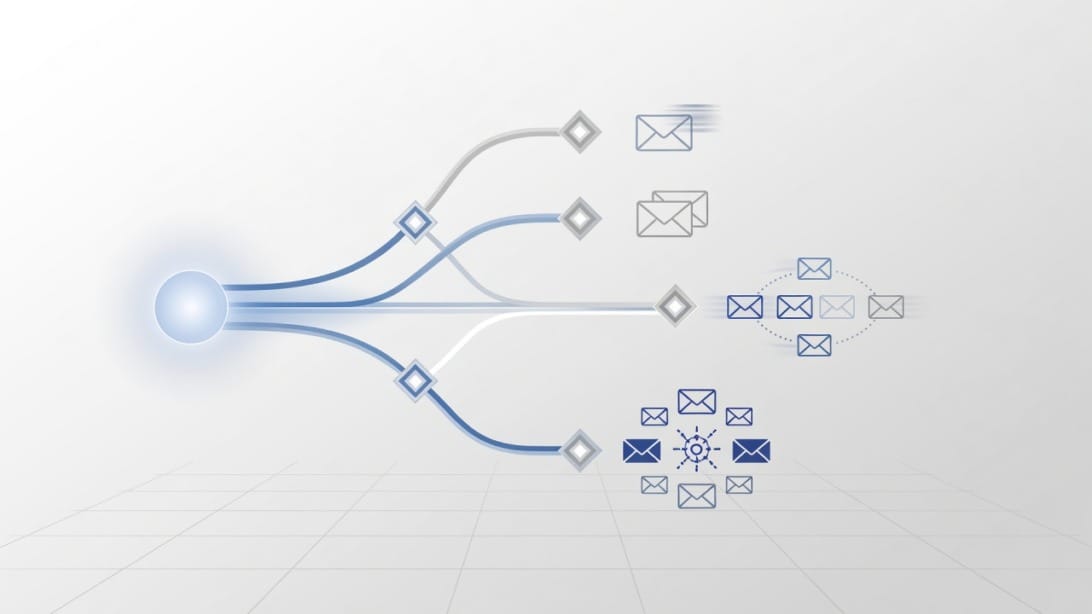
Use this decision matrix:
| Scenario | Best option | Why |
|---|---|---|
| One-time update to a small private group | Bcc / undisclosed recipients | Fast, simple, protects visible addresses |
| Group discussion where everyone should collaborate | To or Cc | Transparency matters more than privacy |
| Personalized message to many people | Mail merge | Each recipient gets a more individual email |
| Cold outreach sequence | Mystrika or another outreach platform | Needs personalization, sequencing, inbox rotation, and reply management |
| Newsletter or marketing list | Email service provider | Needs consent, unsubscribe handling, templates, and compliance tools |
| Internal announcement where replies should go only to sender | Bcc | Helps prevent reply-all chains |
| List with uncertain address quality | Verify first with Filter Bounce | Reduces avoidable bounces before sending |
| Sending infrastructure for outbound domains | DoYouMail | Better fit than using a personal inbox for volume |
Bcc vs mail merge
Bcc sends one message with hidden recipients. Mail merge sends separate messages built from a list of fields such as first name, company, job title, or custom notes. If the email would sound awkward with a generic greeting, mail merge is usually better.
Example Bcc greeting:
“`text
Hi everyone,
Here is the updated agenda for tomorrow.
“`
Example mail merge greeting:
“`text
Hi Jordan,
I noticed your team is hiring SDRs in Austin and thought this might be useful.
“`
The second example should not be sent as a Bcc blast because it depends on personalization. It belongs in a mail merge or outreach platform.
Bcc vs an outreach platform
An outreach platform is not just Bcc with a nicer interface. It can help manage sequences, warmup, replies, personalization, sending accounts, and campaign-level controls. If you are doing cold email, the question is not “Can I hide the recipients?” The question is “Can I send relevant, compliant, low-bounce, properly authenticated email at a pace that protects sender reputation?”
That is why Mystrika is a natural fit when the job changes from occasional group email to structured cold outreach. It supports AI-assisted campaign creation, warmup, sequencer workflows, a unified inbox, and whitelabel options, starting at $15/month. Bcc is useful, but it is not built for that workload.
For a broader comparison of outreach tools, see this guide to cold email software.
Deliverability Risks Most Guides Skip
Undisclosed recipients can protect recipient privacy, but they can also create deliverability problems when used carelessly. Mailbox providers look at many signals beyond whether addresses are hidden, including sender reputation, authentication, recipient engagement, complaint patterns, content quality, bounce behavior, and sending volume.
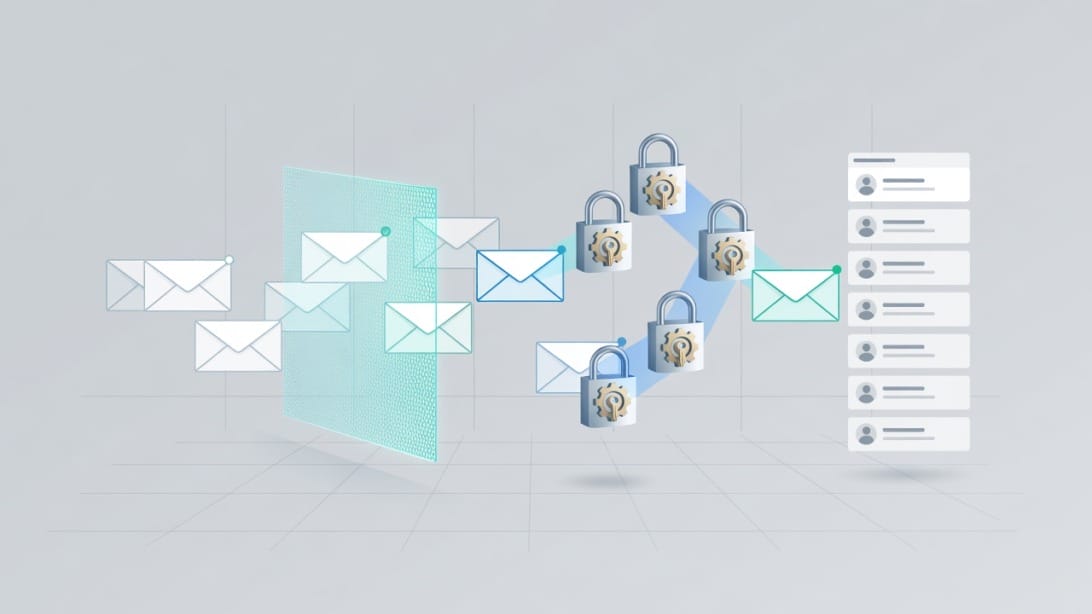
Here are the risks to understand before sending a Bcc-heavy email:
| Risk | Why it happens | How to reduce it |
|---|---|---|
| Spam-folder placement | Hidden-recipient messages can look like bulk mail, especially from unfamiliar senders | Send only expected messages, avoid spammy wording, authenticate your domain |
| Sending limits | Bcc recipients count toward total recipient limits | Keep groups small or use a proper platform |
| Bounces | Old or mistyped addresses fail delivery | Verify addresses before sending with a service like Filter Bounce |
| Complaints | Recipients did not expect the message or cannot tell why they received it | Use clear context and avoid unsolicited blasts |
| Low engagement | Generic messages get ignored | Use segmentation or personalization where appropriate |
| Reply confusion | Recipients may not know whether to reply to sender or group | State exactly how to respond |
| Reputation damage | Repeated poor sending behavior accumulates over time | Warm up sending domains, monitor bounces, and pace campaigns |
Bcc itself does not break SPF, DKIM, or DMARC. Those authentication protocols relate to whether the sending domain and message are authorized and aligned. But Bcc-heavy sending often happens in the same situations where authentication, volume control, and list quality are neglected. That combination is what creates risk.
What to check before sending a larger group email
- [ ] Your sending domain has SPF, DKIM, and DMARC configured correctly.
- [ ] Your list is current and relevant.
- [ ] You removed role accounts, obvious typos, and stale contacts where possible.
- [ ] Your subject line does not look deceptive or clickbait-heavy.
- [ ] Your message explains why the recipient is getting it.
- [ ] You provide a clear way to opt out when the message is commercial or recurring.
- [ ] You are not attaching large files to a large group send.
- [ ] You are not sending from a brand-new inbox at high volume.
- [ ] You are not using Bcc to hide a campaign that should be handled by proper email software.
If you are sending cold outreach, do not skip email warmup. Warmup does not excuse bad targeting or spammy content, but it can be part of a healthier sending foundation when paired with authentication, pacing, and list quality.
Privacy, Compliance, and Professional Etiquette Checklist
Using undisclosed recipients is often more respectful than exposing a group list, but privacy is only one part of responsible email sending. You also need to think about consent, expectations, message type, and the recipient’s ability to respond or opt out.
This section is not legal advice. Treat it as an operational checklist to reduce obvious mistakes.
Privacy checklist
- [ ] Do not expose addresses in To or Cc unless recipients reasonably expect it.
- [ ] Do not use Bcc to hide manipulative or misleading communication.
- [ ] Do not include sensitive personal details in a group email.
- [ ] Do not attach files containing private information about multiple people.
- [ ] Use encryption or secure portals for confidential information.
- [ ] Use a proper mailing list or platform for recurring communications.
Compliance-aware checklist
- [ ] If the email is commercial, include accurate sender information.
- [ ] If opt-out is required for your message type and jurisdiction, include a working unsubscribe or opt-out method.
- [ ] Keep a record of consent or legitimate basis where applicable.
- [ ] Do not add people to recurring lists just because they were Bcc’d once.
- [ ] Honor opt-out requests quickly.
- [ ] Avoid buying or scraping lists.
- [ ] Segment messages so recipients get relevant content.
Professional etiquette checklist
- [ ] Use Bcc because privacy is appropriate, not because you want to conceal sloppy sending.
- [ ] Mention why the person is receiving the email.
- [ ] Keep the email short enough for a group announcement.
- [ ] Avoid “Dear valued recipient” style openings.
- [ ] Tell recipients whether they should reply to you directly.
- [ ] Avoid forwarding long threads to undisclosed recipients.
- [ ] Do not use Bcc to secretly include someone in a sensitive conversation.
The last point matters. Bcc is sometimes used to quietly copy a manager, lawyer, client, or colleague on a tense conversation. That can backfire if the hidden recipient replies all or if the thread is later forwarded. For sensitive conversations, use clear internal notes or separate forwarding instead of hidden copying.
Troubleshooting Undisclosed Recipient Emails
Most undisclosed-recipient problems come from one of five causes: the wrong field, a missing Bcc field, provider limits, spam filtering, or recipient confusion. Use the table below to diagnose the issue quickly.
| Problem | Likely cause | Fix |
|---|---|---|
| Everyone can see the list | Addresses were placed in To or Cc | Recall if possible, apologize if needed, resend correctly only if necessary |
| Bcc field is missing | Email client hides it by default | Expand Cc/Bcc or enable Bcc in settings/options |
| Email bounced | Bad address, blocked domain, or sending limit | Clean the list, reduce volume, check bounce reason |
| Email went to spam | Low sender trust, suspicious content, or Bcc-heavy pattern | Improve authentication, reduce volume, make context clearer |
| Recipients are confused | Message does not explain why they got it | Add context in the first paragraph |
| Replies are messy | Instructions were unclear | Say “Please reply only to me” or use a form/link instead |
| Attachments did not arrive | Size or security filtering | Use a secure file link instead of attachments |
| You hit a send limit | Too many recipients or too many emails | Wait, split responsibly, or use a real sending platform |
What if someone replies all?
With normal Bcc behavior, a Bcc recipient who clicks reply all should not reveal the original Bcc list because the list is not visible in the message headers shown to recipients. However, reply behavior varies by client and situation, and people can still create confusion by replying to visible To or Cc addresses. The safer approach is to keep the To field limited to yourself or a controlled address and give clear reply instructions.
Use wording like:
“`text
Please reply directly to me with any questions. The recipient list is hidden to protect everyone’s privacy.
“`
What if the message looks suspicious?
A hidden-recipient email from an unfamiliar sender can feel suspicious. Reduce that risk by identifying yourself clearly, explaining the relationship, and avoiding vague urgency.
Weak opening:
“`text
Hello,
Please review this important update immediately.
“`
Better opening:
“`text
Hi everyone,
You are receiving this because you registered for Thursday’s pricing workshop. I am using Bcc to keep attendee email addresses private.
“`
That one sentence improves trust and reduces confusion.
Better Alternatives for Bulk, Outreach, and Newsletter Sending
Undisclosed recipients are useful, but they are not the best tool for every group email. The more your message depends on personalization, follow-up, consent, deliverability, or reporting, the more you should move away from Bcc.
Use mail merge when personalization matters
Mail merge is a better fit when each recipient should receive a message that feels individually written. It lets you use fields like first name, company name, role, city, or custom context.
Use mail merge for:
- Personalized invitations.
- Small PR lists.
- Investor updates with custom notes.
- Recruiting outreach.
- Account-based sales messages.
Do not use mail merge as an excuse to send irrelevant email. Personalization only helps when the message is genuinely relevant.
Use an outreach platform for sequences and replies
If you need follow-up steps, inbox rotation, warmup, reply tracking, AI drafting, or a unified inbox, Bcc is the wrong layer. Mystrika is built for this kind of outreach workflow. It helps teams create and manage cold email campaigns while keeping sequencing, warmup, replies, and deliverability in one place.
Use an outreach platform when:
- You need multiple follow-ups.
- You need to stop sequences when someone replies.
- You need campaign-level visibility.
- You need multiple sending accounts.
- You need personalization at scale.
- You care about deliverability beyond one send.
Use DoYouMail for sending infrastructure
If your main bottleneck is outbound email infrastructure, DoYouMail is more relevant than Bcc. It is designed for outbound sending setups where deliverability, scale, and domain configuration matter. A personal inbox with a long Bcc list is not a reliable foundation for serious outbound campaigns.
Use Filter Bounce before sending to questionable lists
Bad addresses create bounces. Bounces can harm sender reputation, waste sending limits, and make campaigns harder to evaluate. If you inherited a list, exported old contacts, or collected addresses from multiple sources, verify them before sending. Filter Bounce fits naturally here because list hygiene should happen before outreach, not after a failed campaign.
For more on this step, see Mystrika’s guide to email verification.
Examples You Can Copy
Use these examples as starting points. Adjust them for your relationship with the recipients and the reason for the email.
Event update example
“`text
To: Event attendees
Bcc: private attendee list
Subject: Parking update for tomorrow’s workshop
Hi everyone,
You are receiving this because you registered for tomorrow’s workshop. I am using Bcc to keep attendee email addresses private.
The venue has changed the parking entrance to the west side of the building. Please arrive 10 minutes early if you plan to park onsite.
Please reply directly to me if you have questions.
“`
Why it works:
- It explains why the recipient received the email.
- It explains why Bcc was used.
- It gives a clear reply instruction.
- It does not pretend to be personalized.
Vendor update example
“`text
To: Procurement team
Bcc: vendor list
Subject: Updated submission deadline for Q3 vendor documents
Hello,
We are writing to vendors who received the Q3 documentation request. The submission deadline has moved from Friday to Monday at 5 PM.
Please send your completed documents directly to [email protected]. We are using Bcc to keep vendor contact details private.
“`
Why it works:
- It protects vendor privacy.
- It keeps the instruction short.
- It avoids exposing a competitive vendor list.
Bad Bcc example to avoid
“`text
To: Undisclosed recipients
Bcc: 1,000 scraped contacts
Subject: Quick question
Hey,
Want to buy our service?
“`
Why it fails:
- The recipients did not ask for it.
- There is no context.
- The list source is questionable.
- The message is generic.
- It is likely to generate poor engagement and complaints.
- It should be handled, if at all, through a compliant outreach workflow with verified contacts, segmentation, personalization, and opt-out handling.
Key Takeaways
- Undisclosed recipients means the recipient list is hidden from the people receiving the email.
- The most common way to send to undisclosed recipients is to put recipients in Bcc and place your own address or a harmless label in To.
- Bcc is useful for one-time private group announcements, event updates, vendor emails, and reply-all prevention.
- Bcc is not a complete bulk email, newsletter, or cold outreach strategy.
- Gmail, Outlook, Apple Mail, and mobile mail apps all support Bcc, but the interface differs.
- Bcc recipients can still count toward provider sending limits.
- Bcc-heavy messages can look suspicious if the sender, context, or list quality is weak.
- Use mail merge when personalization matters.
- Use Mystrika when you need outreach sequences, warmup, AI support, unified inbox management, and deliverability controls.
- Use DoYouMail when outbound sending infrastructure is the problem.
- Use Filter Bounce when list quality is uncertain and you want to reduce avoidable bounces before sending.
- Always check To, Cc, and Bcc before sending because one field mistake can expose the entire list.
Frequently Asked Questions
What does undisclosed recipients mean in email?
Undisclosed recipients means the sender has hidden the recipient list from the people receiving the message. It is usually done by placing the real recipients in the Bcc field instead of the To or Cc field.
The recipients can still see the sender, subject, message, and sometimes their own address. They cannot see the other Bcc recipients in the normal email view.
Is undisclosed recipients the same as Bcc?
Not exactly. Bcc is the email field, while undisclosed recipients is the visible effect or label that can appear when recipients are hidden.
In everyday usage, people often use the terms interchangeably. If someone asks how to send to undisclosed recipients, they usually mean how to use Bcc correctly.
How do I send email to undisclosed recipients in Gmail?
In Gmail, compose a new message, put your own address or `Undisclosed recipients
Before sending, confirm that no private recipient address is in To or Cc. If the list is long or the message is sensitive, send a test to yourself first.
How do I send email to undisclosed recipients in Outlook?
In Outlook, create a new message, show the Bcc field if it is hidden, put your own address in To, and put the private recipient list in Bcc. In new Outlook, the Bcc option is usually available under Options or Show fields.
Outlook users should be especially careful with distribution lists, address limits, and junk-filter risk. Bcc is useful, but it is not a replacement for mail merge or a dedicated email platform.
Can undisclosed recipients see each other?
No, recipients placed in Bcc cannot normally see each other in the received email. That is the main reason people use Bcc.
However, the sender and mail systems still process the addresses. Bcc hides recipients from other recipients, but it is not end-to-end encryption or a privacy guarantee against service providers.
Can I use undisclosed recipients for newsletters?
You can use Bcc for a very small one-time update, but it is not a good newsletter system. Newsletters usually need unsubscribe handling, consent records, templates, analytics, bounce management, and consistent deliverability controls.
For recurring communication, use a newsletter platform or email service provider. If the message is cold outreach rather than a newsletter, use a dedicated outreach workflow such as Mystrika instead of Bcc.
Will undisclosed recipients emails go to spam?
They can, especially if the message looks like bulk mail, the sender has weak reputation, the list is low quality, or recipients do not expect the email. Bcc alone does not guarantee inbox placement.
Improve your chances by sending relevant messages, authenticating your domain, avoiding excessive volume, cleaning your list, and using proper email software for campaigns.
Is it rude to use Bcc?
Bcc is not rude when it protects recipient privacy or prevents reply-all noise. It can be rude or suspicious when it hides a mass message that should have been transparent, personalized, or permission-based.
A simple sentence can help: “I am using Bcc to keep everyone’s email address private.” That tells recipients the privacy reason and reduces confusion.
What should I put in the To field for undisclosed recipients?
Put your own email address in the To field, or use a label such as `Undisclosed recipients
Do not put the full recipient list in To or Cc. That defeats the purpose and exposes everyone’s address.
What is the best alternative to undisclosed recipients for cold email?
The best alternative is a cold email platform that supports personalization, sequencing, warmup, reply management, and deliverability controls. Mystrika is built for that kind of workflow.
Before sending, verify the list with a tool such as Filter Bounce and make sure your sending infrastructure is ready. For outbound infrastructure needs, DoYouMail is a better fit than using a personal inbox with a long Bcc list.