
SMTP2Go Review: The Short Verdict
SMTP2Go is a dedicated SMTP relay and email delivery service for teams that need application, website, transactional, and operational emails to leave their own servers reliably. It is strongest when you want a straightforward SMTP or API layer, clear logs, sender authentication, bounce visibility, and support without building your own mail infrastructure.
It is not a full cold outreach platform, CRM, list builder, or campaign sequencer. That distinction matters. If your core need is sending password resets, invoices, alerts, form notifications, WordPress emails, product notifications, or application-generated messages, SMTP2Go can fit well. If your core need is managing outbound prospecting sequences, replies, inbox rotation, warmup, and deliverability across mailbox accounts, you should compare it with a dedicated outreach platform like Mystrika and mailbox infrastructure such as DoYouMail.
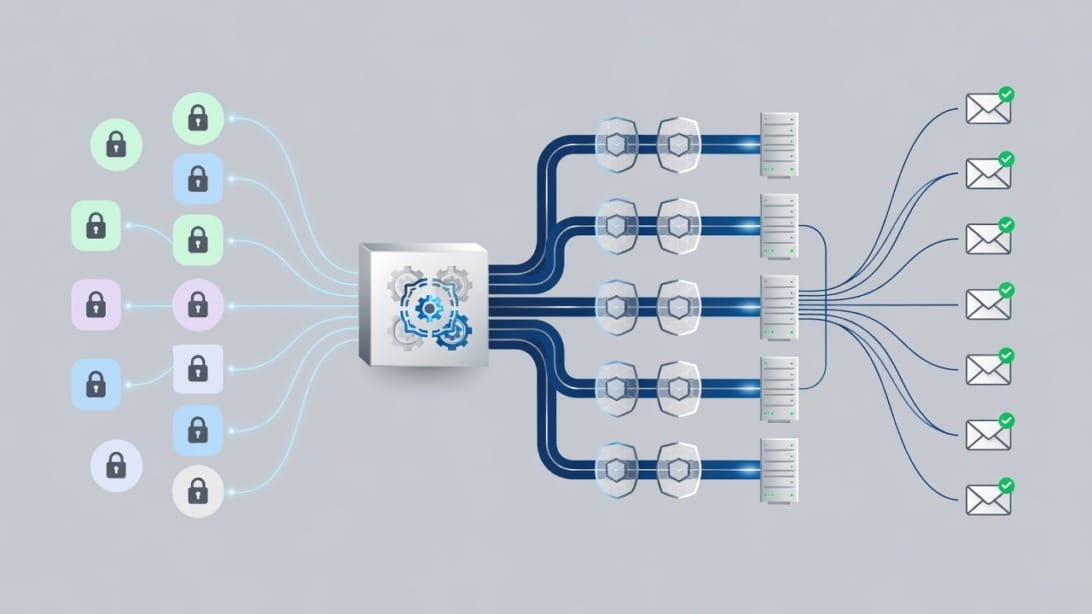
Here is the practical way to think about SMTP2Go:
| Question | SMTP2Go fit | Why it matters |
|---|---|---|
| Do you need SMTP relay for website or app emails? | Strong fit | SMTP2Go is built around SMTP relay and email API delivery. |
| Do you need WordPress SMTP replacement? | Strong fit | It can replace unreliable hosting or mailbox SMTP for site notifications. |
| Do you need a cold email sequencer? | Weak fit | SMTP relay is not the same as campaign sequencing, inbox management, or reply handling. |
| Do you need detailed transactional logs? | Strong fit | Delivery logs and bounce visibility are central reasons to use a relay. |
| Do you need list cleaning before sending? | Partial fit | SMTP2Go can show bounces, but validation should happen before handoff with a tool such as Filter Bounce. |
| Do you need mailbox warmup and outreach deliverability workflows? | Weak fit | Use a dedicated platform and infrastructure workflow instead. |
The rest of this review breaks down pricing, features, setup, deliverability, limitations, alternatives, and the decision path for choosing SMTP2Go.
What Is SMTP2Go?
SMTP2Go is an email delivery service that lets applications, websites, devices, and business systems send email through SMTP credentials or an email API. Instead of relying on your web host, local server, ISP SMTP server, or personal mailbox provider, you route outbound system email through SMTP2Go’s sending infrastructure.
In plain terms, SMTP2Go sits between your sending source and the recipient inbox. Your app or website hands an email to SMTP2Go. SMTP2Go authenticates the sender, accepts the message, applies its delivery infrastructure, and gives you reporting so you can see whether the message was accepted, bounced, suppressed, opened, clicked, or complained about, depending on your settings and plan.
A simple example:
1. A user requests a password reset from your SaaS app.
2. Your app sends the email through SMTP2Go using SMTP credentials or the API.
3. SMTP2Go validates the sender and attempts delivery to the recipient’s mail server.
4. Your team can inspect logs if the user says the reset email never arrived.
5. Bounces and complaints can be tracked instead of disappearing inside server logs.
That is different from using Gmail, Outlook, or a shared hosting SMTP server. Mailbox providers are designed for human inbox use. Shared hosting SMTP is often fragile, rate-limited, and poorly logged. A relay service is designed for programmatic delivery and operational visibility.
Who Should Use SMTP2Go?
SMTP2Go is best for teams that need reliable delivery for non-promotional system emails and want a service that is easier to operate than running mail servers themselves. The most obvious users are SaaS teams, ecommerce stores, WordPress site owners, agencies, schools, IT departments, and operators of business applications that send routine notifications.
Use SMTP2Go when your current sending setup has one or more of these problems:
- Your web host’s PHP mail function loses messages or lands in spam.
- Your app sends password resets, invoices, alerts, or receipts, but support tickets keep saying “I did not receive the email.”
- Your ISP or mailbox provider blocks SMTP ports or applies sending caps.
- You need logs that non-developers can inspect.
- You want SPF and DKIM alignment without maintaining mail servers.
- You need subaccounts or separate senders for different clients, apps, or brands.
- You want support for SMTP and API sending in one vendor.
SMTP2Go is less ideal when the job is not relay delivery. If you need contact management, automatic follow-up sequences, reply detection, AI-assisted personalization, inbox rotation, or campaign analytics, the better path is a cold email platform. For example, Mystrika is built for cold email outreach workflows, while SMTP2Go is built for delivery of messages handed to it by another system.
SMTP2Go Pricing, Limits, and Plan Fit
SMTP2Go’s public pricing is volume-based. The most important thing to evaluate is not only the headline price, but also reporting retention, support access, daily or hourly caps, dedicated IP availability, and whether your sending volume is stable enough to predict overage costs.
| Plan | Published starting price | Monthly email volume | Best for | Key caveats |
|---|---|---|---|---|
| Free | $0/month | Up to 1,000 emails/month | Testing, small sites, low-volume apps | Daily cap, short reporting window, limited free support period, hourly limit before verification. |
| Starter | $10/month | 10,000 emails/month | Small businesses, WordPress sites, low-volume transactional senders | Extra email charges apply after included volume. |
| Professional | $75/month | 100,000 emails/month | Growing apps, ecommerce, serious transactional senders | Higher commitment, but includes dedicated IP and testing tools. |
| Premier | Custom | 3,000,000+ emails/month | High-volume senders and enterprises | Requires sales conversation and deeper onboarding. |
The pricing page also notes paid plan support, reporting, subaccount management, unlimited verified senders on paid plans, SMTP relay, email API, SPF and DKIM authentication, suppression and unsubscribe management, open and click tracking, spamtrap detection, feedback loop monitoring, TLS/SSL encryption, 2FA, IP allowlisting, sandbox mode, and analytics features.
How to choose the right SMTP2Go plan
Choose the Free plan only if you are validating the service or sending very low volume. It is useful for proving that your application can authenticate and send, but it is not the right plan for a production system where logs and support matter.
Choose Starter if you send predictable low-volume operational email and do not need a dedicated IP. A local services business, small ecommerce store, membership site, or agency client site may fit here.
Choose Professional if email is business-critical, your volume is higher, you need testing tools, or a dedicated IP is important for your governance model. Dedicated IPs add responsibility: you also need to warm and monitor that IP instead of assuming it automatically improves deliverability.
Choose Premier if you have high-volume sending, multiple systems, procurement needs, special support expectations, or strict operational requirements.
Pricing questions to ask before you buy
Use this checklist before choosing a plan:
- What is your average monthly send volume?
- What is your peak daily send volume?
- Do you need 30 days of logs, or longer retention through add-ons?
- Do you need a dedicated IP, or is shared infrastructure acceptable?
- Who needs dashboard access?
- Do you need subaccounts for clients, departments, or brands?
- Will you send marketing, transactional, or operational email?
- Do you need webhooks to sync events back into your app?
- What happens if you exceed the included monthly volume?
- Can your team handle DNS authentication setup?
The biggest pricing mistake is picking a relay only by monthly email count. Logs, support, authentication, sender separation, and bounce workflows often matter more than saving a few dollars.
SMTP2Go Features Explained by Workflow
SMTP2Go’s feature list makes the most sense when grouped by workflow. The platform is not just an SMTP username and password. It includes the surrounding controls that help teams send, troubleshoot, and monitor email.
SMTP relay
SMTP relay is the core feature. You configure your app, website, device, or system to send through SMTP2Go’s SMTP server instead of your own mail server. This is useful for WordPress, CRMs, ecommerce systems, monitoring tools, billing platforms, help desk systems, and internal applications.
A relay is attractive because it reduces the operational burden of handling blocked ports, server reputation, reverse DNS, delivery logs, and recipient server responses. You still need responsible sending practices, but you are not starting from raw infrastructure.
Email API
SMTP2Go also provides an email API. The standard email send endpoint is:
“`text
POST https://api.smtp2go.com/v3/email/send
“`
The required fields include `sender`, `to`, and `subject`. Optional fields include HTML body, text body, CC, BCC, custom headers, attachments, inline images, template IDs, and template data. Authentication can be handled with an API key header or in the request body.
Here is a simplified API example:
“`bash
curl –request POST \
–url https://api.smtp2go.com/v3/email/send \
–header ‘Content-Type: application/json’ \
–header ‘X-Smtp2go-Api-Key: api-xxxxxxxxxxxxxxxxxx’ \
–data ‘{
“sender”: “[email protected]”,
“to”: [“[email protected]”],
“subject”: “Your receipt is ready”,
“text_body”: “Thanks for your purchase. Your receipt is attached.”
}’
“`
Use the API when your developers want structured responses, event handling, templates, and clearer integration control. Use SMTP when you need compatibility with an existing application that already supports SMTP credentials.
Sender authentication
SMTP2Go supports sender authentication through DNS records such as SPF and DKIM. This is foundational for deliverability because recipient systems need to verify that SMTP2Go is authorized to send for your domain.
A modern authentication checklist should include:
- SPF record that authorizes the sending service.
- DKIM signing for message integrity and domain-level trust.
- DMARC policy that tells receivers what to do when SPF or DKIM alignment fails.
- A monitored DMARC reporting workflow if your domain is business-critical.
- Consistent From domains for each stream of email.
The competitor article covered SPF and DKIM, but skipped DMARC. That is a meaningful gap because DMARC is now part of the normal domain authentication conversation, especially for teams sending at scale or protecting a brand domain.
For deeper background, see this guide to email deliverability and the role reputation, authentication, and engagement play together.
Reporting and logs
SMTP2Go reporting is one of the main reasons to use a relay service. If a message fails, you want to know whether it was accepted, deferred, bounced, suppressed, complained about, or blocked.
Useful logs should answer:
- Was the message accepted by the relay?
- Did the recipient server accept or reject it?
- Was the address suppressed because of a prior bounce or complaint?
- Did authentication fail?
- Was a recipient typo responsible?
- Did a specific domain reject the message?
- Is the issue isolated or systemic?
Without this visibility, support teams guess. With logs, they can separate user typo, mailbox filtering, domain reputation, authentication, and application errors.
Bounce, complaint, and suppression handling
A responsible sending workflow does not keep hammering invalid or hostile recipients. SMTP2Go includes suppression and unsubscribe management features, plus bounce and complaint visibility.
Your policy should be explicit:
| Event | Recommended action | Why |
|---|---|---|
| Hard bounce | Suppress immediately | Repeated hard bounces damage sender reputation. |
| Soft bounce | Retry cautiously, then suppress if repeated | Temporary failures can become permanent patterns. |
| Spam complaint | Suppress immediately | Complaints are a strong negative reputation signal. |
| Unsubscribe | Honor immediately | Required for many commercial email contexts and basic trust. |
| Role account bounce | Review before resending | Addresses like info@ or support@ may behave differently. |
| Catch-all domain | Validate carefully | These can hide invalid recipients until after sending. |
If you send outreach or imported lists, validate first. Filter Bounce is a natural complement because it helps remove risky addresses before they become SMTP bounces.
Support and operational monitoring
SMTP2Go emphasizes support and uptime monitoring. This matters because email delivery issues are often urgent. If password resets, invoices, or system alerts stop sending, the problem is not theoretical. It can block revenue or support operations immediately.
Before relying on any SMTP provider, check:
- Status page availability.
- Support channels for your plan.
- Escalation expectations for production incidents.
- Whether logs are understandable to non-developers.
- Whether your team can export or integrate event data.
SMTP2Go Setup Checklist
SMTP2Go setup is not complicated, but skipping small steps can create avoidable deliverability problems. Use this checklist when moving from a web host, Gmail-style SMTP, another relay, or your own server.
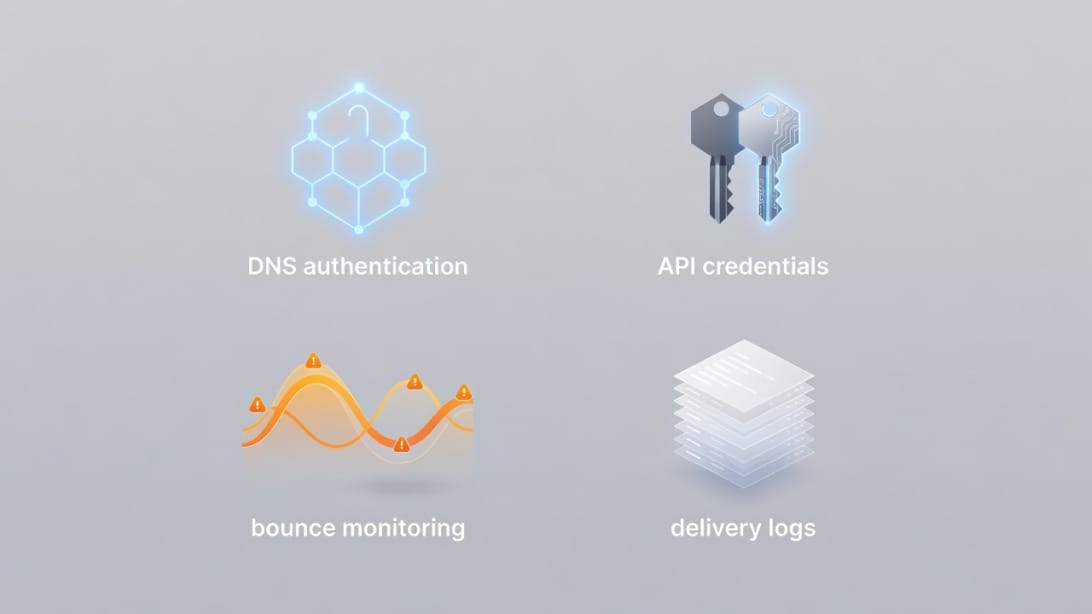
Step 1: Separate email streams
Do not mix every kind of email under one sender if you can avoid it. Separate transactional, product, billing, support, marketing, and outreach streams.
Example separation:
| Stream | Example From address | Recommended handling |
|---|---|---|
| Password resets | [email protected] | Highest reliability, minimal promotional content. |
| Receipts | [email protected] | Stable templates, monitored bounces. |
| Product alerts | [email protected] | Clear preference controls. |
| Newsletters | [email protected] | Separate consent and unsubscribe handling. |
| Cold outreach | Separate outreach domains/mailboxes | Use an outreach platform and mailbox infrastructure, not transactional relay alone. |
This separation protects critical transactional email from avoidable reputation issues caused by promotional or outreach streams.
Step 2: Verify your sender domain
Sender verification proves that you control the domain or address you want to send from. Do not treat this as a formality. Verification and authentication are the base of the entire workflow.
Prepare access to:
- DNS hosting account.
- Domain registrar if DNS is managed there.
- SMTP2Go dashboard.
- A mailbox that can receive verification emails.
- Your application or CMS SMTP settings.
Step 3: Add SPF and DKIM records
SPF authorizes sending sources. DKIM signs messages so recipient systems can verify message integrity. Add the DNS records exactly as provided by the service.
Common mistakes include:
- Creating more than one SPF TXT record for the same domain.
- Pasting smart quotes or extra spaces into DNS values.
- Adding records to the wrong subdomain.
- Forgetting that DNS propagation can take time.
- Testing before records are visible globally.
If you already use other senders, merge SPF includes carefully instead of replacing working records blindly.
Step 4: Add or review DMARC
DMARC helps recipient systems understand how to handle mail that fails authentication alignment. Even if SMTP2Go does not force you to start with strict DMARC, your domain strategy should include it.
A cautious rollout can look like this:
1. Start with monitoring mode if you have multiple senders to inventory.
2. Review aggregate reports and identify legitimate senders.
3. Fix SPF and DKIM alignment problems.
4. Move gradually toward a stricter policy when you are confident.
5. Keep transactional and outreach domains separated when possible.
Step 5: Choose SMTP or API integration
Use SMTP credentials when you need the fastest setup in a tool that already supports SMTP. Use the API when your application needs better control, structured responses, templates, or event integration.
| Integration method | Best for | Tradeoff |
|---|---|---|
| SMTP | WordPress, legacy apps, devices, simple systems | Easy setup, less structured than API. |
| API | SaaS apps, custom platforms, developer-controlled systems | More flexible, requires development work. |
| Webhooks | Syncing events to your database or CRM | Requires endpoint security and testing. |
Step 6: Configure bounce and complaint handling
Before sending production volume, decide what happens after a bounce, complaint, or unsubscribe. Do not wait until reputation damage appears.
Minimum policy:
- Suppress hard bounces automatically.
- Suppress spam complaints immediately.
- Review repeated soft bounces.
- Store event history in your customer record if appropriate.
- Give support teams a way to check delivery events.
Step 7: Test with real recipient domains
Send tests to multiple mailbox providers and business domains. Testing only with your own address can hide domain-specific issues.
Test at least:
- Gmail or Google Workspace inbox.
- Microsoft 365 or Outlook inbox.
- Yahoo or consumer mailbox.
- A business domain with strict filtering.
- An address that intentionally bounces, if safe in your testing environment.
Verify headers, authentication, rendering, links, unsubscribe handling where relevant, and whether logs match reality.
Step 8: Ramp volume gradually
If you are moving meaningful volume, avoid sudden spikes. Even legitimate transactional email can look suspicious if a domain or IP shifts patterns overnight.
A safe ramp plan includes:
- Start with low-risk transactional streams.
- Monitor bounce and complaint rates daily.
- Watch domain-level rejection patterns.
- Increase volume gradually.
- Keep fallback procedures documented.
For outreach-specific ramping, read about email warmup and remember that mailbox warmup is a different workflow from transactional SMTP relay.
SMTP2Go Pros and Cons
SMTP2Go has a clear value proposition, but it is not the answer to every email sending problem. Here is the balanced view.
| Pros | Why it matters |
|---|---|
| Easy SMTP relay setup | Useful for WordPress, apps, devices, and business systems. |
| Email API available | Developers can integrate more cleanly than with SMTP alone. |
| SPF and DKIM support | Helps establish authorized sending. |
| Logs and reporting | Reduces support guesswork when users report missing emails. |
| Bounce and suppression features | Helps protect sender reputation. |
| Free plan | Good for testing and very low-volume use. |
| Support-focused positioning | Valuable when email delivery is operationally important. |
| Subaccounts and sender separation | Useful for agencies, multi-brand teams, and departments. |
| Cons | Why it matters |
|---|---|
| Not a campaign sequencer | You still need a separate platform for outreach workflows. |
| Not a contact database | It does not replace a CRM or list management system. |
| Free plan is limited | Fine for testing, not ideal for production reliability. |
| Dedicated IP requires responsibility | A dedicated IP is not automatically better without warmup and monitoring. |
| Reporting retention may need add-ons | Longer audit trails may require paid extensions. |
| SMTP terminology can confuse beginners | Non-technical users may need help with DNS and authentication. |
| Overages can surprise teams | High or spiky volume needs forecasting. |
The biggest misunderstanding is expecting SMTP2Go to behave like a full email marketing or cold outreach suite. It is better evaluated as a delivery layer.
SMTP2Go Deliverability: What It Can and Cannot Fix
SMTP2Go can improve the infrastructure side of delivery, especially if you are currently sending through unreliable hosting, unauthenticated scripts, or limited mailbox SMTP. It can help with relay reliability, authentication setup, logging, bounce handling, and delivery troubleshooting.
It cannot magically fix bad sending behavior. If your list quality is poor, your content is deceptive, your domain reputation is damaged, or recipients do not want your messages, a better SMTP relay will not save the program.
What SMTP2Go can help with
- Avoiding fragile shared hosting mail.
- Sending through a purpose-built relay.
- Providing clearer delivery logs.
- Supporting SPF and DKIM setup.
- Managing bounces and suppressions.
- Offering API and SMTP flexibility.
- Separating senders and subaccounts.
- Monitoring operational issues.
What SMTP2Go cannot fix by itself
- Sending to purchased or scraped lists.
- Poor consent practices.
- Misleading subject lines.
- Broken DMARC strategy across multiple senders.
- Weak domain reputation caused by prior abuse.
- Overly aggressive volume spikes.
- Low engagement from recipients.
- Outreach campaigns with no reply management or warmup plan.
If you are doing cold email, your deliverability stack should start with infrastructure planning, mailbox setup, warmup, validation, volume control, and reply handling. This is where cold email infrastructure differs from transactional SMTP delivery.
SMTP2Go for WordPress
SMTP2Go can be a practical fix for WordPress sites whose emails are unreliable. WordPress often depends on hosting-level mail functions unless configured otherwise. That can cause contact form messages, password resets, ecommerce receipts, membership notifications, and admin alerts to disappear or land in spam.
A WordPress SMTP relay setup usually follows this pattern:
1. Create or verify your sender in SMTP2Go.
2. Add SPF and DKIM DNS records.
3. Install a reputable WordPress SMTP plugin.
4. Enter SMTP2Go host, port, username, password, and encryption settings.
5. Send a test message.
6. Confirm logs in both WordPress and SMTP2Go.
7. Test contact forms, password resets, checkout receipts, and admin notifications.
For small WordPress sites, the Free or Starter plan may be enough. For stores, membership platforms, course platforms, or lead generation sites where every email matters, evaluate log retention and support access before relying on the cheapest possible configuration.
SMTP2Go for SaaS and Transactional Email
SaaS teams often need transactional email for signups, password resets, invitations, security alerts, billing events, product notifications, and lifecycle messages. SMTP2Go can fit this use case because it offers both SMTP and API delivery.
A SaaS team should evaluate SMTP2Go across five dimensions:
| Dimension | What to check | Why it matters |
|---|---|---|
| Integration | API libraries, SMTP fallback, templates, webhooks | Developers need predictable implementation paths. |
| Observability | Logs, event search, retention, exports | Support and engineering need delivery proof. |
| Authentication | SPF, DKIM, DMARC alignment | Authentication failures can break trust. |
| Suppression | Bounce and complaint handling | Protects sender reputation and customer experience. |
| Operations | Support, uptime, incident process | Email failures can become product incidents. |
If you handle critical account security messages, treat email delivery like infrastructure, not like a marketing add-on. Document ownership, escalation paths, and sender policies.
SMTP2Go for Cold Email and Outreach
SMTP2Go is not the best primary tool for cold outreach campaigns. It can deliver email that another system hands to it, but cold outreach needs much more than SMTP delivery.
A cold outreach workflow usually requires:
- Mailbox and domain infrastructure.
- Warmup and ramp-up controls.
- Contact import and segmentation.
- Personalization fields.
- Sequence steps.
- Reply detection.
- Inbox rotation.
- Bounce management.
- Unsubscribe handling.
- Deliverability monitoring.
- Team-level analytics.
SMTP relay alone does not provide all of that. If your goal is outbound sales or partnership campaigns, Mystrika is the more relevant category because it is built for AI-assisted cold email outreach, sequencer workflows, warmup, unibox management, and campaign operations.
DoYouMail is also relevant when the gap is mailbox infrastructure. Filter Bounce fits before sending, because validation reduces the number of bad addresses that ever reach your SMTP or outreach system.
SMTP2Go Alternatives and Complements
The best SMTP2Go alternative depends on what problem you are solving. Do not compare tools only by monthly email volume. Compare them by workflow.

| Tool/category | Best for | Consider when | Watch out for |
|---|---|---|---|
| SMTP2Go | SMTP relay and transactional delivery | You need reliable app, website, or system email | Not a full campaign platform. |
| Postmark | Transactional email | You want a product strongly focused on transactional streams | May not fit marketing or outreach workflows. |
| SendGrid | API and marketing/transactional email at scale | You need a large ecosystem and broad integrations | Complexity and support experience vary by plan and use case. |
| Mailgun | Developer-focused email API | You have engineering resources and API-heavy workflows | Non-technical teams may find it less approachable. |
| Amazon SES | Low-cost high-volume sending | You have technical operations capacity | Requires more configuration and monitoring discipline. |
| Brevo | Email marketing plus transactional options | You want marketing features and transactional sending in one ecosystem | Evaluate deliverability and feature fit by use case. |
| Mystrika | Cold email outreach platform | You need sequences, warmup, unibox, AI assistance, and outreach operations | Not a replacement for every transactional relay use case. |
| DoYouMail | Mailbox infrastructure for outbound workflows | You need domains/mailboxes for outreach operations | Pair with proper warmup and sending discipline. |
| Filter Bounce | Email verification | You need to clean lists before sending | Validation complements sending, it does not send mail. |
Decision matrix
Use this matrix if you are choosing between SMTP2Go and adjacent tools:
| Your main job | Recommended direction |
|---|---|
| Fix WordPress emails | SMTP2Go or another SMTP relay. |
| Send SaaS password resets and alerts | SMTP2Go, Postmark, Mailgun, SendGrid, or SES depending on developer needs. |
| Run cold outreach campaigns | Mystrika plus proper mailbox infrastructure. |
| Buy and configure outbound mailboxes | DoYouMail. |
| Reduce bounce risk before sending | Filter Bounce. |
| Send newsletters to opted-in subscribers | Email marketing platform or marketing automation tool. |
| Send very high volume at low infrastructure cost | Amazon SES if you can manage complexity. |
| Need a non-technical dashboard and support | SMTP2Go is worth evaluating. |
SMTP2Go vs SendGrid, Mailgun, Postmark, and Amazon SES
SMTP2Go competes in a crowded delivery category. Here is a practical comparison without pretending there is one universal winner.
| Provider | Strength | Best buyer | Key tradeoff |
|---|---|---|---|
| SMTP2Go | Ease of use, SMTP relay, support-oriented delivery | SMBs, agencies, WordPress owners, SaaS teams wanting straightforward setup | Less of a full marketing or outreach suite. |
| SendGrid | Large ecosystem, API scale, marketing add-ons | Teams wanting broad platform coverage | Can be more complex to manage. |
| Mailgun | Developer-centric API and routing | Engineering-led teams | Less beginner-friendly for non-technical users. |
| Postmark | Transactional email focus | Product teams that prioritize transactional reliability | Narrower use case by design. |
| Amazon SES | Cost-efficient scale | Technical teams comfortable with AWS | More operational responsibility. |
Pick SMTP2Go if ease, support, dashboard visibility, and SMTP compatibility matter more than extreme customization. Pick a developer-first provider if your engineering team wants deeper API control. Pick a cold outreach platform if your real goal is prospecting rather than app-generated email.
Common SMTP2Go Mistakes to Avoid
Many SMTP problems are not caused by the relay itself. They come from setup, policy, or workflow mistakes.
Avoid these:
1. Using the same domain for transactional email and risky outreach.
2. Skipping DMARC because SPF and DKIM passed.
3. Assuming a dedicated IP automatically improves deliverability.
4. Sending old lists without validation.
5. Ignoring bounce categories.
6. Letting support teams operate without log access.
7. Moving all volume at once without a ramp plan.
8. Mixing marketing and security emails in one stream.
9. Forgetting to update SPF when adding or removing senders.
10. Treating SMTP relay as a substitute for consent, relevance, and engagement.
Before major migrations, run an email blacklist check and review current DNS authentication. If your domain or IP reputation is already damaged, migration should be planned carefully.
SMTP2Go Review Summary by Use Case
Here is the final use-case scoring for SMTP2Go.
| Use case | Fit | Reason |
|---|---|---|
| WordPress transactional email | High | SMTP relay can solve common host mail issues. |
| SaaS transactional email | High | SMTP and API support fit application delivery. |
| Ecommerce receipts and alerts | High | Logs and reliability matter for customer experience. |
| Agency client sites | High | Subaccounts and sender separation are useful. |
| Developer-first high-control email API | Medium | Good API exists, but compare with developer-specialist providers. |
| Newsletter platform replacement | Low to medium | Depends on whether you need campaign features. |
| Cold email sequencing | Low | Use a dedicated outreach platform. |
| List cleaning | Low | Use validation before sending. |
| Ultra-low-cost high-volume sending | Medium | Compare against SES and operational costs. |
SMTP2Go is strongest when evaluated honestly as a delivery layer. If you need that layer, it deserves a shortlist spot. If you need campaign management, list validation, inbox infrastructure, or outreach automation, add the right complementary tools instead of forcing SMTP2Go to do jobs it was not built for.
Key Takeaways
- SMTP2Go is an SMTP relay and email delivery service, not a full cold outreach or CRM platform.
- It fits WordPress, SaaS, ecommerce, app notifications, alerts, receipts, and other transactional or operational emails.
- Pricing starts with a limited Free plan, then volume-based paid plans with more support and reporting features.
- The most important buying criteria are not only monthly email volume, but also logs, support, authentication, subaccounts, suppression, and operational visibility.
- SPF and DKIM are essential, but serious senders should also plan DMARC.
- SMTP2Go can improve delivery infrastructure, but it cannot fix poor list quality, unwanted messages, or damaged domain reputation by itself.
- For cold outreach, compare Mystrika for sequencing and campaign operations, DoYouMail for mailbox infrastructure, and Filter Bounce for email validation.
- A good SMTP migration includes sender separation, DNS authentication, bounce policy, testing, and gradual volume ramping.
Frequently Asked Questions
What is SMTP2Go used for?
SMTP2Go is used to send email through a dedicated SMTP relay or email API instead of relying on a web host, local server, ISP SMTP server, or personal mailbox provider. It is commonly used for WordPress notifications, SaaS transactional email, invoices, alerts, receipts, password resets, and application-generated messages.
Is SMTP2Go good for cold email?
SMTP2Go is not the best primary tool for cold email because cold outreach needs sequencing, reply handling, mailbox rotation, warmup, contact management, and campaign analytics. For cold email workflows, Mystrika is the more relevant platform category, while DoYouMail and Filter Bounce can support mailbox infrastructure and validation.
Does SMTP2Go improve deliverability?
SMTP2Go can improve the infrastructure side of deliverability by providing a purpose-built relay, authentication support, logging, bounce handling, and monitoring. It cannot guarantee inbox placement if your list quality, content, domain reputation, consent practices, or sending patterns are poor.
Is SMTP2Go free?
SMTP2Go has a Free plan for low-volume testing and small senders. The fetched pricing source lists up to 1,000 emails per month on the Free plan, with additional daily, hourly, reporting, support, and sender limitations that should be reviewed before production use.
How much does SMTP2Go cost?
The fetched pricing source lists a Starter plan at $10 per month for 10,000 emails and a Professional plan at $75 per month for 100,000 emails, with higher-volume Premier pricing available by custom arrangement. Always confirm current pricing on SMTP2Go’s own pricing page before buying because plan details can change.
Does SMTP2Go support SPF, DKIM, and DMARC?
SMTP2Go supports SPF and DKIM setup for sender authentication. DMARC is a domain-level policy you manage in DNS, and it should be part of your broader authentication plan even when the sending provider focuses setup instructions on SPF and DKIM.
Can I use SMTP2Go with WordPress?
Yes, SMTP2Go can be used with WordPress through SMTP configuration, usually via a WordPress SMTP plugin. This is useful when contact forms, password resets, ecommerce receipts, membership notifications, or admin emails are unreliable through default hosting mail.
Should I use SMTP or the SMTP2Go API?
Use SMTP when you need quick compatibility with an existing app, plugin, device, or system that already supports SMTP credentials. Use the SMTP2Go API when developers need structured responses, templates, event handling, attachments, custom integration logic, or tighter control over message sending.
Do I need a dedicated IP with SMTP2Go?
You do not always need a dedicated IP. Shared infrastructure can be fine for many low-volume or moderate-volume senders, while a dedicated IP may make sense for higher-volume or stricter operational needs. A dedicated IP also requires warmup and monitoring, so it should not be treated as an automatic deliverability upgrade.
What are the best SMTP2Go alternatives?
The best alternative depends on your workflow. Postmark is strong for transactional email, SendGrid and Mailgun are common API-focused options, Amazon SES can be cost-efficient for technical teams, and Brevo covers broader marketing use cases. For cold outreach, compare Mystrika, DoYouMail, and Filter Bounce as complementary pieces of an outbound workflow.