
What Is Inboxology and How Does It Work
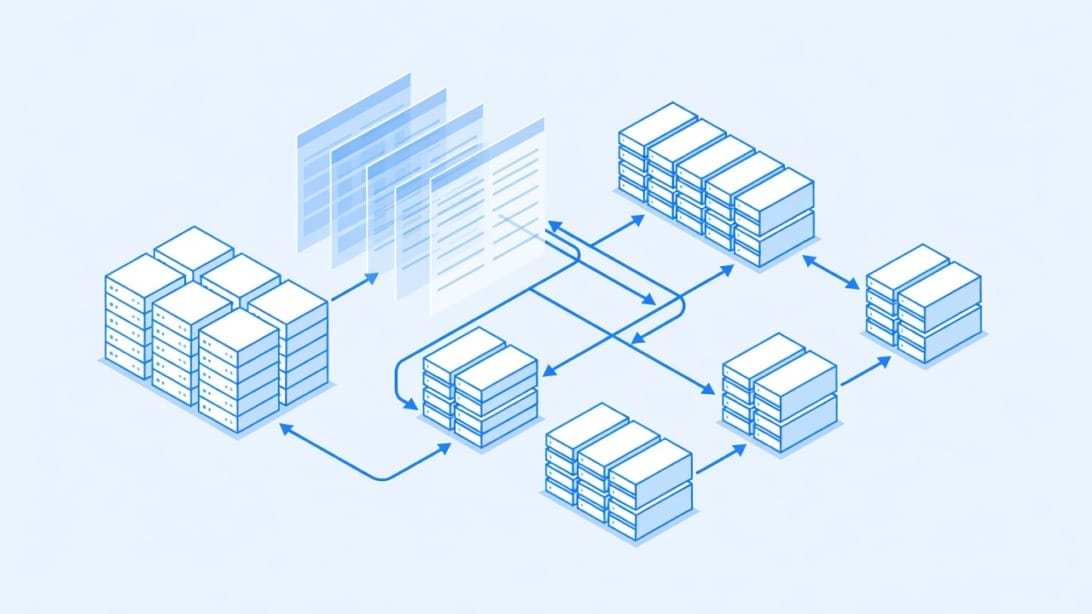
Inboxology is a cold email infrastructure provider that supplies Google Workspace-based inboxes pre-configured with DNS authentication records for outbound email campaigns. The service handles domain setup, mailbox provisioning, and SPF/DKIM/DMARC configuration so that sales teams and agencies can acquire ready-to-send inboxes without managing the technical plumbing themselves.
Unlike full-stack outreach platforms that combine sequencing, analytics, and reply management into one tool, Inboxology operates strictly at the infrastructure layer. You get inboxes. You do not get a campaign builder, a reply unibox, or lead sourcing. Think of it as the mailbox vendor, not the kitchen.
Here is how a typical Inboxology workflow looks:
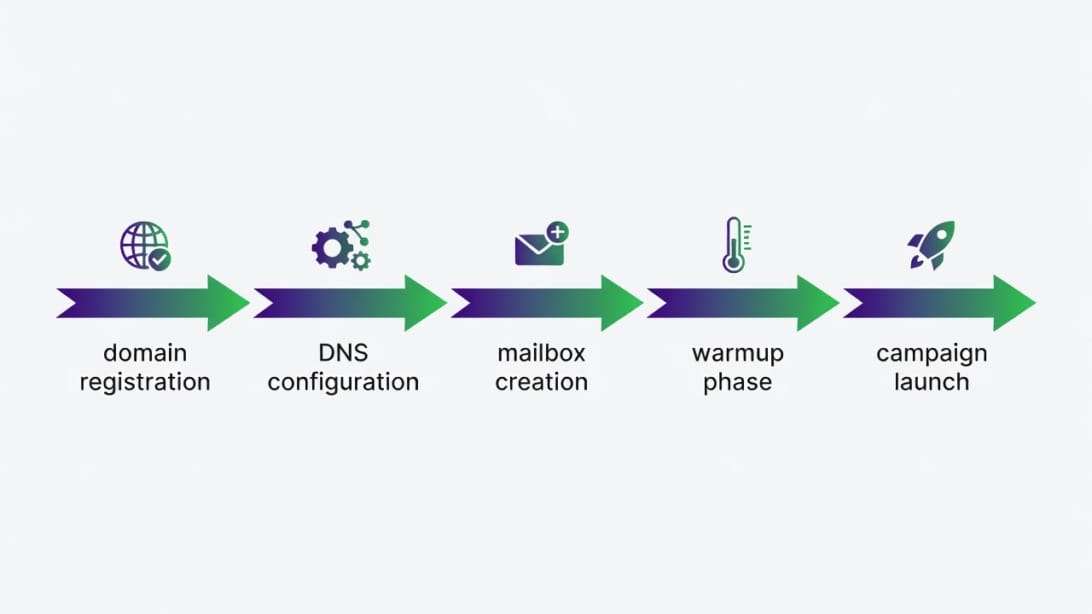
1. You select the number of inboxes and domains you need.
2. Inboxology provisions Google Workspace accounts on your behalf.
3. DNS records (SPF, DKIM, DMARC) are configured automatically for each domain.
4. Optionally, you add warmup services to gradually build sender reputation.
5. You connect the inboxes to your outreach platform of choice (such as Mystrika) and begin sending.
This separation of concerns matters. Infrastructure providers solve one problem: getting you authenticated, healthy inboxes. Everything else – sequencing, personalization, reply tracking, list verification – requires additional tools in your stack.
Who Uses Inboxology
The typical Inboxology customer falls into a few categories:
- Sales development representatives (SDRs) who already have a prospecting and sequencing tool but need additional sending capacity beyond their current inboxes.
- Cold email agencies managing campaigns for multiple clients who need isolated inbox pools per client to prevent cross-contamination of sender reputation.
- Startup founders running lean outbound operations who want to avoid the complexity of manual DNS configuration and Google Workspace administration.
- Growth teams experimenting with cold email as a channel who want a quick way to stand up infrastructure without committing internal engineering resources.
The common thread is that these users already understand cold email at some level. They are not asking “what is SPF?” – they are asking “how do I get more inboxes without spending two days on DNS records?” That is the problem Inboxology positions itself to solve.
Where Inboxology Fits in a Cold Email Stack
To understand Inboxology’s role, think of a cold email operation as a five-layer stack:
1. Lead sourcing – where your prospect data comes from (databases, scraping, enrichment tools).
2. Infrastructure – where your inboxes live and how they are authenticated (Inboxology operates here).
3. Sequencing – the platform that sends follow-ups, tracks opens, and manages reply logic (Mystrika, and similar tools).
4. Verification – cleaning your lists before sending to reduce bounces (Filter Bounce, and similar services).
5. Analytics and monitoring – measuring deliverability, inbox placement, and campaign performance.
Inboxology occupies layer 2 exclusively. It does not touch leads, campaigns, verification, or analytics. For teams that already have layers 1, 3, 4, and 5 covered, adding Inboxology for layer 2 can make sense. For teams missing multiple layers, an infrastructure-only provider creates integration overhead that a more complete platform might avoid.
For teams starting from scratch, you will need to assemble several tools to build a complete outbound workflow.
If you want a deeper look at how infrastructure tools fit into a broader cold email stack, our [InboxKit review](https://blog.mystrika.com/inboxkit/) covers this architecture in detail.
Inboxology Features: What You Actually Get
Inboxology’s feature set centers on three pillars: mailbox provisioning, DNS authentication, and optional warmup. Here is a breakdown of what each includes and what it does not.
Mailbox Provisioning
Inboxology creates Google Workspace email accounts on domains configured for cold outreach. Each inbox comes with a unique sending identity, and the provider manages the Google Workspace subscription as part of the service.
Key details:
- Google Workspace only – no Microsoft 365 / Outlook 365 option.
- Inboxes are created on your behalf; you do not manage the Google Admin console directly.
- Domain-to-inbox ratios follow standard cold email best practices (typically 2-3 inboxes per domain).
- You receive login credentials or IMAP/SMTP access to connect to external tools.
DNS Authentication Setup
Every domain comes with properly configured authentication records:
- SPF (Sender Policy Framework): Specifies which mail servers are authorized to send on behalf of your domain. Without a valid SPF record, recipient servers may reject or spam-folder your messages.
- DKIM (DomainKeys Identified Mail): Adds a cryptographic signature to outgoing emails so receiving servers can verify the message was not altered in transit.
- DMARC (Domain-based Message Authentication, Reporting, and Conformance): Tells recipient servers what to do when SPF or DKIM checks fail – reject, quarantine, or accept.
Inboxology configures these records automatically, which eliminates one of the most common failure points for cold email teams that set up infrastructure manually. A single misconfigured SPF record can tank deliverability across an entire domain, so automated setup has real value.
However, automated setup does not mean you should ignore these records entirely. You should still verify them using tools like MXToolbox or a [blacklist check](https://blog.mystrika.com/cloudflare-registrar-review/) after provisioning to confirm everything propagated correctly.
Warmup Services
Warmup is available as an optional add-on, not included in the base inbox price. During warmup, your inboxes send and receive low volumes of emails with other warmup network addresses to build sender reputation gradually.
What warmup does:
- Gradually increases daily sending volume over 2-4 weeks.
- Generates positive engagement signals (opens, replies, mark-as-not-spam).
- Builds domain and IP reputation with major mailbox providers (Gmail, Outlook).
What warmup does not do:
- Guarantee inbox placement for poor-quality campaigns.
- Replace the need for list verification and hygiene.
- Compensate for spammy content, bad targeting, or purchased lists.
Warmup is a prerequisite, not a solution. It gets your inboxes to a baseline reputation. What you send after warmup determines whether you stay in the inbox.
Warmup Timeline Expectations
Here is what a realistic warmup progression looks like, regardless of which provider runs it:
| Day | Emails Per Inbox | Cumulative Volume | What Happens |
|---|---|---|---|
| Days 1-3 | 5-8 | 15-24 | Warmup network exchanges begin. Gmail/Outlook start building reputation signals. |
| Days 4-7 | 8-15 | 47-87 | Volume increases. Engagement signals (opens, replies) accumulate. |
| Days 8-14 | 15-30 | 152-347 | Reputation solidifying. Safe to start sending 5-10 real prospect emails per day alongside warmup. |
| Days 15-21 | 30-50 | 362-777 | Inboxes approaching operational readiness. Increase real sends gradually. |
| Day 22+ | 40-50 (campaign mode) | Ongoing | Inboxes operational. Maintain warmup alongside campaign sending. |
Critical warnings during warmup:
- Never pause warmup mid-cycle and restart. The reputation gains partially reset.
- Do not mix cold campaign emails with warmup emails during the first 7 days.
- Monitor for spam folder placement during warmup – if warmup emails land in spam, stop and investigate before continuing.
- Warmup networks vary in quality. Low-quality warmup (random text, no real engagement) provides minimal reputation benefit.
Inboxology Pricing and Total Cost of Ownership
Inboxology positions itself in the mid-tier pricing range for inbox infrastructure. The exact per-inbox cost depends on the volume you commit to and whether you add warmup services.
Here is how to think about the total cost, not just the sticker price:
| Cost Component | Included in Base Price? | Notes |
|---|---|---|
| Google Workspace inbox provisioning | Yes | Core service |
| DNS setup (SPF/DKIM/DMARC) | Yes | Automated |
| Warmup services | No | Separate add-on cost |
| Domain registration | No | You may need to purchase domains separately or through Inboxology |
| Deliverability monitoring | No | Not included – requires external tools |
| List verification | No | Not included – requires external tools |
| Outreach sequencing | No | Not included – requires a platform like Mystrika |
| Reply management | No | Not included |
| Blacklist monitoring | No | Not included |
The Hidden Cost Formula
The real cost of any inbox provider is never just the per-inbox fee. Use this formula to estimate your actual monthly spend:
Total Monthly Cost = (Per-Inbox Fee x Number of Inboxes) + Warmup Add-on + Domain Costs + Outreach Platform + Verification Tool + Monitoring Tools
For example, if you are running 20 inboxes with warmup and need an outreach platform and verification service, the infrastructure provider is only one line item in a five-tool stack.
Before committing to Inboxology, ask these pricing questions:
1. What is the per-inbox cost at your target volume?
2. Is warmup billed per inbox or per domain?
3. Are domains included, or do you register them separately?
4. What happens to your inboxes if you cancel? Do you retain access?
5. Is there a minimum commitment period?
6. Are there overage charges for exceeding sending limits?
Teams evaluating infrastructure providers should also compare total stack costs. A slightly more expensive provider that includes warmup and monitoring might cost less overall than a cheaper provider where every add-on is separate.
Inboxology Pros and Cons
Pros
- Automated DNS configuration. SPF, DKIM, and DMARC are set up without manual intervention, reducing setup errors that commonly destroy deliverability.
- Google Workspace inboxes. Gmail addresses carry strong default sender reputation compared to lesser-known ESPs.
- Domain-to-inbox structuring. Proper ratios help distribute risk across multiple sending identities.
- Mid-tier pricing. Competitive enough for small-to-mid-size teams without enterprise contracts.
- Infrastructure focus. By not trying to be everything, Inboxology does one thing – mailbox provisioning – and avoids the feature bloat that plagues all-in-one tools.
- Low technical barrier. Teams without DNS expertise can get started quickly.
Cons
- Google Workspace only. No Microsoft 365 / Outlook option means you cannot diversify across both major email ecosystems. If Google throttles your sending, you have no fallback platform.
- Warmup costs extra. The base price does not include warmup, which means the advertised rate understates the real cost for teams that need it (which is every team).
- No pre-warmed inboxes. Inboxes arrive cold. You wait 2-4 weeks before meaningful sending begins, which delays pipeline generation.
- No outreach platform included. You still need a sequencer, reply management, and analytics tool on top of Inboxology.
- No list verification. Sending to unverified lists from new inboxes is a fast track to high bounce rates and blacklist placement.
- Smaller scale than market leaders. Limited public track record compared to established infrastructure providers.
- No deliverability monitoring. You cannot see inbox placement rates, spam folder rates, or blacklist alerts without third-party tools.
Inboxology Setup Checklist Before You Send a Single Email
Whether you use Inboxology or any other infrastructure provider, this checklist covers the non-negotiable steps before launching a campaign. Skipping even one item can undermine everything else.
Technical Setup
- [ ] Verify SPF record is published and passes SPF alignment check.
- [ ] Verify DKIM signature is active and signing outgoing messages.
- [ ] Verify DMARC policy is published (start with `p=none`, move to `p=quarantine` after monitoring).
- [ ] Confirm MX records point to Google Workspace.
- [ ] Run a blacklist check on all sending domains and IPs.
- [ ] Verify reverse DNS (PTR) records resolve correctly.
- [ ] Test sending to a seed list of Gmail, Outlook, and Yahoo addresses to confirm delivery.
- [ ] Check that email headers show proper authentication pass results (SPF=pass, DKIM=pass).
Warmup Phase
- [ ] Begin warmup at 5-10 emails per day per inbox.
- [ ] Increase volume by 5-10 emails every 2-3 days.
- [ ] Maintain warmup for a minimum of 14 days before campaign sending.
- [ ] Monitor reply rates and spam complaint rates during warmup.
- [ ] Pause warmup immediately if bounce rates exceed 3% or spam complaints exceed 0.1%.
Pre-Campaign
- [ ] Verify your prospect list with an email verification service (Filter Bounce or equivalent).
- [ ] Remove catch-all addresses, role-based emails (info@, sales@), and known spam traps.
- [ ] Write 3-5 email sequence variations to avoid pattern detection.
- [ ] Set daily sending limits per inbox (recommended: 30-50 emails/day for new inboxes).
- [ ] Configure proper unsubscribe mechanism per [CAN-SPAM and GDPR requirements](https://blog.mystrika.com/cold-emails-legal/).
For a comprehensive look at how domain infrastructure affects your entire sending pipeline, our [Cloudflare Registrar review](https://blog.mystrika.com/cloudflare-registrar-review/) covers domain purchasing and DNS management for cold email.
Inboxology vs Other Cold Email Infrastructure Providers
Choosing an inbox provider is not a one-size-fits-all decision. Here is how Inboxology compares across the dimensions that matter most.
| Factor | Inboxology | DIY (Self-Managed) | Typical All-in-One Platform |
|---|---|---|---|
| Setup complexity | Low – provider handles DNS | High – you configure everything | Low – platform manages it |
| Platform flexibility | Google Workspace only | Any platform (Google + Microsoft) | Usually locked to one |
| Warmup included | No – add-on | No – separate tool needed | Often included |
| Cost per inbox | Mid-tier | Lowest (at scale) | Highest (bundled) |
| DNS management | Automated | Manual or scripted | Automated |
| Deliverability monitoring | Not included | DIY with third-party tools | Often included |
| Scaling speed | Fast – provider provisions | Slow – manual process | Fast – automated |
| Control over infrastructure | Low – provider manages | Full control | Low – platform manages |
| Best for | Teams wanting quick setup without technical overhead | Technical teams at scale (50+ inboxes) | Solo operators or small teams wanting simplicity |
When to Choose Inboxology
- You need 5-30 inboxes quickly without a technical team.
- You already have an outreach platform and need infrastructure only.
- You prefer Google Workspace and do not need Outlook diversification.
- You are comfortable adding warmup and monitoring as separate services.
When to Look Elsewhere
- You need 50+ inboxes and want to control costs (DIY becomes cheaper at scale).
- You require both Google and Microsoft inboxes for platform diversification.
- You want warmup, monitoring, and verification bundled into one service.
- You need pre-warmed inboxes to start sending immediately.
Our [Inframail review](https://blog.mystrika.com/inframail-review/) covers another infrastructure provider with different trade-offs if you are comparing multiple options.
How Infrastructure Providers Make Money
Understanding the business model helps you evaluate pricing objectively. Most inbox infrastructure providers, including Inboxology, operate on a markup model:
1. They purchase Google Workspace licenses at volume discounts.
2. They configure and manage the DNS and mailbox lifecycle.
3. They charge you a per-inbox fee that covers the license cost plus their management margin.
4. Add-ons like warmup, monitoring, and support tiers generate additional revenue.
This means you are paying for two things: the raw infrastructure (Google Workspace) and the operational labor of managing it. At low volumes (under 20 inboxes), the convenience premium is usually worth it. At higher volumes (50+), the per-inbox markup compounds and self-management becomes increasingly attractive.
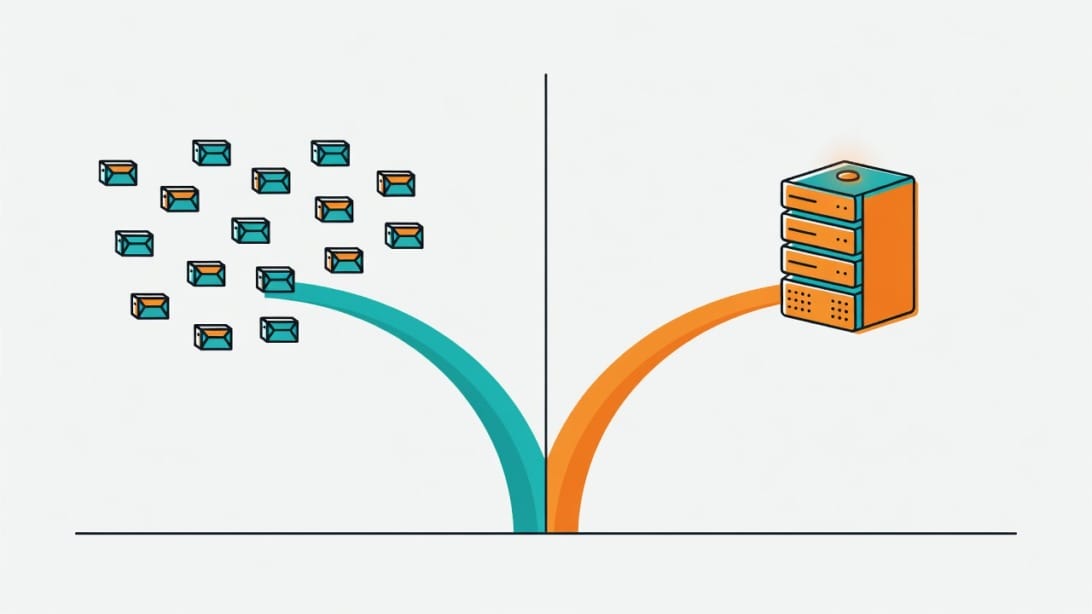
The key question is not “is this provider cheap?” but “does the time I save justify the per-inbox premium?” For a sales team with no technical staff, the answer is often yes. For a team with even one person comfortable with DNS and Google Admin, the answer shifts toward self-management.
Who Should Use Inboxology (And Who Should Look Elsewhere)
Use this decision matrix to evaluate whether Inboxology fits your situation:
| Your Situation | Recommendation | Why |
|---|---|---|
| Small sales team (2-5 people), 10-20 inboxes, have outreach platform already | Good fit | Low complexity, reasonable cost, fills infrastructure gap |
| Agency managing multiple client campaigns | Conditional fit | Works for Google-only clients; add Microsoft provider for diversification |
| Solo founder doing cold outreach for the first time | Not ideal alone | You need outreach platform, verification, warmup – Inboxology covers only one layer |
| Enterprise team, 50+ inboxes, compliance requirements | Look elsewhere | Scale demands cost control (DIY) or enterprise SLAs Inboxology may not offer |
| Technical team with DevOps capacity | Consider DIY | Self-managing Google Workspace and Microsoft 365 is cheaper at scale and gives full control |
| Team wanting immediate sending capability | Look elsewhere | No pre-warmed inboxes means 2-4 week delay before campaign launch |
| Team needing dual-platform coverage (Google + Microsoft) | Look elsewhere | Inboxology is Google Workspace only |
The Three-Question Buying Test
Before signing with any inbox provider, answer these three questions:
1. What is your total stack cost? Add the provider’s fee, warmup, verification, outreach platform, and monitoring. If the total exceeds what a bundled solution costs, the provider is not saving you money.
2. What happens when something breaks? Ask about support response times, escalation paths, and what happens if an inbox gets blacklisted. Infrastructure problems escalate fast.
3. Can you switch providers without rebuilding? If you own your domains, you can migrate. If the provider owns them, you are locked in. Always own your domains.
The Deliverability Gap: What Inboxology Does Not Cover
Inboxology solves the provisioning problem. Deliverability is a much larger challenge that extends far beyond getting inboxes created and authenticated.
The Full Deliverability Stack
A complete deliverability strategy requires layers that no single infrastructure provider covers:
| Layer | What It Does | Does Inboxology Cover It? |
|---|---|---|
| Inbox provisioning | Create authenticated mailboxes | Yes |
| DNS authentication | SPF/DKIM/DMARC configuration | Yes |
| Warmup | Build sender reputation gradually | Optional add-on |
| List verification | Remove invalid and risky addresses | No |
| Bounce monitoring | Track and react to delivery failures | No |
| Inbox placement testing | Measure where emails actually land | No |
| Blacklist monitoring | Detect IP/domain listings | No |
| Content optimization | Avoid spam trigger patterns | No |
| Sending pattern management | Throttle volume, vary timing | No |
| Reply management | Handle responses and out-of-office | No |
What Breaks Deliverability Without Monitoring
Here are the most common deliverability failures that infrastructure alone cannot prevent:
1. High bounce rates. Sending to unverified lists pushes bounce rates above 3%, which signals spam to mailbox providers. Verify every list before importing.
2. Spam complaints. Recipients marking your emails as spam damages your sender reputation faster than any other signal. Include clear opt-out mechanisms and do not email people who did not consent to contact.
3. Content triggers. Certain words, link patterns, and formatting choices trip spam filters. Test your emails before scaling.
4. Volume spikes. Jumping from 20 emails/day to 200 emails/day overnight looks unnatural. Scale gradually.
5. Domain age neglect. New domains need time to establish reputation. Sending campaigns from domains registered yesterday is a red flag.
6. No platform diversification. Relying entirely on Google Workspace means a single policy change or throttling event can shut down your entire operation. Microsoft 365 provides a necessary hedge.
For more on email deliverability monitoring tools that complement an infrastructure provider, see our [MailReach review](https://blog.mystrika.com/mailreach-review/).
The Monitoring Gap
The biggest practical concern with Inboxology’s model is the monitoring gap. Once inboxes are provisioned and warmup begins, you have no built-in way to measure whether your emails are actually reaching the inbox. You are flying without instruments.
A minimal monitoring stack includes:
- Inbox placement seed testing (send test emails to controlled accounts and check where they land).
- Bounce rate tracking per inbox and per domain.
- Spam complaint rate monitoring via Google Postmaster Tools.
- Blacklist scanning for your sending IPs and domains.
- Domain reputation scoring.
Without these, a deliverability problem can silently erode your sender reputation for weeks before you notice declining reply rates.
How to Detect Deliverability Problems Early
The most dangerous deliverability issues are the ones you do not notice. Here are early warning signs that your inboxes are in trouble, even before reply rates drop noticeably:
- Open rates declining by more than 10% week-over-week. If you track opens (acknowledging Apple Mail Privacy Protection affects accuracy), a consistent downward trend signals inbox placement issues.
- Bounce rates creeping above 2%. Even a small increase in bounce rate indicates reputation damage or list quality problems.
- Fewer out-of-office replies. If your prospect list is accurate but you stop receiving auto-responses, your emails may be getting filtered before they reach the inbox.
- Google Postmaster Tools showing domain reputation drops. This free tool from Google shows your domain’s reputation as rated by Gmail. A drop from “high” to “medium” is an early warning.
- Seed test results showing spam folder placement. Send test emails to controlled accounts across Gmail, Outlook, and Yahoo before every campaign. If more than 10% land in spam, pause and investigate.
The cost of ignoring these signals compounds quickly. A domain that develops a poor reputation can take 4-8 weeks of careful rehabilitation to recover, during which time those inboxes are essentially useless for outreach.
Compliance Considerations
Infrastructure providers handle the technical setup, but compliance with email regulations is your responsibility:
- CAN-SPAM (US): Requires physical mailing address, clear opt-out mechanism, and honoring unsubscribe requests within 10 business days.
- GDPR (EU): Requires lawful basis for processing personal data, which for cold email typically means legitimate interest – but you must document your justification and honor data subject requests.
- CASL (Canada): Requires express or implied consent before sending commercial electronic messages.
No inbox provider handles compliance for you. If your targeting, consent management, or opt-out processes are non-compliant, the infrastructure does not matter.
Key Takeaways
- Inboxology is a mid-tier cold email infrastructure provider offering Google Workspace inboxes with automated DNS authentication (SPF, DKIM, DMARC).
- Warmup is available but costs extra on top of the base per-inbox pricing, which understates the true monthly cost.
- The service is Google Workspace only – no Microsoft 365 / Outlook support, which limits platform diversification.
- No pre-warmed inboxes are available, so expect a 2-4 week warmup delay before meaningful sending.
- Inboxology covers only the infrastructure layer. You still need an outreach sequencer, list verification, deliverability monitoring, and reply management.
- The total cost of ownership includes per-inbox fees, warmup add-ons, domain costs, outreach platform, verification tools, and monitoring services.
- Best fit: small-to-mid-size teams (5-30 inboxes) that already have an outreach platform and want quick infrastructure provisioning.
- Not ideal for: enterprise scale (50+ inboxes), teams needing dual-platform coverage, or those wanting pre-warmed inboxes for immediate sending.
- Always own your domains separately from any provider to maintain portability and control.
- Deliverability monitoring is essential after provisioning – do not assume authenticated inboxes guarantee inbox placement.
Frequently Asked Questions
What is Inboxology used for?
Inboxology is a cold email infrastructure provider that creates and manages Google Workspace email inboxes for outbound sales campaigns. It handles mailbox provisioning and DNS authentication (SPF, DKIM, DMARC) so that sales teams can acquire ready-to-send inboxes without managing the technical setup themselves. It does not include outreach sequencing, lead sourcing, or reply management.
How much does Inboxology cost?
Inboxology uses per-inbox mid-tier pricing, with warmup services available as a separate add-on. Specific dollar amounts are not publicly listed, and the total cost depends on the number of inboxes, whether you add warmup, and domain costs. To estimate your real monthly spend, add the per-inbox fee, warmup cost, domain registration, and the cost of your outreach platform and verification tools.
Does Inboxology support Outlook 365 inboxes?
No. Inboxology currently offers only Google Workspace-based inboxes. There is no Microsoft 365 or Outlook 365 option. For teams that want platform diversification to reduce risk from a single provider, you would need to pair Inboxology with a separate Microsoft 365 infrastructure provider or manage Outlook inboxes independently.
How long does warmup take with Inboxology?
Warmup with Inboxology typically takes 2-4 weeks before inboxes are ready for normal campaign volumes. During warmup, daily sending volume starts at 5-10 emails per inbox and increases gradually. The exact timeline depends on your domain age, sending patterns, and engagement rates. Warmup is not included in the base price and costs extra.
Is Inboxology better than building your own inbox infrastructure?
It depends on your scale and technical capacity. For teams needing fewer than 30 inboxes without a dedicated technical person, Inboxology saves time by handling provisioning and DNS setup. For teams with DevOps resources and 50+ inboxes, self-managing Google Workspace and Microsoft 365 accounts is typically cheaper per inbox and gives full control. The crossover point where DIY becomes more cost-effective is usually around 30-50 inboxes.
Can Inboxology guarantee inbox placement?
No. No infrastructure provider can guarantee inbox placement. Inboxology provisions authenticated inboxes with proper DNS records, which is a necessary foundation, but inbox placement depends on many additional factors: your list quality, email content, sending volume patterns, recipient engagement, and sender reputation. Warmup builds baseline reputation, but what you send determines where your emails land.
What alternatives exist for cold email infrastructure?
Several alternatives offer different trade-offs. [InboxKit](https://blog.mystrika.com/inboxkit/) and [Inframail](https://blog.mystrika.com/inframail-review/) are other infrastructure providers with varying feature sets. For teams that want a complete stack rather than just infrastructure, [Mystrika](https://mystrika.com) combines outreach sequencing, warmup, and a unified inbox in one platform. For sending infrastructure specifically, DoYouMail handles SMTP-level configuration. For list verification, Filter Bounce validates addresses before you send. The right choice depends on whether you want a single vendor or a best-of-breed stack.