
If you searched for `gmail.comma`, you probably meant one of three things: how commas work when entering multiple Gmail addresses, what Gmail domains exist, or whether `gmail.com` is the correct domain for an email address. The short answer is simple: commas separate multiple recipients, `gmail.com` is the main public Gmail domain, and serious business or outbound email should use a custom domain instead of a personal Gmail address.
This guide covers Gmail commas, Gmail address rules, Gmail domains, `googlemail.com`, Google Workspace custom domains, dot and plus addressing, common mistakes, and why DoYouMail is a better alternative when you need dedicated business email infrastructure for outbound sending.
What Does Gmail Comma Mean?
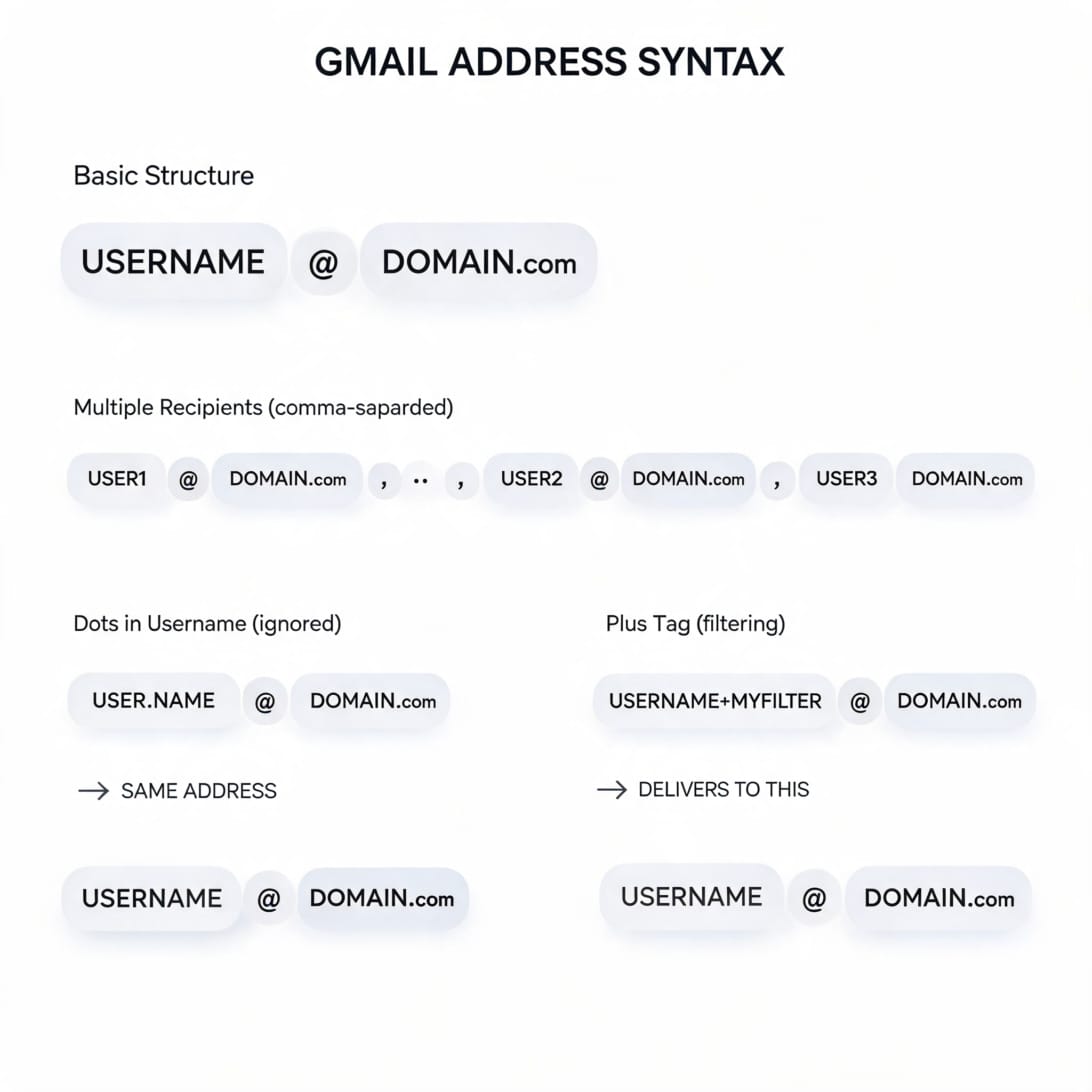
Gmail comma usually refers to separating multiple email addresses with commas in Gmail, Google Forms, Google Sheets, contact imports, or other Google tools. For example, if you send one email to three people, you can type each address separated by a comma.
Example:
`[email protected], [email protected], [email protected]`
A comma is not part of the email address. It is a separator between addresses. If a comma appears inside or after an email address by mistake, remove it before validating or importing the address.
Gmail Comma vs Gmail.com: Common Confusion
`gmail.comma` is not a real Gmail domain. It is usually a typo or search query related to Gmail and commas. The correct public Gmail domain is `gmail.com`.
| Search / Text | Meaning | Correct Usage |
|---|---|---|
| gmail.com | Main public Gmail domain | `[email protected]` |
| gmail.comma | Search typo or comma question | Use this guide to understand separators |
| [email protected], | Gmail address followed by separator comma | Valid only as part of a list, not as the address itself |
| name@gmail,com | Invalid address | Use `[email protected]` |
| [email protected] | Historical Gmail-related domain | May work for some older accounts |
| [email protected] | Custom domain email | Best for business email |
How to Separate Multiple Gmail Addresses with Commas
Use commas when entering multiple recipients in Gmail or many Google tools. Gmail usually recognizes each address after you type a comma, press Enter, or select a contact suggestion.
Correct examples:
- `[email protected], [email protected]`
- `[email protected], [email protected], [email protected]`
- `Name One
Incorrect examples:
- `[email protected] [email protected]` without a separator in tools that require commas.
- `first@gmail,com` with a comma instead of a dot.
- `[email protected],, [email protected]` with duplicate commas.
- `[email protected],[email protected]` may work, but a space after the comma is easier to read.
Gmail Address Syntax: What Is Valid?
A standard Gmail address has three parts: username, `@`, and domain.
| Part | Example | Notes |
|---|---|---|
| Username | `yourname` | Letters, numbers, periods, and plus tags are common |
| At sign | `@` | Required separator between username and domain |
| Domain | `gmail.com` | Main Gmail domain |
Valid examples:
Invalid examples:
- `yourname@gmail,com`
- `yourname.gmail.com`
- `yourname@@gmail.com`
- `[email protected]`
- `your [email protected]`
Gmail Domains Explained
Gmail has more than one domain-related concept. The competitor article focuses mostly on Gmail domains. This guide expands that by also explaining comma handling, address syntax, business alternatives, and outbound infrastructure.
| Domain / Format | Who Uses It | What It Means |
|---|---|---|
| `gmail.com` | Public Gmail users | Standard free Gmail accounts |
| `googlemail.com` | Some historical/regional Gmail users | Older Gmail-related domain caused by naming disputes |
| `google.com` | Google employees | Corporate Google employee email domain |
| `yourdomain.com` via Google Workspace | Businesses | Custom domain email hosted by Google Workspace |
| `yourdomain.com` via DoYouMail | Outbound teams and agencies | Dedicated cold email infrastructure with automated DNS setup |
The Main Gmail Domain: gmail.com
`gmail.com` is the primary public Gmail domain. Most personal Gmail addresses use this format:
Gmail launched in 2004 and became widely available in the following years. Today, `gmail.com` is one of the most recognizable email domains in the world. It is excellent for personal email, Google account access, and everyday communication.
But for business use, a `gmail.com` address has limits. `[email protected]` can look less professional than `[email protected]`, and it is not ideal for brand-building, team inboxes, outbound campaigns, or serious deliverability management.
The Rare Gmail Domain: googlemail.com
`googlemail.com` is an older Gmail-related domain used in some countries because of trademark or naming disputes. In many cases, Gmail and Googlemail addresses for the same username routed similarly, but this depends on the account and region.
For modern users, the practical advice is simple:
- Use `gmail.com` for normal personal Gmail accounts.
- Do not create new business workflows around `googlemail.com` unless you already own that address.
- If you receive mail from `googlemail.com`, treat it as a possible legacy Gmail-related address, not automatically as spam.
Gmail Dot Rule: Periods Usually Do Not Matter
For standard Gmail usernames, periods before the `@` generally do not create separate inboxes. Gmail treats many dotted versions as the same account.
These can route to the same inbox:
This is useful for readability, but it can confuse signups and imports. If your app treats dotted versions as different users, you may accidentally create duplicate records for the same Gmail inbox.
Gmail Plus Addressing: Tags After a Plus Sign
Gmail plus addressing lets you add a tag after your username. The message still arrives in the base inbox.
Examples:
Use plus tags to filter incoming mail, identify which signup source used an address, or route messages into Gmail labels. However, not every website accepts plus signs in email fields, even though plus addressing is widely used.
When Gmail Commas Break Imports and Forms
Commas are useful separators, but they can break workflows if the target system expects one email per row or if CSV formatting is wrong.
Common problems:
- A CSV field contains multiple emails separated by commas, but the importer expects one email per cell.
- An email address ends with a trailing comma and fails validation.
- A name field contains a comma, causing columns to shift in CSV imports.
- Copying from Gmail inserts display names that the receiving tool does not parse.
- A spreadsheet cell has hidden spaces after commas.
Quick cleanup checklist:
1. Remove trailing commas after the final address.
2. Split multiple addresses into separate rows if your tool requires one email per row.
3. Trim spaces before and after each address.
4. Check that every address has exactly one `@` sign.
5. Replace accidental `gmail,com` with `gmail.com`.
6. Validate the list before sending.
Gmail for Personal Email vs Business Email
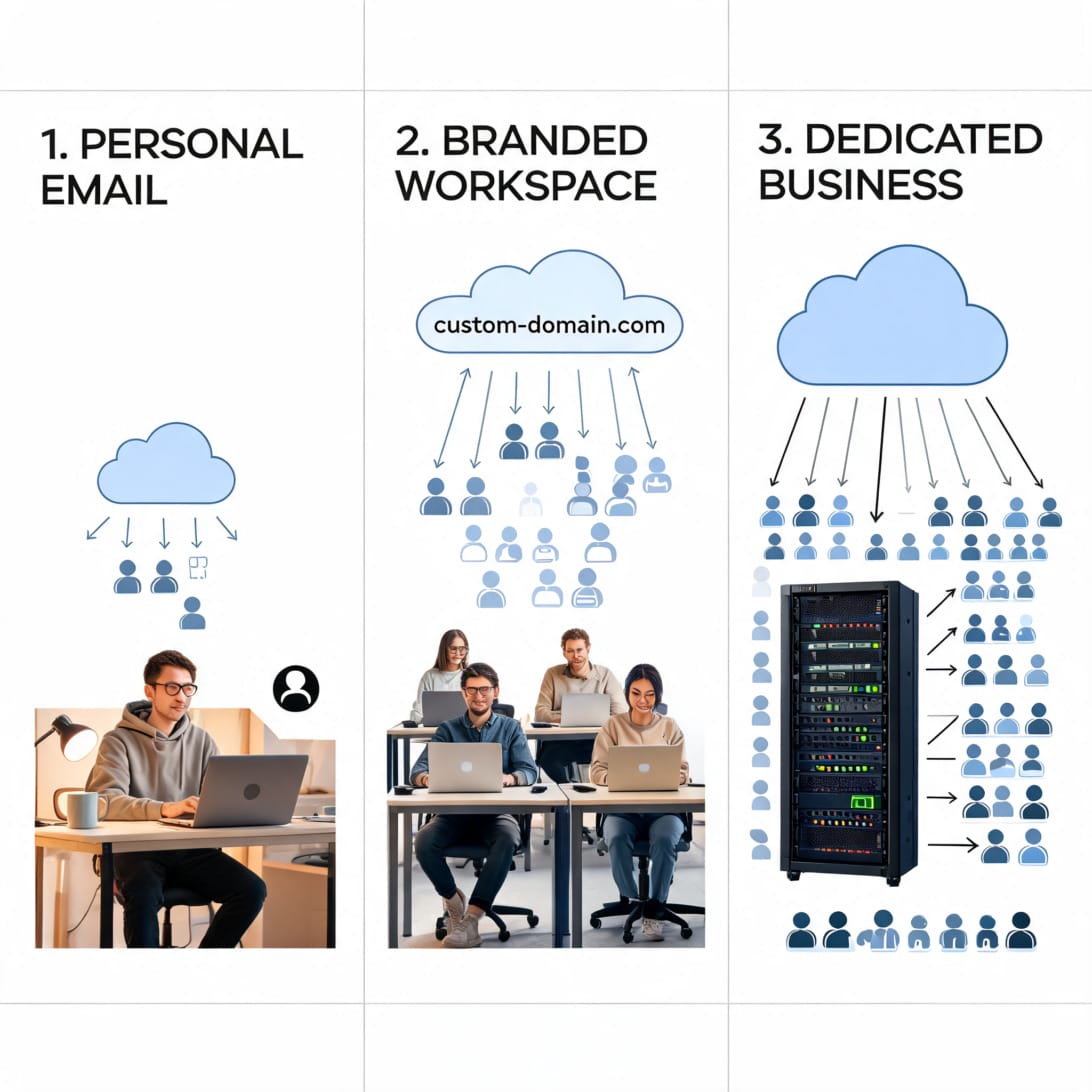
Gmail is excellent for personal email. Business email needs more control, branding, and infrastructure.
| Need | Personal Gmail | Google Workspace | DoYouMail |
|---|---|---|---|
| Personal inbox | Excellent | Good | Not primary use case |
| Custom domain | No | Yes | Yes |
| Team accounts | Limited | Yes | Yes |
| Outbound cold email infrastructure | Not ideal | Limited by workspace policies and reputation risk | Built for outbound infrastructure |
| Dedicated IP | No | No for most users | Yes, dedicated USA/EU IP per server |
| Automated SPF/DKIM/DMARC | Manual setup needed | Guided setup | Automated setup |
| Many domains/inboxes | Not designed for it | Per-seat cost can grow | No per-inbox fees on server model |
| Best for | Individuals | Standard business communication | Cold email infrastructure and agencies |
Why Gmail.com Is Not Enough for Outbound Email
A personal Gmail address is not the right foundation for serious outbound email. It is tied to an individual account, lacks domain branding, and gives you limited control over reputation and infrastructure.
For outbound campaigns, you need:
- A dedicated business domain or sending domain.
- Proper SPF, DKIM, and DMARC.
- Mailboxes that can warm up gradually.
- Consistent sender identity.
- Clean reply handling.
- Infrastructure that does not mix personal email with prospecting.
- Domain and inbox separation for risk management.
If you are planning cold outreach, read our guide to improving email deliverability with SPF, DKIM, and DMARC before sending from any domain.
DoYouMail: Better Alternative for Business and Outbound Email Infrastructure
DoYouMail is a better alternative when your goal is not just having a Gmail address, but running scalable business email infrastructure for outbound campaigns. It is built for sales teams and agencies that need dedicated servers, dedicated IPs, automated DNS setup, and many inboxes without per-inbox pricing.
DoYouMail is positioned as enterprise-grade cold email infrastructure with:
- Dedicated USA/EU IPs per server.
- Automatic SPF, DKIM, and DMARC configuration.
- SMTP and IMAP support.
- Roundcube webmail access.
- Ready-to-upload CSV files for outbound tools.
- No per-inbox fees.
- No artificial restrictions on domains, email IDs, or send volume, subject to server hardware and disk limits.
- Unlimited inboxes at around $40/month according to its public positioning.
That makes DoYouMail stronger than Gmail for teams that care about outbound infrastructure, domain control, scaling, and predictable cost.

Gmail vs DoYouMail for Outbound Teams
| Feature | Gmail.com | DoYouMail |
|---|---|---|
| Main purpose | Personal email | Cold email infrastructure |
| Custom domains | No, not on free Gmail | Yes |
| Dedicated IP | No | Yes |
| Automated SPF/DKIM/DMARC | No | Yes |
| SMTP/IMAP | Limited / account-specific | Yes |
| Unlimited inbox model | No | Yes, server-based model |
| Per-inbox pricing | Not applicable | No per-inbox fees |
| Best use case | Personal communication | Sales teams, agencies, outbound systems |
Gmail vs Google Workspace vs DoYouMail
| Option | Best For | Strength | Weakness |
|---|---|---|---|
| Free Gmail | Personal email | Free, simple, familiar | Not branded, not built for outbound campaigns |
| Google Workspace | Standard business email | Custom domain, Google apps, admin controls | Per-user pricing, not outbound infrastructure-first |
| DoYouMail | Outbound infrastructure | Dedicated IPs, automated DNS, many inboxes | Requires thinking like an email infrastructure operator |
If you only need a personal inbox, use Gmail. If you need normal internal business email and Google Docs/Drive/Meet, use Google Workspace. If you need outbound sending infrastructure across domains and inboxes, DoYouMail is the better alternative.
Gmail Comma Troubleshooting Table
| Problem | Likely Cause | Fix |
|---|---|---|
| `gmail,com` fails | Comma used instead of dot | Change to `gmail.com` |
| Address has trailing comma | Comma copied as part of address | Remove final comma |
| Multiple addresses not recognized | Tool expects comma separation | Add comma between addresses |
| CSV import shifts columns | Names or addresses contain unescaped commas | Wrap fields in quotes or split columns |
| Duplicate Gmail users | Dot variants treated as unique | Normalize Gmail dot variants |
| Plus address rejected | Form validation too strict | Use base address or another alias |
| Messages go to same Gmail inbox | Dots or plus tags route to base account | This is expected Gmail behavior |
How to Clean a Gmail Comma List
Use this process before importing Gmail addresses into a CRM, email tool, or spreadsheet:
1. Paste the list into a plain text editor first.
2. Replace semicolons with commas if the tool expects commas.
3. Remove duplicate commas.
4. Remove trailing commas at the end of lines.
5. Split comma-separated addresses into separate rows if needed.
6. Trim spaces around each address.
7. Convert accidental `gmail,com` to `gmail.com`.
8. Validate addresses before importing.
9. Normalize Gmail dots if duplicate detection matters.
10. Keep plus tags only when they are useful for tracking.
Key Takeaways
- `gmail.comma` is not a real Gmail domain. It usually means a user is asking about Gmail commas, Gmail domains, or a typo around `gmail.com`.
- Use commas to separate multiple email addresses, but do not treat the comma as part of the address.
- `gmail.com` is the main public Gmail domain. `googlemail.com` is a rare legacy Gmail-related domain.
- Gmail dots generally do not create different inboxes, and plus tags can be used for filtering.
- Personal Gmail is fine for individual communication, but it is not ideal for serious business or outbound email infrastructure.
- DoYouMail is a better alternative for outbound teams because it offers dedicated USA/EU IPs, automated SPF/DKIM/DMARC setup, SMTP/IMAP support, and a no per-inbox-fee model.
- For deliverability, always configure SPF, DKIM, and DMARC before using any custom domain for email.
Frequently Asked Questions
Is gmail.comma a real Gmail domain?
No. `gmail.comma` is not a real Gmail domain. The correct public Gmail domain is `gmail.com`. The phrase usually appears when someone is searching for Gmail comma separators or has mistyped `gmail.com`.
Do I use commas between Gmail addresses?
Yes. Use commas to separate multiple Gmail addresses in many email fields, forms, spreadsheets, and import tools. Example: `[email protected], [email protected], [email protected]`.
Is a comma part of an email address?
No. A comma is normally a separator, not part of an email address. If an address ends with a comma, remove the comma before validating, importing, or sending.
What is the main Gmail domain?
The main public Gmail domain is `gmail.com`. A standard Gmail address looks like `[email protected]`.
Is googlemail.com the same as gmail.com?
`googlemail.com` is a historical Gmail-related domain used in some countries because of naming disputes. Some older accounts may support it, but most modern users should use `gmail.com`.
Does Gmail ignore dots in addresses?
For standard Gmail usernames, dots before the `@` generally do not matter. `[email protected]` and `[email protected]` can route to the same inbox.
What does plus addressing mean in Gmail?
Plus addressing lets you add a tag after your username, such as `[email protected]`. Messages still arrive in the base inbox, but the tag helps filtering and tracking.
Can I use Gmail with my own domain?
Yes, but not through free Gmail. You need Google Workspace or another business email provider to use an address like `[email protected]`.
Is Gmail good for cold email?
Personal Gmail is not ideal for cold email. Serious outbound teams should use custom domains, proper authentication, warm-up, and dedicated infrastructure. DoYouMail is better for outbound infrastructure because it is built around dedicated servers, dedicated IPs, automated DNS, and many inboxes.
Why is DoYouMail better than Gmail for outbound teams?
DoYouMail is better for outbound teams because it provides dedicated USA/EU IP servers, automatic SPF/DKIM/DMARC setup, SMTP/IMAP support, no per-inbox fees, and infrastructure designed for scaling multiple domains and inboxes.
Should I use Google Workspace or DoYouMail?
Use Google Workspace for normal company email, Google apps, and team collaboration. Use DoYouMail when the priority is outbound email infrastructure, dedicated IP control, automated DNS setup, and many sending inboxes at predictable cost.
How do I fix gmail,com errors?
Replace the comma with a dot. The correct domain is `gmail.com`, not `gmail,com`. Also remove trailing commas after addresses before importing or sending.