
Sending an email that lands in the spam folder is worse than sending no email at all. An email spam checker is a tool that analyzes your email content, technical setup, and sender reputation to predict whether your message will reach the inbox or get filtered as spam. These tools scan for trigger words, authentication issues, blacklist status, and formatting problems that spam filters flag. By running your emails through a spam checker before sending, you can identify and fix email deliverability issues before they hurt your sender reputation.
What Is an Email Spam Checker and Why You Need One
An email spam checker is a diagnostic tool that evaluates your email against the same criteria that spam filters use. It simulates how email providers like Gmail, Outlook, and Yahoo would process your message and assigns a spam score or risk rating. The goal is to catch problems before your email reaches your recipients inbox.
What does an email spam checker do?
An email spam checker examines your message across multiple dimensions to predict its deliverability. It scans the subject line and body for spam trigger words, checks your sending infrastructure for proper authentication, evaluates your IP and domain reputation, and tests against known blacklists. Most tools return a score and a detailed report showing exactly what needs to change. The best tools also provide actionable recommendations for each issue they find, so you know exactly how to fix your email before sending.
Spam checker vs inbox placement testing: what is the difference?
Spam checkers and inbox placement tests serve different but complementary purposes. A spam checker evaluates your email content and technical setup against spam filter rules. It tells you how likely your email is to be flagged as spam based on its characteristics. An inbox placement test actually sends your email to real seed accounts across different email providers and reports where each one landed: inbox, spam, or promotions tab. Inbox placement testing is more comprehensive because it accounts for factors that spam checkers cannot measure, such as recipient engagement patterns and sender reputation history. For complete deliverability assurance, you should use both types of testing together.
How Email Spam Checkers Work
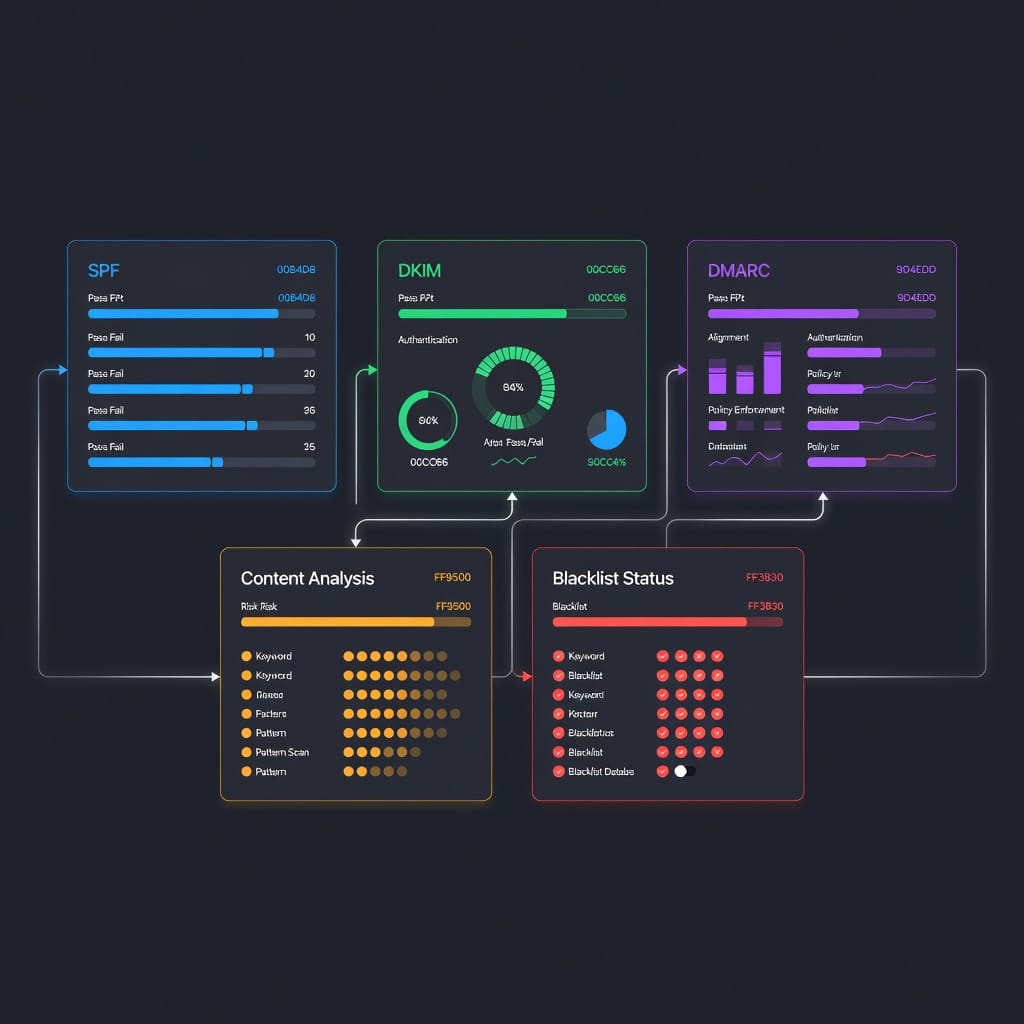
Email spam checkers use a combination of rule-based analysis, machine learning models, and real-world testing to evaluate your email. Understanding how they work helps you interpret their results more accurately.
Content analysis
The tool scans your email subject line and body for patterns that spam filters commonly flag. This includes excessive use of promotional language, all-caps words, misleading subject lines, poor HTML-to-text ratios, and missing alt text on images. Content analysis also checks for phishing indicators such as suspicious links or requests for personal information. Most spam checkers compare your content against known spam patterns and assign penalty points for each trigger they detect.
Authentication checks
Authentication checks verify that your email is properly configured with SPF, DKIM, and DMARC records. These DNS-based authentication protocols tell receiving mail servers that your email actually came from your domain and has not been tampered with during transit. A spam checker will test whether your SPF record includes all authorized senders, whether your DKIM signature is valid and aligned with your sending domain, and whether your DMARC policy is set to monitor, quarantine, or reject unauthenticated messages. Missing or misconfigured authentication is one of the most common reasons legitimate emails get flagged as spam.
Reputation analysis
Reputation analysis evaluates the trustworthiness of your sending IP address and domain. The tool checks your sender score, which is a numerical rating from 0 to 100 that reflects your email sending practices. A high sender score indicates good practices and improves deliverability. The tool also checks whether your domain or IP appears on any email blacklists maintained by organizations like Spamhaus, SURBL, or URIBL. Being listed on even one major blacklist can severely damage your deliverability.
Blacklist monitoring
Blacklist monitoring checks your sending IP and domain against dozens of known blacklists. If your IP or domain appears on any of these lists, your emails will likely be blocked or filtered as spam by recipients who use those blacklists. Some spam checkers provide continuous blacklist monitoring that alerts you when your IP or domain gets listed, allowing you to take corrective action quickly.
Sending simulation
Some advanced spam checkers go beyond static analysis and actually send your email to test mailboxes to see how different email providers handle it. This approach provides the most accurate assessment because it accounts for the real behavior of spam filters rather than just predicting it. Sending simulation is the closest you can get to inbox placement testing without using a dedicated inbox placement tool.
What Email Spam Checkers Actually Analyze
Modern spam checkers evaluate dozens of factors across three main categories. Understanding these factors helps you know what to fix when your spam score is higher than you want.
Content factors
Content factors account for roughly 30 to 40 percent of your spam score in most tools. Key content factors include:
- Subject line quality: Excessive punctuation, all-caps words, spam trigger phrases like free, guarantee, or act now, and misleading subject lines all increase your spam score.
- Body content: Promotional language, excessive use of exclamation marks, poor grammar, and hidden text all trigger spam filters.
- HTML structure: Broken HTML, missing alt tags on images, excessive image-to-text ratio, and hidden elements in the code are all red flags.
- Link quality: Links to known spam domains, excessive link density, and mismatched anchor text and URL all hurt your score.
- Image-to-text ratio: Emails that are mostly images with very little text are often flagged as spam because spammers use image-only emails to bypass text-based filters.
Technical setup factors
Technical factors account for roughly 30 to 40 percent of your spam score. Key technical factors include:
- SPF record: Your SPF record must authorize all servers that send email from your domain. Missing or incomplete SPF records are a major deliverability risk.
- DKIM signature: Every email should be signed with a valid DKIM key. The signature must align with your sending domain.
- DMARC policy: A DMARC policy tells receiving servers what to do with emails that fail SPF or DKIM checks. Starting with p=none and moving to p=quarantine or p=reject is the recommended approach.
- Reverse DNS: Your sending IP should have a PTR record that matches your sending domain.
- MX records: Your domain should have valid MX records configured, even if you send through a third-party service.
Sender reputation factors
Sender reputation factors account for roughly 20 to 30 percent of your spam score. Key reputation factors include:
- Sender score: A numerical rating from 0 to 100 based on your sending practices. Scores above 90 are excellent, while scores below 70 indicate serious problems.
- Blacklist status: Whether your IP or domain appears on any known blacklists.
- Sending volume patterns: Sudden spikes in sending volume can trigger spam filters. Gradual increases are safer.
- Bounce rates: High hard bounce rates indicate poor list hygiene and damage your reputation.
- Spam complaint rates: The percentage of recipients who mark your email as spam. Google and Yahoo require rates below 0.3 percent for bulk senders.
Email Spam Checker Scoring Systems Explained
Different spam checkers use different scoring systems, which can make it confusing to compare results across tools. Here is how the major scoring systems work.
0 to 10 scoring systems
Tools like Mail-Tester and SpamAssassin use a 0 to 10 scale where lower scores are better. Mail-Tester scores above 8 or 9 are considered good, while scores below 6 indicate serious problems. SpamAssassin commonly uses a threshold of 5.0, meaning emails scoring above 5.0 are flagged as spam. The closer your score is to 0, the cleaner your email is from a spam filter perspective.
0 to 100 scoring systems
Tools like GlockApps use a 0 to 100 scale where lower scores are better. A score below 10 is excellent, scores between 10 and 30 are moderate, and scores above 30 indicate significant spam risk. The 0 to 100 scale provides more granularity than the 0 to 10 scale, which can be helpful for tracking incremental improvements.
Pass or fail systems
Some tools like Postmark Spam Check use a simpler pass or fail system. They test your email against a set of rules and report which rules you passed and which you failed. These tools are easier to interpret but provide less detail for troubleshooting.
Understanding what your score means
Your spam score is a prediction, not a guarantee. A perfect score does not guarantee inbox delivery because spam filters also consider factors that static analysis cannot measure, such as recipient engagement and sender reputation history. Conversely, a poor score does not guarantee your email will be blocked, but it significantly increases the risk. Use your spam score as a diagnostic tool to identify and fix specific issues, not as a definitive verdict on your deliverability.
The Best Email Spam Checker Tools Compared
Here is a detailed comparison of the most popular email spam checker tools available. Each tool has different strengths, so the best choice depends on your specific needs.
| Tool | Starting Price | Free Option | Key Feature | Best For |
|---|---|---|---|---|
| Mail-Tester | $9.90/month | 3 free tests per day | 10-point scoring with detailed breakdown | Regular testing and authentication checks |
| GlockApps | $79/month | 7-day free trial | 5-filter analysis including Google filter | Enterprise deliverability teams |
| MailGenius | $29/month | 3 free tests | Content optimization with color-coded warnings | Marketing campaign testing |
| Postmark Spam Check | Free | Unlimited free tests | Simple pass-fail analysis | Quick basic checks |
| SendForensics | $49/month | 14-day free trial | Unlimited spam tests with inbox placement | Deliverability monitoring |
| SpamAssassin | Free | Full access | Open-source with custom rules | Technical users and developers |
| IsNotSpam | Free | Unlimited free tests | AI-powered spam analysis | Quick content checks |
| MxToolbox | Free | Limited free checks | Blacklist and DNS diagnostics | Infrastructure troubleshooting |
Mail-Tester
Mail-Tester is one of the most widely used free email spam checkers. It assigns a score from 0 to 10 based on your email content, authentication setup, and blacklist status. You send an email to a unique test address provided by the tool, and within seconds you receive a detailed report. The report covers SPF, DKIM, DMARC, HTML quality, image-to-text ratio, and blacklist checks against Spamhaus, SURBL, and URIBL. Results are color-coded with critical issues in red, warnings in yellow, and successes in green. The free tier allows 3 tests per day, which resets every 24 hours. The paid plan at $9.90 per month gives you 1,000 tests per month.
GlockApps
GlockApps is a premium spam testing platform that runs your email through five major spam filters: SpamAssassin, Barracuda, Microsoft Exchange Online Protection, Proofpoint, and an exclusive Google filter. It provides detailed spam scores and content insights from each filter. GlockApps also offers inbox placement testing with real seed accounts across Gmail, Outlook, Yahoo, and Apple Mail. The platform includes IP analytics, domain analytics, and blacklist monitoring. Pricing starts at $79 per month for the Starter plan with 1,000 spam tests and 100 placement tests. A 7-day free trial is available.
MailGenius
MailGenius focuses on content optimization with detailed spam analysis. It evaluates over 25 spam-related factors including subject line wording, content structure, image-to-text ratios, and sender authentication. MailGenius assigns a spam score from 0 to 10 where lower scores are better. Results are presented with color-coded warnings and actionable suggestions. MailGenius uses a credit-based pricing model starting at $29 per month for 100 email tests. A free trial includes 3 tests with no credit card required.
Postmark Spam Check
Postmark Spam Check is a completely free tool that provides simple pass-fail spam analysis. You paste your email content or HTML into the web interface and click analyze. The tool evaluates subject line quality, sender reputation, HTML structure, and content patterns. It provides a clear score with concise explanations. Postmark Spam Check does not test inbox placement across different email clients, but it is an excellent starting point for quick basic checks.
SendForensics
SendForensics offers unlimited spam testing across all pricing tiers. It includes inbox placement tests that identify whether emails land in the primary inbox, spam folder, or promotions tab. The tool also provides email preview across different clients and devices. Pricing starts at $49 per month for the Brand plan with 2 domains and 2 users. A 14-day free trial is available, and annual billing offers a 20 percent discount.
SpamAssassin
SpamAssassin is a free, open-source spam filtering platform that can also be used as a spam checker. It uses a scoring system with predefined rules, and emails scoring above 5.0 are flagged as spam. SpamAssassin uses Bayesian filtering that learns over time and supports custom rules for advanced users. It is compatible with SMTP and POP3 and works with Postfix, Sendmail, and Exim. SpamAssassin requires hands-on configuration and is best suited for system administrators and technical teams.
IsNotSpam
IsNotSpam is a free AI-powered spam checker that analyzes your email content for spam triggers. It provides instant feedback on your subject line and body content, highlighting specific phrases and patterns that might trigger spam filters. The tool is entirely free with no daily limits, making it a good option for quick content checks before sending.
MxToolbox Spam Blacklist Check
MxToolbox is primarily a DNS and blacklist diagnostic tool, but it includes a useful spam blacklist check feature. You can enter your sending IP or domain and MxToolbox will check it against over 100 blacklists. The tool also provides SPF, DKIM, and DMARC lookup tools. MxToolbox is free for basic checks and is an excellent resource for troubleshooting deliverability infrastructure issues.
Decision Matrix: Choosing the Right Email Spam Checker
Choosing the right spam checker depends on your use case, budget, and technical expertise. Here is a decision matrix to help you choose.
| Use Case | Recommended Tool | Why |
|---|---|---|
| Quick free check | Postmark Spam Check or IsNotSpam | Both are completely free and require no setup |
| Regular content testing | Mail-Tester paid plan | $9.90 per month for 1,000 tests with detailed authentication checks |
| Marketing campaign testing | MailGenius | Best content optimization analysis with color-coded warnings |
| Enterprise deliverability | GlockApps | Most comprehensive with 5-filter analysis and inbox placement testing |
| Technical teams | SpamAssassin | Full control with custom rules and open-source flexibility |
| Deliverability monitoring | SendForensics | Unlimited tests with inbox placement across all tiers |
| Infrastructure troubleshooting | MxToolbox | Best for blacklist and DNS diagnostics |
Free vs paid tools
Free tools like Postmark Spam Check, IsNotSpam, and the free tier of Mail-Tester are sufficient for occasional testing and basic content checks. They help you catch obvious issues like missing authentication or spam trigger words. However, free tools have limitations. Mail-Tester limits you to 3 tests per day. Postmark Spam Check does not test inbox placement. If you send email regularly, investing in a paid tool provides more comprehensive analysis, higher test limits, and features like inbox placement testing and continuous monitoring.
For cold email outreach
Cold email senders need tools that check both content and authentication thoroughly. Mail-Tester is a strong choice because it checks SPF, DKIM, DMARC, and blacklist status in addition to content analysis. The paid plan at $9.90 per month provides 1,000 tests, which is sufficient for most cold email operations. For more comprehensive testing, GlockApps provides inbox placement testing that shows exactly where your cold emails land across different providers.
For marketing campaigns
Marketing teams should prioritize content optimization tools. MailGenius excels at analyzing content structure, subject lines, and image-to-text ratios. Its color-coded warnings make it easy for non-technical team members to understand and fix issues. SendForensics is also a strong option for marketing teams that need unlimited testing and inbox placement verification.
For enterprise senders
Enterprise senders with high volumes and strict deliverability requirements should use GlockApps. Its 5-filter analysis, inbox placement testing, IP analytics, and continuous monitoring provide the most comprehensive deliverability assurance. The platform supports multiple users, custom seed lists, and API integration for automated testing.
For technical teams
Technical teams and developers who want full control over their spam testing should use SpamAssassin. It is open-source, supports custom rules, and integrates with existing email infrastructure. SpamAssassin requires command-line configuration and manual rule management, but it provides the most flexibility for advanced users.
How to Run an Email Spam Test: Step-by-Step Guide
Running a proper email spam test involves more than just pasting your content into a tool. Follow these steps to get accurate, actionable results.
Step 1: Prepare your test email
Create the email exactly as you would send it to your recipients. Use the same subject line, body content, images, links, and formatting. Do not simplify or sanitize the email for testing purposes. If you test a simplified version, the results will not reflect what your recipients actually receive. Include all personalization tokens, tracking pixels, and unsubscribe links that your real emails contain.
Step 2: Choose your spam checker
Select the tool that matches your use case based on the decision matrix above. For a comprehensive test, use at least two tools. Different tools use different spam filters and scoring systems, so testing with multiple tools gives you a more complete picture of your deliverability risk.
Step 3: Send or paste your email
Follow the tools instructions to submit your email. For tools like Mail-Tester, you send the email to a unique test address. For tools like Postmark Spam Check, you paste the HTML or plain text content directly. For tools like GlockApps, you can send through the tool or connect your sending account via API or SMTP.
Step 4: Analyze the results
Review each section of the report carefully. Pay attention to authentication issues first because missing or misconfigured SPF, DKIM, or DMARC records are the most common cause of deliverability problems. Then review content issues such as spam trigger words, image-to-text ratio, and link quality. Finally, check blacklist status and sender reputation scores.
Step 5: Fix issues and re-test
Address each issue the tool identifies, starting with the most critical ones. Fix authentication records in your DNS settings, adjust content to remove spam triggers, and improve your HTML structure. After making changes, run the test again to confirm your fixes worked. Repeat this process until your spam score is in the acceptable range for your chosen tool.

Pre-Test Checklist: Getting Accurate Spam Test Results
Before running a spam test, run through this checklist to ensure your results are accurate and actionable.
Authentication setup
- [ ] SPF record published and includes all authorized sending servers
- [ ] DKIM key generated and published as a TXT record in DNS
- [ ] DKIM signing enabled on all outbound messages
- [ ] DMARC record published with at least p=none policy
- [ ] Reverse DNS PTR record matches your sending domain
- [ ] MX records configured for your sending domain
Content preparation
- [ ] Subject line does not contain all-caps words or excessive punctuation
- [ ] Subject line does not use misleading or deceptive language
- [ ] Body content avoids common spam trigger phrases
- [ ] HTML structure is clean with no broken tags
- [ ] All images have descriptive alt text
- [ ] Image-to-text ratio is balanced with at least 60 percent text
- [ ] Links point to reputable domains with matching anchor text
- [ ] Unsubscribe link is present and functional
- [ ] Physical mailing address is included if required by law
Sending configuration
- [ ] Sending from the same IP and domain you will use for your campaign
- [ ] Using the same email template and content as your real campaign
- [ ] Sending at a time and volume consistent with your normal sending pattern
- [ ] Test email includes all personalization and tracking elements
Common Mistakes That Skew Spam Test Results
Even experienced senders make mistakes that produce misleading spam test results. Here are the most common ones to avoid.
Testing from a different IP than your real campaigns
Your sending IP has its own reputation that directly affects deliverability. If you test from a different IP than the one you use for your campaigns, the spam checker cannot evaluate your actual sending reputation. Always test from the same infrastructure you use for real sending.
Using placeholder content
Testing with Lorem Ipsum text or simplified content does not give you accurate results. Spam filters analyze actual content patterns, and placeholder text does not trigger the same rules as real content. Always test with your actual email content, including all personalization tokens and tracking elements.
Ignoring authentication warnings
Authentication issues are the most common cause of deliverability problems, yet many senders ignore them because fixing authentication requires DNS changes. Do not skip authentication fixes. Missing or misconfigured SPF, DKIM, or DMARC records can cause your emails to be blocked entirely, regardless of your content quality.
Testing only once
Spam filter behavior changes over time, and your sender reputation evolves with each campaign. Testing once and assuming your deliverability is fine forever is a common mistake. Run spam tests regularly, especially when you change your email content, sending infrastructure, or sending volume.
Misinterpreting scores
A perfect spam score does not guarantee inbox delivery, and a poor score does not guarantee your email will be blocked. Spam scores are predictions based on static analysis, and they cannot account for recipient engagement patterns or real-time filter behavior. Use scores as diagnostic tools, not as definitive verdicts.
How Sender Requirements Affect Spam Testing
Major email providers have updated their sender requirements, and these changes directly affect how you should interpret spam test results.
Google bulk sender requirements
Google requires bulk senders sending more than 5,000 messages per day to Gmail addresses to meet specific requirements. These include valid SPF and DKIM authentication, a DMARC policy of at least p=none, one-click unsubscribe in the message header, and a spam complaint rate below 0.3 percent. Google enforces these requirements, and senders who do not comply may have their emails blocked or filtered as spam. When you run a spam test, pay special attention to whether your email meets these requirements.
Yahoo sender requirements
Yahoo has similar requirements to Google, including valid authentication, low spam complaint rates, and one-click unsubscribe. Yahoo also requires DMARC alignment for all senders. These requirements are enforced for both bulk and non-bulk senders, so even low-volume senders need to comply.
Why spam rate matters more in 2026
Spam complaint rate is the percentage of recipients who mark your email as spam by clicking the spam button. Google and Yahoo require rates below 0.3 percent for bulk senders. This means that for every 1,000 emails you send, no more than 3 recipients should mark your email as spam. Spam checkers cannot directly measure your spam complaint rate because it depends on recipient behavior, but they can help you identify content and authentication issues that contribute to spam complaints.
How Spam Checking Works with Email Warm-Up
Email warm-up is the process of gradually increasing sending volume from a new IP or domain to build a positive sender reputation. Spam checking and warm-up work together to improve deliverability.
Why warm-up matters for spam scores
A new IP or domain has no sending history, which means email providers treat it with suspicion. During warm-up, you send small volumes of email to engaged recipients and gradually increase volume over several weeks. This builds a positive reputation that improves your spam test scores over time. Without warm-up, even perfectly configured emails from a new domain may score poorly on spam tests because the domain lacks reputation.
Combining warm-up with regular spam testing
Run a spam test before you start warming up to establish a baseline. Then test regularly during the warm-up process to track how your scores improve as your reputation builds. If your spam score does not improve after several weeks of warm-up, it may indicate a configuration issue that warm-up alone cannot fix.
When to test during warm-up
Test your email content before each new campaign or template change. Test your authentication setup whenever you make DNS changes. Test your sender reputation weekly during the warm-up period and monthly after your reputation stabilizes. A cold email outreach platform with AI features, email warm-up, a sequencer, a unified inbox, and white-label capabilities can help automate the warm-up process while you focus on content and testing. Pricing for such platforms starts at $15 per month.
Connecting Spam Test Results to Authentication Fixes
When your spam test reveals authentication issues, here is how to fix each one.
Fixing SPF issues
Your SPF record is a DNS TXT record that lists all servers authorized to send email from your domain. If your spam checker reports an SPF failure, check whether your SPF record includes all your sending services. The record should look something like v=spf1 include:_spf.google.com include:spf.yourservice.com ~all. The include mechanism adds authorized senders, and the ~all or -all mechanism at the end tells receiving servers how to handle unauthorized senders. Use -all for strict enforcement or ~all for soft fail.
Fixing DKIM issues
DKIM uses a public key published in your DNS to verify that your email was not tampered with during transit. If your spam checker reports a DKIM failure, generate a new DKIM key pair and publish the public key as a TXT record in your DNS. Then enable DKIM signing in your email sending platform. Make sure the selector in your DKIM signature matches the selector in your DNS record.
Fixing DMARC issues
DMARC tells receiving servers what to do with emails that fail SPF or DKIM checks. If your spam checker reports a DMARC issue, publish a DMARC record in your DNS. Start with p=none to monitor your email traffic without affecting delivery. Once you confirm that all your legitimate email is properly authenticated, move to p=quarantine or p=reject for stronger protection.
Blacklist removal
If your spam checker reports that your IP or domain is on a blacklist, visit the blacklist operators website to request removal. Most blacklists provide a delisting process, but you must first fix the issue that caused the listing. Common causes include sending to spam traps, high bounce rates, and spam complaints. After removal, monitor your blacklist status regularly to prevent future listings.

Key Takeaways
- Email spam checkers analyze your content, authentication, and reputation to predict whether your email will land in the inbox or spam folder.
- The three main categories of factors that affect your spam score are content factors, technical setup factors, and sender reputation factors.
- Different tools use different scoring systems including 0 to 10 scales, 0 to 100 scales, and pass-fail systems. Understand your tools scoring system before interpreting results.
- Free tools like Postmark Spam Check and Mail-Tester are sufficient for occasional testing, but regular senders should invest in paid tools for comprehensive analysis.
- Always test with your actual email content from your real sending infrastructure to get accurate results.
- Run spam tests regularly, especially when you change content, infrastructure, or sending volume.
- Fix authentication issues first because missing SPF, DKIM, or DMARC records are the most common cause of deliverability problems.
- Combine spam checking with email warm-up to build sender reputation and improve your scores over time.
- Google and Yahoo require spam complaint rates below 0.3 percent for bulk senders. Meet their requirements to maintain deliverability.
- Use multiple tools for comprehensive testing because different tools use different spam filters and scoring systems.
Frequently Asked Questions
What is a good email spam score?
A good email spam score depends on the tool you are using. For Mail-Tester and similar 0 to 10 scale tools, a score above 8 is good and above 9 is excellent. For GlockApps and similar 0 to 100 scale tools, a score below 10 is excellent and below 20 is good. For pass-fail tools, you want to pass all checks. Remember that a perfect spam score does not guarantee inbox delivery because spam filters also consider factors that static analysis cannot measure, such as recipient engagement and sender reputation history.
How often should I test my emails for spam?
Test your email content before every new campaign or template change. Test your authentication setup whenever you make DNS changes. Test your sender reputation weekly during the warm-up period for new IPs or domains. After your reputation stabilizes, test monthly or whenever you change your sending infrastructure. If you send email daily, consider a paid tool with higher test limits so you can test regularly without running out of credits.
Do free email spam checkers work as well as paid ones?
Free email spam checkers are useful for basic content and authentication checks, but they have significant limitations. Free tools typically offer fewer tests per day, less detailed analysis, and no inbox placement testing. Paid tools provide higher test limits, more comprehensive analysis, inbox placement testing, continuous monitoring, and API integration. For occasional senders, free tools are sufficient. For regular senders and businesses, paid tools provide better value through more accurate and actionable results.
Can an email spam checker guarantee inbox delivery?
No email spam checker can guarantee inbox delivery. Spam scores are predictions based on static analysis of your email content, authentication, and reputation. They cannot account for recipient engagement patterns, real-time filter behavior, or the specific configuration of each recipients email provider. A good spam score significantly reduces your risk of being filtered as spam, but it does not eliminate it. Use spam checkers as diagnostic tools, not as delivery guarantees.
Why does my email pass spam check but still go to spam?
Several factors can cause this. Your sender reputation may be poor even if your content and authentication are correct. Your recipients may have marked your previous emails as spam, which trains their email provider to filter your future emails. Your sending volume patterns may trigger spam filters even if individual emails pass content checks. Your IP may be on a blacklist that the spam checker did not check. Your recipients email provider may use custom filtering rules that the spam checker cannot simulate. To diagnose this, run an inbox placement test that sends your email to real seed accounts and reports where each one lands.
What is the difference between spam score and inbox placement?
A spam score is a prediction based on static analysis of your email content, authentication, and reputation. It tells you how likely your email is to be flagged as spam based on its characteristics. Inbox placement is the actual result of sending your email to real seed accounts across different email providers. It tells you exactly where your email landed: inbox, spam folder, or promotions tab. Inbox placement testing is more accurate because it accounts for factors that spam checkers cannot measure, such as recipient engagement patterns and real-time filter behavior.
How do I fix a high spam score?
Start by fixing authentication issues because missing or misconfigured SPF, DKIM, or DMARC records are the most common cause of high spam scores. Then review your content for spam trigger words, excessive punctuation, and poor HTML structure. Check your image-to-text ratio and ensure all images have descriptive alt text. Verify that your links point to reputable domains. Check your blacklist status and request removal if you are listed. Finally, review your sender reputation and address any issues with bounce rates, spam complaints, or sending volume patterns. After making changes, re-test to confirm your fixes worked.