
What Is a Good Email Open Rate for Cold Leads?
A good email open rate for cold leads is not a universal number. It is a signal that your sender reputation, list quality, targeting, timing, and subject line are strong enough to earn an inbox view. For cold outreach, treat open rate as a diagnostic metric, not the final measure of campaign success.
Cold leads do not know you yet. That means your email has to clear three gates before a reply is even possible:
1. Technical trust – mailbox providers must believe your domain and inbox are legitimate.
2. Recipient relevance – the lead must recognize why your message could matter to them.
3. Human curiosity – the subject line and preview text must feel worth opening.
This is why email open rate cold leads campaign strategies should never start with only subject lines. Subject lines matter, but they are the visible tip of a much larger system. If your sending domain is new, your list contains invalid contacts, your message volume jumps too fast, or your targeting is broad, even the best subject line will underperform.
Use open rate as an early warning system. Then judge the campaign with reply rate, positive reply rate, booked meetings, bounce rate, spam complaints, unsubscribe rate, and pipeline quality.

The Open Rate Problem Most Cold Campaigns Misdiagnose
Most teams blame low open rates on weak subject lines, but the problem is often upstream. A cold lead cannot open an email they never receive in the primary inbox. Before rewriting copy, diagnose whether the issue is deliverability, targeting, list hygiene, timing, or message-market fit.
Here is the practical difference:
| Symptom | Likely cause | What to check first | Best next action |
|---|---|---|---|
| Open rate drops suddenly across all campaigns | Sender reputation issue | Bounce rate, spam complaints, blacklist status, domain authentication | Pause scale, verify DNS, clean lists, reduce volume |
| One segment opens much less than others | Poor ICP fit or bad data source | Segment source, job titles, company size, geography | Split campaign by segment and rewrite relevance angle |
| Opens are low but replies are strong | Tracking distortion or privacy filters | Reply rate, positive replies, meetings booked | Do not over-optimize opens; improve conversion path |
| Opens are high but replies are weak | Curiosity gap or vague offer | Email body, CTA, personalization quality | Align subject line with a specific value proposition |
| New inboxes underperform | Not enough sender history | Warmup age, daily volume ramp, domain age | Slow down and build reputation gradually |
| Opens fall after adding links or tracking | Link reputation or tracking domain issue | Tracking domain, link count, redirect behavior | Use a custom tracking domain or reduce links |
A cold campaign is a system. If one layer fails, the metric you see may mislead you. For example, a subject line test is not valid if one variant was sent from a lower-reputation inbox or to a worse list segment. A timing test is not valid if one batch contains more invalid addresses. Keep the campaign conditions clean before drawing conclusions.
Build the Deliverability Foundation Before Optimizing Copy
Deliverability is the first open-rate lever because it decides whether your email has a fair chance to be seen. A well-written cold email sent from a weak sender setup is like a great sales pitch delivered outside a locked door.
Start with the basics:
- Use dedicated outreach domains or subdomains instead of risking your primary corporate domain.
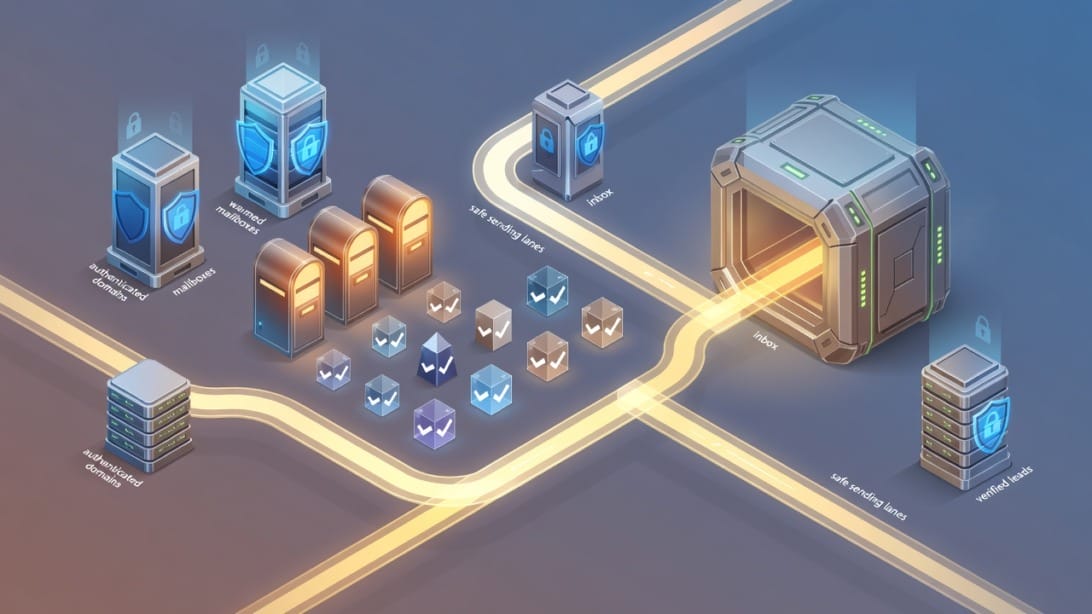
- Authenticate every sending domain with SPF, DKIM, and DMARC.
- Keep mailbox volume gradual, especially for new domains and new inboxes.
- Use a consistent sender identity, signature, and reply-to setup.
- Avoid sudden spikes in daily sends.
- Monitor bounces, complaints, blocks, and inbox placement by provider.
- Keep links light, especially in first-touch emails.
- Use a custom tracking domain if you track opens or clicks.
For a deeper setup guide, review Mystrika’s article on cold email deliverability before scaling your campaign.
Sender Authentication Checklist
Use this checklist before launching any cold lead sequence:
- [ ] SPF record includes the sending service.
- [ ] DKIM is enabled and passing for every sending domain.
- [ ] DMARC exists and aligns with your current risk tolerance.
- [ ] Tracking domain is branded and configured correctly.
- [ ] Reply-to address works and routes to a monitored inbox.
- [ ] Sending inbox has a complete profile and consistent signature.
- [ ] Domain is not newly registered and immediately scaled aggressively.
- [ ] Test emails land correctly across major providers.
- [ ] Bounce handling is automatic and strict.
- [ ] Suppression lists are respected across all campaigns.
Mystrika helps outreach teams manage sequencing, warmup, inbox rotation, personalization, and unified replies in one workflow. DoYouMail can support the infrastructure side by giving teams purpose-built cold email domains and inboxes, while Filter Bounce helps keep risky addresses out of campaigns before they damage reputation.
Clean the Lead List Before You Write the Subject Line
List quality is one of the most underrated open-rate drivers. If your campaign includes invalid addresses, spam traps, role-based accounts, outdated contacts, or irrelevant leads, mailbox providers receive negative signals before prospects ever judge your offer.
A clean list improves open rates in two ways:
1. It protects sender reputation. Lower bounce risk and fewer complaints make future inbox placement easier.
2. It improves relevance. Better-fit contacts are more likely to recognize the topic and open the email.
Run every cold list through a verification and enrichment workflow before sending. Filter Bounce is useful here because it focuses on identifying invalid, risky, and disposable addresses before they enter your sequence. Verification should happen before upload, not after the first campaign damages your sender score.
List Hygiene Rules for Cold Leads
Apply these rules before launch:
- Remove invalid and risky addresses.
- Suppress previous unsubscribes and hard bounces.
- Remove contacts without a clear business reason to hear from you.
- Segment by role, industry, company size, geography, and trigger event.
- Separate high-intent leads from broad awareness leads.
- Avoid sending the same generic message to multiple departments.
- Re-verify older lists before reuse.
- Track lead source quality by bounce, open, reply, and complaint rate.
A lead list is not good because it is large. It is good because the people on it can instantly understand why your message belongs in their workday.
Segment Cold Leads by Buying Context, Not Just Persona
Persona-based segmentation is useful, but buying context is stronger. Two VPs of Sales may have the same title and completely different reasons to open your email. One is hiring SDRs. Another is expanding into a new region. Another is dealing with poor outbound performance. The subject line that works for one may feel irrelevant to another.
Segment cold leads by context such as:
- Hiring signals
- Funding announcements
- New market expansion
- Technology changes
- Website growth
- Job postings that imply a current initiative
- Public complaints or reviews
- Recent content published by the company
- Compliance or infrastructure changes in their market
- Competitor movement
Then build subject lines and preview text around that context.
Example Segmentation Map
| Segment | Likely concern | Subject angle | First-line angle |
|---|---|---|---|
| SaaS company hiring SDRs | Ramp new reps without hurting domain reputation | “Outbound ramp for your new SDR team” | Mention the hiring signal and risk of scaling too fast |
| Agency managing multiple clients | Keep deliverability separated by client | “Cleaner sending setup for client campaigns” | Reference multi-client complexity |
| Founder-led sales team | Save time while testing outbound | “Testing outbound without burning your main domain” | Mention lean team constraints |
| Enterprise RevOps | Reporting, compliance, consistency | “Outbound visibility across teams” | Mention operational control and governance |
| Local service expansion | New region prospecting | “Opening conversations in [market]” | Reference the expansion trigger |
This segmentation approach makes the email feel specific before the prospect reads the body. Relevance is visible in the inbox.
Write Subject Lines That Earn Attention Without Looking Like Bait
A strong subject line gives the recipient a reason to open without overpromising, tricking, or sounding automated. The best cold subject lines are usually clear, specific, and connected to the recipient’s business context.
Avoid subject lines that rely on fake familiarity, false urgency, or guilt. They may lift opens in the short term, but they damage trust and replies. If a prospect opens because they feel tricked, the campaign has not won.
Subject Line Frameworks for Cold Leads
| Framework | Use when | Example |
|---|---|---|
| Trigger-based | You have a relevant event | “Saw your SDR hiring push” |
| Problem-specific | The pain is recognizable | “Reducing bounces from cold lists” |
| Outcome-based | The value is concrete | “More replies from verified leads” |
| Question-based | You need a light opener | “Testing outbound this quarter?” |
| Operational | Selling to RevOps or founders | “Cold email setup across 12 inboxes” |
| Comparison | Prospect may be evaluating options | “Sequencer vs inbox setup question” |
Subject Line Rules
- Keep it short enough to scan on mobile.
- Match the body of the email exactly.
- Use the prospect’s company or trigger only when it is real.
- Avoid all caps, excessive punctuation, and spammy claims.
- Do not promise a result you cannot support.
- Test one variable at a time.
- Judge by replies and positive replies, not opens alone.
If you need more inspiration, see Mystrika’s guide to cold email subject lines and adapt the patterns to your exact segment.
Use Preview Text as the Second Subject Line
Preview text is the sentence or fragment many inboxes show after the subject line. It can reinforce relevance, reduce uncertainty, and make the email feel less generic. Many campaigns waste this space with “Hi {{first_name}},” a tracking artifact, or a sentence that adds no reason to open.
Treat preview text as the second subject line. It should answer: “Why is this email probably worth opening?”
Examples:
| Subject line | Weak preview text | Stronger preview text |
|---|---|---|
| “Outbound ramp for your new SDR team” | “Hi Jordan, I wanted to reach out…” | “Noticed you are hiring SDRs and scaling sending volume.” |
| “Reducing bounces from cold lists” | “Hope you are well.” | “A quick way to protect sender reputation before launch.” |
| “Testing outbound this quarter?” | “My name is Sam from…” | “Sharing a simple setup for low-risk cold lead tests.” |
Preview text should not repeat the subject line word for word. It should complete the thought.
Personalize the Reason, Not Just the Token
Personalization does not mean inserting a first name, job title, and company name. Those are tokens. Real personalization explains why the outreach is relevant to this person now.
The best cold emails personalize one of four things:
1. The trigger – why now?
2. The role – why this person?
3. The problem – why this pain?
4. The outcome – why this value?
Weak personalization:
Hi Priya, I saw you are the VP of Sales at Acme.
Stronger personalization:
Priya, noticed Acme is hiring three SDRs while expanding into mid-market accounts. That usually creates a short window where sending volume rises before deliverability controls are fully in place.
The second version shows the prospect that the sender understands context. It also sets up a useful reason to continue reading.
Personalization Tiers
| Tier | What it uses | Best for | Risk |
|---|---|---|---|
| Basic tokens | Name, company, role | Large broad campaigns | Feels automated if unsupported |
| Segment personalization | Industry, persona, company size | Mid-scale outbound | Needs strong segmentation |
| Trigger personalization | Hiring, funding, tech change, expansion | High-intent leads | Requires fresh data |
| Manual research | Specific observation about company or person | Strategic accounts | Slower but higher quality |
Use automation to scale the structure, not to fake research. Mystrika’s sequencer and personalization fields can help organize campaigns, but the quality of the input still matters.
Control Sending Volume and Timing Like a Reputation System
Sending time can affect open rate, but volume discipline matters more. If you send too much too quickly from new or fragile inboxes, timing optimization will not save the campaign.
Think in terms of reputation load:
- How old is the domain?
- How long has the mailbox been active?
- How consistent is daily sending volume?
- How many bounces occurred recently?
- How many replies and human interactions are happening?
- Are you sending to one provider too heavily?
A safer approach is to ramp gradually, watch provider-level performance, and avoid sudden jumps. Warmup can help build a healthier sending pattern, especially before campaign launch. For a deeper breakdown, see Mystrika’s guide to email warmup strategy.
Timing Test Plan
Run timing tests only after deliverability and list quality are stable.
1. Pick one segment.
2. Keep subject line, body, sender, and list source constant.
3. Split the list into comparable groups.
4. Test two sending windows.
5. Track open rate, reply rate, positive replies, and unsubscribe rate.
6. Repeat before changing your default schedule.
Do not conclude that Tuesday at 10 AM is universally best. Your audience, region, role, and industry will decide.
Design Follow-Up Sequences That Improve Opens Instead of Fatigue
Follow-ups can increase total campaign visibility because many prospects miss the first message. But follow-ups also create fatigue if they repeat the same vague ask. Each follow-up should add context, a new angle, or a simpler decision.
A good follow-up sequence is not just “bumping this.” It is a structured conversation path.
Five-Step Cold Lead Sequence
| Step | Goal | Subject approach | Body angle |
|---|---|---|---|
| Email 1 | Establish relevance | Trigger or problem | Why now, why them, one clear ask |
| Email 2 | Add proof or context | Same thread | Short clarification or useful observation |
| Email 3 | Reframe value | New angle if needed | Different pain point or use case |
| Email 4 | Reduce friction | Direct question | Ask if the priority is relevant |
| Email 5 | Close politely | Breakup style without guilt | Offer to stop or route to better person |
Threaded follow-ups can preserve context, but new-subject follow-ups can work when the first angle missed. Test both carefully. Avoid guilt-based copy, fake urgency, and manipulative “just checking” sequences.
A/B Test the Right Variables
A/B testing improves open rates only when the test is clean. Many teams test too many variables at once, then draw conclusions from noisy data. If you change the subject line, sender, segment, offer, and send time in the same test, you cannot know what caused the result.
What to Test First
| Priority | Variable | Why it matters | Success metric |
|---|---|---|---|
| 1 | Segment | Relevance beats copy tricks | Positive reply rate |
| 2 | Subject line angle | Affects first open | Open rate and replies |
| 3 | Preview text | Supports subject line | Open rate |
| 4 | First sentence | Confirms relevance after open | Reply rate |
| 5 | CTA | Reduces friction | Reply and meeting rate |
| 6 | Timing | Optimizes visibility | Open rate by segment |
Use enough volume to avoid reacting to tiny sample sizes. For strategic account lists, qualitative replies may matter more than statistical confidence.
Diagnose Low Open Rates With This 20-Minute Workflow
When a campaign underperforms, do not rewrite everything. Run a structured diagnostic so you fix the highest-impact issue first.
Step 1: Check Technical Health
Confirm SPF, DKIM, and DMARC. Check whether the sending domain or IP is listed on major blocklists. Review provider-level performance. If one provider drops sharply, isolate that issue before changing copy.
Step 2: Check Bounce and Risk Signals
If bounce rate is elevated, stop sending to that list source. Re-verify leads with a tool like Filter Bounce, remove risky contacts, and identify the data provider or enrichment workflow causing the issue.
Step 3: Compare Segments
Break performance down by persona, industry, company size, geography, lead source, and trigger. If one segment performs well and another fails, the issue is not your entire campaign. It is relevance or data quality.
Step 4: Review Inbox-Level Sending
Look for inboxes with worse performance. A single damaged mailbox can drag down averages. Rotate responsibly, reduce volume, and avoid sending every campaign from the same account.
Step 5: Audit Subject Line and Preview Text
Ask whether the subject line is specific, honest, and connected to a real business reason. Check whether preview text adds relevance or wastes space.
Step 6: Check the Body Match
If opens are acceptable but replies are weak, the body may not deliver on the subject line. Align the first sentence, proof, and CTA with the promise made in the inbox.
Step 7: Relaunch With One Main Fix
Do not relaunch with ten changes. Fix the highest-probability issue, record the change, and measure again.
Decision Matrix: Which Lever Should You Pull First?
Use this matrix when you need to decide where to spend the next hour.

| Current situation | Pull this lever first | Why |
|---|---|---|
| High bounce rate | Verification and list source cleanup | Poor list quality hurts reputation and inbox placement |
| Low opens across all segments | Deliverability audit | System-wide issue likely precedes copy |
| Low opens in one segment | Segmentation and relevance | The message may not fit that audience |
| Opens high, replies low | Body and CTA | The email earns attention but not action |
| New domain underperforming | Warmup and volume ramp | Sender history is still weak |
| Good replies from small batches, weak at scale | Infrastructure and sending distribution | Scale exposed reputation or list quality limits |
| Unsubscribes high | Targeting and expectation match | People opened but disliked the relevance |
| Clicks high, replies low | CTA and offer clarity | The next step may be unclear or too demanding |
This keeps optimization grounded. You are not guessing. You are matching the fix to the symptom.
Use Automation Without Making the Campaign Feel Automated
Automation should increase consistency, not remove judgment. Cold leads can tell when a campaign uses sloppy merge fields, irrelevant personalization, or generic templates sent at scale.
Use automation for:
- Sequencing
- Safe sending windows
- Inbox rotation
- Warmup coordination
- Reply detection
- Bounce suppression
- Lead routing
- A/B test organization
- Unified inbox management
- Personalization field management
Do not use automation to:
- Hide poor targeting
- Send unverified lists
- Fake manual research
- Continue messaging unsubscribed contacts
- Push volume beyond reputation limits
- Turn every follow-up into a generic bump
Mystrika fits this workflow because it combines cold email sequencing, AI-assisted personalization, warmup, inbox rotation, unified replies, and white-label options for teams and agencies. DoYouMail supports the infrastructure layer when you need domains and inboxes built for cold outreach. Filter Bounce supports the hygiene layer before campaigns hit the sequencer.
Compliance and Trust: Open Rates Are Not Worth Bad Practices
Improving open rates should not mean deceiving people. Cold outreach works best when it is relevant, respectful, and easy to opt out of. Compliance rules vary by region, so treat this as operational guidance rather than legal advice.
At minimum:
- Identify yourself and your company clearly.
- Use a truthful subject line.
- Include a valid way to opt out.
- Honor opt-outs promptly.
- Send to people where a legitimate business reason exists.
- Avoid misleading claims about prior contact.
- Do not imply a personal relationship that does not exist.
- Store suppression data so unsubscribed contacts are not re-added.
- Be extra careful with personal data in GDPR-covered markets.
Trust also affects replies. A prospect who feels tricked by your subject line may open once, but they are less likely to become a customer. The best open-rate strategy is one that still feels honest after the email is opened.
Campaign Examples You Can Adapt
Use these examples as patterns, not scripts. Adapt the language to your market, offer, and proof.
Example 1: New SDR Hiring Signal
Subject: Outbound ramp for your new SDR team
Preview text: Noticed your team is hiring SDRs while expanding pipeline coverage.
Opening angle:
Saw your SDR roles posted this week. When teams add reps quickly, sending volume often increases before domains, inboxes, and verification workflows are ready. That can hurt opens before the team gets useful reply data.
Why it works: It connects to a public trigger, names the operational risk, and sets up a relevant offer.
Example 2: List Quality Problem
Subject: Reducing bounces from cold lists
Preview text: A quick check before the next outbound push.
Opening angle:
If your team is testing new lead sources, the fastest way to protect open rates is to catch invalid and risky addresses before they enter the sequence.
Why it works: It speaks to a specific failure mode and makes the value easy to understand.
Example 3: Agency Managing Clients
Subject: Cleaner sending setup for client campaigns
Preview text: Especially when multiple client domains are active at once.
Opening angle:
Agencies running cold outreach for several clients usually need separation between domains, inboxes, warmup, reporting, and replies. Otherwise one messy campaign can create noise across the operation.
Why it works: It reflects the agency’s real workflow instead of using a generic sales pitch.
Metrics Dashboard for Cold Lead Open Rate Optimization
Track open rate, but do not let it dominate the dashboard. A campaign with modest opens and strong positive replies can be more valuable than one with inflated opens and no pipeline.
| Metric | What it tells you | Healthy interpretation |
|---|---|---|
| Open rate | Inbox visibility and subject-line appeal | Directional, not absolute |
| Reply rate | Message relevance and CTA strength | More important than opens |
| Positive reply rate | True market interest | Best early quality metric |
| Bounce rate | List hygiene and sender risk | Keep as low as possible |
| Spam complaint rate | Targeting and trust risk | Any pattern is serious |
| Unsubscribe rate | Relevance and frequency | Watch by segment |
| Provider-level opens | Inbox placement differences | Diagnose Gmail vs Outlook issues |
| Meetings booked | Business outcome | Tie campaign to pipeline |
Review metrics by segment, sender, domain, lead source, and sequence step. Averages hide the exact problem you need to fix.
Common Mistakes That Suppress Cold Email Opens
Many open-rate problems are self-inflicted. Avoid these mistakes:
- Scaling new domains too quickly.
- Sending to unverified lists.
- Using the same generic subject line across every segment.
- Overusing links in the first email.
- Tracking clicks through suspicious redirect domains.
- Making preview text irrelevant.
- Using fake familiarity in subject lines.
- Testing copy while list quality changes at the same time.
- Ignoring provider-level performance.
- Treating open rate as the only success metric.
- Sending follow-ups that add no new value.
- Failing to suppress unsubscribes across tools.
- Using long, vague first lines that do not confirm relevance.
Fixing these basics often improves performance more than clever copywriting.
14-Day Repair Plan for a Low-Open Cold Campaign
If your current campaign is underperforming, use this two-week repair plan.
Days 1-2: Pause and Protect
Pause the worst-performing campaign. Export performance by sender, domain, segment, and lead source. Suppress hard bounces and unsubscribes. Check authentication and blocklist status.
Days 3-4: Clean the List
Verify remaining contacts. Remove risky records. Split the list by source and segment. Identify whether one source created most of the damage.
Days 5-6: Rebuild Segments
Create narrower groups based on buying context. Write one value angle per segment. Remove leads where the reason for outreach is weak.
Days 7-8: Rewrite Inbox Copy
Create two subject lines and two preview-text options for the strongest segment. Keep them honest and specific. Do not change the body yet unless it fails to match the subject.
Days 9-10: Relaunch Small
Send a small controlled batch from healthy inboxes. Keep volume conservative. Track provider-level performance.
Days 11-12: Analyze Replies and Opens
Compare open rate, reply rate, and positive reply rate. Read the replies manually. Look for confusion, objections, or signs that the message feels generic.
Days 13-14: Scale Only What Works
Increase volume gradually only for the segment, sender setup, and copy angle that performed best. Keep monitoring bounce and complaint signals.
Tool Stack for Higher Cold Lead Open Rates
You do not need dozens of tools. You need the right layers working together.
| Layer | What it does | Recommended approach |
|---|---|---|
| Infrastructure | Domains, inboxes, authentication | Use dedicated outreach infrastructure through DoYouMail |
| Verification | Removes invalid and risky addresses | Verify lists with Filter Bounce before sending |
| Sequencing | Sends campaigns and follow-ups | Use Mystrika for sequencing, personalization, warmup, and replies |
| Monitoring | Tracks opens, replies, bounces, complaints | Review by segment, sender, and provider |
| Optimization | Improves copy and targeting | Test one variable at a time |
The stack matters because open rates are multi-causal. A sequencer alone cannot fix a bad list. Verification alone cannot fix vague messaging. Infrastructure alone cannot fix poor targeting. The system works when each layer supports the next.
Key Takeaways
- Open rate is a diagnostic metric, not the final measure of cold email success.
- The strongest email open rate cold leads campaign strategies start with deliverability, list quality, segmentation, and sender reputation before copy tweaks.
- Diagnose symptoms before changing subject lines. Low opens across all segments usually point to a system issue, while low opens in one segment usually point to relevance.
- Clean lists protect sender reputation and improve relevance. Verify leads before they enter your sequence.
- Subject lines should be specific, honest, and connected to a real business context.
- Preview text is a second subject line. Use it to reinforce why the email is worth opening.
- Follow-ups should add context, not guilt or repetition.
- A/B tests are only useful when one variable changes at a time.
- Mystrika, DoYouMail, and Filter Bounce cover three important layers: sequencing, infrastructure, and list hygiene.
- Better open rates should never come from misleading tactics. Trust is part of performance.
Frequently Asked Questions
What is a cold email open rate?
A cold email open rate is the percentage of delivered cold emails that register as opened. It helps estimate inbox visibility and subject-line appeal, but it is not perfectly precise because privacy features, image blocking, and tracking limitations can distort the number.
Use it as a directional metric. Always compare it with reply rate, positive reply rate, bounce rate, complaint rate, and meetings booked.
Why is my cold email open rate low?
Your cold email open rate may be low because of poor deliverability, weak sender reputation, invalid leads, broad targeting, irrelevant subject lines, bad timing, or over-aggressive sending volume. The right fix depends on whether the issue appears across all campaigns or only within one segment.
Start with authentication, bounce rate, list source, sender health, and provider-level performance. Rewrite subject lines only after those basics are clean.
How do I increase open rates for cold leads without spamming?
Increase open rates by improving relevance and trust, not by using tricks. Authenticate your domains, warm up inboxes, verify leads, segment by buying context, write honest subject lines, and use preview text that explains why the message matters.
Also make opting out easy and respect suppression lists. A prospect who feels respected is more likely to reply if the offer is relevant.
Should I optimize subject lines or deliverability first?
Optimize deliverability first if open rates are low across senders, segments, or providers. Subject line tests are unreliable when your emails are not consistently reaching the inbox.
Once authentication, sender reputation, list quality, and volume are stable, test subject lines and preview text within a single segment.
What is the best subject line for cold leads?
The best subject line for cold leads is specific to the recipient’s business context. It should be short, honest, relevant, and aligned with the email body.
Examples include trigger-based lines like “Saw your SDR hiring push” or problem-based lines like “Reducing bounces from cold lists.” The best option depends on your segment and offer.
Does email warmup improve open rates?
Email warmup can support open rates by helping build a healthier sending pattern before and during outreach. It is not a magic fix, but it can reduce risk when combined with authentication, gradual volume, clean lists, and relevant messaging.
Warmup works best as part of a full deliverability system, not as a replacement for good targeting or compliance.
How many follow-ups should a cold email sequence have?
Most cold campaigns need more than one email because prospects are busy and may miss the first message. A practical sequence often uses three to five touches, with each follow-up adding a new angle, proof point, or simpler question.
Avoid repetitive “bump” emails. If a follow-up does not add value, it increases fatigue more than opportunity.
Can automation hurt cold email open rates?
Yes. Automation can hurt open rates if it sends too much volume, uses bad merge fields, ignores unsubscribes, rotates inboxes recklessly, or scales poor targeting. Automation should make a good process consistent, not hide a weak process.
Use Mystrika to manage sequencing, personalization, warmup, and replies carefully. Pair it with DoYouMail for outreach infrastructure and Filter Bounce for verification.