
The best closings to an email are short, clear, and matched to the relationship. For most business emails, use “Best regards,” “Kind regards,” “Thank you,” or “Best,” followed by your name. For cold outreach, pair the sign-off with a low-pressure next step, such as “Open to a quick look?” before “Best,”.
A closing is not just the last word in the message. It is the final tone cue before the recipient decides whether to reply, ignore, forward, or archive. A good closing makes the email feel complete without adding pressure. A bad one can make a polished message feel careless, too stiff, too intimate, or oddly robotic.
This guide gives you practical closings to an email for professional messages, friendly notes, cold outreach, follow-ups, requests, thank-you emails, apologies, job searches, customer messages, and more. It also explains what to avoid, how to build a signature, and how outreach teams can test sign-offs without guessing.
What Is the Best Closing to an Email?
The best closing to an email is usually “Best regards,” or “Kind regards,” when you need a safe professional sign-off. Use “Thank you,” when the email includes a request or appreciation. Use “Best,” when the relationship is established and the tone is concise. Match the closing to the message, not your personal favorite.
Here is the quick answer by situation:
| Situation | Best safe closing | Why it works |
|---|---|---|
| First professional email | Kind regards, | Polite, neutral, and not too stiff |
| Formal business email | Sincerely, | Traditional and respectful |
| Internal team email | Best, | Short and natural |
| Request email | Thank you, | Reinforces appreciation without begging |
| Follow-up email | Thanks again, | Signals continuity from the previous message |
| Cold outreach email | Best, | Low-pressure and familiar enough for business |
| Customer support email | Happy to help, | Service-oriented and warm |
| Apology email | Respectfully, | Keeps the tone accountable |
| Job application | Sincerely, | Safe for recruiters and hiring managers |
| Friendly professional note | Warmly, | Human without being overly personal |
If you are unsure, choose a slightly more formal closing. It is easier for a formal sign-off to feel safe than for a casual sign-off to recover from feeling unprofessional.
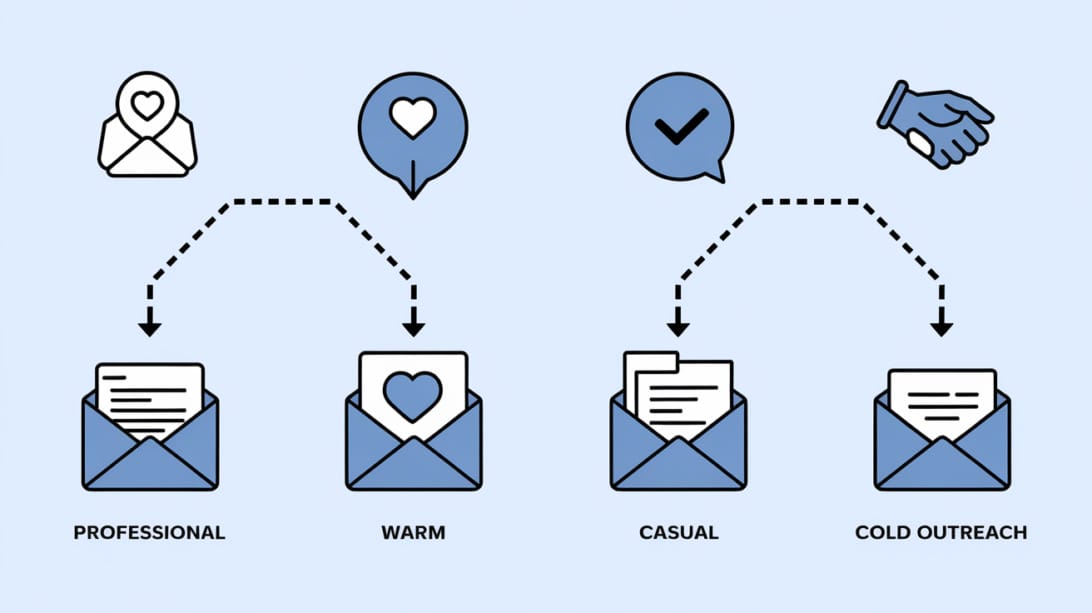
Email Closing vs Email Sign-Off vs Email Signature
An email closing is the final sentence or phrase that wraps up your message. An email sign-off is the short phrase before your name, such as “Best regards,” or “Thanks,”. An email signature is the block of contact details after your name. Together, they create the final impression of the email.
Think of the ending as three layers:
1. Closing sentence: The final action or goodwill line, such as “Happy to send more details if helpful.”
2. Sign-off: The short phrase before your name, such as “Best,” or “Kind regards,”.
3. Signature: Your name, role, company, and useful contact details.
Example:
Happy to send a shorter version if that is easier to review.
Best,
Maya Chen
Partnerships Lead, Northstar Analytics
The sign-off alone cannot fix a weak email. It should support the message that came before it.
A Simple Formula for Ending Any Email
Use this four-part formula when you are not sure how to close an email: recap the action, reduce friction, choose a matching sign-off, and include a clean signature. The result feels clear, complete, and easy to reply to.
1. Name the next step. Example: “Would Tuesday or Wednesday work for a 15-minute call?”
2. Reduce pressure or friction. Example: “If someone else owns this, happy to reach out to them instead.”
3. Choose the sign-off by relationship. Example: “Best,” for neutral business tone.
4. Keep the signature readable. Include only details the recipient may need.
A strong ending should answer one question for the reader: “What should I do next?” If the email does not need an action, the ending should clarify appreciation, closure, or availability.
Best Closings to an Email by Situation
The right closing depends on the recipient, the purpose, and the emotional temperature of the message. A first email to a senior executive needs a different ending than a note to a teammate, a customer support reply, or a second follow-up.
Use this table as a starting point:
| Use case | Good closings | Avoid |
|---|---|---|
| Formal business | Sincerely, Respectfully, Kind regards, | Cheers, Later, XOXO |
| Everyday professional | Best, Best regards, Thanks, | Yours truly, No sign-off |
| Warm professional | Warm regards, Warmly, All the best, | Love, Hugs |
| Request | Thank you, Thanks in advance, I appreciate your help, | Please respond ASAP |
| Follow-up | Thanks again, Looking forward, Best, | Just checking in again… |
| Cold outreach | Best, Thanks, Appreciate your time, | Sent from my iPhone, Peace |
| Customer support | Happy to help, Thanks, Best, | No problem!!! |
| Apology | Respectfully, Thank you for your patience, | Cheers, My bad |
| Congratulations | All the best, Congrats again, Warmly, | Sincerely yours |
| Job search | Sincerely, Best regards, Thank you, | Talk soon, Ciao |
The closing should not compete with the call to action. If your email asks for a meeting, a document, or a decision, the final sentence should make that action obvious before the sign-off.
Professional Email Closings That Work Almost Anywhere
Professional email closings work best when they are simple, respectful, and familiar. They should not call attention to themselves. Use these when emailing clients, vendors, managers, recruiters, executives, partners, professors, or anyone you do not know well.
Good professional closings:
1. Best regards,
2. Kind regards,
3. Regards,
4. Sincerely,
5. Respectfully,
6. Thank you,
7. Thanks,
8. Many thanks,
9. With appreciation,
10. Best,
11. All the best,
12. Warm regards,
13. Warmly,
14. Yours sincerely,
15. Yours faithfully,
16. Appreciatively,
17. Thank you for your time,
18. Thank you for your consideration,
19. Looking forward,
20. Looking forward to your thoughts,
21. I appreciate your help,
22. I appreciate your time,
23. With thanks,
24. Cordially,
25. Respectfully yours,
Use “Sincerely,” for formal notes, job applications, legal-adjacent communication, and first messages where you want to be conservative. Use “Best regards,” or “Kind regards,” when you want professional but not stiff. Use “Thanks,” when the message includes a request or helpful exchange.
Friendly Closings for Warm Professional Emails
Friendly email closings are useful when there is already trust, familiarity, or a positive relationship. They work for teammates, long-term clients, partners, community contacts, and people you have spoken with before.
Friendly closings to use:
26. Warmly,
27. Take care,
28. Talk soon,
29. Speak soon,
30. Have a great day,
31. Have a good week,
32. Enjoy your weekend,
33. All my best,
34. All the best,
35. Best wishes,
36. Cheers,
37. Thanks again,
38. Appreciate it,
39. Always appreciated,
40. Until next time,
41. Stay well,
42. Be well,
43. Wishing you well,
44. Glad to help,
45. Happy to help,
46. Here if helpful,
47. More soon,
48. See you soon,
49. Great working with you,
50. Excited for what is next,
Use friendly closings carefully in first-contact emails. “Warmly,” can feel human. “Hugs,” can feel intrusive. “Cheers,” is common in some regions and industries, but it may feel casual in more formal business settings.
Short Closings for Internal Team Emails
Internal email closings can be shorter because context and trust already exist. The goal is speed, clarity, and a tone that does not feel abrupt.
Short closings for teammates:
51. Best,
52. Thanks,
53. Thanks again,
54. Appreciate it,
55. Sounds good,
56. Great, thanks,
57. Will do,
58. On it,
59. More shortly,
60. Talk soon,
61. See you then,
62. Nice work,
63. Good luck today,
64. Happy to review,
65. Here if needed,
For internal messages, the sentence before the sign-off often matters more than the sign-off. “I will send the final deck by 3 pm” is stronger than a fancy closing.
Closings for Request Emails
When you ask for something, close with appreciation and a clear next step. The best request closings make the recipient feel respected rather than cornered.
Use these request-focused closings:
66. Thank you,
67. Thanks in advance,
68. I appreciate your help,
69. Thank you for taking a look,
70. Thanks for considering it,
71. Appreciate any guidance,
72. Grateful for your input,
73. Thanks for pointing me in the right direction,
74. I appreciate your time,
75. Looking forward to your thoughts,
76. Please let me know what works best,
77. Happy to adjust if needed,
78. Open to your feedback,
79. Thanks for reviewing,
80. Appreciate the help,
Be careful with “Thanks in advance.” It is common and useful, but in sensitive requests it can sound like you assume the person will say yes. If the request is optional, “Thanks for considering it” is softer.
Closings for Follow-Up Emails
Follow-up email closings should be calm, specific, and easy to answer. Avoid sounding impatient. A good follow-up ending reminds the reader what is needed and gives them a simple next step.
Examples:
81. Thanks again,
82. Best,
83. Appreciate your time,
84. Looking forward to your thoughts,
85. Happy to resend anything useful,
86. Let me know if this is still relevant,
87. Would it make sense to revisit this next month?
88. Open to your feedback,
89. Thanks for taking another look,
90. Appreciate any direction,
91. If now is not a fit, no worries,
92. Should I close the loop for now?
93. Happy to connect with the right person,
94. Thanks for the quick note if easier,
95. Either way, appreciate your time,
For more complete message structure, see Mystrika’s guide to cold email templates. The closing works better when the subject line, opener, offer, and call to action are aligned.
Closings for Cold Outreach Emails
Cold outreach closings should be low-pressure, specific, and easy to reply to. The best sign-off is usually simple, such as “Best,” or “Thanks,”. The line before it should carry the real work by asking a clear question or offering an easy out.
Good cold outreach endings:
96. Worth a quick look?
97. Open to seeing if this is relevant?
98. Would it make sense to send a short breakdown?
99. Should I send over two examples?
100. Is this worth exploring?
101. Happy to share the checklist if useful.
102. If this is not your area, who is best to ask?
103. Want me to send the one-page version?
104. Would a quick comparison help?
105. Should I close the loop for now?
106. No worries if timing is off.
107. If this is already solved, happy to step back.
108. Would next week be better?
109. Open to a quick call, or should I send details by email?
110. Is improving this a priority right now?
Pair those lines with simple sign-offs:
- Best,
- Thanks,
- Appreciate your time,
- Regards,
- All the best,
If you send outreach at scale, test closing lines as part of the whole sequence rather than changing the sign-off alone. In Mystrika, teams can build cold outreach sequences, test tone across steps, and keep replies organized in a unified inbox. That matters because a closing that works in the first email may feel repetitive by the third follow-up.
Good email deliverability also depends on the full message, sender reputation, authentication, list quality, and engagement. A polished closing helps tone, but it does not compensate for poor targeting or spammy copy.
Closings for Thank-You Emails
Thank-you email closings should reinforce appreciation without overexplaining. Keep the sign-off warm and direct.
Use these:
111. Thank you,
112. Many thanks,
113. Thanks again,
114. With appreciation,
115. Gratefully,
116. I appreciate it,
117. Appreciate your support,
118. Thanks for making time,
119. Thank you for your guidance,
120. Warm thanks,
121. Deeply appreciated,
Example:
Thank you again for walking me through the process. Your notes helped me clarify the next step.
With appreciation,
Jordan
Avoid making gratitude so dramatic that it sounds insincere. “Thanks again” often works better than a long emotional ending in everyday professional communication.
Closings for Apology or Sensitive Emails
Sensitive emails need calm, accountable closings. Do not use a joke, a casual phrase, or a closing that minimizes the issue. The ending should show respect and leave room for the recipient’s response.
Good options:
- Respectfully,
- Thank you for your patience,
- I appreciate your understanding,
- With respect,
- Sincerely,
- Thank you for raising this,
- I appreciate the chance to address it,
Example:
I understand the delay created extra work for your team. I will send the corrected file today and confirm once it is live.
Thank you for your patience,
Priya
Avoid “No worries” when you are the person who caused the issue. The recipient decides whether it is no worry, not you.
Closings for Job Applications and Recruiter Emails
Job-search emails should use safe, polished closings because the reader may be evaluating your judgment as well as your credentials. “Sincerely,” “Best regards,” and “Thank you for your consideration,” are reliable choices.
Good recruiter and hiring-manager closings:
- Sincerely,
- Best regards,
- Kind regards,
- Thank you,
- Thank you for your consideration,
- I appreciate your time,
- Looking forward to speaking,
- Thank you for the opportunity,
Example:
I appreciate your time and would welcome the opportunity to discuss how my background fits the role.
Best regards,
Elena
Avoid slang, jokes, and overly familiar closings unless you already have a strong relationship with the recipient.
Email Closings to Avoid
Avoid email closings that are too intimate, too casual, too demanding, or unclear. The wrong closing can distract from the message and make the sender seem careless.
| Closing to avoid | Why it can fail | Safer alternative |
|---|---|---|
| Love, | Too intimate for most business email | Warmly, |
| Hugs, | Too personal unless relationship clearly supports it | Take care, |
| Thx, | Can feel rushed or careless | Thanks, |
| K, | Abrupt and dismissive | Sounds good, thanks, |
| Peace out, | Too casual for professional contexts | Best, |
| Sent from my phone | Explains nothing and lowers polish | Best, plus a real signature |
| ASAP | Sounds demanding | When you have a chance, |
| Please respond immediately | Creates pressure without context | Could you reply by Friday? |
| No sign-off | Can feel abrupt in external email | Best, |
| Yours truly, | Can feel dated or overly personal in business | Sincerely, |
| Ciao, | Fine in some relationships, risky in formal email | Best regards, |
| Cheers!!! | Too much punctuation can feel unprofessional | Cheers, |
Also avoid closings that do not fit the message. “Have a great weekend” is odd in an urgent incident email. “Respectfully” may feel too stiff in a casual team update. Context wins.
How to Choose the Right Closing
Choose the right email closing by checking five things: relationship, purpose, formality, emotional tone, and next step. If any factor is uncertain, move one step more formal.
Use this checklist before sending:
- Relationship: Is this a first contact, colleague, customer, executive, recruiter, or friend?
- Purpose: Are you requesting, informing, apologizing, selling, thanking, or confirming?
- Formality: Does the industry or recipient expect conservative language?
- Emotional tone: Is the message neutral, sensitive, urgent, celebratory, or corrective?
- Next step: Does the reader know exactly what to do next?
- Channel history: Has the conversation already become casual?
- Region: Could a phrase like “Cheers” read differently for this recipient?
- Device: Will the signature be readable on mobile?
When in doubt, use “Kind regards,”. It is warm enough for modern business email and formal enough for most first-contact situations.
What to Put in Your Email Signature
A professional email signature should make it easy to identify you and take the next step. Include your name, role, company, and one or two useful contact options. Do not overload it with banners, quotes, legal clutter, or too many links.
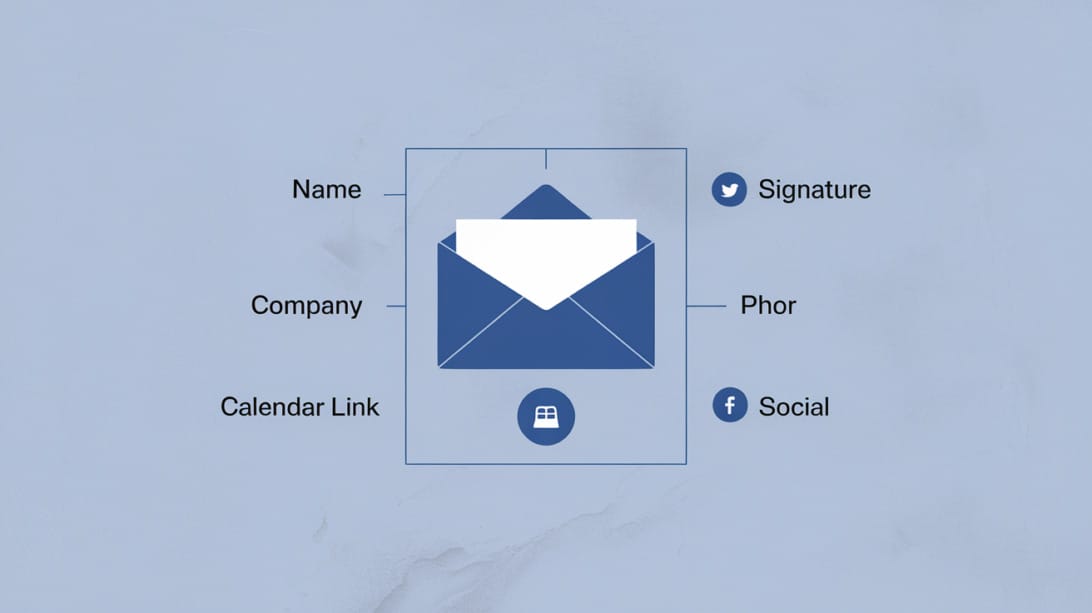
A clean signature format:
Best regards,
Aisha Patel
Head of Partnerships, Acme Systems
Calendar: example.com/aisha
For cold outreach, keep signatures especially simple. Heavy image signatures, too many links, and long disclaimers can make the email feel less personal. They can also distract from the call to action.
A good signature includes:
- Full name
- Role or team
- Company name
- One helpful contact method
- Optional calendar link if a meeting is the goal
- Optional physical address if required by your email program or compliance process
Do not use the signature as a second sales pitch. The email body should earn the reply.
How to Test Email Closings in Outreach
To test closings in outreach, change one variable at a time and compare replies by audience, offer, and sequence step. Do not assume a sign-off improves performance unless the rest of the email is the same.
A practical testing process:
1. Pick two closing styles, such as “Best,” vs “Thanks,”.
2. Keep the subject line, opener, offer, and call to action unchanged.
3. Send to comparable audience segments.
4. Review reply quality, not just reply volume.
5. Check whether the closing still feels natural in follow-ups.
6. Keep the winner only if it fits your brand voice.
For cold email outreach, the sign-off is only one tone signal. The bigger wins usually come from better targeting, a clearer reason to care, and a lower-friction call to action.

Key Takeaways
- The safest professional closings to an email are “Best regards,” “Kind regards,” “Sincerely,” “Thank you,” and “Best,”.
- Match the closing to the recipient, purpose, formality, emotional tone, and next step.
- For cold outreach, keep the sign-off simple and make the line before it specific and low-pressure.
- Avoid closings that are too intimate, too casual, too demanding, or unclear.
- A strong ending includes a useful final sentence, a fitting sign-off, and a clean signature.
- Do not rely on the closing alone to improve replies. Test it as part of the full email and sequence.
Frequently Asked Questions
What are the best closings to an email?
The best closings to an email are “Best regards,” “Kind regards,” “Sincerely,” “Thank you,” and “Best,”. These work because they are familiar, professional, and unlikely to distract from the message. Choose the one that fits the relationship and purpose.
Is “Best” a good email closing?
Yes, “Best” is a good email closing for most everyday business emails. It is short, neutral, and widely understood. For formal first-contact emails, “Best regards” or “Kind regards” may feel more polished.
Is “Thanks” too casual for a professional email?
“Thanks” is not too casual when the email includes appreciation, a request, or a helpful exchange. For very formal communication, use “Thank you” instead. If the message is sensitive or corrective, choose a more careful closing such as “Sincerely” or “Respectfully”.
What is the most formal email closing?
“Sincerely,” and “Respectfully,” are among the most formal common email closings. “Yours faithfully” and “Yours sincerely” are also formal, especially in British-style correspondence. Use formal closings for job applications, official requests, complaints, legal-adjacent notes, and unfamiliar senior recipients.
How should I close a cold email?
Close a cold email with a low-pressure question and a simple sign-off. For example: “Worth a quick look? Best,” or “Would it make sense to send a short breakdown? Thanks,”. Avoid pushy endings that demand a meeting before the recipient has shown interest.
Should I use “Cheers” in a business email?
Use “Cheers” only when it fits the relationship, industry, and region. It can feel natural in many friendly professional contexts, but it may read as too casual in formal US business settings. If you are unsure, use “Best regards” or “Kind regards”.
Do I need an email signature after every closing?
Use a signature for external emails, first-contact messages, customer communication, job-search emails, and cold outreach. For internal back-and-forth messages, a full signature is often unnecessary after the first reply. Keep signatures short and useful.
What email closings should I avoid?
Avoid “Love,” “Hugs,” “Thx,” “K,” “Peace out,” “ASAP,” “Please respond immediately,” and no sign-off in professional email. These can feel too intimate, careless, demanding, or abrupt. Replace them with safer options like “Best,” “Thanks,” “Kind regards,” or “Sincerely,”.