

Quick Verdict on CheapInboxes
CheapInboxes is a low-cost inbox and domain infrastructure provider for cold email teams, not a complete cold outreach platform. It can be useful if you already understand DNS, inbox rotation, warmup, lead verification, monitoring, and reply operations. It is risky if you buy cheap mailboxes and assume the price alone solves deliverability.
The best way to evaluate CheapInboxes is not to ask, “Is CheapInboxes cheap?” The better question is: after you add sequencing, warmup, bounce verification, monitoring, reply handling, support time, and human operations, is the complete outbound system still cheaper and safer than a more integrated stack?
CheapInboxes publicly positions itself around low per-inbox pricing, Google and Microsoft mailboxes, workspace isolation, admin access, OAuth connection, pre-warmed inboxes, custom tracking domains, sequencer exports, domain options, support, and provisioning workflows. Those are useful claims to evaluate. They are not the same thing as guaranteed inbox placement, reply quality, or campaign safety.
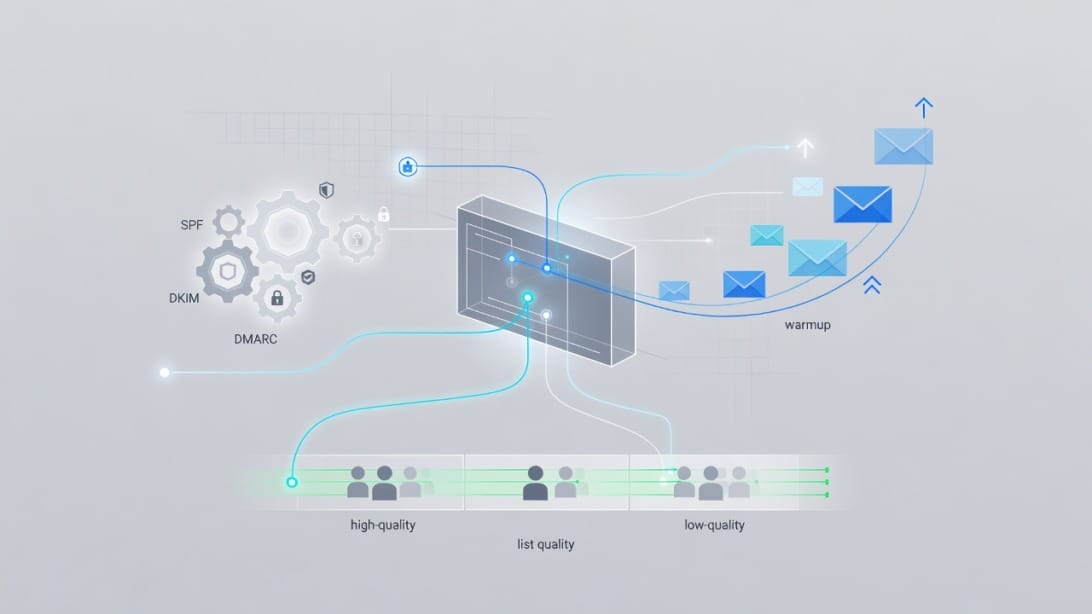
Here is the short version:
| Question | Direct Answer |
|---|---|
| What is CheapInboxes? | A mailbox and domain infrastructure provider for cold email senders that want low-cost inboxes and setup support. |
| Is CheapInboxes a full cold email platform? | No. It mainly helps with inbox procurement and setup. You still need campaign software, monitoring, list verification, and reply workflows. |
| Is the listed mailbox price attractive? | Yes. Public pricing is low compared with many retail mailbox options, especially at volume. |
| Does cheap mean deliverable? | No. Deliverability depends on authentication, domain reputation, list quality, content, send behavior, complaints, and monitoring. |
| Who is CheapInboxes best for? | Experienced outbound operators who already have a sequencer, warmup discipline, verification, and daily sender health checks. |
| Who should be cautious? | Beginners, brand-sensitive teams, agencies without governance, and anyone wanting one platform for sequencing, warmup, unibox, AI writing, and analytics. |
If you need a complete cold outreach hub rather than only inbox supply, Mystrika is the more natural fit because it combines AI-assisted outreach, warmup, sequencing, unibox, and campaign workflow in one platform starting at $15/month. If your main bottleneck is sending infrastructure, DoYouMail belongs in the evaluation. If your bottleneck is list quality and bounce risk, Filter Bounce should be used before you send.
CheapInboxes Review Methodology
This review compares CheapInboxes against buyer intent, official positioning, and competitor review gaps rather than treating any single vendor claim as final. Cheap inbox infrastructure is difficult to evaluate from a pricing page alone because the real outcome depends on how the inboxes are configured, warmed, connected, monitored, and used.
For this update, the analysis considered three source categories:
1. Official CheapInboxes positioning – public pricing, feature, support, workspace, OAuth, DNS, and pre-warmed inbox claims.
2. Competing CheapInboxes reviews – especially competitor pages that frame CheapInboxes against their own alternatives.
3. Operational deliverability requirements – authentication, gradual sending, list hygiene, suppression handling, complaint control, and reply operations.
That distinction matters. Competitor reviews can surface useful objections, but they may exaggerate weaknesses to promote their own product. Official vendor pages can explain features, but they may understate operational risk. The safest buyer decision comes from testing the claims that affect your own campaigns.
Use this review as a decision framework. Do not treat it as a guarantee that any provider will create a specific reply rate, spam placement rate, or meeting volume. Cold email performance changes with your audience, offer, copy, domain history, lead quality, compliance posture, and daily operations.
What Is CheapInboxes?
CheapInboxes is an inbox procurement and setup service for cold email operators. It sits in the infrastructure layer of the outbound stack, helping teams acquire and manage mailboxes and domains that can be connected to separate sequencers and workflows.
A cold email system usually has multiple layers:
- Domains – sending domains, redirect domains, and tracking domains.
- Mailboxes – Google Workspace, Microsoft 365, or other mailbox environments.
- Authentication – SPF, DKIM, DMARC, TLS, alignment, and DNS health.
- Warmup and ramping – gradual activity before and during production campaigns.
- List hygiene – verification, suppression, segmentation, and bounce prevention.
- Sequencing – campaign steps, personalization, throttling, A/B testing, and follow-ups.
- Reply operations – unibox, routing, sentiment, intent tagging, handoff, and reminders.
- Monitoring – bounces, complaints, blocklists, placement, failed connections, and domain health.
CheapInboxes mainly helps with the infrastructure side. It can make the first few layers easier, but the buyer still owns the outbound operating system around those inboxes.
What CheapInboxes Claims to Provide
Based on public positioning, CheapInboxes advertises:
- Google and Microsoft inboxes for cold email outreach.
- Tiered per-mailbox pricing.
- Domains sold separately, including low-cost domain options.
- One domain per workspace.
- Full admin access.
- Pre-warmed mailboxes.
- Automated DNS setup.
- OAuth connection.
- Auto-reconnect workflows.
- Custom tracking domains.
- Export to sequencers such as Instantly, Smartlead, Reachinbox, Reply, Lemlist, and others.
- Support through WhatsApp and call-booking workflows.
- API workflows for provisioning domains, mailboxes, DNS, and sequencer connections.
These claims are worth considering because they map to real operational needs. But each claim should be verified before production sending.
What CheapInboxes Is Not
CheapInboxes should not be evaluated like an all-in-one outreach platform. It is not primarily a campaign writing platform, a lead database, a reply management system, or a complete analytics environment.
It does not remove the need to answer questions like:
- Are SPF, DKIM, and DMARC correct and aligned?
- Are tracking domains configured safely?
- Are leads verified before sending?
- Are unsubscribes and suppressions enforced across every campaign?
- Are send limits conservative enough for each sender?
- Do you know when an inbox starts bouncing or losing placement?
- Can your team respond to replies quickly from one place?
- Can you pause individual inboxes, domains, or campaigns when signals worsen?
If you cannot answer those questions, the cheapest inbox can become the most expensive part of your outbound program.
Official Claims vs Operational Reality
The most important CheapInboxes evaluation step is separating feature availability from operational readiness. A provider can offer a useful feature while you still need to validate that it works for your domain, campaign, sequencer, and sending pattern.
| CheapInboxes Claim or Feature | Why It Matters | What You Should Verify |
|---|---|---|
| Low per-inbox pricing | Reduces visible mailbox cost. | Total monthly stack cost after sequencer, verification, monitoring, and labor. |
| Pre-warmed mailboxes | May reduce ramp-up friction. | Whether your actual production sending still needs a conservative ramp. |
| Google and Microsoft inboxes | Gives ecosystem choice. | Which mailbox type you are receiving and whether it matches your campaign plan. |
| One domain per workspace | Helps isolate risk by workspace. | Whether clients, campaigns, and tracking domains are separated correctly. |
| Full admin access | Supports control, migration, security, and recovery. | Whether you can access admin settings, DNS, security, and transfer workflows. |
| Automated DNS setup | Saves setup time. | SPF, DKIM, DMARC, MX, tracking domain, and header results after setup. |
| OAuth connection | Cleaner than fragile manual connection patterns. | Token health, reconnect behavior, supported sequencers, and audit trails. |
| Auto-reconnect | Reduces operational downtime. | How failures are detected, how fast reconnects occur, and whether alerts exist. |
| Sequencer exports | Helps connect inboxes to campaign tools. | Correct sender mapping, throttling, unsubscribe handling, and reply routing. |
| Support claims | Matters when campaigns break. | Response time during your timezone and quality of technical answers. |
This table is intentionally practical. The problem is rarely that a feature does not exist. The problem is that teams treat a feature as complete without testing how it behaves under their actual workflow.
CheapInboxes Pricing and the True Cost of Cheap Mailboxes
CheapInboxes looks inexpensive at the mailbox line item, but the real cost is the full cold email operating system. Public pricing has been listed at $3.50 per mailbox per month for 1-99 mailboxes, with lower per-mailbox prices at higher volume tiers. Domains are advertised separately starting at low annual prices.
| Volume Tier | Public Mailbox Price | Operational Interpretation |
|---|---|---|
| 1-99 mailboxes | $3.50 per mailbox/month | Attractive for pilots, small tests, and budget-sensitive operators. |
| 100-249 mailboxes | $3.25 per mailbox/month | Useful for larger sender pools, but monitoring complexity rises. |
| 250-999 mailboxes | $3.00 per mailbox/month | Requires strict governance, documentation, and deliverability ownership. |
| 1,000+ mailboxes | $2.80 per mailbox/month | Infrastructure savings matter, but mistakes compound quickly at scale. |
| Domains | Starting at low annual prices | Cheap registration does not make domain reputation disposable. |
The mailbox price is real, but it is not the whole system. A serious outbound motion also needs:
- A sequencer or cold email platform.
- Warmup and ramping workflow.
- DNS and authentication validation.
- Lead verification.
- Suppression list management.
- Bounce and complaint monitoring.
- Reply handling.
- Reporting across senders, domains, campaigns, and lists.
- Human time to investigate issues.

Hidden Cost Calculator
Use this calculator before comparing CheapInboxes against alternatives:
| Cost Layer | What to Estimate | Why It Changes the Decision |
|---|---|---|
| Mailboxes | Number of inboxes x monthly mailbox price. | This is the visible cost that makes CheapInboxes attractive. |
| Domains | Number of domains x annual cost. | Domain cost is small, but reputation and history matter. |
| Sequencer | Monthly cost for campaign sending and follow-ups. | CheapInboxes does not replace campaign software. |
| Warmup | Tooling or process cost for gradual sender activity. | Pre-warmed does not remove the need for careful production ramping. |
| Verification | Cost to verify leads before import. | Bad lists can destroy the value of good infrastructure. |
| Monitoring | Inbox placement, DNS, blocklist, bounce, and reply tracking. | Problems that are not seen early become expensive later. |
| Reply operations | Unibox or team workflow for managing responses. | Missing replies can waste the campaign even if delivery works. |
| Support time | Internal hours spent configuring and troubleshooting. | Labor can erase per-inbox savings. |
| Recovery | Replacing domains, pausing senders, rebuilding campaigns. | Reputation damage creates opportunity cost. |
If CheapInboxes plus separate tools is still easier and cheaper for your team, it may be a good fit. If the stack becomes a patchwork of disconnected systems, an integrated platform may be more economical.
A 30-Inbox Scenario
Suppose you want 30 senders. At $3.50 per mailbox per month, the visible mailbox cost is about $105 per month before domains and other tools.
That looks appealing. But the buyer should also price:
- The sequencer used to send campaigns.
- Warmup or ramping process.
- DNS and authentication checks.
- Lead verification before import.
- Reply routing and unibox operations.
- Monitoring for bounces, failed connections, and placement issues.
- Time spent by the person responsible for sender health.
This is where many “cheap inbox” comparisons become misleading. If a team already owns the surrounding tools and has an operator watching the system, CheapInboxes can reduce procurement cost. If a beginner has to buy and learn every surrounding tool, the low mailbox price is only the first bill.
Features That Matter in a CheapInboxes Evaluation
The features that matter most are the ones that reduce risk: admin access, workspace isolation, authentication control, OAuth reliability, export quality, and operational visibility. If those pieces are weak, the mailbox price will not protect your campaign.
Workspace Isolation
CheapInboxes promotes one domain per workspace. That structure can be helpful because it separates domains and reduces the chance that unrelated campaigns are bundled together operationally.
However, workspace isolation is not risk elimination. You still need rules for:
- Which domains belong to which campaigns.
- Which clients can share operational processes.
- Which campaigns are too risky for brand-adjacent domains.
- Whether tracking domains are dedicated or shared.
- When to pause or retire domains.
- How to prevent one list source from hurting multiple sender pools.
For agencies, this is especially important. Client separation should be a written operating rule, not a casual preference.
Admin Access
Full admin access is valuable because you need control over users, DNS verification, security settings, forwarding, recovery, and future migration.
Before buying, confirm:
- You can access the workspace admin panel.
- You can control recovery settings.
- You can modify DNS records or coordinate changes quickly.
- You can rotate credentials and offboard users.
- You can export or transfer domains when allowed by registrar rules.
- You can prove ownership for tools that require domain verification.
If you lack admin control, you may be trapped later when you need to migrate, audit, or repair the setup.
OAuth Connection and Reconnect Behavior
OAuth is usually preferable to brittle manual connection patterns because it provides a cleaner authorization flow. But OAuth still needs monitoring.
Ask these questions:
- Which sequencers are supported directly?
- What happens when a token expires?
- Are failed connections visible in a dashboard?
- Is there an alert when an inbox disconnects?
- Can you reconnect in bulk or only one sender at a time?
- Is there an audit trail for connection changes?
- Does reconnect behavior preserve campaign limits and sender mapping?
Connection reliability matters more as you scale. A small failure rate is annoying at 10 inboxes and a daily operations problem at hundreds of inboxes.
DNS Setup
Automated DNS setup can save time, but DNS is not a permanent checkbox. Records can break after registrar changes, sequencer changes, tracking domain edits, or manual updates.
At minimum, verify:
- SPF exists and includes only necessary senders.
- DKIM is enabled and signs with the expected domain.
- DMARC exists and aligns with the visible From domain.
- MX records are correct.
- Tracking domains are configured correctly.
- There are no duplicate or conflicting TXT records.
- Test emails show expected authentication results in headers.
For deeper background, Mystrika’s guide to cold email deliverability explains why authentication is only one part of inbox placement.
Deliverability and Compliance Checks Before You Send
CheapInboxes can provide infrastructure, but deliverability depends on how that infrastructure is authenticated, warmed, used, and monitored. In the current email environment, every inbox provider should be evaluated against sender requirements and recipient experience, not just pricing.
Google and Yahoo sender expectations have pushed teams toward stronger authentication, clearer unsubscribe handling for applicable mail, lower complaint risk, and better list hygiene. Cold email teams should treat those expectations as operating requirements.
Sender Requirements Checklist
Use this checklist before sending production volume from CheapInboxes or any other provider:
- SPF exists and passes for the service sending mail.
- DKIM is enabled and signs messages from the expected domain.
- DMARC exists and aligns with the visible From domain where applicable.
- TLS is supported for mail transmission.
- Custom tracking domains are configured and not shared across unrelated risk profiles.
- Unsubscribe handling is available for campaigns where it is required or expected.
- Suppression lists are honored across all inboxes and campaigns.
- Bounce thresholds are monitored daily during early sending.
- Complaint signals are tracked where available.
- Volume ramping is gradual rather than sudden.
- List source quality is documented and validated.
- Reply handling is assigned before launch.
The Pre-Warmed Claim Needs Careful Interpretation
CheapInboxes markets pre-warmed inboxes. That can be valuable if the warmup history is legitimate and the inboxes are configured correctly. It should not be interpreted as permission to send aggressively on day one.
A safer operating rule is:
Treat pre-warmed inboxes as a head start, not a permission slip. Start conservatively, verify early placement, watch bounces and replies, and increase only when signals stay healthy.
If you need a structured ramping strategy, read Mystrika’s guide to email warmup before turning on production sequences.
Warning Signs to Watch in the First Two Weeks
The first two weeks reveal whether your setup is stable. Watch for:
- Authentication failures in message headers.
- Repeated connection failures in the sequencer.
- Bounce spikes from one list source.
- Replies dropping while sends continue.
- More manual reconnect work than expected.
- Domains appearing on blocklists.
- Unusual delays in sending or receiving.
- Campaigns exhausting daily limits too early.
- High negative reply rates or complaint signals.
- Inconsistent performance across inboxes in the same workspace group.
Do not wait until a campaign feels slow to investigate. By then, you may already have damaged domains that could have been paused earlier.
CheapInboxes Pros and Cons
CheapInboxes has a real use case: it can reduce inbox procurement friction for experienced outbound teams. The tradeoff is that cheap inboxes still require disciplined operations. Here is the balanced view.
| Pros | Why It Helps |
|---|---|
| Low mailbox pricing | Useful for pilots and high-volume infrastructure planning. |
| Google and Microsoft options | Lets teams choose familiar mailbox ecosystems. |
| Workspace isolation | One domain per workspace can improve operational separation. |
| Admin access | Helps with control, migration, recovery, and configuration. |
| OAuth connection | Can reduce fragile manual connection workflows. |
| DNS setup support | Saves time compared with configuring every domain manually. |
| Sequencer export | Fits teams already using separate sending tools. |
| Domain purchase options | Simplifies procurement for teams that need many domains. |
| Cons and Risks | Why It Matters |
|---|---|
| Not a complete outreach platform | You still need campaign sequencing, reply handling, and analytics. |
| Deliverability is not guaranteed by price | Placement depends on list quality, authentication, content, and sender behavior. |
| Pre-warmed can be misunderstood | Teams may send too much too early. |
| Monitoring burden remains | Someone must track bounces, placement, replies, and domain health. |
| Tool sprawl can erase savings | Separate sequencer, warmup, verification, and monitoring tools add cost. |
| Brand-sensitive teams need caution | Domains and inboxes tied to reputation should not be treated as disposable. |
| Agency operations need governance | Client separation, suppression lists, and risk controls are mandatory. |
Best-Fit Use Cases
CheapInboxes can make sense when:
- You already have a reliable sequencer.
- You already understand DNS and authentication.
- You have a clear ramp plan.
- You validate leads before sending.
- You separate clients, campaigns, and risk profiles.
- You have someone responsible for daily deliverability checks.
- You are running controlled experiments where infrastructure cost matters.
Poor-Fit Use Cases
Be careful with CheapInboxes when:
- You are new to cold email infrastructure.
- You need one place to write, send, warm, monitor, and manage replies.
- You cannot explain SPF, DKIM, DMARC, and alignment.
- You do not have a bounce verification process.
- You plan to send from brand-critical domains.
- You expect any provider to guarantee inbox placement.
- You are trying to scale without a deliverability owner.
CheapInboxes vs Mystrika, DoYouMail, and Filter Bounce
CheapInboxes solves the inbox supply problem. Mystrika, DoYouMail, and Filter Bounce solve different parts of the outbound system. The right choice depends on whether your bottleneck is mailboxes, sending infrastructure, campaign execution, or list quality.
| Tool | Best Role in the Stack | When to Use It |
|---|---|---|
| CheapInboxes | Low-cost mailbox and domain procurement | You need many inboxes and already have operations around them. |
| Mystrika | Cold email outreach platform with AI, warmup, sequencer, unibox, and campaign workflows | You need a full platform to run outbound, not just buy inboxes. |
| DoYouMail | Sending infrastructure for teams that want dedicated email infrastructure | You need infrastructure control and delivery capacity around outbound sending. |
| Filter Bounce | Email verification and bounce prevention | You need to clean lists before sending to protect sender reputation. |
Mystrika is especially relevant if your team wants to reduce tool sprawl. Instead of stitching together an inbox vendor, sequencer, warmup process, reply manager, and analytics layer, Mystrika gives operators a central cold email workflow. It is built for the parts that happen after inbox procurement: writing campaigns, warming accounts, sending sequences, managing replies, and improving outreach execution.
If you are still comparing software categories, this guide to cold email software is a useful next read.
DoYouMail is a better fit when your primary issue is sending infrastructure rather than campaign workflow. For example, if you already have sequencing and reply ops but want robust infrastructure around outbound sending, it belongs in the evaluation.
Filter Bounce should be considered before any serious cold email send. Cheap inboxes do not protect you from bad lists. Sending to invalid, stale, or risky addresses can burn capacity quickly. A reliable email bounce checker helps reduce avoidable damage before the first campaign goes out.
Comparison Table: Infrastructure vs Outreach System
| Evaluation Criteria | CheapInboxes | Mystrika | DoYouMail | Filter Bounce |
|---|---|---|---|---|
| Primary purpose | Mailbox and domain infrastructure | End-to-end cold email outreach | Email sending infrastructure | Email verification |
| Campaign sequencing | Needs another tool | Included | Needs another tool | Not applicable |
| Warmup | Vendor positions inboxes as pre-warmed | Included as part of platform workflow | Infrastructure-focused | Not applicable |
| Unified inbox | Needs another tool | Included | Needs another tool | Not applicable |
| AI outreach assistance | Needs another tool | Included | Not the main focus | Not applicable |
| DNS and infrastructure | Core part of offer | Supports outreach operations | Core part of offer | Not applicable |
| Bounce prevention | Needs list verification | Can be paired with verification | Needs list verification | Core purpose |
| Best buyer | Experienced operator needing cheap inbox supply | Team wanting one cold outreach platform | Team needing sending infrastructure | Any sender cleaning lead lists |
The key takeaway is simple: compare complete workflows, not isolated price tags. If CheapInboxes plus five separate tools is harder to operate than one integrated platform, the cheaper inbox price may not be the best business decision.
Decision Matrix: Should You Use CheapInboxes?
Use CheapInboxes if you are buying infrastructure intentionally. Avoid it if you are trying to avoid learning deliverability operations. This decision matrix shows where it fits.
| Situation | Recommendation | Reason |
|---|---|---|
| You need 10-30 inboxes for a controlled pilot | Consider CheapInboxes | Low pricing can make testing affordable if you ramp carefully. |
| You already use a strong sequencer and unibox | Consider CheapInboxes | It can fill the mailbox procurement layer. |
| You are an agency managing multiple clients | Consider with strict governance | Workspace isolation helps, but client separation and suppression rules are critical. |
| You are a founder sending your first cold campaign | Prefer an integrated platform | The operational burden may distract from messaging, targeting, and replies. |
| You need AI writing, warmup, sequencing, and reply management | Prefer Mystrika | CheapInboxes is not built to replace a full outreach platform. |
| You have high bounce risk or old lead lists | Add Filter Bounce first | Inbox provider choice will not fix bad recipient data. |
| You need dedicated sending infrastructure | Evaluate DoYouMail | Infrastructure requirements may go beyond mailbox procurement. |
| You are protecting a flagship brand domain | Be cautious | Brand reputation is harder to repair than a test domain. |
| You want to scale to hundreds of inboxes | Proceed only with monitoring | The operational load grows faster than the mailbox bill. |
The Operator Readiness Test
Before buying, answer these 10 questions:
1. Who owns DNS verification after setup?
2. Who checks authentication before each campaign?
3. What daily send limit will each inbox start with?
4. What signal causes an inbox to pause?
5. What bounce pattern triggers list review?
6. How are unsubscribes and suppressions applied across all campaigns?
7. Which domains are safe to retire if performance drops?
8. Where do replies get handled?
9. How are leads verified before import?
10. What is the rollback plan if deliverability gets worse?
If you cannot answer at least eight of those, choose a more guided workflow before scaling.
Operational Checklist Before Sending From CheapInboxes
The safest way to use CheapInboxes is to treat it like infrastructure that must pass acceptance testing. Do not connect mailboxes to a campaign and immediately send at scale.

Step 1: Verify Ownership and Access
Confirm that you have:
- Workspace admin access.
- Mailbox login access.
- Domain registrar or DNS access.
- Recovery and security settings documented.
- A clear offboarding process.
- A way to transfer domains later if needed.
Do this before you build campaigns on top of the inboxes. Access problems become harder to solve once campaigns are live.
Step 2: Audit DNS and Authentication
For each domain, check:
- SPF record exists and includes only necessary senders.
- DKIM is enabled and passes on test messages.
- DMARC exists and aligns with the From domain.
- MX records are correct.
- Tracking domain records are correct.
- No duplicate or conflicting TXT records exist.
- Test emails show expected authentication results in headers.
Do not rely only on a dashboard saying setup is complete. Send test messages and inspect headers.
Step 3: Connect the Sequencer Carefully
When connecting to your sequencer:
- Use OAuth where supported.
- Confirm each inbox maps to the correct campaign and domain.
- Set conservative daily limits first.
- Use sending windows that resemble normal business activity.
- Avoid sending identical copy from many inboxes at the same time.
- Confirm unsubscribe and suppression behavior.
The goal is to reduce unusual patterns. In cold email, operational weirdness often matters as much as technical setup.
Step 4: Verify Leads Before Import
Bad lists ruin good infrastructure. Before sending:
- Remove role-based addresses when they are not appropriate.
- Suppress existing customers, competitors, unsubscribers, and prior negative replies.
- Verify risky or old emails with Filter Bounce or another reliable verification workflow.
- Segment by relevance instead of blasting one broad list.
- Keep records of lead sources.
Lead quality affects deliverability, reply rate, complaint risk, and sales productivity. It is not a side task.
Step 5: Ramp Slowly
Even if inboxes are described as pre-warmed, ramp in stages:
- Start with low daily production volume.
- Send to the cleanest and most relevant segment first.
- Watch bounces and negative replies daily.
- Increase only when engagement and delivery signals are stable.
- Pause individual inboxes that behave differently from the rest.
A cautious ramp may feel slow, but it is faster than rebuilding a damaged sender pool.
Step 6: Monitor and Document
Create a daily dashboard or spreadsheet that tracks:
- Sends per inbox.
- Bounces per inbox.
- Replies per campaign.
- Positive replies.
- Negative replies.
- Unsubscribes.
- Failed connections.
- Domains paused.
- DNS changes.
- Notes on copy or list changes.
Documentation matters because deliverability issues are often caused by combinations of changes. Without a log, teams guess.
Support and Reliability Checks
Do not evaluate support by the promise alone. Test support before you depend on it. CheapInboxes and competing reviews make different claims about response speed and technical depth, so the buyer should validate support quality during a low-risk pilot.
Run these checks before scaling:
| Support Test | What to Ask | Good Signal | Risk Signal |
|---|---|---|---|
| DNS question | Ask how SPF, DKIM, DMARC, and tracking domains are configured. | Clear, specific, technically accurate answer. | Generic answer or no mention of alignment. |
| Reconnect issue | Ask how OAuth failures are detected and repaired. | Process, expected timing, and visibility are explained. | Manual-only answer with no monitoring detail. |
| Domain control | Ask how domain transfer or DNS changes work. | Ownership and transfer limits are clear. | Vague answer about who controls the domain. |
| Sequencer export | Ask about your exact sequencer and sender mapping. | Supported workflow is described before purchase. | You discover limitations after buying. |
| Emergency pause | Ask how to pause senders if bounces spike. | Clear pause and escalation process. | No defined operational playbook. |
Support quality matters most when something breaks. A cheap inbox pool with unclear support can cost more than a higher-priced workflow with strong operational guidance.
Migration Plan if You Outgrow CheapInboxes
You should plan the exit before you need it. Even if CheapInboxes works well at first, your needs may change as you scale, consolidate tools, or move toward a more integrated outreach platform.
When to Consider Migrating
Consider moving away from a mailbox-only workflow when:
- Tool sprawl slows your team down.
- Reply handling across inboxes becomes messy.
- Deliverability monitoring requires too much manual work.
- You need AI-assisted personalization and testing.
- You want sequencing, warmup, and unibox in one place.
- You are spending more time managing infrastructure than improving campaigns.
- You cannot quickly identify which inboxes, lists, or domains are causing problems.
A Safe Migration Sequence
Use this order to reduce disruption:
1. Export your active campaign data from the current sequencer.
2. Download suppression lists for unsubscribes, bounces, and negative replies.
3. Document domain ownership and DNS records before changing tools.
4. Identify healthy inboxes and separate them from questionable ones.
5. Move one campaign segment first, not the entire program.
6. Run both systems briefly while monitoring replies and bounces.
7. Retire weak domains gradually instead of moving every sender into the new system.
8. Rebuild reporting so your team keeps visibility.
Do not migrate only because a tool is cheaper or newer. Migrate when the new workflow reduces operational risk or increases execution quality.
How Mystrika Fits After CheapInboxes
Mystrika is a logical next step when your team wants fewer moving parts. It gives you cold email sequencing, AI-supported outreach, warmup, unibox, and campaign management in one platform. That matters when the bottleneck is no longer acquiring inboxes, but operating campaigns well.
CheapInboxes can help with mailbox supply. Mystrika helps with the outbound motion those mailboxes are supposed to support.
Key Takeaways
- CheapInboxes is best understood as low-cost inbox and domain infrastructure, not a complete cold email platform.
- Its public mailbox pricing is attractive, with low per-inbox monthly tiers and separate domain options.
- Cheap mailboxes do not automatically create good deliverability. Authentication, list quality, ramping, content, complaints, and monitoring matter more over time.
- The strongest CheapInboxes use case is an experienced outbound operator who already has sequencing, warmup discipline, reply handling, verification, and monitoring covered.
- Beginners, brand-sensitive teams, and teams wanting fewer tools should compare the total system cost against an integrated platform like Mystrika.
- DoYouMail belongs in the conversation when the core need is sending infrastructure, while Filter Bounce belongs before sending when list quality is uncertain.
- Treat vendor claims such as pre-warmed inboxes, low ban risk, or fast support as prompts for verification, not guarantees.
- Before sending production volume, audit SPF, DKIM, DMARC, tracking domains, OAuth connections, lead quality, daily limits, and suppression logic.
- The cheapest inbox is not always the cheapest campaign. The real cost is mailbox price plus tooling, labor, risk, and recovery time.
Frequently Asked Questions
What is CheapInboxes?
CheapInboxes is a provider of low-cost Google and Microsoft inboxes, domains, DNS setup, and sequencer connection workflows for cold email senders. It is best viewed as an infrastructure provider rather than a full outreach platform.
Its value is strongest when you already have the rest of your cold email system in place. You still need sequencing, warmup discipline, bounce verification, reply handling, and deliverability monitoring.
Is CheapInboxes legit?
CheapInboxes has public pricing, product positioning, support channels, and feature claims, so it should be evaluated like a real inbox infrastructure vendor rather than dismissed only because it is inexpensive. The practical question is whether its setup, access, support, and deliverability workflow meet your risk tolerance.
Before scaling, run a small pilot. Verify admin access, DNS, authentication, OAuth connection, sender mapping, support responsiveness, and early campaign signals before you commit a large sender pool.
How much does CheapInboxes cost?
CheapInboxes publicly lists mailbox pricing at $3.50 per mailbox per month for 1-99 mailboxes, $3.25 for 100-249, $3.00 for 250-999, and $2.80 for 1,000+ mailboxes. It also advertises low-cost domains separately.
Those prices cover the visible infrastructure layer. Your real cost may also include a sequencer, warmup workflow, verification tool, monitoring process, and team labor.
Does CheapInboxes include email warmup?
CheapInboxes markets pre-warmed inboxes, but you should still use a cautious ramp and warmup mindset. Pre-warmed should be treated as a starting advantage, not a reason to send aggressively on day one.
Begin with conservative production volume, send to your cleanest segment first, and increase only when bounces, replies, and placement signals remain healthy.
Is CheapInboxes better than buying Google Workspace directly?
CheapInboxes may be more convenient and cheaper at the mailbox procurement layer if you need many inboxes, workspace organization, domain options, and sequencer export workflows. Buying directly may give you a more standard ownership path but requires more manual setup and retail pricing assumptions.
The better choice depends on your operating model. If you need procurement speed and already have deliverability operations, CheapInboxes can be considered. If you want maximum direct control and fewer reseller dependencies, direct purchasing may be preferable.
What should I check before sending from CheapInboxes?
Check workspace access, domain control, SPF, DKIM, DMARC, tracking domains, OAuth connections, sequencer mapping, unsubscribe logic, suppression lists, and lead verification. Also inspect test email headers before launching campaigns.
The most common mistake is treating setup completion as deliverability readiness. A mailbox can be active while still being poorly configured for safe cold outreach.
Is CheapInboxes good for agencies?
CheapInboxes can work for agencies that already have strong operational controls. Workspace isolation, admin access, and low pricing can help agencies manage multiple outbound environments.
However, agencies must be strict about client separation, suppression lists, domain retirement rules, and list quality. One careless campaign can create support work that erases the savings from cheap inboxes.
What is the best CheapInboxes alternative?
The best alternative depends on what you actually need. Choose Mystrika if you want an integrated cold email platform with sequencing, AI, warmup, and unibox. Consider DoYouMail if your main need is email infrastructure. Use Filter Bounce if list quality and bounce prevention are the immediate problem.
If you compare only mailbox price, CheapInboxes may look best. If you compare the full operating workflow, the answer may change.
Can I use CheapInboxes with another sequencer?
Yes, CheapInboxes advertises exports or connections to multiple sequencers and says it can support other tools. You should still test every connection before sending production campaigns.
Confirm OAuth status, sender mapping, daily limits, unsubscribe handling, and reconnect behavior. A broken connection can quietly reduce campaign performance or create uneven sending patterns.
Should I buy cheap domains for cold email?
Cheap domains can be useful for testing, but domain choice should not be based on price alone. Consider domain history, extension trust, brand fit, registrar control, DNS reliability, and whether you can retire the domain without harming your core brand.
For important campaigns, domain reputation is an asset. Saving a few dollars on registration is not worth creating avoidable deliverability or trust issues.