
What does “ChatGPT Operator find cold email for vending machine” mean?
“ChatGPT Operator find cold email for vending machine” describes a practical workflow where you use an AI browsing assistant to research businesses that may need a vending machine, identify the right decision maker, collect a likely business email address from public sources, verify that email, and send a compliant, personalized cold email sequence.
The goal is not to ask AI to spam every business in a city. The goal is to turn messy local research into a clean, verified, human-reviewed prospecting process.
For vending machine operators, that usually means finding places with enough foot traffic, staff density, or wait time to justify a machine:
- Warehouses and distribution centers
- Gyms and fitness studios
- Auto repair shops and dealerships
- Apartment complexes
- Colleges, trade schools, and tutoring centers
- Medical offices and clinics
- Laundromats
- Hotels and motels
- Office buildings and coworking spaces
- Manufacturing plants
- Call centers
- Recreation centers
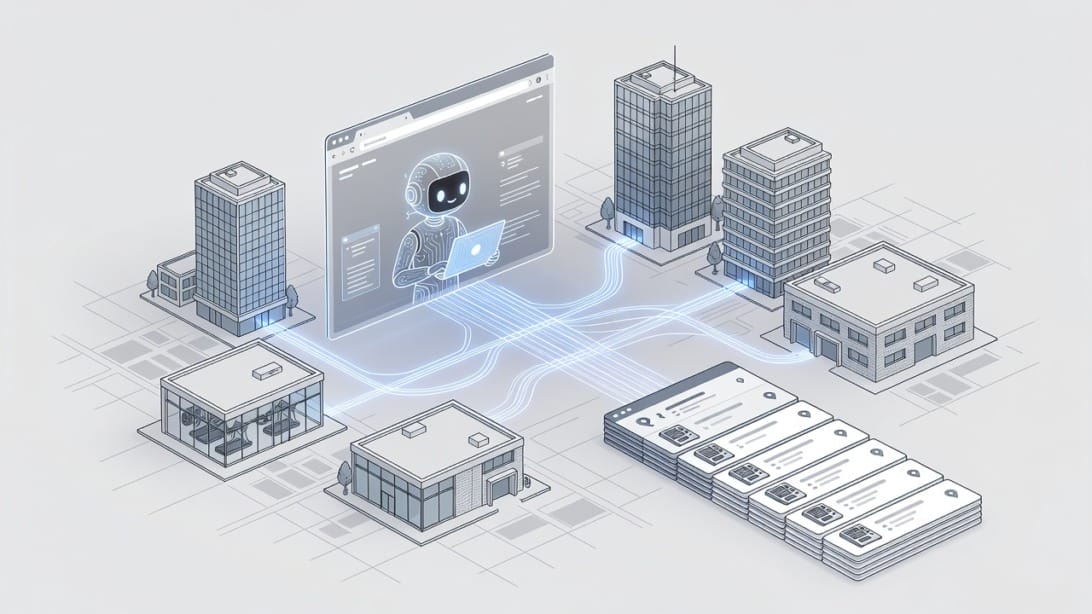
ChatGPT Operator-style tools can help with the research layer. They can browse websites, summarize pages, extract public contact clues, compare locations, and build a first-pass prospect sheet. But the final outreach still needs human judgment, email verification, compliance review, and deliverability-safe sending.
A strong process separates four jobs:
| Job | What AI can help with | What a human must verify |
|---|---|---|
| Prospect discovery | Find likely vending-friendly locations from maps, directories, websites, and public pages | Whether the business is actually a fit and not a restricted or irrelevant account |
| Contact research | Identify owner, operations, facilities, HR, office manager, or general business inbox | Whether the email source is public, relevant, and appropriate for outreach |
| Message drafting | Turn location-specific context into a short email | Accuracy, tone, offer, compliance, and whether the email sounds like a real operator |
| Campaign execution | Draft variants and follow-up logic | Email validation, suppression, opt-out handling, sending limits, and replies |
If you use Mystrika for sequencing and Filter Bounce for verification, this workflow becomes more durable because you are not relying on AI output as truth. You are using AI to accelerate research, then using email infrastructure to validate and send responsibly.
Why vending machine outreach is different from generic cold email
Vending machine cold email is local, operational, and trust-based. You are not selling abstract software to a national buying committee. You are asking a property owner, office manager, school administrator, gym owner, or operations leader to let you place equipment in their space.
That makes the prospecting criteria different from a typical B2B SaaS campaign.
Generic cold email often targets:
- A job title
- A software category
- A funding event
- A company size range
- A technology stack
- A broad pain point
Vending machine outreach targets physical conditions:
- How many people are on-site each day
- Whether people wait, work long shifts, or need snacks and drinks nearby
- Whether the location has room for equipment
- Whether the business serves employees, tenants, students, guests, or customers
- Whether management might want a free amenity without managing inventory
- Whether the location has an existing poor food or drink option
That is why ChatGPT Operator can be useful. It can read public pages and help infer context that a standard lead database may miss. For example, an AI browsing assistant can summarize that a warehouse has multiple shifts, a gym is open 24 hours, or an apartment complex advertises resident amenities.
But these inferences are only clues. You should treat them as research notes, not facts for aggressive personalization.
Bad vending cold email says:
I saw your employees are unhappy with snack options.
Good vending cold email says:
I noticed your facility appears to support on-site staff and visitors throughout the day. Would it be useful to explore a no-cost vending option for the break area?
The second version is safer, more respectful, and less likely to sound creepy.
The safest workflow: research, verify, personalize, sequence
The best way to use ChatGPT Operator for vending machine cold email is a four-stage process: research likely locations, verify the contact path, personalize lightly, and sequence with deliverability controls. Do not let the AI browse, scrape, write, and send without human review.
Here is the high-level workflow:
1. Define your vending placement criteria.
2. Give ChatGPT Operator a bounded research task.
3. Ask it to create a prospect sheet with source URLs.
4. Review each business manually.
5. Identify the best public contact route.
6. Verify emails before sending.
7. Suppress bad fits, competitors, existing customers, and opt-outs.
8. Write short, location-aware emails.
9. Send through a controlled cold email sequence.
10. Track replies and update your route pipeline.
This is the difference between an AI-assisted sales process and a spam process. AI helps you move faster, but validation protects your domain, your brand, and your time.
Step 1: Define the vending machine placement profile
Before you ask ChatGPT Operator to find anything, write your ideal location profile. If you skip this, the AI will return a random list of businesses that may be easy to find but hard to close.
Use a short profile like this:
| Criterion | Good fit | Poor fit |
|---|---|---|
| Foot traffic | Employees, guests, tenants, students, or customers are present daily | Remote-only business or appointment-only micro office |
| Wait time | People spend 15+ minutes on site | People enter and leave quickly |
| Space | Break room, lobby, laundry room, gym lounge, warehouse area | No visible common area or access limitations |
| Decision maker | Owner, property manager, operations manager, facilities manager | No local manager or inaccessible corporate procurement |
| Offer fit | No-cost machine placement, restocking, maintenance | Business already has a full cafe or strict vendor contract |
Then define your geography:
- City or metro area
- Maximum driving radius
- Route density goals
- Neighborhoods to prioritize
- Location types you want to exclude
For example:
Find potential vending machine placement opportunities within 25 miles of Austin, Texas. Prioritize warehouses, gyms, laundromats, apartment complexes, auto repair centers, and small manufacturing facilities. Exclude schools serving minors, hospitals, government buildings, and national chains with centralized procurement unless a local manager email is publicly available.
That prompt gives the AI guardrails. It also helps prevent list bloat.
Step 2: Use Operator for public-source discovery, not private data collection
ChatGPT Operator should only use public, accessible sources that a normal researcher could review in a browser. That may include business websites, local directories, chamber of commerce listings, Google Business Profiles, trade association pages, event pages, LinkedIn company pages, and property websites.
Avoid instructing AI to bypass logins, scrape private systems, harvest personal data from restricted areas, or guess sensitive information. A guessed email is not the same as a verified, appropriate business contact.
A safer discovery prompt:
“`text
Act as a research assistant for a vending machine operator. Find businesses in [city] that may be good candidates for a no-cost vending machine placement. Use only public web pages. For each prospect, return: business name, location type, city, website, reason it may be a fit, possible decision-maker role, public contact page URL, and any publicly listed business email. Do not guess personal emails. If no email is public, write “contact form” or “phone only”.
“`
A risky prompt to avoid:
“`text
Scrape every email address you can find for businesses in this city and generate emails for their owners.
“`
The risky prompt produces low-quality data, compliance risk, and poor deliverability. The safer prompt produces a reviewable research sheet.
Step 3: Ask for source URLs and confidence levels
Every AI-collected lead should include evidence. If ChatGPT Operator says a business is a good vending prospect, ask it to show the page that supports that conclusion.
Use a structured output format:
| Field | Required? | Example |
|---|---|---|
| Business name | Yes | Northside Fitness Club |
| Location type | Yes | Gym |
| City | Yes | Columbus |
| Website | Yes | `https://example.com` |
| Source URL | Yes | Contact page or about page |
| Fit reason | Yes | Open long hours, member lounge, high repeat visits |
| Contact route | Yes | Owner email, info email, contact form, phone |
| Confidence | Yes | High, medium, low |
| Human review notes | Yes | Verify local ownership before sending |
A useful Operator prompt:
“`text
For each prospect, include the exact URL where you found the fit clue or contact route. Add a confidence rating from 1 to 5. Use 5 only when the website clearly shows a relevant location type and a public business contact route. Use 3 when the location seems promising but the decision maker is unclear. Use 1 when the business is probably not worth contacting.
“`
This makes the sheet easier to audit. It also prevents the most common AI prospecting mistake: confident-looking rows with no source.
Vending machine prospecting sources ChatGPT Operator can check
The best sources for vending machine cold email are not always traditional lead databases. Local businesses often have better clues on public websites, property pages, directories, and review listings.
Use this source hierarchy when directing ChatGPT Operator:
| Priority | Source type | Why it helps | Risk level |
|---|---|---|---|
| 1 | Business website contact page | Most direct public contact route | Low |
| 2 | About/team page | Helps identify owner or manager role | Medium if personal emails are used without care |
| 3 | Location or amenities page | Shows whether vending could be relevant | Low |
| 4 | Chamber of commerce directory | Confirms local business presence | Low |
| 5 | Property management pages | Useful for apartments, offices, industrial parks | Medium, decision maker may be corporate |
| 6 | Google Business Profile | Confirms address, hours, category | Low for fit, often weak for email |
| 7 | LinkedIn company page | Helps identify roles, not always email | Medium |
| 8 | Review sites | Reveals amenities and visitor patterns | Medium, avoid creepy personalization |
| 9 | Guessed email patterns | Only after verification and relevance checks | Higher |
The safest path is to find a business contact page or a role-based inbox such as `info@`, `office@`, `manager@`, `leasing@`, or `operations@`. These are not always ideal, but for local vending outreach they can be more appropriate than trying to guess an owner’s personal email.
For higher-value locations, you can research the decision maker by role. The best roles vary by location type:
| Location type | Likely decision maker | Personalization angle |
|---|---|---|
| Gym | Owner, general manager, operations manager | Member convenience, after-hours snacks, protein drinks |
| Apartment complex | Property manager, leasing manager | Resident amenity, laundry room or clubhouse convenience |
| Warehouse | Operations manager, HR manager, facilities manager | Shift workers, break room convenience |
| Auto dealership | General manager, service manager | Waiting area and service team convenience |
| Laundromat | Owner, store manager | Customer wait time and unattended retail |
| Office building | Property manager, facilities manager | Tenant amenity without staff burden |
| Trade school | Campus administrator, facilities manager | Student break areas and long class days |
| Hotel | General manager, operations manager | Guest convenience after front desk hours |
Prompt library for ChatGPT Operator vending outreach
Use prompts that separate research, qualification, email discovery, personalization, and drafting. If you ask for everything in one prompt, the output will usually be messy.
Prospect discovery prompt
“`text
You are helping a vending machine operator research potential placement locations. Search public web sources for [location type] within [city/area]. Return 25 prospects that may benefit from a no-cost vending machine. For each, include business name, address or neighborhood, website, source URL, why it may be a fit, likely decision-maker role, public contact route, and confidence score. Do not invent emails. Do not use private or login-only sources.
“`
Fit scoring prompt
“`text
Score these prospects from 1 to 5 for vending machine placement potential. Use these criteria: daily foot traffic, staff or visitor dwell time, likely break area or waiting area, local decision-making access, and route density. Explain each score in one sentence. Flag any prospect that should be excluded because it is too small, too corporate, restricted, or likely already locked into a vendor contract.
“`
Contact route prompt
“`text
For each approved prospect, find the most appropriate public contact route. Prefer contact pages, role-based business inboxes, property manager emails, owner emails published on the company site, or official directory listings. Do not guess emails. If a contact form is the only option, mark it as contact form. Include the source URL for every contact route.
“`
Personalization research prompt
“`text
For each business, write one safe personalization note under 20 words. Use only public business context, such as location type, hours, amenities, service area, or customer wait time. Avoid sensitive claims, negative assumptions, employee complaints, health claims, or anything that sounds like surveillance.
“`
Email drafting prompt
“`text
Write a cold email for a vending machine placement offer. Audience: [decision maker role] at [business type]. Goal: ask whether they are open to a no-cost vending option for [break room/lobby/waiting area/resident amenity]. Keep it under 120 words. Use one safe personalization line from the provided notes. Make the offer clear: placement, restocking, and maintenance handled by us. Use a low-pressure CTA. Include a plain-language opt-out sentence.
“`
Follow-up prompt
“`text
Write two short follow-up emails for the vending machine placement offer. Each should be under 90 words. Follow-up 1 should add a practical benefit. Follow-up 2 should politely close the loop. Do not guilt the reader. Do not overstate demand or revenue. Keep the tone local, helpful, and simple.
“`
Quality-control prompt
“`text
Review this vending machine cold email for accuracy, compliance risk, and AI-sounding language. Flag any unsupported claims, creepy personalization, unclear offer terms, missing opt-out language, or phrases that sound automated. Rewrite the email to sound like a real local operator.
“`
How to find cold email addresses without damaging your sender reputation
Finding an email address is only useful if the address is appropriate, verified, and safe to contact. A large unverified list can damage your sender reputation faster than a small, clean list can generate replies.
For vending outreach, use this email discovery order:
1. Official contact page email
2. Role-based business inbox on the website
3. Property manager or owner email published on the website
4. Chamber or association directory email
5. Publicly listed business profile email
6. Contact form when no email is available
7. Verified guessed format only for high-fit accounts
Do not treat a guessed email as send-ready. Run it through email verification first. Filter Bounce is useful here because it helps remove invalid, risky, or low-quality addresses before they enter your sending sequence.
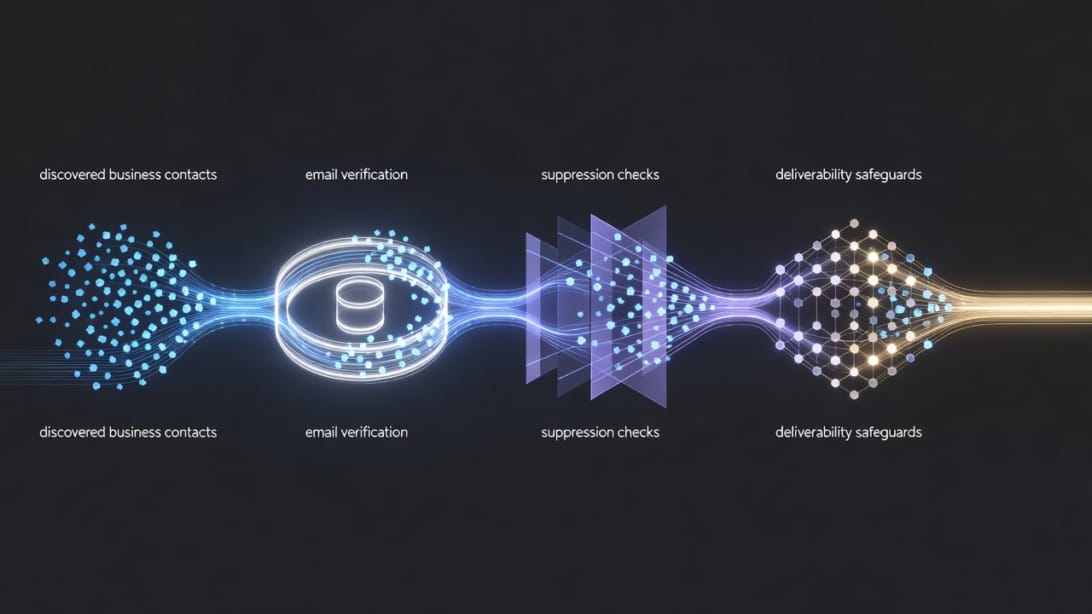
Use this validation checklist before adding any email to Mystrika:
- The business fits your vending placement criteria.
- The contact route came from a public source.
- The email is connected to the business or decision-maker role.
- The address has been verified.
- The prospect is not already a customer, active conversation, competitor, or known opt-out.
- The business is in your service area.
- The message does not imply false familiarity.
- The campaign includes a clear opt-out path.
- Your sending domain is authenticated with SPF, DKIM, and DMARC.
- Your mailbox is warmed and not overloaded with volume.
If you are new to outbound, read more about cold email deliverability before sending. Prospecting quality and inbox placement are connected.
Decision matrix: manual research vs ChatGPT Operator vs lead database
ChatGPT Operator is useful, but it is not always the best tool for every part of the vending outreach process. Use the decision matrix below to choose the right method.
| Task | Manual research | ChatGPT Operator | Lead database or enrichment tool |
|---|---|---|---|
| Find local business categories | Slow but accurate | Strong | Strong |
| Understand vending fit from website context | Strong | Strong with review | Weak to medium |
| Find public contact page | Medium | Strong | Medium |
| Guess email patterns | Weak | Should avoid | Stronger, but must verify |
| Verify email deliverability | Not reliable | Not reliable | Strong with a verifier |
| Draft personalized first lines | Medium | Strong | Weak |
| Check local route density | Strong | Medium | Weak |
| Avoid creepy personalization | Strong | Medium, needs prompt constraints | Depends on data source |
| Send sequences | Not scalable | Not appropriate alone | Use a sequencer like Mystrika |
The best workflow is hybrid:
- Use ChatGPT Operator to speed up local discovery and context gathering.
- Use human review to approve fit and personalization.
- Use Filter Bounce to validate email addresses.
- Use Mystrika to manage sequences, replies, warmup, unibox, and campaign controls.
- Use DoYouMail when you need scalable email infrastructure for outbound mailboxes.
This division of labor is important. AI browsing is not a replacement for deliverability infrastructure.
Example prospect sheet for vending machine cold email
A good prospect sheet should make it easy to decide whether to send, call, use a contact form, or skip.
| Business | Type | Fit reason | Contact route | Confidence | Action |
|---|---|---|---|---|---|
| Northside Fitness Club | Gym | Long hours and member lounge | Public contact page | 5 | Send email |
| Metro Auto Service | Auto repair | Customer waiting area and service staff | `info@` on website | 4 | Verify then send |
| Oak Ridge Apartments | Apartment complex | Resident amenities and laundry room | Leasing contact form | 4 | Use contact form |
| Central Logistics Hub | Warehouse | Shift-based staff likely on site | No email found | 3 | Call first |
| City Youth Academy | School | Restricted audience, potential policy issues | Public form | 1 | Skip |
Add columns for:
- Source URL
- Email verification status
- Suppression status
- Sequence status
- Reply status
- Next action
- Notes from calls or replies
Keep the sheet conservative. A skipped prospect is better than a complaint.
Cold email examples for vending machine placement
The best vending cold emails are short, concrete, and low-pressure. They should explain what you want, why it may be relevant, and what the next step is.
Example 1: Gym owner
Subject: Vending option for your member area
“`text
Hi Taylor,
I noticed [Gym Name] has a busy member area and extended hours. I run vending placements locally and wanted to ask if you would be open to a no-cost snack and drink machine for members.
We handle placement, restocking, and maintenance, so your team does not have to manage inventory.
Would it be worth a quick conversation to see if the space is a fit?
If this is not relevant, just reply “not interested” and I will not follow up.
“`
Example 2: Apartment property manager
Subject: Resident amenity idea for [Property Name]
“`text
Hi Jordan,
I saw that [Property Name] highlights resident amenities, and I wanted to ask if a no-cost vending machine near the clubhouse or laundry area would be useful.
My team handles stocking and maintenance. The goal is simply to give residents an easy snack and drink option without adding work for your staff.
Open to a quick call next week?
If I have the wrong contact, feel free to point me in the right direction or tell me not to follow up.
“`
Example 3: Warehouse operations manager
Subject: Break room vending for [Company Name]
“`text
Hi Morgan,
I noticed [Company Name] appears to operate an on-site facility in [city]. I help local workplaces add vending options for staff break areas at no upfront cost.
We take care of the machine, restocking, and service visits. Your team only needs to approve the location if it is a fit.
Would you be the right person to ask about this?
If not, no worries – reply “pass” and I will close the loop.
“`
Why these examples work
They do not over-personalize. They do not claim to know private details. They make the offer easy to understand. They ask a simple question. They include a simple opt-out line.
Use Mystrika to turn these into a measured cold email sequence instead of sending disconnected one-off messages from a personal inbox.
Sequence structure for vending machine outreach
A vending machine sequence should be short. Local business owners and managers are busy, and repeated nudges can quickly feel intrusive.
A simple sequence:
| Timing | Purpose | CTA | |
|---|---|---|---|
| Email 1 | Day 1 | Introduce no-cost vending placement | Ask if they are open to a quick conversation |
| Follow-up 1 | Day 4 or 5 | Add relevant benefit | Ask if they manage amenities or break room decisions |
| Follow-up 2 | Day 10 or 12 | Close the loop politely | Ask whether to close the file |
Follow-up 1 example
“`text
Hi Taylor,
Quick follow-up on the vending idea for [Business Name]. For locations like gyms and service centers, the main benefit is convenience: members, customers, or staff can grab something without leaving the building.
We handle the stocking and service side.
Is this something you would consider, or is there someone else who manages facility decisions?
“`
Follow-up 2 example
“`text
Hi Taylor,
I do not want to keep nudging if vending is not a priority for [Business Name]. Should I close the loop, or would it be worth sending over a few placement details?
Either way, thanks for taking a look.
“`
Keep the tone human. If you would not say it on a phone call to a local business owner, do not put it in the sequence.
Deliverability setup before you send
Before you send vending machine cold email, make sure your sending setup is ready. ChatGPT can write decent copy, but it cannot protect a poorly configured domain.
Your baseline setup should include:
- A dedicated sending domain or subdomain that protects your main website domain.
- SPF configured for your email sending service.
- DKIM enabled and passing.
- DMARC published, even if you start with a monitoring policy.
- A warmed mailbox with normal sending behavior.
- Low daily volume while you test messaging.
- Clean email verification before import.
- No purchased bulk list loaded directly into a sequencer.
- Plain-text style emails without heavy images or link stuffing.
- Reply handling from a real inbox.
If your domain is new, start slowly. A vending operator does not need thousands of sends per day. Route density matters more than volume. Twenty carefully researched prospects in a tight area can be more valuable than two thousand generic businesses across a state.
For new sending accounts, learn the basics of email warmup before launching a campaign.
Compliance and consent considerations
Cold email rules depend on the recipient, jurisdiction, message content, and data source. This section is practical guidance, not legal advice. If you operate across regions or regulated industries, get legal review.
For a safer vending outreach process:
- Use accurate sender identity.
- Do not use misleading subject lines.
- Include a simple way to opt out.
- Honor opt-outs promptly.
- Keep a suppression list.
- Contact businesses that are relevant to your offer.
- Avoid sensitive personal data.
- Do not imply a relationship that does not exist.
- Do not claim you visited, monitored, or evaluated their property unless you actually did and it is appropriate to mention.
- Keep records of the public source used for each contact.
Avoid lines like:
Your staff look like they need better snacks.
Use lines like:
Your facility looks like the kind of location where a no-cost break room vending option may be useful.
The second line is more respectful and less likely to trigger a negative reaction.
Common mistakes when using ChatGPT Operator for vending cold email
AI-assisted prospecting fails when teams treat the model as a complete sales system instead of a research assistant. Watch for these mistakes.
Mistake 1: Letting AI invent emails
If the AI cannot find an email, it may infer a format. That does not mean the address exists or should be contacted. Verify every guessed or enriched address before sending.
Mistake 2: Over-personalizing from weak clues
Do not turn public hints into invasive assumptions. If a review mentions a long wait time, do not write, “I saw your customers complain about waiting.” Instead, use a neutral angle about customer convenience.
Mistake 3: Sending to every business category
Vending placement depends on physical context. Restaurants, tiny offices, remote companies, and businesses with low dwell time may not be good fits.
Mistake 4: Using long AI-written emails
ChatGPT often writes too much. Keep first emails under 120 words. Use one idea, one benefit, and one question.
Mistake 5: Ignoring route density
A prospect that looks good online may be too far from your route. Ask Operator to group prospects by neighborhood or driving cluster.
Mistake 6: Importing unverified lists into a sequencer
Verification is not optional. Invalid addresses, spam traps, and poor-fit contacts can hurt future inbox placement.
Mistake 7: No reply workflow
If someone replies “who handles this?” or “send details,” you need a fast human response. AI can draft, but a vending placement is closed through trust and operations.
How to turn Operator research into a Mystrika campaign
Once you have a reviewed and verified prospect list, build the campaign in a controlled way.
A practical import process:
1. Export approved prospects from your sheet.
2. Verify emails with Filter Bounce.
3. Remove invalid, risky, role-inappropriate, and suppressed contacts.
4. Segment by location type: gyms, apartments, warehouses, auto service, laundromats.
5. Create one message variant per segment.
6. Keep personalization fields simple: business name, location type, neighborhood, fit reason.
7. Add a short three-email sequence in Mystrika.
8. Start with low daily volume.
9. Monitor replies, bounces, and negative signals.
10. Pause any segment that produces poor replies or complaints.
Use fields like:
| Field | Example | Use in email |
|---|---|---|
| `business_name` | Oak Ridge Apartments | Subject or greeting context |
| `location_type` | Apartment complex | Segment logic |
| `amenity_area` | Laundry room or clubhouse | Offer relevance |
| `city` | Phoenix | Local operator context |
| `source_url` | Contact page | Internal evidence only |
| `fit_reason` | Resident amenity page | Safe personalization input |
Do not include source URLs in the email unless they are natural and useful. The source is for your review, not for showing the prospect that you researched them.

AEO-ready quick answer: the complete process in 12 steps
To use ChatGPT Operator to find cold email prospects for vending machine placement, define your ideal location profile, ask Operator to research public business sources, collect source-backed contact routes, verify every email, suppress poor fits and opt-outs, write short personalized emails, and send a low-volume sequence through a deliverability-safe platform.
Here is the process:
1. Pick your target area and route radius.
2. Choose location categories with real vending potential.
3. Create fit criteria before browsing.
4. Ask ChatGPT Operator to find public-source prospects.
5. Require source URLs and confidence scores.
6. Remove restricted, poor-fit, or distant locations.
7. Find official contact routes.
8. Verify every email with a tool like Filter Bounce.
9. Segment by location type.
10. Draft short emails with safe personalization.
11. Send through Mystrika with low volume and reply tracking.
12. Update your sheet after every reply, call, opt-out, or placement.
Vending machine outreach checklist
Use this checklist before launching a campaign.
Prospect quality
- [ ] Business is inside your route radius.
- [ ] Location type matches your vending placement criteria.
- [ ] There is likely staff, visitor, tenant, student, or customer dwell time.
- [ ] Source URL supports the fit reason.
- [ ] Decision-maker role is plausible.
- [ ] Business is not obviously restricted or unsuitable.
Contact quality
- [ ] Email or contact route came from a public source.
- [ ] Email is verified.
- [ ] Contact is relevant to facilities, operations, ownership, leasing, or management.
- [ ] No prior opt-out exists.
- [ ] No duplicate contact exists in another active campaign.
Message quality
- [ ] First email is under 120 words.
- [ ] Subject line is clear and not misleading.
- [ ] Personalization is safe and non-creepy.
- [ ] Offer explains placement, restocking, and maintenance.
- [ ] CTA asks one simple question.
- [ ] Opt-out language is included.
Sending quality
- [ ] SPF, DKIM, and DMARC are configured.
- [ ] Mailbox is warmed.
- [ ] Daily send volume is conservative.
- [ ] Sequence has no more than two follow-ups at first.
- [ ] Replies are monitored from a real inbox.
- [ ] Bounces and complaints are reviewed quickly.
How this article fills the competitor gaps
Most ChatGPT cold email articles explain how to write better copy. That is useful, but vending machine outreach needs more than copy. It needs local account selection, source-backed research, fit scoring, email validation, route planning, compliance caution, and operational follow-through.
This guide adds the missing pieces:
| Common competitor coverage | Missing piece this guide adds |
|---|---|
| Generic ChatGPT cold email prompts | Vending-specific Operator prompts |
| Personalization advice | Safe personalization rules for local businesses |
| Broad AI sales workflow | Public-source discovery with source URLs |
| Product-led AI copywriting | Verification, suppression, and deliverability controls |
| Generic response-rate tips | Route density and placement-fit scoring |
| High-level compliance mentions | Practical opt-out, sender identity, and data-source checklist |
That is the difference between “write me a cold email” and “build a responsible vending prospecting process.”
Key Takeaways
- ChatGPT Operator can help find vending machine cold email prospects, but it should be treated as a research assistant, not an autonomous sender.
- The best vending prospects are selected by physical context: foot traffic, dwell time, break areas, waiting rooms, resident amenities, or shift workers.
- Every prospect should include a source URL, fit reason, contact route, confidence score, and human review note.
- Do not let AI invent email addresses. Use public contact routes first, then verify any address before sending.
- Keep vending cold emails short, local, and low-pressure. Explain placement, restocking, maintenance, and the next step.
- Use Filter Bounce to clean addresses before outreach and Mystrika to manage sequencing, warmup, replies, and campaign control.
- Deliverability setup matters as much as copy. Configure SPF, DKIM, DMARC, warm mailboxes, and start with conservative volume.
- Compliance is not a prompt-writing problem. Use accurate identity, clear opt-out language, relevant targeting, and suppression lists.
Frequently Asked Questions
Can ChatGPT Operator find cold emails for vending machine prospects?
Yes, ChatGPT Operator can help find public contact routes for vending machine prospects, but it should not be trusted to invent or validate email addresses. Use it to research public websites, contact pages, directories, and business context, then verify every address before sending.
The safest workflow is to ask for source URLs, confidence scores, and contact-route notes. After that, a human should review fit and run email verification before importing prospects into a sequencer.
What businesses should I target for vending machine cold email?
Good vending machine cold email targets usually have daily foot traffic, wait time, staff density, tenants, students, guests, or customers who may want convenient snacks and drinks. Strong categories include gyms, warehouses, apartment complexes, laundromats, auto service centers, office buildings, hotels, and manufacturing facilities.
Avoid businesses that are too small, too remote, heavily restricted, or clearly controlled by centralized procurement unless you can identify a relevant local decision maker.
Should I use a contact form or cold email for vending placement outreach?
Use the contact route that is most appropriate and publicly available. If a business only provides a contact form, the contact form may be the safest first touch. If a relevant business email is publicly listed and verified, a short cold email can be appropriate.
For high-value local accounts, a combined approach often works best: send a concise email, call the business, and track the account in your route pipeline.
How long should a vending machine cold email be?
A first vending machine cold email should usually be under 120 words. The reader should understand who you are, why you are contacting them, what you are offering, and what you want them to do next.
Long AI-written emails often feel generic. Short, specific, low-pressure messages usually fit local business outreach better.
What should I ask ChatGPT Operator to avoid?
Ask it to avoid private sources, login-only data, guessed personal emails, sensitive assumptions, negative review references, and unsupported claims. It should not bypass access restrictions or turn weak clues into invasive personalization.
A good instruction is: “Use only public sources, do not invent emails, include source URLs, and mark unknown fields as unknown.”
How do I verify emails before sending vending outreach?
Export only approved prospects, then run the email list through a verification tool such as Filter Bounce. Remove invalid, risky, duplicate, suppressed, and irrelevant addresses before importing the list into your cold email platform.
Verification does not guarantee replies, but it reduces avoidable bounces and helps protect deliverability.
Can Mystrika send vending machine cold email sequences?
Yes. Mystrika can be used to build and manage cold email sequences for vending machine outreach after your prospects are reviewed and verified. It is especially useful for keeping follow-ups organized, managing replies, using warmup, and avoiding scattered manual sending.
Use segment-specific sequences for gyms, apartments, warehouses, laundromats, and other location types rather than one generic message for every business.
Is it legal to send cold email for vending machine services?
Cold email legality depends on the recipient, jurisdiction, message, data source, and how opt-outs are handled. This guide is not legal advice. In general, you should use accurate sender identity, avoid misleading subject lines, contact relevant businesses, include a clear opt-out path, and honor opt-outs promptly.
If you contact prospects across regions or regulated industries, get legal guidance before scaling your campaign.