
If you searched for seamless.ai pricing, the short answer is this: Seamless.ai does not publish a simple fixed pricing page for every paid tier, but public plan details and buyer reports point to a limited free option, entry paid packages commonly reported around $147 per month when billed annually, team plans that can move into per-user annual contracts, and custom enterprise pricing that depends on seats, credits, integrations, and negotiation. The hard part is not only the monthly subscription. The harder part is understanding credit limits, renewal terms, verification risk, outreach infrastructure, and the real cost of turning those contacts into booked meetings.
This guide is written for founders, sales leaders, revenue operations teams, agencies, recruiters, and B2B marketers who need a practical answer before booking a demo. You will get a direct pricing breakdown, a plan-by-plan interpretation, hidden cost analysis, budget scenarios, negotiation checklist, ROI model, and a comparison against the broader cold email stack you actually need. That stack usually includes lead data, email verification, sending infrastructure, warmup, sequencing, personalization, and reply management. Seamless.ai can help with one part of that system, but it does not replace the whole system.
The most important buying principle is simple: do not evaluate Seamless.ai as a standalone price. Evaluate it as one line item in your full outbound cost per qualified opportunity. A $147 per month data tool can be expensive if the data is not verified, your domains are not warmed, and your replies are scattered. A larger annual contract can be worthwhile if your reps consistently use the credits, your market coverage is strong, and your team has a mature process for converting raw contacts into sales conversations.
Direct answer: Seamless.ai pricing is usually quote-based for paid teams. Expect a limited free plan, entry paid pricing often reported near $147 per month on annual billing, higher team plans based on seats and credits, and enterprise contracts negotiated around volume, integrations, and support. Always ask for the credit rules, renewal terms, cancellation window, export limits, and data accuracy guarantees before signing.
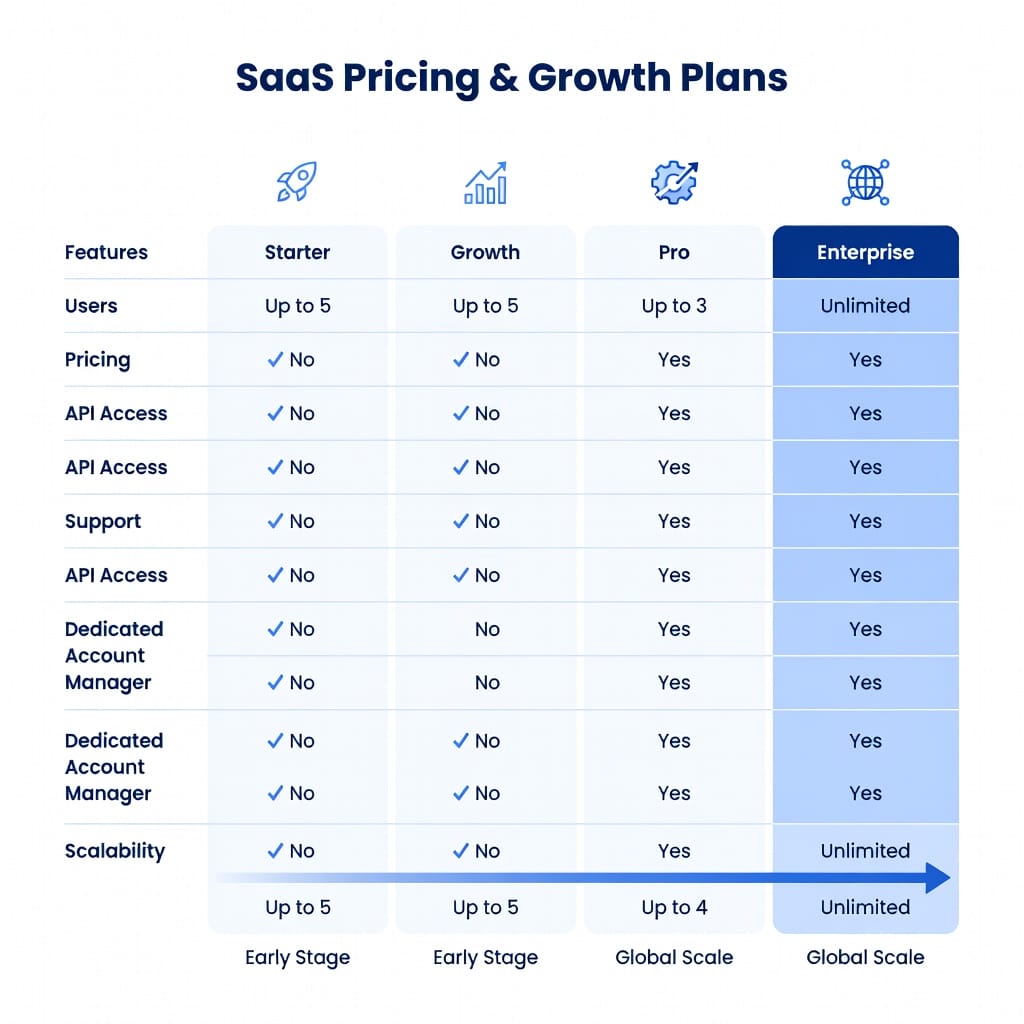
Seamless.ai Pricing At a Glance
Seamless.ai pricing is easiest to understand when you separate three things: subscription access, credits, and operating costs. Subscription access is what you pay to use the platform. Credits determine how many contacts or data reveals you can actually use. Operating costs are the extra tools and workflows required to verify, send, warm up, sequence, and manage replies from those contacts.
What is the quick answer on Seamless.ai pricing?
The quick answer is that Seamless.ai pricing is not fully transparent for every paid plan, so serious buyers usually need a quote. Public reports commonly reference an entry paid plan around $147 per month when billed annually, a limited free option with a small credit allowance, and higher team or enterprise plans based on seat count, credit volume, integrations, and contract negotiation. This means two companies can pay very different effective prices for what looks like the same tool.
For a buyer, that quote-based model creates both risk and opportunity. The risk is that you cannot easily compare apples to apples without going through a sales process. The opportunity is that you can negotiate. If you know your expected monthly lead volume, target regions, required integrations, renewal concerns, and competing vendor quotes, you are in a stronger position. Never ask only, “What does it cost?” Ask, “What is my effective cost per usable, verified, deliverable prospect after credits, failed lookups, exports, renewals, and support?”
Why is Seamless.ai pricing hard to find?
Seamless.ai pricing is hard to find because the company uses a sales-led pricing motion for many paid tiers. That is common in B2B data platforms because the value of the tool changes by team size, industry, market, and use case. A recruiter sourcing 200 contacts per month has a very different buying profile from an enterprise SDR team exporting tens of thousands of contacts into a CRM.
The downside is obvious: buyers lose immediate budget clarity. A transparent tool lets you decide in minutes whether it fits your budget. A quote-based platform forces you to speak with sales, explain your use case, and often evaluate annual terms before you know the real cost. For procurement teams, this makes comparison difficult. For small teams, it can feel like friction. For larger teams, quote-based pricing may be acceptable if the vendor can tailor seat counts, credit pools, onboarding, and legal terms.
What pricing numbers are publicly reported?
Publicly reported numbers vary, but several buyer discussions and competitor analyses refer to a paid entry point around $147 per month on annual billing, a free plan with a small number of credits, basic packages with limited monthly credits, team plans with higher credit allowances, and enterprise pricing that is customized. Some reports mention per-user pricing in the $79 to $149 monthly range depending on plan, seat minimums, and contract type.
Treat those numbers as directional, not guaranteed. The only reliable price is the quote Seamless.ai gives your company in writing. Still, public pricing signals are useful because they tell you what to prepare for. If your budget is $20 per month, Seamless.ai is probably not the first fit. If your budget is several thousand dollars per year for lead data and your sales team will use it daily, the platform may be worth evaluating.
What does the free plan include?
The free plan is mainly a test drive. It typically gives a small number of credits so you can search the database, try the Chrome extension, inspect the workflow, and judge whether the data looks relevant for your market. It is not designed to support a real outbound engine. You should not expect the free plan to produce enough contacts for a statistically meaningful campaign.
Use the free plan as a data sample, not a buying conclusion. Search for your exact ideal customer profile. Test different titles, company sizes, regions, and industries. Export a small batch, verify it externally, and manually inspect job titles and company fit. If your free-credit sample has poor fit, inaccurate titles, stale companies, or unverifiable emails, buying a larger plan will not magically solve that problem.
What should buyers ask before a demo?
Before a demo, prepare a simple worksheet with five numbers: target leads per month, number of users, required regions, expected channels, and acceptable cost per meeting. Also list your must-have integrations, such as HubSpot, Salesforce, LinkedIn workflow, CSV export, API access, or enrichment. This lets you force the conversation into operational detail instead of generic feature talk.
Ask these questions early: Are credits monthly, daily, or annual? Do unused credits roll over? What counts as a credit? Are failed lookups charged? Are exports limited? Is phone data included? Is enrichment included? What is the cancellation window? What happens if a rep leaves? Can seats be reduced mid-contract? These questions reveal the real economics behind the headline price.
How Seamless.ai Credits and Plans Work
Seamless.ai is built around access to B2B contact data. The credit model matters because it converts your subscription into a finite number of usable contacts. If you misunderstand the credit model, you can accidentally sign a plan that looks affordable but produces a high cost per usable lead.
What is a Seamless.ai credit?
A Seamless.ai credit is generally consumed when you reveal or save contact information such as an email address, phone number, or profile details. The exact credit rules can depend on your plan and product configuration, so you should confirm them in your contract. The important point is that credits are the real unit of value. A plan with low monthly cost but restrictive credits can be more expensive than a higher plan with more usable data.
Think of credits as inventory. If your SDR team needs 8,000 verified leads per month and your plan only gives you a small allowance, you will either hit limits or buy add-on credits. If your reps reveal poor-fit contacts carelessly, your budget disappears into contacts that never should have entered the campaign. Good teams create rules for who can spend credits, which filters must be applied, and when lists must be verified before outreach.
How do monthly credits differ from daily credits?
Monthly credits give you flexibility. You can build a large list at the beginning of the month, pause for campaign review, then build another list later. Daily credits create a different behavior. If the plan gives a daily allowance and unused credits do not roll over, your team must prospect consistently every day to capture the full value. That can be useful for disciplined SDR motions, but painful for founders, agencies, or teams that prospect in batches.
The danger with daily credits is hidden waste. A rep who misses five business days can lose thousands of potential reveals if credits expire daily. The invoice stays the same, but the output drops. When comparing pricing, do not calculate theoretical credits. Calculate expected used credits. If your team realistically uses only half of a daily allowance, your effective cost per contact doubles.
What happens when you run out of credits?
When you run out of credits, you may have to wait for the next reset, upgrade your plan, or buy additional credit packages. Add-on credits can make sense during a hiring push, product launch, or temporary outbound sprint, but they can also become a sign that you bought the wrong base plan. Repeated credit top-ups usually indicate that your real demand is higher than your contract.
Before buying, ask for the exact add-on credit price, minimum purchase quantity, expiration rules, and whether add-on credits are shared across seats. Also ask whether unused add-on credits roll over after renewal. Small terms like these can change the effective cost substantially. A cheap top-up with fast expiration is less valuable than a more flexible pool.
Are phone numbers and emails priced differently?
Some data providers price different data types differently, especially when direct dials and mobile numbers are involved. Seamless.ai plan details can vary, so you should ask whether phone numbers, mobile numbers, personal emails, business emails, company data, and enrichment fields consume credits differently. A plan that looks generous for email-only usage may feel restrictive if your reps depend on calling.
This matters because sales motions differ. Email-first teams need deliverable business emails and strong enrichment fields. Call-heavy teams need verified direct dials or mobiles. Multichannel teams need both. If your reps use one credit for a contact but the phone number is missing or inaccurate, the practical value of that reveal is lower. Ask for a trial sample by channel before committing.
What plan type fits a solo founder?
A solo founder should be cautious with annual commitments and credit scarcity. If you are still validating your market, you may not know which personas, industries, or geographies convert. Locking into a large annual data contract before validating your outbound motion can waste budget. A smaller plan or trial can help, but only if it lets you test enough contacts to learn.
For solo founders, the priority is usually a lean, reliable outreach stack: affordable sending infrastructure, verification, warmup, a sequencer, and a manageable number of targeted leads. Mystrika starts at $15 per month and covers the outreach execution side with warmup, sequencing, AI writing, personalization, and unified inbox management. If you pair that with verified data and solid infrastructure, you can test faster without overcommitting to a large data contract.
What plan type fits an SDR team?
An SDR team can justify Seamless.ai more easily if each rep prospecting daily is part of the job. In that case, higher credit allowances and team controls may produce enough lead volume to support pipeline goals. The key is manager discipline. If the team does not use the platform consistently, daily limits and annual contracts become waste.
For an SDR team, ask Seamless.ai for seat-level usage reports, admin controls, CRM sync rules, duplicate prevention, and credit governance. You want visibility into who is revealing contacts, which lists are exported, how many contacts become sequences, and how many opportunities result. Without that reporting, pricing discussions remain theoretical.
Plan-by-Plan Breakdown
The exact plan names and included features can change, but most buyers encounter a familiar structure: a free or trial experience, a basic paid plan, a professional team plan, and an enterprise package. Each tier serves a different buyer profile.
Free plan: who should use it?
The free plan is useful for checking data coverage. It is best for buyers who want to answer one question: does Seamless.ai have enough relevant contacts in my target market to justify a deeper sales conversation? It is not a serious prospecting plan, and you should not judge campaign performance from a tiny sample alone.
Use the free plan methodically. Search for ten companies you already know. Search for titles you already sell to. Compare discovered contacts against LinkedIn, company websites, and your CRM. Then verify the emails with an outside verifier. A free plan is valuable only if you treat it as a data quality audit rather than a toy to click around.
Basic plan: who should consider it?
The basic plan may fit users who need a small number of highly targeted contacts each month. Examples include boutique consultants, recruiters sourcing niche executives, founders building a narrow account list, or sales reps who only need a supplement to existing data. If the plan includes around 250 monthly credits, the buyer must be selective.
The risk is that basic plans can produce a high cost per usable contact once you account for bad-fit leads, verification failures, and contacts that never enter a campaign. A narrow ABM motion can make this work because one right executive contact may be worth a lot. A high-volume email motion usually needs more flexible economics.
Pro plan: who should consider it?
A Pro-style plan is usually intended for teams that prospect every day and need enough volume to fill SDR pipelines. If the plan includes daily credits, the best users are disciplined reps with daily list-building expectations. The plan can work well when managers monitor usage and when the target market has strong Seamless.ai coverage.
The Pro plan is less ideal for teams that build lists in monthly sprints, agencies that prospect unevenly across clients, or founders who do research in bursts. If unused daily credits vanish, you must calculate real utilization. A plan advertised as generous can underperform if your workflow is not daily.
Enterprise plan: who should consider it?
Enterprise plans fit organizations that need custom credit pools, CRM enrichment, admin governance, security reviews, procurement terms, dedicated success, and integration support. At that level, the conversation should shift from software cost to revenue operations impact. You are buying a system that should improve pipeline creation, CRM hygiene, and rep productivity.
Enterprise buyers should run a structured pilot. Give Seamless.ai a sample of accounts, regions, personas, and CRM records. Measure match rate, email deliverability, phone accuracy, duplicate rates, enrichment completeness, and rep adoption. Use those results to negotiate pricing, service levels, and renewal protections.
Add-ons and upgrades: where costs appear?
Add-ons can include extra credits, advanced data types, intent signals, enrichment, API access, premium integrations, or higher support tiers. These are not inherently bad. They can be useful when tied to a clear revenue case. The problem appears when buyers assume features are included and discover after signing that essential capabilities require upgrades.
Ask for a written feature matrix. Do not rely on a demo conversation. Your matrix should show each tier, credit volume, credit reset rules, data types, integrations, export limits, API access, enrichment rules, support terms, cancellation policy, renewal policy, and add-on pricing. That document becomes your protection against surprise costs.
Contract terms: what should procurement review?
Procurement should review renewal windows, cancellation notice, price increase language, seat reduction rights, data usage rights, service availability, support response time, and refund limitations. Many SaaS frustrations come from contract mechanics rather than product features. If cancellation requires notice 60 days before renewal, missing that date can cost another year.
Create a calendar reminder the day you sign, not the month before renewal. Put the cancellation deadline, renewal date, and internal review date in your finance calendar. Also ask for a clause that allows seat adjustments if employees leave or your team changes. Flexibility has real economic value.
Hidden Costs Most Buyers Miss
The biggest mistake is treating a data subscription as the entire outbound cost. It is only the data layer. Once you buy contacts, you still need to verify them, segment them, personalize messages, send safely, warm domains, manage replies, and protect deliverability.
Hidden cost 1: unused credits
Unused credits are the easiest hidden cost to miss because they do not appear as an extra invoice. You simply pay for capacity you never use. If your plan gives 20,000 potential reveals but your team uses 8,000, your effective cost per used contact is 2.5 times higher than your spreadsheet predicted.
This is why usage reporting matters. Ask for weekly exportable usage data by user. Review it in pipeline meetings. If a rep is not using credits, find out whether the issue is training, target coverage, workflow friction, or low confidence in data quality. Credit utilization should be managed like ad spend.
Hidden cost 2: failed or low-value contacts
A contact can be technically valid but commercially useless. Wrong seniority, wrong department, stale employer, irrelevant geography, missing buying power, or duplicate CRM status all reduce value. If your team pays credits for contacts that never should have entered the campaign, the platform looks worse than the subscription price suggests.
Prevent this with strict list criteria. Define acceptable titles, excluded titles, company size bands, industries, countries, seniority, technologies, and exclusions. Do not let reps reveal contacts before filters are applied. A clean prospecting SOP saves credits and improves campaign performance.
Hidden cost 3: email verification
Even if a platform labels an email as verified, you should verify again before sending at scale. Email verification protects deliverability, reduces hard bounces, and keeps your sending domains healthier. This is not optional for modern cold email. A few bad batches can damage sender reputation and reduce inbox placement across future campaigns.
FilterBounce is a practical fit here because it supports CSV uploads and API verification, handles tricky B2B domains, and is built for keeping bounce risk low. The cost of verification is small compared with the cost of damaging a domain or wasting weeks of campaign data on invalid contacts.
Hidden cost 4: sending infrastructure
Lead data does not send itself. You need email accounts, domains, DNS setup, SPF, DKIM, DMARC, inbox monitoring, and safe sending limits. If your sending infrastructure is weak, even a perfect lead list can fail. Many teams overspend on data while underfunding deliverability.
DoYouMail is purpose-built for cold email infrastructure. It gives you SMTP, IMAP, unlimited email IDs, dedicated private IP options starting at $39 per month, and the ability to bring your own domain. That matters because modern outbound teams need controlled infrastructure instead of pushing all volume through one fragile mailbox.
Hidden cost 5: sequencing and reply management
After data and infrastructure, you still need sequencing, personalization, A/B testing, inbox rotation, and reply handling. If you use one tool for data, another for sending, another for replies, and another for warmup, your team loses time moving CSVs around. That operational drag becomes a hidden cost.
Mystrika solves the execution layer with a cold email sequencer, warmup, unified inbox, AI writer, personalization features, and whitelabel options. Starting at $15 per month, it is often a better use of budget than upgrading a data plan before your sending and reply workflow is stable.
Hidden cost 6: cancellation and renewal windows
Cancellation windows can be expensive if missed. Some buyers report needing to cancel well before the renewal date, sometimes around 60 days in advance. If your finance team misses the window, you may be locked into another year even if the tool no longer fits your strategy.
This is not unique to Seamless.ai, but it is important. Ask sales to point to the renewal clause. Read it. Save it. Put reminders in two calendars. If possible, negotiate a shorter notice window or a written opt-out reminder from the vendor. Contract hygiene is part of pricing.
Hidden cost 7: rep ramp and admin work
A data tool creates value only when reps know how to search, filter, dedupe, export, verify, segment, and sequence contacts. Training takes time. Admins also need to maintain integrations, prevent duplicates, monitor credit usage, and enforce naming conventions. Those hours are part of the cost.
A practical onboarding plan should include saved searches, approved ICP filters, CRM field mapping, export naming rules, verification steps, Mystrika campaign templates, DoYouMail sending account assignments, and FilterBounce verification thresholds. Without process, a data platform becomes a random list builder.
ROI Framework: How to Calculate the Real Cost
Pricing decisions become easier when you calculate cost per usable contact, cost per meeting, and cost per opportunity. This prevents you from overreacting to the monthly subscription number and forces the conversation toward revenue.
Step 1: estimate usable contacts
Start with the number of credits you expect to use, not the number you theoretically receive. Then apply your expected usable rate. For example, if you reveal 5,000 contacts and only 70% match your ICP after dedupe and verification, you have 3,500 usable contacts. That is the denominator for your real cost.
A simple formula is: monthly platform cost plus verification plus infrastructure plus sequencing divided by usable contacts. This gives you a realistic cost per usable prospect. If that number looks high, you need better filters, better plan terms, or a different data source.
Step 2: estimate delivered emails
Usable contacts still need to become delivered emails. Remove contacts that fail verification, opt-outs, role accounts you do not want to target, duplicates, and accounts already in active sequences. Then estimate inbox placement based on your domain health and infrastructure.
This is where warmup and infrastructure matter. Mystrika’s warmup helps protect deliverability, while DoYouMail gives you the sending foundation. If your inbox placement is poor, your cost per delivered prospect rises even if your data subscription looks reasonable.
Step 3: estimate positive replies
Positive reply rate depends on targeting, offer, copy, personalization, timing, and deliverability. Do not use generic benchmarks blindly. Run a small test with one segment and one offer, then calculate replies from delivered emails. If you have no data, use conservative assumptions.
For example, if 3,000 emails are delivered and 1% become positive replies, you have 30 positive replies. If your total stack costs $1,000 for that month, your cost per positive reply is about $33. If only 0.2% reply positively, the cost jumps to $167. Messaging quality matters as much as data cost.
Step 4: estimate booked meetings
Not every positive reply becomes a meeting. Some prospects ask questions, delay, refer you elsewhere, or go silent. Track booked meetings separately. Your cost per meeting is the number finance and leadership will understand.
If 30 positive replies become 12 booked meetings and your monthly stack cost is $1,000, your cost per booked meeting is $83. That may be excellent for B2B SaaS. If it becomes $500 per meeting, you need to improve targeting, copy, offer, deliverability, or pricing terms.
Step 5: estimate pipeline and revenue
Finally, estimate opportunity creation and closed revenue. If 12 meetings create 4 opportunities and 1 closes at $12,000 annual contract value, a $1,000 outbound stack is profitable. If none close, the issue may not be data pricing. It may be product-market fit, offer, segmentation, or sales process.
Do not blame a data provider for every outbound failure. Data quality matters, but it is one variable. The best buyers evaluate Seamless.ai inside a complete system: source, verify, send, warm, sequence, reply, qualify, and close.
ROI table for buyer scenarios
| Scenario | Monthly data spend | Usable contacts | Delivered emails | Positive replies | Booked meetings | Cost per meeting |
|---|---|---|---|---|---|---|
| — | —: | —: | —: | —: | —: | —: |
| Lean founder test | $147 | 500 | 400 | 4 | 2 | $73.50 before stack costs |
| Small SDR team | $750 | 4,000 | 3,200 | 32 | 12 | $62.50 before stack costs |
| Agency campaign | $1,500 | 8,000 | 6,400 | 64 | 20 | $75 before stack costs |
| Poor targeting case | $750 | 4,000 | 2,000 | 4 | 1 | $750 before stack costs |
The table shows why pricing cannot be judged alone. The same subscription can look cheap or expensive depending on targeting, verification, deliverability, and conversion.
Seamless.ai vs Alternatives and the Full Outreach Stack
Seamless.ai competes with other data platforms, but your real alternative may be a more balanced stack. Instead of spending heavily on data first, many teams get better ROI by combining affordable data sources with verification, infrastructure, warmup, and sequencing.
Seamless.ai vs Apollo
Apollo is a common comparison because it combines database access with sequencing in one platform. Apollo usually feels more transparent to budget-conscious buyers because public plan pages are easier to evaluate. Seamless.ai often positions around real-time search and contact discovery, while Apollo often appeals to teams that want an all-in-one prospecting and engagement system.
If you already have a strong sequencer and inbox workflow, Seamless.ai may be evaluated purely as a data source. If you need both data and sending in one interface, Apollo may appear simpler. However, all-in-one simplicity can still require separate verification and deliverability work.
Seamless.ai vs ZoomInfo
ZoomInfo is usually the enterprise benchmark. It is generally more expensive, but many large teams value its data depth, intent signals, org charts, and enterprise governance. Seamless.ai is often considered a more accessible option for teams that need B2B data without a ZoomInfo-level contract.
The practical question is not which database is famous. The question is which one has better coverage for your exact ICP. Run a side-by-side sample across named accounts, titles, regions, and seniority levels. Compare valid emails, direct dials, job accuracy, duplicate rates, and CRM match rates.
Seamless.ai vs Cognism
Cognism is often positioned around compliant B2B data and strong phone coverage, especially for European markets. Its own pricing is usually quote-based, so it may not solve transparency concerns. It can be a strong fit for teams where compliance, mobile accuracy, and international coverage are more important than raw database volume.
If your outbound motion is US-centric and email-first, Seamless.ai may deserve evaluation. If your market is heavily UK or EU and phone-led, Cognism may deserve a closer look. Either way, verify samples before signing.
Seamless.ai vs Lusha
Lusha is popular with recruiters and sales reps who want quick contact lookup through a clean browser workflow. It is often easier for individuals to understand because pricing and credit packaging are more visible. Seamless.ai may appeal more to teams that want broader search workflows and larger prospecting motions.
For small teams, the choice may come down to speed and confidence. If reps trust a Chrome extension and can quickly find accurate contacts, adoption rises. If a tool gives more volume but lower trust, reps may avoid it. Adoption is a pricing variable because unused software is always expensive.
Seamless.ai vs buying lists
Static purchased lists look cheap, but they are often stale, risky, and poorly targeted. Seamless.ai is more dynamic because users search and reveal contacts closer to the time of use. That can improve freshness, but it does not remove the need for verification or segmentation.
Avoid buying massive generic lists unless you have a strong reason and a strict verification process. A smaller list of highly matched contacts usually beats a huge list of vague leads. Cold email success comes from relevance, not just volume.
Why Mystrika belongs in the comparison
Mystrika is not a contact database, so it should not be compared as a direct data replacement. It belongs in the comparison because it determines whether your purchased contacts become conversations. Mystrika gives you warmup, a cold email sequencer, unified inbox, AI writer, personalization, and whitelabel features starting at $15 per month.
That price point matters. If a buyer spends heavily on data but sends through weak infrastructure without warmup or reply control, they waste the data. Mystrika helps make outbound execution reliable. For agencies, the whitelabel option is especially useful because it lets them deliver outreach operations under their own brand.
Where DoYouMail fits
DoYouMail fits the infrastructure layer. It provides cold email SMTP and IMAP, unlimited email IDs, dedicated private IP options at $39 per month, and the ability to bring your own domain. This is useful for teams that need scalable, controlled sending without relying only on standard mailbox providers.
Use DoYouMail when you are serious about separating sending infrastructure from everyday corporate email. Pair it with Mystrika for warmup, sequencing, personalization, and inbox management. This stack gives you more control over outbound execution than a data-only subscription.
Where FilterBounce fits
FilterBounce fits the verification layer. Any data source can contain invalid, risky, catch-all, or stale emails. Verification reduces bounce risk before contacts enter your sending system. FilterBounce supports CSV and API workflows, making it practical for both manual exports and automated pipelines.
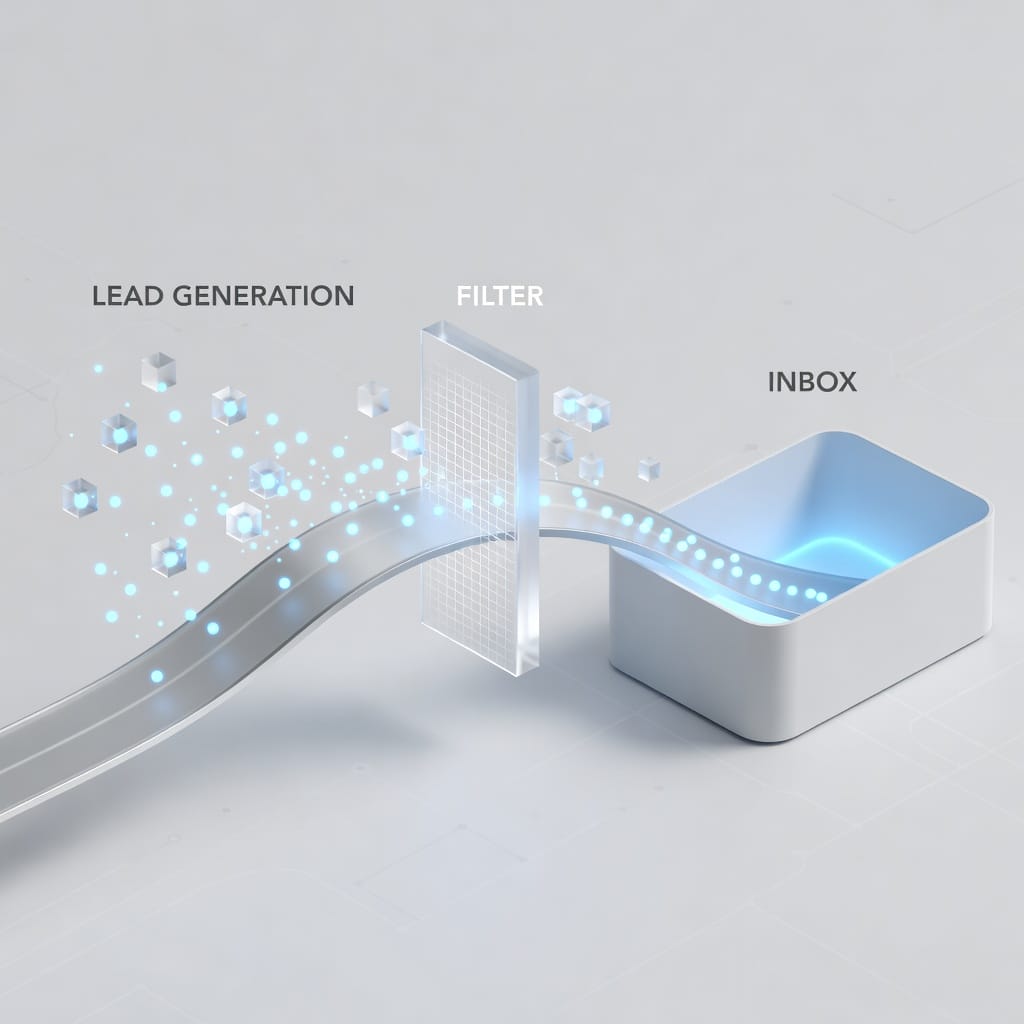
A simple rule works well: never send to a raw exported list. Export from your data source, dedupe against CRM, verify with FilterBounce, segment by confidence and persona, then send through warmed infrastructure. That workflow protects your domains and gives campaign analytics you can trust.
Buyer Checklist Before You Sign
A pricing call should leave you with written answers, not vague confidence. Use this checklist to protect budget, deliverability, and future flexibility.
Confirm exact seat count and seat rules
Ask how many seats are required, whether there is a minimum, whether seats can be transferred, and whether seats can be reduced if your team changes. Seat rigidity can become expensive when reps leave or territories shift. A good contract should explain seat reassignment clearly.
Also ask whether admin users count as paid seats. In some teams, revenue operations needs access for exports, CRM mapping, and reporting, but does not reveal contacts daily. Paying full price for admin-only access can distort the budget.
Confirm credit reset and rollover rules
Ask whether credits reset daily, monthly, annually, or by contract period. Ask whether unused credits roll over. Ask whether credits are pooled across the team or tied to individual users. These answers determine real value.
If credits are user-specific, a high-performing rep may run out while a low-usage rep wastes allowance. A shared pool is often more efficient for teams, but it requires admin controls to prevent reckless usage. Match the credit model to your workflow.
Confirm what consumes a credit
Ask whether viewing an email, exporting a contact, revealing a phone number, enriching a CRM record, or using the Chrome extension consumes credits. Ask whether a failed lookup consumes a credit. Ask whether duplicate contacts consume additional credits.
These details matter because the same 10,000-credit plan can produce different value under different rules. If duplicates consume credits, CRM dedupe becomes critical. If phone numbers consume separate credits, call-heavy teams need a different budget model.
Confirm data regions and compliance
Ask for coverage by country, region, industry, and persona. If you sell into regulated industries or international markets, ask how the vendor sources data and handles compliance obligations. Do not assume that a large global database has equal quality everywhere.
For GDPR or regional compliance, speak with legal counsel. This article is not legal advice. Your company is responsible for its own compliance program, lawful basis, unsubscribe handling, privacy notices, and regional outreach rules.
Confirm CRM and sequencing workflow
Ask whether integrations are included in your plan and whether sync is one-way or two-way. Ask how duplicates are handled, how fields are mapped, and whether enrichment overwrites existing CRM data. A bad sync can create operational cleanup work.
If you use Mystrika for sequencing, clarify the cleanest export path. Many teams use CSV-based workflows: export from data source, verify through FilterBounce, import into Mystrika, send through warmed accounts, and manage replies in the unified inbox.
Confirm cancellation and renewal policy
Ask for the renewal clause in writing. Identify the exact notice deadline, accepted cancellation method, and renewal price rules. Do not rely on verbal promises. Put cancellation reminders in finance and leadership calendars immediately.
If possible, negotiate renewal caps, opt-out reminders, or a trial-to-paid structure. The best time to negotiate flexibility is before the vendor has your signature.
Confirm support and onboarding
Ask what onboarding includes, who provides it, how long it lasts, and whether your team gets a dedicated customer success contact. Data tools often fail because users do not build repeatable workflows, not because the search bar is unavailable.
Request onboarding around your actual ICP. A generic tour is less valuable than building saved searches, export rules, CRM mappings, and verification workflows for your real market. Make the vendor prove usefulness with your data, not demo data.
Confirm total stack budget
Do not spend the entire budget on one data contract. Reserve money for verification, infrastructure, warmup, sequencing, inbox management, copy testing, and analytics. If you cannot afford the execution stack after buying data, the data purchase is premature.
A balanced low-cost stack might use Seamless.ai or another data source for contact discovery, FilterBounce for verification, DoYouMail for infrastructure, and Mystrika for warmup, sequencing, AI writing, personalization, whitelabel delivery, and unified inbox management.
Practical Outreach Workflow After Buying Seamless.ai Data
If you do buy Seamless.ai, the next step is building a clean operating process. The workflow below helps prevent wasted credits, bad deliverability, and scattered replies.
Step 1: define your ICP before searching
Do not start by typing random titles into a database. Define the ICP first: company size, industry, region, technology usage, funding stage, job titles, seniority, exclusions, and buying trigger. This prevents credit waste and improves campaign relevance.
Write your ICP as filters, not adjectives. “Fast-growing B2B SaaS companies” is vague. “US B2B SaaS companies with 50 to 300 employees, sales-led motion, VP Sales or Head of Revenue, excluding agencies and staffing firms” is searchable.
Step 2: build small sample lists first
Build a sample of 50 to 100 contacts before exporting thousands. Inspect titles, companies, regions, and websites manually. Verify the emails. Check for duplicate accounts. If the sample is weak, adjust filters before spending more credits.
Small samples protect budget and deliverability. They also help you learn which search terms produce useful contacts. The best outbound teams iterate on list quality before scaling volume.
Step 3: verify with FilterBounce
Run the sample list through FilterBounce before sending. Remove invalid emails. Treat risky or catch-all emails carefully. Segment by confidence level if needed. Keep a record of verification results so you can compare data sources over time.
This turns vague claims about accuracy into measurable data. You can calculate valid rate, invalid rate, risky rate, and cost per valid contact. That is better than relying on vendor badges.
Step 4: set up DoYouMail infrastructure
Before sending at volume, configure domains and accounts. DoYouMail can provide the SMTP and IMAP infrastructure, unlimited email IDs, dedicated private IP options, and bring-your-own-domain flexibility. Make sure SPF, DKIM, and DMARC are configured properly.
Do not send a large cold email campaign from your primary corporate domain. Use dedicated outbound domains and gradually ramp volume. Infrastructure mistakes can harm your main business email reputation.
Step 5: warm up and sequence in Mystrika
Import verified contacts into Mystrika. Use warmup to build sending reputation, create sequences with spacing and follow-ups, personalize emails with the AI writer, and manage replies in the unified inbox. Mystrika helps turn static data into a controlled campaign system.
Keep campaigns segmented by persona and pain point. Do not blast one generic message to every contact. Personalization and relevance are cheaper than buying more credits.
Step 6: monitor replies and deliverability
Track opens cautiously because privacy changes make open rates noisy. Focus on bounces, replies, positive replies, meetings, spam complaints, and domain health. If bounce rates rise, pause and inspect verification. If replies are low, revise offer and targeting.
Use Mystrika’s unified inbox to keep replies organized across multiple sending accounts. A messy inbox causes missed opportunities, slow follow-up, and poor attribution.
Step 7: feed results back into list building
After each campaign, identify which segments replied, booked, and converted. Use that learning to refine future Seamless.ai searches. Cut weak industries, titles, regions, or company sizes. Double down on segments with positive replies and meetings.
Outbound improves when data sourcing and campaign results communicate. Do not let list building operate separately from revenue outcomes.

Common Mistakes With Seamless.ai Pricing
Most pricing regrets are preventable. They come from signing too fast, ignoring terms, or treating lead data as a complete sales system.
Mistake 1: comparing only monthly subscription prices
A cheaper monthly price is not always cheaper if credits are restrictive, data needs extra cleaning, or workflows waste time. Compare cost per verified usable contact and cost per meeting instead. That is the metric that matters.
If one vendor costs more but produces cleaner contacts in your target market, it may be cheaper in practice. If another vendor is cheaper but requires more verification, manual cleanup, and bounce management, it may cost more operationally.
Mistake 2: ignoring annual commitment risk
Annual contracts can be reasonable for mature teams, but risky for unproven motions. If you have not validated your ICP, message, and deliverability, an annual data commitment can lock you into the wrong strategy.
Consider a smaller test, shorter contract, pilot clause, or usage-based alternative while validating. Once you know the outbound motion works, a larger annual contract is easier to justify.
Mistake 3: not testing your exact market
A database can be strong overall and weak in your niche. Do not rely on general reviews. Test your exact personas, regions, industries, and company types. A cybersecurity vendor selling to CISOs in Germany needs different coverage than a payroll tool selling to US HR managers.
Create a benchmark set of 100 known target accounts and ask every vendor to show coverage. Compare results objectively. The winner is the provider that best matches your market, not the one with the loudest marketing.
Mistake 4: skipping verification
Skipping verification is a false economy. You may save a few dollars and lose deliverability for weeks. Every raw list should be verified before outreach. This protects your sender reputation and improves campaign accuracy.
Verification also helps you judge data vendors. If one source consistently produces higher valid rates and lower risky rates, you can justify its price with evidence.
Mistake 5: underfunding execution
Some teams buy expensive data and then send weak emails through poorly warmed domains. The result is disappointing, but the root cause is execution. Data is only the starting point.
Budget for Mystrika, DoYouMail, and FilterBounce as part of the same system. That combination covers sequencing, warmup, unified inbox, AI writing, personalization, infrastructure, and verification. It makes the data more likely to create revenue.
Mistake 6: not negotiating
Quote-based pricing means negotiation is expected. Bring competing quotes, usage assumptions, seasonal needs, and contract concerns. Ask for pilot pricing, extra credits, flexible seat transfer, renewal caps, or cancellation improvements.
You may not get everything, but you usually get more by asking specific questions than by accepting the first proposal. Negotiation is part of responsible buying.
Expert Recommendations for Different Buyers
The best decision depends on your company stage and outbound maturity. Below are practical recommendations by buyer type.
Recommendation for solo founders
Solo founders should avoid overcommitting before validating demand. Use small data samples, verify contacts, send through warmed infrastructure, and measure replies. If Seamless.ai data quality is strong for your niche, consider a modest plan. If not, try other sources before annual commitment.
Spend early budget on the full workflow: verification, infrastructure, warmup, sequencing, and reply management. Mystrika’s $15 starting price is attractive because it gives you campaign execution without forcing a large contract.
Recommendation for small sales teams
Small sales teams should compare Seamless.ai against tools with transparent pricing and against a modular stack. If reps prospect daily and your market coverage is strong, Seamless.ai may be worth it. If usage is inconsistent, daily credit models can waste budget.
Run a 30-day pilot process even if the contract is annual. Define success metrics before buying: valid contact rate, contacts imported into sequences, positive replies, booked meetings, and cost per meeting. Do not judge only by database size.
Recommendation for agencies
Agencies need flexibility, client separation, and repeatable workflows. Credit models can be tricky because client demand fluctuates. Agencies should ask whether credits can be pooled, how exports are tracked, and whether data can be separated by client.
Mystrika’s whitelabel capability is especially relevant for agencies. You can manage cold outreach under your own brand while using DoYouMail for infrastructure and FilterBounce for verification. That gives you a client-ready operating layer around whichever data source you choose.
Recommendation for enterprise teams
Enterprise teams should treat Seamless.ai as a revenue operations procurement project. Run data samples, check compliance, test integrations, review security, negotiate service levels, and model ROI by team. Do not buy based only on a demo.
Enterprise contracts should include reporting, onboarding, admin controls, renewal terms, and clear success metrics. If the vendor cannot support a structured pilot, that is a warning sign.
Recommendation for recruiters
Recruiters often care about fast lookup, direct contact details, and niche candidate discovery. Seamless.ai may help with business contact discovery, but recruiters should compare it against tools with strong individual lookup workflows and direct dial coverage.
Recruiters should be especially cautious about data freshness. Job changes are common, and stale employment data wastes outreach. Test recent role changes before signing.
Recommendation for cold email operators
Cold email operators should prioritize deliverability and system control. Data volume is useful, but only when paired with verification, infrastructure, warmup, and sequencing. A cheap contact that never reaches inbox is not cheap.
Use Mystrika for campaign execution, DoYouMail for SMTP and IMAP infrastructure, and FilterBounce for verification. Then choose the data source that produces the highest valid rate for your ICP.
Key Takeaways
- Seamless.ai pricing is usually quote-based for paid plans, with public reports commonly pointing to an entry paid level around $147 per month on annual billing and higher custom team or enterprise contracts.
- The real cost depends on credits, rollover rules, seat minimums, exports, add-ons, verification needs, infrastructure, and renewal terms.
- Credits are the key economic unit. Ask what consumes a credit, whether unused credits roll over, and whether credits are daily, monthly, annual, individual, or pooled.
- Do not evaluate Seamless.ai as a complete outbound system. It is a data source, not a replacement for verification, infrastructure, warmup, sequencing, and reply management.
- Use FilterBounce to verify raw exported data before sending, especially if you want to protect bounce rate and domain reputation.
- Use DoYouMail when you need cold email SMTP, IMAP, unlimited email IDs, dedicated private IP options at $39 per month, and bring-your-own-domain infrastructure.
- Use Mystrika’s cold email guide and Mystrika’s platform when you need warmup, sequencing, unified inbox, AI writing, personalization, whitelabel options, and a starting price of $15 per month.
- Before signing, demand written answers on credit rules, cancellation window, renewal language, data coverage, integrations, add-ons, and support.
- The best ROI metric is not subscription price. It is cost per verified usable contact, cost per positive reply, cost per booked meeting, and cost per closed opportunity.
Frequently Asked Questions
How much does Seamless.ai cost?
Seamless.ai does not publish every paid tier as a simple public price, so the final cost usually requires a sales quote. Public buyer reports commonly mention a limited free option, entry paid pricing around $147 per month when billed annually, and higher team or enterprise contracts based on seats, credits, and features. Treat those numbers as directional. Ask Seamless.ai for a written quote showing seat count, credit allowance, renewal terms, and add-on pricing.
Is Seamless.ai pricing monthly or annual?
Seamless.ai paid plans are commonly reported as annual contracts, even when the price is described as a monthly equivalent. That means a price shown as dollars per month may still require a 12-month commitment. Before signing, ask whether month-to-month billing is available, whether annual prepayment is required, and what the cancellation window is. Annual terms can make sense for mature teams but are risky if your outbound motion is still unproven.
Does Seamless.ai have a free plan?
Yes, Seamless.ai offers a free or trial-style experience with a small credit allowance. It is useful for testing the interface, checking basic coverage, and seeing whether the Chrome extension fits your workflow. It is not enough for a full outbound campaign. Use the free plan to test data quality for your exact ICP, then verify a sample before deciding whether a paid plan is justified.
What is included in Seamless.ai credits?
Credits generally relate to revealing or saving contact information, but the exact rules can vary by plan. Ask whether emails, phone numbers, exports, enrichment, duplicate lookups, and failed searches consume credits. Also ask whether credits reset daily, monthly, or annually and whether they roll over. The credit policy determines your true cost per usable prospect.
Is Seamless.ai worth it for a small business?
Seamless.ai can be worth it for a small business if the data coverage is strong for the target market, the team uses credits consistently, and the contract terms fit the budget. It is less attractive if you need flexible month-to-month spending, have an unvalidated ICP, or cannot afford the rest of the outbound stack. Small businesses should test a sample, verify the data, and calculate cost per meeting before committing.
What are the biggest hidden costs of Seamless.ai?
The biggest hidden costs are unused credits, annual lock-in, add-on features, verification needs, sending infrastructure, rep training, admin work, and renewal windows. Data tools can look affordable until you include verification, warmup, domains, sequencing, and reply management. Always model the full cost of outbound, not just the platform subscription.
How accurate is Seamless.ai data?
Accuracy varies by region, persona, company size, and data type. Public reviews often describe email data as useful but not perfect, while phone number quality can vary. The only reliable way to know is to test your exact market. Export a sample, verify it with FilterBounce, inspect titles manually, and measure bounce rates after sending. Do not assume one vendor’s global claim applies to your niche.
Do I still need email verification with Seamless.ai?
Yes. You should verify any exported lead list before sending at scale, regardless of the data source. Verification reduces hard bounces, protects sender reputation, and gives you cleaner campaign analytics. FilterBounce is useful because it supports CSV and API workflows and is designed for accurate B2B email verification. Verification is a small cost compared with damaging a domain.
What is the best alternative to Seamless.ai?
The best alternative depends on what you need. Apollo, ZoomInfo, Cognism, and Lusha are common data competitors. If your issue is not data discovery but outreach execution, Mystrika is the better complementary platform because it provides warmup, sequencing, unified inbox, AI writing, personalization, whitelabel options, and starts at $15 per month. Many teams get better results from a balanced stack than from one expensive data subscription.
How should I negotiate Seamless.ai pricing?
Negotiate with specific usage assumptions. Bring your expected monthly lead volume, seat count, target regions, required integrations, and competing quotes. Ask for credit rollover, pooled credits, flexible seat transfers, pilot terms, renewal caps, extra credits, and clearer cancellation terms. Quote-based pricing gives you room to negotiate, but only if you ask precise questions before signing.
What should I use with Seamless.ai for cold email?
A practical stack is Seamless.ai or another data source for contact discovery, FilterBounce for verification, DoYouMail for SMTP and IMAP infrastructure, and Mystrika for warmup, sequencing, AI writing, personalization, whitelabel delivery, and unified inbox management. This separates data from execution and helps protect deliverability. Data alone does not create meetings. A complete system does.
Can Seamless.ai replace a cold email platform?
No. Seamless.ai is mainly a B2B contact discovery and data platform. It does not replace the full cold email operating layer you need for deliverability, warmup, sequencing, inbox rotation, personalization, and reply management. Mystrika is built for that execution layer. If you buy contacts but lack a strong sending and reply workflow, campaign performance will suffer.