
When you search for “how to email bomb,” you are likely looking for guidance on sending mass emails to a large audience. This is called an email blast or bulk email campaign. An email bomb, by contrast, is a malicious attack that floods an inbox with thousands of messages to overwhelm the recipient or hide critical alerts. Understanding this distinction is essential because legitimate email blasts are powerful marketing tools when executed correctly, while email bombing is illegal cyber harassment that can result in severe legal consequences. This guide covers everything you need to know about both concepts, how to execute email blasts properly, and how to protect yourself from email bomb attacks.
What Is an Email Bomb? Types and Technical Explanation
An email bomb is a form of cyber attack or harassment where a target’s email inbox is flooded with an overwhelming volume of messages. The goal is typically to disrupt communication, hide important notifications among the noise, or harass the recipient. Email bombing has been used in various contexts, from personal harassment to corporate sabotage and even as a distraction for financial fraud.
List Bombing: The Subscription Attack
List bombing, also called subscription bombing or form bombing, occurs when an attacker uses automated scripts to sign up a victim’s email address to hundreds or thousands of mailing lists, newsletters, and online services simultaneously. Each subscription generates a confirmation email, flooding the inbox with thousands of messages in minutes.
This type of attack exploits the open nature of many online signup forms that do not require verification before adding an email to a list. The victim receives emails from dozens of legitimate companies who believe the signup was genuine, making it difficult to stop the flood once started.
Attachment Bombing: The Storage Attack
Attachment bombing involves sending emails with massive attachments designed to fill up the recipient’s storage quota or overwhelm email servers. Historically, attackers sent a single compressed file containing thousands of nested compressed files (called a “zip bomb” or “decompression bomb”) that would expand to terabytes of data when extracted, potentially crashing systems.
Modern attachment bombing may use large image files, videos, or other attachments sent in rapid succession to achieve similar disruption without relying on compression exploits.
Email Flooding: The Volume Attack
Email flooding describes a brute-force approach where an attacker sends thousands or millions of emails to a single address from multiple sources. This is often accomplished using botnets or compromised email servers that can generate massive message volumes. Unlike list bombing, which exploits legitimate services, email flooding typically relies on malicious infrastructure.
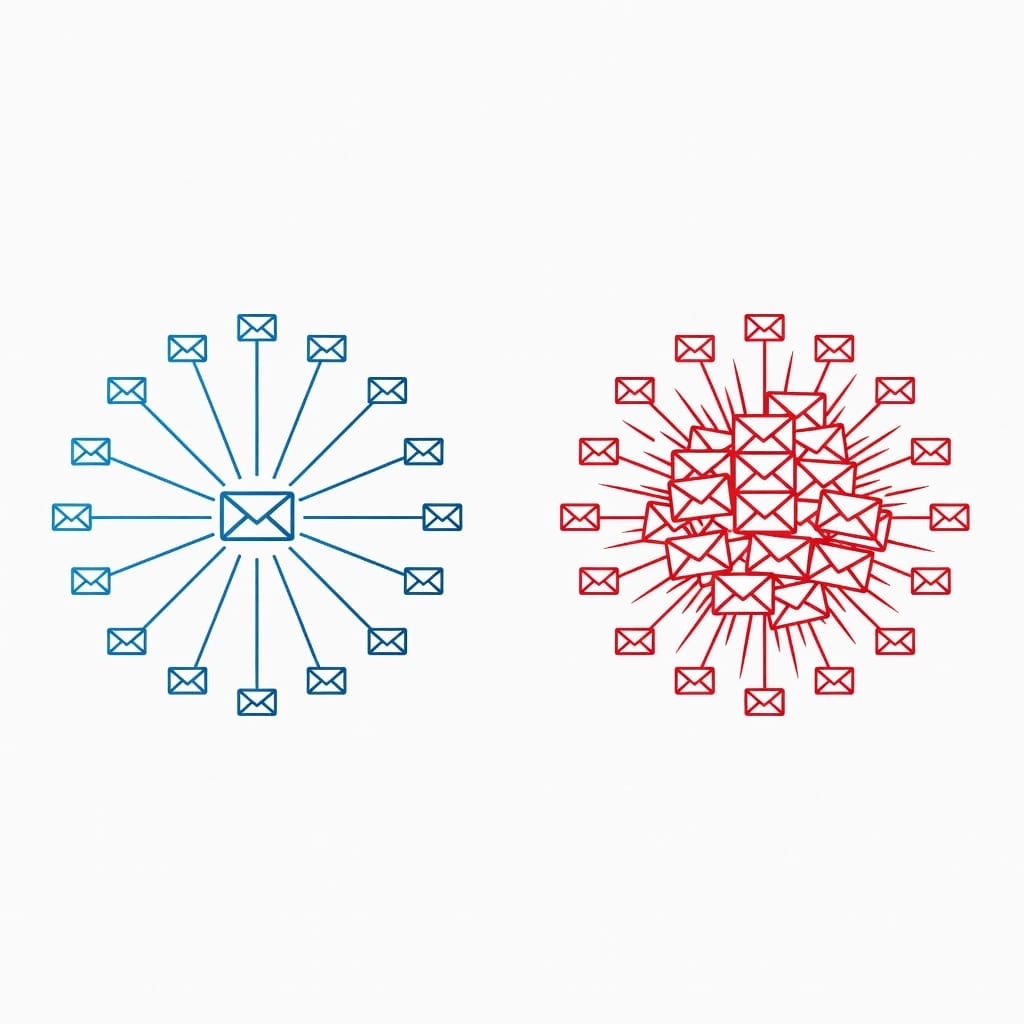
Email Blast vs Email Bomb: Critical Differences Every Sender Must Know
The confusion between “email blast” and “email bomb” stems from their superficial similarity: both involve sending large volumes of email. However, the intent, methods, and legal status are fundamentally different.
| Aspect | Email Blast | Email Bomb |
|---|---|---|
| Intent | Legitimate marketing, communication, outreach | Harassment, disruption, attack |
| Recipients | Opted-in subscribers or business contacts | Unwilling victims targeted maliciously |
| Consent | Required by law (CAN-SPAM, GDPR, CASL) | Never obtained |
| Content | Relevant, valuable marketing messages | Nonsense, malicious content, or automated noise |
| Legal Status | Legal when compliant with regulations | Illegal in most jurisdictions |
| Purpose | Business communication, sales, engagement | Sabotage, harassment, distraction |
| Sender Identity | Known, identifiable business | Anonymous or spoofed |
| Consequences | Marketing ROI, customer engagement | Criminal charges, fines, imprisonment |
Legal Implications of Email Bombing
Email bombing is not merely unethical; it violates multiple federal and international laws:
- United States: The Computer Fraud and Abuse Act (CFAA) and CAN-SPAM Act can result in criminal charges, with penalties including fines and imprisonment.
- European Union: GDPR violations for unauthorized processing of personal data can result in fines up to 20 million EUR or 4% of global annual revenue.
- Canada: CASL violations can result in penalties up to $10 million CAD per violation.
- United Kingdom: The Computer Misuse Act 1990 carries penalties of up to 10 years imprisonment.
If you are researching email blasts for legitimate business purposes, the term “email bomb” in your search results may lead to resources about cyber attacks rather than marketing guidance. This article focuses exclusively on legitimate email blasting while helping you understand and protect against malicious email bombing.
Why the Term “Email Bomb” Appears in Search Results
The phrase “how to email bomb” often appears when users search for information about mass email sending because:
1. Some marketers use “bomb” colloquially to describe aggressive outreach campaigns
2. Forums and blogs may use the term interchangeably with “blast” in informal contexts
3. Search engines may surface content about email bombing attacks alongside legitimate email marketing resources
If your intent is to send legitimate marketing emails or cold outreach campaigns, you should use terms like “email blast,” “bulk email,” or “mass email campaign” in your research. This article uses the technically correct terminology while addressing the search intent behind “how to email bomb.”
What Is an Email Blast? Definition and Business Applications
An email blast, also called an e-blast, bulk email, or email broadcast, is a single email message sent to a large group of recipients simultaneously. Unlike targeted email campaigns that segment audiences and personalize content over multiple touchpoints, an email blast typically delivers the same message to everyone on a list at once.
Email blasts are appropriate for specific business scenarios where broad, immediate communication is valuable:
- Product launches: Announcing a new product or feature to your entire customer base
- Flash sales and promotions: Time-sensitive offers that require immediate action
- Company announcements: Major news, policy changes, or organizational updates
- Event invitations: Webinars, conferences, or community gatherings with broad appeal
- Newsletters: Regular updates for subscribers who want general content
When to Choose an Email Blast Over a Targeted Campaign
Not every communication should be sent as a blast. A targeted email campaign, which uses segmentation and multiple messages over time, is more effective for:
- Welcome sequences: New subscribers need personalized onboarding
- Lead nurturing: Prospects require tailored content based on their stage in the buyer journey
- Abandoned cart recovery: Messages must reference sp
ecific products the customer viewed
- Re-engagement campaigns: Inactive subscribers need targeted incentives
- Location-specific offers: Geographic segmentation prevents irrelevant promotions
The decision between a blast and a campaign depends on audience homogeneity, message urgency, and the action you want recipients to take.
Technical Infrastructure for Email Blasts: Authentication and Deliverability
Sending email blasts successfully requires proper technical infrastructure. Without it, your messages will land in spam folders or be rejected entirely by receiving servers. This section covers the essential authentication protocols that establish your legitimacy as a sender. For a deeper look at how authentication affects inbox placement, see our guide on email deliverability.
SPF (Sender Policy Framework): Defining Authorized Senders
SPF is a DNS record that specifies which IP addresses and domains are authorized to send email on behalf of your domain. When a receiving server gets an email claiming to be from your domain, it checks your SPF record to verify the sending server is legitimate.
How to set up SPF for email blasts:
1. Identify all services that send email from your domain (your ESP, CRM, helpdesk, etc.)
2. Create a TXT record in your DNS with the following format: `v=spf1 include:_spf.google.com include:sendgrid.net ~all`
3. Replace the include statements with your actual sending services
4. Use `~all` for soft fail (testing) or `-all` for hard fail (strict enforcement)
A properly configured SPF record prevents attackers from spoofing your domain and improves your sender reputation.
DKIM (DomainKeys Identified Mail): Signing Your Messages
DKIM adds a cryptographic signature to your outgoing emails that receiving servers can verify. This signature proves the email was actually sent by your domain and was not modified in transit.
DKIM setup process:
1. Generate a DKIM key pair through your ESP or email server
2. Publish the public key as a TXT record in your DNS (e.g., `default._domainkey.yourdomain.com`)
3. Configure your sending server to sign outgoing messages with the private key
4. Verify the signature is working using tools like MXToolbox or Gmail’s “show original” feature
DKIM signatures increase trust with receiving servers and are essential for achieving high deliverability rates on email blasts.
DMARC (Domain-based Message Authentication, Reporting, and Conformance): Policy Enforcement
DMARC builds on SPF and DKIM by telling receiving servers what to do when an email fails authentication checks. It also provides reporting so you can monitor authentication failures and identify potential abuse.
DMARC policy options:
- `p=none`: Monitor mode, no action taken on failures (recommended for initial setup)
- `p=quarantine`: Failed messages go to spam or quarantine
- `p=reject`: Failed messages are rejected outright
Recommended DMARC implementation:
1. Start with `p=none` and monitor reports for 2-4 weeks
2. Identify and fix any legitimate senders that fail authentication
3. Gradually move to `p=quarantine` once you understand your email ecosystem
4. Eventually implement `p=reject` for maximum protection
DMARC is increasingly required by major email providers like Gmail and Yahoo for bulk senders. As of 2024, senders who send more than 5,000 emails per day must have DMARC configured.
MX Records and Sending Domains
For email blasts, consider using a subdomain for sending (e.g., `mail.yourdomain.com` or `send.yourdomain.com`) rather than your root domain. This separation protects your primary domain’s reputation if issues arise with your blast campaigns.
Sending subdomain benefits:
- Isolates blast reputation from transactional email reputation
- Allows separate SPF, DKIM, and DMARC configurations
- Prevents blast deliverability issues from affecting critical business emails
- Enables independent warmup and reputation building
Configure MX records for your sending subdomain even if you do not receive email there, as some receiving servers check for MX records as part of sender validation.
IP Warmup Protocol: Day-by-Day Schedule for New Sending Domains
When you start sending email blasts from a new IP address or domain, you cannot immediately send thousands of messages. Internet service providers (ISPs) and email providers like Gmail and Outlook do not know you yet. They need to see consistent, positive sending behavior before trusting your messages. This process is called IP warmup or domain warmup, and it is critical for achieving high deliverability.
Why IP Warmup Matters for Email Blasts
ISPs use sender reputation to decide whether to deliver your emails to the inbox, spam folder, or reject them entirely. A new IP address has no reputation, which is effectively neutral to negative. By gradually increasing your sending volume and maintaining high engagement rates (opens, clicks, low complaints), you build a positive reputation.
Sending a large blast from a cold IP will likely result in:
- Messages being throttled or rejected by receiving servers
- Emails landing in spam folders across all providers
- Potential blacklisting that takes weeks or months to resolve
- Wasted effort and damaged sender reputation
30-Day IP Warmup Schedule
Follow this progressive schedule to safely warm up a new IP or sending domain:
| Days | Daily Volume | Frequency | Notes |
|---|---|---|---|
| 1-3 | 50-100 | 1 send per day | Send to your most engaged subscribers only |
| 4-7 | 200-500 | 1 send per day | Continue with highly engaged recipients |
| 8-14 | 500-1,000 | 1-2 sends per day | Monitor open rates, should exceed 20% |
| 15-21 | 1,000-2,500 | 1-2 sends per day | Begin including moderately engaged subscribers |
| 22-28 | 2,500-5,000 | 1-2 sends per day | Watch for any spam complaints or blocks |
| 29-30 | 5,000-10,000 | 1-2 sends per day | If metrics are healthy, continue ramping |
Critical warmup guidelines:
- Monitor metrics daily: Open rates should stay above 20%, bounce rates below 2%, spam complaints below 0.1%
- Use engagement-based segments: Start with recipients who have opened or clicked in the past 30 days
- Respond to problems immediately: If you see a spike in bounces or spam complaints, pause sending and investigate
- Maintain consistency: Send at similar times each day to establish a pattern ISPs can recognize
- Do not rush: If metrics degrade at any point, reduce volume and stabilize before continuing
Warmup Tools and Automation
Manually managing IP warmup can be tedious, especially if you have multiple sending domains or IPs. Email warmup tools automate this process by gradually increasing your sending volume while monitoring deliverability signals.
Using an automated email warmup tool can reduce the warmup period from 30 days to 7-14 days for new domains, as these tools maintain consistent positive engagement signals that build reputation faster than manual sending alone. Some cold email platforms include built-in warmup features that handle this automatically, so you do not need a separate warmup service. When evaluating platforms for email blasts, check whether they offer integrated warmup or require a third-party tool. For more on the mechanics of building sender reputation, read our guide on email warmup.
ESP Selection Guide: Choosing the Right Platform for Email Blasts
An Email Service Provider (ESP) is software that enables you to send bulk email, manage subscribers, design templates, and track performance. Choosing the right ESP for email blasts depends on your sending volume, budget, technical requirements, and the type of content you send.
ESP Comparison for Email Blasts
| ESP | Best For | Starting Price | Sending Limits | Key Features |
|---|---|---|---|---|
| Mailchimp | Small businesses, beginners | $13/month | 500 contacts | Visual builder, templates, automation |
| Brevo (formerly Sendinblue) | Growing businesses, cold email | $25/month | 20,000 emails | SMS integration, transactional email |
| ActiveCampaign | Advanced automation, CRM | $29/month | 1,000 contacts | Complex automation, CRM integration |
| HubSpot | Inbound marketing teams | $15/month | 1,000 contacts | CRM, automation, landing pages |
| ConvertKit | Creators, bloggers | $15/month | 1,000 subscribers | Tag-based segmentation, visual sequences |
| SendGrid (Twilio) | Developers, transactional + marketing | $15/month | 40,000 emails | API-first, detailed analytics |
| Amazon SES | High-volume senders | $0.10/1,000 emails | No limit | Cost-effective, requires technical setup |
| Postmark | Transactional email focus | $15/month | 10,000 emails | Fast delivery, detailed event tracking |
Cold Email vs. Marketing Email Blasts
If you are sending cold email blasts to prospects who have not opted in, you need an ESP that supports cold outreach. Many traditional marketing ESPs (Mailchimp, HubSpot) prohibit cold email in their terms of service and may suspend your account.
For cold email blasts, look for ESPs that:
- Allow purchased or scraped lists (verify terms of service)
- Provide dedicated IP addresses for reputation isolation
- Offer email warmup tools or integration with warmup services
- Include bounce handling and list cleaning features
- Support personalization at scale (merge tags, custom fields)
Platforms designed specifically for cold email outreach, such as a dedicated cold email outreach platform, often include these features out of the box without requiring separate integrations.
For marketing email blasts to opted-in subscribers:
- Choose ESPs with strong deliverability infrastructure
- Prioritize automation and segmentation features
- Consider CRM integration if you manage sales pipelines
- Evaluate template builders and design flexibility
Key ESP Features for Email Blasts
When evaluating ESPs for bulk sending, prioritize these capabilities:
1. Authentication support: The ESP should make SPF, DKIM, and DMARC setup straightforward
2. Dedicated IP option: For high-volume sending, a dedicated IP gives you control over your reputation
3. Bounce management: Automatic handling of hard and soft bounces protects your sender score
4. Complaint feedback loops: Receive notifications when recipients mark your email as spam
5. List segmentation: Segment by engagement, geography, purchase history, or custom fields
6. A/B testing: Test subject lines, content, send times, and sender names
7. Analytics and reporting: Track opens, clicks, bounces, unsubscribes, and revenue
8. Compliance tools: One-click unsubscribe, physical address insertion, and consent tracking

Bounce Management and List Hygiene Strategy
Bounce management is the process of handling emails that cannot be delivered to their intended recipients. Proper bounce management protects your sender reputation and ensures your email blasts reach the maximum number of valid recipients.
Types of Email Bounces
| Bounce Type | Description | Action Required |
|---|---|---|
| Hard Bounce | Permanent delivery failure (invalid email, domain does not exist) | Remove from list immediately |
| Soft Bounce | Temporary failure (mailbox full, server down, message too large) | Retry 2-3 times over 72 hours, then remove if persistent |
| Block Bounce | Receiving server rejected due to content or reputation issues | Investigate cause, may need to contact the receiving ISP |
| Spam Bounce | Recipient marked previous emails as spam | Remove from list immediately, do not re-add |
Hard Bounce Causes and Solutions
Hard bounces indicate a fundamental problem with the email address:
- Address typo: Subscriber entered an incorrect email (e.g., `gmal.com` instead of `gmail.com`)
- Abandoned domain: The domain no longer exists or has no valid MX records
- Role address: Generic addresses like `info@` or `admin@` may reject bulk email
- Deleted account: The mailbox has been closed
Solution: Use an email verification service to validate addresses before sending. These services check syntax, domain validity, and mailbox existence without sending an actual email.
Soft Bounce Causes and Solutions
Soft bounces are often temporary and may resolve themselves:
- Full mailbox: The recipient’s storage quota is exceeded
- Server timeout: The receiving server was temporarily unavailable
- Message size: Your email exceeded the recipient’s size limits
- Greylisting: Some servers initially reject emails from unknown senders, expecting a retry
Solution: Configure your ESP to retry soft bounces automatically. If an address soft bounces 3+ times across multiple campaigns, treat it as invalid and remove it.
List Hygiene Best Practices
Maintaining a clean email list is essential for long-term deliverability:
1. Verify new subscribers: Use double opt-in or email verification at signup
2. Remove hard bounces immediately: Do not re-send to addresses that hard bounced
3. Sunset inactive subscribers: Remove or re-engage contacts who have not opened in 6-12 months
4. Monitor engagement metrics: Subscribers who never open drag down your overall engagement rate
5. Regular verification: Run your list through an email verification service quarterly
6. Segment by engagement: Separate active subscribers from inactive ones and send to each group differently
Implementing a Sunset Policy
A sunset policy defines how you handle subscribers who stop engaging with your emails. A typical sunset policy might:
- Month 3 of inactivity: Move to a “low engagement” segment, reduce send frequency
- Month 6 of inactivity: Send a re-engagement campaign with a compelling offer
- Month 9-12 of inactivity: Remove from the active list or move to a separate database
Sunset policies improve your sender metrics by ensuring your list consists of engaged subscribers. ISPs use engagement signals as a factor in inbox placement decisions.
Compliance Framework: CAN-SPAM, GDPR, and CASL for Email Blasts
Sending email blasts requires compliance with anti-spam laws in every jurisdiction where your recipients are located. Non-compliance can result in substantial fines, legal action, and damage to your sender reputation.
CAN-SPAM Act (United States)
The CAN-SPAM Act sets rules for commercial email in the United States. Key requirements include:
- Accurate header information: “From,” “To,” and routing information must be truthful
- Non-deceptive subject lines: The subject must accurately reflect the content
- Clear identification as advertisement: The email must be clearly identified as promotional
- Valid physical postal address: A physical mailing address must be included
- Clear unsubscribe mechanism: A visible and functional unsubscribe link must be provided
- Prompt unsubscribe processing: Unsubscribe requests must be honored within 10 business days
- No address harvesting: You cannot collect email addresses through automated means without consent
Penalties: Each separate email in violation is subject to penalties of up to $51,744.
GDPR (European Union)
GDPR applies to any organization sending email to EU residents, regardless of where the sender is located. GDPR requires:
- Explicit consent: Consent must be freely given, specific, informed, and unambiguous
- Right to access: Individuals can request copies of their personal data
- Right to erasure: Individuals can request deletion of their data
- Right to portability: Individuals can request their data in a portable format
- Data breach notification: Breaches must be reported within 72 hours
- Privacy notices: Clear information about how data is collected, used, and stored
Penalties: Up to 20 million EUR or 4% of annual global revenue, whichever is higher.
CASL (Canada)
Canada’s Anti-Spam Legislation is among the strictest in the world:
- Express consent required: You must obtain explicit opt-in consent before sending commercial email
- Identification requirement: The sender must be clearly identified with contact information
- Unsubscribe mechanism: Must be provided and processed within 10 business days
- Consent records: You must maintain records proving consent was obtained
Penalties: Up to $10 million CAD per violation for organizations.
Pre-Send Compliance Checklist
Before sending any email blast, verify:
- [ ] You have consent (opt-in) for every recipient on your list
- [ ] The subject line accurately reflects the email content
- [ ] Your physical address is included in the email
- [ ] A functional unsubscribe link is present and visible
- [ ] You can process unsubscribe requests within required timeframes
- [ ] Your “From” name and address are accurate and not misleading
- [ ] You have documented consent records for audits

A/B Testing Methodology for Email Blasts
A/B testing (also called split testing) allows you to compare two versions of an email to determine which performs better. For email blasts, A/B testing can significantly improve open rates, click-through rates, and conversions.
What to Test in Email Blasts
| Element | What to Test | Expected Impact |
|---|---|---|
| Subject line | Length, personalization, urgency, questions | Strong impact on open rate |
| Preview text | Length, call to action, curiosity | Moderate impact on open rate |
| Sender name | Company name vs. person, different formats | Moderate impact on open rate |
| Send time | Day of week, time of day | Strong impact on open rate |
| Email length | Short vs. long, scannable vs. detailed | Moderate impact on CTR |
| CTA placement | Above the fold, in body, at end | Strong impact on CTR |
| CTA text | Action-oriented vs. passive, specific vs. generic | Strong impact on CTR |
| Images | With vs. without, hero image vs. none | Moderate impact on engagement |
| Personalization | Name, company, location, past behavior | Strong impact on engagement |
| Design | Single column vs. multi-column, dark vs. light | Moderate impact on readability |
A/B Testing Process for Blasts
1. Select one variable: Test only one element at a time for clear results
2. Create two versions: Version A (control) and Version B (variation)
3. Split your list: Send each version to a random sample of 10-20% of your list
4. Wait for statistical significance: Collect enough opens and clicks for meaningful data (typically 24-48 hours)
5. Send the winner: Send the winning version to the remaining 80-90% of your list
6. Document results: Record what you tested and the outcome for future reference
Statistical Significance in Email Testing
A test is statistically significant when the difference between versions is unlikely to be due to random chance. For email blasts:
- Sample size matters: You need enough opens and clicks for reliable results
- Minimum thresholds: Aim for at least 100 opens per version before drawing conclusions
- Confidence level: 95% confidence is standard; tools will calculate this for you
Most ESPs include statistical significance calculators or will automatically determine the winner when significance is reached.
Testing Mistakes to Avoid
- Testing too many variables: Confounds results, making it impossible to know what caused the difference
- Declaring victory too early: Small samples produce unreliable results
- Ignoring segmentation: What works for one segment may not work for another
- Not testing at all: You miss opportunities to improve performance systematically
- Testing insignificant changes: Tiny changes that barely affect the user experience waste time
Sender Reputation Management and Blacklist Prevention
Your sender reputation is a score that internet service providers (ISPs) assign to your sending domain and IP address. A good reputation means your emails are more likely to reach the inbox. A poor reputation means your emails will land in spam or be rejected entirely.
Factors Affecting Sender Reputation
| Factor | Impact | How to Improve |
|---|---|---|
| Bounce rate | High negative | Clean your list, verify addresses |
| Spam complaints | Very high negative | Send relevant content, clear unsubscribe |
| Engagement (opens, clicks) | High positive | Send valuable content to engaged subscribers |
| Sending consistency | Moderate positive | Maintain regular sending patterns |
| Authentication (SPF, DKIM, DMARC) | Moderate positive | Implement all three protocols |
| Blacklist status | Very high negative | Monitor and remove from blacklists |
| List growth rate | Moderate | Grow organically, avoid purchased lists |
Monitoring Your Sender Reputation
Use these tools to monitor your sender reputation:
- Sender Score (senderscore.org): Rates your IP from 0-100; above 80 is good
- Google Postmaster Tools: Shows reputation and spam rates for Gmail recipients
- Microsoft SNDS: Shows reputation data for Outlook and Hotmail recipients
- Blacklist checkers: MXToolbox, MultiRBL, and similar tools check multiple blacklists
Check your reputation weekly when sending regular blasts, and immediately if you notice deliverability issues.
Blacklists and How to Remove Yourself
Blacklists are databases of IP addresses or domains reported for sending spam. Major blacklists include:
- Spamhaus: One of the most influential blacklists; being listed here significantly impacts deliverability
- SpamCop: User-reported spam database
- Barracuda: Widely used by enterprises
- SORBS: Multiple blacklist categories
Removal process:
1. Identify why you were listed: Review your recent sending practices
2. Fix the underlying issue: Stop the behavior that caused the listing
3. Request delisting: Follow the blacklist’s removal process (usually an online form)
4. Wait: Some blacklists automatically delist after a period; others require manual review
Prevention is easier than removal. Maintain good sending practices, and monitor blacklists proactively.
Feedback Loops (FBL)
A feedback loop is a service provided by ISPs that notifies you when a recipient marks your email as spam. Major ISPs offering FBLs include:
- Gmail (via Google Postmaster Tools)
- Microsoft (Outlook, Hotmail, Live)
- Yahoo
- AOL
- Comcast
When you receive an FBL notification, remove that address from your list immediately. FBL data helps you identify content or segments that are generating complaints.
Email Bomb Protection: How to Defend Against Malicious Attacks
If you or your organization becomes a target of email bombing, you need to know how to respond. Email bomb attacks can be overwhelming, but there are strategies to mitigate the damage.
Immediate Response to Email Bombing
1. Do not click any links: Attackers may use email bombs to hide phishing attempts among the noise
2. Use email filters: Create rules to auto-delete or move messages matching the attack pattern
3. Contact your email provider: Enterprise email systems may have rate limiting and filtering options
4. Search for important messages: Use search to find messages from trusted senders that may be buried
5. Change affected passwords: If the attack targeted an account tied to other services, update credentials
Preventing List Bombing
If you operate a website with signup forms, you can protect against list bombing attacks:
- Implement CAPTCHA: Prevents automated scripts from submitting forms
- Rate limiting: Limit form submissions from a single IP address
- Email verification: Require confirmation before adding an email to any list
- Honeypot fields: Hidden fields that bots fill out but humans do not see
- Double opt-in: Confirms the email owner actually requested signup
Post-Attack Recovery
After an email bomb attack subsides:
1. Clean up your inbox: Use bulk select or filters to remove the flood
2. Review for hidden threats: Check for phishing emails or fraudulent transactions during the attack
3. Update security settings: Enable additional spam filtering if available
4. Document the attack: Note timing, volume, and any identifiable characteristics for reporting
5. Report to authorities: For serious attacks, file a report with your local cyber crime unit
Email Blast Performance Metrics and Benchmarks
Measuring the success of your email blasts requires tracking the right metrics and understanding industry benchmarks.
Key Performance Indicators for Email Blasts
| Metric | Definition | Benchmark (2025-2026) |
|---|---|---|
| Deliverability rate | Percentage of emails successfully delivered | 95%+ |
| Open rate | Percentage of delivered emails that were opened | 17-28% average, 20%+ is strong |
| Click-through rate (CTR) | Percentage of opened emails with at least one click | 2-5% average |
| Click-to-open rate (CTOR) | Percentage of openers who clicked | 10-15% average |
| Bounce rate | Percentage of emails that could not be delivered | Under 2% |
| Unsubscribe rate | Percentage of recipients who unsubscribed | Under 0.5% |
| Spam complaint rate | Percentage of recipients who marked as spam | Under 0.1% |
| Conversion rate | Percentage of recipients who completed desired action | Varies by goal |
Benchmarking Your Performance
Industry benchmarks provide context, but your own historical performance is the most meaningful comparison. Track your metrics over time and aim for continuous improvement.
Factors affecting benchmarks:
- Industry: B2B typically has lower open rates but higher engagement; B2C varies widely
- List size: Smaller, engaged lists typically outperform large, unsegmented lists
- Content type: Newsletters have different benchmarks than promotional blasts
- Audience source: Opt-in lists outperform purchased or cold lists significantly
Using Metrics to Improve Future Blasts
After each blast, analyze performance and identify opportunities:
- Low open rate: Test subject lines, sender names, and send times
- High bounce rate: Improve list hygiene, verify addresses before sending
- Low CTR: Improve content relevance, test CTAs and placement
- High unsubscribe rate: Review content relevance, send frequency, and targeting
- Spam complaints: Review content for spam triggers, ensure clear permission
Common Mistakes When Sending Email Blasts
Avoiding common pitfalls will improve your email blast performance and protect your sender reputation.
1. Sending Without Permission
Sending to people who did not opt in violates anti-spam laws and damages your reputation. Always build your list through legitimate opt-in methods.
2. Ignoring Mobile Optimization
Nearly 50% of emails are opened on mobile devices. If your blast is not mobile-friendly, you are losing half your audience.
3. Using a Free Email Address as Sender
Sending from `@gmail.com` or `@yahoo.com` instead of your domain prevents you from setting up authentication and looks unprofessional.
4. Sending Too Frequently
Overwhelming subscribers with daily or multiple daily emails leads to fatigue, unsubscribes, and spam complaints.
5. Neglecting List Hygiene
Failing to remove bounces and inactive subscribers degrades your metrics and sender reputation over time.
6. One-Size-Fits-All Content
Sending the same generic message to your entire list ignores the different interests and needs of your subscribers.
7. Missing or Broken Unsubscribe Links
Legal compliance requires a functional unsubscribe mechanism. Hiding or removing it risks legal action and complaints.
8. Not Testing Before Sending
Sending without previewing on desktop and mobile can result in embarrassing formatting errors or broken links.
9. Buying Email Lists
Purchased lists have poor engagement, high bounce rates, and may have been collected without proper consent.
10. Ignoring Analytics
Without tracking and analyzing results, you cannot improve future campaigns.
Key Takeaways
Understanding the difference between email blasts and email bombs is essential for legitimate email marketing:
- Email blasts are legitimate marketing tools when sent to opted-in subscribers with proper authentication, compliance, and content relevance.
- Email bombs are malicious attacks that flood inboxes to harass, disrupt, or distract victims; they are illegal and carry serious penalties.
- Technical infrastructure matters: SPF, DKIM, and DMARC authentication are required for high deliverability and are mandatory for bulk senders.
- IP warmup is essential: New sending domains and IPs must be warmed up gradually over 2-4 weeks to build sender reputation.
- List hygiene protects reputation: Regular cleaning, bounce management, and sunset policies maintain healthy engagement metrics.
- Compliance is non-negotiable: CAN-SPAM, GDPR, and CASL have specific requirements and substantial penalties for violations.
- Testing improves performance: A/B testing subject lines, send times, and content systematically improves open rates and engagement.
- Reputation management is ongoing: Monitor sender scores, blacklists, and feedback loops to catch issues early.
- Email blast success requires the right tools: Choose an ESP that supports your sending needs, whether for marketing email or cold outreach.
By following proper protocols for authentication, warmup, compliance, and list management, you can execute effective email blasts that reach the inbox and drive results for your business.
Frequently Asked Questions
What is the difference between an email blast and an email bomb?
An email blast is a legitimate marketing technique where a single message is sent to a large group of opted-in subscribers simultaneously. An email bomb is a malicious cyber attack that floods a victim’s inbox with thousands of messages to harass, overwhelm, or distract them. Email blasts are legal when compliant with anti-spam laws, while email bombing is illegal and can result in criminal charges.
Can I send an email blast from my personal Gmail account?
Technically you can send bulk email from a personal Gmail account, but it is strongly discouraged for several reasons. Gmail limits personal accounts to approximately 500 emails per day, which is insufficient for most blasts. You cannot set up proper authentication (SPF, DKIM, DMARC) for a Gmail address, which harms deliverability. Additionally, sending bulk email from Gmail violates Google’s terms of service and can result in account suspension. Use a professional email service provider instead.
How long does it take to warm up a new IP address for email blasts?
IP warmup typically takes 2-4 weeks, though it can take longer depending on your sending volume and engagement rates. The process involves gradually increasing daily sending volume from 50-100 emails to your full sending capacity over 30 days. During warmup, you should only send to your most engaged subscribers and monitor metrics closely. Rushing the warmup process leads to poor deliverability that can take months to recover from.
What is a good open rate for an email blast?
A good open rate for email blasts typically falls between 17-28%, with 20% or higher considered strong. Open rates vary significantly by industry, list quality, and content type. B2B newsletters often see open rates around 20-25%, while promotional blasts may see 15-20%. More important than absolute benchmarks is tracking your own performance over time and continuously improving through subject line testing and list segmentation.
How often should I send email blasts to my list?
The optimal frequency depends on your audience and content, but 1-2 times per week is a safe starting point for most businesses. Daily sending is only appropriate for high-value campaigns like product launches or limited-time events. Monitor your unsubscribe rate and engagement metrics to find the right cadence. If unsubscribes spike after increasing frequency, you are sending too often for your audience’s preferences.
What happens if my IP gets blacklisted?
When your IP is blacklisted, emails sent from that address are more likely to land in spam folders or be rejected entirely by receiving servers. To resolve a blacklist listing, first identify why you were listed by reviewing recent sending practices. Fix the underlying issue, such as high bounce rates or spam complaints. Then request removal through the blacklist’s delisting process. Some blacklists automatically remove IPs after a period without new complaints, while others require manual review.
Do I need DMARC to send email blasts?
As of 2024, DMARC is required for senders who send more than 5,000 emails per day to Gmail and Yahoo addresses. Even if you send fewer emails, implementing DMARC improves deliverability and protects your domain from spoofing. Start with a DMARC policy of `p=none` to monitor authentication issues, then gradually move to `p=reject` for full enforcement once you have fixed any authentication problems.
What is the maximum number of emails I can send in one blast?
There is no universal maximum, but practical limits depend on your ESP, IP reputation, and technical setup. A well-warmed IP with good reputation can send tens of thousands to hundreds of thousands of emails per day. However, sending too many emails too quickly from a cold IP will result in throttling and spam placement. Focus on building reputation first, then scale volume as your sender score improves.
How do I protect my email address from email bombing attacks?
To protect against email bombing, use CAPTCHA and rate limiting on any public signup forms you operate. Enable email filtering rules to auto-sort or delete suspicious bulk messages. Do not publish your primary email address publicly; use a contact form or secondary address instead. If attacked, contact your email provider for assistance filtering the attack, and review buried messages for phishing attempts that may have been hidden among the noise.
Is buying an email list legal for sending blasts?
Buying email lists is not illegal in the United States under CAN-SPAM, but it violates GDPR in the EU and CASL in Canada because these laws require explicit consent from each recipient. Even where technically legal, purchased lists have poor engagement, high bounce rates, and generate spam complaints that damage your sender reputation. Building your own opt-in list takes longer but produces significantly better results and protects your reputation.