
Outreach sync is the process of moving prospect, campaign, reply, enrichment, and status data between your outbound tools without manually exporting CSVs. The term can describe a specific sync product, a workflow layer, or an operating model that connects sequencers, spreadsheets, CRMs, enrichment APIs, and AI agents.
For a cold email team, outreach sync matters because outbound work breaks down when data lives in too many places. A lead might be verified in one tool, enrolled in another, enriched in a third, replied in a fourth, and reported in a spreadsheet. If those states do not sync cleanly, reps follow up late, ops teams pay twice for enrichment, deliverability issues go unnoticed, and managers make decisions from stale exports.
This review explains what an outreach sync tool should do, where the lightweight local database model helps, where it falls short, and how to decide whether you need a sync layer, a full outreach platform, or a focused stack built around cold email execution. It also compares Outreach Magic’s OutboundSync style approach with practical alternatives such as Mystrika for cold email outreach, DoYouMail for high-volume sending, Filter Bounce for real-time verification, CRM-native syncs, and automation platforms.
Direct answer: Outreach sync is useful if your team already uses several outbound tools and needs one reliable source of truth for lead states, campaign events, enrichment status, and reply outcomes. It is less useful if you mainly need sending, warmup, sequencing, unibox management, or deliverability controls inside one cold email platform.
What is outreach sync?
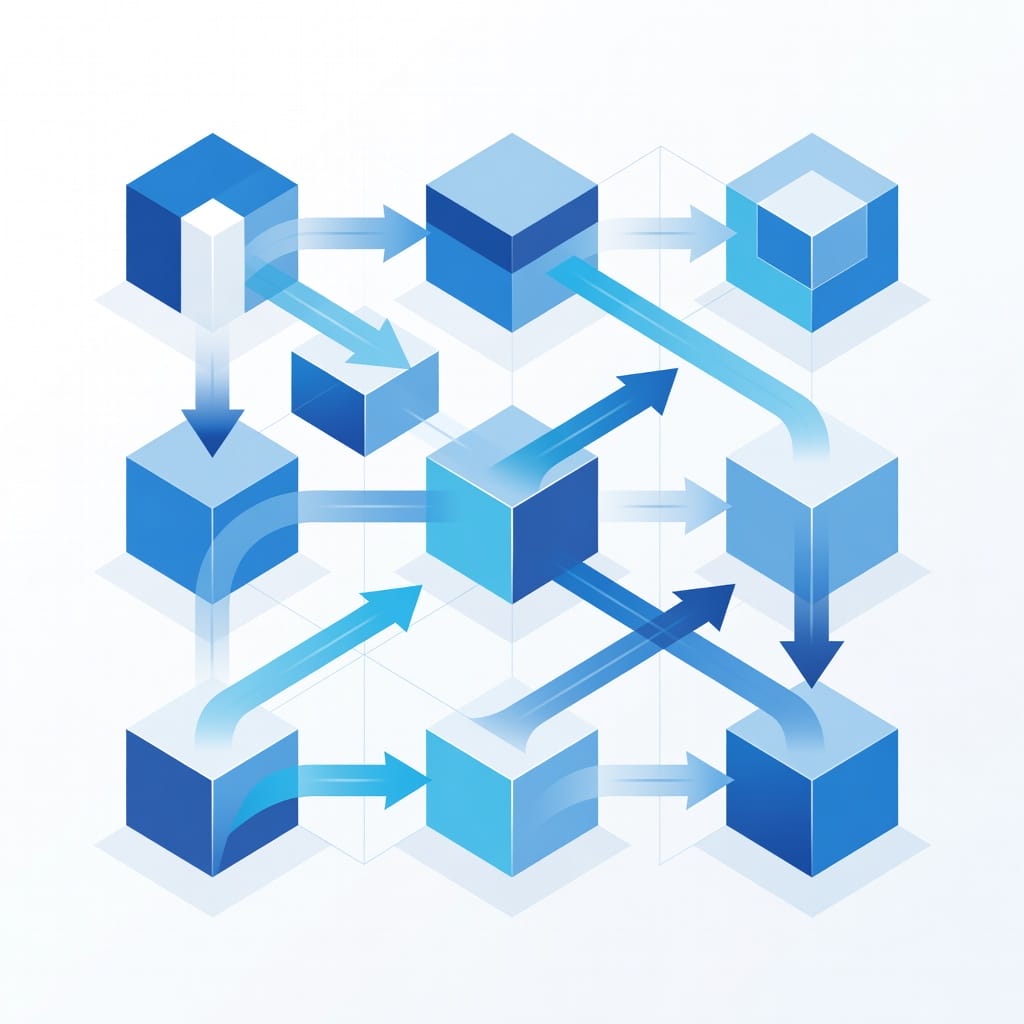
Outreach sync is a workflow that keeps outbound sales and cold email data aligned across tools. It usually synchronizes prospects, accounts, campaign membership, replies, bounces, meetings, enrichment fields, verification status, tags, notes, and CRM stages so teams can act from current data instead of copied spreadsheets.
The phrase is broad. Some teams use it to mean a product that catches webhook events from sequencers. Others use it to describe a no-code automation connecting a CRM to an email platform. In AI-driven go-to-market teams, outreach sync can also mean a local or cloud database that AI agents query before they write reports, enrich records, or recommend next actions.
A strong outreach sync system answers questions like:
- Which leads were contacted, replied, bounced, unsubscribed, or booked?
- Which enrichment fields are already known so we do not buy the same data twice?
- Which prospects are safe to contact again and which should be suppressed?
- Which campaign, inbox, domain, segment, and message produced the outcome?
- Which records should be pushed back to a CRM, spreadsheet, unibox, or reporting system?
- Which workflow failed because a webhook, API key, field mapping, or deduplication rule broke?
The goal is not merely data movement. The goal is operational clarity. If a sync creates more ambiguity than it removes, the sync is not doing its job.
What is Outreach Magic OutboundSync?
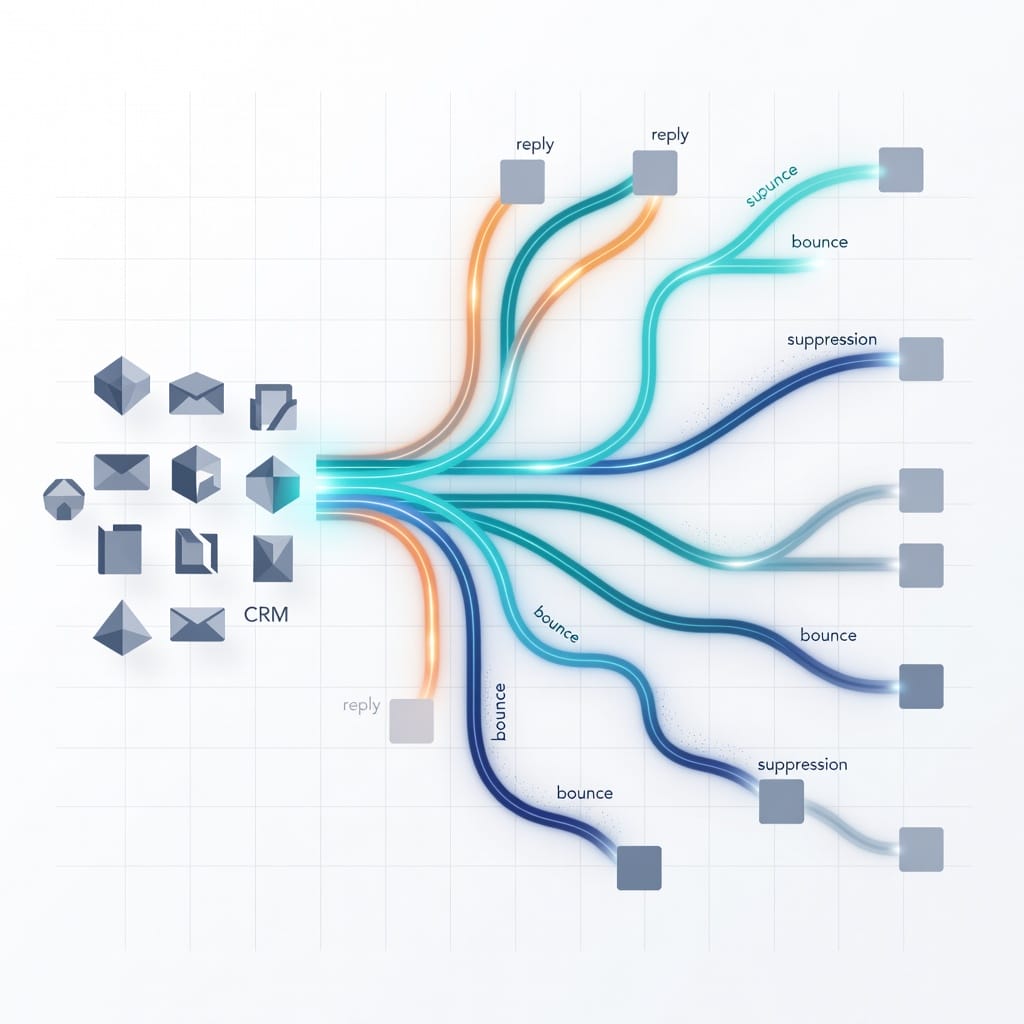
Outreach Magic’s OutboundSync is positioned as a lightweight sync layer that routes outbound events into a local SQLite database. Its main promise is that your AI agent can query one local file instead of forcing you to merge CSV exports from multiple sequencers, enrichment tools, and spreadsheets.
The competitor page frames the product around a simple idea: you build the outbound stack, and the tool keeps the data queryable. Events flow from sequencers into a webhook route, then into a SQLite file that an agent can inspect. Users can also export data to Google Sheets, edit fields, and sync those changes back into the agent-accessible database.
That positioning is distinct from a traditional cold email platform. OutboundSync is not primarily a sequencer, deliverability tool, CRM, or analytics dashboard. It is closer to a data layer for outbound operations. The product emphasizes ownership of the file, local access, low pricing, and compatibility with agent workflows.
Based on the competitor page, the core capabilities include:
- Webhook ingestion from supported outbound platforms.
- Local SQLite storage that the user owns and can inspect.
- Google Sheets round-trip editing for lead fields.
- Workspace mapping for campaign and account organization.
- API key pass-through for enrichment companions.
- Agent-readable data for weekly performance prompts and reporting.
- Event-based pricing rather than per-seat dashboard pricing.
This is useful for technical operators who already know what data model they want. It is less complete for teams that expect a polished dashboard, campaign builder, mailbox warmup, email verification, unified inbox, permission controls, or CRM pipeline governance.

Quick verdict: should you use an outreach sync tool?
Use an outreach sync tool if your outbound system already spans multiple apps and you need better data continuity. Do not buy one just because it sounds modern. If your biggest problem is sending cold email safely, managing replies, warming inboxes, or building sequences, a cold email platform will usually solve more of the problem.
Here is the short version:
| Situation | Best fit | Why |
|---|---|---|
| You run multiple sequencers and want one event database | Outreach sync layer | Centralizes campaign events and lead states |
| You need cold email sending, warmup, AI, sequencer, and unibox | Mystrika | Combines the execution layer in one platform starting at $15/month |
| You send very high outbound volume and want unlimited cold email sending | DoYouMail | Built around high-volume cold email sending |
| You need to verify leads before campaigns in real time | Filter Bounce | Focused on email verification and bounce prevention |
| Your sales process is CRM-led and strict on pipeline stages | CRM-native integration | Keeps opportunity and owner data governed inside the CRM |
| You need custom glue between many apps | Automation platform | Flexible triggers and actions without building a database |
| You need enterprise audit controls and RBAC | Mature CRM or sales engagement suite | Better permissioning, governance, and compliance controls |
The key question is this: do you need a system of record, a system of action, or a bridge between them? Outreach sync is a bridge. Mystrika is closer to a system of action for cold email outreach. A CRM is a system of record for pipeline. Confusing those jobs is how teams build stacks that look powerful but remain hard to operate.
How outreach sync works in a modern outbound stack
Outreach sync works by capturing events from one tool, normalizing them, and writing them somewhere another tool or person can use. In practice, the workflow usually combines webhooks, API polling, field mapping, deduplication, enrichment checks, suppression rules, and reporting outputs.
A typical stack looks like this:
1. Lead source: A prospect database, list builder, spreadsheet, inbound form, event list, or enrichment provider creates the starting record.
2. Verification: A tool checks the email address before outreach. Filter Bounce can fit here when teams need real-time email verification before import or send.
3. Sequencer: A cold email platform sends messages, records opens or replies where available, pauses leads, and manages follow-up logic.
4. Unibox: Replies, bounces, and manual conversations are handled by the sales or founder team.
5. Sync layer: Events are sent to a database, spreadsheet, CRM, or automation workflow.
6. CRM or reporting: Qualified replies, meetings, opportunities, and suppressions are written back to the system of record.
7. AI or analytics: Agents or dashboards summarize performance, identify segments, and suggest next steps.
A sync layer can be local, cloud-hosted, CRM-native, or no-code. The architecture changes the tradeoffs:
| Architecture | Strength | Weakness |
|---|---|---|
| Local SQLite file | Portable, inspectable, agent-friendly | Harder for multi-user collaboration and governance |
| Cloud database | Team access, centralization, easier backups | More vendor dependency and security review |
| CRM-native sync | Pipeline governance and ownership | Often less flexible for raw event analysis |
| Spreadsheet sync | Easy for non-technical users | Fragile at scale and prone to manual mistakes |
| No-code automation | Fast to build and change | Can become expensive, opaque, or brittle |
The best outreach sync setup depends on who will operate it. A technical solo operator might prefer a local SQLite workflow. A RevOps team might prefer cloud data with logs, role-based access, and audit trails. A founder-led cold email motion might not need a separate sync layer at all if the outreach platform already handles sequencing, warmup, inboxes, and reporting.
Outreach sync use cases that actually matter
Outreach sync is valuable when it removes a recurring operational bottleneck. The strongest use cases are not abstract dashboards. They are specific workflows where stale, duplicated, or missing data costs time, money, or deliverability.
Campaign event consolidation
Campaign event consolidation means collecting sent, replied, bounced, paused, unsubscribed, clicked, booked, and failed events in one place. This helps teams understand what happened across campaigns, inboxes, domains, segments, and message angles without manually combining exports.
For example, a team running outreach across several brands or workspaces may need a single weekly report showing:
- Reply rate by segment.
- Bounce rate by data source.
- Positive replies by offer.
- Meetings booked by inbox pool.
- Unsubscribes by audience.
- Leads that should be suppressed from future sends.
Without sync, the report requires manual CSV work. With sync, it can be generated by a dashboard, SQL query, agent prompt, or spreadsheet pivot.
Lead state management
Lead state management keeps each prospect in the correct operational status. A lead should not be enriched twice, contacted after unsubscribing, re-imported after bouncing, or routed to two reps at the same time.
Useful lead states include:
- New.
- Verified.
- Invalid.
- Enriched.
- Ready for sequence.
- Active in campaign.
- Replied.
- Interested.
- Not interested.
- Bounced.
- Unsubscribed.
- Meeting booked.
- Customer.
- Suppressed.
When those states sync correctly, reps avoid embarrassing mistakes and ops teams avoid wasted spend. When they do not sync, your outbound data becomes untrustworthy.
Enrichment deduplication
Enrichment deduplication prevents repeated API calls for data you already bought or collected. Before buying a phone number, company field, email verification result, or account attribute, the sync layer checks whether the record already has the needed value.
This is especially useful when several tools touch the same prospect. The sync layer can keep the canonical value and source note:
| Field | Why it matters | Sync rule |
|---|---|---|
| Email verification status | Prevents avoidable bounces | Never overwrite a newer verification result with an older one |
| LinkedIn URL | Helps dedupe people across sources | Normalize URLs before matching |
| Company domain | Connects leads to accounts | Lowercase and remove tracking parameters |
| Job title | Supports segmentation | Preserve source and timestamp |
| Last contacted date | Prevents over-contacting | Update after every send event |
| Suppression reason | Protects compliance and deliverability | Do not allow campaign imports to overwrite it |
AI agent reporting
AI agent reporting is where local or structured outreach sync becomes especially interesting. If the data is queryable, an agent can generate weekly summaries, find weak segments, flag list quality issues, and prepare client updates.
Strong agent prompts include:
- “Summarize campaign performance by segment and explain which segment should be paused.”
- “Find leads that replied positively but are not marked as booked or qualified.”
- “List data sources with the highest bounce rate and recommend what to stop importing.”
- “Prepare a client-ready report with wins, risks, and next actions.”
- “Identify campaigns with good replies but poor booking conversion.”
The agent is only as useful as the schema. If the sync layer does not normalize events, timestamps, campaign names, inboxes, and lead IDs, the agent will produce confident but unreliable summaries.
CRM handoff
CRM handoff moves only the right records into sales pipeline systems. Most teams should not push every cold lead into a CRM. They should push interested replies, meetings, qualified accounts, opt-outs, and suppression events based on clean rules.
A good CRM handoff rule might say:
1. If a lead replies with buying intent, create or update the contact.
2. Match the company by domain.
3. Assign owner based on territory or campaign.
4. Add source, campaign, and message angle.
5. Create a task for manual review.
6. Do not create duplicate contacts for invalid or unsubscribed leads.
This is where lightweight sync tools can need help. If they do not include native CRM connectors, you may need an automation platform or custom script for the final handoff.
Outreach Magic OutboundSync strengths
OutboundSync’s main strength is its focus. It does not try to become a CRM or full outreach platform. It tries to make outbound event data queryable, editable, and agent-friendly at a low cost.
The most compelling strengths are:
- Local-first data ownership: A local SQLite file is easy to inspect, move, back up, and query. Technical users do not have to wait for a vendor dashboard to expose a field.
- Agent-native workflow: The product is designed for users who want AI agents to read outreach data directly.
- Simple mental model: Sequencer events flow into one schema. That is easier to understand than a large platform with many modules.
- Google Sheets editing: Non-technical users can review and adjust fields in a familiar interface.
- Event-based pricing: A low monthly price can be attractive for small teams that dislike per-seat fees.
- Enrichment cost control: Checking existing data before using enrichment APIs can reduce duplicate spend.
- No new dashboard dependency: Teams that already prefer agents, spreadsheets, and SQL may not want another dashboard.
These strengths are real for the right user. A founder, growth engineer, or technical RevOps operator can benefit from a clean local database that captures outbound events. It is especially useful when the team already owns the sending stack and only needs a data layer.
Outreach Magic OutboundSync limitations
OutboundSync’s limitations come from the same focus that makes it appealing. A local sync layer is not the same as a complete outbound operating system. It can help you see and query what happened, but it may not solve sending, deliverability, reply handling, CRM governance, or team collaboration.
Key limitations to evaluate:
| Limitation | Why it matters | What to ask before buying |
|---|---|---|
| Not a full cold email platform | You may still need a sequencer, warmup, unibox, and deliverability controls | Which tool actually sends and manages replies? |
| Local database model | Great for ownership, harder for multi-user operations | Who owns the file, backups, and access? |
| Limited native governance | Enterprise teams may need RBAC, SSO, audit logs, and approval flows | What compliance review will this need? |
| No native CRM emphasis | CRM handoff may require another integration layer | How do qualified replies enter the pipeline? |
| No dashboard by design | Non-technical managers may still want visual reporting | Who writes and maintains the reports? |
| Sequencer support boundaries | Your current platform may not be supported | Which integrations are live, stable, and documented? |
| Schema dependency | Bad mappings create bad agent outputs | Can you customize fields, IDs, and event names? |
| Backup and recovery questions | Local-first systems need operational discipline | How are files backed up and restored? |
The biggest risk is assuming that sync equals strategy. A sync tool can centralize events, but it cannot fix poor targeting, weak offers, invalid emails, missing authentication, aggressive sending, or slow follow-up.
Outreach sync vs cold email platform: the difference
An outreach sync tool connects and normalizes data. A cold email platform runs the outreach motion. If your primary pain is scattered data, use sync. If your primary pain is campaign execution, deliverability, warmup, sequencing, and reply management, use a cold email platform first.
Here is the practical distinction:
| Capability | Outreach sync layer | Cold email platform such as Mystrika |
|---|---|---|
| Send cold emails | Usually no | Yes |
| Build sequences | Usually no | Yes |
| Manage warmup | Usually no | Yes |
| Handle replies in a unibox | Usually no | Yes |
| Store event data | Yes | Yes, within platform scope |
| Sync multiple external tools | Yes | Sometimes, depending on integrations |
| Support AI reporting | Yes if data is queryable | Yes if platform includes AI and exportable data |
| Verify emails | Usually through companion tools | Sometimes native or via integrations |
| Replace CRM | No | No |
| Best buyer | Technical ops, RevOps, growth engineer | Founder, SDR team, agency, cold email operator |
Mystrika fits teams that want the sending and execution layer in one place: AI assistance, warmup, sequencer, unibox, whitelabel options, and cold email operations starting at $15/month. That does not make a sync layer unnecessary for every team. It simply means you should choose the foundation first. If you do not yet have reliable sending, inbox health, and reply workflows, adding a sync database may be premature.
For deeper operational context, see Mystrika’s guide to email deliverability, because many sync problems become irrelevant if the underlying sending system is damaging inbox reputation.
Outreach sync vs CRM sync
Outreach sync and CRM sync overlap, but they are not identical. CRM sync focuses on accounts, contacts, owners, opportunities, activities, and pipeline stages. Outreach sync focuses on campaign events, lead states, enrichment data, sequencer activity, and operational routing.
Use CRM sync when the record should affect revenue pipeline. Use outreach sync when the record should affect campaign operations. A bounced lead might need to be suppressed from outreach without becoming a CRM activity. A positive reply should likely create or update a CRM contact. A verified but not-yet-contacted lead may belong in the outreach database, not the sales pipeline.
A clean handoff model looks like this:
| Data type | Best home | Reason |
|---|---|---|
| Raw imported prospect list | Outreach database | Too noisy for CRM |
| Verification result | Outreach database and suppression system | Operational sending decision |
| Campaign membership | Outreach platform or sync layer | Needed for sequence logic |
| Positive reply | CRM and unibox | Sales action needed |
| Meeting booked | CRM | Pipeline reporting needed |
| Unsubscribe | Suppression list and CRM if contact exists | Compliance and future exclusion |
| Opportunity stage | CRM | Revenue process governance |
The common mistake is pushing everything everywhere. That creates duplicates, bad owner assignments, and messy reporting. A better approach is to define clear promotion rules. Only records that meet sales-ready criteria should move into the CRM pipeline.
Outreach sync vs automation platforms
Automation platforms are flexible glue. Outreach sync tools are specialized data layers. If you need a few simple trigger-action workflows, an automation platform may be enough. If you need a durable event history and queryable outbound database, a sync layer can be cleaner.
Automation platforms are useful for:
- Sending a notification when a reply arrives.
- Creating a CRM task after a booked meeting.
- Copying a spreadsheet row into a campaign.
- Updating a field when a form is submitted.
- Routing a webhook to another app.
Outreach sync is better for:
- Maintaining a historical event table.
- Querying campaign performance by multiple dimensions.
- Deduplicating enrichment and verification data.
- Giving agents a stable schema to inspect.
- Auditing what happened to a lead over time.
The two can work together. A sync layer can hold canonical outbound data, while automations push specific events to Slack, CRM, or reporting tools. The danger is building a web of automations with no central source of truth. Once nobody can explain which workflow overwrote a field, you have an operations problem.
Decision matrix: choose the right outreach sync setup
Choose your setup based on your current bottleneck, team maturity, and tolerance for technical ownership. A local database tool is powerful for technical users. A full outreach platform is better for teams that need reliable campaign execution more than custom data plumbing.
| Buyer profile | Recommended setup | Avoid |
|---|---|---|
| Solo technical founder | Lightweight sync layer plus a strong cold email platform | Enterprise platforms with heavy admin overhead |
| Cold email agency | Mystrika with whitelabel plus selective sync workflows | Manual CSV reporting for every client |
| High-volume sender | DoYouMail for unlimited sending plus verification and reporting | Sync-only tools that do not solve sending capacity |
| RevOps team | CRM-governed sync with audit logs and field rules | Local-only workflows without backup ownership |
| AI-first growth team | Agent-readable database with clear schema | Unstructured spreadsheets with inconsistent columns |
| Compliance-sensitive enterprise | CRM or sales engagement suite with permissions and audit trails | Tools without RBAC, SSO, or data processing clarity |
| Early-stage team with one inbox | Simple cold email platform first | Extra sync layers before campaign basics work |
A useful rule: add a sync layer only after you can name the exact recurring workflow it will replace. “We want better data” is too vague. “We need a weekly segment report across three sequencers without manual exports” is specific enough.
Outreach sync implementation checklist
A good outreach sync implementation starts with data rules, not tool selection. Before connecting webhooks or importing lists, define identifiers, states, ownership, suppression logic, and promotion rules. Otherwise, your sync will faithfully move messy data into more places.
Use this checklist before you deploy:
- Define the canonical lead ID: Decide whether email, LinkedIn URL, CRM contact ID, or an internal UUID wins.
- Normalize company domains: Lowercase domains, remove URL paths, and standardize account matching.
- Map event names: Convert platform-specific events into a shared vocabulary.
- Protect suppression fields: Bounced, unsubscribed, customer, and do-not-contact statuses should not be overwritten by imports.
- Set verification recency rules: Decide when an email verification result becomes stale.
- Track source and timestamp: Every key field should have a source and last-updated value.
- Separate raw and curated data: Keep original events for auditability and curated fields for operations.
- Document CRM promotion rules: Define exactly when a lead becomes a CRM contact or opportunity.
- Test failure scenarios: Disconnect a webhook, expire an API key, import a duplicate, and verify what happens.
- Create backup routines: Local databases and spreadsheets need explicit backup policies.
- Audit access: Decide who can edit, export, delete, or sync back records.
- Review deliverability impact: Make sure sync mistakes cannot re-contact unsubscribed or invalid addresses.
This checklist matters because sync tools can scale mistakes. A bad manual process affects one spreadsheet. A bad sync rule can affect every campaign.
Data model: fields your outreach sync should track
Your outreach sync should track enough fields to answer operational questions without becoming a bloated CRM clone. The best model separates identity, campaign activity, engagement, deliverability, enrichment, ownership, and compliance fields.
A practical minimum schema includes:
| Category | Example fields | Purpose |
|---|---|---|
| Identity | email, first name, last name, company, domain, LinkedIn URL | Deduplication and personalization |
| Source | list source, import date, enrichment source, campaign source | Quality analysis |
| Verification | status, provider, checked at, risk notes | Bounce prevention |
| Campaign | campaign ID, sequence step, mailbox, sending domain, workspace | Performance attribution |
| Engagement | sent, opened if tracked, replied, clicked if tracked, booked | Outcome analysis |
| Reply handling | sentiment, owner, next action, follow-up date | Sales workflow |
| Suppression | unsubscribed, bounced, do-not-contact, customer, competitor | Safety and compliance |
| CRM | CRM contact ID, account ID, opportunity ID, stage | Pipeline handoff |
| Audit | created at, updated at, last sync source, error state | Debugging and trust |
Avoid making the sync layer responsible for everything. It should not become the place where sales reps manage complex opportunity stages unless it is intentionally replacing part of the CRM. Keep the model focused on outbound operations and handoff.
Deliverability and compliance considerations
Outreach sync affects deliverability and compliance because it controls who gets contacted, when they get contacted, and whether suppression states survive across tools. A sync error can re-import invalid addresses, ignore unsubscribes, duplicate prospects, or keep sending after a negative signal.
Important safeguards include:
- Never allow a list import to overwrite an unsubscribe or do-not-contact flag.
- Keep bounce and verification status close to campaign import logic.
- Re-check old leads before reactivation if verification is stale.
- Maintain suppression across domains, workspaces, and client accounts where appropriate.
- Store consent, source, or legitimate-interest notes when your legal process requires them.
- Avoid copying sensitive notes into tools that do not need them.
- Review data retention policies for local files, spreadsheets, and cloud syncs.
- Track who can edit lead status fields that affect sending eligibility.
For cold email teams, deliverability is not only about technical authentication. It also depends on list quality, sending behavior, bounce control, and reply handling. If outreach sync helps remove bad contacts before campaigns, it supports deliverability. If it reactivates suppressed leads or duplicates sends, it hurts deliverability.
Product comparison: Outreach Magic, Mystrika, DoYouMail, Filter Bounce, and CRM sync
The right product depends on whether you need data sync, sending infrastructure, verification, or pipeline governance. These tools are not interchangeable. They solve adjacent problems in the outbound system.
| Product or approach | Primary job | Best for | Main limitation |
|---|---|---|---|
| Outreach Magic OutboundSync | Local outbound event sync and agent-readable database | Technical teams using multiple tools and AI agents | Not a full sending, warmup, unibox, or CRM platform |
| Mystrika | Cold email outreach platform with AI, warmup, sequencer, unibox, and whitelabel | Teams that need campaign execution and reply workflow in one platform | May still need custom sync if using many external data systems |
| DoYouMail | Unlimited cold email sending | High-volume outbound teams focused on sending capacity | Needs surrounding process for enrichment, verification, and CRM handoff |
| Filter Bounce | Real-time email verification | Teams reducing bounces before import or send | Verification only, not sequencing or campaign management |
| CRM-native sync | Pipeline and contact governance | Sales teams with strict CRM ownership | Often not ideal for raw campaign event exploration |
| Automation platform | Trigger-action workflow glue | Simple app-to-app updates | Can become brittle without a central data model |
| Custom database | Fully controlled outbound data warehouse | Advanced RevOps or engineering-led GTM | Requires maintenance, documentation, and monitoring |
A practical stack might use Mystrika as the cold email execution layer, Filter Bounce to verify lists before campaigns, and a focused sync workflow only for CRM promotion or AI reporting. Another team might use DoYouMail for high-volume sending and maintain a separate sync database for events and suppression. The best stack is the one your team can operate correctly every week.
Pros and cons of an outreach sync layer
An outreach sync layer can make outbound operations more reliable, but it also introduces another system to own. The benefits are strongest when the sync has a clear scope, stable identifiers, and someone accountable for data quality.
Pros:
- Creates a single queryable view of outbound activity.
- Reduces manual CSV exports and spreadsheet merging.
- Helps deduplicate enrichment and verification spend.
- Gives AI agents structured data for reporting and analysis.
- Improves suppression and lead state consistency when configured well.
- Can connect tools without forcing a full platform migration.
- Supports custom reporting across campaigns, workspaces, and data sources.
Cons:
- Does not replace a sequencer, unibox, warmup system, or CRM by itself.
- Adds operational ownership for schema, backups, mappings, and failures.
- Can spread bad data quickly if rules are wrong.
- Local-first models may be awkward for larger teams.
- Non-technical users may still need dashboards or curated reports.
- Native integrations may not cover your full stack.
- Compliance and access controls may be limited compared with enterprise systems.
The simplest way to decide is to calculate the cost of the manual workflow it replaces. If your team spends hours every week reconciling campaign events and enrichment states, a sync layer can pay for itself quickly. If you send from one platform and review replies in one inbox, it may be unnecessary.
Common outreach sync mistakes
Most outreach sync failures come from unclear ownership, weak identifiers, and unsafe overwrite rules. The tool is rarely the only issue. The implementation usually fails because nobody defined what should happen when records conflict.
Avoid these mistakes:
1. Using email as the only identity key: Emails change, aliases exist, and personal plus work addresses can represent the same person. Use multiple identifiers where possible.
2. Letting imports overwrite suppression: This is one of the most dangerous mistakes for deliverability and compliance.
3. Syncing every raw lead into the CRM: This pollutes pipeline data and frustrates sales teams.
4. Ignoring field timestamps: Without timestamps, you cannot know whether a value is fresh or stale.
5. Mixing client or workspace data carelessly: Agencies need strict boundaries between accounts.
6. Trusting AI summaries without schema checks: Agents need clean fields and clear definitions.
7. Skipping failure alerts: A broken webhook can silently ruin reporting.
8. Not documenting mappings: If only one person understands the sync, the workflow is fragile.
9. Overbuilding too early: A small team may need better campaign execution, not a data layer.
10. Treating sync as deliverability insurance: Sync can support deliverability, but it cannot fix poor list quality or unsafe sending behavior.
A sync layer should make the system easier to reason about. If every operator is afraid to touch it, the implementation is too fragile.
How to evaluate any outreach sync tool
Evaluate outreach sync tools by testing data correctness, failure behavior, and operational fit. Feature lists are less important than whether the tool preserves the right state under real outbound conditions.
Use these questions during evaluation:
Data and schema
- Can you inspect raw events and curated records separately?
- Can you customize fields, event names, workspaces, and mappings?
- How does the tool deduplicate leads, accounts, and campaign events?
- Does it preserve source, timestamp, and last-updated data?
- Can it handle multiple clients, domains, inbox pools, or workspaces?
Integrations
- Which sequencers are live and documented?
- Does it support your CRM, spreadsheet, verification provider, and enrichment tools?
- Are webhooks real-time or delayed?
- Can you replay missed events?
- What happens when an API key expires?
Governance
- Who can view, export, edit, or delete data?
- Are there audit logs?
- Is there role-based access for teams?
- Where is data stored and backed up?
- How are local files protected on laptops or shared machines?
Operations
- Can non-technical users use the output safely?
- Does the tool include dashboards or require SQL and agent prompts?
- Are failures visible without manually checking logs?
- Can you restore from backup?
- How hard is it to migrate away?
Business fit
- Does it replace a real recurring workflow?
- Is the pricing aligned with event volume, users, or clients?
- Does it reduce tool spend or add another subscription?
- Who will own maintenance?
- What happens if the champion leaves?
A good evaluation includes a test dataset. Import duplicates, invalid emails, unsubscribes, replies, and CRM matches. Then verify that the system produces the expected state.
Suggested outreach sync workflow for cold email teams
A reliable cold email workflow starts with verification and suppression, moves into campaign execution, and syncs only meaningful events back to reporting or CRM. The sync should support the campaign, not become the campaign.
Here is a practical workflow:
1. Prepare the list: Normalize names, company domains, LinkedIn URLs, and source fields.
2. Verify emails: Use a verification tool such as Filter Bounce before importing risky addresses.
3. Apply suppression: Remove unsubscribed, bounced, customer, competitor, and do-not-contact records.
4. Segment by intent or fit: Group prospects by role, industry, trigger, pain point, or account type.
5. Send through the outreach platform: Use a platform such as Mystrika when you need AI support, warmup, sequencer logic, unibox handling, and campaign execution together.
6. Capture events: Sync sends, replies, bounces, unsubscribes, meetings, and manual status changes.
7. Promote qualified records: Push only interested or booked leads to the CRM.
8. Review weekly: Analyze reply quality, bounce sources, segment performance, and follow-up gaps.
9. Update rules: Adjust verification, suppression, segmentation, and CRM handoff rules based on findings.
10. Back up data: Keep a recoverable copy of critical operational data.
This workflow keeps the center of gravity clear. The sending platform runs outreach. Verification protects list quality. Sync captures state and feeds reporting. CRM receives sales-ready outcomes.
When Mystrika is a better fit than outreach sync
Mystrika is a better first choice when the real problem is cold email execution rather than cross-tool data plumbing. If you need AI, warmup, sequencing, unibox, whitelabel options, and an affordable starting price, a dedicated cold email platform solves more of the daily workflow than a sync-only layer.
Choose Mystrika first if you need to:
- Launch and manage cold email sequences.
- Warm up inboxes and manage sending readiness.
- Handle replies in a unibox.
- Use AI support while building campaigns.
- Give agencies a whitelabel option.
- Keep cold outreach operations accessible to non-technical users.
- Start at a low entry price without building a custom data layer.
A sync layer can still complement Mystrika later if you need custom reporting across external tools. But most teams should avoid buying a sync layer before they have reliable campaign operations. Build the engine first, then add instrumentation.
When DoYouMail or Filter Bounce fits better
DoYouMail and Filter Bounce solve narrower but important problems. DoYouMail is relevant when sending capacity is the constraint. Filter Bounce is relevant when email quality and bounce prevention are the constraint.
Use DoYouMail when:
- Your main need is unlimited cold email sending.
- You already know how to manage lists, verification, replies, and reporting.
- Sending capacity matters more than a local event database.
- You have an operations process around domains, inboxes, and suppression.
Use Filter Bounce when:
- You need real-time email verification before campaign import.
- You want to reduce avoidable bounces from old or mixed-quality lists.
- You need a focused verification layer that can support any sending platform.
- Your sync rules depend on accurate verification states.
These tools can sit beside an outreach sync workflow. Verification status can be written into the sync layer. Sending events can be captured after campaigns run. The key is to avoid expecting one narrow tool to solve the entire outbound system.
Pricing and ROI considerations
Outreach sync ROI depends on hours saved, errors prevented, enrichment spend reduced, and revenue handoffs improved. A low subscription price is attractive, but the real cost includes setup, schema design, maintenance, reporting, and troubleshooting.
Consider these cost categories:
| Cost or value driver | What to measure |
|---|---|
| Manual reporting time | Hours spent merging exports each week |
| Duplicate enrichment | Repeated API calls for the same lead or company |
| Bad sends | Bounces, unsubscribes, and duplicate contacts caused by stale state |
| Missed follow-up | Positive replies not routed to owners quickly |
| CRM pollution | Time spent cleaning unqualified or duplicate records |
| Tool maintenance | Time spent fixing mappings, webhooks, and API errors |
| Training | Time needed for non-technical users to trust the workflow |
| Migration risk | Effort to leave the tool if the stack changes |
A cheap sync tool can be expensive if it requires constant debugging. A more expensive platform can be cheaper if it removes several tools and reduces operational risk. Compare total workflow cost, not just monthly subscription price.
Key Takeaways
Outreach sync is most valuable when your team needs a reliable bridge between outbound tools, not when you still lack the basics of cold email execution.
- Outreach sync centralizes campaign events, lead states, enrichment data, verification status, and handoff rules.
- Outreach Magic’s OutboundSync-style positioning is strongest for technical teams that want a local, queryable, agent-readable database.
- A sync layer is not a replacement for a sequencer, warmup system, unibox, CRM, or verification tool.
- Mystrika is a better fit when you need cold email execution with AI, warmup, sequencer, unibox, and whitelabel options starting at $15/month.
- DoYouMail is more relevant when unlimited cold email sending is the main constraint.
- Filter Bounce is more relevant when real-time email verification and bounce prevention are the main constraint.
- CRM sync should be reserved for sales-ready records, not every raw outbound prospect.
- The most important implementation rules are suppression protection, clean identifiers, timestamped fields, backup routines, and documented handoff criteria.
- AI reporting only works when the sync schema is clean enough for agents to interpret accurately.
- Do not buy an outreach sync tool until you can name the exact manual workflow, reporting gap, or data-quality problem it will replace.
Frequently Asked Questions
What does outreach sync mean?
Outreach sync means keeping outbound sales and cold email data consistent across tools. It can include syncing prospects, campaign events, replies, bounces, verification status, enrichment fields, suppression lists, spreadsheet edits, and CRM handoffs so teams do not rely on stale CSV exports.
The term can describe a product, an integration, or an operating process. The important point is that each lead has a clear current state and each tool receives only the data it needs.
Is Outreach Magic OutboundSync a cold email platform?
No. Based on its positioning, Outreach Magic OutboundSync is closer to a local outbound data sync layer than a full cold email platform. It focuses on routing events into a queryable SQLite database and making that data useful for agents and spreadsheet workflows.
If you need campaign sending, warmup, sequencing, and unibox handling, you still need a cold email platform. Mystrika is a better fit for teams that want those execution features in one place.
Who should use an outreach sync tool?
An outreach sync tool fits technical founders, growth engineers, RevOps teams, agencies, and AI-first go-to-market teams that already use multiple outbound tools. It is most useful when manual exports, duplicate enrichment, stale lead states, or fragmented reporting are recurring problems.
It is less useful for a small team that sends from one platform and can already manage replies, suppression, and reporting inside that platform.
What is the biggest risk with outreach sync?
The biggest risk is syncing bad data faster. If your identifiers, suppression rules, timestamps, and overwrite logic are wrong, the sync can duplicate records, re-contact unsubscribed leads, overwrite newer verification results, or pollute the CRM.
The safest implementation starts with clear data rules. Protect suppression fields, separate raw events from curated records, and test duplicates, bounces, unsubscribes, and expired API keys before relying on the workflow.
Does outreach sync improve email deliverability?
Outreach sync can support deliverability, but it does not improve deliverability by itself. It helps when it prevents invalid, bounced, unsubscribed, or duplicate leads from entering campaigns. It hurts when it reactivates suppressed contacts or imports stale lists without verification.
Deliverability still depends on authentication, list quality, sending behavior, inbox health, reply quality, and bounce control. Use sync as a safety layer, not as a substitute for proper cold email operations.
How is outreach sync different from CRM sync?
CRM sync focuses on sales records such as accounts, contacts, owners, opportunities, activities, and pipeline stages. Outreach sync focuses on campaign operations such as lead states, verification, sends, replies, bounces, enrichment, and suppression.
A clean setup pushes only qualified replies, meetings, customers, and important suppression events into the CRM. Raw prospects and operational campaign events usually belong in the outreach platform or sync layer.
Can AI agents use outreach sync data?
Yes, AI agents can use outreach sync data if the schema is clean and the data is queryable. A local SQLite database or structured cloud table can help an agent summarize campaign performance, find missed follow-ups, flag weak segments, and prepare weekly reports.
However, agents need reliable field names, event definitions, timestamps, and deduplication. If the data model is inconsistent, the agent may produce confident but incorrect recommendations.
What should I use instead of an outreach sync tool?
Use a cold email platform if you need sending, warmup, sequencing, and reply management. Use Mystrika when you want AI, warmup, sequencer, unibox, whitelabel options, and an affordable starting point for cold email outreach.
Use DoYouMail if unlimited sending is the primary requirement. Use Filter Bounce if email verification is the immediate bottleneck. Use CRM-native sync if pipeline governance is more important than raw campaign event analysis.
How do I know if I need outreach sync now?
You need outreach sync now if you can identify a repeated data workflow that is wasting time or causing mistakes. Examples include weekly CSV merging, duplicate enrichment spend, inconsistent suppression, missed CRM handoffs, or reporting across multiple sequencers.
If you cannot name the exact workflow, wait. Improve your campaign execution, verification, deliverability, and reply handling first. Add sync when the operational pain is specific and measurable.
What fields should an outreach sync database include?
At minimum, it should include identity fields, source fields, verification status, campaign membership, engagement events, reply sentiment, suppression status, CRM IDs, timestamps, and sync error states. It should also preserve raw events separately from curated operational fields.
Do not turn the sync layer into a full CRM unless that is intentional. Keep the schema focused on outbound operations and the handoff points that matter to sales.