
What Are Outreach Tools?
Outreach tools are software platforms that help teams find the right people, contact them at the right time, personalize messages, follow up automatically, manage replies, and measure outcomes. The best outreach tools do not simply send more messages. They help you send better, safer, more relevant campaigns across email, LinkedIn, calls, PR, partnerships, and link building.
For most teams, the term covers several categories at once:
- Prospecting tools that find companies, contacts, journalists, creators, or link prospects.
- Email outreach tools that send personalized sequences and follow-ups.
- Sales outreach tools that combine email, calling, LinkedIn tasks, CRM sync, and pipeline reporting.
- PR and link-building outreach tools that manage media lists, pitches, backlinks, and relationships.
- Verification and deliverability tools that protect sender reputation before you scale.
- Workflow tools that connect forms, CRMs, spreadsheets, enrichment platforms, and inboxes.
That broad definition matters because a founder searching for outreach tools may need a lightweight cold email platform, while a revenue team may need a multichannel sales engagement system, and a content team may need a PR or backlink outreach CRM. A good buying decision starts with the use case, not the logo.
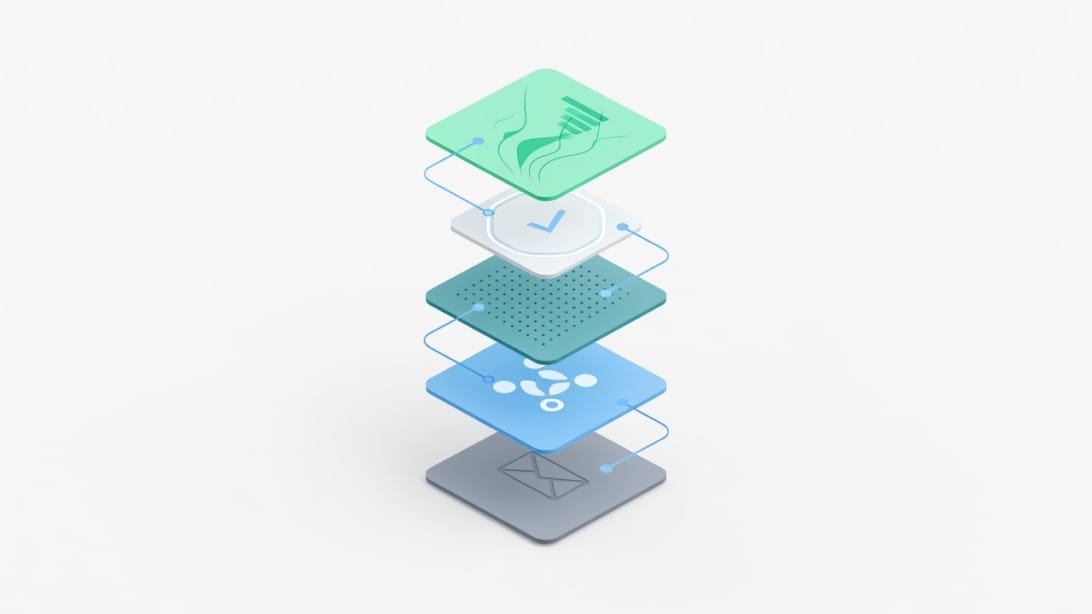
This guide takes a stack-first approach. Instead of listing dozens of tools with no decision logic, it explains which outreach tool category you need, which features actually matter, how to compare options, and how to avoid deliverability mistakes that can quietly ruin a campaign.
Quick Answer: Which Outreach Tool Should You Choose?
If your main channel is cold email, choose an outreach tool with sequencing, personalization, reply detection, bounce handling, inbox rotation, warmup support, and a clean unibox. Mystrika is a strong fit for teams that want cold email outreach, warmup, AI-assisted sequencing, unified replies, and white-label capability in one platform starting at $15/month.
If your team is mostly sales development, evaluate a sales engagement platform with CRM sync, task queues, call steps, LinkedIn steps, account-level reporting, and manager dashboards. If your team is doing PR, influencer, or link-building outreach, prioritize relationship history, list building, campaign notes, and media or backlink context.
Use this shortcut:
| Outreach goal | Best starting category | Features to prioritize | Common mistake |
|---|---|---|---|
| Cold email campaigns | Email outreach platform | Sequencer, warmup, unibox, personalization, deliverability controls | Buying a CRM and expecting it to send safe campaigns |
| B2B sales development | Sales engagement platform | CRM sync, tasks, calls, LinkedIn steps, team analytics | Paying for enterprise complexity before process maturity |
| Link building | PR or backlink outreach CRM | Prospect research, email templates, relationship history, backlink tracking | Sending generic pitches to unqualified domains |
| PR and media outreach | Media database plus PR CRM | Journalist database, pitching history, beat relevance, notes | Treating journalists like sales leads |
| Partnerships | CRM plus personalized email outreach | Account notes, sequence control, manual review, reply management | Over-automating high-value relationships |
| Creator or influencer outreach | Creator discovery plus relationship manager | Audience fit, engagement quality, campaign tracking | Choosing only by follower count |
| Customer lifecycle outreach | CRM or marketing automation | Segmentation, triggers, consent, suppression lists | Mixing customer email and cold prospecting infrastructure |
The right answer is rarely one tool forever. The best teams usually combine a core outreach platform with lead research, email verification, CRM, analytics, and a few workflow automations.
Why Outreach Tools Matter More Now
Outreach is harder than it looks because buyers, journalists, creators, and site owners receive more automated messages than ever. A tool that simply increases volume can make performance worse if it also increases irrelevant messages, bounces, spam complaints, or duplicate follow-ups.
Modern outreach tools matter because they help with five jobs that are difficult to manage manually:
1. Finding the right audience. You need clean accounts, contacts, roles, industries, triggers, and exclusions.
2. Personalizing at scale. You need enough context to make the message feel relevant without writing every email from scratch.
3. Following up consistently. Most teams fail because they forget follow-ups or send them at the wrong time.
4. Protecting sender reputation. Verification, warmup, authentication, throttling, and bounce controls are not optional for cold campaigns.
5. Learning from replies. Replies, objections, meetings, unsubscribes, and bounces should improve your next campaign.
A spreadsheet and Gmail can work for the first 20 messages. They break once you need repeatability, multiple senders, different segments, suppression lists, or performance reporting.
For deeper execution guidance after you choose a platform, see this guide to cold email outreach.
The Best Outreach Tools by Category
The best outreach tools fall into categories. Comparing a sales engagement platform with a journalist database or a video messaging tool is like comparing a CRM with a calendar app. They may all help outreach, but they solve different jobs.
1. Cold Email Outreach Platforms
Cold email outreach platforms help you send personalized email sequences to prospects who have not yet engaged with your company. They usually include inbox connection, campaign scheduling, personalization fields, follow-up logic, reply detection, bounce handling, warmup support, and reporting.
Best for: founders, agencies, B2B sales teams, recruiters, link builders, consultants, and growth teams that rely on outbound email.
Key features to look for:
- Multiple sending inboxes and safe rotation.
- Warmup or deliverability support.
- Sequencing with conditional follow-ups.
- Unified inbox for replies.
- Personalization fields and spintax or variation support.
- Bounce detection and automatic suppression.
- Team permissions and client management if you run an agency.
Tools to consider: Mystrika, Lemlist, Mailshake, Instantly, Woodpecker, Reply.io, QuickMail, Hunter Campaigns.
Mystrika fits this category well because it combines cold email outreach, warmup, AI-assisted sequencing, a unibox, and white-label capability. It is especially useful when your outreach success depends on deliverability and reply management, not just sending more messages.
2. Sales Engagement Platforms
Sales engagement platforms are built for sales development teams that need structured multichannel activity. They usually combine email sequences, call tasks, LinkedIn tasks, CRM sync, analytics, coaching, and team workflows.
Best for: SDR teams, account executives, revenue teams, and enterprise outbound programs.
Key features to look for:
- CRM integration with Salesforce, HubSpot, or Pipedrive.
- Account and contact task queues.
- Call steps, call recording, or dialer integrations.
- Team-level permissions and manager reporting.
- A/B testing for messaging.
- Governance around who can contact which accounts.
Tools to consider: Outreach.io, Salesloft, Apollo, Reply.io, Klenty, HubSpot Sales Hub.
Sales engagement platforms can be powerful, but they are often more expensive and heavier to implement than a dedicated email outreach tool. If your team does not use call steps, opportunity workflows, or manager dashboards, you may be paying for features you will not use.
3. Lead Database and Prospecting Tools
Lead databases help you identify accounts and contacts before outreach begins. Some also include email sending, but their core value is data discovery and enrichment.
Best for: teams that do not already have a reliable lead source.
Key features to look for:
- Company filters such as industry, headcount, location, technologies, funding, and hiring signals.
- Contact filters such as role, seniority, department, and location.
- Email and phone data quality indicators.
- Export controls and CRM sync.
- Usage credits that match your campaign volume.
Tools to consider: Apollo, Clay, ZoomInfo, Clearbit alternatives, UpLead, Lusha, Hunter, Wiza.
The main risk with lead databases is treating the exported list as campaign-ready. Data should still be cleaned, segmented, verified, and reviewed before sending.
4. Email Verification and List Hygiene Tools
Email verification tools check whether an address is likely to receive mail without bouncing. They are not glamorous, but they protect your sender reputation.
Best for: any team sending cold email, partner outreach, recruiting outreach, or link-building campaigns.
Key features to look for:
- Valid, invalid, risky, catch-all, and unknown classifications.
- Bulk verification.
- API access.
- Duplicate removal.
- Role-based email detection.
- Exportable results for suppression.
Tools to consider: Filter Bounce, NeverBounce, ZeroBounce, Bouncer, Hunter verifier.
Filter Bounce is a natural fit when you want to clean lists before they enter your outreach sequencer. Use it before campaign launch, not after bounces have already damaged inbox trust.
5. Email Infrastructure and Warmup Tools
Infrastructure tools help with sending domains, mailboxes, authentication, rotation, and reputation. These tools matter because cold outreach performance depends on whether your messages reach the inbox in the first place.
Best for: agencies, high-volume outbound teams, new domains, and teams separating cold outreach from primary company email.
Key features to look for:
- Easy domain and mailbox setup.
- SPF, DKIM, and DMARC guidance.
- Warmup support.
- Sender rotation.
- Central mailbox management.
- Deliverability monitoring.
Tools to consider: DoYouMail, Google Workspace, Microsoft 365, and deliverability-focused outreach platforms.
DoYouMail is useful when you need cold outreach sending infrastructure without mixing outbound risk into your primary company domain setup.
6. PR, Media, and Link-Building Outreach Tools
PR and link-building outreach tools focus less on sales pipeline and more on relationship context. They help teams research journalists, creators, editors, site owners, and partner pages.
Best for: content marketers, SEO teams, digital PR agencies, communications teams, and link builders.
Key features to look for:
- Media or website prospecting.
- Contact notes and relationship history.
- Pitch templates.
- Backlink or coverage tracking.
- Team collaboration.
- Segmentation by beat, topic, domain authority, or relevance.
Tools to consider: BuzzStream, Pitchbox, Respona, Muck Rack, Prowly, BuzzSumo, Ahrefs for prospecting.
These tools should not be used to blast generic pitches. Editors and journalists respond to relevance, timing, credibility, and a clear reason their audience would care.
7. LinkedIn and Social Outreach Tools
LinkedIn outreach tools help manage connection requests, profile visits, social touches, and follow-ups. They can be useful, but platform rules and recipient experience matter.
Best for: social selling, recruiting, founder-led sales, partnerships, and account-based outreach.
Key features to look for:
- Safe daily limits.
- Manual review steps.
- CRM notes.
- Connection and message sequencing.
- Account-based targeting.
- Clear compliance with platform rules.
Tools to consider: HeyReach, Waalaxy, Dripify, LinkedIn Sales Navigator, Taplio for content-assisted social selling.
Avoid any tool that encourages aggressive automation without guardrails. Social outreach works best when it feels like a thoughtful human interaction.
8. Video and Personalized Asset Tools
Video tools help you add a human touch to high-value outreach. They are especially useful for account-based sales, partnerships, customer success, and follow-ups after a warm signal.
Best for: high-value prospects, demos, founder-led outreach, and relationship-based campaigns.
Key features to look for:
- Fast recording.
- Landing pages.
- View tracking.
- CRM or email tool integrations.
- Simple sharing links.
Tools to consider: Loom, Vidyard, Sendspark, Bonjoro.
Video is not always worth the effort for a large cold list, but it can increase perceived effort when the account value justifies personalization.
Outreach Tools Comparison Table
Use this table to narrow your shortlist before booking demos or starting trials.
| Category | Example tools | Best fit | Strength | Watch out for |
|---|---|---|---|---|
| Cold email outreach | Mystrika, Lemlist, Mailshake, Instantly, Woodpecker | B2B outbound and growth teams | Sequencing, follow-ups, reply handling | Deliverability can suffer if list quality is poor |
| Sales engagement | Outreach.io, Salesloft, Apollo, Reply.io, Klenty | SDR teams and revenue orgs | Multichannel workflows and CRM sync | Cost and implementation complexity |
| Lead data | Apollo, Clay, Hunter, UpLead, Wiza | Teams needing prospect lists | Fast list building and enrichment | Credits, stale data, and verification gaps |
| Email verification | Filter Bounce, ZeroBounce, Bouncer | Any cold outreach team | Lower bounce risk | Verification is not a substitute for relevance |
| Sending infrastructure | DoYouMail, Workspace, Microsoft 365 | Teams scaling outbound safely | Domain and mailbox separation | Requires proper authentication and monitoring |
| PR and link outreach | BuzzStream, Pitchbox, Respona, Muck Rack | SEO, PR, and content teams | Relationship and pitch management | Generic pitches damage relationships |
| LinkedIn outreach | Sales Navigator, HeyReach, Waalaxy | Social selling and recruiting | Social touchpoints and account context | Automation limits and platform risk |
| Video outreach | Loom, Vidyard, Sendspark | High-value accounts | Human, personalized follow-ups | Time cost can be high |
| Workflow automation | Zapier, Make, native integrations | Teams connecting tools | Removes manual handoffs | Bad automations can duplicate or misroute contacts |
Decision Matrix: Choose by Team Type
A decision matrix prevents tool overload. Start with your team type and the outreach motion you need to run this quarter.

| Team type | Primary outreach motion | Recommended stack | Why it works |
|---|---|---|---|
| Solo founder | Founder-led cold email and partnerships | Mystrika + Filter Bounce + lightweight CRM | Low overhead, reply-focused, easier to control quality |
| B2B agency | Client outbound campaigns | Mystrika + DoYouMail + Filter Bounce + reporting dashboard | Separate sending infrastructure and clean client workflows |
| SDR team | Account-based outbound | Sales engagement platform + CRM + lead database + verifier | Supports tasks, ownership, reporting, and manager visibility |
| SEO team | Link-building outreach | Prospecting tool + PR outreach CRM + email verifier | Keeps website context and relationship history organized |
| PR team | Journalist pitching | Media database + PR CRM + manual personalization | Prioritizes relevance and relationship notes over volume |
| Recruiter | Candidate outreach | Email outreach platform + LinkedIn + ATS | Combines direct outreach with candidate tracking |
| Customer success | Expansion and lifecycle outreach | CRM + marketing automation + customer data | Uses existing relationship and consent data |
| Enterprise revenue org | Multichannel sales motions | Sales engagement platform + CRM + data enrichment + governance | Handles scale, permissioning, compliance, and reporting |
If two rows seem to fit, choose the one that matches your riskiest constraint. For example, if you are an agency, deliverability and client separation are usually bigger risks than having a built-in dialer. If you are an enterprise SDR team, CRM governance and manager reporting may matter more than the lowest monthly price.
Must-Have Features in Outreach Tools
The best outreach tools share a few core capabilities, even when they serve different channels.
Prospect and Account Segmentation
Segmentation is the difference between a relevant campaign and a generic blast. Your outreach tool should let you separate prospects by role, company type, region, source, buying trigger, relationship stage, and exclusion rules.
Good segmentation examples include:
- SaaS founders at companies with 11-50 employees who recently hired sales reps.
- Marketing directors at B2B companies with a new product launch.
- Journalists who wrote about a topic in the last 90 days.
- Resource pages that already link to similar guides.
- Agencies that serve the same buyer but do not directly compete.
If every recipient receives the same pitch, the issue is not only copy. It is usually segmentation.
Personalization That Scales Without Becoming Fake
Personalization should make the message more relevant, not just insert a first name. Look for tools that support merge fields, custom variables, conditional logic, AI-assisted drafts, and manual review.
Useful personalization fields include:
- Company trigger.
- Role-specific pain point.
- Recent article or podcast.
- Technology used.
- Hiring signal.
- Mutual audience.
- Existing page or resource being referenced.
Avoid fake personalization such as pretending to have read content you did not read or adding generic compliments that could apply to anyone.
Sequencing and Follow-Up Logic
A sequencer lets you send a planned series of messages across time. Strong tools support wait steps, stop-on-reply, stop-on-click, manual tasks, A/B tests, timezone controls, and campaign-level exclusions.
A simple cold email sequence might look like this:
1. Day 1: Short problem-focused opener.
2. Day 3: Useful proof or specific example.
3. Day 7: New angle or resource.
4. Day 12: Polite breakup email.
A PR outreach sequence should be more careful, usually with fewer touches and stronger relevance checks.
Reply Management and Unibox
Reply management is where many outreach campaigns succeed or fail. A unibox helps your team see replies from multiple sending accounts in one place, tag conversations, assign owners, and avoid double responses.
Look for:
- Reply detection.
- Sentiment or category tagging.
- Team assignment.
- Snooze and follow-up reminders.
- CRM sync.
- Suppression of replied contacts from future campaigns.
Mystrika’s unibox is useful when several inboxes support one outbound motion and the team needs a single place to manage conversations.
Deliverability Controls
Deliverability is not a single feature. It is a set of controls that reduce the chance your messages go to spam or bounce.
At minimum, look for:
- SPF, DKIM, and DMARC setup guidance.
- Warmup support.
- Sending limits per inbox.
- Bounce detection.
- Unsubscribe handling.
- Email verification integrations.
- Inbox rotation.
- Suppression lists.
- Domain and mailbox health monitoring.
For a deeper breakdown, read this guide to email deliverability before scaling any cold campaign.
Integrations and Workflow Fit
Outreach rarely lives in one app. Your tool should connect to your CRM, lead source, verification tool, calendar, analytics, and internal notifications.
Common integrations include:
- CRM: HubSpot, Salesforce, Pipedrive.
- Calendar: Google Calendar, Outlook.
- Data enrichment: Apollo, Clay, Clearbit-style providers.
- Verification: Filter Bounce or similar tools.
- Workflow automation: Zapier, Make, webhooks.
- Communication: Slack or email notifications.
A tool with fewer native integrations can still work if it has reliable CSV import, export, API, or webhook support.
Reporting That Leads to Action
Reporting should help you improve decisions. Vanity metrics are not enough.
Track:
- Delivered emails.
- Bounce rate.
- Open rate, with caution because open tracking can be unreliable.
- Click rate, if links are used.
- Positive reply rate.
- Negative reply rate.
- Unsubscribe rate.
- Meetings booked.
- Opportunities created.
- Revenue or pipeline influenced.
- Replies by segment and message angle.
The most useful metric is usually positive reply rate by segment. It tells you whether your targeting and message are working together.
How To Build an Outreach Stack in 7 Steps
A strong outreach stack is built around a workflow, not a shopping list. Use these steps before you commit to annual contracts.
Step 1: Define the Outreach Motion
Write one sentence that explains who you contact, why they care, and what channel you use first.
Examples:
- We contact B2B SaaS founders by cold email to offer a deliverability audit.
- We contact marketing leaders by email and LinkedIn to invite them to a partner webinar.
- We contact journalists who cover ecommerce funding news with a timely data story.
- We contact website owners who maintain resource pages related to email marketing.
If you cannot write this sentence clearly, tool selection will be chaotic.
Step 2: Choose the System of Record
Decide where contact and account truth lives. It may be a CRM, an ATS, a PR CRM, or a spreadsheet during the earliest stage.
Your system of record should answer:
- Who owns this relationship?
- Has this person already replied?
- Should this person be excluded?
- What was the last touch?
- What stage is the opportunity in?
Without a system of record, teams accidentally contact the same person multiple times or lose warm replies.
Step 3: Pick the Primary Outreach Channel
Choose one primary channel before adding more. Cold email, LinkedIn, calls, PR pitching, and video all require different workflows.
For cold email, prioritize deliverability, verification, and reply handling. For LinkedIn, prioritize manual review and platform-safe limits. For PR, prioritize relationship context and pitch relevance. For sales calls, prioritize dialer workflow and CRM logging.
Step 4: Add Data and Verification
Lead data enters the stack before the sequencer. Verification should happen before launch.
A safe workflow looks like this:
1. Build or import a prospect list.
2. Remove duplicates and existing customers.
3. Segment by use case.
4. Verify emails with a tool like Filter Bounce.
5. Remove invalid and risky contacts.
6. Add personalization fields.
7. Import only clean segments into the outreach platform.
Never use a lead database export as a send-ready campaign without hygiene checks.
Step 5: Configure Sending Infrastructure
For cold email, separate outreach infrastructure from your primary company email wherever appropriate. Set up authentication, warmup, sending limits, and monitoring before launching campaigns.
A practical setup may include:
- Separate sending domains or subdomains.
- Mailboxes configured through DoYouMail or another provider.
- SPF, DKIM, and DMARC records.
- Warmup period before full sending.
- Low daily sending limits at the start.
- Inbox rotation inside the outreach platform.
This is not busywork. It protects your main domain, customer communication, and future campaign performance.
Step 6: Build Templates and Review Rules
Templates should be modular, not generic. Create message blocks by segment, pain point, proof point, and call to action.
Review rules should define:
- Which campaigns require manual approval.
- Which personalization fields are mandatory.
- Which words or claims are not allowed.
- Which contacts should be excluded.
- Who handles positive replies.
- How quickly replies should be answered.
If your outreach tool supports AI-assisted copy, use it for drafts and variations, but keep a human review step for accuracy and tone.
Step 7: Pilot Before Scaling
Run a pilot with a small, high-quality segment before increasing volume.
A good pilot checks:
- Are bounces low enough to continue?
- Are replies relevant?
- Are negative replies pointing to a targeting issue?
- Are prospects confused by the offer?
- Are follow-ups stopping correctly after replies?
- Are meetings or next steps being booked?
- Are internal owners responding fast enough?
Scale only after the pilot proves the list, message, and infrastructure are healthy.
Deliverability and Compliance Checklist
Outreach tools can create risk if they make it easy to send before you are ready. Use this checklist before launching any cold email campaign. This is operational guidance, not legal advice. Review your obligations for the countries and audiences you contact.

Technical Setup Checklist
- [ ] Use sending domains or mailboxes appropriate for outbound campaigns.
- [ ] Configure SPF for authorized sending sources.
- [ ] Configure DKIM for signed messages.
- [ ] Configure DMARC for domain policy and reporting.
- [ ] Warm up new mailboxes before campaign volume.
- [ ] Keep daily sending limits conservative at first.
- [ ] Verify email addresses before importing them into campaigns.
- [ ] Remove invalid, risky, duplicate, and irrelevant contacts.
- [ ] Monitor bounces, complaints, and negative replies.
- [ ] Pause campaigns if deliverability signals deteriorate.
Message and Consent Checklist
- [ ] Make the sender identity clear.
- [ ] Use a relevant business reason for the message.
- [ ] Avoid misleading subject lines.
- [ ] Include a simple opt-out or unsubscribe path where required.
- [ ] Honor unsubscribe and do-not-contact requests quickly.
- [ ] Avoid scraping or processing data in ways that violate applicable rules.
- [ ] Keep claims accurate and supportable.
- [ ] Do not imply a relationship that does not exist.
- [ ] Do not send the same generic message to every segment.
- [ ] Keep suppression lists synced across tools.
Campaign Safety Checklist
- [ ] Start with your best-fit segment, not your biggest segment.
- [ ] Send from a real person or clearly managed team identity.
- [ ] Use plain-language copy.
- [ ] Limit links and attachments in cold emails.
- [ ] Stop follow-ups automatically after a reply.
- [ ] Route replies to a monitored inbox.
- [ ] Assign owners for positive replies.
- [ ] Review failed, bounced, and unsubscribed contacts after every campaign.
A deliverability-first stack often includes Mystrika for outreach execution, DoYouMail for sending infrastructure, and Filter Bounce for list verification. The specific combination depends on your volume, domain setup, and team workflow.
Outreach Tool Pricing: How To Compare Real Cost
Pricing pages rarely show the full cost of an outreach stack. Compare total cost by workflow, not just per-seat subscription.
Consider these cost layers:
| Cost layer | What to check | Why it matters |
|---|---|---|
| Seats | Per-user or unlimited team access | Sales teams can become expensive quickly |
| Mailboxes | Included inboxes or charged separately | Cold email often needs multiple senders |
| Credits | Email lookup, enrichment, verification, AI credits | Usage limits can block campaigns |
| Sending infrastructure | Domains, mailboxes, warmup, setup | Required for cold outreach at scale |
| CRM integration | Native, paid add-on, or API-only | Manual syncing creates errors |
| Support | Standard, priority, agency, or enterprise | Matters during deliverability or launch issues |
| Onboarding | Self-serve, paid setup, required implementation | Enterprise tools may take weeks to deploy |
| Data quality | Built-in database vs separate provider | Bad data increases bounce and waste |
| Compliance controls | Suppression, unsubscribes, audit logs | Missing controls create operational risk |
A $60/month tool can become expensive if it requires separate data, verification, warmup, and reporting tools. A higher-priced platform can be worth it if it removes manual work and prevents deliverability failures.
Ask vendors these questions before buying:
1. How many sending inboxes are included?
2. Are warmup and deliverability features included or separate?
3. What happens when a contact replies?
4. Can I suppress contacts globally across campaigns?
5. Can I export my data if I leave?
6. Are verification or enrichment credits included?
7. Does pricing change by contact count, seat count, or sending volume?
8. What support is included during setup?
9. Which CRM fields sync both ways?
10. Can agencies or teams separate clients, workspaces, or brands?
Examples of Outreach Workflows
Examples make tool choices clearer. Here are practical outreach workflows by use case.
Example 1: Cold Email for a B2B Founder
A founder wants to reach operations leaders at mid-market companies.
Stack: Mystrika, Filter Bounce, lightweight CRM, calendar scheduling tool.
Workflow:
1. Build a list of companies by industry and headcount.
2. Find operations leaders and relevant decision-makers.
3. Verify emails with Filter Bounce.
4. Create two segments by pain point.
5. Write a four-step sequence in Mystrika.
6. Start with conservative sending limits.
7. Review replies daily in the unibox.
8. Move positive replies into the CRM.
9. Update copy based on objections.
Why this stack works: It keeps the process focused on email quality, deliverability, and fast reply handling without enterprise overhead.
Example 2: Link-Building Outreach for an SEO Team
An SEO team wants links to a new research guide.
Stack: Ahrefs or similar prospecting tool, BuzzStream or Pitchbox, email verifier, editorial spreadsheet.
Workflow:
1. Find pages that link to similar resources.
2. Remove irrelevant, low-quality, or competing domains.
3. Identify editors or site owners.
4. Verify contact emails.
5. Group prospects by page type.
6. Write a pitch that explains why the resource improves their page.
7. Track replies, placements, and follow-up dates.
Why this stack works: Link outreach needs relationship context and page-level relevance more than high-volume sending.
Example 3: PR Outreach for a Product Launch
A communications team wants coverage for a launch.
Stack: Media database, PR CRM, manual personalization, monitoring tool.
Workflow:
1. Build a media list by beat and recent coverage.
2. Remove journalists who do not cover the topic.
3. Draft a concise pitch with the news angle first.
4. Personalize the first paragraph based on relevant coverage.
5. Send a small batch to the most relevant contacts.
6. Follow up only when there is a real new angle.
7. Track coverage and relationship notes.
Why this stack works: PR outreach rewards relevance and timing. Automation should support research and tracking, not replace judgment.
Example 4: Sales Development for a Revenue Team
An SDR team needs to run account-based outbound.
Stack: CRM, sales engagement platform, lead database, email verifier, call tool, calendar routing.
Workflow:
1. Define target accounts and ownership rules.
2. Enrich contacts by persona.
3. Verify emails and suppress current opportunities.
4. Build sequences with email, call, and LinkedIn steps.
5. Log activity to the CRM.
6. Review positive replies and meetings by segment.
7. Coach reps on objection patterns.
Why this stack works: Larger teams need governance, reporting, and CRM alignment more than a simple campaign sender.
Common Outreach Tool Mistakes
Choosing the wrong tool is often less damaging than using the right tool badly. Avoid these mistakes.
Mistake 1: Buying Before Defining the Motion
A tool cannot fix unclear targeting. If you do not know who you contact, why they care, and what action you want, a bigger platform will only help you make mistakes faster.
Mistake 2: Confusing CRM With Outreach Software
A CRM stores relationships, accounts, opportunities, and activity history. An outreach tool executes contact sequences and manages replies. Some platforms do both, but the jobs are different.
Mistake 3: Skipping Verification
Skipping verification saves a few minutes and can cost weeks of deliverability recovery. Always verify lists before sending, especially if contacts came from scraping, enrichment, old databases, or multiple sources.
Mistake 4: Scaling Too Early
If a campaign gets poor replies at 50 contacts, it will usually get poor replies at 5,000 contacts. Scale after you prove segment-message fit.
Mistake 5: Measuring Only Opens
Open rates are noisy because of privacy features, security scanners, and image blocking. Use positive replies, meetings, qualified conversations, pipeline, and revenue as stronger signals.
Mistake 6: Over-Automating Relationship Outreach
Partnerships, PR, and high-value sales often need manual review. Automation should handle reminders, routing, and follow-ups, while humans handle judgment.
Mistake 7: Using One Inbox for Everything
Do not mix cold outbound, customer support, billing, and executive communication in a way that creates deliverability or operational risk. Separate infrastructure when the use case demands it.
Mistake 8: Ignoring Unsubscribes and Suppression Lists
Every outreach stack needs a reliable way to stop contacting people who opt out, reply negatively, become customers, enter active deals, or should be excluded for any other reason.
How To Evaluate Outreach Tools During a Trial
A trial should test your actual workflow, not just the dashboard. Use a small real campaign and score the tool against the tasks you need every week.
| Trial task | What good looks like | Red flag |
|---|---|---|
| Import contacts | Clean mapping, duplicate handling, segmentation | Messy CSV import or missing required fields |
| Build a sequence | Easy steps, conditions, time zones, stop-on-reply | Hard to understand what will send when |
| Personalize messages | Custom fields, preview, test sends | No reliable preview by recipient |
| Verify or suppress contacts | Clear exclusions and list hygiene | Contacts can be re-added after opt-out |
| Connect inboxes | Stable connection and sending controls | Confusing sender setup |
| Manage replies | Central view, assignment, tags | Replies scattered across inboxes |
| Review reporting | Segment-level performance | Only vanity metrics |
| Integrate CRM | Correct field sync and ownership | Duplicates or one-way confusion |
| Get support | Clear docs and fast help | Slow support during setup |
Score each task from 1 to 5. A tool with fewer features but a score of 5 on your core workflow may outperform a feature-heavy platform that frustrates the team.
Outreach Copy and Templates Still Matter
Outreach tools do not replace strategy or writing. They amplify whatever message you put into them. If the targeting is weak or the offer is unclear, automation will not save the campaign.
A strong outreach message usually has:
- A relevant reason for contacting this person.
- A specific problem, opportunity, or trigger.
- A concise value proposition.
- Proof or credibility without exaggeration.
- A low-friction next step.
- A respectful opt-out path where appropriate.
A simple cold email structure:
“`text
Subject: quick question about [specific area]
Hi [First Name],
Noticed [relevant trigger or context]. Teams in [segment] often run into [specific problem] when [situation].
We help with [outcome] by [short mechanism].
Worth a quick look, or should I send this to someone else on your team?
[Name]
“`
Use templates as starting points, not scripts to blast unchanged. For more examples, see these cold email templates and adapt them by segment.
Outreach Tools for Different Budgets
Budget should follow maturity. Early teams need speed and clarity. Mature teams need governance and integration.
Under $100 per Month
Focus on a lean stack:
- One email outreach platform.
- One verification tool.
- A spreadsheet or lightweight CRM.
- Basic calendar scheduling.
This is enough for a founder, consultant, or small agency to validate an outbound motion. Mystrika’s entry pricing makes it practical for teams that want cold email functionality without jumping into enterprise software.
$100 to $500 per Month
Add infrastructure and workflow control:
- Multiple sending inboxes.
- Dedicated sending infrastructure such as DoYouMail.
- Verification credits.
- CRM integration.
- Better reporting.
- A lead source or enrichment provider.
This range is common for small teams that have proven outreach works and now need safer scaling.
$500 to $2,000+ per Month
Add team features and richer data:
- Sales engagement or PR CRM.
- Lead database credits.
- Team permissions.
- Manager dashboards.
- Call or LinkedIn steps.
- API workflows.
- Agency or client workspaces.
At this level, the main question is whether the tool reduces operational complexity enough to justify the cost.
Enterprise Budget
Prioritize governance:
- CRM alignment.
- Security review.
- Permissioning.
- Audit logs.
- Data processing terms.
- Admin controls.
- Implementation support.
- Reporting by team, region, and segment.
Enterprise teams should evaluate adoption risk as carefully as feature lists. A powerful platform that reps avoid using is not a good investment.
Final Shortlist by Use Case
If you need a practical shortlist, start here.
| Use case | Shortlist |
|---|---|
| Cold email outreach with deliverability focus | Mystrika, Lemlist, Mailshake, Instantly, Woodpecker |
| Sending infrastructure for outbound | DoYouMail, Google Workspace, Microsoft 365 |
| Email verification before campaigns | Filter Bounce, ZeroBounce, Bouncer |
| Enterprise sales engagement | Outreach.io, Salesloft, Apollo, Reply.io |
| Founder-led sales | Mystrika, Apollo, Pipedrive, HubSpot Starter |
| Link-building outreach | BuzzStream, Pitchbox, Respona, Ahrefs |
| PR outreach | Muck Rack, Prowly, BuzzStream |
| LinkedIn-first outreach | LinkedIn Sales Navigator, HeyReach, Waalaxy |
| Video outreach | Loom, Vidyard, Sendspark |
| Workflow automation | Zapier, Make, native webhooks |
Do not treat this shortlist as a universal ranking. Treat it as a starting point for trials based on your channel, volume, budget, and operational risk.
Key Takeaways
- Outreach tools help teams find prospects, personalize messages, automate follow-ups, manage replies, and measure outcomes across channels.
- The best tool depends on the outreach motion: cold email, sales development, PR, link building, partnerships, recruiting, or customer lifecycle campaigns.
- Mystrika is a strong fit for cold email outreach when you need sequencing, warmup, AI support, unibox reply management, and white-label capability.
- DoYouMail and Filter Bounce support the infrastructure and list hygiene layers that protect cold outreach performance.
- Sales engagement platforms are powerful for SDR teams, but they can be expensive and complex for smaller teams.
- PR and link-building teams should prioritize relationship history and relevance over high-volume automation.
- Deliverability controls such as SPF, DKIM, DMARC, warmup, verification, bounce handling, and suppression lists are essential.
- Compare real cost by seats, mailboxes, credits, integrations, support, onboarding, and data quality, not just monthly subscription price.
- Run a small pilot before scaling. Positive reply rate by segment is more useful than raw open rate.
- Outreach software amplifies your targeting and message quality. It does not replace clear positioning, relevant offers, or respectful follow-up.
Frequently Asked Questions
What are outreach tools?
Outreach tools are software products that help you identify people or companies, contact them with personalized messages, follow up automatically, manage replies, and measure results. They can support cold email, sales outreach, PR pitching, link building, recruiting, partnerships, and customer communication.
The category is broad, so the right tool depends on your channel and workflow. A cold email platform, sales engagement system, PR CRM, lead database, and verification tool may all be outreach tools, but they solve different problems.
What is the difference between outreach tools and a CRM?
A CRM is the system of record for contacts, accounts, deals, activities, and relationship history. An outreach tool is the system that helps you execute contact sequences, send messages, manage replies, and improve campaign performance.
Some platforms include both CRM and outreach features. Even then, it helps to separate the concepts: the CRM tracks relationship truth, while the outreach tool manages the act of contacting people.
What is the best outreach tool for cold email?
The best cold email outreach tool is one that combines sequencing, personalization, warmup support, inbox rotation, bounce handling, reply management, and deliverability controls. Mystrika is a strong option for teams that want cold email outreach, AI-assisted sequencing, warmup, and unibox management in one platform.
Your final choice should also consider budget, number of sending inboxes, team workflow, CRM needs, and how much deliverability support you require.
What features should outreach tools have?
Most outreach tools should support segmentation, personalization, sequencing, follow-up logic, reply management, suppression lists, reporting, and integrations. For cold email, add verification, warmup, authentication guidance, sending limits, and bounce handling.
For sales teams, CRM sync and task workflows matter more. For PR and link-building teams, relationship notes, research context, and campaign history are often more important than high-volume automation.
Are outreach tools legal to use?
Outreach tools are software, and legality depends on how you collect data, who you contact, where recipients are located, what your message says, and how you handle opt-outs and personal data. You should review rules such as CAN-SPAM, GDPR, and other applicable requirements for your audience and region.
As a practical baseline, identify yourself clearly, avoid misleading subject lines, contact relevant recipients, provide an opt-out path where required, honor unsubscribes quickly, and keep suppression lists synced.
How many outreach tools does a small team need?
A small team usually needs a core outreach platform, an email verification tool, a simple CRM or spreadsheet, and basic scheduling. If cold email is a major channel, sending infrastructure and warmup support may also be necessary.
Avoid buying a large stack before you have a repeatable campaign. Start lean, prove your message and audience, then add tools that remove bottlenecks.
How do I compare outreach tool pricing?
Compare pricing by total workflow cost, not just the headline plan. Check seats, sending inboxes, contact credits, verification credits, warmup, CRM integration, support, onboarding, data exports, and usage limits.
A cheaper tool can become expensive if it requires many add-ons. A more expensive platform can be worthwhile if it replaces manual work, improves deliverability, or gives your team the governance it needs.
Do outreach tools improve deliverability?
Outreach tools can improve deliverability when they include warmup, sending limits, bounce handling, verification integrations, authentication guidance, inbox rotation, and suppression controls. They can also hurt deliverability if they make it easy to send too much to poor-quality lists.
Deliverability comes from the full system: list quality, authentication, sending infrastructure, message relevance, recipient engagement, and ongoing monitoring.
What is the best outreach tool for agencies?
Agencies should look for outreach tools with multiple workspaces, client separation, white-label options, shared reply management, permissions, reporting, and strong deliverability controls. Mystrika is relevant for agencies because it includes cold email outreach, warmup, unibox, AI assistance, and white-label capability.
Agencies should also consider separate sending infrastructure, list verification, and clear suppression workflows for each client.
Should outreach tools include AI?
AI can help with drafting, personalization ideas, sequence variations, reply categorization, and research summaries. It should not replace human review for accuracy, compliance, or relationship-sensitive outreach.
Use AI to speed up preparation and testing, but keep humans responsible for claims, tone, targeting, and final approval.