
What Is the Best Professional Email Sign-Off?
The best professional email sign-off is the one that matches the recipient, the purpose of the email, and the moment you are sending it. For most business emails, “Best regards,” “Kind regards,” “Thank you,” “Best,” and “Sincerely” are safe choices. For time-sensitive work emails, pair the sign-off with a clear closing line such as “I will look for your feedback by Thursday afternoon.”
A professional email ending has three parts:
- Closing line: the sentence that wraps the message, confirms the next step, or thanks the reader.
- Sign-off: the short phrase before your name, such as Best regards or Thank you.
- Signature block: your name, role, company name, and useful contact details.
If you are writing cold outreach, customer support, recruiting emails, vendor messages, or internal team updates, the sign-off is not decoration. It is the last cue your reader sees before deciding whether to reply, ignore, forward, or archive the message.
Use this quick rule when you are unsure:
Match the formality of the relationship, make the next step obvious, and avoid trying to sound clever at the end of a business email.
That rule beats memorizing hundreds of email endings. Still, examples help. This guide gives you professional email sign-offs, business hour email closing examples, cold outreach endings, and company name cleaning rules so your closing line, sign-off, and signature all work together.
Quick Decision Matrix for Professional Email Sign-Offs
Use this matrix when you need a fast answer. It separates the closing line from the sign-off because the line above the sign-off often does more work than the sign-off itself.
| Situation | Best closing line | Best sign-off | Why it works |
|---|---|---|---|
| First email to a client | “I look forward to your thoughts.” | Best regards, | Polite, neutral, and not too familiar |
| Formal proposal | “Please let me know if you would like any changes before Friday.” | Sincerely, | Respectful and clear |
| Internal team update | “I will share the next update after the review call.” | Best, | Efficient and friendly |
| Customer support reply | “I hope this resolves the issue, but reply here if anything still looks off.” | Kind regards, | Helpful without sounding robotic |
| Cold outreach email | “Would it be worth comparing notes next week?” | Best, | Short, low-pressure, and professional |
| Follow-up after no reply | “Should I close the loop, or is this still worth revisiting?” | Thanks, | Gives the recipient an easy next step |
| Friday afternoon email | “No rush if this is better handled Monday.” | Have a good weekend, | Respects the recipient’s time |
| After-hours email | “This can wait until your next business day.” | Best regards, | Reduces pressure and protects boundaries |
| Executive email | “I included the short version above and the detail below for reference.” | Respectfully, | Signals deference and clarity |
| Warm relationship | “Appreciate your help with this.” | Thanks again, | Grateful without being stiff |
How to Choose in 10 Seconds
Ask these four questions before choosing a sign-off:
1. Do I know the recipient well? If no, use Best regards, Kind regards, or Sincerely.
2. Am I asking for something? If yes, use a closing line that states the request clearly.
3. Is timing sensitive? If yes, include the business hour, date, or time zone.
4. Could the email be forwarded? If yes, avoid slang, jokes, emojis, or overly personal endings.
For outreach teams using sequencing tools such as Mystrika, this matters even more. Your sign-off may be reused across campaigns, follow-ups, and reply threads, so it should be polished enough for a decision-maker and simple enough not to distract from the actual ask.
Professional Email Sign-Off Examples by Tone
Different sign-offs create different expectations. A formal ending can make a casual update feel heavy. A casual ending can make a sensitive client email feel careless. The right choice depends on tone.
Formal Email Sign-Offs
Use formal sign-offs for legal, financial, executive, HR, job application, vendor, or first-contact emails.
| Sign-off | Best for | Example closing line |
|---|---|---|
| Sincerely, | Applications, formal requests, official messages | “Thank you for reviewing the attached proposal.” |
| Respectfully, | Senior stakeholders, escalations, sensitive issues | “I appreciate your consideration and will wait for your guidance.” |
| Kind regards, | Client communication, international business, first contact | “Please let me know if Tuesday or Wednesday works better.” |
| Best regards, | Professional default, external messages | “I look forward to hearing your feedback.” |
| With appreciation, | Formal thank-you notes | “Thank you again for making time to review this.” |
Formal does not mean cold. The closing line can still be human:
Thank you for taking the time to review the proposal. I am happy to adjust the timeline if your team needs a different rollout window.
Kind regards,
Maya
Neutral Business Sign-Offs
Neutral sign-offs work for most day-to-day professional emails. They are safe when you do not know the recipient’s preferred tone.
| Sign-off | When to use it | Watch-out |
|---|---|---|
| Best, | Short work emails, internal updates, cold outreach | Can feel abrupt in very formal contexts |
| Thanks, | When the email includes a request or answer | Avoid if there is nothing to thank them for |
| Thank you, | Slightly more polished version of Thanks | Can feel stiff in casual team threads |
| Regards, | Neutral business communication | Can sound dry if the rest of the email is warm |
| All the best, | Friendly professional emails | Too warm for some regulated or legal messages |
Example:
I attached the revised agenda and highlighted the two items that need a decision before the call.
Best,
Priya
Warm but Professional Sign-Offs
Warm sign-offs are useful when you already have a relationship with the recipient or when the email needs a supportive tone.
| Sign-off | Best for | Example |
|---|---|---|
| Warm regards, | Ongoing client relationships | “Thanks again for the thoughtful feedback.” |
| Thanks again, | After someone helped you | “I appreciate the quick turnaround.” |
| Take care, | Human, supportive emails | “I hope the transition goes smoothly this week.” |
| Talk soon, | Scheduled follow-up or active thread | “I will bring the updated numbers to our call.” |
| Have a great day, | Low-risk, friendly work emails | “The file is attached for your review.” |
Warm sign-offs should still fit the context. Take care may be excellent after a difficult support issue, but too personal for a first invoice reminder.
Casual Sign-Offs to Use Carefully
Casual sign-offs can work with close colleagues, creative teams, and informal internal threads. They are risky in cold outreach or first-contact business emails.
| Casual sign-off | Safe use | Risk |
|---|---|---|
| Cheers, | Familiar colleagues, UK/Australia-style business tone | Can sound too casual in conservative industries |
| Thanks! | Quick internal replies | Exclamation mark may feel too upbeat in serious threads |
| See you soon, | Meeting already scheduled | Confusing if no meeting exists |
| Have a good one, | Friendly team messages | Too vague for formal clients |
| Talk later, | Close internal contacts | Too informal for external stakeholders |
Avoid casual endings when the email involves pricing, legal terms, job decisions, escalation, compliance, account access, or a first impression.
Business Hour Email Closing Examples
Business-hour closings answer a specific question: What should the reader do, and when? They are especially useful when timing matters, but you do not want to sound demanding.
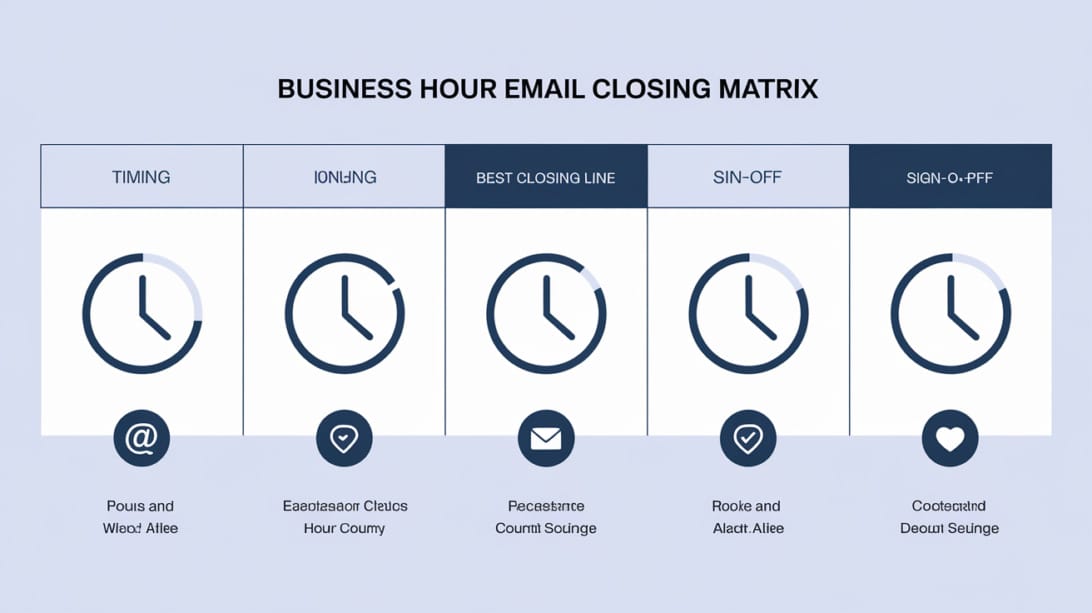
The best business-hour closing examples include one of these signals:
- Availability: when you are reachable.
- Deadline: when a reply is useful.
- Boundary: when the recipient does not need to respond immediately.
- Next step: what happens after the email.
- Time zone: which clock you are using.
Morning Email Closings
Morning closings work best when you want action the same day without sounding urgent.
| Use case | Closing example | Sign-off |
|---|---|---|
| Starting a same-day review | “If you can send comments by 3 PM, I can include them in today’s version.” | Thanks, |
| Scheduling | “I have availability late morning or after 2 PM if either window works for you.” | Best, |
| Client update | “I will monitor this through the morning and send another note if anything changes.” | Kind regards, |
| Internal task handoff | “This is ready for your review whenever you are online today.” | Best, |
Example:
If you can review the attached by 3 PM today, I can include your edits before sending the final version.
Thanks,
Daniel
Midday Email Closings
Midday emails often compete with meetings, lunch breaks, and task switching. Keep the closing specific.
| Use case | Closing example | Sign-off |
|---|---|---|
| Meeting follow-up | “I will send the recap before end of day unless you want anything added.” | Best regards, |
| Quick approval | “A simple yes or no is enough for me to move this forward.” | Thanks, |
| Information request | “If the details are easier to discuss live, I can make time after 2 PM.” | Best, |
| Client clarification | “Once I have your preference, I will update the scope and resend it.” | Kind regards, |
Midday closing lines should reduce work for the recipient. Instead of “Let me know your thoughts,” try:
A quick yes on option B is enough for me to update the draft before the afternoon review.
Thanks,
Elena
End-of-Day Email Closings
End-of-day closings need extra care because they can create accidental urgency. If the request can wait, say so.
| Use case | Closing example | Sign-off |
|---|---|---|
| Non-urgent update | “No action needed tonight. I wanted this in your inbox for tomorrow morning.” | Best, |
| Deadline reminder | “If you can confirm by 5 PM, I will keep the current timeline. If not, I will move this to tomorrow.” | Thanks, |
| Manager update | “I will pick this back up first thing tomorrow and send the next version by noon.” | Best regards, |
| Client message | “This can wait until your next business day, but I wanted to share the update now.” | Kind regards, |
Example:
No action needed tonight. I wanted to share the revised version so it is ready when you start tomorrow.
Best,
Marcus
Friday Email Closings
Friday closings should protect the recipient’s weekend unless the matter is genuinely urgent.
| Situation | Closing example | Sign-off |
|---|---|---|
| Non-urgent Friday note | “No rush if this is better handled Monday.” | Have a good weekend, |
| Friday follow-up | “If I do not hear back today, I will follow up early next week.” | Best, |
| Client approval | “If approval by today is not realistic, Monday morning also works.” | Thanks, |
| Internal handoff | “I documented the next steps so we can pick this up cleanly next week.” | Have a good weekend, |
Good Friday close:
If this is easier to review Monday, no problem. I wanted to send it before the weekend so you have the context.
Have a good weekend,
Aisha
Poor Friday close:
Please send feedback ASAP.
Regards,
Aisha
The second version may be accurate, but it gives no context, no boundary, and no priority level.
After-Hours Email Closings
If you send email outside local business hours, your closing should make expectations explicit. This is useful for remote teams, international customers, founders, sales teams, and support queues.
| Situation | Closing example | Sign-off |
|---|---|---|
| Sending late, no urgency | “This can wait until your next business day.” | Best, |
| Different time zone | “Please reply when your day starts. I am working from UTC+1 this week.” | Kind regards, |
| Urgent issue | “If this affects today’s launch, please call me. Otherwise, email tomorrow is fine.” | Thanks, |
| Async team update | “No response needed tonight. I am logging the update here so the team has it in the morning.” | Best, |
Example:
This can wait until your next business day. I am sending it now so the details are documented while they are fresh.
Best regards,
Noah
That single sentence prevents a common mistake: making someone feel pressured just because you happened to work late.
Time-Zone-Sensitive Closings
When people work across regions, always name the time zone if a deadline matters.
| Weak closing | Better closing |
|---|---|
| “Please reply by tomorrow.” | “Please reply by Thursday at 2 PM ET so I can include your notes before the client call.” |
| “Can you review this today?” | “Can you review this by end of day in your time zone? If not, Friday morning works.” |
| “Let’s talk in the afternoon.” | “I can do 2-4 PM GMT or 9-11 AM ET.” |
| “I need this soon.” | “If I have this by 10 AM PT, I can send the final version today.” |
Time-zone clarity is not just etiquette. It prevents delays, duplicate follow-ups, and unnecessary escalation.
Company Name Cleaning Rules for Email Closings and Signatures
Company name cleaning means standardizing how a business name appears in your email, signature, CRM fields, and personalization tokens. It matters because messy company names make professional emails look automated, careless, or even suspicious.
The keyword company name cleaning rules and business hour email closing examples covers two connected problems: how your email ends and how your identity appears at the end. A polished closing can still look bad if the signature says ACME, INC., LLC inconsistently or a personalization line says “I noticed Acme Corporation Ltd. LLC is growing.”
Clean Company Names Before Using Them in Email Personalization
If you use company names in cold email, follow-up templates, recruiting messages, or customer success emails, clean the name before inserting it into the email body.
| Raw company name | Cleaned for sentence use | Notes |
|---|---|---|
| ACME, INC. | Acme | Remove legal suffix and shouting capitalization |
| BrightPath Technologies LLC | BrightPath Technologies | Remove legal suffix only |
| NORTHSTAR AI LTD | Northstar AI | Normalize case, remove suffix |
| The Green Company, Co. | The Green Company | Remove duplicate company suffix |
| Example.io | Example.io | Keep domain-style brand if that is the public brand |
| Smith & Sons LLP | Smith & Sons | Remove legal suffix for conversational use |
Use cleaned names in sentences like:
I noticed Acme recently expanded its partner program, and I thought this might be relevant for your team.
Best,
Lina
Do not use raw database values like:
I noticed ACME, INC. recently expanded its partner program.
Regards,
Lina
The second version reveals automation. It may also look like a scraped list rather than a thoughtful business email.
Legal Suffixes to Remove in Conversational Copy
For email body personalization, remove common legal suffixes unless they are part of the public brand.
| Suffix type | Examples | Remove from email body? | Keep in signature/legal footer? |
|---|---|---|---|
| US corporate suffixes | Inc., LLC, Corp., Co. | Usually yes | Yes, if legal identity requires it |
| UK/commonwealth suffixes | Ltd, Limited, LLP, PLC | Usually yes | Yes, if required |
| European suffixes | GmbH, SARL, BV, Oy, AB | Usually yes for conversational copy | Yes, if legal context requires it |
| Nonprofit suffixes | Foundation, Association | Sometimes no | Usually yes |
| Brand suffixes | Labs, Studio, Group, Partners | Usually no | Yes |
The goal is not to erase the company’s real identity. The goal is to choose the right form for the right location:
- Email body: use the clean public-facing name.
- Signature block: use the official company name or brand standard.
- Contract, invoice, legal notice: use the full legal name.
- CRM display name: store both raw legal name and cleaned display name if possible.
Company Name Cleaning Rules Checklist
Use this checklist before loading personalization into a campaign or signature system:
- Remove leading and trailing spaces.
- Convert all-caps names to proper brand casing where known.
- Remove duplicate spaces and punctuation.
- Remove legal suffixes from conversational personalization fields.
- Keep suffixes in legal, billing, and compliance contexts.
- Preserve intentional brand casing such as eBay, iOS, GitHub, or DoYouMail.
- Preserve domain-style brands such as Example.io if that is how the company markets itself.
- Do not guess abbreviations if the public brand is unclear.
- Do not remove words like Group, Studio, Labs, or Partners unless your data confirms they are not part of the brand.
- Test sample outputs before sending at scale.
Company Name Rules for Signature Blocks
Your signature should usually use the company’s approved public brand name, not an improvised version. If your organization has a legal footer, the footer can carry the full legal entity name.
| Signature element | Recommended rule | Example |
|---|---|---|
| Display company name | Use approved brand name | Mystrika |
| Legal entity name | Put in footer only if needed | Mystrika Technologies Pvt. Ltd. |
| Website | Use canonical domain | https://mystrika.com |
| Department | Include only if it helps the recipient | Customer Success |
| Address | Include when required or useful | Regional office or registered address |
| Social links | Keep to professional channels | LinkedIn or company page |
A clean signature block might look like this:
Best regards,
Nina Patel
Customer Success Lead
Mystrika
https://mystrika.com
A cluttered signature block might look like this:
Best Regards!!!
Nina P.
Customer Success Lead – MYSTRIKA TECHNOLOGIES PRIVATE LIMITED / MYSTRIKA.COM / OUTREACH TEAM / GLOBAL
Book a call | Follow us | Read our blog | Watch our video | See our pricing | Confidentiality notice | Sent from my phone
The issue is not that the second version contains useful information. The issue is hierarchy. It gives the recipient too many competing actions after the email has already made its ask.
Professional Email Signature Rules
A professional signature should identify you, help the recipient respond, and avoid visual clutter. It should not try to be a landing page.
What to Include in a Professional Signature
Include these fields for most external business emails:
| Field | Required? | Rule |
|---|---|---|
| Full name | Yes | Use the name you want the recipient to use |
| Job title | Usually | Include role if it explains why you are contacting them |
| Company name | Yes for external emails | Use the approved brand name |
| Email address | Usually | Useful when forwarded outside the original thread |
| Phone number | Optional | Include only if you want calls |
| Website | Optional | Use one canonical link |
| Calendar link | Optional | Use when booking is a normal next step |
| Social profile | Optional | Limit to relevant professional profiles |
| Legal footer | Context-specific | Keep separate from the main signature if possible |
The Muse’s email-ending guidance separates the closing line, sign-off, name, optional pronouns, title and company, contact information, and additional context. HubSpot’s signature guidance similarly emphasizes field hierarchy, readable fonts, company name consistency, and mobile-friendly layouts.
What to Remove From a Signature
Remove anything that makes the email harder to read or reply to:
- Inspirational quotes that do not support the conversation.
- Large banners that dominate the message.
- Multiple competing CTAs.
- Too many social icons.
- Personal phone numbers you do not want used.
- Outdated awards, old event banners, or expired promotions.
- Long disclaimers in ordinary sales or team messages unless required.
- Images without alt text.
- Broken tracking links.
If you send outreach campaigns, remember that a heavy signature can also make messages look more promotional. Keep the first email lightweight. You can add more context later if the recipient engages.
Mobile Signature Rules
Many business emails are read on phones, so the signature must survive small screens.
Use these rules:
- Keep the layout single-column.
- Use readable font sizes.
- Avoid huge logos.
- Keep line breaks predictable.
- Do not rely on tiny social icons as the only link path.
- Test dark mode if your signature uses images or colored text.
- Avoid turning the signature into a multi-row table that breaks in mobile clients.
A mobile-friendly signature is usually plain, short, and useful:
Thanks,
Ravi Shah
Partnerships, DoYouMail
doyoumail.com
That is enough for many business conversations.
Email Closing Lines Versus Sign-Offs
A closing line is the final sentence of your message. A sign-off is the short phrase before your name. They work together, but they are not the same thing.
Examples of Closing Lines
| Purpose | Closing line |
|---|---|
| Ask for a reply | “Could you send your feedback by Thursday afternoon?” |
| Reduce pressure | “No rush if this is better handled next week.” |
| Confirm next step | “I will send the revised version after your approval.” |
| Offer help | “Reply here if you want me to walk through the options.” |
| Thank someone | “Thanks again for making time to review this.” |
| Close the loop | “If I do not hear back, I will assume we should revisit this next month.” |
| Invite a meeting | “Would Tuesday or Wednesday be better for a 15-minute call?” |
Examples of Sign-Offs
| Sign-off | Tone | Best use |
|---|---|---|
| Sincerely, | Formal | Applications, official messages |
| Best regards, | Professional | External business emails |
| Kind regards, | Polite | Clients, partners, support |
| Best, | Neutral | Short professional emails |
| Thanks, | Appreciative | Requests, answers, follow-ups |
| Warm regards, | Warm professional | Ongoing relationships |
| Respectfully, | Deferential | Senior stakeholders, sensitive issues |
How They Work Together
A vague closing line plus a polished sign-off is still vague:
Let me know your thoughts.
Best regards,
Sam
A specific closing line plus a simple sign-off is stronger:
If option B works, reply with “approved” and I will send the final version before 4 PM ET.
Thanks,
Sam
The second version helps the recipient respond quickly. That is the point of a good professional email ending.
Cold Email Sign-Offs That Sound Professional
Cold email sign-offs should be short, clear, and low-pressure. The reader does not know you yet, so the sign-off should not overcompensate with warmth or forced familiarity.
If you are using Mystrika for cold email outreach, treat the sign-off as part of the whole message system: sender identity, personalization, offer, proof, CTA, follow-up timing, and deliverability all matter.
Best Sign-Offs for Cold Outreach
| Situation | Closing line | Sign-off |
|---|---|---|
| Simple meeting ask | “Worth a quick conversation next week?” | Best, |
| Low-pressure question | “Is this relevant for your team right now?” | Thanks, |
| Referral request | “If someone else owns this, could you point me in the right direction?” | Best regards, |
| Breakup email | “Should I close the loop for now?” | Thanks, |
| Value-first email | “Happy to send the checklist if it would be useful.” | Best, |
| Follow-up with context | “I can share the two-minute version if this is on your radar.” | Regards, |
Cold Email Sign-Offs to Avoid
Avoid sign-offs that create pressure, false intimacy, or a salesy tone:
| Avoid | Why |
|---|---|
| “Looking forward to your immediate response” | Too demanding |
| “Thanks in advance” | Can feel presumptuous in cold email |
| “Your future partner” | Overfamiliar and assumptive |
| “Cheers!!!” | Too casual for first contact |
| “Sent from my iPhone” | Distracting unless context matters |
| “Let’s crush it” | Brand-heavy and informal |
| “With warmest regards” | Too ornate for a short outreach email |
Cold Outreach Signature Example
For first-touch cold emails, keep the signature short:
Best,
Alex Morgan
Growth Team, Mystrika
mystrika.com
For later-stage replies, you can include more detail if useful:
Kind regards,
Alex Morgan
Growth Team, Mystrika
Calendar: [booking link]
mystrika.com
Do not overload first-touch cold emails with banners, legal paragraphs, awards, and five links. A clean signature looks more human and makes the primary CTA easier to see.
Professional Sign-Offs by Email Type
The best email ending changes based on the job the email is doing. Use these examples as templates.
Client Update Email
I will send the revised timeline after our internal review tomorrow. No action is needed from your side today.
Kind regards,
Maria
Why it works: it confirms the next step and removes pressure.
Proposal Email
Please let me know if you would like any changes to the scope before Friday at 3 PM ET.
Best regards,
Andre
Why it works: it gives a specific review window and keeps a formal tone.
Invoice Reminder
If payment is already in progress, please disregard this note. Otherwise, could you confirm the expected payment date?
Thank you,
Leena
Why it works: it is direct without sounding accusatory.
Recruiting Email
If the role sounds relevant, I would be happy to share the full brief and answer questions.
Best,
Talia
Why it works: it invites interest without assuming it.
Job Application Email
Thank you for reviewing my application. I would welcome the opportunity to discuss how my experience fits the role.
Sincerely,
Omar
Why it works: it is formal and appropriate for evaluation.
Customer Support Resolution
I believe this should resolve the issue, but please reply here if anything still looks incorrect.
Kind regards,
Hannah
Why it works: it gives the customer a clear path if the fix is incomplete.
Internal Team Reminder
Please add your updates before 4 PM so I can send the final recap today.
Thanks,
Ben
Why it works: it states the action and deadline without extra wording.
Executive Summary Email
I included the recommendation at the top and the supporting detail below for reference.
Respectfully,
Imani
Why it works: it signals that the email respects the recipient’s time.
Sign-Offs for Follow-Ups and Reply Threads
Follow-up emails need different endings because the context already exists. Your job is to make the next step easy, not repeat the first email.
For practical sequencing, pair these examples with a broader cold email follow-up strategy so your timing, message, and closing line do not work against each other.
First Follow-Up
Just bringing this back to the top in case it was buried. Is this worth a closer look?
Best,
Erin
Second Follow-Up
If this is not a priority right now, no problem. Should I check back next quarter?
Thanks,
Erin
Breakup Email
I will close the loop for now. If this becomes relevant later, I am happy to reconnect.
Best,
Erin
Active Reply Thread
In a fast internal thread, you may not need a full sign-off every time. A short name can be enough:
Approved from my side. Please use the latest attachment.
Erin
Dropping the sign-off is acceptable only when the thread is already active, the relationship is familiar, and the email does not need to stand alone when forwarded.
Sign-Offs to Avoid in Professional Email
Some email sign-offs are not wrong in every context, but they are risky in professional messages. Avoid them unless you know the recipient and the tone extremely well.
| Sign-off or closing | Problem | Better option |
|---|---|---|
| Love, | Too personal for business | Warm regards, |
| XOXO | Not professional | Best, |
| Thx | Looks rushed | Thanks, |
| K | Abrupt and dismissive | Sounds good, thanks. |
| Peace | Too informal | Take care, |
| Yours truly, | Often too formal or romantic | Sincerely, |
| ASAP | Creates pressure without context | “By 3 PM ET if possible” |
| Thanks in advance | Can feel presumptuous | “Thanks for considering it” |
| Sent from my iPhone | Adds little value | Remove it |
| Have a blessed day | May be inappropriate in diverse business contexts | Have a great day, |
| Cheers!!! | Too excited for many business emails | Cheers, or Best, |
Repair Examples
| Weak ending | Stronger ending |
|---|---|
| “Let me know.” | “Could you send your preference by Thursday afternoon?” |
| “Reply ASAP.” | “If you can reply by 2 PM ET, I can keep the timeline on track.” |
| “Thanks in advance.” | “Thanks for considering this.” |
| “Thoughts?” | “Which option would you prefer for the first version?” |
| “Hope that makes sense.” | “If any part is unclear, I can send a shorter version.” |
A professional ending should not apologize for being clear. It should make the next action easier.
Business Email Closing Templates You Can Copy
Use these templates as starting points. Replace the bracketed text with your details, and choose the sign-off that fits the relationship.
Template 1: Clear Approval Request
If [option A] works, please reply with approval by [day/time/time zone], and I will move it forward.
Thanks,
[Name]
Template 2: No-Rush After-Hours Email
This can wait until your next business day. I am sending it now so the context is ready when you are online.
Best,
[Name]
Template 3: Client Follow-Up
I wanted to follow up on [topic]. If this is still useful, I can send the next version by [day].
Kind regards,
[Name]
Template 4: Cold Outreach CTA
Is [problem or priority] something your team is focused on this quarter?
Best,
[Name]
Template 5: Support Resolution
I believe this should resolve [issue]. If anything still looks off, reply here and I will take another look.
Kind regards,
[Name]
Template 6: Friday Boundary
No rush if this is better handled Monday. I wanted to share it before the weekend so you have the details.
Have a good weekend,
[Name]
Template 7: Time-Zone Deadline
If you can send feedback by [time/time zone], I can include it before [event or deadline].
Thanks,
[Name]
Template 8: Closing the Loop
I will close the loop for now. If this becomes relevant later, I am happy to reconnect.
Best,
[Name]
Deliverability, Bounce Checks, and Why the Ending Is Not Enough
A strong sign-off cannot rescue an email that never reaches the inbox. Professional closing lines help with clarity and trust, but deliverability depends on your sending infrastructure, list quality, authentication, and recipient engagement.
If you send business emails at scale, review email deliverability before obsessing over whether Best or Kind regards is better.
Practical Deliverability Rules for Professional Closings
- Do not add five links in the signature when one link is enough.
- Avoid image-only signatures that hide your identity from plain-text views.
- Use a real sender name that matches the signature.
- Keep the company name consistent across the From name, signature, and domain.
- Verify addresses before sending outreach campaigns.
- Remove invalid and risky addresses with a verification tool such as Filter Bounce.
- Use warmup and sending controls in tools such as Mystrika when running outbound sequences.
- If you manage sending infrastructure separately, products such as DoYouMail can support high-volume outbound operations when configured responsibly.
The close of your email should support trust. It should not introduce a mismatch such as:
- From name: Alex at Mystrika
- Signature: Alexander M., Outreach Labs LLC
- Domain: unrelated sending domain
- Company mention in body: MYSTRIKA TECHNOLOGIES PRIVATE LIMITED INC.
That mismatch makes the email feel less trustworthy. Clean naming is part of professional communication.
Pros and Cons of Common Professional Sign-Offs
No sign-off is perfect for every situation. Use this table to choose with intent.
| Sign-off | Pros | Cons | Best use |
|---|---|---|---|
| Best, | Short, modern, neutral | Can feel abrupt | Everyday business emails |
| Best regards, | Professional and safe | Slightly formal | External emails and first contact |
| Kind regards, | Polite and warm | Can feel formulaic | Client and support emails |
| Sincerely, | Formal and traditional | Stiff for casual threads | Applications and official messages |
| Thanks, | Friendly and action-oriented | Odd if no favor/request exists | Requests and follow-ups |
| Thank you, | Polished gratitude | Slightly formal | Client requests and support |
| Regards, | Neutral and concise | Can sound cold | Short professional updates |
| Warm regards, | Human and relationship-oriented | Too warm for some first contacts | Ongoing relationships |
| Respectfully, | Deferential | Too heavy for normal emails | Escalations, senior stakeholders |
| Have a great day, | Friendly | Generic if overused | Low-risk team/client notes |
The Professional Email Ending Checklist
Before sending, check the final 10 lines of your email. Most avoidable problems live there.
Closing Line Checklist
- Does the closing line state the next step?
- If there is a deadline, does it include the day, time, and time zone?
- If the email is after hours, does it say whether a response can wait?
- If you ask a question, is it easy to answer?
- Did you remove vague phrases like thoughts? or let me know when a specific ask is better?
Sign-Off Checklist
- Does the sign-off match the recipient relationship?
- Is it professional if forwarded to someone else?
- Did you avoid slang, abbreviations, and excessive punctuation?
- Does it fit the message tone?
- Is it consistent across a campaign or thread?
Signature Checklist
- Is your name clear?
- Is your company name clean and consistent?
- Is the signature short enough for mobile?
- Are links useful and not excessive?
- Are images optional, accessible, and not broken?
- Is legal text included only where needed?
- Does the signature match the sender domain and From name?
Company Name Cleaning Checklist
- Did you remove legal suffixes from conversational personalization?
- Did you preserve the official brand name in the signature?
- Did you avoid all-caps company names unless the brand uses all caps?
- Did you preserve intentional casing?
- Did you test examples before sending at scale?
Key Takeaways
- A professional email ending includes a closing line, sign-off, and signature block.
- The safest professional sign-offs are Best regards, Kind regards, Best, Thank you, and Sincerely.
- Business-hour email closing examples should clarify timing, urgency, next steps, and time zones.
- After-hours closings should say whether the reply can wait until the recipient’s next business day.
- Company name cleaning rules matter because messy company names make emails look automated or careless.
- Use cleaned brand names in email body personalization, but keep full legal names where legal, billing, or compliance context requires them.
- A professional signature should identify you, support replies, and avoid clutter.
- For cold outreach, keep sign-offs short, low-pressure, and consistent with your sender identity.
- Do not rely on the sign-off alone. Deliverability, bounce checks, list quality, and sender reputation still determine whether the email gets seen.
- The best sign-off is not the cleverest one. It is the one that makes the reader’s next action obvious.
Frequently Asked Questions
What is a professional email sign-off?
A professional email sign-off is the short phrase placed before your name at the end of a business email. Examples include Best regards, Kind regards, Sincerely, Best, and Thank you. It should match the tone of the message and the relationship with the recipient.
The sign-off works with the closing line and signature block. The closing line tells the reader what happens next, while the sign-off closes the message politely.
What is the best sign-off for a business email?
For most business emails, Best regards is the safest sign-off because it is professional, polite, and widely understood. Kind regards is slightly warmer, Sincerely is more formal, and Best is shorter and more modern.
If the email includes a request, Thanks or Thank you can work well. Just make sure the closing line clearly states what you need and when you need it.
What are good business hour email closing examples?
Good business hour email closing examples include: “If you can send feedback by 3 PM ET, I can include it today,” “No rush if this is better handled Monday,” and “This can wait until your next business day.” These closings clarify timing and reduce confusion.
The best business-hour closing mentions the next step, deadline, time zone, or urgency level. That makes the email easier to answer.
How should I end an email sent after hours?
End an after-hours email by making expectations explicit. If no immediate action is needed, write: “This can wait until your next business day.” Then use a neutral sign-off such as Best, Best regards, or Kind regards.
If the issue is urgent, explain what qualifies as urgent and what channel to use. For example: “If this affects today’s launch, please call me. Otherwise, email tomorrow is fine.”
What are company name cleaning rules for email personalization?
Company name cleaning rules standardize how a business name appears in email personalization. Remove extra spaces, fix casing, remove legal suffixes such as Inc. or LLC from conversational copy, and preserve intentional brand casing such as GitHub or DoYouMail.
Use the cleaned display name in the email body. Keep the full legal company name only where legal, billing, contract, or compliance context requires it.
Should I include the full legal company name in my email signature?
Use the approved public brand name in the main signature and reserve the full legal company name for legal footers, contracts, invoices, or regulated communications. This keeps the signature readable while still supporting compliance where needed.
For example, a main signature might say Mystrika, while a legal footer may include the full registered entity name if your organization requires it.
Is “Best” too casual for professional email?
Best is acceptable for many professional emails, especially short internal messages, follow-ups, and modern business communication. It can feel too casual for legal, executive, government, or formal job application emails.
When in doubt, use Best regards or Kind regards. They are still concise but carry a more polished tone.
Is “Thanks in advance” a good professional sign-off?
Thanks in advance can sound presumptuous because it implies the recipient has already agreed to help. It is not always wrong, but it is risky in cold outreach, client requests, and sensitive workplace communication.
A softer alternative is “Thanks for considering this” or “I appreciate your help if this is possible.” These versions show gratitude without assuming compliance.
What sign-offs should I avoid at work?
Avoid sign-offs such as Love, XOXO, Thx, Peace, Yours truly, and anything with excessive punctuation or slang. Also avoid religious, political, or overly personal closings unless you are certain they fit the relationship and context.
Professional emails should survive forwarding. If the sign-off would look odd to a manager, client, recruiter, or legal reviewer, choose a safer option.
How long should a professional email signature be?
A professional email signature should usually be four to seven lines. Include your name, role, company name, and one or two useful contact paths. Add a calendar link, phone number, or social profile only if it helps the recipient take the next step.
For cold outreach and first-contact emails, shorter is usually better. A crowded signature can distract from the message and make the email feel promotional.
Can I skip the sign-off in a reply thread?
You can skip the full sign-off in a fast, familiar reply thread when the relationship is clear and the message does not need to stand alone. In that case, ending with your first name may be enough.
Do not skip the sign-off in first-contact emails, client updates, formal requests, escalations, or messages that may be forwarded outside the original thread.
What is the best cold email sign-off?
The best cold email sign-off is usually Best, Thanks, or Best regards. Keep it short and pair it with a low-pressure closing line such as “Is this relevant for your team right now?” or “Worth a quick conversation next week?”
Cold email should not sound overly familiar. A simple sign-off keeps the focus on relevance, credibility, and the recipient’s next action.