
A sales lead database is a structured repository of contact and company information used by sales and marketing teams to identify, qualify, and engage potential buyers. It typically contains firmographic data (company size, industry, revenue), technographic data (technology stack), intent signals, and verified contact details like email addresses and direct-dial phone numbers. The right database, fed into a cold email sequencer like Mystrika, can become your highest-ROI prospecting engine.
Modern B2B sales runs on data. Without a reliable sales lead database, your outreach team is guessing. Every hour spent researching prospects manually is an hour not spent selling. But choosing and maintaining a database is not as simple as picking the first provider that appears in a Google search. Data decays, compliance rules tighten, and the quality gap between top-tier and budget providers is enormous.
In this guide, we cover everything: what a sales lead database actually contains, how to evaluate providers, the top 10 options in 2026, GDPR and CCPA compliance, how to build your own database from scratch, and the tools you need to turn raw contact data into revenue — including Mystrika’s cold email platform, DoYouMail’s infrastructure, and FilterBounce’s verification.
What Is a Sales Lead Database?
A sales lead database is a structured, searchable collection of business contact records that sales teams use to identify and reach potential buyers. At a minimum, each record contains a company name, a contact person’s name, a verified email address, and a phone number. Premium databases layer on firmographic data (industry, revenue, employee count, headquarters location), technographic data (which tools and platforms the company uses), intent data (behavioral signals that suggest buying readiness), and direct-dial phone numbers for decision-makers.
The database is not a static spreadsheet. It is a living asset. Every month, roughly 2-3% of the contacts in an unmaintained B2B database become stale: people change jobs, companies merge or rebrand, email domains expire, and phone numbers get reassigned. Over a full year, that compounding decay means about 30% of your data is outdated if you do nothing. This is why buying a cheap, static list from a marketplace is a losing strategy. The data is already decaying before you hit send on your first email.
Firmographics tell you whether the company fits your ideal customer profile (ICP). Technographics tell you whether they have the right infrastructure to use your product. Intent data tells you whether they are actively shopping for a solution like yours. A complete sales lead database combines all three.
Firmographic Data: The Skeleton
Firmographics are the high-level attributes of a company. Industry classification (SIC or NAICS codes), annual revenue, number of employees, geographic headquarters, and corporate hierarchy (parent company, subsidiaries). These filters let you exclude companies that are too small to afford your product or too large for your implementation capacity. Without firmographic data, your database is just a phone book.
Technographic Data: The Muscle
Technographics reveal the software and hardware stack a company operates. For example, if you sell a CRM integration tool, you need to know whether a prospect already runs Salesforce, HubSpot, or Pipedrive. If you sell a Shopify plugin, you need to filter for companies whose ecommerce runs on Shopify. Leading data providers like Cognism and Apollo.io now include technographic profiles in their database records, often sourced from job listings (which mention required skills), public tech stack pages, and web scraping signals.
Intent Data: The Nervous System
Intent data captures behavioral signals that indicate a company is actively researching a purchase. These signals come from sources like content consumption on third-party review sites (G2, Capterra), webinar registrations, whitepaper downloads, and topic-specific search activity. Intent data turns a database from a static address book into a real-time radar. When a prospect company starts consuming content about “cold email automation,” they enter a buying window — and your sales lead database should flag that.
Key Components of B2B Lead Data
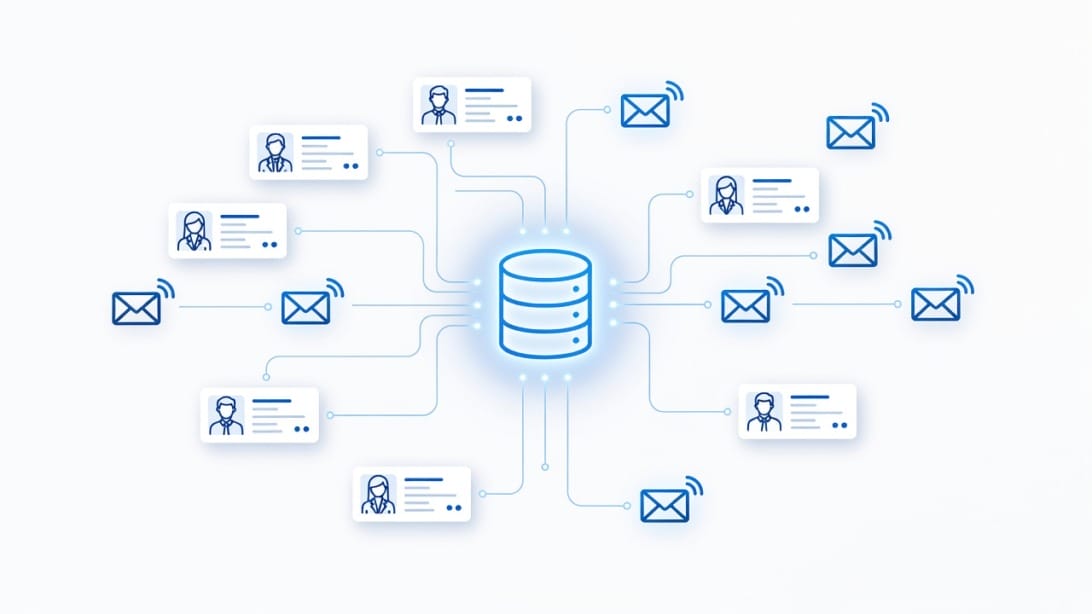
Every record in a credible sales lead database is built on a layered data model. Understanding these layers helps you evaluate providers and spot gaps in your own data.
Contact Identity Layer
This is the foundation: full name, job title, department, seniority level, and reporting structure. A VP of Marketing at a 200-person company has very different priorities from a Director of Marketing at a 2,000-person enterprise. The job title alone is not enough. The best databases include LinkedIn profile URLs, which let you verify identity and gather context before outreach.
Company Profile Layer
Beyond basic firmographics, this layer includes funding history (Series A, B, C, bootstrapped), recent news mentions, corporate family trees, and growth indicators such as headcount expansion or new office openings. A company that just closed a $20 million Series B has budget, urgency, and a mandate to invest in tools. That is a buying signal stored in your database.
Contact Verification Layer
Email verification status, phone verification status, and data freshness timestamps. A record might say `[email protected]`, but if that address has not been verified in the last 90 days, it is a gamble. Verification providers like FilterBounce can check emails against multiple validation steps — syntax, domain MX records, SMTP handshake, and catch-all detection — to confirm an address is deliverable. Verified contacts mean your bounce rate stays under 2%, which protects your domain reputation.
Engagement History Layer
If you are running ongoing campaigns, your database should track which contacts have opened emails, clicked links, replied, unsubscribed, or bounced. This engagement layer prevents you from re-sending to unsubscribed contacts (a CAN-SPAM violation) and lets you prioritize warm leads. Mystrika’s unified inbox tracks opens, clicks, and replies across all your sequences in one dashboard, making it easy to feed engagement data back into your lead database prioritization logic.

Data Freshness and Decay
B2B contact data does not sit still. People change jobs every 2-3 years on average. Companies rebrand, get acquired, or change email domains (e.g., from `@startup.io` to `@enterprise.com`). Phone numbers get disconnected. Without a maintenance cycle, a database loses approximately 30% of its accuracy over 12 months. We cover maintenance strategies in detail in the build-your-own section below.
Top 10 Sales Lead Databases for 2026
Choosing a database provider dictates the quality of your outreach. We evaluated the market based on data accuracy, compliance frameworks (GDPR and CCPA), technographic and intent data coverage, integration capabilities, and pricing models.
| Provider | Best For | Key Differentiator | Compliance |
|---|---|---|---|
| :— | :— | :— | :— |
| Cognism | EMEA and Enterprise | Highly verified mobile numbers | Strict GDPR/CCPA |
| ZoomInfo | Large Sales Teams | Comprehensive intent data | CCPA compliant |
| Apollo.io | Startups and Mid-market | Huge database + execution tool | Standard |
| Lusha | Fast B2B contact lookups | Strong browser extension | CCPA compliant |
| UpLead | Accuracy-focused teams | Real-time email verification | GDPR/CCPA |
| Seamless.ai | Volume prospectors | AI search engine | CCPA compliant |
| Hunter.io | Simple email finding | Domain search simplicity | GDPR compliant |
| RocketReach | Technical and personal contacts | Broad personal/professional reach | Standard |
| SalesIntel | High accuracy requirements | Human-verified data on demand | CCPA compliant |
| Mystrika (Integration) | Execution and deliverability | Best-in-class sequencer and warmup | GDPR compliant |
1. Cognism
Cognism has established itself as the gold standard for verified mobile phone numbers and GDPR-compliant European data. Its platform checks phone numbers against over 15 Do-Not-Call (DNC) lists internationally, which is a massive risk-mitigation feature for outbound dialing teams. They claim an 87% accuracy rate on mobile numbers, verified by a dedicated data team.
2. ZoomInfo
The legacy giant of the B2B data space. ZoomInfo holds one of the largest contact repositories in the world and layers on robust intent data and technographic profiles. It is built for enterprise sales teams that require deep organizational charts and granular filters. The tradeoff is price: ZoomInfo requires annual contracts that are often cost-prohibitive for early-stage companies, and its UI can be complex.
3. Apollo.io
Apollo combined a massive B2B database (over 275 million contacts) with a built-in sales execution platform. You can find contacts and enroll them in email sequences from the same interface. It is highly popular among startups and mid-market teams due to its flexible pricing, which starts with a free tier. The tradeoff is that data accuracy, particularly for direct dials, can be less reliable than premium providers like Cognism.
4. Lusha
Lusha is known for its excellent Google Chrome extension, which layers contact data directly over LinkedIn profiles, Salesforce records, and company websites. It is an excellent tool for SDRs doing targeted, account-based prospecting who need to quickly grab a phone number or email while researching an individual prospect. It focuses heavily on verified B2B contact details.
5. UpLead
UpLead differentiates itself with a bold claim: 95% data accuracy. It backs this up by running real-time email verification every time you download a contact from its platform. If an email fails verification at the point of download, you don’t pay for that credit. It offers strong firmographic filters and is a great fit for teams that prioritize low bounce rates over sheer volume.
6. Seamless.ai
Instead of maintaining a static database, Seamless.ai operates as a real-time search engine that uses artificial intelligence to find and verify emails and phone numbers across the web. When you search for a contact, Seamless scours public data sources to assemble the contact profile. This approach can sometimes yield contacts that static databases miss, though accuracy varies by industry.
7. Hunter.io
Hunter.io focuses on domain-based email discovery. You enter a company domain (e.g., `acme.com`), and Hunter returns every email address associated with that domain it has indexed from the public web, along with the most common email format (e.g., `{first}.{last}@acme.com`). It is simple, affordable, and excellent for finding specific operational contacts when you already know the company you want to target.
8. RocketReach
RocketReach boasts a massive database that includes personal emails and social links alongside professional contact details. This makes it a strong contender for recruiting use cases or for reaching technical founders and developers who might use personal or obscure email addresses for business communication. Its browser extension is robust and works across multiple social platforms.
9. SalesIntel
SalesIntel focuses on providing human-verified data. While AI and web scraping build the base of their dataset, a large internal team manually verifies the contacts, resulting in a highly accurate database. If a contact you need is not in their system, you can submit a “research on demand” request, and their team will find and verify the contact for you.
10. The Delivery Layer: Mystrika and DoYouMail
Having the data is only half the battle. If you load 5,000 verified contacts into a poor sending infrastructure, you will land in spam. You need a dedicated execution layer. Mystrika provides a world-class cold email sequencer, unibox, and AI warmup system starting at just $15/month. For infrastructure, DoYouMail provides dedicated private IP servers and unlimited email IDs for cold outreach from $39/mo, allowing you to scale volume without damaging your primary domain reputation.
How to Choose the Right B2B Data Provider
With dozens of databases on the market, selecting the right one requires aligning their strengths with your specific outreach strategy. A spray-and-pray outbound motion requires different data than an Account-Based Marketing (ABM) strategy. Use these criteria to evaluate your options.
1. Data Accuracy vs. Data Volume
Volume is a vanity metric. A database claiming 500 million contacts is useless if 40% of them bounce. If your outreach strategy relies on highly personalized, low-volume cold emails, prioritize providers like UpLead or SalesIntel that focus on verification and human validation. If you need massive volume for broad awareness campaigns, tools like Apollo or Seamless might be more cost-effective, provided you run the exports through a secondary verification tool like FilterBounce before sending.
2. Geographic Coverage
Where is your target market located? If you sell primarily into the United States, almost every major provider will have sufficient coverage. However, if you are targeting the EMEA (Europe, Middle East, and Africa) or APAC (Asia-Pacific) regions, coverage drops sharply for many US-centric databases. Cognism is widely recognized for superior European coverage, while Lusha has strong international datasets.
3. Pricing Models: Credits vs. Unlimited
Evaluate how providers structure their pricing. Most use a credit system, where downloading one contact costs one credit. If your SDRs are downloading lists of 1,000 prospects daily, credit-based plans become expensive very quickly. Some providers offer “unlimited” plans (often with fair-use caps) or seat-based licensing. Calculate your estimated monthly lead consumption and compare the total cost of ownership across platforms.
4. Integration with Your Workflow
Your sales lead database must integrate seamlessly with your CRM (Salesforce, HubSpot, Pipedrive) and your sales engagement platform. When an SDR finds a prospect, they should be able to push that contact to the CRM and enroll them in a Mystrika sequence with a single click. Look for native integrations or robust API access to prevent manual CSV uploads, which create data silos and version control issues.
Data Compliance: GDPR, CCPA, and CAN-SPAM
Building a database is not just an operational challenge; it is a legal one. B2B data is heavily regulated, and the fines for non-compliance can be devastating. You must understand the major frameworks governing contact data.
The General Data Protection Regulation (GDPR)
GDPR applies to any data concerning individuals within the European Union, regardless of where your company is based. Under GDPR, you must have a “lawful basis” to process someone’s personal data. For B2B outreach, this is usually “Legitimate Interest.” You must be able to prove that your product or service is highly relevant to the person you are contacting, and you must provide a clear, easy way for them to opt-out. Crucially, your database provider must also be GDPR compliant in how they acquired the data. If they scraped EU contacts illegally, you are liable when you email them.
The California Consumer Privacy Act (CCPA)
CCPA (and its successor CPRA) applies to California residents. While it focuses heavily on consumer data, it applies to B2B contacts as well. It grants individuals the right to know what personal data a business has collected about them, the right to delete that data, and the right to opt-out of the sale of their data. Your database provider must respect “Do Not Sell” requests, and you must maintain processes to delete a prospect’s data if requested.
The CAN-SPAM Act
The CAN-SPAM Act sets the rules for commercial email in the United States. Unlike GDPR, CAN-SPAM operates on an “opt-out” basis, meaning you can send cold emails to B2B contacts without prior consent, provided you follow strict rules. You must not use false or misleading header information (no fake “Re:” or “Fwd:” lines), your subject line must accurately reflect the content of the email, you must identify the message as an ad, you must include your valid physical postal address, and you must provide a clear, functional opt-out mechanism.
Compliance is not optional. Before signing a contract with a database provider, ask for their compliance documentation. Ask how they source their data, how they manage opt-outs across their platform, and whether they indemnify customers against data sourcing violations.
How to Build and Maintain Your Own Lead Database
Advanced Segmentation Strategies
When building your database, segmentation is the key to unlocking personalization at scale. Beyond the standard firmographic filters, consider segmenting by triggering events. For example, a new executive hire (like a newly appointed VP of Sales or CMO) is a strong buying signal, as new leaders typically evaluate existing tools and budgets within their first 90 days. Segmenting your database to isolate these “new in role” contacts allows you to craft a hyper-specific campaign acknowledging their transition.
Another powerful segmentation strategy is technology displacement. If your technographic data reveals a company is using a legacy competitor, you can segment them into a “rip-and-replace” campaign. The messaging for this segment shouldn’t just list your features; it should directly address the well-known pain points of the legacy tool they are currently using. By combining these advanced segments with an execution platform like Mystrika, you can launch highly targeted, automated outreach that feels bespoke to the recipient.
Buying access to a provider like ZoomInfo or Apollo gives you raw material, but building your own internal, proprietary database is where long-term value is created. Your internal CRM or data warehouse should become the single source of truth for your market.
Step 1: Define Your Ideal Customer Profile (ICP)
Before you collect a single email address, document exactly who you are targeting. Define the firmographics (revenue $10M-$50M, healthcare IT, based in North America), the technographics (uses AWS, runs Salesforce), and the buyer personas (VP of Engineering, Director of IT). A narrow ICP prevents you from wasting money downloading irrelevant contacts.
Step 2: Establish Data Collection Protocols
Data enters your internal database through multiple channels: inbound leads (website forms, webinar signups, content downloads), outbound sourcing (SDRs scraping LinkedIn or downloading from Apollo/Cognism), and event lists. You must establish strict rules for how data enters the system. Require standardized field formats (e.g., standardizing “US”, “USA”, and “United States” into a single format) to ensure your filtering works later.
Step 3: Implement Mandatory Verification
Never trust the data you download, even from premium providers. Before any email address enters your active outbound sequence in Mystrika, it must be verified. Connect an API from a verification tool like FilterBounce to your CRM. If an email comes back as “invalid” or “catch-all,” flag it for manual review or discard it. Sending to invalid addresses destroys your domain reputation.
Step 4: The Enrichment Process
Contacts degrade, but they also evolve. A contact might start as a “Manager” and get promoted to “Director.” A company might secure a new funding round. Set up an enrichment schedule. Use API integrations with providers like Clearbit or ZoomInfo to automatically scan your database every 90 days and append missing data fields (like a newly added phone number) or update stale fields (like a change in job title).
Step 5: Archiving and Decay Management
As established earlier, B2B data decays at roughly 30% per year. If a contact in your database has not engaged with your emails in 12 months, and their data has not been updated by your enrichment tool, you must flag them as stale. Continued sending to unengaged, stale contacts signals to ISPs that you are a spammer. Implement a process to archive or delete hard-bounced contacts immediately, and quarantine unengaged contacts after 6-9 months.

Leveraging a B2B Sales Leads Database for Maximum Impact
A pristine, legally compliant database is useless if it just sits in your CRM. The ROI of your data investment depends entirely on how you activate that data in your outbound motion.
Account-Based Marketing (ABM)
Instead of blasting 10,000 generic emails to every contact in your database, use the data to run highly targeted ABM campaigns. Filter your database to identify the 50 accounts showing the highest intent signals (e.g., companies currently hiring for specific roles, or companies that just received funding). Then, extract the top 3-5 decision-makers at each of those 50 accounts. Craft personalized, multi-touch campaigns directed specifically at the pain points of those 50 companies.
Hyper-Personalization at Scale
Use the firmographic and technographic data points as variables in your cold email templates. If your database knows a prospect uses a specific competitor’s software, use that in your opening line. “Noticed your team runs on [Competitor Software] – how are you handling [Specific Pain Point]?” Mystrika’s AI writer and personalization features excel at weaving these data points into natural-sounding copy at scale, making an automated sequence feel like a 1-to-1 email.
Lead Scoring and Prioritization
Not all leads are created equal. Implement a lead scoring model in your database. Assign points for firmographic fit (e.g., +10 points if revenue > $50M), technographic fit (e.g., +5 points if they use a compatible software), and engagement (e.g., +2 points for every email open, +10 for a reply). Direct your SDRs to spend their manual effort (phone calls, personalized LinkedIn messages, custom video pitches) only on the leads with the highest scores.
Omni-Channel Outreach
Email is the foundation, but a robust database enables multi-channel outreach. Export the verified mobile numbers from your database and feed them into your dialing platform for your SDRs. Export the LinkedIn profile URLs and run targeted connection request campaigns. Export the company domains and use them to build custom audiences for LinkedIn or Google Ads. Hitting the prospect across email, phone, social, and ads drastically increases conversion rates.
Deep Dive: The Economics of B2B Data Quality
Understanding the true cost of bad data is critical for any revenue leader. When evaluating data providers, it is tempting to divide the monthly subscription cost by the total number of contacts available and choose the provider with the lowest cost-per-record. This is a fundamental miscalculation. The true cost of B2B data must account for the operational friction, reputational damage, and lost opportunity cost caused by inaccurate records.
The Hidden Costs of Inaccuracy
When a sales development representative (SDR) calls a disconnected phone number or sends an email that bounces, the immediate cost is the few seconds of wasted time. However, the secondary costs multiply quickly. If your SDRs are paid a standard salary, and they spend 20% of their day navigating bad data, scrubbing lists, finding alternative contacts, logging bounces in the CRM, you are essentially paying a 20% tax on your entire outbound labor budget. Over a team of five SDRs, bad data can cost you the equivalent of a full-time employee’s salary in lost productivity every year.
The Deliverability Penalty
The most severe economic consequence of bad data is the impact on email deliverability. Internet Service Providers (ISPs) like Google and Microsoft use bounce rates as a primary signal for spam filtering. If you continuously send emails to invalid addresses, which happens when your database decays, your bounce rate climbs. Once it crosses the 2% to 3% threshold, ISPs begin routing your emails to the spam folder, even for valid contacts.
When your domain reputation is damaged, your entire outbound engine stalls. To fix it, you must pause campaigns, purchase new domains, configure new DNS records (SPF, DKIM, DMARC), and run a multi-week warmup process. This downtime means zero new meetings booked from outbound, causing a massive gap in your pipeline that will be felt quarters later. Investing in a premium provider or a strict verification process upfront is always cheaper than rehabilitating a burned domain.
Opportunity Cost of Missed Intent
Conversely, the economic upside of high-quality data, specifically intent data, is significant. If your database only relies on firmographics, your SDRs are calling into cold accounts, resulting in standard conversion rates (typically 1-3% for cold outreach). When you layer in intent data, you prioritize accounts that are actively in a buying window. Reaching a prospect exactly when they are frustrated with their current vendor or actively researching your category can double or triple your conversion rates. The premium paid for intent data is almost always covered by the increase in pipeline velocity.
Common Pitfalls When Building a Sales Lead Database
Even teams with the best intentions and substantial budgets make critical errors when constructing and managing their B2B database. Avoiding these pitfalls is the difference between a high-performing revenue engine and a chaotic data swamp.
Pitfall 1: Hoarding Data
There is a common misconception that a larger database is a better database. This leads to teams downloading hundreds of thousands of records just in case they need them later. Data hoarding is destructive. First, it bloats your CRM, driving up software licensing costs. Second, because data decays at roughly 30% annually, a massive, unused database quickly becomes a liability. When an SDR finally tries to use a list that has been sitting in the CRM for eight months, the bounce rate will be catastrophic. Only import data you plan to activate within the next 30 to 60 days.
Pitfall 2: Treating All Contacts Equally
Not all leads are created equal, yet many teams dump all their data into a single bucket and run identical campaigns. A VP of Operations at a $100M company should not receive the same automated email sequence as an entry-level manager at a $1M startup. A high-quality database must be strictly segmented by persona, industry, and company size. Failing to segment means you are sending generic messaging, which depresses reply rates and increases the likelihood of prospects marking your emails as spam.
Pitfall 3: Ignoring the Execution Infrastructure
As mentioned previously, buying data without investing in the delivery mechanism is a classic mistake. Teams will spend thousands of dollars annually on ZoomInfo or Cognism, and then try to send the campaigns through their primary corporate Google Workspace account using a cheap email blaster. This invariably leads to the primary domain being blacklisted.
The correct approach requires separating the data acquisition from the data execution. You need a dedicated infrastructure setup, such as DoYouMail, which provides dedicated private IP servers and unlimited email IDs on secondary domains. This protects your primary brand domain. Then, you need an intelligent sequencer like Mystrika to handle the sending, personalization, and unified inbox management. Separating the layers ensures that if a campaign performs poorly, your core business communications are completely insulated.
Pitfall 4: Failing to Establish a Single Source of Truth
In many organizations, marketing has a database in HubSpot, sales has a database in Salesforce, and individual SDRs have spreadsheets scattered across their desktops. When a contact opts out of an email in HubSpot, the SDR using a spreadsheet does not know, and sends another email the next day. This violates CAN-SPAM and GDPR, infuriates the prospect, and creates internal chaos. Your tech stack must be integrated so that engagement, enrichment, and opt-outs flow seamlessly back to a single source of truth.
Key Takeaways
1. A sales lead database is more than a contact list. It is a structured, multi-layered asset combining firmographic, technographic, intent, and engagement data. A complete database turns prospecting from guesswork into a precise, repeatable process.
2. Data decays rapidly. Without a maintenance cycle of verification, enrichment, and archiving, a typical B2B contact database loses approximately 30% of its accuracy in a single year. Build your internal database as a living system, not a static spreadsheet.
3. Not all providers are created equal. Cognism, ZoomInfo, Apollo, Lusha, UpLead, Seamless.ai, Hunter.io, RocketReach, and SalesIntel each have distinct strengths. Align your provider choice with your ICP geography, required data accuracy, and budget model (credits vs. seat-based).
4. Compliance is non-negotiable. GDPR (European Union), CCPA/CPRA (California), and CAN-SPAM (United States) govern how you can collect, store, and use B2B contact data. Make compliance documentation a mandatory part of your vendor evaluation process.
5. Data without execution is wasted money. Pairing a verified B2B database with a robust cold email infrastructure, like Mystrika’s sequencer and DoYouMail’s dedicated private IP servers, is the only way to convert contact data into actual pipeline. Without proper deliverability infrastructure, even the best contact list won’t reach any inboxes.
Frequently Asked Questions
How fast does a B2B sales lead database decay?
At the individual contact level, people change jobs every 2 to 3 years on average, companies merge or rebrand, and email domains expire. In aggregate, an unmaintained B2B database loses approximately 3% of its data accuracy each month through these natural attrition events, compounding to around 30% annually. Running a 90-day enrichment cycle and verifying emails before every campaign are the primary defenses against this decay.
Can you buy a sales lead database?
You can buy access to a live, self-service database platform from providers like Cognism, Apollo, or ZoomInfo, where you pay for credits or a subscription to search and download contacts on demand. However, buying a static, pre-packaged CSV file of contacts from a third-party marketplace is a high-risk move. Static lists are almost certainly stale, riddled with spam traps, and sourced without compliant consent frameworks, meaning they will crater your domain reputation and expose you to legal liability.
What is the difference between intent data and firmographic data?
Firmographic data describes static attributes of a company: its industry, annual revenue, number of employees, and geographic location. Intent data captures dynamic behavioral signals that suggest a company is actively researching or shopping for a solution, such as consuming content on review sites, registering for webinars, or searching for competing products. Firmographics answer “Is this the right type of company for me?” while intent data answers “Is this company ready to buy right now?”
How do you ensure data accuracy in a B2B database?
Accuracy starts with the source. Choose a provider that demonstrates human verification, not just web scraping. Immediately upon importing data into your system, run it through an email verification API like FilterBounce (which checks syntax, MX records, SMTP handshake, and catch-all detection). Then, schedule a 90-day enrichment and re-verification cycle on your active database. Monitor your bounce rate: if it ever exceeds 2% on any campaign, the accuracy of your database is a problem.
What is a B2B sales lead database worth investing in?
The right database is worth the investment when aligned with your ICP and execution stack. For startups and mid-market teams, a provider like Apollo.io paired with Mystrika’s cold email platform ($15/month) and DoYouMail’s infrastructure ($39/month) provides a complete data-to-delivery system for under $200/month all-in. The ROI comes from the combination: verified data plus guaranteed inbox placement equals meetings booked.