

If you have ever sent an email and wondered whether the recipient actually opened it, you have likely come across Mailsuite (formerly known as Mailtrack). It is one of the most popular Gmail extensions for email tracking, offering a simple way to see who opened your emails and when. But is Mailsuite the right tool for your business, or is it just a lightweight plugin that falls short for serious email outreach?
In this comprehensive review, we will break down everything Mailsuite offers, examine its pricing structure, highlight its critical limitations, and compare it against dedicated cold email platforms like Mystrika. By the end, you will know exactly which tool fits your needs. We will cover the specific use cases where Mailsuite shines, and exactly when you need to abandon it in favor of a robust platform to protect your email deliverability. The cold email landscape is shifting rapidly, and using the wrong tool can lead to catastrophic consequences for your domain reputation. Let us dive deep into the world of Mailsuite.
What is Mailsuite?
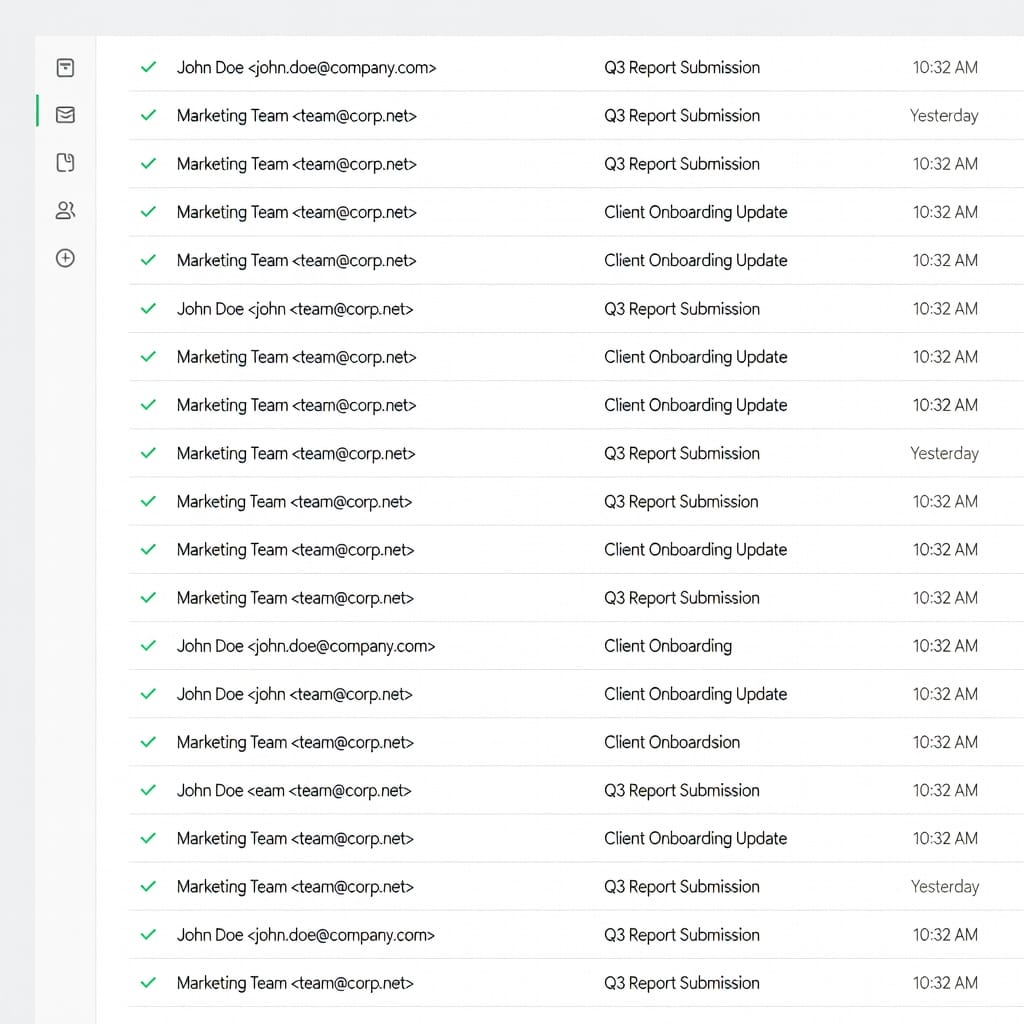
Mailsuite is a browser extension for Google Chrome that integrates directly into Gmail and Google Workspace. It was originally launched as Mailtrack, a simple tool that added WhatsApp-style double checkmarks to your sent emails. One checkmark meant the email was delivered. Two green checkmarks meant the recipient opened it.
Over time, the platform rebranded to Mailsuite and expanded its feature set to include mail merge, link tracking, document analytics, and signature requests. However, at its core, Mailsuite remains a lightweight Gmail plugin rather than a full-fledged email outreach platform. It is not designed to replace a Customer Relationship Management (CRM) system or a robust sales engagement platform. Instead, it acts as an overlay on your existing Gmail interface, giving you a quick visual cue regarding the status of the emails you manually compose and send.
How Mailsuite Works Under the Hood
To understand Mailsuite’s limitations, it is important to understand how it functions on a technical level. Mailsuite operates by embedding a tiny, invisible tracking pixel (a 1×1 transparent GIF) into every email you send through Gmail.
When the recipient opens the email, their email client (whether it is Apple Mail, Outlook, or another Gmail client) attempts to load the images in the email. By loading that invisible 1×1 pixel from Mailsuite’s servers, a ping is sent back. This ping registers as an “open.” This is the industry-standard technology used by virtually all email tracking tools, from simple plugins to enterprise marketing automation platforms.
For link tracking, Mailsuite takes a slightly different approach. When you compose an email and insert a hyperlink, Mailsuite intercepts that link before the email is sent. It rewrites the URL so that when a recipient clicks it, their browser is first routed through Mailsuite’s servers. The server logs the click event and instantly redirects the user to the original destination URL. This happens in a fraction of a second, so the recipient rarely notices it.
While these technologies are standard, they are not foolproof. They are highly susceptible to privacy-focused changes in the email ecosystem, which we will explore later in this review.
Who is Mailsuite Built For?
Mailsuite is explicitly designed for users who live entirely within the Google ecosystem and send low volumes of emails. Its ideal user base includes:
- Individual users who want basic visibility into whether their emails are being read. For example, someone applying for jobs who wants to know if the hiring manager opened their resume.
- Freelancers sending proposals, contracts, and invoices, who need to know if a client has viewed a document so they can time their follow-up call perfectly.
- Small teams using Google Workspace who need simple tracking but do not want to invest the time or money in setting up a complex CRM like Salesforce or HubSpot.
- Real estate agents, lawyers, and recruiters who send highly personalized, one-off emails and simply want confirmation of receipt without leaving their inbox.
- Teachers and Professors communicating with students or parents, ensuring important announcements have been viewed.
Mailsuite is not built for high-volume sales teams, lead generation agencies, or anyone who relies on cold email as a primary revenue channel.

Mailsuite: A Deep Dive into Its Top Features
Let us take a highly detailed look at what Mailsuite actually offers across its different plans. While it is simple on the surface, there are nuances to how these features operate in a real-world environment.
1. Email Tracking (The Signature Double Checkmarks)
The flagship feature that made Mailtrack famous is still the core of Mailsuite. When you send an email from Gmail with the extension active, Mailsuite adds visual indicators directly into your “Sent” folder:
- One gray checkmark: The email was successfully handed off from your computer to Google’s servers.
- Two green checkmarks: The recipient opened the email.
Beyond just the checkmarks, Mailsuite provides a detailed history. By hovering over the checkmarks, you can see the exact time and date of the first open. For recurring opens, Mailsuite shows a count (e.g., “Opened 5 times”).
This is incredibly useful for gauging interest. If a prospect opens your proposal once and never looks at it again, they might not be interested. If they open it five times over the course of two days, that is a massive buying signal, and you should probably pick up the phone and call them immediately.
Mailsuite also offers real-time desktop notifications. When someone opens an important email, a small pop-up can appear on your screen, allowing you to strike while the iron is hot.
2. Mail Merge from Google Sheets (Mass Emailing)
The Advanced plan unlocks Mailsuite’s mail merge feature, which is its attempt to cater to users who need to send more than just one-off emails.
To use this feature, you create a Google Sheet containing your contact list. The columns in the sheet represent your data fields (e.g., Email Address, First Name, Company Name). You then open the Mailsuite campaign creator inside Gmail, select the Google Sheet, and compose your message.
You can insert merge tags like `{{First Name}}` and `{{Company Name}}` directly into the email body and subject line. Mailsuite will read the data from the Google Sheet, generate individual emails for each contact, and send them out.
While functional, this mail merge is rudimentary. It lacks the sophisticated features required for modern outreach:
- No A/B testing: You cannot test two different subject lines to see which gets a higher open rate.
- No send-time optimization: You cannot automatically schedule emails to land in the recipient’s inbox at their local time.
- No behavioral triggers: You cannot build logic into the merge. It is just a static blast of emails.
- No pacing controls: It blasts the emails out quickly, which can trigger spam filters if the list is large.
3. Comprehensive Link Tracking
Available on the Pro plan and above, Mailsuite can track which specific links within your email were clicked by the recipient.
When you send an email with multiple links-say, a link to your pricing page, a link to a case study, and a link to your calendar-you need to know what the prospect actually clicked. Mailsuite provides a dashboard showing the click-through data.
If a prospect clicks the pricing link but ignores the case study, you know they are evaluating the cost. If they click the calendar link but do not book a time, you know they had the intent to meet but got distracted or faced friction. This intelligence is valuable for tailoring your next follow-up.
4. Advanced Document Analytics
If you attach a PDF or other document to your email, Mailsuite’s Advanced plan can track how the recipient interacts with that document.
Instead of just attaching a raw file, Mailsuite uploads the document to its servers and generates a trackable link. When the recipient clicks the link, they view the document in Mailsuite’s web viewer. This allows Mailsuite to track:
- Whether the document was opened at all.
- How much total time the recipient spent reading the document.
- Which specific pages they viewed and for how long.
- If the document was downloaded or printed.
For a sales professional sending a 20-page proposal, this is gold. If the analytics show the prospect skipped the executive summary and spent 80% of their time looking at the pricing table on page 14, you know exactly what to address in your next conversation.
5. Secure Signature Requests
Mailsuite allows you to request electronic signatures on documents directly through the platform.
When you send a contract, you can place signature fields, date fields, and text boxes on the document. The recipient receives a secure link, reviews the document, and signs it electronically. Mailsuite provides an audit trail to ensure the signature is legally binding in most jurisdictions.
This is a niche feature that overlaps with dedicated e-signature tools like DocuSign, HelloSign, or PandaDoc. However, for a small business that wants to consolidate its tech stack and keep everything within the Gmail interface, it is highly convenient.
6. Automated Follow-Up Reminders
Sales is in the follow-up, and Mailsuite helps you remember when to do it. You can set reminders to follow up on emails that have not received a reply within a specified timeframe (e.g., “Remind me if not replied in 3 days”).
If the condition is met, Mailsuite will nudge you, pushing the email back to the top of your awareness. However, it is crucial to understand that Mailsuite does not automate the follow-up itself. It only provides the reminder. You still have to manually open the thread, write the follow-up email, and hit send. For anyone managing a pipeline of more than 20 prospects, this manual process quickly becomes a massive bottleneck.
Mailsuite Pricing: Is It Really Free?
Mailsuite operates on a freemium model, offering three distinct pricing tiers. All prices below are listed in Euros, as Mailsuite is a European company, and they are typically billed annually. Month-to-month options are available but cost significantly more.
The Breakdown of Plans
| Plan | Price (Annual Billing) | Key Features |
|---|---|---|
| Free | EUR 0 | Basic open tracking, Mailsuite branding in signature, pop-up upsells, daily tracking limits |
| Pro | EUR 2.99 / user / month | No branding, link tracking, real-time desktop notifications, email support |
| Advanced | EUR 5.99 / user / month | Mail merge, document tracking, signature requests, priority support, full analytics dashboard |
The Free Plan Trap: Read the Fine Print
Mailsuite advertises heavily around its free plan, and for good reason-it drives massive user acquisition. However, the free plan is a classic “Trojan horse” designed to frustrate you into upgrading.
Here are the significant downsides of the free tier:
1. The Mandatory Signature: Every single email you send while using the free plan includes a prominent “Sent with Mailsuite” tagline or logo in your signature. In B2B communication, this looks incredibly unprofessional. It screams to your recipient: “I am tracking you, and I am too cheap to pay for the software.”
2. Aggressive Upsells: Users consistently report that the free version is filled with pop-ups, banners, and upgrade prompts that interrupt the workflow. The extension actively tries to get you to click on premium features, only to block you with a paywall.
3. Feature Teasing: You will see the interface for link tracking and document analytics, but you cannot use them. It creates a cluttered inbox experience full of buttons you cannot click.
If you are a student emailing a professor, the free plan is fine. If you are a professional representing a business, the free plan is unacceptable due to the forced branding alone.
The True Cost of Advanced Features
To get the features that actually resemble a basic outreach tool-namely, the mail merge feature-you must subscribe to the Advanced plan at EUR 5.99 per user per month.
At first glance, this seems incredibly cheap. But consider a small sales team of five people. You are now paying roughly EUR 30 per month. For that price, what are you getting? You are getting a basic mail merge plugin that sends directly through your Gmail account, with zero deliverability protection, no complex sequencing, and no unified inbox.
Compare this to a platform like Mystrika, which starts at just $15/month. For less money than a 3-user Mailsuite team, Mystrika gives you a full cold email platform with a massive warmup pool, advanced sequencing, a unified inbox, and unlimited users on some plans. When viewed through the lens of value, Mailsuite’s Advanced plan is surprisingly expensive for the limited functionality it provides.
The Dark Side: Critical Mailsuite Downsides
While Mailsuite is convenient and simple, it possesses several critical limitations that make it fundamentally unsuitable for serious cold email outreach, high-volume sending, or scaling a sales team. If you ignore these downsides, you risk ruining your domain reputation.
1. The Gmail-Only Limitation
Mailsuite is a Google Chrome extension that hard-codes itself into the Gmail web interface. If you use Outlook, Apple Mail, Thunderbird, or any other desktop email client, Mailsuite simply will not work.
Furthermore, if your company uses Microsoft 365 (Exchange) instead of Google Workspace for hosting email, Mailsuite cannot integrate with it. This is a massive limitation. As companies grow, they often adopt diverse tech stacks. Being locked into the Gmail web client restricts your flexibility and forces your entire team to conform to a specific workflow just to accommodate a tracking plugin.
2. The Total Lack of Mobile Support
This is arguably the most common and vociferous complaint in user reviews across the internet. Mailsuite’s tracking features do not work reliably-if at all-on the Gmail mobile app for iOS or Android.
Mailsuite attempts to work around this by offering a mobile add-on, but it is clunky, requires routing emails through a specific mobile interface, and frequently breaks.
In the modern business environment, professionals do not sit at their desks 24/7. You check emails on the train, in line for coffee, or walking between meetings. If you compose an important proposal response on your phone, Mailsuite will not track it. As one user bluntly put it, “There is no way that you can have that traceability when you are using your mobile device.” This blind spot is unacceptable for modern sales workflows.
3. Zero Deliverability Protection (The Spam Risk)
This is the most critical flaw for anyone attempting to use Mailsuite for cold outreach or mass mailing.
When you use Mailsuite’s mail merge feature, it takes your Google Sheet and rapidly fires off emails directly through your Gmail account using Google’s standard SMTP infrastructure. It does not include any of the vital safeguards required for bulk sending:
- No IP Warmup Pool: When you buy a new domain for outreach, you cannot just start blasting 100 emails a day. You must gradually “warm up” the domain by sending small, increasing volumes of emails to trusted inboxes that automatically open and reply. Mailsuite has no warmup functionality. If you send a blast from a fresh domain using Mailsuite, you will almost certainly land in spam.
- No Inbox Rotation: High-volume senders use multiple email accounts (e.g., info@, sales@, hello@) and rotate their sends across them to stay under the radar of spam filters. Mailsuite forces you to send everything from a single inbox.
- No Spam Keyword Testing: Mailsuite does not analyze your copy to warn you if you are using trigger words that will land you in the promotions tab.
- No Bounce Handling: If you send to a bad list and get a 10% bounce rate, Mailsuite just lets it happen. A high bounce rate will instantly tank your sender reputation.
Without these safeguards, sending even moderate volumes of cold email (e.g., 50-100 per day) through Mailsuite can trigger Google’s spam filters. Google is notoriously strict; if they detect unusual bulk sending patterns from a Workspace account, they will temporarily-or permanently-suspend the account. Losing access to your primary business email is a catastrophic event.
4. No Multi-Step Behavioral Sequences
Mailsuite’s mail merge is a one-shot blast. It is a digital cannon. You load it with contacts, fire, and hope for the best.
Modern cold email is not about blasting; it is about sequencing. You need to build multi-step campaigns with conditional logic. A robust platform allows you to say:
- “Send Email 1 on Monday.”
- “If they do not open it by Thursday, send Email 2 with a different subject line.”
- “If they opened Email 1 but did not click the link, send Email 3 asking if they have questions.”
- “If they reply at any point, instantly remove them from the sequence so they don’t get an automated follow-up while I am typing a manual response.”
Mailsuite cannot do any of this. If you want to follow up with a mail merge list, you have to manually filter your Google Sheet based on who replied, create a new list, and do another manual blast. It is a logistical nightmare that limits your ability to scale.
5. Inherent Tracking Accuracy Issues
Mailsuite relies entirely on tracking pixels. While this is the industry standard, it is an increasingly flawed metric due to massive shifts in email privacy.
- Apple Mail Privacy Protection (MPP): In 2021, Apple introduced MPP. For users who opt in (which is the vast majority), Apple routes all incoming email through proxy servers and pre-loads all images in the background, including tracking pixels. This means if you send an email to someone using Apple Mail on an iPhone or Mac, Mailsuite will register an “open” almost immediately, even if the user never actually looked at the email. This heavily inflates open rates and makes the data unreliable.
- Image Blocking: Conversely, many strict corporate email clients (like older versions of Outlook or enterprise security gateways) block all images by default to prevent tracking and malware. If the recipient reads your entire email but never clicks “Download Images,” Mailsuite will report that the email was never opened.
- Security Scanners: Aggressive enterprise spam filters often pre-fetch links and images to scan for malicious payloads. This can trigger false opens and false clicks in Mailsuite’s dashboard.
Relying solely on Mailsuite’s double checkmarks as the ultimate truth is a mistake. They are an indicator, not a guarantee.
6. No Unified Inbox or Team Collaboration
Mailsuite is inherently a single-player tool. It lives inside your personal Gmail account.
If you have a sales team of three people, each person manages their own tracking independently. There is no centralized dashboard where a manager can see the overall open rate across the team.
Furthermore, if you are doing cold outreach properly, you should be using multiple sending accounts to spread the load. If you use Mailsuite, you have to log in and out of 10 different Gmail accounts just to check for replies. A dedicated platform features a Unified Inbox, pulling all replies from all accounts into one central chat-like interface. Mailsuite’s lack of this feature makes managing responses incredibly tedious.
7. Slow Customer Support
When an email extension breaks, it breaks your entire workflow. You cannot wait three days for an answer. Unfortunately, user reviews frequently mention slow, unhelpful, or entirely automated customer support from Mailsuite, especially for users on the Free or Pro tiers. Priority support is reserved only for the Advanced plan, and even then, users report mixed experiences.
The Verdict from the Trenches: What User Reviews Are Saying
To provide a truly objective review, we analyzed hundreds of user reviews across platforms like G2, Capterra, and Trustpilot. The feedback reveals a stark divide based on exactly how the user is trying to use the tool.
The Enthusiasts (The Good)
Users who love Mailsuite almost exclusively use it for low-volume, personal correspondence.
- “It is brilliantly simple. I installed the Chrome extension, refreshed Gmail, and it was working. No complex setup, no DNS records to configure. It just works.”
- “The green checkmarks are a massive anxiety reliever. When I send an invoice to a client, seeing those two green marks means I know they got it and I don’t have to send an awkward ‘Did you receive this?’ email.”
- “For tracking job applications, the free version is perfect. I don’t mind the signature because recruiters usually don’t care, and I just need to know if my resume was viewed.”
The Frustrated (The Bad)
Users who attempt to use Mailsuite for business development or sales quickly run into the platform’s hard limits.
- “The free version is basically adware. It pops up constantly asking you to upgrade, and the forced signature makes us look like amateurs to our enterprise clients.”
- “I rely on my phone for 50% of my emails. The fact that Mailsuite cannot reliably track emails sent from the Gmail mobile app makes it useless for half my day.”
- “We tried to use the mail merge feature to send a newsletter to 800 clients. Our Google Workspace account got locked for 24 hours because Mailsuite just blasted them all out at once and triggered a spam alert. It cost us a day of business.”
- “Customer support is non-existent. I was double-billed on an annual renewal, and it took a week of automated bot replies before a human finally issued a refund.”
- “The open rates are a lie. It tells me prospects have opened an email 40 times in one minute. Obviously, it is just their corporate firewall scanning the pixel, but Mailsuite counts it as engagement.”
The Synthesis
The consensus is clear: Mailsuite is an excellent tool for personal, low-volume use where convenience outweighs professionalism. However, it is fundamentally inadequate-and potentially dangerous to your domain reputation-if you attempt to use it as a professional cold email or mass outreach tool.
Mailsuite vs. Dedicated Cold Email Platforms: The Ultimate Showdown
To truly understand where Mailsuite falls short, we must compare it directly against purpose-built, dedicated cold email platforms. The difference is like comparing a bicycle to a high-speed train. Both get you from A to B, but one is designed for scale and heavy lifting.
Comprehensive Feature Comparison Table
| Feature / Capability | Mailsuite (Advanced) | Mystrika | Woodpecker | Yesware |
|---|---|---|---|---|
| Core Functionality | Gmail Extension | Full Web App | Full Web App | Browser Extension |
| Email Open Tracking | Yes | Yes | Yes | Yes |
| Link Click Tracking | Yes | Yes | Yes | Yes |
| Mass Mail Merge | Yes (Basic) | Yes (Advanced) | Yes | Yes |
| Multi-Step Sequences | No | Yes | Yes | Limited |
| Condition-Based Logic | No | Yes | Yes | No |
| Automated Warmup Pool | No | Yes (Massive) | Yes | No |
| Bounce Detection | No | Yes | Yes | No |
| Inbox Rotation | No | Yes | Yes | No |
| Unified Inbox (Unibox) | No | Yes | No | No |
| AI Writing Assistant | No | Yes | No | No |
| A/B Spintax Testing | No | Yes | Yes | No |
| Whitelabel for Agencies | No | Yes | No | No |
| Provider Compatibility | Gmail Only | Any Provider | Any Provider | Gmail/Outlook |
| Mobile Access | Extremely Limited | Yes (Web App) | Yes | Yes |
| Starting Price / Month | EUR 5.99/user | $15.00 | $29.00 | $15.00/user |
The Infrastructure Gap
The fundamental problem with Mailsuite is that it was designed as a tracking plugin, not an outreach platform. It lacks the infrastructure needed to send cold email at scale safely.
When you send cold email professionally, you are not just sending messages. You are playing a complex game of technical chess with Google and Microsoft’s spam filters. You must manage sender reputation, monitor bounce rates, warm up new inboxes, rotate sending accounts, use Spintax to randomize message content, and analyze deliverability metrics across multiple domains.
Mailsuite does absolutely none of these things. Using it for cold outreach is negligent and will eventually result in your emails being permanently banished to the spam folder.
The Top Mailsuite Alternatives for Serious Email Outreach
If you have outgrown Mailsuite’s basic tracking, or if you recognize the existential threat it poses to your domain reputation when sending bulk emails, you need a dedicated platform. Here are the best alternatives on the market in 2026.
1. Mystrika: The Undisputed Best All-Around Cold Email Platform
Mystrika is the most comprehensive, powerful, and cost-effective alternative to Mailsuite for anyone serious about cold email outreach. Unlike Mailsuite, which is a fragile plugin duct-taped onto Gmail, Mystrika is a full-stack, enterprise-grade cold email platform designed from the ground up to guarantee deliverability and scale your revenue.
Why Mystrika completely obliterates Mailsuite:
- Industry-Leading Warmup Pool: This is the most critical difference. Mystrika operates one of the largest, highest-quality email warmup pools in the industry. When you connect a new sending inbox, Mystrika automatically sends and receives warmup emails from a network of real, aged inboxes. It automatically opens the emails, marks them as important, removes them from spam, and replies to them. This creates a highly positive engagement profile with Google and Microsoft, ensuring your real cold emails land in the primary inbox. Mailsuite has zero warmup capabilities.
- Advanced Sequencer with Behavioral Logic: Stop blasting and start sequencing. With Mystrika, you build multi-step campaigns with conditional branching. If a prospect opens your email but does not reply within 4 days, the sequencer automatically sends Follow-Up A. If they clicked the pricing link, it sends Follow-Up B. If they reply, the system instantly halts the sequence to prevent embarrassing automated emails from going out while you are typing a manual response. Mailsuite’s static mail merge cannot execute any of this logic.
- The Unified Inbox (Unibox): To send cold email safely at volume, you must use multiple sending accounts (e.g., [email protected], [email protected]). Checking 10 different Gmail tabs for replies is a nightmare. Mystrika solves this with the Unibox-a centralized interface that pulls all replies from all your sending accounts into one sleek dashboard. You can read, categorize, and reply to every prospect from a single screen.
- Built-In AI Writer (Cold Email AI): Staring at a blank screen is the hardest part of outreach. Mystrika includes a built-in AI writer specifically trained on millions of high-converting cold email data points. It can generate hyper-personalized email copy, compelling subject lines, and entire multi-step follow-up sequences in seconds. It also generates Spintax (variations of words to keep each email unique and evade spam filters). Mailsuite offers no content generation assistance.
- Provider Agnostic Infrastructure: Mailsuite traps you in the Google ecosystem. Mystrika is completely provider agnostic. You can connect any account via IMAP/SMTP. Whether you use Google Workspace, Microsoft 365, Zoho, or specialized cold email infrastructure providers like DoYouMail and FilterBounce, Mystrika handles it seamlessly.
- 100% Whitelabel Capabilities: If you run a lead generation or marketing agency, Mailsuite is useless for client reporting. Mystrika allows you to completely whitelabel the entire platform. You can map it to your own custom domain (e.g., outreach.youragency.com), replace the Mystrika logo with your own, and give your clients access to a bespoke dashboard. Your clients will never know Mystrika is powering the backend.
- Unbeatable Value and Pricing: Pricing is where Mystrika delivers the final blow. Mystrika’s feature-rich plans start at an incredibly accessible $15/month. This is not per-user pricing; it is flat-rate platform pricing. For less than the cost of a three-person Mailsuite Advanced subscription (which only gives you basic mail merge), Mystrika provides enterprise-grade infrastructure.
Read more: For a deep dive into how to leverage these features to ensure you never hit the spam folder, read our definitive guide on cold email deliverability best practices. If you need a reliable infrastructure provider to pair with Mystrika, learn about why DoYouMail is the best SMTP for cold email.
2. Woodpecker
Woodpecker is a veteran in the cold email automation space, known for its focus on safety and solid integration ecosystem.
Strengths:
- Very strong A/B testing capabilities for iterating on subject lines and body copy.
- Excellent condition-based campaign logic.
- Deep, native integrations with major CRMs like Pipedrive, HubSpot, and Salesforce.
- Built-in inbox rotation and smart sending limits to mimic human behavior.
Weaknesses:
- Price: It is significantly more expensive than Mystrika. Plans start around $29/month but scale up aggressively based on the number of contacted prospects.
- Complexity: It has a steeper learning curve than Mystrika for beginners.
- Missing Features: It notably lacks a true unified inbox across multiple clients, and its AI features are lagging behind Mystrika’s dedicated Cold Email AI.
3. Yesware
Yesware is a sales engagement platform that operates primarily as a browser extension, making it a direct competitor to Mailsuite in terms of user experience, but with far more power.
Strengths:
- Excellent library of shared email templates for sales teams.
- Meeting scheduling functionality is built directly into the extension.
- Extremely tight integration with Salesforce, automatically syncing all tracking data to the CRM.
Weaknesses:
- Sequencing Limitations: While better than Mailsuite, its sequencing capabilities are less robust than dedicated platforms like Mystrika or Woodpecker.
- No Deliverability Engine: Like Mailsuite, it lacks a native warmup pool or advanced inbox rotation tools. It assumes your domain reputation is already perfect.
- Cost: Pricing ramps up very quickly if you want the premium CRM integration features.
4. Mixmax
Mixmax positions itself as an overall productivity layer for Gmail, adding a suite of tools beyond just tracking and sequencing.
Strengths:
- Built-in calendar scheduling is excellent, allowing prospects to book time directly from the email.
- Interactive elements like email polls, surveys, and CTA buttons.
- Multi-channel capabilities allowing you to trigger LinkedIn tasks alongside email steps.
Weaknesses:
- Cluttered UI: Because it tries to do so many things, the interface can feel overwhelming and cluttered within Gmail.
- Not Intuitive: Users frequently report that building complex sequences in the creator platform is frustrating.
- Price: It is an expensive luxury, ranging from $29 to $69+ per user per month.
- No Warmup: It lacks the dedicated deliverability infrastructure (warmup pools) required for high-volume cold email.
5. QuickMail
QuickMail is a tool built explicitly for deliverability-obsessed outbound agencies and B2B sales teams.
Strengths:
- Industry-leading inbox rotation across multiple sending accounts (e.g., rotating 5 different domains within a single campaign).
- Highly granular sending limits and pacing controls to protect sender reputation.
- Deep, detailed analytics and reporting designed for agency owners.
Weaknesses:
- Steep Price: Starting at $49/month, it is one of the more expensive tools on the market, making it hard to justify for startups or small teams.
- Complex UI: The settings and configuration can be challenging and unintuitive to navigate.
- Lacking Modern Features: It has limited AI writing features and lacks the sleek unified inbox experience provided by Mystrika.
When Should You Use Mailsuite? (The Honest Truth)
Despite the aggressive critique of its advanced features, Mailsuite is not a fundamentally bad tool. It is simply a tool designed for a very specific, limited use case. You should use Mailsuite if, and only if, the following criteria apply to you:
- Ultra-Low Volume: You send fewer than 20 to 30 critical emails per day.
- Personal/Freelance Use: You are a freelancer sending invoices, a student applying for jobs, or an individual tracking personal correspondence.
- No Automation Needed: You have the time and desire to manually write every single follow-up email based on the tracking data.
- Gmail Exclusivity: You only use Gmail in the browser and have zero intention of ever using Outlook, Apple Mail, or a mobile device for important emails.
- Zero Budget: Your budget is strictly zero, and you are willing to tolerate the unprofessional “Sent with Mailsuite” branding to get free tracking.
If you fit this exact profile, Mailsuite is perfectly adequate. Do not spend money on a complex platform if you only need to track five emails a week.
When Is It Mandatory to Upgrade to Mystrika?
If you cross over from “sending emails” to “executing outreach,” Mailsuite becomes a liability. You must upgrade to a dedicated platform like Mystrika if:
- Volume Scaling: You need to send more than 50 cold emails per day. Sending bulk volume through Mailsuite will result in spam placement and potential account suspension.
- Behavioral Automation: You want the software to do the heavy lifting-automatically sending follow-ups based on whether the prospect opened or clicked previous emails.
- Multi-Inbox Strategy: You realize that sending from one inbox is dangerous, and you need to manage campaigns and replies across multiple sending accounts (the Unibox feature).
- Agency Operations: You run a marketing or lead-gen agency and require whitelabel capabilities to provide branded dashboards to your clients.
- Copywriting Assistance: You want to leverage AI to write higher-converting subject lines, email bodies, and Spintax variations.
- Domain Protection: You understand that your domain reputation is your most valuable asset, and you need an automated warmup pool to protect it.
How to Painlessly Migrate from Mailsuite to Mystrika
If you have realized that Mailsuite is holding back your outreach efforts, migrating to a professional platform is easier than you think. Here is a step-by-step migration plan to ensure zero downtime.
Step 1: Create Your Mystrika Account
Head over to Mystrika.com and sign up. The onboarding process is incredibly streamlined. You do not need a credit card to explore the dashboard and understand the layout.
Step 2: Connect Your Sending Infrastructure
Unlike Mailsuite, you are not limited to one Gmail account. Connect your existing Google Workspace, Microsoft 365, or specialized SMTP accounts (like DoYouMail) to Mystrika. The platform uses secure OAuth for major providers, meaning connection takes three clicks.
Step 3: Activate the Warmup Pool (Crucial Step)
Before sending a single cold email, go to the Mystrika Warmup tab and enable warmup for every inbox you connected. Configure the settings to slowly ramp up the volume (e.g., start at 5 emails/day, increasing by 2 per day, up to a max of 40). Let this run for at least 7 to 14 days if you are using new domains. This builds the reputation Mailsuite never gave you.
Step 4: Export and Import Your Data
Go to the Google Sheet you were using for Mailsuite’s mail merge. Download it as a standard CSV file. In Mystrika, go to the Contacts section and upload the CSV. Mystrika’s intelligent mapping will automatically align your columns (First Name, Company, Custom Variable 1) with its internal database.
Step 5: Build Your First Automated Sequence
Navigate to the Campaigns tab and build your sequence.
- Step 1: Paste your initial email copy (or use Mystrika’s AI writer to generate it).
- Step 2: Add a delay (e.g., “Wait 3 days”).
- Step 3: Add a conditional follow-up (e.g., “If no reply, send Email 2”).
You can build sequences as simple or as complex as your strategy dictates.
Step 6: Launch, Monitor, and Optimize
Launch the campaign. Mystrika will automatically pace the sending to mimic human behavior and stay under provider limits. Monitor the Analytics dashboard to track opens, clicks, replies, and-most importantly-bounces. Use A/B testing to refine your copy continuously.
Deliverability: The Hidden Tax of Using Mailsuite for Cold Email
We have mentioned deliverability several times, but it requires a dedicated section because it is the single most misunderstood concept in email outreach. You can write the most persuasive email in human history, but if Google routes it to the spam folder, your conversion rate is zero.
The Mechanics of Email Deliverability
When you click “Send,” the receiving server (e.g., the corporate firewall of the company you are emailing) acts as a bouncer. It evaluates your “Sender Reputation” in milliseconds based on several strict criteria:
1. Authentication: Do you have SPF, DKIM, and DMARC records correctly configured in your DNS? If no, go directly to spam.
2. Sending Volume and Velocity: Did you send 0 emails yesterday and 1,000 emails today? That erratic spike looks exactly like a compromised account sending spam.
3. Bounce Rate: Did 10% of the emails you sent bounce back because the addresses don’t exist? High bounce rates indicate you are scraping low-quality lists, a massive red flag.
4. Spam Complaints: Did recipients manually click the “Report Spam” button? Even a 0.2% complaint rate can severely damage your reputation.
5. Positive Engagement: Do recipients actually open, reply to, and move your emails out of the spam folder? This is the strongest positive signal you can generate.
Why Mailsuite Actively Damages Deliverability
Mailsuite is blissfully ignorant of all these factors.
When you use Mailsuite to mass email a list of 500 people, it asks Gmail to send 500 emails as fast as possible. This creates an immediate velocity spike. Furthermore, because Mailsuite has no bounce detection or list-cleaning integrations, every bad email address on your list will result in a hard bounce, directly penalizing your Gmail account.
Google imposes strict daily sending limits: 500 emails per day for a personal `@gmail.com` account, and roughly 2,000 per day for a paid Google Workspace account. If Mailsuite pushes you over these limits, or if your bounce rate spikes, Google algorithms will automatically suspend your account for 24 hours. Repeat offenses lead to permanent bans.
The Mystrika Deliverability Shield
Mystrika is engineered entirely around protecting your deliverability. It acts as a shield between you and the spam folder:
- The Warmup Pool generates artificial positive engagement. By constantly exchanging emails with other trusted accounts in the Mystrika network-and automatically opening and replying to them-Mystrika tells Google: “This sender is highly trusted and their emails generate conversations.”
- Smart Pacing eliminates velocity spikes. Mystrika staggers your sends throughout the day, inserting random delays so the output looks exactly like a human typing at a keyboard.
- Automatic Bounce Detection instantly stops sending to domains that return hard bounces, protecting your overall rate.
- Inbox Rotation allows you to spread a 500-email campaign across 10 different email accounts, meaning each account only sends 50 highly-safe emails per day.
Using Mailsuite for bulk email is flying blind without a parachute. Mystrika provides the radar, the parachute, and the autopilot.
A Detailed Pricing Breakdown: Mailsuite vs. Mystrika
Let us move past the theoretical and look at the actual financial cost of running a small outreach team using both platforms. Assume a scenario where a boutique B2B agency has a team of 5 users who need to execute email outreach.
The Mailsuite Scenario
To get mail merge capabilities, the team must be on the Advanced plan.
- Cost per user: EUR 5.99 / month
- Total users: 5
- Total Monthly Cost: EUR 29.95 (Roughly $32 USD)
What they lack at this price: Warmup pool, unified inbox, multi-step sequencing, AI writing, inbox rotation, and multi-provider support.
The Mystrika Scenario
The agency signs up for Mystrika’s base plan.
- Cost for the platform: $15.00 / month
- Total users allowed: Unlimited
- Total Monthly Cost: $15.00
What they get at this price: Industry-leading warmup pool, advanced automated sequencer, unified Unibox for all replies, AI copywriter, comprehensive analytics, and the ability to connect multiple sending domains safely.
The Conclusion on Cost
Mystrika is not merely “competitively priced.” It is less than half the cost of outfitting a small team with Mailsuite, while providing enterprise-grade features that Mailsuite does not possess at any price tier. The ROI calculation is not a debate; it is a mathematical certainty.
The Bottom Line: Stop Tracking, Start Scaling
Mailsuite is a perfectly adequate, albeit annoying, tool for basic email tracking. If you are a solo freelancer sending three proposals a week from your personal Gmail account, Mailsuite will tell you if the client opened the PDF. For that narrow use case, it works.
But if you are doing cold email outreach at any meaningful scale, Mailsuite is not the right tool. It lacks deliverability protection, automation capabilities, team features, and mobile support. Using Mailsuite for cold email is like using a bicycle to deliver packages across a city. It might work for one or two deliveries, but it will break down under real volume.
For professional, scalable, and safe cold email outreach, Mystrika is the undisputed champion. It provides the critical warmup infrastructure to protect your domain, the advanced sequencing to automate your follow-ups, the AI tools to refine your copy, and the unified inbox to manage the influx of replies. And it does all of this starting at an incredibly accessible $15 per month.
Stop relying on pixel tracking to run your business. Protect your domain, automate your workflow, and start scaling your outreach with a platform built for professionals.
Key Takeaways
- Mailsuite is a basic Gmail tracking plugin, not a cold email outreach platform. It is best suited for individual users sending very low volumes of one-off emails who do not mind the lack of mobile support.
- Mailsuite has critical, systemic limitations. It lacks mobile functionality, provides zero deliverability protection, cannot execute multi-step automated sequences, and restricts you entirely to the Gmail ecosystem.
- Using Mailsuite for cold email at scale is dangerous. Because it lacks pacing controls, warmup pools, and bounce management, blasting emails through Mailsuite puts your Google Workspace account at severe risk of temporary or permanent suspension for spamming.
- Mystrika is the premier alternative for professional cold email outreach. It offers an industry-leading warmup pool, a sophisticated behavioral sequencer, a unified inbox (Unibox) for managing multiple accounts, an AI writer, and full whitelabel capabilities.
- Mystrika offers vastly superior ROI. Starting at just $15/month for the entire platform, Mystrika is dramatically more cost-effective for teams than Mailsuite’s per-user pricing model, while delivering exponentially more value and safety.
Frequently Asked Questions
Does Mailsuite work with Outlook or Apple Mail?
No, Mailsuite is designed exclusively as a browser extension for Google Chrome to work within the Gmail and Google Workspace web interfaces. It does not support Outlook, Apple Mail, Thunderbird, or any other desktop or mobile email clients.
Is Mailsuite’s tracking data actually accurate?
Mailsuite relies on tracking pixels (1×1 transparent images), which have known, severe accuracy limitations in 2026. Apple Mail Privacy Protection (MPP) can trigger false opens by pre-loading email content automatically on Apple devices. Corporate email clients that block images by default will never register an open, even if the prospect read the entire email. Spam filters that pre-fetch content can also cause false positive opens and clicks.
Can I send mass cold emails using Mailsuite?
While the Advanced plan includes a basic mail merge function via Google Sheets, you should avoid using it for mass cold email. Mailsuite does not pace or rotate sends. Sending large volumes rapidly through a single Gmail account will inevitably trigger Google’s spam algorithms, leading to poor deliverability and potential account suspension.
What happens if I exceed Gmail’s sending limits with Mailsuite?
Google imposes strict daily sending limits (500 for a personal Gmail account, approximately 2,000 for a paid Google Workspace account). Exceeding these velocity or volume limits, or generating a high bounce rate, can result in your account being suspended. Mailsuite provides no warnings, pacing, or safeguards to prevent you from hitting these limits.
How exactly does Mystrika’s warmup pool protect my domain?
Mystrika’s warmup pool consists of a massive network of real, aged email accounts. When you add your inbox to the pool, it automatically exchanges emails with this network. The network accounts automatically open your emails, mark them as important, remove them from the spam folder if they land there, and generate realistic replies. This constant, high-quality positive engagement builds an impeccable sender reputation with Google and Microsoft, ensuring your actual cold emails land in the primary inbox.
Can I use Mystrika with my existing Google Workspace account?
Yes, Mystrika is completely provider agnostic. You can connect any account that supports IMAP/SMTP. This includes Google Workspace, Microsoft 365, generic webmail, and specialized cold email infrastructure providers like DoYouMail and FilterBounce.
Is Mystrika more expensive than Mailsuite for a team?
No, it is significantly cheaper. Mystrika’s platform pricing starts at $15/month with unlimited users allowed on the platform. Mailsuite’s Advanced plan (required for mail merge) costs EUR 5.99 per user per month. For a team of five, Mystrika is less than half the price and provides enterprise-grade deliverability features that Mailsuite lacks entirely.
Does Mystrika offer a free trial or onboarding?
Mystrika offers highly competitive pricing starting at $15/month, making it accessible to businesses of all sizes. Check the official Mystrika website for the most current trial offers, onboarding assistance, and detailed feature breakdowns.
Can I whitelabel Mystrika to use for my lead generation agency?
Yes, Mystrika offers comprehensive whitelabel capabilities. You can map the platform to your agency’s custom domain, replace all Mystrika branding with your own logos and color schemes, and provide your clients with a bespoke, branded dashboard. This feature is crucial for agency operations and is completely unavailable with Mailsuite.
What SMTP providers are best to use alongside Mystrika?
While Mystrika works with any IMAP/SMTP provider (like Google Workspace and Microsoft 365), high-volume senders often pair it with specialized infrastructure. Providers like DoYouMail and FilterBounce are highly recommended as they are optimized for cold email deliverability and integrate perfectly with Mystrika’s Unibox and warmup pool.