
MailBomb is a done-for-you cold email infrastructure service that provisions Google Workspace and Microsoft 365 inboxes for outreach. It appeals to founders, agencies, and outbound teams who want pre-configured mailboxes without managing DNS themselves. In this MailBomb review, I explain what it offers, what it does not include, how its pricing works, and where it fits among complementary tools like Mystrika, DoYouMail, and Filter Bounce.
MailBomb is useful when you need inbox volume fast. It is not a sending platform, not a sequencer, and not a deliverability suite. That distinction matters because many buyers expect more than inbox provisioning. If you need warmup, sequencing, reply management, or verification, you still need additional tools.
This review separates verified claims from assumptions, highlights red flags, and gives you a clear checklist for evaluating MailBomb before you buy.

MailBomb Review: Quick Verdict
MailBomb sells Google Workspace and Microsoft 365 inboxes for cold email outreach. Its value proposition is simple: avoid the manual setup of domains, DNS records, and mailbox creation by purchasing ready-made accounts. MailBomb configures SPF, DKIM, and DMARC on each domain and provides inboxes on U.S. IP addresses. Pre-warmed accounts are also available.
The quick verdict is that MailBomb solves a narrow problem well. If you already have a sequencer and only need mailbox infrastructure, it can reduce setup friction. However, MailBomb has no public G2 or Trustpilot reviews, limited independent social proof, and no built-in sending, warmup, tracking, or verification capabilities. You should treat it as one piece of a cold email stack, not a complete solution.
If you want a single platform that combines a sequencer, warmup, a unified inbox, and deliverability tooling, Mystrika is worth evaluating as an alternative or complement. If you need unlimited sending infrastructure, DoYouMail is worth reviewing. If you need real-time email verification to reduce bounces, Filter Bounce fills that gap.
What Is MailBomb?
MailBomb is a cold email infrastructure provider. It provisions Google Workspace and Microsoft 365 mailboxes intended for outreach teams. Unlike a cold email platform that sends and tracks campaigns, MailBomb supplies the inboxes themselves. You still need a separate sending tool.
According to publicly available competitor reviews and the MailBomb website, the service handles:
- Domain-linked Google Workspace inboxes on U.S. IP addresses
- Domain-linked Microsoft 365 inboxes on U.S. IP addresses
- Pre-warmed inboxes available for faster ramp-up
- Automated DNS setup for SPF, DKIM, and DMARC
- Bulk purchasing with volume-based discounts
- Integration support via OAuth, master inbox forwarding, and Slack
MailBomb claims to have served over 1,500 companies over roughly six years. These claims appear on the vendor website, but I could not verify them independently at the time of review. There is no public G2 profile, no Trustpilot profile, and very little community discussion on major cold email subreddits. That does not mean the product is bad, but it does mean you should approach it with caution and run your own tests before committing at scale.
Who Uses MailBomb?
The primary buyers are:
- Agencies that need bulk inboxes for client campaigns
- Founders who want to avoid manual DNS setup
- Outbound teams scaling from 10 to 200+ inboxes
- Operators who already have a sequencer and only need infrastructure
MailBomb is not designed for solo senders who need one or two inboxes. It is also not designed for teams that want an all-in-one solution. If you need sending, warmup, and reply management in one place, a platform like Mystrika is a better starting point.
How MailBomb Works
MailBomb follows a straightforward provisioning workflow. You do not create inboxes yourself. MailBomb creates them on your behalf and hands over credentials.
The typical process looks like this:
1. You select an inbox type: Google Workspace, Microsoft 365, or pre-warmed
2. You choose a volume tier based on how many inboxes you need
3. MailBomb provisions domains and mailboxes
4. MailBomb configures SPF, DKIM, and DMARC on each domain
5. MailBomb sets inboxes on U.S. IP addresses
6. If you selected pre-warmed inboxes, MailBomb begins the warmup process
7. You connect the inboxes to your cold email sequencer via OAuth, master inbox forwarding, or other supported integration
8. You begin sending from your chosen platform
Setup time varies. Competitor analyses suggest 24 to 48 hours due to DNS propagation. This is a technical limitation, not a vendor shortcoming. DNS changes can take time to propagate globally, and rushing campaigns before authentication resolves can hurt deliverability.
What MailBomb Does Not Do
This is where many buyers get confused. MailBomb does not:
- Send emails on your behalf
- Track opens, clicks, or replies
- Provide a sequencer or campaign builder
- Offer built-in warmup for all plan types
- Provide email verification or bounce management
- Offer blacklist monitoring or seed testing
- Manage replies through a unified inbox
If you need any of these features, you need additional tools. That is not a flaw, but it is a critical context for understanding total cost and workflow complexity.
MailBomb Pricing and Plans
MailBomb uses volume-based pricing. The per-inbox cost decreases as your order size increases. Based on publicly available competitor reviews, the pricing structure is as follows.
Google Workspace Inbox Pricing
| Tier | Volume | Price per Inbox |
|---|---|---|
| Starter | Under 50 inboxes | $2.00 |
| Basic | 50 to 99 inboxes | $1.50 |
| Agency | 100+ inboxes | $1.00 |
MailBomb offers a free trial of 9 Google Workspace inboxes for 45 days, subject to a waiting list.
Microsoft 365 Inbox Pricing
| Tier | Volume | Price per Inbox |
|---|---|---|
| Starter | Under 50 inboxes | $3.00 |
| Professional | 50 to 99 inboxes | $2.50 |
| Elite | 100+ inboxes | $2.00 |
MailBomb offers a free trial of 9 Microsoft 365 inboxes for 45 days, subject to a waiting list.
Pre-Warmed Inbox Pricing
| Tier | Volume | Price per Inbox |
|---|---|---|
| Starter | Under 20 inboxes | $6.00 |
| Growth | 20 to 49 inboxes | $5.00 |
| Scale | 50+ inboxes | $4.00 |
MailBomb offers a free trial of 3 pre-warmed inboxes for 7 days.
Hidden Costs Beyond the Per-Inbox Price
The per-inbox cost is only part of the equation. When evaluating MailBomb pricing, factor in these additional costs:
- Domain purchases: You still need domains. Expect roughly $10 to $15 per domain per year from a registrar.
- Domain replacement: If a domain gets flagged or blacklisted, you need to purchase and configure a new one.
- Warmup costs: If you choose non-pre-warmed inboxes, you need a separate warmup tool or service.
- Sending platform: MailBomb does not send. You need a sequencer such as Mystrika.
- Email verification: High bounce rates destroy sender reputation. You need a verification tool like Filter Bounce.
- Monitoring and maintenance: Blacklist checks, authentication monitoring, and inbox health tracking require additional tooling or manual effort.
A more realistic cost comparison is not just per-inbox pricing. It is total campaign cost including infrastructure, sending, warmup, and verification.
| Cost Component | MailBomb Only | MailBomb + Mystrika + Filter Bounce |
|---|---|---|
| Inbox provisioning | $1 to $6 per inbox | $1 to $6 per inbox |
| Sending platform | $0 (not included) | Included in Mystrika from $15/month |
| Warmup | $0 (not included for basic tiers) | Included in Mystrika |
| Email verification | $0 (not included) | Filter Bounce pricing per verification |
| Unified inbox / reply management | $0 (not included) | Included in Mystrika |
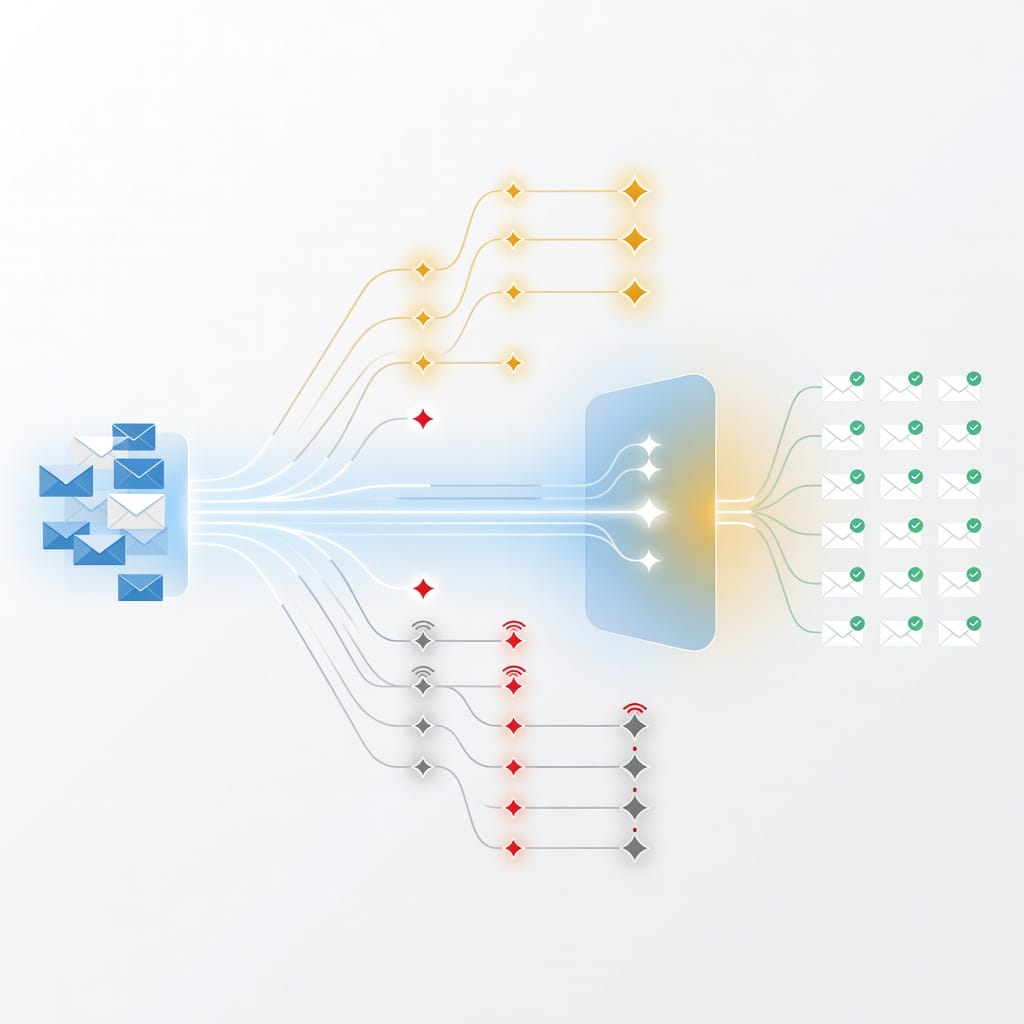
MailBomb Features: What You Actually Get
MailBomb’s feature set is intentionally narrow. It focuses on provisioning and DNS configuration. Here is what you actually get.
| Feature | Included? | Notes |
|---|---|---|
| Google Workspace inboxes | Yes | On U.S. IP addresses |
| Microsoft 365 inboxes | Yes | On U.S. IP addresses |
| Pre-warmed inboxes | Yes | Separate pricing tier |
| Automated SPF configuration | Yes | Configured on each domain |
| Automated DKIM configuration | Yes | Configured on each domain |
| Automated DMARC configuration | Yes | Configured on each domain |
| Bulk provisioning | Yes | Volume discounts at 50+ and 100+ tiers |
| OAuth integration for sending tools | Yes | Connect to sequencers |
| Master inbox forwarding | Yes | Route replies to a central address |
| Slack notifications | Yes | Basic integration |
| Built-in email sending | No | Requires external sequencer |
| Open and click tracking | No | Requires external platform |
| Reply management | No | Requires external platform |
| Unified inbox | No | Requires external platform |
| Email verification | No | Requires external tool |
| Blacklist monitoring | No | Requires external tool |
| Deliverability analytics | No | Requires external tool |
SPF, DKIM, and DMARC: Why They Matter
SPF, DKIM, and DMARC are authentication protocols that prove your emails are legitimate. They are critical for inbox placement, especially with Google and Microsoft tightening enforcement in 2024 and 2025.
SPF (Sender Policy Framework) tells receiving mail servers which IP addresses are authorized to send on behalf of your domain. Without a valid SPF record, your emails are more likely to be flagged as spam.
DKIM (DomainKeys Identified Mail) adds a cryptographic signature to each email. The receiving server verifies that the email was sent by an authorized server and was not modified in transit.
DMARC (Domain-based Message Authentication, Reporting, and Conformance) tells receiving servers what to do if SPF or DKIM checks fail. It also provides reporting so you can monitor authentication failures.
MailBomb configures all three, which is valuable because misconfigured authentication is one of the most common reasons cold emails land in spam. However, authentication alone does not guarantee deliverability. It is a necessary foundation, not a complete strategy.
For a deeper guide on authentication and inbox placement, see our article on [email deliverability](https://blog.mystrika.com/email-deliverability/).
What MailBomb Does Not Provide That You Still Need
To run effective cold email campaigns, you need more than provisioned inboxes. Here is what is missing from MailBomb’s offering and how to fill the gaps:
- Warmup: If you choose basic Google Workspace or Microsoft 365 inboxes without pre-warming, you need a warmup tool. Mystrika includes automated warmup that gradually increases sending volume and simulates natural engagement patterns.
- Sequencing: You need a multi-step email sequence tool. Mystrika’s sequencer supports A/B testing, conditional follow-ups, and reply detection.
- Verification: Sending to invalid addresses causes bounces, which damages sender reputation. Filter Bounce provides real-time email verification to catch invalid, disposable, and catch-all addresses before you send.
- Reply management: If you send from 50 inboxes, managing replies becomes chaotic without a unified inbox. Mystrika’s Unibox consolidates all replies in one place.
- Sending infrastructure: If you need unlimited sending capacity across multiple domains, DoYouMail provides dedicated SMTP infrastructure built for cold email volume.
MailBomb Pros and Cons
| Pros | Cons |
|---|---|
| Fast provisioning avoids manual DNS setup | No public G2 or Trustpilot reviews |
| Google Workspace and Microsoft 365 options | No built-in sending, tracking, or reply management |
| Pre-warmed inboxes available for faster ramp | Pre-warmed pricing is significantly higher per inbox |
| Automated SPF, DKIM, and DMARC configuration | 24 to 48 hour setup time due to DNS propagation |
| Volume discounts at 50+ and 100+ tiers | Limited independent social proof and community discussion |
| OAuth and master inbox integration support | Only provides infrastructure, not a complete outreach stack |
| Free trial available (9 inboxes for 45 days) | Free trial subject to a waiting list |
| U.S. IP addresses for both Google and Microsoft | No IP rotation or self-healing mailbox capabilities advertised |
Red Flags to Consider
Before purchasing MailBomb at scale, consider these potential concerns:
1. No independent reviews: At the time of this review, there are no public G2 or Trustpilot reviews. This limits your ability to assess real-world performance from verified users.
2. Unverified claims: MailBomb claims 1,500+ companies served over six years. I could not find public evidence to verify this.
3. Price suspiciously low: At $1 per inbox for high-volume Google Workspace accounts, the pricing is unusually low. Some competitors have raised concerns that extremely cheap inboxes may be sourced through non-standard channels.
4. No IP rotation: Unlike some competitors, MailBomb does not advertise IP rotation or self-healing mailbox features. If an IP gets flagged, your inboxes on that IP may suffer.
5. No deliverability guarantees: MailBomb provisions inboxes but does not guarantee inbox placement. Deliverability depends on your sending practices, content, and recipient engagement.
6. Waiting list for free trials: The free trial is not instant access. You may wait days or weeks for availability.
These are not proof that MailBomb is bad. They are signals that warrant caution. Run a small test order before committing at scale.
Deliverability Analysis: Where MailBomb Helps and Where It Cannot
Deliverability is the single most important metric in cold email. If your emails land in spam, nothing else matters. MailBomb contributes to deliverability in specific ways, but it cannot solve the problem alone.
Where MailBomb Helps
- Authentication: SPF, DKIM, and DMARC configuration is done for you. This removes one of the most common failure points.
- U.S. IP addresses: For outreach to U.S. prospects, local IP addresses can improve trust signals with receiving servers.
- Pre-warmed inboxes: If you choose the pre-warmed tier, inboxes have some sending history, which can reduce the likelihood of immediate spam filtering.
- Domain separation: Buying dedicated domains and inboxes for outreach keeps your primary business domain safe.
Where MailBomb Cannot Help
- Content quality: Spam filters analyze your email content, subject lines, links, and formatting. MailBomb has no control over this.
- Recipient targeting: Sending to bad lists destroys deliverability regardless of infrastructure quality. Use Filter Bounce to verify addresses before sending.
- Sending volume management: Sending too many emails too fast from new inboxes triggers spam filters. You need a warmup schedule, not just a provisioned inbox.
- Engagement signals: Google and Microsoft track whether recipients open, reply to, or mark your emails as spam. MailBomb cannot influence these signals.
- Blacklist monitoring: If your domain or IP gets listed on a blacklist, MailBomb does not alert you or provide remediation.
- Adaptive warmup: Quality warmup tools adjust sending patterns based on real-time signals. MailBomb’s pre-warmed inboxes start with some history but do not continue adaptive warmup.
Warmup Strategy When Using MailBomb
If you choose non-pre-warmed inboxes from MailBomb, you need a deliberate warmup plan. Here is a conservative ramp schedule:
| Day Range | Emails per Inbox per Day | Notes |
|---|---|---|
| Days 1 to 7 | 2 to 5 | Send to verified, engaged contacts only |
| Days 8 to 14 | 5 to 10 | Monitor bounce and spam complaint rates |
| Days 15 to 21 | 10 to 15 | Gradually increase if metrics are healthy |
| Days 22 to 30 | 15 to 25 | Approach your target daily volume slowly |
| Days 31+ | 25 to 40 | Maintain consistent volume, avoid spikes |
Mystrika includes automated warmup that handles this ramp for you, including simulated opens, replies, and positive engagement signals. This is especially valuable when you have many inboxes and cannot manually monitor each one.
For a deeper guide on warmup strategies, see our article on [email warmup](https://blog.mystrika.com/email-warmup/).
MailBomb vs Alternatives and Complementary Tools
MailBomb is not the only option for cold email infrastructure. The right choice depends on whether you want a done-for-you inbox provider, a sending platform, or an all-in-one solution.
Decision Matrix: Choosing Your Cold Email Stack
| Need | MailBomb | Mystrika | DoYouMail | Filter Bounce |
|---|---|---|---|---|
| Google Workspace inboxes | Yes | No | No | No |
| Microsoft 365 inboxes | Yes | No | No | No |
| Pre-warmed inboxes | Yes | Yes (warmup) | No | No |
| Email sending / sequencing | No | Yes | Yes | No |
| Automated warmup | No | Yes | No | No |
| Unified inbox | No | Yes | No | No |
| Email verification | No | No | No | Yes |
| Unlimited sending capacity | No | No | Yes | No |
| Whitelabel support | No | Yes | No | No |
| Starting price | $1 per inbox | $15/month | Contact sales | Pay per verification |
When to Use MailBomb
- You already have a sequencer and only need mailbox provisioning
- You want dedicated Google Workspace or Microsoft 365 inboxes
- You are an agency managing infrastructure for multiple clients
- You want to separate infrastructure from sending for flexibility
When to Use Mystrika Instead
- You want sending, warmup, sequencing, and reply management in one platform
- You need an AI-powered sequencer with A/B testing and conditional follow-ups
- You want a unified inbox (Unibox) to manage replies across all campaigns
- You need whitelabel support for client-facing work
- You want to start at $15/month with warmup included
When to Use DoYouMail
- You need unlimited sending capacity across many domains
- You want dedicated SMTP infrastructure without per-inbox licensing
- You are running very high-volume outreach campaigns
When to Use Filter Bounce
- You need real-time email verification before sending
- You want to reduce bounce rates and protect sender reputation
- You are importing lead lists from third-party sources
Hybrid Approach: The Most Reliable Stack
The strongest cold email stacks combine specialized tools rather than relying on one provider for everything. A proven combination is:
1. Mystrika for sequencing, warmup, and reply management starting at $15/month
2. MailBomb or similar provider for Google Workspace or Microsoft 365 inbox provisioning
3. Filter Bounce for real-time email verification before every campaign
This approach gives you flexibility, redundancy, and specialized optimization at each layer. If one provider has an issue, your entire operation does not collapse.
For more on building effective outreach sequences, see our article on [cold email sequences](https://blog.mystrika.com/cold-email-sequence/).

How to Evaluate MailBomb Before Buying
Before committing to MailBomb, run through this evaluation checklist. Each item helps you assess whether MailBomb fits your needs and whether the inboxes will perform.
Pre-Purchase Evaluation Checklist
Provider credibility
- [ ] Verify the provider has a public company website with contact information
- [ ] Search for independent reviews on G2, Trustpilot, or Reddit
- [ ] Ask for references or case studies from existing customers
- [ ] Check how long the company has been operating
- [ ] Verify the provider has a clear refund or cancellation policy
Inbox quality
- [ ] Ask whether Google Workspace accounts are legitimate business-licensed accounts
- [ ] Ask whether Microsoft 365 accounts are legitimate business-licensed accounts
- [ ] Request sample inbox credentials for a small test batch
- [ ] Verify that SPF, DKIM, and DMARC are correctly configured on test inboxes
- [ ] Check the IP addresses of provided inboxes against known blacklists
- [ ] Test inbox deliverability by sending to seed accounts across Gmail, Outlook, and Yahoo
Warmup and readiness
- [ ] Confirm whether pre-warmed inboxes have genuine sending history
- [ ] Ask how many emails have been sent from pre-warmed inboxes before delivery
- [ ] Determine whether warmup continues after delivery or stops
- [ ] Plan your own warmup ramp if choosing non-pre-warmed inboxes
Integration and workflow
- [ ] Verify OAuth compatibility with your chosen sending platform
- [ ] Test master inbox forwarding to ensure replies route correctly
- [ ] Confirm Slack or webhook notification support
- [ ] Document the process for adding or replacing inboxes
Cost and scale
- [ ] Calculate total cost including domains, warmup, sending platform, and verification
- [ ] Compare per-inbox cost across volume tiers for your expected scale
- [ ] Factor in replacement costs for burned domains or inboxes
- [ ] Evaluate whether the free trial provides enough data to make a decision
Risk management
- [ ] Start with a small test order (10 to 20 inboxes) before scaling
- [ ] Monitor deliverability closely for the first 2 weeks
- [ ] Set up blacklist monitoring for all provisioned domains
- [ ] Use Filter Bounce or a similar tool to verify all recipient addresses before sending
- [ ] Keep your primary business domain separate from outreach domains
This checklist is not exhaustive, but it covers the most common failure points. Teams that skip this evaluation often waste money on inboxes that underperform or get flagged.
Key Takeaways
- MailBomb is a done-for-you cold email infrastructure service that provisions Google Workspace and Microsoft 365 inboxes with automated DNS configuration.
- MailBomb pricing ranges from $1 to $6 per inbox depending on type and volume, with free trials available via a waiting list.
- MailBomb does not include sending, warmup, tracking, verification, or reply management. You need additional tools for a complete stack.
- There are no public G2 or Trustpilot reviews for MailBomb at the time of this review, which limits confidence.
- Pre-warmed inboxes are available but cost significantly more than basic provisioning.
- A conservative warmup strategy is essential whether or not you choose pre-warmed inboxes.
- The strongest cold email stacks combine specialized tools: Mystrika for sending and warmup, a provider like MailBomb for inbox provisioning, and Filter Bounce for email verification.
- Always run a small test order and monitor deliverability before committing at scale.
Frequently Asked Questions
What is MailBomb used for?
MailBomb provisions Google Workspace and Microsoft 365 inboxes for cold email outreach. It handles domain setup, DNS configuration for SPF, DKIM, and DMARC, and provides mailboxes on U.S. IP addresses. You connect these inboxes to a separate sending platform such as Mystrika to run campaigns. MailBomb is infrastructure only, not a sending or campaign management tool.
Is MailBomb a cold email sending platform?
No. MailBomb does not send emails. It provides the mailbox infrastructure that you connect to a separate cold email sequencer or sending platform. If you need sending capability, you need a tool like Mystrika or DoYouMail.
Does MailBomb include email warmup?
MailBomb offers pre-warmed inboxes on a separate pricing tier. Basic Google Workspace and Microsoft 365 inboxes do not include warmup. If you choose basic inboxes, you need a warmup service such as Mystrika’s built-in warmup feature to gradually build sender reputation before sending at volume.
How much does MailBomb cost?
MailBomb Google Workspace inboxes start at $2 per inbox for under 50 inboxes and drop to $1 per inbox at 100+ inboxes. Microsoft 365 inboxes start at $3 per inbox and drop to $2 at 100+ inboxes. Pre-warmed inboxes range from $4 to $6 per inbox. Free trials are available for 9 inboxes over 45 days, subject to a waiting list. These are publicly reported prices and may change.
Is MailBomb safe for cold email?
MailBomb configures authentication protocols and provides U.S.-based inboxes, which are positive signals. However, there are no independent reviews to verify real-world safety at scale. Some competitors have raised concerns about the quality of very cheap inboxes. Start with a small test order, monitor deliverability, and verify inbox health before scaling.
What should I use with MailBomb?
Since MailBomb only provides inbox infrastructure, you need at minimum a sending platform and an email verification tool. Mystrika provides sequencer, warmup, and unified inbox capabilities starting at $15 per month. Filter Bounce provides real-time email verification to reduce bounces. For very high-volume sending, DoYouMail offers unlimited SMTP infrastructure.
How is MailBomb different from Mystrika?
MailBomb provisions inboxes. Mystrika is a cold email outreach platform. They solve different problems. MailBomb gives you the mailboxes. Mystrika gives you the sequencer to send multi-step campaigns, automated warmup to build sender reputation, a unified inbox to manage replies, and AI-powered optimization. Many operators use both together: MailBomb for infrastructure, Mystrika for sending and warmup.
Should agencies use MailBomb?
Agencies that manage cold email for multiple clients often need bulk inbox provisioning, and MailBomb’s volume discounts make it cost-effective at 50+ and 100+ inbox tiers. However, agencies should also evaluate whitelabel sending platforms like Mystrika that support client-facing branding and consolidated reply management across accounts.
What are the main risks of MailBomb?
The main risks are limited independent verification of quality, no IP rotation or self-healing mailbox features, potential IP reputation issues with very cheap accounts, and a 24 to 48 hour setup delay. Additionally, since MailBomb is infrastructure only, any deliverability problems from poor sending practices, bad targeting, or weak content will still occur regardless of inbox quality.
Can MailBomb replace email verification?
No. MailBomb provisions inboxes. It does not verify the email addresses you send to. Sending to invalid, disposable, or catch-all addresses causes bounces that damage your sender reputation. You need a dedicated email verification tool like Filter Bounce to validate recipient lists before every campaign. This is true regardless of which inbox provider you use.