
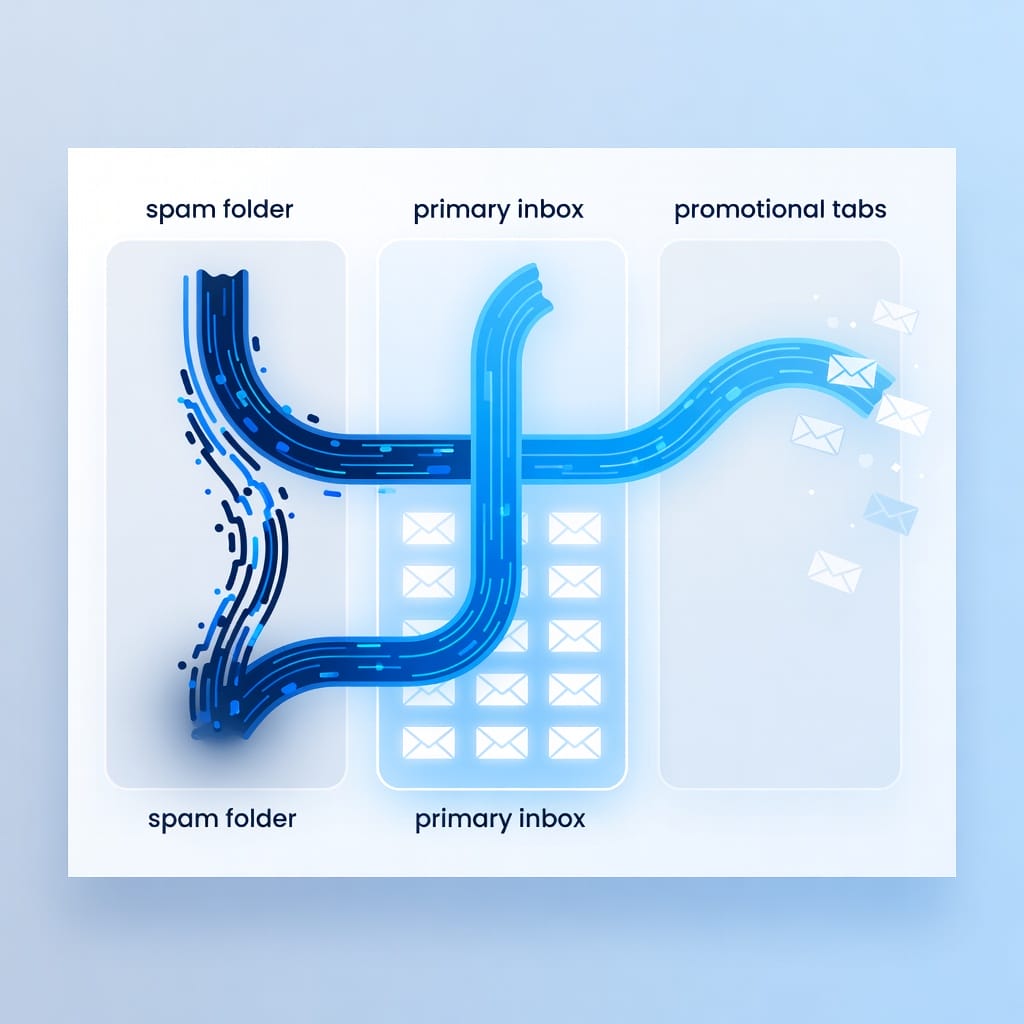
If your cold emails look good in your editor but never appear in the primary inbox, you do not have a copywriting problem yet. You have an inbox placement visibility problem. Inbox placement tools show where a test email lands across Gmail, Outlook, Yahoo, business domains, spam folders, promotions tabs, and quarantine-like filtering paths before you risk a real campaign.
The best tool is rarely the one with the prettiest dashboard. It is the one that answers four practical questions fast: where did the email land, why did it land there, what should you fix first, and how do you confirm the fix worked? For cold outreach teams, the answer usually combines placement testing, authentication checks, warmup signals, bounce prevention, content review, and sender reputation monitoring.
This guide compares the best inbox placement tools, explains what each category actually does, and gives you a decision framework for building a reliable stack with Mystrika, DoYouMail, Filter Bounce, and specialist diagnostics where they make sense.
What Are Inbox Placement Tools?
Inbox placement tools are testing platforms that send your email to controlled seed inboxes and report whether it lands in the primary inbox, spam, promotions, updates, or another folder. They help you diagnose deliverability issues before a real campaign loses replies, meetings, and sender reputation.
A good inbox placement tool does more than say “spam” or “inbox.” It should help you inspect the likely reasons behind the placement result. That can include SPF, DKIM, and DMARC alignment, IP reputation, domain reputation, message headers, links, image weight, spam-like wording, missing unsubscribe patterns, blacklist exposure, and engagement history.
Inbox placement testing is especially useful before you:
- Launch a new cold email campaign.
- Add a new sending domain or mailbox.
- Change email infrastructure.
- Increase daily sending volume.
- Send to a new market, region, or audience segment.
- Recover after a sudden reply-rate or open-rate drop.
- Compare two campaign templates before scaling.
The important detail is that placement tests are directional, not absolute. A seed network can show likely foldering behavior, but it cannot perfectly represent every recipient, every corporate gateway, every personal Gmail account, or every Microsoft tenant. Use placement tests as an early warning system, then validate with real campaign metrics such as reply rate, bounce rate, block notices, spam complaints, and domain-level performance.
Inbox Placement Tools vs Deliverability Tools vs Spam Testers
Inbox placement tools show where a message lands. Deliverability tools diagnose the broader system that affects whether messages are accepted and trusted. Spam testers score content and technical signals. Warmup tools create engagement signals. You often need more than one category because each answers a different question.
| Category | Primary question it answers | Typical signals | What it cannot prove alone |
|---|---|---|---|
| Inbox placement testing | Where will this email likely land? | Seed inbox results by provider and folder | Exact placement for every real recipient |
| Deliverability monitoring | Is the sending system healthy over time? | DNS, reputation, bounces, blocklists, sending patterns | Whether a specific template will convert |
| Spam testing | Does this message trigger obvious filters? | Content score, links, headers, image ratio | Real inbox placement across providers |
| Warmup | Is this mailbox building engagement trust? | Positive replies, opens, thread activity, gradual volume | Whether your lead list is valid or interested |
| Verification | Are these recipient addresses safe to contact? | Valid, invalid, risky, catch-all, disposable | Whether the message will land in primary |
| DMARC monitoring | Are domains authenticated and protected? | SPF, DKIM, DMARC alignment and aggregate reports | Whether your content is persuasive |
A common mistake is buying one tool and expecting it to solve every deliverability problem. Inbox placement testing can tell you that Gmail is sending a campaign to promotions, but it may not fully explain whether the issue is domain reputation, link reputation, HTML structure, audience quality, or sending velocity. A spam tester can catch obvious template problems, but it cannot simulate the full reputation context of your domain.
For cold outreach, the stack usually looks like this:
1. Use Filter Bounce or another verifier before upload so invalid and risky addresses do not damage sender reputation.
2. Use Mystrika to manage sending infrastructure, warmup, sequencer behavior, mailbox rotation, and campaign-level visibility.
3. Use DoYouMail when you need dedicated cold email infrastructure and inboxes that are separated from your main business domain.
4. Use a placement tester before and during campaign scaling to validate provider-specific inboxing.
5. Use DNS and blacklist diagnostics when the placement report points to authentication or reputation issues.
Why Inbox Placement Matters More in Cold Outreach
Cold outreach has a smaller trust margin than opted-in newsletters because recipients have not recently engaged with you. Mailbox providers judge your domain, mailbox, infrastructure, content, links, recipient quality, complaint risk, and sending behavior together. One weak signal can push a campaign from primary inbox to spam.
That does not mean cold email is broken. It means cold email must be operated like a reputation system, not a one-time send. A campaign can fail even when the offer is strong if the underlying signals look risky. Common examples include:
- A new domain starts sending too many emails too quickly.
- SPF, DKIM, or DMARC is missing or misaligned.
- The email contains tracking links on a suspicious or shared domain.
- The list contains invalid, role-based, or stale addresses.
- Several mailboxes send identical copy at identical times.
- The message uses heavy HTML when a plain text note would be safer.
- Gmail receives positive engagement while Microsoft tenants send the same campaign to junk.
- A sender keeps pushing volume after bounces or complaints spike.
Inbox placement tools help because they turn a vague performance drop into provider-specific evidence. If Gmail seed accounts show primary inbox but Outlook seeds show spam, you can narrow the investigation. If all providers show spam after a domain change, you can inspect authentication, DNS, sending domain age, and warmup status. If placement is good but replies are weak, the issue may be targeting, offer, timing, or copy instead of deliverability.
For a deeper foundation on sending health, compare this guide with our email deliverability tools breakdown and the email warm-up tools guide.
How We Evaluated the Best Inbox Placement Tools
We evaluated inbox placement tools by how well they help a sender make a correct next decision, not by how many features appear on a pricing page. The highest-value tools combine clear placement evidence, actionable diagnostics, reliable workflows, and enough context to avoid false confidence.
Use this evaluation checklist when comparing any vendor:
- Provider coverage: Does it test Gmail, Google Workspace, Outlook, Microsoft 365, Yahoo, and business domains?
- Folder visibility: Does it separate primary inbox, spam, promotions, updates, and missing delivery where possible?
- Seed network quality: Are seed inboxes maintained, realistic, and spread across meaningful providers?
- Authentication checks: Does it inspect SPF, DKIM, DMARC, return-path, and alignment issues?
- Content diagnostics: Does it flag risky phrases, URL reputation, HTML weight, image usage, and tracking patterns?
- Reputation signals: Does it surface blacklist, domain, IP, and sender reputation clues?
- Workflow usefulness: Can a non-technical operator understand what to fix first?
- Cold outreach fit: Does it support multi-mailbox campaigns, warmup, rotation, and sender limits?
- Team fit: Can agencies, SDR teams, and deliverability consultants collaborate without spreadsheet chaos?
- Evidence quality: Does it show raw headers, timestamps, provider-level results, and repeat-test history?
- Remediation support: Does it help you retest after changes and compare before vs after results?
- Stack compatibility: Does it work alongside your sequencer, verifier, DNS tools, and mailbox provider?
A tool that simply returns a score can be useful for quick checks, but serious senders need evidence they can act on. If a dashboard says “78 percent deliverability” without showing provider-specific placement, authentication state, or content diagnostics, it may create more confidence than the data supports.
Quick Comparison of the Best Inbox Placement Tools
The best inbox placement tool depends on your use case. A solo founder needs quick pre-send checks and warmup. An agency needs multi-client reporting and repeatable remediation. A technical team needs headers, DNS diagnostics, and provider-level evidence.
| Tool | Best for | Strength | Watch out for |
|---|---|---|---|
| Mystrika | Cold outreach teams that want campaigns, warmup, unibox, and deliverability workflows together | Combines outreach operations with practical deliverability controls | Placement tests should still be interpreted with campaign metrics |
| GlockApps | Deep seed testing and deliverability diagnostics | Strong inbox placement reports and technical detail | Can feel diagnostic-first rather than campaign-operations-first |
| MailReach | Warmup-led deliverability monitoring | Simple positioning for teams focused on sender reputation | Check whether its workflow fits your current sequencer |
| Folderly | Deliverability monitoring and consulting-style remediation | Ongoing monitoring and broad issue detection | Pricing and workflow may be heavier for small teams |
| Mailtrap | Developer and transactional email testing | Safe testing environment and technical diagnostics | Not built primarily as a cold outreach command center |
| MXToolbox | DNS, blacklist, and infrastructure checks | Fast technical investigation | Not a full inbox placement or campaign tool by itself |
| Google Postmaster Tools | Gmail reputation visibility | Direct Gmail ecosystem signals | Only useful after sufficient Gmail volume and domain data |
| Microsoft SNDS | Microsoft network reputation checks | Helpful for Outlook and Microsoft-related issues | More technical and not a template testing tool |
| MailGenius | Quick spam and content checks | Easy pre-send feedback | Limited compared with full placement testing |
| Litmus | Email rendering plus some pre-send checks | Strong for design and rendering QA | More newsletter and lifecycle oriented than cold outreach |
| Email on Acid | Rendering, accessibility, and pre-send QA | Useful for HTML-heavy marketing teams | Not a complete cold email placement stack |
| Postmark Spam Check | Lightweight SpamAssassin-style check | Free and quick for content sanity checks | Not real provider placement |
| SendForensics | Deliverability diagnostics and reputation checks | Useful technical scoring and monitoring | Requires careful interpretation |
| Everest by Validity | Enterprise deliverability operations | Broad deliverability suite | Often more than a small cold outreach team needs |
| ZeroBounce Inbox Placement | Verification plus inbox placement add-on | Pairs list hygiene with testing | Confirm coverage and workflow for your audience |
| Allegrow | B2B sender reputation and warmup | Useful for mailbox reputation management | Not a replacement for full campaign operations |
| DoYouMail | Cold email infrastructure and inbox setup | Helps isolate outreach infrastructure from core business email | Pair with placement tests and campaign tooling |
The table is not a universal ranking. It is a map. If your main problem is campaign execution, Mystrika belongs near the center. If your main problem is a mysterious Microsoft junking issue, a diagnostic tool such as GlockApps plus Microsoft-specific monitoring may be the better immediate move. If your list quality is poor, no placement tester will save the campaign until you verify and clean the data.
Best Inbox Placement Tools Reviewed
Below are the tools and categories worth knowing. Use the reviews to decide where each fits in your workflow, not to collect subscriptions you do not need.
1. Mystrika
Mystrika is best for cold outreach teams that want deliverability controls inside the same environment where they manage campaigns. It is useful when inbox placement is not an isolated testing problem but part of a broader workflow that includes warmup, sequencing, unibox management, mailbox rotation, and campaign visibility.
Mystrika is a strong fit when you need to:
- Warm up sending mailboxes before scaling campaigns.
- Keep replies organized across multiple inboxes.
- Run outreach from multiple senders without losing operational control.
- Watch performance signals that indicate deliverability changes.
- Keep deliverability decisions close to actual campaign behavior.
- Use AI-assisted workflows without turning outreach into generic automation.
The practical advantage is context. A standalone placement report can say that a test landed in spam, but the campaign platform knows whether the same sender recently increased volume, used a new template, changed tracking, or saw bounces rise. That context helps operators make better decisions.
Mystrika should be treated as the operational center of a cold email program. Pair it with targeted diagnostics when you need deeper provider-specific evidence, and use a verifier such as Filter Bounce before sending so your reputation is not damaged by preventable hard bounces.
2. GlockApps
GlockApps is one of the most recognized names for seed-based inbox placement testing. It is useful when you need provider-level reports, technical diagnostics, and repeatable tests that show whether a message lands in inbox or spam across major mailbox providers.
Use GlockApps when you need to answer:
- Does this template land differently in Gmail vs Outlook?
- Did a DNS or authentication change improve placement?
- Are links, headers, or content patterns hurting the message?
- Is the issue likely technical, reputation-based, or content-based?
Its strength is diagnostic depth. For cold outreach operators, that depth is useful during investigation but should not replace campaign-level thinking. A seed test can reveal risk, but your actual recipient segment, sending cadence, reply quality, and bounce behavior still decide long-term performance.
3. MailReach
MailReach focuses on warmup and deliverability monitoring for teams that want sender reputation support without building a full deliverability operations process from scratch. It is often considered by teams that want a simple way to improve mailbox trust and spot issues before campaigns suffer.
MailReach can make sense when your team mainly needs:
- Sender reputation improvement through warmup.
- Basic visibility into deliverability health.
- A workflow that non-technical users can understand.
- Support for outreach mailboxes that need gradual reputation building.
The limitation is that warmup does not fix everything. If your lead list is poor, authentication is broken, copy is spam-like, or the offer causes complaints, warmup alone will not protect you. Use it as one part of a bigger system.
4. Folderly
Folderly is positioned around ongoing deliverability monitoring and remediation. It can be useful for teams that want a more managed or guided approach to deliverability, especially when they do not have an internal specialist to interpret every technical signal.
Folderly is worth evaluating if:
- You manage multiple domains or client accounts.
- You want ongoing alerts and remediation guidance.
- You need a dashboard that highlights domain and mailbox health.
- You prefer structured deliverability workflows over one-off tests.
For smaller teams, the key question is whether the scope and cost match the problem. If you only need an occasional pre-send placement test, a lighter tool may be enough. If deliverability is a continuous operational risk, ongoing monitoring can be justified.
5. MXToolbox
MXToolbox is not a complete inbox placement tool, but it is an essential diagnostic companion. When a placement test shows spam or delivery failure, MXToolbox can help investigate DNS records, blacklist status, MX configuration, SPF, DKIM, DMARC, and other infrastructure issues.
Use it when you need to check:
- Whether a sending IP or domain appears on common blacklists.
- Whether MX, SPF, DKIM, or DMARC records are present and valid.
- Whether DNS propagation or syntax issues are causing failures.
- Whether infrastructure changes introduced a technical problem.
The limitation is obvious: MXToolbox does not tell you whether your exact email template lands in Gmail primary. It tells you whether technical infrastructure signals look healthy. That makes it a powerful second step after a placement test flags a problem.
6. Mailtrap
Mailtrap is strongest for developers, product teams, and transactional email workflows. It helps teams test messages safely, inspect headers, debug sending, and prevent test emails from reaching real customers.
Mailtrap is best when:
- You send product notifications, password resets, receipts, or transactional messages.
- Developers need a safe sandbox for email testing.
- You need to inspect HTML, headers, and sending behavior before production.
- Rendering and technical correctness matter more than cold outreach sequencing.
For cold outreach, Mailtrap is not usually the main placement solution. But if your company sends both product emails and outbound campaigns, it can protect transactional quality while your outreach stack handles sales emails separately.
7. Google Postmaster Tools
Google Postmaster Tools gives senders insight into Gmail-related reputation signals when there is enough volume for Google to report meaningful data. It can show domain reputation, IP reputation, authentication status, spam rate signals, and delivery errors in the Gmail ecosystem.
Use it to answer:
- Is Gmail seeing authentication problems?
- Has Gmail domain reputation changed?
- Are spam complaint signals rising?
- Did a recent sending change affect Gmail performance?
This is not a placement tester and it will not show exact folder placement for every campaign. Its value is ecosystem-level context. If Gmail placement tests worsen and Postmaster reputation signals also decline, you have stronger evidence that the issue is reputation-related.
8. Microsoft SNDS
Microsoft Smart Network Data Services, usually called SNDS, helps senders inspect reputation and traffic data related to Microsoft infrastructure. It is more technical than most marketer-friendly tools, but it can be useful when Outlook, Hotmail, or Microsoft 365 placement is the problem.
Use Microsoft-specific diagnostics when:
- Outlook recipients stop replying while Gmail performance remains stable.
- Microsoft seeds show junk placement.
- You suspect IP or domain reputation issues with Microsoft filtering.
- You need evidence beyond a generic deliverability score.
Microsoft filtering can behave differently from Gmail filtering. Treat provider-specific issues as provider-specific investigations instead of applying the same fix everywhere.
9. MailGenius
MailGenius is useful for quick pre-send checks. It can inspect content, technical records, and obvious spam signals before you send. It is helpful for early sanity checks, especially if you want a lightweight tool rather than a complex dashboard.
Use it for:
- Quick template checks.
- Spotting missing authentication.
- Identifying basic spam-trigger risks.
- Educating new team members on deliverability basics.
Do not treat a good score as proof of inbox placement. A lightweight spam check cannot fully simulate provider filtering, recipient history, domain reputation, or campaign behavior.
10. Litmus
Litmus is best known for email previews, rendering tests, accessibility checks, and quality assurance for designed email campaigns. It is more relevant for marketing newsletters and lifecycle emails than plain-text cold outreach, but it can still matter if you send HTML-heavy campaigns.
Use Litmus when:
- Your email design must render correctly across clients.
- Accessibility and QA workflows are important.
- Your team sends newsletters, product announcements, or lifecycle sequences.
- Broken HTML could hurt engagement and placement.
For cold outreach, simpler usually wins. If your cold email needs a complex design QA tool, it may already be too heavy for a personal B2B note.
11. Email on Acid
Email on Acid is another strong rendering and pre-send QA platform. It helps teams catch broken layouts, accessibility problems, link issues, and rendering inconsistencies across email clients.
It is most useful for:
- Marketing teams sending branded HTML campaigns.
- Agencies that need repeatable QA workflows.
- Teams with approval processes around email design.
- Senders who need to validate links, images, and rendering before launch.
Like Litmus, it is not a complete cold outreach placement tool. Use it when rendering quality is a real risk, not because every email program needs a design QA suite.
12. Postmark Spam Check
Postmark Spam Check is a lightweight way to run a SpamAssassin-style analysis. It is simple, fast, and useful for catching obvious content or formatting problems.
Use it when:
- You want a quick content sanity check.
- You are troubleshooting a suspicious template.
- You need a free or lightweight diagnostic step.
- You want to compare two template variants for obvious risk.
Its limitation is that modern inbox placement depends on far more than SpamAssassin-style scoring. Reputation, recipient engagement, authentication, complaint history, and provider-specific filtering all matter.
13. SendForensics
SendForensics provides deliverability diagnostics, content analysis, and reputation-oriented testing. It can be useful for teams that want more technical insight than a basic spam checker but do not need a full enterprise deliverability suite.
Evaluate it for:
- Content and infrastructure diagnostics.
- Sender reputation monitoring.
- Comparative testing between message versions.
- Deliverability reporting that can be shared with stakeholders.
As with any scoring tool, focus on the evidence behind the score. If a report flags link reputation or authentication alignment, inspect the underlying details before changing copy randomly.
14. Everest by Validity
Everest by Validity is more relevant for enterprise email programs, large senders, and deliverability teams that need broad monitoring, reputation intelligence, and operational reporting.
It may fit if:
- You send high-volume marketing or lifecycle email.
- You have a dedicated deliverability function.
- You need enterprise reporting and reputation intelligence.
- You manage complex email programs across brands, regions, or business units.
For a small cold outreach team, this may be more platform than you need. But understanding the enterprise category helps you avoid comparing a lightweight pre-send checker with a full deliverability suite as if they solve the same problem.
15. ZeroBounce Inbox Placement
ZeroBounce is best known for email verification, but it also offers inbox placement-related features. This can be useful for teams that want list hygiene and placement testing closer together.
Consider it when:
- List quality is a major risk.
- You already use verification heavily.
- You want to test placement after cleaning a list.
- You need a workflow that connects invalid-address prevention with deliverability checks.
Still, verification and placement are separate layers. A valid email address can still ignore you, mark spam, or sit behind a strict corporate gateway. Clean lists reduce risk, but they do not guarantee primary inbox placement.
16. Allegrow
Allegrow focuses on B2B sender reputation and warmup-style engagement. It can be useful for teams that need to improve mailbox reputation and monitor signals related to business email outreach.
It can fit when:
- You run B2B outbound from multiple mailboxes.
- You want warmup and reputation signals.
- You need to reduce the risk of sudden spam placement.
- You are building a deliverability routine around mailbox health.
As with other warmup tools, the quality of your sending behavior still matters. Warmup cannot compensate for bad targeting, high bounce rates, misleading copy, or aggressive volume jumps.
17. DoYouMail
DoYouMail is best viewed as cold email infrastructure support. It helps teams set up and operate sending domains and inboxes that are separated from primary company email, which reduces the risk of outreach experiments affecting core business communication.
Use DoYouMail when:
- You need dedicated outbound infrastructure.
- You want separation between sales outreach and main corporate mail.
- You are scaling multiple domains or inboxes.
- You want infrastructure that pairs with campaign tools and placement diagnostics.
DoYouMail is not a replacement for placement testing. It is part of the foundation. Pair it with Mystrika for campaign operations, Filter Bounce for list hygiene, and placement diagnostics for provider-level validation.
Decision Matrix: Which Inbox Placement Tool Should You Choose?
Choose the tool based on the job you need done this week. If your campaign is already in spam, prioritize diagnostics. If you are about to scale, prioritize pre-send placement tests and list hygiene. If you are building an outbound engine, prioritize infrastructure, warmup, and campaign operations.
| Use case | Best primary choice | Add-on tools | Why this stack works |
|---|---|---|---|
| Solo founder starting cold email | Mystrika | Filter Bounce, MailGenius | Keeps sending, warmup, and replies manageable while preventing obvious list and content issues |
| SDR team scaling multiple inboxes | Mystrika | DoYouMail, GlockApps, Filter Bounce | Supports operations, infrastructure, placement testing, and bounce prevention |
| Agency managing client domains | Mystrika or Folderly | GlockApps, MXToolbox, client reporting workflow | Balances campaign execution with diagnostics and evidence for clients |
| Newsletter team with HTML campaigns | Litmus or Email on Acid | Google Postmaster Tools, placement testing | Rendering and accessibility matter more for designed emails |
| Transactional email team | Mailtrap | Postmaster Tools, Microsoft diagnostics | Safe testing and technical debugging matter most |
| Microsoft junk folder issue | GlockApps | Microsoft SNDS, MXToolbox | Provider-specific placement plus infrastructure evidence |
| Gmail reputation decline | Google Postmaster Tools | Placement testing, content review | Direct Gmail signals plus message-level validation |
| New outreach infrastructure | DoYouMail | Mystrika, Filter Bounce, placement tester | Separates infrastructure, manages campaigns, prevents bad list damage |
| Sudden bounce spike | Filter Bounce | MXToolbox, Mystrika campaign review | Validate the list and inspect technical failures before sending more |
If you are unsure, start with the operational workflow rather than the tool category. Ask: what decision do I need to make after the test? If the answer is “should we launch this campaign,” use a placement test plus a list hygiene check. If the answer is “why did Outlook performance collapse,” use provider-specific testing and Microsoft diagnostics. If the answer is “how do we scale outbound safely,” build a stack around Mystrika, DoYouMail, Filter Bounce, and periodic placement testing.

Features That Actually Matter in Inbox Placement Software
Most inbox placement pages list many features, but only a few change your next action. Prioritize features that produce clear evidence, reduce false positives, and connect to a remediation workflow.
Multi-provider seed testing
Multi-provider seed testing matters because Gmail, Microsoft, Yahoo, and corporate domains do not filter the same way. A campaign can perform well in Gmail and fail in Outlook. Provider-level visibility prevents broad, incorrect fixes.
Look for reports that separate results by provider and folder. A single average placement score hides the detail you need. If 80 percent of seeds inbox but all Microsoft seeds spam, the average is less useful than the provider-specific failure pattern.
Authentication and alignment checks
SPF, DKIM, and DMARC are baseline trust signals. A placement tool should detect missing, broken, or misaligned authentication because mailbox providers increasingly rely on authentication to decide whether senders are legitimate.
Do not stop at “records exist.” Check alignment. The visible From domain, DKIM signing domain, return-path, and DMARC policy should make sense together. Misalignment can produce confusing results where basic tests pass but provider trust remains weak.
Content and URL reputation diagnostics
Content still matters, but not in the simplistic “never use this word” way. Filters evaluate message structure, links, tracking domains, image weight, personalization patterns, previous engagement, and recipient expectations.
A useful tool should help you spot:
- Too many links for a cold first touch.
- URL shorteners or suspicious redirects.
- Tracking domains with poor reputation.
- Heavy HTML or image-based content.
- Repetitive templates across many senders.
- Misleading subject lines or aggressive claims.
- Attachments that increase risk.
Historical test comparison
One-off tests are snapshots. Historical comparison shows whether a fix worked. You should be able to compare before and after results when you change DNS, remove a link, reduce HTML, adjust sending volume, or pause a mailbox.
Without history, teams repeat the same investigation every week. With history, you can build a deliverability playbook based on evidence.
Raw headers and technical evidence
Raw headers help technical users inspect authentication results, routing, timestamps, sending IPs, and filtering clues. Not every marketer needs to read headers daily, but your tool should make them available when basic dashboards are not enough.
This matters most during escalations. If a provider, consultant, or admin asks for evidence, screenshots alone may not be enough.
Alerts and monitoring
Alerts are useful when they are tied to real action. An alert that says “reputation changed” is less useful than one that says “Microsoft placement changed from inbox to spam after volume increased from 20 to 45 per mailbox.”
Good alerts help you pause, inspect, and retest before damage compounds.
Inbox Placement Testing Workflow Before a Campaign
Before a campaign launches, use inbox placement testing to catch preventable problems while changes are still cheap. The goal is not to chase a perfect score. The goal is to avoid scaling a campaign with known technical, content, or reputation issues.
Use this pre-launch workflow:
1. Verify the list first. Run prospects through Filter Bounce or another verifier before uploading. Remove invalid, risky, disposable, and obvious role-based addresses when they do not fit your strategy.
2. Confirm authentication. Check SPF, DKIM, DMARC, MX, and tracking domain setup before testing copy. If authentication is broken, copy testing is premature.
3. Warm and stabilize mailboxes. Use Mystrika warmup and sensible sending limits before campaign launch. New mailboxes should not jump from zero to high-volume sending.
4. Send a seed placement test. Test the exact mailbox, domain, template, links, and tracking setup you plan to use.
5. Segment the result by provider. Separate Gmail, Microsoft, Yahoo, and business-domain behavior.
6. Fix the highest-confidence issue first. Do not rewrite everything at once. Change one meaningful variable when possible.
7. Retest after changes. Confirm whether the fix improved placement or simply changed the symptoms.
8. Launch with conservative volume. Even a good test should be followed by gradual ramping and close monitoring.
Pre-launch tests are most valuable when they use the same conditions as the real send. Testing from a different mailbox, with a different domain, without tracking, or with placeholder copy can create misleading confidence.
During-Campaign Monitoring Workflow
During a campaign, inbox placement tools help you detect drift. A campaign can start healthy and degrade after volume increases, bounces accumulate, recipients stop engaging, or providers learn from complaint patterns.
Monitor these signals daily or at least several times per week during active campaigns:
- Provider-level placement tests for your main templates.
- Bounce rate by mailbox and domain.
- Reply rate by provider and audience segment.
- Spam complaint notices where available.
- Open-rate direction, if you use opens, without treating opens as perfect truth.
- Sending volume changes by mailbox.
- Warmup status and engagement patterns.
- DNS or tracking-domain changes.
- Unusual delays, deferrals, or blocks.
A practical rule: if a campaign underperforms, do not assume copy is the problem until you check deliverability. But also do not assume deliverability is the problem if placement tests look stable. Poor targeting and weak offers often masquerade as deliverability problems.
Use Mystrika to keep operational context visible. If one mailbox drops in performance while others remain stable, pause that mailbox, test it separately, and inspect recent bounces. If all mailboxes on one domain decline, inspect domain reputation, DNS, and volume. If one template declines across domains, inspect content, links, and recipient fit.
After a Failed Placement Test: Remediation Sequence
A failed placement test should trigger a structured investigation, not random edits. Start with the highest-impact, easiest-to-prove causes before rewriting your entire campaign.
| Step | Check | Why it matters | Fix |
|---|---|---|---|
| 1 | Authentication | Broken SPF, DKIM, or DMARC can damage trust immediately | Repair DNS, verify alignment, retest |
| 2 | Blacklist exposure | Listed IPs or domains can affect acceptance and filtering | Confirm listing, follow delisting process, reduce risky sending |
| 3 | List quality | Bad addresses cause bounces and negative reputation | Re-verify with Filter Bounce, remove risky segments |
| 4 | Sending velocity | Sudden volume jumps look suspicious | Reduce volume, ramp gradually, monitor by mailbox |
| 5 | Tracking links | Shared or low-trust tracking domains can hurt placement | Use trusted tracking setup or test without tracking |
| 6 | Content structure | Heavy HTML, many links, attachments, or spam-like claims increase risk | Simplify copy, reduce links, remove attachments |
| 7 | Domain age and history | New or previously abused domains need time and clean behavior | Warm gradually, separate risky experiments |
| 8 | Provider-specific behavior | Gmail and Microsoft may disagree | Investigate provider-specific signals and retest |
Change one or two major variables at a time. If you repair DNS, remove links, change copy, switch mailboxes, and reduce volume simultaneously, you may improve placement but you will not know what fixed it. That makes future troubleshooting slower.
Seed List Limitations and False Positives
Seed list tests are useful, but they are not a perfect mirror of real recipients. A seed inbox is controlled by the testing platform. A real recipient has a history, organization-level filtering rules, previous engagement, personal preferences, and gateway policies that a seed cannot fully simulate.
The main limitations are:
- Seed accounts may not match your audience. B2B buyers behind Microsoft 365 gateways can behave differently from consumer inboxes.
- Engagement history is different. Real recipients may have opened, ignored, replied, unsubscribed, or complained about your domain before.
- Corporate filters add another layer. Security gateways can quarantine or rewrite messages before mailbox placement happens.
- Tabs are not always failure. Gmail promotions placement may be acceptable for newsletters but poor for personal cold outreach.
- One test can be noisy. Repeat tests and compare directionally instead of overreacting to one result.
- Testing conditions matter. Different sender, link, subject line, or tracking setup means a different test.
The fix is not to ignore seed tests. The fix is to interpret them correctly. Treat seed testing as an early warning signal and combine it with actual campaign data. If seed tests show spam and replies disappear, act fast. If seed tests look weak but replies remain strong in a narrow segment, investigate before making drastic changes.
Gmail, Outlook, Yahoo, and B2B Domain Differences
Inbox placement tools are more useful when they show provider-level patterns because mailbox providers weigh signals differently. A generic score can hide the exact provider that needs attention.
Gmail and Google Workspace
Gmail is highly engagement-sensitive. Positive replies, low complaints, authentication, domain reputation, and recipient interaction patterns matter. Gmail tabs also complicate interpretation. Promotions placement may not be disastrous for newsletters, but cold outreach usually needs primary inbox visibility.
For Gmail issues, inspect:
- Google Postmaster Tools when available.
- DMARC alignment and DKIM signing.
- Domain reputation trends.
- Link and tracking domain reputation.
- Engagement by Gmail recipients.
- Repetitive copy sent across many mailboxes.
Outlook and Microsoft 365
Microsoft filtering can be stricter or simply different for B2B outreach. A campaign can pass Gmail and fail Outlook. Outlook issues often require provider-specific investigation rather than generic copy changes.
For Microsoft issues, inspect:
- Microsoft SNDS where relevant.
- IP and domain reputation.
- Authentication and header results.
- Corporate gateway behavior.
- Spam complaints and bounce patterns.
- Message formatting, links, and attachments.
Yahoo and consumer domains
Yahoo and other consumer domains can be useful placement indicators, especially for consumer campaigns. For B2B cold outreach, they may be less representative than Google Workspace and Microsoft 365, but they still reveal broad trust problems.
B2B corporate domains
Corporate domains often add security gateways in front of the mailbox provider. These gateways can rewrite links, scan attachments, quarantine messages, or apply organization-specific policies. That means a test can land in a seed inbox while a real corporate recipient never sees it.
For B2B campaigns, combine placement tests with real-world metrics by company domain, industry, and mailbox provider. If one enterprise segment stops responding, the issue may be a gateway or audience-specific filtering pattern.
Procurement Checklist for Inbox Placement Tools
Use this checklist before buying or renewing an inbox placement tool. It prevents paying for dashboards that look impressive but do not change outcomes.
- Does the tool test the mailbox providers that match your audience?
- Does it show folder-level placement instead of only a generic score?
- Does it preserve test history so you can compare fixes?
- Does it show authentication alignment, not just record existence?
- Does it identify link, tracking, and content risks separately?
- Does it provide raw headers or technical evidence for escalation?
- Does it support team or client reporting if you need it?
- Does it integrate with or complement your current sequencer?
- Does it support multi-mailbox and multi-domain operations?
- Does it explain remediation steps clearly?
- Does it avoid unsupported claims about guaranteed inboxing?
- Does it let you test the same conditions you will use in production?
- Does pricing scale sensibly with your number of domains, mailboxes, and tests?
- Does support understand cold outreach, newsletters, transactional email, or your specific use case?
A tool that fails several of these checks may still be useful for a narrow task. Just do not mistake a narrow checker for a complete deliverability system.
Testing Cadence: How Often Should You Run Placement Tests?
Run inbox placement tests whenever the risk of a bad send is higher than the cost of testing. For active cold outreach, that usually means before launch, after major changes, during volume increases, and whenever performance drops unexpectedly.
A practical cadence looks like this:
| Situation | Recommended cadence | What to test |
|---|---|---|
| New domain or mailbox | Before sending and during ramp | Authentication, warmup state, simple copy, provider placement |
| New campaign template | Before launch | Exact subject, body, links, tracking, sender |
| Volume increase | Before and after increase | Same template and mailbox group |
| Sudden reply drop | Immediately | Provider-specific placement and recent changes |
| High bounce event | Pause first, then test after cleaning | List quality, authentication, sender reputation |
| Stable evergreen campaign | Weekly or biweekly | Main template and representative mailboxes |
| Agency client reporting | Weekly plus after changes | Client domains, provider split, remediation history |
| Transactional email change | Before production release | Headers, rendering, authentication, delivery path |
Avoid testing so often that you create noise without decisions. Every recurring test should have an owner, threshold, and action. For example: “If Microsoft seeds show spam twice in a row, pause Outlook-heavy segments, inspect SNDS and DNS, and retest after remediation.”
Building a Practical Cold Outreach Deliverability Stack
A practical cold outreach stack should prevent avoidable damage, detect placement problems early, and keep campaign operations simple enough that the team actually follows the process.
Here is a strong stack for most B2B outbound teams:
1. Infrastructure: Use DoYouMail when you need dedicated outbound domains and inboxes separated from core business email.
2. Campaign operations: Use Mystrika for warmup, sequencing, unibox management, sending control, and campaign visibility.
3. List hygiene: Use Filter Bounce before uploading lists and again when older lists are reused.
4. Inbox placement diagnostics: Use a seed testing tool such as GlockApps or a similar placement platform before launch and during troubleshooting.
5. DNS and blacklist checks: Use MXToolbox or equivalent diagnostics when tests point to infrastructure problems.
6. Provider-specific monitoring: Use Google Postmaster Tools and Microsoft SNDS where volume and access allow.
7. Content QA: Use lightweight spam checks or rendering tools only when the email format justifies them.
This stack works because each tool has a job. Mystrika manages the outreach engine. DoYouMail supports infrastructure. Filter Bounce reduces list risk. Placement testing shows provider-level symptoms. DNS tools diagnose technical causes. Provider tools add ecosystem evidence.
What you should avoid is tool overlap without process. Three dashboards that all say “deliverability health” are less useful than one clear workflow that tells your team when to pause, fix, retest, and resume.
Common Mistakes When Using Inbox Placement Tools
Inbox placement tools can mislead teams when they are used as scoreboards instead of diagnostic systems. Avoid these mistakes.
Chasing a perfect score
Perfect placement in a seed test does not guarantee campaign success. It only means the tested message performed well under tested conditions. Keep monitoring real replies, bounces, complaints, and provider-level performance.
Testing a different email than the real campaign
If you test without the real tracking link, sender, subject line, signature, or mailbox, you are not testing the campaign. Small changes can alter filtering behavior.
Ignoring list quality
A clean placement test does not protect you from a bad list. Invalid addresses, stale data, traps, and uninterested recipients can damage reputation after launch. Verify with Filter Bounce before scaling.
Changing too many variables at once
When placement fails, teams often rewrite copy, change infrastructure, disable tracking, and switch mailboxes together. That can work, but it does not teach you what caused the issue. Make controlled changes whenever possible.
Treating warmup as a magic shield
Warmup helps build positive sender behavior, but it cannot make bad outreach safe. Poor targeting, deceptive copy, broken authentication, and high bounces still hurt.
Ignoring provider differences
Averages hide problems. Segment every placement result and campaign metric by provider. Gmail and Microsoft problems often require different fixes.
Forgetting human relevance
Inbox placement only gets you seen. It does not make the offer relevant. If deliverability is healthy but replies are weak, review targeting, trigger timing, personalization, proof, and call to action.

Key Takeaways
- Inbox placement tools show where your test email lands across seed inboxes, but they should be interpreted with real campaign metrics.
- Do not confuse inbox placement testing with warmup, verification, spam scoring, DMARC monitoring, or DNS diagnostics. Each category answers a different question.
- For cold outreach, the strongest workflow combines Mystrika for campaign operations, DoYouMail for outbound infrastructure, Filter Bounce for list hygiene, and placement diagnostics for provider-level testing.
- Provider-level reporting matters more than a single average score because Gmail, Outlook, Yahoo, and corporate domains filter differently.
- Always verify authentication, list quality, sending velocity, tracking links, and content structure before blaming copy alone.
- Seed tests have limitations. Use them as an early warning system, not as a guarantee that every recipient will see the same placement.
- A repeatable remediation sequence beats random edits. Fix the highest-confidence issue, retest, and document the result.
- The best inbox placement tool is the one that helps your team decide whether to launch, pause, fix, retest, or scale.
Frequently Asked Questions
What is the best inbox placement tool for cold email?
The best inbox placement tool for cold email is the one that fits your sending workflow and shows provider-level placement evidence. For most cold outreach teams, use Mystrika as the operational center, then add a seed testing tool for diagnostics, DoYouMail for infrastructure, and Filter Bounce for list hygiene.
If you only buy a diagnostic tool, you still need a way to control sending volume, warm mailboxes, manage replies, and protect sender reputation. Cold email deliverability is a workflow problem, not just a report.
How do inbox placement tools work?
Inbox placement tools work by sending your test message to a network of seed inboxes and reporting where the message lands. The tool then groups results by provider, folder, and sometimes by technical signals such as authentication, content, links, headers, and reputation indicators.
The results are directional because seed inboxes cannot perfectly represent every real recipient or corporate gateway. Use them to detect likely problems before scaling and to compare whether specific fixes improve placement.
Are inbox placement tests accurate?
Inbox placement tests are useful but not perfectly accurate for every recipient. They are accurate enough to reveal provider-level risk patterns, but real recipients have unique engagement histories, gateway rules, filtering policies, and organizational security layers.
Treat the test as an early warning system. If seed tests, reply rates, bounce rates, and provider-level campaign metrics all point in the same direction, you can act with much higher confidence.
How often should I run inbox placement tests?
Run inbox placement tests before launching a new campaign, after changing infrastructure or copy, during volume increases, and whenever performance drops unexpectedly. Stable campaigns can often be tested weekly or biweekly, while risky launches may need closer monitoring.
The right cadence depends on risk. A new domain, new mailbox, new template, or new audience segment deserves more testing than a stable campaign with consistent replies and low bounces.
Can warmup tools replace inbox placement tools?
Warmup tools cannot replace inbox placement tools because they answer different questions. Warmup helps create positive sender engagement patterns, while placement testing shows where a specific message is likely to land across providers.
You may need both. Warmup supports sender reputation over time, and placement testing validates campaign-specific behavior before and during sending.
Why does my email land in Gmail but spam in Outlook?
Your email can land in Gmail but spam in Outlook because providers weigh reputation, authentication, content, links, and filtering history differently. Microsoft filtering may react more strongly to certain infrastructure, sender reputation, or message patterns than Gmail.
Investigate Outlook as its own problem. Run Microsoft-specific placement tests, inspect authentication and headers, check Microsoft reputation tools where available, and compare performance by recipient provider.
Do I need inbox placement testing if my open rates look good?
You may still need inbox placement testing even if open rates look good because open tracking is imperfect and can be distorted by privacy features, image blocking, and bot activity. Placement testing gives another layer of evidence before you scale.
If replies are strong, bounces are low, and provider-level results are stable, you may not need frequent testing. But before major changes, placement tests can still prevent avoidable mistakes.
What should I do first after a bad inbox placement result?
After a bad inbox placement result, check authentication first, then blacklist exposure, list quality, sending velocity, tracking links, and content structure. Do not rewrite everything immediately because uncontrolled changes make root-cause analysis harder.
Fix the most provable issue, retest, and compare results. If the failure is provider-specific, investigate that provider instead of applying broad changes to every mailbox and domain.
Can a verifier like Filter Bounce improve inbox placement?
A verifier like Filter Bounce can improve the conditions that support inbox placement by reducing invalid, risky, and low-quality addresses before you send. Fewer hard bounces and risky sends help protect sender reputation.
Verification does not guarantee primary inbox placement. It should be used alongside authentication, warmup, controlled sending volume, relevant copy, and placement testing.
Should I use a separate domain for cold outreach?
A separate domain for cold outreach is often a safer operational choice because it isolates outreach risk from your primary corporate email. Tools like DoYouMail can help teams set up dedicated outbound infrastructure for this purpose.
Separation is not permission to send carelessly. You still need authentication, warmup, list hygiene, sensible volume, relevant targeting, and placement monitoring.