
The best Drift alternative depends on what you actually used Drift for: live chat, AI lead qualification, meeting booking, account-based routing, visitor identification, or post-chat sales follow-up. For most B2B teams, the right replacement is not one tool. It is a practical stack that covers inbound conversion, CRM routing, and outbound follow-up without Drift’s enterprise cost or platform uncertainty.

This guide compares the strongest Drift alternatives by use case, not just by feature checklist. It covers chat-first platforms like Intercom and Tidio, enterprise sales platforms like Qualified, meeting routing tools like Chili Piper, CRM-native options like HubSpot, and the cold email infrastructure that becomes important once inbound visitors need thoughtful follow-up.
If you are replacing Drift, you are usually trying to solve one of five problems:
- You want a lower-cost live chat or chatbot tool.
- You want stronger AI qualification and meeting booking.
- You want Salesforce or HubSpot-native routing.
- You want visitor identification before someone starts a chat.
- You want a post-chat outbound motion that does not depend on a chatbot.
Quick answer: The best Drift alternatives are Qualified for Salesforce-native enterprise teams, Intercom for support-led customer conversations, Tidio for budget-friendly chat automation, HubSpot for teams already using HubSpot CRM, Chili Piper for meeting routing, Warmly for visitor identification, and Mystrika when the real gap is cold email follow-up after inbound intent.
What Are the Best Drift Alternatives?
The best Drift alternatives are tools that replace the specific workflow Drift handled for your team. Qualified is strongest for Salesforce-heavy enterprise sales, Intercom for support and customer messaging, Tidio for affordable chat automation, HubSpot for CRM-native teams, Chili Piper for booking, Warmly for visitor identification, and Mystrika for cold email follow-up.
Here is the short list:
1. Qualified – Best enterprise Drift alternative for Salesforce-native pipeline generation.
2. Intercom – Best Drift alternative for support-led SaaS teams.
3. Tidio – Best low-cost Drift alternative for live chat and AI chatbot automation.
4. HubSpot Sales Hub and Service Hub – Best for companies already using HubSpot CRM.
5. Chili Piper – Best if your main Drift use case was instant meeting booking.
6. Warmly – Best for visitor identification and intent-based engagement.
7. LiveChat – Best simple live chat replacement with broad integrations.
8. LiveAgent – Best for teams combining chat and ticketing on a budget.
9. Zendesk Suite – Best for support-first teams that need chat, tickets, and knowledge base workflows.
10. Crisp – Best lightweight all-in-one messaging alternative for small teams.
11. Mystrika – Best when replacing Drift exposes a cold email follow-up gap.
12. DoYouMail – Best when your replacement stack needs unlimited cold email sending capacity.
13. Filter Bounce – Best when captured leads must be verified before outreach.
A common mistake is comparing every alternative as if Drift were only a chatbot. Drift is really a bundle of workflows: website messaging, qualification, routing, meeting booking, sales alerts, and pipeline attribution. If you replace only the chat widget, you may still miss follow-up, routing, and reporting.
Drift alternatives by primary use case
| Use case | Best-fit alternative | Why it fits | Main caveat |
|---|---|---|---|
| Enterprise B2B pipeline generation | Qualified | Salesforce-native, AI SDR features, routing, meeting booking | Expensive and best for Salesforce teams |
| Support-led customer conversations | Intercom | Strong inbox, help center, AI support automation | Less sales-native than Drift or Qualified |
| Budget live chat and chatbot | Tidio | Affordable, easy chatbot setup, good SMB fit | Less advanced for ABM and enterprise sales |
| HubSpot-native inbound teams | HubSpot | CRM, forms, chat, workflows, email in one ecosystem | Chatbot can feel basic versus Drift |
| Meeting booking from forms | Chili Piper | Fast routing, round robin, calendar ownership | Does not replace live chat by itself |
| Visitor identification | Warmly | Helps reveal anonymous website intent | Chat and routing depth varies by plan |
| Simple live chat | LiveChat | Mature widget and many integrations | Not a complete sales engagement platform |
| Cold email follow-up | Mystrika | AI features, warmup, sequencer, unibox, whitelabel from $15/month | It replaces outreach workflows, not live chat |
| Unlimited sending infrastructure | DoYouMail | Useful when outbound volume is the bottleneck | Needs verification and sending discipline |
| Email verification | Filter Bounce | Real-time verification before outreach | Complements, not replaces, a chat tool |
Why Are Teams Looking for Drift Alternatives?
Teams look for Drift alternatives because Drift can be expensive, enterprise-oriented, and less flexible for companies that need more than chat. After Salesloft acquired Drift in February 2024, some buyers also started reassessing whether Drift should remain a standalone conversational marketing investment or become part of a broader revenue stack.
The main reasons usually fall into six buckets.
1. Drift pricing can be hard to justify
Drift is often evaluated against less expensive live chat, chatbot, CRM, and scheduling tools. Competitor research commonly cites Drift Premium pricing around $2,500 per month, with higher tiers priced through sales conversations. Always verify current pricing directly, but the perception is clear: Drift is not positioned as a low-cost SMB chat widget.
For many teams, the pricing question is not simply “Can we afford Drift?” It is “Can the same budget produce more meetings, better follow-up, and cleaner pipeline if we split the workflow across specialist tools?”
A leaner stack might look like this:
- Tidio or LiveChat for live chat.
- Chili Piper for meeting routing.
- HubSpot or Salesforce for CRM workflows.
- Mystrika for cold email sequences and warmup.
- Filter Bounce for lead verification.
That stack is not automatically better, but it gives RevOps more control over each layer.
2. Drift is not always the best fit for outbound follow-up
Drift captures high-intent website conversations, but many visitors never start a chat. Even qualified visitors who do chat may need follow-up across email, inboxes, and sales sequences. This is where teams often realize their “Drift alternative” search is really a broader revenue workflow search.
If your reps still export leads manually, send one-off follow-ups, or let meeting no-shows disappear, replacing Drift with another chatbot will not fix the real problem. You need a follow-up system.
For example, a practical post-chat motion could be:
1. Chat or form captures the lead.
2. CRM stores the lead source, page visited, and use case.
3. Email verification checks whether the address is safe to contact.
4. A cold email sequencer follows up with context.
5. A shared inbox keeps replies visible to the team.
6. Warmup and sending discipline protect deliverability.
That is why cold email outreach tools can belong in a Drift replacement conversation, even though they do not replace live chat directly.
3. Salesloft ownership changed the buying conversation
Salesloft’s acquisition of Drift made many teams re-evaluate their platform strategy. The acquisition does not make Drift bad. It does, however, shift Drift from being an independent conversational marketing vendor to being part of a larger sales engagement ecosystem.
That matters if your team wants:
- A standalone conversational marketing platform.
- A vendor-neutral chat layer.
- Deep HubSpot integration instead of Salesloft alignment.
- A lower-cost chatbot without enterprise packaging.
- A custom stack built from specialist tools.
The safest way to evaluate Drift now is to ask whether your team wants the broader Salesloft ecosystem or only the specific Drift workflows.
4. Chat alone misses silent website visitors
A chat widget only helps when someone engages with it. Many B2B buyers research quietly, compare options, visit pricing pages, and leave without speaking to sales. That gap created demand for visitor identification tools, intent tools, and AI SDR platforms.
This is why alternatives like Warmly and Qualified show up in Drift replacement discussions. They are not just chat widgets. They focus on identifying accounts, interpreting intent, routing buyers, and starting the right next action.
A good replacement strategy should answer:
- Can we identify companies visiting high-intent pages?
- Can we distinguish customers, competitors, students, and buyers?
- Can we alert the right rep quickly?
- Can we follow up without looking creepy or spammy?
- Can we measure influenced pipeline, not just chat volume?
5. Some teams need support workflows more than sales workflows
Drift is a sales and marketing conversation platform. If your main use case is customer support, escalation, ticketing, help center automation, macros, and SLA management, support-first tools may be a better fit.
Intercom, Zendesk, LiveAgent, and Freshdesk-style platforms are often better for:
- Customer support inboxes.
- Knowledge base automation.
- Ticket routing.
- Agent assignment.
- Customer conversation history.
- Product support workflows.
They may not match Drift’s sales playbooks, but they can outperform Drift for support operations.
6. Teams want AI, but not vague AI
Many platforms now claim AI chatbot, AI SDR, AI routing, or AI support agent functionality. The difference is not the label. The difference is what the AI is allowed to do and how safely it does it.
Before buying an AI-heavy Drift alternative, ask:
- Does the AI only answer support questions?
- Can it qualify leads using firmographic and behavioral data?
- Can it book meetings on the correct calendar?
- Can it enrich leads before routing?
- Can humans review and override decisions?
- Does it integrate with your CRM source of truth?
- How are hallucinations, handoffs, and compliance handled?
The best alternative is not the one with the most AI branding. It is the one that automates the specific conversion step your team cannot execute consistently today.
Drift Alternatives Comparison Table
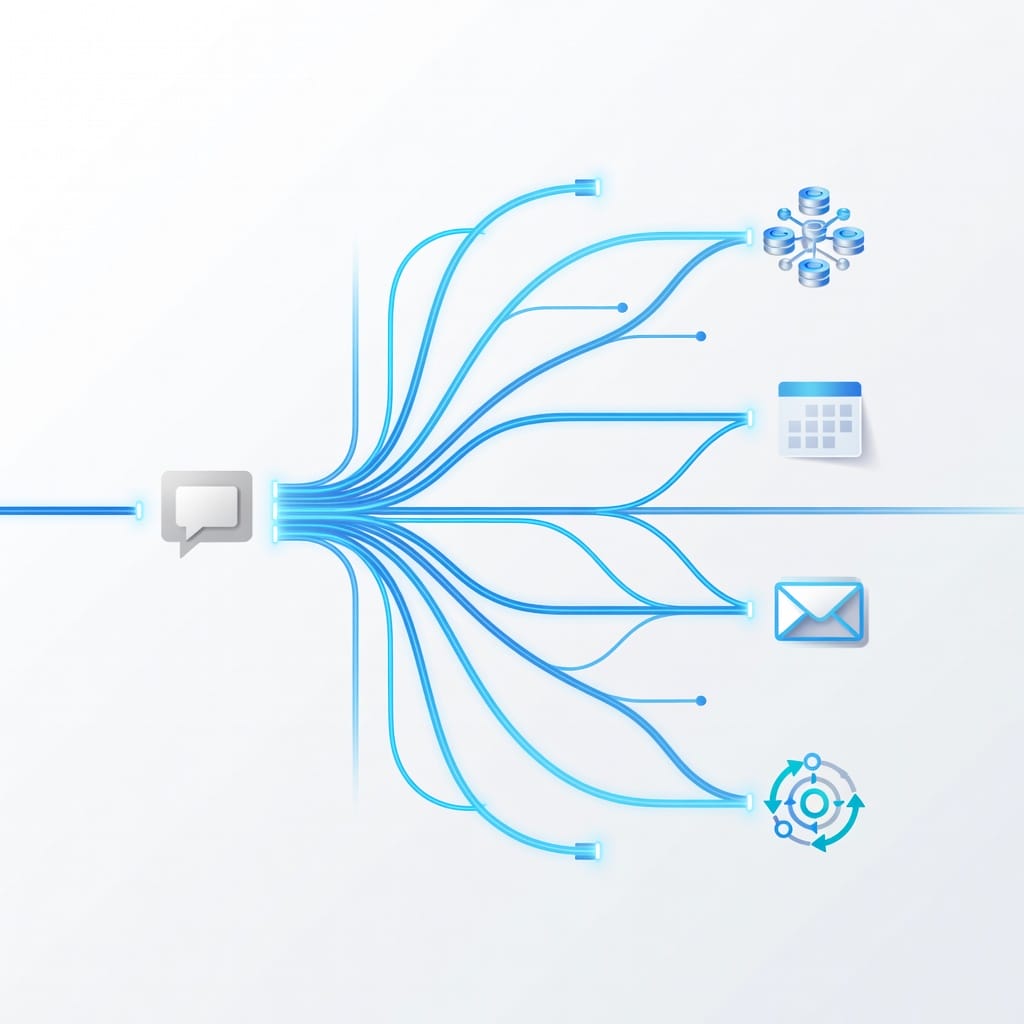
A Drift alternatives comparison should separate chat, routing, visitor identification, CRM fit, and outbound follow-up. Tools that look similar on a pricing page can solve completely different problems. Use this table to shortlist platforms by workflow instead of comparing every vendor as a generic chatbot.
| Alternative | Best for | Starting price signal | Replaces Drift chat? | Replaces meeting booking? | Replaces outbound follow-up? | Best buyer |
|---|---|---|---|---|---|---|
| Qualified | Enterprise pipeline generation | Custom, often enterprise | Yes | Yes | Partially | Salesforce revenue teams |
| Intercom | Support and customer messaging | From about $39/seat/month plus AI usage | Yes | Partially | No | SaaS support and success teams |
| Tidio | Affordable chatbot and live chat | Free or low-cost paid tiers | Yes | Lightly | No | SMBs and ecommerce teams |
| HubSpot | CRM-native inbound workflows | Free tools, paid seats from low monthly tiers | Yes | Yes | Partially | HubSpot CRM users |
| Chili Piper | Instant meeting routing | Per-user monthly pricing | No | Yes | No | Inbound sales teams |
| Warmly | Visitor identification | Free or paid plans, often sales-led | Partially | Partially | Partially | RevOps and demand generation teams |
| LiveChat | Simple live chat | Per-agent monthly pricing | Yes | Partially | No | Support and sales teams needing chat |
| LiveAgent | Chat plus ticketing | Low per-agent tiers | Yes | No | No | Budget support teams |
| Zendesk Suite | Support suite | Per-agent monthly pricing | Yes | No | No | Support organizations |
| Crisp | Lightweight messaging hub | Free and paid tiers | Yes | Lightly | Lightly | Startups and small teams |
| Mystrika | Cold email follow-up | Starts at $15/month | No | No | Yes | B2B teams needing outreach sequences |
| DoYouMail | Unlimited cold email sending | Product-specific pricing | No | No | Sending infrastructure | Teams scaling outbound volume |
| Filter Bounce | Email verification | Product-specific pricing | No | No | Lead hygiene | Teams protecting deliverability |
Quick decision matrix
| If your main Drift job was… | Choose this category | Best options |
|---|---|---|
| Chat with anonymous website visitors | Live chat and chatbot | Tidio, LiveChat, Intercom, Crisp |
| Qualify enterprise accounts in Salesforce | AI pipeline platform | Qualified |
| Convert demo request forms into meetings | Scheduling and routing | Chili Piper, HubSpot Meetings |
| Identify companies on your site | Visitor identification | Warmly, Qualified |
| Handle customer support conversations | Support suite | Intercom, Zendesk, LiveAgent |
| Follow up with leads after chat or form-fill | Cold email outreach | Mystrika, DoYouMail, Filter Bounce |
| Replace Drift without adding many vendors | CRM suite | HubSpot |
| Build a modular RevOps stack | Specialist stack | Chat tool plus CRM plus Mystrika plus verification |
Best Drift Alternatives by Use Case
The best Drift alternative by use case is the tool that replaces your highest-value Drift workflow with the least operational friction. Do not start with a generic vendor list. Start with the job Drift performs today, then choose the platform that improves that exact job without adding unnecessary complexity.
1. Qualified: Best Drift alternative for Salesforce-native enterprise teams
Qualified is the strongest Drift alternative for enterprise B2B companies that live inside Salesforce. It focuses on pipeline generation, account-based conversations, meeting booking, routing, and AI-assisted sales engagement. If your revenue team treats Salesforce as the source of truth, Qualified is often the most direct premium alternative.
Best fit: Enterprise B2B sales teams, account-based marketing teams, Salesforce-heavy RevOps teams.
Why teams choose it:
- Native Salesforce orientation.
- Real-time routing and meeting booking.
- AI SDR positioning for qualification and engagement.
- Account-based experiences for target accounts.
- Stronger enterprise sales motion than generic chat tools.
Pros:
- Built for high-value B2B pipeline, not casual chat.
- Strong alignment with Salesforce data and account ownership.
- Useful for teams with dedicated SDRs and RevOps support.
- Better fit when sales routing matters more than support ticketing.
Cons:
- Pricing is usually enterprise-level.
- Not ideal for small teams that only need a chat widget.
- Salesforce dependence can be a drawback for HubSpot-first teams.
- Implementation requires process maturity.
Choose Qualified if: You used Drift for enterprise lead qualification, account routing, and meeting generation, and your sales process already depends on Salesforce.
Skip Qualified if: You mainly need affordable live chat, simple support automation, or cold email follow-up.
2. Intercom: Best Drift alternative for support-led SaaS teams
Intercom is a strong Drift alternative when customer conversations, support automation, onboarding, and help center workflows matter as much as lead capture. Its Fin AI Agent makes it especially relevant for SaaS companies that want AI to answer customer questions before a human support rep gets involved.
Best fit: SaaS companies with overlapping support, success, and sales conversations.
Why teams choose it:
- Mature customer messaging inbox.
- AI support automation.
- Help center and knowledge base integration.
- Product tours and customer engagement features.
- Strong support and lifecycle messaging workflows.
Pros:
- Better than Drift for many support-led workflows.
- Useful when customers and prospects use the same chat channel.
- Strong inbox and conversation history.
- AI can deflect repetitive support questions.
Cons:
- Lead qualification can be less sales-native than Drift or Qualified.
- AI resolution pricing can change the total cost picture.
- May require careful configuration to avoid confusing support and sales workflows.
Choose Intercom if: Your website chat is primarily a customer communication layer, not just a sales qualification engine.
Skip Intercom if: Your main requirement is advanced account-based routing for enterprise sales.
3. Tidio: Best budget Drift alternative for live chat and chatbots
Tidio is one of the best Drift alternatives for small businesses that need live chat, automation, and AI chatbot functionality without enterprise pricing. It is easier to justify when the goal is fast setup, basic lead capture, and support automation rather than complex B2B pipeline orchestration.
Best fit: Small businesses, early-stage startups, ecommerce teams, and lean marketing teams.
Why teams choose it:
- Free or affordable entry plans.
- Easy live chat setup.
- AI chatbot functionality through Lyro.
- Visual automation workflows.
- Integrations with common ecommerce and marketing tools.
Pros:
- Low barrier to entry.
- Simple enough for non-technical teams.
- Useful for FAQ handling and basic lead capture.
- Strong value if Drift is overkill.
Cons:
- Not a full enterprise sales platform.
- Limited account-based routing compared with Drift or Qualified.
- Not designed for complex SDR workflows.
- Does not solve outbound follow-up by itself.
Choose Tidio if: You want an affordable chat and chatbot tool that can be launched quickly.
Skip Tidio if: You need deep Salesforce routing, enterprise ABM, or a full revenue orchestration layer.
4. HubSpot: Best Drift alternative for teams already using HubSpot CRM
HubSpot is a practical Drift alternative for teams that already use HubSpot CRM, Marketing Hub, Sales Hub, or Service Hub. Its chat, forms, meeting links, workflows, email, lists, and CRM records can replace many Drift workflows in a single ecosystem.
Best fit: HubSpot-first sales and marketing teams.
Why teams choose it:
- Native CRM records.
- Free and paid chat tools.
- Forms, meetings, workflows, and email in one place.
- Simple reporting for inbound campaigns.
- Lower integration burden if HubSpot is already central.
Pros:
- Reduces vendor sprawl.
- Strong for small and mid-market inbound teams.
- Easier CRM visibility than bolting on a separate chat vendor.
- Good enough for many teams that do not need Drift-level conversation design.
Cons:
- Chatbot logic can feel less advanced.
- Advanced features may require higher HubSpot tiers.
- HubSpot can become expensive as the database and feature needs grow.
- Not always the best choice for Salesforce-first enterprises.
Choose HubSpot if: Your team already works from HubSpot and wants fewer tools.
Skip HubSpot if: You need a best-in-class AI SDR or a support-first inbox outside the HubSpot ecosystem.
5. Chili Piper: Best Drift alternative for meeting booking and routing
Chili Piper is not a full Drift replacement because it does not replace live chat. It is, however, one of the best alternatives when your most valuable Drift workflow was instant meeting booking, lead routing, territory logic, or converting form submissions into calendar events.
Best fit: Inbound sales teams that care about speed-to-lead and routing accuracy.
Why teams choose it:
- Fast meeting booking from forms.
- Round-robin, territory, and account-based routing.
- Calendar ownership and scheduling workflows.
- Strong fit for demo request conversion.
- Works with existing forms and CRM processes.
Pros:
- Excellent for one specific job: getting the right meeting booked quickly.
- Often easier to implement than a full conversational platform.
- Helps reduce lead leakage after form submission.
- Useful even if you keep another chat tool.
Cons:
- No full chatbot replacement.
- No live chat experience by itself.
- Does not handle cold email follow-up or support conversations.
Choose Chili Piper if: You used Drift mainly because it booked meetings for inbound prospects.
Skip Chili Piper if: You need conversational chat, support inboxes, or AI lead qualification inside the website experience.
6. Warmly: Best Drift alternative for visitor identification
Warmly is a strong fit when your team wants to identify high-intent website visitors before they ever start a chat. It sits closer to visitor intelligence and intent-based engagement than a traditional live chat widget, making it useful for teams that feel Drift misses silent buyers.
Best fit: Demand generation, RevOps, and SDR teams that want to act on website intent.
Why teams choose it:
- Visitor identification.
- Intent-based alerts.
- Account-level engagement signals.
- Potential orchestration across chat, email, and sales workflows.
- Useful for teams that want to act before a form fill.
Pros:
- Addresses the silent visitor problem.
- Helps prioritize accounts based on behavior.
- Can complement chat, CRM, and outbound tools.
- Useful for account-based marketing motions.
Cons:
- Visitor identification is never perfect.
- Outreach based on anonymous visit data needs careful messaging.
- Chat and AI depth may not match dedicated platforms.
- Compliance and consent should be reviewed by region.
Choose Warmly if: Your main Drift disappointment is that too many high-fit visitors leave without chatting.
Skip Warmly if: You only need a simple support chat widget.
7. LiveChat: Best simple live chat replacement
LiveChat is a practical Drift alternative when the goal is a reliable chat widget, not a complex revenue platform. It is especially useful for teams that want simple visitor conversations, many integrations, and a mature support or sales chat experience.
Best fit: Teams that need live human chat with minimal complexity.
Why teams choose it:
- Mature live chat product.
- Broad integrations.
- Straightforward agent experience.
- Good fit for support and sales teams.
- Easier to understand than broader enterprise platforms.
Pros:
- Reliable for the core live chat use case.
- Less strategic overhead than Drift.
- Good for teams that do not need advanced AI SDR workflows.
- Easier procurement for smaller teams.
Cons:
- Not a full pipeline generation platform.
- AI and routing depth depend on add-ons and integrations.
- Does not solve post-chat outbound sequencing by itself.
Choose LiveChat if: You want Drift’s chat layer without Drift’s broader revenue platform positioning.
Skip LiveChat if: You need visitor identification, deep CRM routing, or AI qualification.
8. LiveAgent: Best budget option for chat plus ticketing
LiveAgent is a strong Drift alternative for teams that care about live chat, support tickets, and customer service affordability. It is not the best replacement for advanced B2B sales routing, but it can work well when support workflows matter more than conversational marketing.
Best fit: Small and mid-sized support teams.
Why teams choose it:
- Chat and ticketing in one system.
- Budget-friendly per-agent pricing.
- Support-oriented workflow management.
- Useful for small teams that need a helpdesk plus chat.
Pros:
- Strong value for support operations.
- Easier to justify for customer service than Drift.
- Combines ticket handling with chat.
- Good for teams that do not need advanced ABM.
Cons:
- Not purpose-built for revenue acceleration.
- Less compelling for enterprise SDR teams.
- Lead routing and sales playbooks are not the main focus.
Choose LiveAgent if: You are replacing Drift because support, not sales, became the main chat use case.
Skip LiveAgent if: You want enterprise account qualification and pipeline attribution.
9. Zendesk Suite: Best support-first Drift alternative
Zendesk Suite is a Drift alternative when the conversation has moved from marketing chat to customer support operations. It is best for teams that need ticketing, help center workflows, escalation paths, agent management, and customer conversation history at scale.
Best fit: Support organizations and customer experience teams.
Why teams choose it:
- Mature support platform.
- Ticketing and escalation workflows.
- Help center and knowledge base capabilities.
- Omnichannel customer communication.
- Strong administrative controls.
Pros:
- Better fit for structured support than Drift.
- Scales across customer service teams.
- Strong workflow and escalation management.
- Works well when chat is one support channel among many.
Cons:
- Not a sales-first conversational marketing platform.
- Setup can be heavier than lightweight chat tools.
- May be excessive if you only need inbound lead capture.
Choose Zendesk if: Your primary need is customer support, not sales qualification.
Skip Zendesk if: You want a pipeline generation platform or post-chat cold outreach system.
10. Crisp: Best lightweight messaging hub for startups
Crisp is a lightweight Drift alternative for startups that need chat, shared inbox, basic automation, and customer messaging without enterprise complexity. It can be a good middle ground between simple live chat and broader customer communication platforms.
Best fit: Startups, indie SaaS teams, and small customer-facing teams.
Why teams choose it:
- Chat and shared inbox.
- Lightweight customer messaging.
- Accessible pricing tiers.
- Simple setup.
- Good for small teams that need one communication hub.
Pros:
- Easier to adopt than enterprise tools.
- Good balance of chat and inbox features.
- Useful for founder-led sales and support.
- Can replace a basic Drift setup at lower operational cost.
Cons:
- Not a dedicated AI SDR platform.
- Not as advanced for account-based routing.
- May require additional tools for serious outbound follow-up.
Choose Crisp if: You need a simple messaging hub for a small team.
Skip Crisp if: You need enterprise-grade routing, visitor intelligence, or complex sales automation.
11. Mystrika: Best for cold email follow-up after replacing Drift
Mystrika is not a live chat replacement. It belongs in this guide because many teams replacing Drift discover that their real gap is follow-up. Mystrika is a cold email outreach platform with AI features, warmup, sequencer, unibox, and whitelabel capabilities, starting at $15/month.
Best fit: B2B teams that capture leads through chat, forms, events, webinars, visitor identification, or CRM lists and need consistent email follow-up.
Why teams choose it:
- Cold email sequencer for structured follow-up.
- AI features to support outreach workflows.
- Email warmup to support sending reputation.
- Unibox to manage replies in one place.
- Whitelabel capabilities for agencies or service providers.
- Low starting price compared with enterprise chat platforms.
Pros:
- Solves the post-chat and post-form follow-up problem.
- Helps teams build outbound sequences instead of relying only on website chat.
- Useful with verified leads from forms, demo requests, and intent tools.
- Can complement HubSpot, Chili Piper, Tidio, or Warmly.
Cons:
- Does not provide live chat.
- Does not replace Drift’s on-site conversational experience.
- Requires responsible list hygiene, segmentation, and compliance.
Choose Mystrika if: Your Drift replacement strategy includes email follow-up, lead nurturing, reactivation, or outbound sequences.
Skip Mystrika if: You only need a website chat widget and no email outreach motion.
For deeper tool selection, see this guide to cold email outreach tools.
12. DoYouMail: Best for unlimited cold email sending capacity
DoYouMail is relevant when replacing Drift creates a need for scalable sending infrastructure. If your team plans to follow up with inbound leads, visitor-identified accounts, event lists, or cold prospects at volume, sending capacity and infrastructure become part of the replacement strategy.
Best fit: Teams that already understand cold email operations and need more sending capacity.
Why teams choose it:
- Unlimited cold email sending positioning.
- Useful for outbound teams with higher volume requirements.
- Complements sequencing and verification tools.
- Helps separate sending infrastructure from chat and CRM workflows.
Pros:
- Addresses sending capacity directly.
- Useful when outbound volume is constrained.
- Can support a modular revenue stack.
Cons:
- Sending capacity does not guarantee deliverability.
- Requires verification, segmentation, and responsible sending behavior.
- Does not replace chat, routing, or CRM functionality.
Choose DoYouMail if: Your team has a mature outbound process and needs scalable sending infrastructure.
Skip DoYouMail if: You have not yet solved lead quality, verification, messaging, or reply management.
13. Filter Bounce: Best for email verification before outreach
Filter Bounce complements Drift alternatives by verifying email addresses before your team starts follow-up. This matters because invalid, risky, or disposable addresses can damage deliverability when leads move from chat, forms, imported lists, or visitor identification workflows into outbound campaigns.
Best fit: Teams that care about sender reputation and lead hygiene.
Why teams choose it:
- Real-time email verification.
- Helps reduce invalid addresses before outreach.
- Useful before adding leads to sequences.
- Supports cleaner CRM and campaign data.
Pros:
- Protects campaigns from bad addresses.
- Useful for form fills, imported leads, and outbound lists.
- Complements Mystrika and DoYouMail.
Cons:
- Verification is not a full compliance program.
- It does not replace consent, relevance, or segmentation.
- It is a hygiene layer, not a chat or CRM platform.
Choose Filter Bounce if: You are sending follow-up emails and want to reduce deliverability risk.
Skip Filter Bounce if: You are not using email outreach as part of your Drift replacement stack.
How to Choose the Right Drift Alternative
Choose a Drift alternative by mapping your current Drift workflows to replacement jobs: chat, qualification, routing, booking, support, analytics, and follow-up. Then score vendors by workflow fit, CRM fit, implementation effort, total cost, and risk. Do not buy a chatbot if your real problem is lead follow-up.
Step 1: Identify what Drift actually does today
Before comparing vendors, list every active Drift workflow. Many teams pay for more features than they actively use, while other teams depend on hidden automations no one remembers until migration week.
Audit these areas:
- Website chat widget.
- Chatbot playbooks.
- Lead qualification questions.
- Meeting booking rules.
- Rep assignment rules.
- Salesforce or HubSpot sync.
- Slack alerts.
- Email notifications.
- Contact enrichment.
- Conversation transcripts.
- Routing by territory, segment, or account owner.
- Reporting dashboards.
- Integration with paid search, landing pages, or campaign attribution.
Then classify each workflow:
| Workflow | Keep | Replace | Remove | Notes |
|---|---|---|---|---|
| Live chat | Who staffs it? | |||
| AI qualification | What questions matter? | |||
| Meeting booking | Which calendars and territories? | |||
| CRM sync | Which fields are required? | |||
| Follow-up email | Manual or automated? | |||
| Support handoff | Which team owns it? | |||
| Visitor identification | Account-level or person-level? |
Step 2: Decide whether you need one platform or a modular stack
A single platform is easier to manage. A modular stack is more flexible. The right choice depends on team size, process maturity, and how specialized your workflows are.
Choose a single platform if:
- You have limited RevOps resources.
- Your workflows are simple.
- Your CRM is already HubSpot or Salesforce and the platform fits it well.
- You prefer one vendor and simpler billing.
- You do not need best-in-class tools for every layer.
Choose a modular stack if:
- You want best-in-class meeting routing, chat, and email separately.
- You have RevOps capacity to maintain integrations.
- You need better outbound follow-up than chat platforms provide.
- You want to avoid vendor lock-in.
- You have different teams owning chat, routing, and outbound.
A modular B2B stack might look like:
- Tidio or LiveChat for website conversations.
- Chili Piper for routing and meetings.
- HubSpot or Salesforce for CRM.
- Mystrika for cold email outreach, warmup, sequencer, unibox, and whitelabel workflows.
- Filter Bounce for email verification.
- DoYouMail if unlimited sending infrastructure is needed.
Step 3: Calculate total cost of ownership
Do not compare only the starting subscription price. Drift alternatives can look cheap until you add AI usage, seats, contacts, resolutions, add-ons, implementation, data enrichment, routing, and email infrastructure.
Include these cost categories:
| Cost category | Questions to ask |
|---|---|
| Base subscription | Is pricing by seat, contact, resolution, conversation, or platform? |
| AI usage | Are AI answers, resolutions, or credits billed separately? |
| CRM integration | Is Salesforce or HubSpot integration included? |
| Routing | Are advanced routing rules included? |
| Meeting booking | Do you need a separate scheduling tool? |
| Email follow-up | Do you need a sequencer, warmup, inbox, or sending infrastructure? |
| Verification | Do you need real-time or bulk email verification? |
| Implementation | Will setup require an agency, consultant, or internal RevOps time? |
| Support | What level of onboarding and support is included? |
| Migration | How will transcripts, playbooks, and reports be preserved? |
Step 4: Test the handoff, not just the widget
Most Drift replacement failures happen after the chat. The widget works, but the handoff breaks. A buyer asks a question, books the wrong calendar, gets routed to the wrong rep, receives no follow-up, or enters the CRM with missing context.
During a trial, test:
1. A qualified lead asking for pricing.
2. An existing customer asking for support.
3. A student or vendor trying to contact the company.
4. A target account visiting a high-intent page.
5. A lead booking a meeting outside working hours.
6. A lead using a non-business email.
7. A lead who chats but does not book.
8. A lead who books and then no-shows.
For each scenario, verify:
- The lead is routed correctly.
- The CRM record is created or updated.
- The transcript is stored.
- The right rep is alerted.
- Follow-up happens automatically.
- Bad leads are filtered out.
- Reporting captures the source.
Step 5: Check compliance and deliverability before outreach
If replacing Drift leads to more outbound email, legal and deliverability basics matter. Chatting with a website visitor is not the same as having unlimited permission to email every address you can find. Review the rules for your target markets and keep messages relevant.
At minimum, confirm:
- Your legal basis for outreach.
- Opt-out handling.
- Sender identification.
- Domain authentication.
- List source quality.
- Email verification.
- Frequency caps.
- Suppression lists.
- CRM consent fields.
For more context, review cold email legal requirements before adding outbound sequences to a Drift replacement stack.
Migration Checklist: How to Move Away from Drift
To migrate away from Drift safely, inventory every workflow, export critical data, rebuild playbooks, test CRM sync, validate routing, QA meeting booking, connect follow-up email, and run both systems in parallel before switching traffic. The goal is not just replacing the widget. It is preserving conversion paths.
Use this checklist before turning Drift off.
Phase 1: Audit current Drift usage
- List every Drift inbox, playbook, routing rule, and chatbot flow.
- Identify who owns each workflow.
- Export or document qualification questions.
- Capture screenshots of important flows.
- Export conversation transcripts if needed.
- Note all integrations, including CRM, Slack, calendar, enrichment, and analytics.
- Identify the pages where Drift loads.
- Identify high-intent pages like pricing, demo, product, integrations, and comparison pages.
Phase 2: Define the replacement architecture
- Decide whether you need one platform or a modular stack.
- Choose the chat or chatbot replacement.
- Choose the meeting booking and routing solution.
- Choose the CRM source of truth.
- Choose outbound follow-up tooling if needed.
- Choose verification and deliverability tools if email follow-up is part of the workflow.
- Map each Drift workflow to a replacement owner.
Phase 3: Rebuild qualification and routing
- Recreate qualification questions.
- Remove questions that no longer matter.
- Add routing logic for existing customers, partners, vendors, and job seekers.
- Define territories and account ownership.
- Confirm calendar availability rules.
- Confirm meeting types and durations.
- Confirm handoff language for support and sales.
- Confirm fallback routing if a rep is unavailable.
Phase 4: Reconnect CRM and reporting
- Map every required CRM field.
- Test new lead creation.
- Test existing contact updates.
- Test account matching.
- Test campaign source capture.
- Test transcript storage.
- Test lifecycle stage updates.
- Test owner assignment.
- Test meeting attribution.
- Build a dashboard for chat-to-meeting and chat-to-pipeline performance.
Phase 5: Build post-chat follow-up
- Define what happens after a chat ends.
- Create sequences for booked leads, unbooked qualified leads, no-shows, and low-fit leads.
- Verify email addresses before adding leads to sequences.
- Use warmup and sending discipline before scaling outreach.
- Keep replies visible in a shared inbox or unibox.
- Make opt-outs easy and immediate.
- Suppress existing customers from prospecting sequences when appropriate.
This is where Mystrika, Filter Bounce, and DoYouMail can fit naturally. Mystrika handles cold email outreach with AI features, warmup, sequencer, unibox, and whitelabel capabilities. Filter Bounce helps verify addresses before outreach. DoYouMail can support sending capacity when volume becomes the bottleneck.
Phase 6: Run parallel QA
Before cutting over, run old and new workflows side by side in a controlled test.
Test these scenarios:
- Pricing page visitor asks for a demo.
- Enterprise account gets routed to the correct owner.
- SMB lead gets routed to the right sales queue.
- Existing customer asks for support.
- Lead uses Gmail or another personal email.
- Lead books but does not show.
- Lead chats but refuses to book.
- Lead asks a question the AI cannot answer.
- Visitor comes from paid search.
- Visitor comes from an email campaign.
Do not switch fully until each scenario produces the correct CRM record, notification, owner, meeting, and follow-up action.
Phase 7: Cut over and monitor
- Remove Drift scripts from the site.
- Add the new chat or routing script.
- Confirm page speed impact.
- Confirm mobile display.
- Confirm consent banner compatibility.
- Monitor chat volume, meeting rate, route accuracy, and bounce rate.
- Review transcripts daily for the first two weeks.
- Fix failed handoffs quickly.
- Compare conversion rates before and after migration.
Where Cold Email Fits After Replacing Drift
Cold email fits after replacing Drift when website intent, chat leads, form fills, webinar attendees, or visitor-identified accounts need structured follow-up. It should not replace live chat for active buyers, but it can recover unbooked leads, re-engage silent visitors, and create pipeline beyond the small group that chats.
Many Drift buyers originally wanted more meetings, not more chat conversations. If that is your real objective, email follow-up matters.
Use cold email when chat intent does not convert immediately
A prospect may visit your pricing page, start a chat, ask one question, and leave. Another may download a guide but never book a demo. A third may attend a webinar and later visit the product page. In these cases, a thoughtful email sequence can help convert intent into a conversation.
Good use cases include:
- Following up with qualified chat leads who did not book.
- Reaching no-show demo prospects.
- Contacting target accounts that visited high-intent pages.
- Nurturing webinar attendees.
- Re-engaging closed-lost opportunities.
- Following up after events or partner campaigns.
- Sequencing leads captured from forms.
Poor use cases include:
- Emailing every anonymous visitor without relevance.
- Ignoring consent and regional rules.
- Sending generic templates after a personal chat.
- Adding invalid addresses to campaigns.
- Overloading new domains without warmup.
Build a safe follow-up stack
A safe follow-up stack should separate capture, verification, sequencing, sending, and reply management.
| Layer | Purpose | Example tool fit |
|---|---|---|
| Capture | Chat, forms, meetings, webinars, visitor intent | Drift alternative, HubSpot, Tidio, Warmly |
| Verification | Check whether email addresses are safe to contact | Filter Bounce |
| Sequencing | Send contextual follow-up emails | Mystrika |
| Warmup | Support sender reputation before scaling | Mystrika |
| Sending capacity | Handle higher outbound volume | DoYouMail |
| Reply management | Keep replies visible and organized | Mystrika unibox |
| CRM | Store source, owner, lifecycle stage, and attribution | HubSpot or Salesforce |
Keep the message tied to the buyer’s action
The best post-Drift follow-up references the real context without sounding invasive.
Weak follow-up:
Hi, I noticed you visited our website. Want to talk?
Better follow-up:
Hi Maya, saw your team requested information about routing inbound demo requests. If the goal is reducing response time, the two areas to check first are calendar ownership and follow-up for no-shows. Worth comparing notes?
The better message is specific, helpful, and tied to a plausible business problem. It does not overstate tracking or creep out the buyer.
Use email verification before sequencing
Email verification is not optional if you plan to send at scale. Invalid addresses, typos, role accounts, and risky domains can harm deliverability. A verification step is especially important when leads come from forms, scraped lists, partner uploads, or manually imported spreadsheets.
Use Filter Bounce before adding addresses to sequences, then suppress risky or invalid contacts. Verification does not make bad outreach good, but it prevents avoidable technical damage.
Use warmup and controlled sending volume
If Drift replacement creates more outbound follow-up, do not send everything from a new or cold domain immediately. Warmup, authentication, gradual volume increases, and relevant messaging all matter.
Mystrika’s warmup, sequencer, unibox, AI features, and whitelabel capabilities make it relevant for teams that want a cold email layer next to their Drift replacement. It is especially practical when chat captures only part of demand and sales needs a structured way to follow up.
Connect cold email to broader lead generation
Replacing Drift should be part of a broader pipeline strategy. Chat captures active demand. Cold email can create and recover demand. Visitor identification can reveal account intent. Meeting routing can reduce speed-to-lead friction. CRM workflows can make the whole system measurable.
For more ideas beyond chat and forms, see these B2B lead generation strategies.
Drift Alternatives by Team Type
The right Drift replacement changes by team type because the same tool can be excellent for one workflow and wrong for another. A support team, enterprise SDR team, founder-led startup, and demand generation team should not evaluate alternatives with the same scorecard.
Best Drift alternative for startups
Startups should usually choose Tidio, Crisp, HubSpot, or LiveChat depending on whether they need chat, CRM, or shared inbox functionality. The goal is to avoid enterprise complexity while still capturing inbound demand and responding quickly.
A startup stack might be:
- Tidio or Crisp for chat.
- HubSpot free or starter tools for CRM.
- Mystrika for cold email follow-up.
- Filter Bounce before outbound sequences.
This gives a small team enough coverage without buying an enterprise conversational marketing platform too early.
Best Drift alternative for mid-market B2B teams
Mid-market B2B teams should evaluate HubSpot, Chili Piper, Warmly, Intercom, and Mystrika depending on the primary bottleneck. If the bottleneck is routing, prioritize Chili Piper. If it is visitor intelligence, evaluate Warmly. If it is follow-up, build an email layer.
A practical mid-market stack might be:
- HubSpot or Salesforce as CRM.
- Chili Piper for routing.
- Tidio, Intercom, or LiveChat for chat.
- Mystrika for structured outbound follow-up.
- Filter Bounce for verification.
Best Drift alternative for enterprise sales teams
Enterprise sales teams should evaluate Qualified first if Salesforce is central. The main value is account-based routing, pipeline generation, and enterprise-grade orchestration. Chili Piper may also belong if the team wants specialized scheduling and routing.
Enterprise teams should pay special attention to:
- Salesforce field mapping.
- Account ownership rules.
- Territory logic.
- Security review.
- Data retention.
- Consent and privacy requirements.
- AI governance.
- Reporting integrity.
Best Drift alternative for support teams
Support teams should evaluate Intercom, Zendesk, LiveAgent, and LiveChat before sales-first platforms. A support organization needs ticket history, knowledge base workflows, escalation paths, agent productivity, and customer satisfaction tracking.
Do not choose a sales chatbot if the actual problem is support queue management.
Best Drift alternative for agencies
Agencies should think in terms of repeatable client stacks. Mystrika’s whitelabel capabilities can matter when the agency offers outreach services. For chat, an agency may pair a simple widget with client CRM workflows and a reporting dashboard.
An agency stack might include:
- LiveChat or Tidio for client website chat.
- HubSpot for CRM and forms.
- Mystrika for sequenced outreach and unibox management.
- Filter Bounce for verification.
- DoYouMail for sending infrastructure when appropriate.
Common Mistakes When Replacing Drift
The most common mistake when replacing Drift is buying a cheaper chat widget and assuming the revenue workflow is solved. Drift often touches routing, qualification, meetings, CRM data, alerts, and follow-up. If those handoffs are not rebuilt, conversion can drop even if the new chat tool works.
Mistake 1: Comparing only monthly price
Lower price is useful, but not if the new setup loses qualified leads. Compare total workflow cost, not just subscription cost.
Ask:
- Will we need a separate scheduler?
- Will we need separate email follow-up?
- Will we need a data enrichment tool?
- Will implementation take internal RevOps time?
- Will AI usage add variable cost?
Mistake 2: Ignoring CRM ownership
The CRM is the source of truth. If the Drift alternative does not sync cleanly, your team will lose source data, owner assignment, routing history, or attribution.
Test CRM sync before signing a long contract.
Mistake 3: Over-automating qualification
AI can qualify leads, but bad qualification logic blocks real buyers. Keep high-intent paths short. Do not force every visitor through a long chatbot flow before they can book.
A good rule: ask only the questions needed to route or personalize the conversation.
Mistake 4: Treating support and sales chats the same
Existing customers and new prospects should not always enter the same workflow. A customer with a support issue should not be pushed into a demo sequence. A qualified prospect should not wait in a support queue.
Separate paths for:
- Prospects.
- Customers.
- Partners.
- Vendors.
- Job seekers.
- Students or researchers.
Mistake 5: Forgetting no-shows and non-bookers
A lead who chats but does not book is still valuable. A lead who books and no-shows is still recoverable. If your replacement tool stops at the meeting link, you are leaving pipeline behind.
Build follow-up sequences for:
- Chat but no booking.
- Booked but no-show.
- Demo completed but no next step.
- Pricing page visit but no form submission.
- Webinar attended but no demo request.
Mistake 6: Sending follow-up without verification
If outbound follow-up becomes part of your replacement strategy, verify addresses before sending. Bad email data can damage sender reputation and reduce inbox placement.
Use verification, warmup, low initial volume, and relevant messaging.
Key Takeaways
Drift alternatives should be evaluated by workflow, not by a generic feature checklist. If you need enterprise Salesforce pipeline generation, Qualified is the strongest fit. If you need support-led messaging, Intercom or Zendesk may be better. If you need affordable chat, Tidio, Crisp, or LiveChat may be enough.
- Best overall enterprise replacement: Qualified for Salesforce-native B2B teams.
- Best support-led replacement: Intercom for SaaS support and customer messaging.
- Best budget chatbot: Tidio for affordable chat automation.
- Best CRM-native option: HubSpot for teams already using HubSpot.
- Best meeting routing replacement: Chili Piper if Drift’s booking workflow was the main value.
- Best visitor identification option: Warmly for account intent and silent visitor workflows.
- Best cold email follow-up layer: Mystrika for AI features, warmup, sequencer, unibox, whitelabel, and pricing from $15/month.
- Best sending infrastructure complement: DoYouMail when unlimited cold email sending is needed.
- Best verification complement: Filter Bounce before adding leads to outbound sequences.
The most durable replacement strategy is usually a clear architecture: chat or form capture, CRM routing, meeting booking, verified follow-up, and measurable reporting. That may be one platform, but for many B2B teams it is a modular stack.
Frequently Asked Questions
What is the best Drift alternative overall?
The best Drift alternative overall is Qualified for enterprise Salesforce teams, Intercom for support-led SaaS teams, and Tidio for budget-conscious teams that mainly need live chat and chatbot automation. If your main Drift use case was meeting routing, Chili Piper may be the better replacement than another chatbot.
There is no universal winner because Drift combines several jobs. The right choice depends on whether you are replacing chat, AI qualification, meeting booking, visitor identification, CRM workflows, or outbound follow-up.
What is the cheapest Drift alternative?
The cheapest Drift alternatives are usually Tidio, Crisp, LiveAgent, HubSpot’s free tools, or other entry-level live chat platforms. These tools can replace basic chat at a much lower starting cost than enterprise conversational marketing platforms.
Cheap does not always mean complete. If Drift handled routing, meetings, CRM sync, and follow-up, a low-cost chat widget may need to be paired with HubSpot, Chili Piper, Mystrika, Filter Bounce, or another workflow tool.
Which Drift alternative is best for Salesforce teams?
Qualified is usually the strongest Drift alternative for Salesforce teams because it is built around Salesforce-native pipeline generation, routing, account data, and enterprise B2B sales workflows. It is best when Salesforce ownership, account matching, and revenue reporting matter.
Salesforce teams should still test field mapping, routing rules, transcript capture, meeting attribution, and owner assignment before migrating. The platform fit is strong, but implementation quality determines whether the replacement actually improves pipeline conversion.
Which Drift alternative is best for HubSpot users?
HubSpot is usually the best Drift alternative for teams already using HubSpot CRM, Marketing Hub, Sales Hub, or Service Hub. Its chat, forms, meeting links, workflows, email, and CRM records can replace many Drift workflows without adding another major vendor.
The tradeoff is chatbot sophistication. HubSpot may be easier and more integrated, but teams needing advanced AI qualification, account-based routing, or enterprise chat playbooks may still prefer a specialist tool.
Can cold email replace Drift?
Cold email cannot directly replace Drift’s live chat experience because it does not engage visitors in real time on your website. It can, however, replace or improve the follow-up motion around Drift by reaching qualified leads, no-shows, webinar attendees, target accounts, and visitors who never started a chat.
A practical setup is to use a chat or form tool for capture, then use Mystrika for cold email outreach with AI features, warmup, sequencer, unibox, and whitelabel capabilities. Add Filter Bounce for verification and DoYouMail if sending capacity becomes a bottleneck.
How do you migrate from Drift without losing leads?
To migrate from Drift without losing leads, audit every current workflow, export key data, rebuild chatbot questions, reconnect CRM fields, test routing, validate calendar booking, and run the new system in parallel before removing Drift from your site. The highest-risk areas are CRM sync, owner assignment, meeting booking, and post-chat follow-up.
Use test scenarios before launch: qualified demo request, existing customer support question, target account visit, personal email submission, no-show meeting, and chat without booking. Each scenario should create the right CRM record, alert the right owner, and trigger the correct follow-up.
Do Drift alternatives include visitor identification?
Some Drift alternatives include visitor identification, but many basic live chat tools do not. Warmly and Qualified are more relevant if you want account-level visitor intelligence, intent alerts, and sales engagement based on website behavior.
Visitor identification should be used carefully. It is best for prioritizing accounts and tailoring outreach, not for sending creepy messages that overstate exactly what you know about an individual visitor.
Is Drift still worth it after Salesloft acquired it?
Drift can still be worth it if your team wants Drift’s conversational marketing workflows and sees value in the broader Salesloft ecosystem. The acquisition is not automatically a reason to leave, but it is a reason to reassess vendor fit, roadmap alignment, pricing, and platform dependence.
If you only need basic chat, Drift may be too much. If you need enterprise revenue orchestration and already use Salesloft, Drift may still make sense. The decision should be based on workflow value, not acquisition headlines alone.
What should I use if Drift is too expensive?
If Drift is too expensive, start by identifying the exact workflow you need. Use Tidio, Crisp, or LiveChat for affordable chat. Use HubSpot if you already need CRM-native forms and meetings. Use Chili Piper if meeting routing is the core workflow. Use Mystrika if the missing piece is structured cold email follow-up.
Avoid replacing a broad platform with a cheap widget without rebuilding the rest of the funnel. The better approach is to build a lean stack that covers capture, routing, CRM, follow-up, verification, and reporting.
What is the difference between a chatbot and an AI SDR?
A chatbot usually answers questions, captures contact information, routes conversations, or books meetings based on predefined logic. An AI SDR is positioned as a more autonomous sales assistant that can qualify leads, interpret buying intent, enrich records, trigger outreach, and sometimes book meetings with less human involvement.
The labels are often used loosely, so evaluate actual capabilities. Ask what data the AI uses, what actions it can take, how humans supervise it, and how it handles uncertain answers or unqualified visitors.