
If you want to identify key decision makers in a company, do not start with a job title. Start with the decision that must be made, the risk attached to that decision, and the people who can approve, block, fund, evaluate, use, or champion the purchase. The real decision maker is often a buying group, not one person.
This guide gives you a practical system for finding those people, verifying them, prioritizing them, and reaching them without burning your domain reputation. It is written for B2B founders, SDRs, account executives, agencies, consultants, and revenue teams that need more than a list of names.

Quick Answer: How Do You Identify Key Decision Makers in a Company?
To identify key decision makers in a company, define the buying decision first, map the likely buying committee, research company structure, validate titles against responsibilities, find champions and blockers, verify contact data, and ask routing questions during outreach. A strong list includes the economic buyer, technical evaluator, day-to-day user, procurement or legal stakeholder, and at least one internal champion.
Here is the short version:
| Task | What to Do | What Good Looks Like |
|---|---|---|
| Define the decision | Name the exact purchase, renewal, migration, or project | You know who owns the problem and why it matters now |
| Map likely roles | Identify budget, technical, user, executive, and process stakeholders | You have 3 to 7 relevant contacts per account |
| Research the company | Use the website, LinkedIn, news, job posts, tech stack, and org clues | Titles match responsibilities, not assumptions |
| Verify contacts | Validate emails, domains, seniority, location, and recent job movement | Low bounce risk and current contact data |
| Prioritize outreach | Score each person by authority, relevance, urgency, and access | You contact the best entry point first, not the loudest title |
| Confirm live | Ask who else is involved and what approval process looks like | The contact map improves with every reply |
The mistake most teams make is looking for the highest-ranking person and calling that person the decision maker. In real B2B sales, especially in companies with more than 50 employees, the person with budget may not be the person with pain, the person with pain may not have authority, and the person with authority may never reply unless an internal champion creates a reason.
What Is a Key Decision Maker in a Company?
A key decision maker is any person who can materially advance, approve, reject, delay, fund, evaluate, recommend, or block a business decision. In a small company, this may be the founder or owner. In a larger company, it may be a buying committee with separate people for budget, technical fit, security, procurement, legal, implementation, and day-to-day use.
The phrase sounds simple, but it causes pipeline waste because sellers use it too narrowly. If you only define the decision maker as the person who signs the contract, you miss the person who writes the business case. If you only target the head of department, you miss the manager who owns the rollout. If you only chase executives, you miss the operational person who tells the executive which vendor is safe.
Decision Maker vs Influencer vs Champion vs Gatekeeper
A decision maker has authority over the outcome, but that does not mean they are the best first contact. An influencer shapes the requirements or vendor shortlist. A champion wants the problem solved and is willing to help you navigate the account. A gatekeeper controls access, calendars, information, or process. A blocker can slow or stop the deal even without formal authority.
Treating all of these roles as one person creates weak account mapping. A CFO may own budget, an operations manager may own the pain, an IT leader may approve security, procurement may control vendor onboarding, and an individual contributor may know which tool the team will actually use. A complete decision-maker map captures each of those roles separately.
Why Job Titles Alone Are Not Enough
Job titles are clues, not proof. A VP of Sales at a 40-person startup may own tools, budget, process, and vendor selection. A VP of Sales at a 5,000-person enterprise may influence the need but rely on sales operations, procurement, legal, finance, and IT to approve the purchase. The same title can represent very different authority depending on company size and structure.
Look for responsibility signals. Does the person own the metric affected by your product? Do they speak publicly about the problem? Are they hiring for related roles? Did they recently join and inherit a transformation project? Are they listed as a system owner, department lead, or project sponsor? These signals are stronger than a title match alone.
Why the First Person Who Replies Is Often Not the Buyer
The first person who replies is usually the easiest person to access, not always the person who can buy. They may be a researcher, evaluator, assistant, practitioner, or curious stakeholder. That reply is still valuable because it can reveal the internal map, but you should not assume the deal is qualified until you know who controls money, risk, and timing.
Use the first reply to ask routing questions. For example: “Who normally owns evaluation for this kind of project?” or “If this became a priority, who else would need to weigh in?” This lets you respect the person who responded while expanding toward the actual approval path.
The Buying Committee Map You Need Before Prospecting
Before you search LinkedIn or buy data, build a simple map of the buying committee. Competitor articles often list channels like sales intelligence, LinkedIn, company websites, intent data, and enrichment. Those are useful, but they work best after you know which buying roles you are trying to fill. A buying committee map prevents random list building.
For most B2B purchases, your goal is not to find one magical decision maker. Your goal is to identify the minimum set of people required to create momentum. That usually includes a person with pain, a person with authority, a person who can validate fit, and a person who can help you navigate the process.
Economic Buyer
The economic buyer controls or strongly influences budget. They care about business impact, risk, payback, and whether the purchase supports a priority they already own. For a revenue tool, this may be a CRO, VP Sales, founder, or revenue operations leader. For infrastructure, it may be CTO, VP Engineering, IT director, or security leader.
You can identify the economic buyer by asking which metric your offer improves and who is accountable for that metric. If your product reduces support cost, start near customer support, operations, or finance. If it increases meetings booked, start near sales leadership or growth. If it reduces compliance risk, start near legal, security, or operations leadership.
Technical Evaluator
The technical evaluator decides whether your solution can work inside the company environment. They may not own the final budget, but they can kill the deal by flagging integration, security, deliverability, data privacy, implementation, or maintenance concerns. In software deals, this role often sits in IT, security, engineering, revenue operations, or systems administration.
Do not ignore technical evaluators because they seem less senior. A technical evaluator can become your strongest champion if you give them clear setup steps, compatibility details, security answers, and realistic implementation timelines. They can also become a blocker if they are surprised late in the process.
User Champion
The user champion feels the pain most directly and can explain why the current process is broken. This person may be a manager, team lead, senior individual contributor, operations specialist, or department owner. They may not sign the contract, but they understand the workflow and can tell you whether the proposed solution will be adopted.
A strong user champion gives you language for the account. They explain what the team tried, what failed, what the manager cares about, and what objections will appear. When you identify this person early, your outreach and discovery become more specific. The best champions do not just like your product. They know how to sell the change internally.
Procurement, Legal, and Security Stakeholders
Procurement, legal, and security stakeholders usually enter later, but you should anticipate them early. They care about vendor risk, contract terms, data handling, compliance, pricing structure, and operational reliability. If your product touches personal data, email infrastructure, payments, customer records, or internal systems, these stakeholders can materially affect the timeline.
You do not always need to contact them first. However, you should know whether they exist and what they may require. For outreach, this means avoiding claims you cannot support and preparing clean documentation. For account mapping, it means treating approval process as part of decision-maker identification, not a separate admin step.
Executive Sponsor
The executive sponsor gives political weight to the project. They may not attend every call, but their support can unlock budget, align teams, and protect the project when priorities compete. In small companies, the executive sponsor and economic buyer may be the same person. In larger companies, they are often separate.
Look for executive sponsor signals in public priorities. Annual letters, interviews, podcasts, hiring plans, product launches, funding announcements, and strategic initiatives can all reveal who is likely to care. Your job is to connect the problem to a priority the sponsor already owns, not ask them to care about a random tool.
A 12-Step Workflow to Identify Key Decision Makers in a Company
Use this workflow when you are building a prospect list from scratch or repairing a list that is full of generic executives. It combines account research, buying committee mapping, verification, scoring, and outreach validation. The goal is to produce a living account map, not a static spreadsheet that becomes stale within weeks.
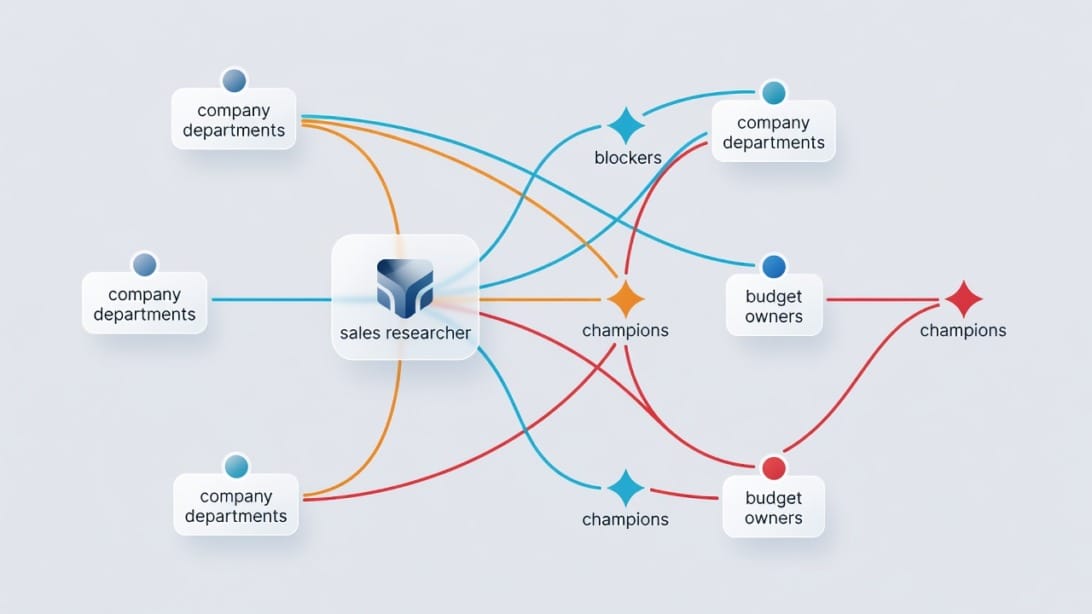
Step 1: Define the Exact Decision You Want Them to Make
Write the decision in one sentence before searching for people. Examples: “replace the current cold email sequencer,” “improve outbound deliverability,” “outsource appointment setting,” “migrate CRM enrichment,” or “verify email lists before a launch.” The clearer the decision, the easier it is to predict who owns it.
Do not define the decision as “buy our product.” Define it as the business change the company must approve. A company does not wake up wanting software. It wants fewer bounced emails, more qualified replies, lower manual research time, cleaner data, better reporting, safer infrastructure, or faster pipeline creation. That business change points to the right decision makers.
Step 2: Build an ICP That Includes Buying Authority
An ideal customer profile should include more than industry, revenue, and employee count. Add buying-authority details: who owns the problem, who funds the solution, who evaluates risk, and what company conditions make a purchase likely. This keeps your list from becoming a generic directory of executives.
For example, an outbound platform selling to agencies should not only target “marketing agencies with 10 to 100 employees.” It should identify founders, growth heads, client delivery leads, and operations managers who are responsible for campaign output. The ICP should also flag whether the agency sells lead generation, runs cold email, hires SDRs, or offers white-label services.
Step 3: Identify the Department That Owns the Pain
The department that owns the pain is often the best starting point. If your solution improves sales development, start with sales, revenue operations, growth, or founder-led sales. If it reduces manual finance work, start with finance operations or controllers. If it improves system reliability, start with IT, security, or engineering.
This step prevents executive guessing. The CEO may approve a large purchase, but the department owner usually defines the need. When you contact the department owner first, your message can reference a real workflow. If they care, they can help you reach budget holders. If they do not care, the CEO probably will not either.
Step 4: Adjust Target Titles by Company Size
Company size changes authority. In a 12-person company, the founder may own almost every buying decision. In a 120-person company, the VP or head of department may own most tools. In a 1,200-person company, directors, operations leaders, IT, procurement, and finance may all participate. A static title list fails because authority shifts as companies grow.
Use a size-based title map. For companies under 50 employees, target founders and department heads. For 50 to 250 employees, target VPs, directors, heads, and operations owners. For 250 to 1,000 employees, include directors, senior managers, operations, technical evaluators, and procurement. For enterprise accounts, multi-thread from the start.
Step 5: Mine the Company Website for Ownership Clues
Company websites reveal more than contact forms. Check leadership pages, team pages, product pages, case studies, press releases, partner pages, webinars, events, careers pages, security pages, and documentation. You are looking for names, responsibilities, strategic priorities, and language the company uses to describe its problems.
Careers pages are especially useful. If a company is hiring sales development reps, revenue operations managers, deliverability specialists, security engineers, or growth marketers, those roles reveal current priorities. A job post often names the systems, processes, and outcomes the company cares about. That can point you to the right buyer and give you better personalization.
Step 6: Use LinkedIn Without Becoming Title-Blind
LinkedIn is useful for finding people, but it can also make sellers lazy. Search by function, seniority, keywords, past experience, posted content, group activity, and job changes. Do not stop at the first person with a senior title. Compare profiles to the decision you defined in Step 1.
Look for profile evidence. Does the person mention owning a team, pipeline, revenue systems, customer acquisition, operations, compliance, infrastructure, or transformation? Have they posted about the problem? Did they recently join from a company known for solving that problem well? These signals help you separate a relevant decision maker from a senior but unrelated executive.
Step 7: Track Trigger Events That Change Buying Authority
Decision-maker maps change when companies change. Funding, hiring, layoffs, acquisitions, leadership changes, new market launches, security incidents, product pivots, and technology migrations can all shift who owns the decision. A newly hired executive may not be the only buyer, but they often bring new priorities, vendors, and operating standards.
Use triggers to decide timing and angle. A company hiring SDRs may need outbound systems. A company opening a new region may need compliant outreach and verified data. A company hiring a revenue operations leader may be cleaning up process debt. A company increasing technical hiring may be evaluating infrastructure. Triggers turn generic outreach into relevant timing.
Step 8: Build a Multi-Contact Account List
For each target account, build a list of at least three relevant contacts before outreach. One contact is fragile. If that person ignores you, leaves, dislikes vendors, or lacks authority, the account goes cold. A multi-contact map gives you options and lets you learn from the account without spamming everyone at once.
A practical starting set is one business owner, one operational owner, and one possible champion. For a cold email platform, that may be the founder or VP Sales, the revenue operations manager, and a sales development leader. For email infrastructure, that may be growth leadership, IT or systems ownership, and the person responsible for outbound execution.
Step 9: Verify Contact Data Before You Send Anything
Bad contact data creates false negatives. A bounced email does not mean the prospect is uninterested. It means your data was wrong. Before outreach, verify email addresses, domains, role relevance, location, recent job changes, and company status. This protects sender reputation and keeps your team from wasting time on dead records.
For email verification, a tool like FilterBounce is useful when you need CSV checks, API-based validation, and highly accurate verification before uploading contacts into your outreach workflow. Verification is not optional for cold email. It is the difference between a clean decision-maker campaign and a domain reputation problem.
Step 10: Score Each Contact by Authority, Relevance, Access, and Risk
Create a simple score before deciding who to contact first. Authority measures ability to approve or influence. Relevance measures how closely their responsibilities match the problem. Access measures how likely they are to respond or route you. Risk measures whether contacting them first could create a blocker or make the outreach feel too senior, too junior, or too generic.
A good first contact is not always the highest authority. It is often the person with high relevance and reasonable access. For example, a revenue operations leader may be a better entry point than the CRO because they understand the problem and can pull the CRO in later. Scorecards make that decision explicit.
Step 11: Validate the Map With Routing Questions
Your research is a hypothesis. Outreach and discovery turn it into a real map. Ask respectful routing questions that help you understand the process without making the contact feel used. Examples: “Who usually owns this internally?” “Would this sit with your team or revenue operations?” “If this became a project, who else would need to review it?”
Routing questions are especially useful when you reach a gatekeeper, influencer, or practitioner. Instead of pushing for a demo immediately, use the conversation to understand ownership. This improves accuracy and often earns a warmer introduction than a direct executive pitch would have produced.
Step 12: Refresh the Map Every Quarter or After Major Triggers
Decision-maker data decays. People change jobs, teams reorganize, budgets move, tools renew, and priorities shift. For strategic accounts, review the contact map at least quarterly and after major triggers. For active opportunities, update the map after every meaningful conversation.
Track changes in your CRM or spreadsheet: role, authority, influence level, preferred channel, objections, relationship status, and last verified date. A stale account map is worse than no map because it gives your team confidence in outdated assumptions. Keep the map alive.
Decision Maker Identification Matrix
The matrix below helps you decide who to contact first. Use it after you have a list of possible stakeholders. The aim is to avoid both extremes: blasting everyone at an account or waiting forever to find the perfect executive.
| Contact Type | Authority | Relevance | Access | Best Use |
|---|---|---|---|---|
| — | —: | —: | —: | — |
| CEO or founder | High in small companies | Medium to high | Medium | Best for small firms, strategic shifts, or founder-owned problems |
| Department head | High | High | Medium | Best first buyer for function-specific problems |
| Operations owner | Medium | Very high | High | Best entry point for workflow and process pain |
| Technical evaluator | Medium | High | Medium | Best for feasibility, security, and integration concerns |
| End user or team lead | Low to medium | Very high | High | Best for pain discovery and champion building |
| Procurement | Medium | Low to medium | Medium | Best after business value is established |
| Gatekeeper | Low formal authority | Medium | High | Best for routing and process intelligence |
High Authority and High Relevance Contacts
These are your best direct prospects. They own the business outcome and can influence or approve change. Examples include a VP Sales who owns pipeline creation, a CTO who owns infrastructure reliability, or a Head of Operations who owns process efficiency. Your message should be specific, concise, and tied to a priority they already understand.
Do not waste this contact with a generic intro. If you reach out to a high-authority, high-relevance person, show you understand their business context. Mention a trigger, hiring pattern, public priority, current workflow, or specific risk. The more senior the person, the less patience they have for vague benefits.
High Relevance and Medium Authority Contacts
These contacts often make the best first conversations. They may not sign the contract, but they own the workflow and can explain the internal path. Examples include revenue operations managers, sales development leaders, demand generation managers, IT managers, and systems owners. They are close enough to the pain to care and close enough to authority to route you.
The goal with this group is not to force a purchase. It is to earn internal advocacy. Give them useful information, help them diagnose the problem, and make it easy for them to share the case internally. A strong champion with medium authority can create more momentum than a cold executive email.
High Authority and Low Relevance Contacts
These people can approve purchases, but they may not care about your problem unless it connects to a strategic priority. A CFO may approve spend, but they will not engage with a tactical tool pitch unless the message speaks to cost, risk, revenue leakage, or payback. A CEO may care about growth, but not about every tool in the stack.
Use this group carefully. Contact them when you can tie your message to a board-level or company-level outcome. Otherwise, build support through relevant department owners first and ask for executive involvement after the business case is clearer.
Low Authority and High Access Contacts
These contacts are easy to reach and useful for intelligence, but they can also trap you in non-buying conversations. Examples include junior users, assistants, coordinators, and researchers. They can tell you who owns the workflow, what tools are used, and what pains exist, but they usually cannot approve change.
Respect them. Do not treat them as obstacles. Ask clear routing questions, provide useful context, and avoid making them feel responsible for a decision outside their role. The right junior contact can become a helpful path to the real stakeholder.
Department-by-Department Decision Maker Guide
Decision makers vary by what you sell. A vendor selling payroll software, email infrastructure, cybersecurity, HR analytics, or appointment setting will map different buying groups. Use this guide as a starting point, then validate against company size and public evidence.
Marketing Decision Makers
Marketing decisions often involve the CMO, VP Marketing, Head of Growth, Demand Generation Director, Marketing Operations Manager, and sometimes brand, content, lifecycle, or performance marketing leaders. For tools that affect acquisition, attribution, email, ads, or conversion, marketing operations and growth leaders can be more relevant than a general CMO.
Look for signals like hiring demand generation roles, launching new campaigns, expanding into new markets, changing websites, publishing case studies, or increasing paid media. These signals suggest active marketing priorities. For outreach, speak to campaign output, lead quality, conversion, reporting, and operational efficiency rather than generic brand awareness.
Sales and Revenue Decision Makers
Sales decisions may involve the CRO, VP Sales, Head of Sales, SDR leader, revenue operations leader, sales enablement, and founder-led sales owner. For outbound, the decision group often includes both leadership and the people responsible for list quality, sequencing, deliverability, reply handling, and reporting.
If you sell to sales teams, avoid assuming the CRO is always the best first contact. In many companies, revenue operations or SDR leadership owns tool evaluation. The CRO cares about pipeline and forecast impact. The operations owner cares about workflow and adoption. The SDR leader cares about meetings, replies, and rep productivity.
IT, Security, and Engineering Decision Makers
IT and security stakeholders influence tools that touch systems, data, authentication, user access, infrastructure, or compliance. Titles may include CTO, CIO, VP Engineering, IT Director, Security Lead, DevOps Manager, Systems Administrator, Infrastructure Manager, or Data Protection Officer depending on company size and region.
For these stakeholders, vague productivity claims are weak. They want to know what data is processed, where it is stored, how authentication works, what integrations are required, and what risk is introduced. If your solution affects email sending infrastructure, domain authentication, SMTP, IMAP, or data movement, involve technical stakeholders early.
Finance Decision Makers
Finance decision makers care about cost, payback, budget ownership, procurement process, payment terms, and financial risk. Titles include CFO, VP Finance, Finance Director, Controller, procurement lead, and operations finance. They may not feel the day-to-day pain, but they can slow or approve the spend.
To engage finance, translate the problem into measurable business impact. That might be wasted rep time, high bounce-related waste, missed pipeline, manual research cost, vendor consolidation, or risk reduction. Do not send finance a feature pitch. Send them an economic case.
Operations Decision Makers
Operations leaders often own cross-functional process problems. They care about efficiency, handoffs, systems, reporting, quality control, and whether teams can execute consistently. Titles include COO, Head of Operations, Business Operations Manager, Revenue Operations Manager, Sales Operations Manager, and Marketing Operations Manager.
Operations stakeholders are excellent first contacts when the problem spans departments. They may understand the workflow better than executives and have enough authority to lead evaluation. Give them process clarity: what changes, what stays the same, how implementation works, and what metrics improve.
HR and People Decision Makers
HR and people teams make decisions around hiring, onboarding, employee systems, engagement, performance, compliance, and workforce planning. Titles include Chief People Officer, VP People, HR Director, Talent Acquisition Lead, People Operations Manager, and Learning and Development Lead.
When selling to HR, the buying group may include finance, legal, IT, and department leaders. HR owns the people problem, but budget and approval may depend on company stage and risk. Use employee growth, hiring velocity, compliance requirements, and retention initiatives as signals for timing.
Founder and Owner Decision Makers
In small companies, founders and owners often own budget, strategy, tools, and vendor selection. They are easier to map but harder to distract because every vendor wants their attention. The best founder outreach connects directly to revenue, margin, time saved, customer risk, or a current growth bottleneck.
Do not overcomplicate small-company mapping. If the company has fewer than 20 employees, start with the founder or owner unless the website clearly lists a department head. If the company has 20 to 50 employees, include both the founder and the functional owner. The founder may approve, while the functional owner evaluates.
Where to Find Decision Maker Clues
No single data source is enough. Company websites are accurate but incomplete. LinkedIn is broad but title-biased. Sales intelligence tools are fast but need verification. Job posts reveal priorities but not always names. Intent data shows interest but not authority. Combine sources and look for agreement.
Company Website and Leadership Pages
Start with the company website because it reveals how the company wants to present itself. Leadership pages, team pages, about pages, customer stories, press releases, and partner pages can name executives and department owners. Product pages and industry pages can reveal strategic focus.
The weakness is that websites are often incomplete or outdated. Many companies list founders and executives but not the operations owners you actually need. Use the website to understand context, then use other sources to find the people behind the process.
LinkedIn Profiles and Activity
LinkedIn can reveal current role, tenure, past companies, posted content, shared interests, reporting lines, and mutual connections. Search by title, keyword, function, and company. Review activity for evidence that the person cares about the problem. A person posting about outbound quality is more relevant than a silent executive with a generic title.
Be careful with inflated titles and outdated profiles. Some people keep old responsibilities in their description. Others use broad titles that hide their real focus. Treat LinkedIn as a starting point, then validate with company pages, job posts, press mentions, and outreach responses.
Job Posts and Hiring Plans
Job posts are underrated decision-maker signals. A company hiring a sales operations manager may be fixing process issues. A company hiring security engineers may be preparing for enterprise requirements. A company hiring outbound SDRs may need better cold email systems, lead data, verification, and inbox management.
Look at responsibilities and tools mentioned in the job post. They tell you what the company is building, what systems they use, and which department owns the initiative. If the job post says the role reports to a VP or director, you may have found the internal owner.
Press Releases, Funding News, and Product Launches
Funding, acquisitions, product launches, market expansions, and leadership announcements often create new buying needs. A funded startup may be building outbound capacity. A company launching in a new region may need local compliance and deliverability planning. A company acquiring another may need system consolidation.
Use news as timing, not decoration. A message that says “congrats on funding” is generic. A message that says “teams often use the post-funding window to standardize outbound domains, verification, and sequencer workflows before hiring SDRs” is more useful because it connects the trigger to an operational decision.
For more on running targeted outreach campaigns after the map is built, see our guide on cold email outreach for B2B.
Technology Stack and Domain Signals
Technology signals can reveal current tools and likely gaps. For email outreach, check domain setup, SPF, DKIM, DMARC posture, sending domains, tracking domains, mailbox patterns, and whether the company appears to separate outreach infrastructure from its main corporate domain. For software, check public integrations, app marketplaces, and job posts that name tools.
If you sell email or outbound solutions, this is where deliverability expertise matters. Good cold email deliverability depends on clean data, proper warmup, authenticated domains, controlled sending, and reply management. Decision-maker identification and deliverability are connected because the best list still fails if the sending setup is poor.
Intent Data and Review Sites
Intent data can show that a company is researching a category, but it rarely tells you the full buying committee by itself. Use it as a prioritization layer. If a target account is showing interest in your category, refresh the contact map and look for relevant stakeholders before sending outreach.
Review sites, comparison pages, communities, webinars, and newsletter mentions can also reveal buyers and influencers. If someone comments publicly on a tool category, speaks on a panel, or asks detailed questions in a community, they may influence the purchase even without a senior title.
Sales Intelligence and Enrichment Tools
Sales intelligence tools can speed up discovery by surfacing titles, emails, company data, and org relationships. Use them to reduce manual work, not to replace judgment. The output still needs verification, relevance checks, and context. A large list of titles is not a decision-maker map.
The best use is enrichment after you define your ICP and buying roles. Upload account lists, enrich likely contacts, verify emails, then score contacts before outreach. This keeps your workflow focused and reduces random prospecting.
How to Verify That Someone Has Real Buying Authority
Verification is where average prospecting becomes real account strategy. You are not trying to prove that one person is the only decision maker. You are trying to reduce uncertainty enough to choose the right outreach path and improve the map with every interaction.
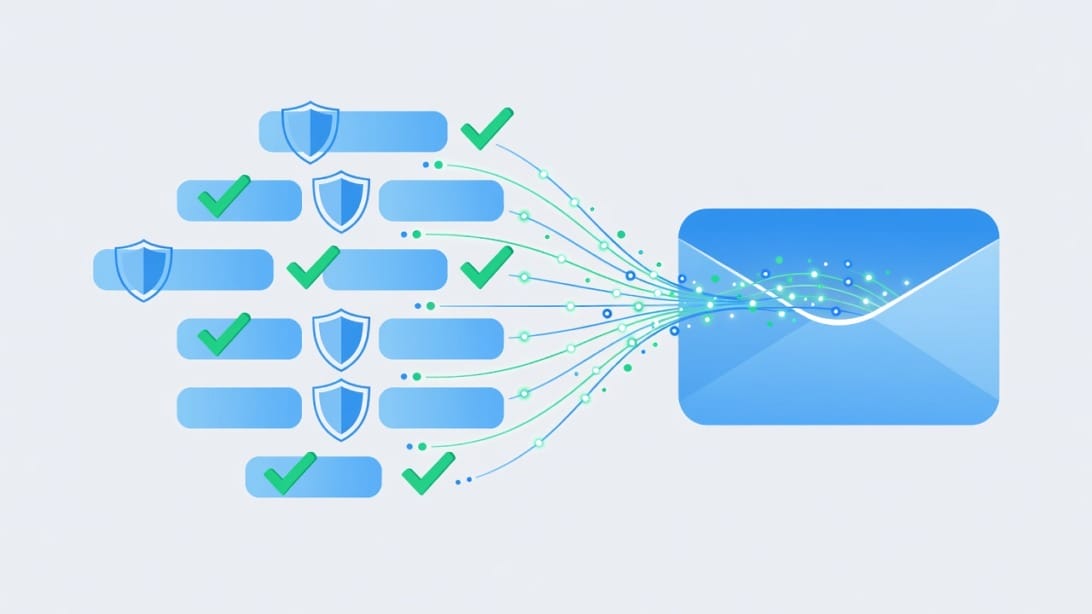
Look for Metric Ownership
A real decision maker usually owns a metric affected by the purchase. For sales tools, that may be pipeline, meetings booked, reply rate, rep productivity, conversion, or forecast accuracy. For infrastructure, it may be uptime, risk, security, compliance, or system reliability. For finance tools, it may be cost control, close speed, or reporting accuracy.
If you cannot connect the person to a metric, they may still influence the decision, but they are probably not the main buyer. Metric ownership gives you better messaging and helps you understand why the decision matters. It also keeps you from pitching features to someone who only cares about outcomes.
Check Budget and Approval Clues
Budget clues include department ownership, seniority, reporting line, public responsibilities, procurement involvement, and past tool ownership. A person who manages a team, owns a function, or is accountable for a project is more likely to influence budget than someone who simply uses the workflow.
During outreach or discovery, ask process questions rather than blunt authority questions. Instead of “Are you the decision maker?” ask “How does your team usually evaluate tools like this?” or “Who besides your team would need to review the business case?” These questions produce better information and feel less adversarial.
Identify Public Thought Leadership
People who speak, write, post, or comment about a problem often influence decisions around that problem. Public activity does not guarantee authority, but it shows relevance and interest. It also gives you personalization that is more useful than generic company news.
Use thought leadership carefully. Do not flatter for the sake of flattery. Reference the specific idea and connect it to the problem. For example: “Your post about outbound quality caught my attention because teams usually discover the same issue when bounce rates and reply management are handled in separate tools.”
Map Reporting Lines and Team Structure
Reporting lines reveal who can sponsor change. LinkedIn, company pages, job posts, and public org announcements can help you infer structure. If a role reports to the VP Sales, that VP may be the budget owner. If a systems role reports to IT, IT may need to approve implementation.
Do not present inferred reporting lines as facts in outreach. Use them internally to decide who to contact. If you need to confirm, ask politely: “Does this usually sit with your team, or does revenue operations own it?” That phrasing allows the contact to correct you without embarrassment.
Use Negative Signals Too
A person may look like a decision maker but show negative signals. They may be too far from the problem, recently moved out of the function, work in a different region, own a different segment, or post mostly about unrelated topics. Negative signals help you avoid wasted outreach.
Common false positives include global executives for local problems, founders at mature companies where departments own tools, and senior leaders who oversee strategy but not vendor selection. Removing false positives improves reply quality and reduces the chance of being routed as irrelevant.
Qualifying Questions That Reveal the Real Decision Maker
Good qualifying questions do two jobs. They show respect for the person you are speaking with, and they help you map the account. Use them in cold email replies, discovery calls, demo follow-ups, and champion conversations. Do not ask all of them at once. Choose the question that fits the stage.
Questions to Identify Stakeholders
Ask stakeholder questions when you have early interest but do not know the buying group. Good examples include: “Who else would be involved if this became a priority?” “Who owns the current workflow?” “Who would evaluate technical fit?” “Who would need to approve spend?” “Which team would use this day to day?”
These questions are better than asking “Are you the decision maker?” because they acknowledge that modern B2B buying is collaborative. They also help your contact save face if they are not the final approver. The answer gives you a path to the right people.
Questions to Understand the Approval Process
Approval questions help you understand timeline and risk. Ask: “How are tools in this category usually approved?” “Is there a procurement or security review?” “What would need to happen before a pilot?” “When does budget planning happen?” “Has the team bought something similar before?”
The goal is not to pressure the prospect. It is to avoid surprises. If security review takes three weeks, you need to know early. If budget is annual, timing matters. If procurement requires a specific vendor setup, your champion needs help preparing.
Questions to Find the Economic Buyer
Economic-buyer questions connect the problem to money. Ask: “Which metric would justify fixing this?” “Who owns that number?” “Where would budget usually come from?” “Is this considered a team-level improvement or a company-level initiative?” “Who would care most if this problem stayed unsolved?”
These questions are useful because the person with budget may not be obvious. A tool used by SDRs may be funded by sales, growth, operations, or the founder. A data tool may be funded by marketing, revenue operations, or IT. Follow the metric to the money.
Questions to Help a Champion Sell Internally
Champion questions turn interest into internal motion. Ask: “What would your leadership need to see to support this?” “Which objection is most likely to come up?” “Would a short business case help?” “Who should be included early so this does not stall later?” “How can I make this easier for you to explain?”
These questions position you as a partner rather than a vendor pushing for access. They also reveal blockers before they become late-stage surprises. A well-supported champion can bring you to the decision maker with context and credibility.
Outreach Strategy After You Identify Decision Makers
Finding the right people is only half the work. The next challenge is reaching them in a way that feels relevant, compliant, and useful. A strong account map should guide message order, personalization depth, channel mix, and follow-up timing.
Start With the Most Relevant Entry Point
Choose the first contact based on relevance and access, not ego. If a revenue operations manager owns the workflow, start there. If the company is tiny and founder-led, start with the founder. If the problem is technical, start with the systems or security owner. If you have a warm path through a champion, use it.
This approach is more effective than blasting the entire buying committee. It gives you a chance to learn, adapt, and earn a referral. If the first contact is wrong, ask for direction. If they are right but not final authority, help them involve the right people.
Personalize Around the Decision, Not the Person Alone
Personalization should prove relevance to the business decision. Mentioning a podcast, school, or hobby is less useful than referencing a hiring plan, market expansion, workflow change, role responsibility, or public priority. The prospect should understand why you contacted them now.
A practical cold email structure is: trigger, problem, credible reason, low-friction ask. For example: “Noticed you are hiring outbound SDRs in two regions. Teams usually hit deliverability and reply management issues when mailbox setup, warmup, verification, and sequencing are handled separately. Is outbound infrastructure owned by your team or revenue operations?”
Use Routing Emails When Authority Is Unclear
A routing email is a short message designed to find the right owner without pretending you already know. It works well when the company structure is opaque. The ask is not a meeting. The ask is direction.
Example: “I am trying to find the person who owns outbound email infrastructure and deliverability for your sales team. Would that sit with revenue operations, IT, or someone else?” This is respectful, specific, and easy to answer. It also avoids forcing the wrong contact into a sales conversation.
Multi-Thread Without Looking Like Spam
Multi-threading means engaging more than one stakeholder at an account. Done well, it builds consensus. Done poorly, it looks like spam. The difference is sequencing, relevance, and restraint. Do not send the same message to five people at once. Tailor each message to that person role.
For example, the revenue leader gets business impact, the operations leader gets workflow impact, and the technical evaluator gets implementation details. Keep records so your team does not duplicate outreach. If one person engages, slow down and coordinate around that conversation.
Protect Deliverability Before Scaling Outreach
Decision-maker outreach fails if your emails land in spam. Before scaling, confirm domain authentication, mailbox warmup, bounce control, sending volume, personalization, unsubscribe handling, and reply routing. A small, clean campaign to the right stakeholders beats a large, messy campaign to a stale list.
Mystrika helps with this operating layer by combining warmup, cold email sequencing, unified inbox, AI writer, personalization, and campaign management in one platform starting at $15 per month. For agencies or teams that want to offer outbound under their own brand, Mystrika also supports whitelabel use cases. The point is not just sending more email. It is sending cleaner, better-targeted email to the people your research identified.
Use Infrastructure and Verification Tools When Needed
Some teams need more sending infrastructure than a sequencer alone provides. DoYouMail is useful when you need cold email infrastructure with SMTP, IMAP, unlimited email IDs, dedicated private IP at $39 per month, and the ability to bring your own domain. That matters for teams separating outreach infrastructure from core corporate email.
For list hygiene, FilterBounce fits before upload. Use it for CSV verification, API verification, and accuracy-focused checks so you do not poison a campaign with invalid contacts. Together, infrastructure, verification, warmup, sequencing, and unified reply handling create the system around your decision-maker list.
Case Examples: Finding the Real Buyer in Different Companies
The following composite examples are based on common B2B outbound patterns. They are not presented as universal rules. Use them to see how decision-maker identification changes by company size, product type, and buying process.
Composite Case 1: Founder-Led SaaS Company
A 22-person SaaS company is hiring two SDRs and publishing content about outbound growth. The obvious target is the founder because the company is small. However, the job post says the SDRs will report to a Head of Growth. The correct map includes the founder as economic buyer, the Head of Growth as functional owner, and the first SDR hire as future user.
The best first message goes to the Head of Growth because they own the workflow and can explain current outbound plans. The founder can be included later with a business case around pipeline creation and domain protection. This avoids pitching the founder before you understand the operational need.
Composite Case 2: Mid-Market Agency With White-Label Needs
A 90-person agency offers lead generation services and is expanding client delivery. The founder is visible, but the website lists a Client Operations Director and a Growth Services Lead. The decision is not just “buy outreach software.” It is whether the agency can run scalable outbound for multiple clients without messy inboxes, weak personalization, or brand confusion.
The decision map should include the founder or managing partner, the operations owner, and the service delivery lead. Mystrika’s whitelabel capability becomes relevant here because the agency may want to manage outreach under its own brand. The strongest outreach angle is operational control and client delivery quality, not generic sales automation.
Composite Case 3: Enterprise Infrastructure Evaluation
A 1,500-person company is expanding into a new market and hiring sales development roles. The CRO is too senior for a tactical first message. The decision map includes revenue operations, IT, security, regional sales leadership, procurement, and possibly legal because email infrastructure and data handling are involved.
The best entry point may be revenue operations or sales development leadership, with technical documentation ready for IT and security. A message to the CRO can work later if it summarizes business risk and pipeline impact. In this account, a single-threaded executive pitch is likely to stall because multiple reviewers shape the decision.
Common Mistakes When Identifying Decision Makers
Most failed decision-maker research does not fail because the seller lacked tools. It fails because the seller made a weak assumption and never tested it. These mistakes are easy to avoid if you treat account mapping as a hypothesis-building process.
Mistake 1: Targeting Only the CEO
The CEO is not the universal buyer. In small companies, the CEO may be the right contact. In larger companies, the CEO is often too far from the workflow and too busy for a tactical pitch. Over-targeting CEOs produces low relevance and teaches your team to confuse seniority with fit.
Use the CEO when the decision is company-level, founder-owned, urgent, or strategic. Otherwise, start with the department or operations owner. If the case is strong, they can help bring the CEO in with context. That path usually beats a cold executive pitch.
Mistake 2: Building Lists From Titles Without Context
A title-only list feels efficient, but it creates poor targeting. You may collect hundreds of VPs who do not own the problem. You may also miss managers or operations leaders who have more real influence. Context is what turns a title into a prospect.
Add at least one evidence field to every contact record: job post signal, profile keyword, public quote, department ownership, tech stack clue, trigger event, or referral path. If you cannot find any evidence, lower the contact score or remove them.
Mistake 3: Ignoring Champions and Influencers
Some sellers dismiss non-executives because they cannot sign. That is short-sighted. Champions and influencers can explain the account, validate pain, shape requirements, introduce you to authority, and defend the project internally. Many B2B deals are won before the executive ever sees the final proposal.
Treat champions with respect and give them useful assets. A short diagnostic, comparison table, implementation checklist, or business case can help them advocate. Do not make them do your selling alone. Enable them.
Mistake 4: Sending Before Verification
Sending to unverified contacts damages more than one campaign. It creates bounces, lowers trust in your data, wastes SDR time, and can hurt domain reputation. This is especially risky when targeting senior decision makers because you may not get another chance with the account.
Always verify email addresses and remove risky contacts before upload. Use suppression lists, bounce checks, recent role validation, and domain-level review. If you cannot verify a contact, try another channel or another stakeholder rather than forcing an email.
Mistake 5: Treating the Map as Finished After One Reply
A reply is not a complete account map. It is a clue. The person may be interested, helpful, curious, or polite, but you still need to understand authority, process, timing, and other stakeholders. Many deals stall because the seller stops mapping after the first positive signal.
After a reply, update the map and ask the next logical question. Who owns budget? Who reviews technical fit? Who will use it? Who might object? What process exists? The map becomes more accurate as the conversation develops.
Checklist: Build a Decision Maker List You Can Actually Use
Use this checklist before importing contacts into a sequencer or CRM. If several boxes are unchecked, pause and repair the list. The goal is not perfection. The goal is enough confidence to send relevant outreach without damaging deliverability or wasting account opportunities.
- Define the exact decision or project you are targeting.
- Identify the department that owns the pain.
- Map economic buyer, technical evaluator, champion, user, and process stakeholders.
- Adjust target titles by company size.
- Capture at least one evidence signal for every contact.
- Verify email addresses before sending.
- Remove contacts with unclear relevance or stale roles.
- Score authority, relevance, access, and risk.
- Write role-specific messaging for each stakeholder type.
- Use routing questions when ownership is unclear.
- Multi-thread carefully, not all at once.
- Track replies and update the account map.
- Refresh strategic accounts quarterly or after major triggers.
- Keep deliverability, warmup, and verification in the workflow.
- Record who referred you, who objected, and who owns next steps.
Minimum Viable Account Map
For a small account, a minimum viable account map may include the founder, one functional owner, and one user or manager. For a mid-market account, include business owner, operations owner, technical evaluator, and champion. For enterprise accounts, add procurement, legal, security, regional stakeholders, and executive sponsorship.
This map does not need to be perfect before outreach. It needs to be good enough to choose a smart first contact and improve from there. Start with the strongest hypothesis, then let replies, referrals, and discovery refine the map.
Confidence Score Template
Use a 1 to 5 score for four dimensions: authority, relevance, access, and freshness. Authority means ability to approve or influence. Relevance means closeness to the problem. Access means likelihood of response or routing. Freshness means current role and data confidence. A contact with 4 relevance, 3 authority, 4 access, and 5 freshness may be a better first touch than a 5 authority, 1 relevance executive.
Keep the score simple. If it takes longer to score the lead than to research the account, the system is too heavy. The purpose is to avoid obvious mistakes and make contact order defensible.
Outreach Readiness Check
Before sending, ask: Do we know why this company might care now? Do we know which role owns the problem? Is the email verified? Is the message role-specific? Are sending domains warmed and authenticated? Do we have a plan if the person says they are not the right contact?
If the answer is no, fix that before scaling. Cold outreach to decision makers rewards preparation. A sloppy message to the right person still fails, and a polished message to the wrong person still wastes time.
Key Takeaways
Identifying key decision makers in a company is a research and validation process, not a title search. Start with the decision, map the buying committee, validate responsibility signals, verify contact data, and use outreach to improve the map. The real buyer may be a group that includes economic, technical, user, procurement, and champion roles.
The strongest teams build account maps before they scale outreach. They use company websites, LinkedIn, job posts, trigger events, technology signals, sales intelligence, verification, and routing questions together. They also protect deliverability with clean data, warmup, sensible sending volume, and unified reply management.
Use Mystrika when you want warmup, cold email sequencing, a unified inbox, AI writing, personalization, and whitelabel options in one outreach workflow starting at $15 per month. Use DoYouMail when you need dedicated cold email infrastructure with SMTP, IMAP, unlimited email IDs, dedicated private IP, and bring-your-own-domain flexibility. Use FilterBounce before sending so your decision-maker list is verified, clean, and safer to contact.
Frequently Asked Questions
What is the fastest way to identify key decision makers in a company?
The fastest reliable method is to define the exact business decision, identify the department that owns the pain, and then map likely budget, technical, user, and champion roles from company websites, LinkedIn, job posts, and trigger events. Do not start with the CEO unless the company is small or the decision is clearly founder-owned.
After you build the first map, verify emails and send a routing message to the most relevant accessible contact. Ask who owns the workflow or approval process. This turns research into confirmed account intelligence without requiring a long discovery call.
Who are usually the key decision makers in B2B companies?
Common B2B decision makers include founders, CEOs, COOs, CFOs, CROs, CMOs, CTOs, VPs, directors, department heads, operations leaders, procurement, legal, security, and technical evaluators. The exact group depends on company size, purchase risk, budget size, affected department, and implementation complexity.
For small companies, one or two people may control the whole decision. For larger companies, the buying group may include several people who each control a different part of approval. That is why you should map roles, not just titles.
How do I know if someone has real buying authority?
Look for metric ownership, budget clues, department responsibility, reporting line, public priorities, and involvement in similar purchases. A person with real authority usually owns the outcome your solution affects, even if they are not the final contract signer.
The best way to confirm authority is through process questions. Ask how tools in the category are normally evaluated, who else would review the business case, and what approval steps are required. These questions reveal authority without sounding confrontational.
Should I contact the CEO or a department head first?
Contact the CEO first when the company is small, founder-led, or the problem is clearly strategic and company-wide. Contact the department head or operations owner first when the company is larger and the problem belongs to a specific function.
A department owner often gives you better discovery because they understand the workflow. If the case is strong, they can help bring the CEO or executive sponsor into the conversation with more context than a cold executive email would have.
How many contacts should I find per target account?
For small companies, find at least two or three relevant contacts. For mid-market accounts, find three to six. For enterprise accounts, find six or more across business ownership, operations, technical evaluation, procurement, legal, security, and user champion roles.
The goal is not to spam every person. The goal is to understand the buying group and choose a smart outreach path. Contact order should be based on relevance, authority, access, and risk. A practical minimum helps your team multi-thread without overwhelming the account.
What is a buying committee?
A buying committee is the group of people who influence, evaluate, approve, fund, use, or block a purchase. It may include an economic buyer, technical evaluator, user champion, procurement stakeholder, legal reviewer, security reviewer, and executive sponsor.
Buying committees are common in B2B because purchases affect multiple teams and carry operational risk. Even when one person signs the contract, several people may shape the decision before it reaches that point. Understanding the committee early prevents single-threaded deal risk and helps you build broader internal support.
What is the difference between a champion and a decision maker?
A champion believes the problem should be solved and helps you navigate the account. A decision maker has authority to approve, fund, or reject the purchase. Sometimes the same person does both, but often they are separate.
Champions matter because they provide internal context, introduce stakeholders, explain objections, and help build the case. Do not dismiss a champion just because they cannot sign the contract. They may be the reason you reach the person who can.
How do I find decision makers without paid tools?
Use company websites, leadership pages, team pages, LinkedIn search, job posts, press releases, webinars, podcasts, communities, review sites, and search operators. Look for responsibility signals such as team ownership, hiring plans, public comments, and role descriptions.
Free research takes longer, but it can be accurate when you combine sources. Paid tools speed up enrichment and contact discovery, but they still require human judgment and verification before outreach. The tradeoff is more manual hours, but hands-on research often produces stronger context and better personalization than a raw database export.
How should I ask a gatekeeper for the right contact?
Ask a specific routing question instead of demanding access. For example: “I am trying to find the person who owns outbound email infrastructure for the sales team. Would that sit with revenue operations, IT, or someone else?” This is easier to answer and shows you have done some thinking.
Respect gatekeepers as sources of process intelligence. They may not approve the purchase, but they can prevent you from wasting time with the wrong person and may route you to the correct owner if your request is clear.
How often should I update my decision-maker list?
Update strategic account maps at least quarterly and after major triggers such as hiring, funding, layoffs, executive changes, acquisitions, product launches, market expansion, or new compliance requirements. Update active opportunities after every meaningful conversation.
Contact data becomes stale quickly because people change roles and companies reorganize. A decision-maker list should be treated as a living asset, not a one-time export. Job mobility and reorganizations make freshness a continuous workflow requirement rather than a one-time research task.
What tools help after I identify the right decision makers?
You need tools for verification, infrastructure, sequencing, personalization, warmup, and reply management. FilterBounce helps verify emails through CSV and API workflows. DoYouMail helps with cold email infrastructure, SMTP, IMAP, unlimited email IDs, dedicated private IP, and bring-your-own-domain setup.
Mystrika helps run the outreach layer with warmup, cold email sequencing, unified inbox, AI writer, personalization, and whitelabel capability starting at $15 per month. Use these tools after the research is done so your outreach reaches the right people cleanly.
What is the biggest mistake when trying to identify key decision makers?
The biggest mistake is assuming the highest-ranking person is automatically the right buyer. Seniority matters, but relevance, metric ownership, timing, and access matter too. A director who owns the workflow may be a better first contact than a C-level executive who is too far from the problem.
The better approach is to map the buying committee, score contacts, verify data, and use routing questions. This creates a repeatable process instead of a guessing game.