
Selling enterprise software, cybersecurity tools, or SaaS platforms to IT leaders means reaching the right person at the right time with a message that actually lands in their inbox. But CIOs, CTOs, IT Directors, and VPs of Engineering are among the most difficult B2B prospects to contact by email. Their inboxes are locked down. Their contact data changes faster than almost any other professional segment. And the wrong approach does not just fail — it actively damages your domain reputation.
This guide covers every path to a usable IT decision makers email list. You will learn how to build your own list from public sources, evaluate purchased lists without getting burned, verify contacts before you send a single email, set up the deliverability infrastructure that keeps you out of spam folders, and write cold emails that IT leaders actually open. This is not another roundup of providers. This is an operational manual for outbound campaigns that produce pipeline.
Why IT Decision Makers Are the Hardest Audience to Reach by Email

IT decision makers are a unique challenge in B2B outbound because their contact data degrades faster, their inbox defenses are stronger, and the consequences of getting it wrong are higher than for almost any other professional audience.
The data decay problem for IT roles
Contact data decays at roughly 22.5 percent per quarter in the B2B space, according to Dun & Bradstreet research. For IT decision makers specifically, the decay rate is measurably higher. CIOs and CTOs change jobs, get promoted, or move between companies at rates that far exceed mid-level managers. An IT Director list purchased in January can be forty percent stale by June.
The mechanics of decay are straightforward. People change titles. They leave companies. Companies get acquired. Department names change. Email forwarding stops working. Every one of these events turns a previously valid email address into a bounce. And every bounce signals to mailbox providers that your sending domain may not be maintaining a clean list.
Inbox defenses targeting B2B senders
IT leaders operate in organizations that deploy aggressive email security. DMARC rejection policies, advanced threat protection, sandboxing, and AI-based spam filtering are standard in enterprise IT environments. Even a technically valid email address can fail to reach the inbox if the sending infrastructure is not configured correctly.
Additionally, many IT decision makers use role-based aliases or have their personal email addresses hidden behind distribution lists. Sending to info@, support@, or admin@ addresses is almost certain to bounce or be ignored. You need direct, verified contact emails for the specific individual.
The cost of a bad email list
A poor IT decision makers email list does not just waste time. It triggers a cascade of negative outcomes:
- Bounce rates above five percent damage sender reputation with major mailbox providers.
- Spam complaints from misdirected emails can land your domain on blocklists.
- Rebuilding deliverability after a domain burn can take three to six months.
- Sales teams lose confidence in outbound when response rates fall below one percent.
The upfront saving from buying a cheap, unverified list disappears the moment your first campaign sends 10,000 emails and gets a four percent deliverability rate. B2B sales teams that neglect list quality often find themselves troubleshooting 550 permanent failure errors within their first campaign, which is a direct signal that mailbox providers have flagged their sending domain.
How IT decision maker email behavior differs from other B2B segments
IT leaders exhibit distinct email behavior patterns that affect how you should build and approach your list:
Lower open rates on generic messaging. IT decision makers receive more cold email than most B2B professionals, particularly from vendors selling security tools, cloud infrastructure, and development platforms. Generic messages that lack technical specificity get filtered out immediately. A list optimized for IT leaders must support personalized, technically relevant messaging.
Higher spam complaint risk from misdirected outreach. IT professionals are more likely to mark unsolicited email as spam than general business audiences. Sending the wrong message to the wrong title within an IT department generates complaints quickly, which compounds deliverability problems across your entire sending domain.
Preference for technical depth over sales fluff. IT decision makers are more likely to engage with emails that demonstrate technical understanding of their stack and challenges. Marketing-oriented fluff produces lower reply rates. Your list should include technographic data that enables technically precise outreach.
Longer sales cycles require sustained list health. The enterprise IT sales cycle typically runs three to nine months. Maintaining list health over that duration means contacts that were valid at the start of outreach may need reverification before follow-up sequences complete.
Option One: Build Your Own IT Decision Makers Email List
Building your own list takes more time upfront but gives you full control over data quality, sourcing, and verification. This approach is the best long-term investment for teams that plan to run outbound consistently.
Using LinkedIn Sales Navigator for IT role targeting
LinkedIn Sales Navigator remains the most accessible starting point for DIY list building. The platform lets you filter by current company, past company, job title, seniority level, function, years in role, and dozens of other attributes.
For IT decision makers, the key Sales Navigator filters are:
- Job titles: CIO, CTO, VP of IT, IT Director, VP of Engineering, Head of Infrastructure, CISO, IT Manager, Director of Technology, Head of Data
- Seniority level: Director, VP, C-Suite, Owner, Partner
- Function: Information Technology, Engineering, Operations
- Company size: 50 to 500 employees for mid-market, 500 to 10,000 for enterprise
- Geography: By country, region, or specific metro area
- Years in current position: Under two years signals a decision maker still evaluating new solutions
Export to a CRM or spreadsheet, then verify each email address (covered in the verification section below).
Email finder tools for DIY list building
Once you have a list of names, companies, and titles, you need to find the actual email addresses. Several tools can handle this at scale:
Pattern-based guessing with verification. Many companies follow a predictable email format ([email protected], [email protected]). Tools like Hunter.io and Snov.io let you enter a company domain and return the pattern, then guess emails for specific names and verify them in real time.
API-based bulk lookup. Apollo.io and RocketReach offer API access for bulk email resolution. You provide a list of LinkedIn profile URLs or company-plus-name combinations, and the API returns verified email addresses where available.
Browser extension for manual prospecting. For smaller lists, browser extensions from Lusha, Kaspr, and Hunter.io let you reveal email addresses directly from LinkedIn profiles. This works well for ABM-style campaigns targeting fewer than fifty accounts.
Company domain enumeration
For targeting IT leaders at specific companies, enumerate the company domain first. Identify the email pattern by searching for a known email address from that domain, then generate candidate addresses for your targets.
For example, if you find that Acme Corp uses the pattern [email protected] and you know the IT Director is named Sarah Chen, the candidate address is [email protected]. Send a verification request to that address before adding it to your list.
Building from technographic and intent data
For precision targeting, layer technographic data onto your list. Know which companies use specific technologies and target the IT decision makers responsible for those stacks.
Tools like Leadfeeder identify companies visiting your website and enrich them with IT decision-maker contacts. BuiltWith and Wappalyzer tell you a company’s technology stack. Combine this with LinkedIn prospecting to find the person responsible for that tech.
For example, if you sell a Kubernetes monitoring tool, target IT leaders at companies running Kubernetes. The relevance signal is baked into the list from the start, which increases reply rates.
Option Two: Buy a Pre-Built IT Decision Makers Email List
Buying a list is faster but carries real risks. The key is knowing how to evaluate providers before you pay.
How to evaluate any IT decision makers email list provider
Before purchasing from any provider, ask these specific questions:
What is your verification method? Real-time verification at point of export is the gold standard. Human-verified data (phone confirmed) is next best. Community-verified data is riskier. No verification at all means you are buying blind.
What is your refresh cadence? Data that is refreshed quarterly is baseline. Monthly is better. Real-time connected databases are best. Static CSV files sold once are the worst option for ongoing outbound.
Can I sample before I buy? Reputable providers will offer a sample of 25 to 100 contacts matching your ICP. If a provider refuses to provide a sample, that is a red flag.
What is your bounce rate guarantee? Some providers offer a 95 percent deliverability guarantee. Others will replace bounces up to a certain limit. Know the policy before you commit to a large purchase.
Do you have GDPR and CCPA documentation? For European and California contacts, the provider must have documented lawful basis for processing and be able to provide a Data Processing Agreement.
The real cost of cheap IT decision makers lists
Pre-built lists sold for pennies per contact are almost never worth using. Here is why.
A list that costs $0.01 per contact with a sixty percent accuracy rate means you are paying for 10,000 contacts but only getting 6,000 valid addresses. The other 4,000 will bounce. Each bounce damages your sender reputation. If you send to all 10,000 at once, your bounce rate is forty percent. Mailbox providers will throttle or block your domain before you can send the second batch.
The math changes with a verified list at $0.10 per contact. If ninety-five percent of contacts are valid, you pay more upfront but your campaigns actually work. Your bounce rate stays under three percent. Your sender reputation remains healthy. You land in the inbox instead of spam.
The cheap list costs more in the long run when you factor in domain repair, lost productivity, and missed pipeline.
Red flags in provider pitches
Watch for these warning signs when evaluating vendors:
- Guarantees of 100 percent deliverability (no provider can honestly promise this)
- Refusal to disclose data sources
- No DPA or privacy documentation
- Pricing based on number of contacts rather than quality
- Pressure to buy a large package without sampling first
- No refund or replacement policy for bounces
Email Verification: The Most Important Step You Cannot Skip

Whether you build or buy your list, verification is non-negotiable. Sending to unverified addresses is the fastest way to destroy your deliverability.
What email verification actually checks
A proper email verification pipeline checks multiple conditions:
Syntax validation. Is the email address correctly formatted? This catches obvious typos and malformed addresses.
Domain validation. Does the domain have valid MX records? If the domain cannot receive email, the address is useless.
Mailbox verification (SMTP handshake). Does the specific mailbox exist on the mail server? This is the most important check. The verifier connects to the mail server, initiates an SMTP conversation, and determines whether the server will accept mail for that specific address without actually delivering a message.
Catch-all detection. Some domains are configured as catch-all, meaning they accept email for any address at the domain. Verifiers must detect these and flag them as risky, since you cannot confirm the individual inbox exists.
Disposable email detection. Temporary email addresses from services like Mailinator or Guerrilla Mail should be removed immediately.
Role-based detection. Addresses like admin@, info@, sales@, support@ should be flagged. IT decision makers do not monitor shared inboxes.
Tools for verifying your IT decision makers email list
Several verification tools integrate into the list building workflow:
ZeroBounce offers real-time verification with catch-all detection and a scoring system. It flags abusive, toxic, and spam trap addresses.
NeverBounce provides bulk verification suitable for lists of 10,000 contacts or more. The API integrates with most CRM platforms.
Hunter.io includes email verification as part of its finding workflow. Verified contacts are marked with confidence scores.
Debounce offers a lower cost per verification with reasonable accuracy for high-volume campaigns.
MillionVerifier focuses on catch-all detection and offers a generous free tier for testing.
For ongoing campaigns, run verification before every send, not just when you first acquire the data. An address that was valid three months ago may no longer be active.
Deliverability Infrastructure for Cold Emailing IT Decision Makers
You have a clean, verified IT decision makers email list. Now you need to actually get your emails into their inboxes. This requires proper email infrastructure.
SPF, DKIM, and DMARC configuration
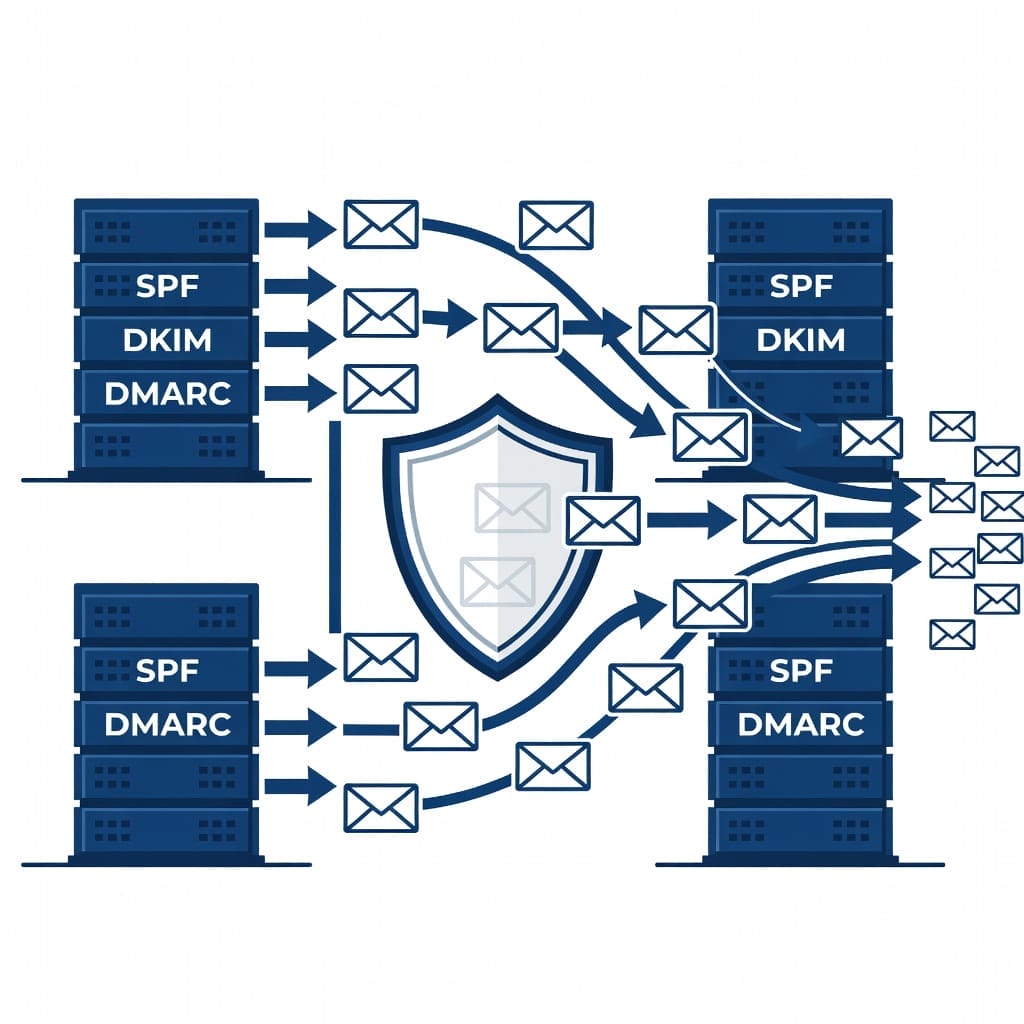
Mailbox providers check three authentication protocols before deciding whether to deliver your email:
SPF (Sender Policy Framework). Publishes which servers are authorized to send email from your domain. Without SPF, your emails may be rejected or flagged as spoofed.
DKIM (DomainKeys Identified Mail). Adds a cryptographic signature to each email that proves it was sent by your domain and was not tampered with in transit.
DMARC (Domain-based Message Authentication, Reporting, and Conformance). Tells mailbox providers what to do if SPF or DKIM fails. Set DMARC to reject or quarantine for cold outbound domains.
Configure all three before sending a single campaign email. Tools like MXToolbox offer free authentication checkers.
Dedicated sending infrastructure
Do not send cold outreach from your primary company domain. A volume of sent email that triggers spam complaints can damage your main business domain, which affects transactional emails, support tickets, and internal communications.
Use a dedicated subdomain such as outreach.yourcompany.com or marketing.yourcompany.com. Warm this subdomain gradually before running campaigns.
Sending warmup strategy
New domains and new IPs have no sending reputation. Mailbox providers treat unknown senders with suspicion. Warmup solves this by gradually increasing volume and engagement signals.
Start by sending twenty to thirty emails per day from your dedicated subdomain. Increase by approximately twenty percent per week. Monitor engagement rates (open rate, reply rate, click rate) and bounce rates daily. Do not increase volume if bounce rates exceed five percent or if open rates drop below thirty percent.
Warmup typically takes two to four weeks before you can send at full volume. Services like Mailwarm, Warmbox, or Mystrika warmup can automate this process for your IT decision makers email list campaigns.
Monitoring blocklists and reputation
Check your sending domain and IP against major blocklists before and during campaigns. Spamhaus, Barracuda, SURBL, and SpamCop are the most impactful. If your domain appears on any of these, resolve the issue before sending anything.
Tools like MXToolbox and Spamcheck offer free blocklist monitoring. If you use a unified cold email platform like Mystrika, it includes domain health monitoring that alerts you when reputation metrics dip below safe thresholds.
Email authentication checks before campaign launch
Before you send a single email from your IT decision makers email list, run a full authentication check. Many email verification tools also check whether your sending infrastructure is properly configured, which prevents your carefully built list from landing in spam.
Run these pre-launch checks:
- Verify SPF record includes all authorized senders.
- Confirm DKIM signature is valid and passes alignment.
- Set DMARC policy to p=quarantine or p=reject.
- Check that your dedicated subdomain has separate authentication records.
- Test deliverability by sending to a seed list of inboxes across Gmail, Outlook, and Yahoo.
- Review reverse DNS (PTR record) for your sending IP.
- Confirm your sending IP is not on any blocklist before volume ramps up.
Skipping any of these steps means your IT decision maker emails may fail authentication checks at the receiving server and never reach the inbox, regardless of how clean your list is.
Cold Email Templates for IT Decision Makers
The best email list in the world produces zero pipeline if your message does not resonate. IT decision makers value brevity, specificity, and demonstrated understanding of their challenges.
Template for targeting IT Directors
Subject: Reducing alert fatigue in your monitoring stack?
Hi {first_name},
I saw that {company_name} is running {technology_stack}. Most IT Directors I talk to are dealing with alert fatigue from too many monitoring tools piling on notifications.
We help teams consolidate their monitoring into a single pane of glass, cutting alert volume while maintaining full coverage.
Would you be open to a fifteen-minute call to see if this makes sense for your team?
Best,
{your_name}
Template for targeting CTOs
Subject: Technical infrastructure question
Hi {first_name},
Quick question about your infrastructure at {company_name}.
We have been working with several CTOs scaling from Series B to Series C, and the common bottleneck is always the same: infrastructure complexity growing faster than the engineering team can manage it.
Our platform automates {specific_value_prop_fit_for_cto}. No configuration overhead, no additional headcount required.
Worth a ten-minute conversation?
Best,
{your_name}
Template for targeting CISOs
Subject: Your security stack
Hi {first_name},
I noticed {company_name} uses {security_tool_or_category}.
Most CISOs at companies of your size tell me they are struggling with tool sprawl in their security stack. Too many vendors, too many dashboards, not enough integration between them.
We help security teams consolidate their toolchain and improve detection and response speed.
Do you have fifteen minutes this week to discuss whether this fits your roadmap?
Best,
{your_name}
Template for targeting VPs of Engineering
Subject: Engineering velocity at {company_name}
Hi {first_name},
I have been researching how {company_name} approaches {relevant_challenge} and wanted to reach out directly.
We help VP of Engineering teams remove deployment friction so they can ship code faster without adding headcount. Our typical customer sees a measurable reduction in deployment cycle time within the first month.
Would you be open to a brief call to compare notes?
Best,
{your_name}
Compliance and Legal Considerations for IT Decision Makers Email Lists
Cold emailing IT decision makers requires navigating a patchwork of privacy regulations. The consequences of non-compliance include fines, legal liability, and reputational damage.
GDPR requirements for European contacts
The General Data Protection Regulation applies to any prospect located in the European Economic Area or the United Kingdom. Key requirements:
Lawful basis for processing. You must have a lawful basis to store and email personal data. Legitimate interest is the most common basis for B2B cold email, but it requires a balancing test that weighs your interest against the prospect’s privacy rights.
Right of access and erasure. Recipients can request to see what data you hold about them and demand its deletion. You must comply within thirty days.
Data Processing Agreement. If you use a third-party provider for list building or email sending, you need a DPA with that provider.
Opt-out mechanism. Every email must include a clear, working unsubscribe link. Processing opt-out requests must be immediate.
CAN-SPAM requirements for US contacts
US law requires:
- Accurate subject lines that are not deceptive
- Clear identification that the message is an advertisement (though this is often satisfied by the commercial nature of the message)
- A valid physical postal address
- A working opt-out mechanism
- Prompt processing of opt-out requests (within ten business days)
CCPA considerations for California contacts
The California Consumer Privacy Act gives California residents the right to:
- Know what personal information is collected about them
- Know whether their personal information is sold or disclosed
- Opt out of the sale of their personal information
- Request deletion of their personal information
For B2B cold email, CCPA’s business-to-business exemption expired in 2024, so standard consumer protections now apply.
Maintaining compliance with your email list
A clean, verified IT decision makers email list is easier to keep compliant. Here is the operational checklist:
- Document the source of every contact and your lawful basis for contacting them.
- Run suppression lists against every campaign to remove opt-outs.
- Add a preference center link to every email so recipients can update their contact preferences.
- Audit your provider’s compliance documentation annually.
- Set a data retention policy and purge contacts who have not engaged in twelve months.
Mystrika: A Unified Platform for IT Decision Makers Email Campaigns
Managing an IT decision makers email list across multiple tools — list building, verification, sending infrastructure, warmup, analytics — creates operational complexity that slows down campaigns. Mystrika consolidates these into a single cold email outreach platform purpose-built for B2B outbound teams.
How Mystrika helps with IT decision maker outreach
List management and verification. Mystrika accepts uploaded lists and runs automated verification before any email is sent. Contacts that fail verification are quarantined rather than emailed, protecting your sender reputation.
Built-in mailbox warmup. Instead of configuring separate warmup tools and monitoring dashboards, Mystrika includes an AI-powered warmup module that builds sending reputation automatically on your dedicated subdomain.
AI-powered email sequencing. Mystrika’s sequencer analyzes engagement signals from previous sends and adjusts follow-up cadence and messaging based on what works for each prospect segment. For IT decision makers, this means later touches can include content about your specific product, case studies, or invitations to webinars.
Unified inbox. All replies from your IT decision maker campaigns appear in a single Unibox view, so sales reps never miss a response buried across multiple inboxes.
Whitelabel options. Agencies running IT decision maker campaigns for clients can whitelabel the Mystrika platform, keeping their brand front and center.
Mystrika starts at $15 per month, making it accessible for small outbound teams while scaling to enterprise volume. For teams that want to send cold outreach to IT decision makers without juggling five separate tools, it is worth evaluating as a single-vendor solution.
Pitfalls to Avoid When Building Your IT Decision Makers Email List
Even experienced outbound teams make mistakes with IT decision maker lists. Here are the most common failure modes and how to avoid them.
Sending to unverified contacts
The most expensive mistake is sending to a list you have not verified. A list purchased from a provider that claims ninety-five percent accuracy is not the same as a list you have independently verified. Run every contact through a verification service before the first send.
Using the wrong email format
IT leaders at enterprise companies often have non-standard email formats. [email protected] is common in older organizations. Guessing the wrong format and sending to an invalid address burns a verification check and wastes time.
Use a tool that detects the correct pattern by analyzing known emails from the domain, or use a name-plus-company API resolver that handles format variation automatically.
Scaling too fast
Sending five thousand emails on day one from a fresh domain guarantees a spam folder placement. Even with properly configured authentication, new sending domains have zero reputation. Warm up over two to four weeks before increasing to full volume.
Ignoring engagement signals
A clean IT decision makers email list improves deliverability, but it does not guarantee engagement. Monitor open rates, reply rates, and unsubscribe rates by segment. If a particular industry vertical or job title consistently shows low engagement, pause that segment and refine your messaging.
Measuring the Success of Your IT Decision Makers Email Campaigns
Without measurement, you cannot improve. Track these metrics from the start of any campaign targeting IT decision makers.
Deliverability metrics
- Bounce rate. Below three percent is healthy. Above five percent requires immediate investigation.
- Inbox placement rate. Ideally above ninety-five percent. Tools like Mystrika’s analytics module or third-party inbox testing can measure this.
- Spam complaint rate. Below 0.1 percent is the standard. Above 0.5 percent triggers mailbox provider action.
Engagement metrics
- Open rate. Thirty to forty percent is a strong benchmark for cold email to IT decision makers. Below twenty percent indicates subject line or sender reputation issues.
- Reply rate. Two to five percent is standard for well-targeted cold campaigns. Above ten percent is exceptional.
- Click-through rate. Five to fifteen percent on content-forward emails is healthy. Purely transactional cold emails may have lower CTR.
Pipeline metrics
- Meetings booked. The most actionable metric. If high open rates are not translating to meetings, the offer or value proposition is the problem.
- Opportunities created. Track from meeting to qualified opportunity.
- Revenue attributed. Close the loop between list quality and revenue.
Review these metrics weekly during active campaigns. Pause, analyze, and adjust when any metric trends in the wrong direction for more than two consecutive weeks.
Build versus buy decision framework
One of the most common questions about IT decision makers email lists is whether to build your own or buy from a provider. The answer depends on your team size, budget, timeline, and outbound volume. Here is a decision framework:
| Factor | Build Your Own | Buy Pre-Built | Buy Verified Subscription |
|---|---|---|---|
| Time to first send | 2 to 4 weeks | Same day | 1 to 2 days |
| Cost per contact (effective) | $0.01 to $0.05 (labor + tools) | $0.01 to $0.05 | $0.05 to $0.50 |
| Control over sourcing | Full control | None | Moderate |
| Scalability | Labor limited | Volume limited | Platform limited |
| Bounce rate (typical) | 3 to 8 percent | 30 to 60 percent | 3 to 10 percent |
| GDPR compliance confidence | High | Depends on provider | Medium to high |
| Best for | Teams with time and research skills | One-off campaigns | Sustained outbound motion |
Build your own if: You have at least two weeks before campaign launch, someone on your team is comfortable with LinkedIn Sales Navigator and email finder tools, and you want full control over data sourcing for compliance.
Buy pre-built if: You need a very small list for a one-time event or trade show follow-up, and you are comfortable with the risk of high bounce rates.
Buy a verified subscription if: You need ongoing access to fresh data, your outbound team operates at scale, and you want predictable monthly costs without the labor overhead of DIY list building.
Segmentation strategies for IT decision maker email lists
A flat list of IT decision makers produces lower engagement than a segmented list. Segmenting before your first send improves relevance for each contact and increases reply rates.
Segment by seniority and decision authority:
- C-Suite (CIO, CTO, CISO). Focus messaging on business outcomes, risk, strategic alignment. These contacts evaluate purchases based on long-term value and organizational impact.
- VP and Director level (VP of Engineering, IT Director, Head of Infrastructure). Focus on operational efficiency, team productivity, and implementation simplicity. These contacts balance strategic goals with day-to-day execution.
- Manager level (IT Manager, Infrastructure Manager, Security Manager). Focus on tactical benefits, reduced workload, technical specifications. These contacts often influence purchasing decisions but rarely hold final budget authority.
Segment by technology stack and pain points:
- Identify the specific technologies each target company runs using technographic tools.
- Tailor messaging around the challenges specific to those technologies.
- Exclude contacts at companies that already use your product or a direct competitor (unless you are targeting competitive displacement).
Segment by engagement history:
- New contacts. Cold outreach with standard cadence.
- Previously opened but no reply. Follow-up with different value proposition or case study.
- Previously replied and disengaged. Move to nurture sequence with lower frequency.
- Opted out. Remove permanently and add to suppression list.
Segmentation directly improves the return on your IT decision makers email list investment. A segmented list can double reply rates compared to sending the same message to every contact.
Key Takeaways
- IT decision makers email lists decay faster than other B2B segments, with up to forty percent stale data within six months of purchase.
- Building your own list from LinkedIn Sales Navigator plus an email finder tool gives you more control over data quality than buying pre-built lists.
- Email verification is non-negotiable. Verify every contact before the first send and reverify quarterly to maintain list health.
- Proper deliverability infrastructure — SPF, DKIM, DMARC, dedicated subdomain, gradual warmup — is as important as list quality.
- Cold email templates for IT decision makers must be brief, specific, and demonstrate understanding of their technical challenges.
- Compliance with GDPR, CAN-SPAM, and CCPA requires documented lawful basis, working opt-out, and proper data processing agreements with vendors.
- Mystrika offers a unified platform that combines list management, verification, warmup, sequencing, and analytics for teams running IT decision maker outreach campaigns.
- Measure bounce rate, inbox placement, open rate, reply rate, and meetings booked weekly to identify and fix issues quickly.
Frequently Asked Questions
What is an IT decision makers email list?
An IT decision makers email list is a curated database of email addresses for professionals who hold authority over technology purchasing decisions within their organizations. This includes CIOs, CTOs, IT Directors, VPs of Engineering, CISOs, and IT Managers. The list typically includes the contact’s name, title, company, industry, location, and verified email address.
How much does an IT decision makers email list cost?
Costs vary significantly by provider and quality level. Pre-built static lists from budget providers cost as little as $0.01 to $0.05 per contact but carry high bounce rates. Verified lists from reputable providers range from $0.10 to $0.50 per contact. Subscription-based platforms like Apollo.io start at $39 per user per month for access to their full database. Enterprise platforms like ZoomInfo and Cognism use custom pricing typically starting in the low thousands per year.
Can I build my own IT decision makers email list for free?
You can build a list using LinkedIn Sales Navigator combined with manual email research, but it will be time-intensive. Free tiers on tools like Hunter.io (twenty-five free searches per month), Lusha (five credits per month), or Snov.io (fifty free credits) provide limited free access to email finding. For anything beyond a few dozen contacts, a paid subscription is necessary for reasonable efficiency.
What is the difference between a verified and unverified email list?
A verified list has been checked to confirm that each email address can receive mail. Verification checks syntax, domain MX records, mailbox existence via SMTP handshake, catch-all configuration, and spam trap status. An unverified list is a raw compilation of addresses that may or may not be valid. Verified lists typically deliver ninety to ninety-five percent deliverability. Unverified lists often deliver below fifty percent.
Is it legal to buy an IT decision makers email list?
It is legal to buy a list, but how you use it is regulated by privacy laws. GDPR requires a lawful basis for processing personal data. CAN-SPAM requires accurate headers, a valid opt-out, and identification. CCPA and other state privacy laws impose additional obligations. Always verify that your provider has compliant data sourcing and can provide documentation of lawful basis for European contacts.
How often should I update my IT decision makers email list?
Re-verify your list every ninety days minimum. For high-velocity campaigns, run verification before every send. Contact data for IT leadership roles decays faster than average due to job mobility. A quarterly reverification cadence is the minimum to maintain bounce rates below five percent.
What is the best way to verify an IT decision makers email list?
Run the list through a dedicated email verification service that performs SMTP handshake verification, catch-all detection, and spam trap identification. Combine this with real-time verification at point of export from your list building platform. Using a unified tool like Mystrika that includes built-in verification on every contact before emailing ensures no unverified address reaches your campaign.
Can I use the same email list for multiple campaigns?
You can reuse a list, but only after reverification. Contacts that were valid three months ago may have changed jobs, left the company, or had their email deactivated. Running the same list without reverification leads to increasing bounce rates over time. Best practice is to maintain a master list, verify a segment before each campaign, and remove bounces permanently.
What email warmup tools work best for cold outreach to IT decision makers?
Mystrika includes a built-in warmup module that automates reputation building for your sending domain. Standalone tools like Mailwarm and Warmbox also work well. The key requirement is a gradual volume ramp, quality engagement signals, and consistent monitoring. Warmup typically takes two to four weeks before full campaign volume is safe.
How do I handle GDPR compliance when emailing IT decision makers in Europe?
First, establish your lawful basis for processing. Legitimate interest is common for B2B cold email but requires a documented balancing test. Ensure your provider has a Data Processing Agreement and documented data sourcing. Include a clear opt-out in every email and process opt-out requests immediately. Maintain a suppression list and audit your compliance annually. For detailed guidance, consult legal counsel familiar with GDPR requirements for B2B marketing.