
Email sequence software has become essential for anyone running cold email outreach. Instead of manually sending each follow-up, you set up a sequence once and let the software handle the timing, personalization, and reply detection. But with dozens of tools on the market, choosing the right one can feel overwhelming.
This guide covers what email sequence software does, why deliverability matters more than flashy features, how to evaluate your options, and which tools are worth your attention in 2026.
What Is Email Sequence Software and How Does It Work?
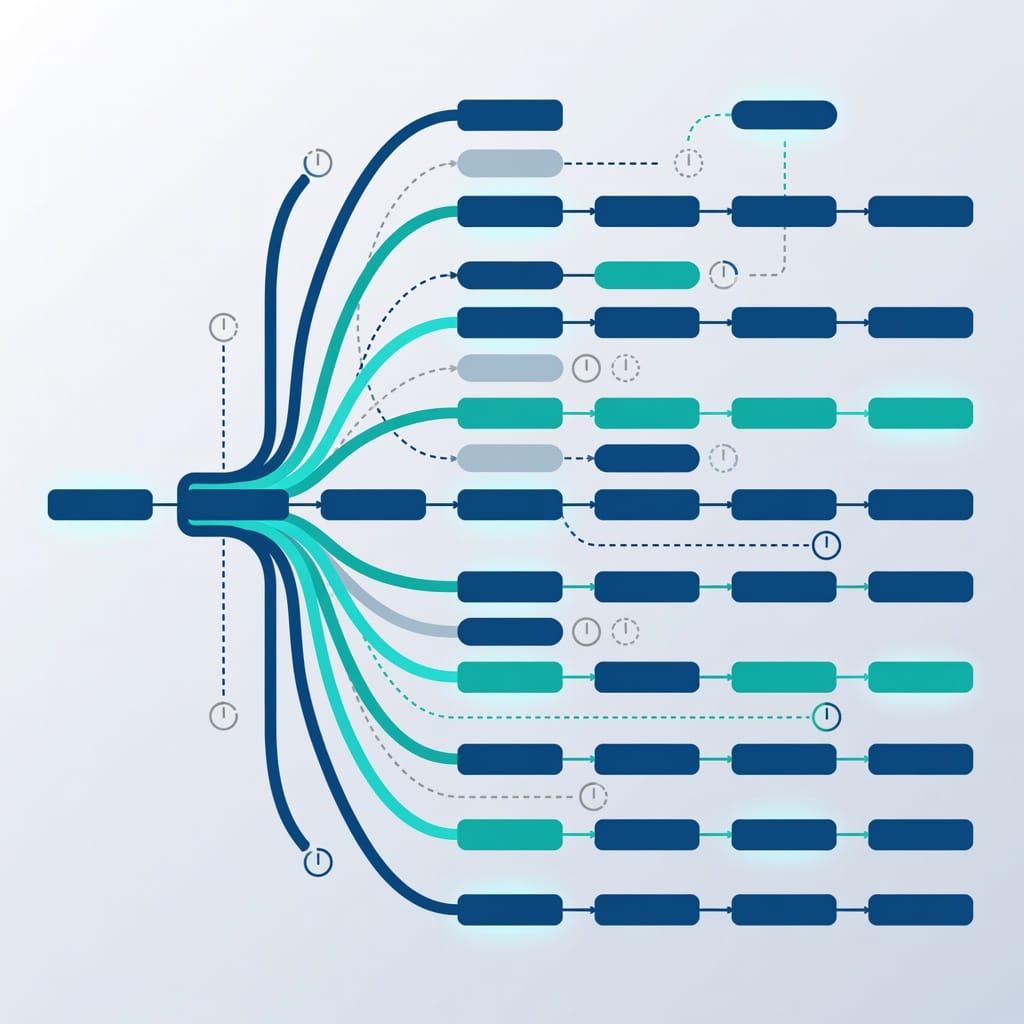
Email sequence software automates the process of sending a series of follow-up emails to prospects based on triggers, time delays, or recipient behavior. Instead of manually tracking who needs a follow-up and when, the software handles the entire workflow.
Here is how it works at a basic level:
1. You create a sequence of emails (typically 3-10 steps).
2. You set rules for when each email sends (time delays, conditional triggers).
3. You add prospects to the sequence.
4. The software sends emails automatically, stops follow-ups when someone replies, and adjusts the path based on engagement.
Modern email sequence software goes beyond simple drip campaigns. It includes features like:
- Conditional branching — Send different follow-ups based on whether a prospect opened, clicked, or replied.
- A/B testing — Test subject lines, email copy, and send times to optimize performance.
- Personalization at scale — Use merge tags, dynamic content, and AI-generated variations.
- Reply detection — Automatically stop sequences when a prospect responds so you never send a follow-up after someone already replied.
- Multi-inbox rotation — Distribute sending across multiple mailboxes to scale volume and protect sender reputation.
- Deliverability monitoring — Track inbox placement, bounce rates, and spam complaints.
The key difference between email sequence software and email marketing platforms (like Mailchimp or ConvertKit) is the use case. Email sequence software is built for one-to-one sales outreach. Email marketing platforms are built for one-to-many broadcast campaigns to subscriber lists.
Email sequence software also differs from simple mail merge tools. Mail merge sends a batch of personalized emails but does not handle follow-ups, reply detection, or conditional logic. A proper sequence tool manages the entire lifecycle of an outreach campaign from first contact through final follow-up, adapting to how each prospect responds.
Who needs email sequence software?
Email sequence software is useful for:
- Sales development representatives (SDRs) who need to follow up with dozens or hundreds of prospects daily without losing track of who responded and who did not.
- Agency owners running cold email campaigns for multiple clients, each with different offers, audiences, and sending infrastructures.
- Founders and solo operators who handle their own outreach and cannot afford to spend hours manually sending follow-ups.
- Recruiters sending outreach sequences to potential candidates.
- Partnership managers reaching out to potential business partners with multi-step introduction sequences.
If you send more than 10-20 cold emails per week, email sequence software will save you time and improve your results through consistent follow-up.
Why Deliverability Matters More Than Features in Email Sequence Software
Here is a truth that many comparison articles skip: the best sequence features in the world do not matter if your emails land in spam.
Email sequence software directly impacts your deliverability in several ways:
Sending volume and velocity. When you add a new mailbox and immediately start sending hundreds of emails per day through a sequence tool, email providers flag the behavior as suspicious. This is why gradual warmup is essential.
Tracking pixels and link tracking. Most sequence tools add tracking pixels and rewrite links to measure opens and clicks. While useful for analytics, these signals tell spam filters that your email is automated outreach, which can reduce inbox placement.
Sender reputation aggregation. When you send from multiple mailboxes through the same platform, the reputation of all senders on that platform can affect your individual deliverability. This is why choosing a platform with strong deliverability infrastructure matters.
Bounce handling. Good sequence software automatically detects hard bounces and removes those addresses from your list. Poor bounce handling keeps sending to invalid addresses, which damages your sender reputation.
Spam complaint monitoring. If your sequence triggers spam complaints, the software should alert you immediately and pause sending. Some platforms handle this automatically; others leave it to you.
The bottom line: evaluate email sequence software on its deliverability infrastructure first, then on its feature set. A tool with basic features and excellent deliverability will outperform a feature-packed tool that cannot get your emails into the inbox.
How to evaluate deliverability infrastructure
When comparing platforms, ask these specific questions:
What warmup process does the platform use? Some platforms use AI-powered warmup that simulates natural email behavior (sending, receiving, replying, marking as important). Others use basic ping-pong warmup between their own mailboxes. AI-powered warmup is generally more effective at building reputation with Gmail and Outlook.
Does the platform offer dedicated sending IPs? Shared IPs mean your reputation is affected by other senders on the same platform. Dedicated IPs give you full control over your reputation but cost more. For high-volume senders, dedicated IPs are worth the investment.
How does the platform handle bounce classification? Look for a platform that distinguishes between hard bounces (invalid address, never retry) and soft bounces (temporary issue, retry later). Sending to hard bounces repeatedly is one of the fastest ways to damage your sender reputation.
Can you use custom tracking domains? Custom tracking domains prevent email providers from seeing that your tracking links point to the same domain as other users of the platform. This reduces the chance of domain-based spam filtering.
Does the platform provide deliverability analytics? Look for inbox placement testing, spam score analysis, and real-time bounce rate monitoring. If a platform does not offer these, you will need separate tools to monitor your deliverability.
For a deeper look at what affects inbox placement, read our guide on [email deliverability](https://blog.mystrika.com/email-deliverability/).
How to Set Up Email Authentication for Your Sequence Software
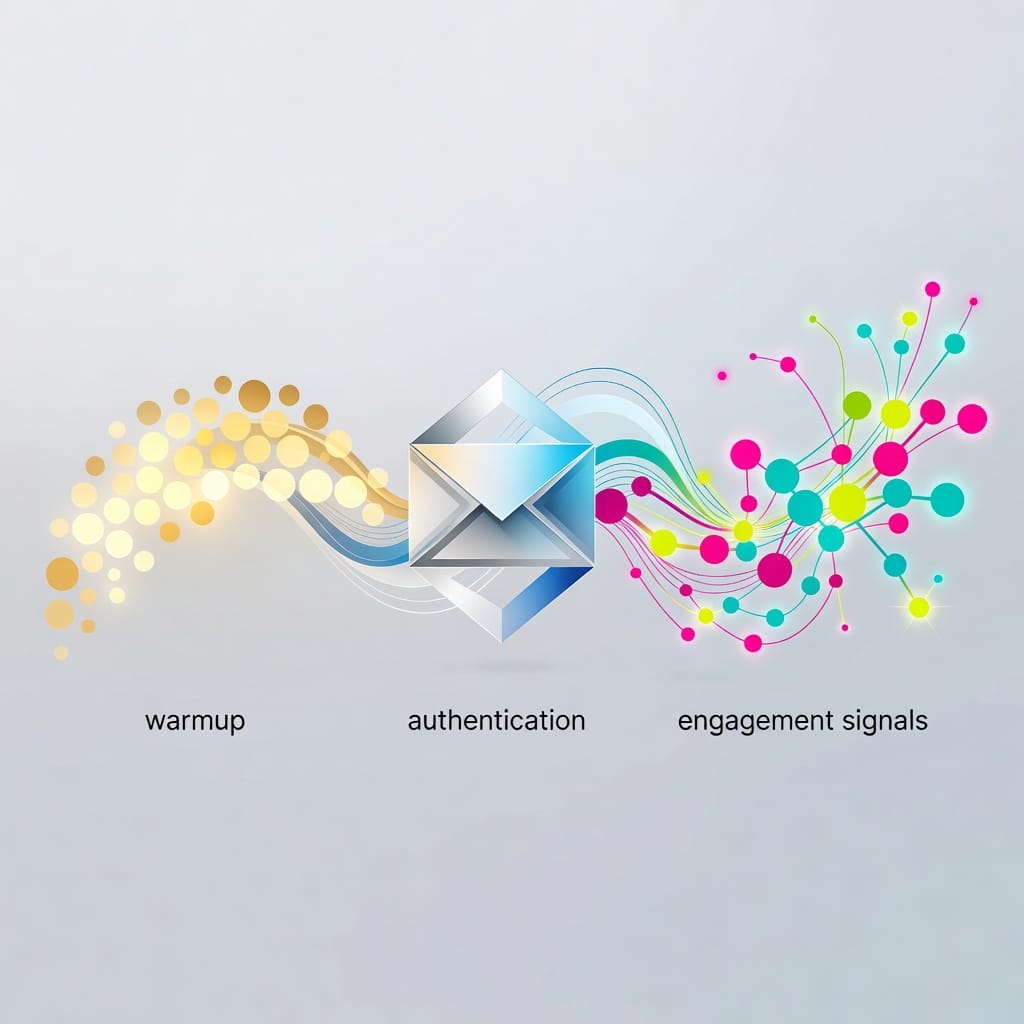
Before you send a single email through any sequence tool, you must configure email authentication. Without proper authentication, your emails are more likely to be rejected or flagged as spam.
SPF (Sender Policy Framework)
SPF tells receiving mail servers which IP addresses are authorized to send email from your domain. To set it up:
1. Log in to your DNS provider (Cloudflare, Namecheap, GoDaddy, etc.).
2. Add a TXT record for your domain.
3. Set the value to include your sending platform’s SPF servers.
4. Example: `v=spf1 include:spf.yoursequenceplatform.com ~all`
DKIM (DomainKeys Identified Mail)
DKIM adds a digital signature to your emails that verifies the email was not tampered with during transit. To set it up:
1. Generate a DKIM key pair in your sequence platform.
2. Add the public key as a TXT record in your DNS.
3. The platform signs outgoing emails with the private key.
4. Receiving servers verify the signature using your public DNS record.
DMARC (Domain-based Message Authentication, Reporting, and Conformance)
DMARC tells receiving servers what to do when SPF or DKIM checks fail. To set it up:
1. Add a DMARC TXT record to your DNS.
2. Start with `p=none` to monitor without affecting delivery.
3. Review reports for a few weeks.
4. Move to `p=quarantine` or `p=reject` once you confirm all legitimate email is authenticated.
Most modern email sequence platforms offer guided authentication setup. If yours does not, consider switching to one that does. Authentication is not optional for cold email in 2026.
The Role of Email Warmup in Sequence Software Success
Email warmup is the process of gradually increasing sending volume from a new mailbox to build a positive sender reputation with email providers like Gmail and Outlook. Without warmup, your sequence emails are far more likely to land in spam.
Here is why warmup matters for email sequence software:
New mailboxes have no reputation. When you connect a fresh mailbox to your sequence tool and start sending 50-100 emails per day, email providers see a sudden spike from an unknown sender. This triggers spam filters.
Warmup builds reputation gradually. A proper warmup starts with 2-5 emails per day and increases volume over 2-4 weeks. During this period, the mailbox sends and receives legitimate emails to establish normal behavior patterns.
Sequence software amplifies the risk. Because sequence tools automate sending, it is easy to accidentally scale too fast. A well-configured sequence platform should include warmup features or integrate with dedicated warmup tools.
Warmup is not a one-time task. If you pause sending for several weeks, you may need to warm up again. Consistent sending volume maintains sender reputation.
For a detailed look at warmup strategies and tools, see our guide on [email warmup tools](https://blog.mystrika.com/email-warmup-tools/).
Top Email Sequence Software Compared
We evaluated the leading email sequence platforms on features, deliverability, pricing, and ease of use. Here is what we found.
Best All-Around: Mystrika
Mystrika combines a powerful email sequence builder with built-in warmup, authentication guidance, and multi-inbox management. It is designed for users who want strong deliverability without juggling multiple tools.
Key features:
- AI-powered sequence builder with conditional branching
- Built-in email warmup (no separate tool needed)
- Multi-inbox rotation for scaling volume
- Unified inbox (Unibox) for managing all replies
- White-label options for agencies
- Starting at $15/month
Best for: Small to medium teams, agencies, and solo operators who want a complete solution without paying for separate warmup and deliverability tools.
Best for High-Volume Sending: Instantly
Instantly is built for scaling cold email volume with unlimited mailboxes and strong deliverability infrastructure.
Key features:
- Unlimited email accounts on all plans
- Unlimited email warmup
- Smart Inbox Segmentation and Rotation (SISR)
- AI campaign optimization
- B2B lead database with 160M+ contacts
Pricing: Starts at $37.90/month (Growth plan).
Best for: Teams sending high volumes of cold email who need robust deliverability infrastructure.
Best for Personalization: Lemlist
Lemlist excels at visual and video personalization, making each email feel custom-crafted.
Key features:
- Image and video personalization at scale
- LinkedIn automation integration
- Conditional branching
- Lemwarm for deliverability (paid add-on)
Pricing: Starts at $55/month (Email Pro).
Best for: Sales teams that prioritize creative, personalized outreach over pure volume.
Best for Multichannel Outreach: Reply.io
Reply.io offers sequences across email, LinkedIn, SMS, WhatsApp, and calls.
Key features:
- AI SDR agents for automated responses
- Multichannel sequences (email, LinkedIn, SMS, calls)
- Unlimited mailboxes
- Dynamic sequences that adapt to prospect behavior
Pricing: Starts at $49/user/month (Email Volume plan).
Best for: Teams running coordinated multichannel outreach campaigns.
Best for Beginners: Saleshandy
Saleshandy offers a user-friendly interface with AI-assisted sequence creation.
Key features:
- AI Sequence Copilot for automated sequence creation
- Lead finder with 700M+ contacts
- Inbox rotation and warmup
- Smart scheduling (recipient time zone)
Pricing: Starts at $25/month (Outreach Basic).
Best for: Individuals and small teams new to cold email outreach.
Best Budget Option: Woodpecker
Woodpecker keeps things simple and affordable for small teams.
Key features:
- Simple email sequences with if/else conditions
- A/B testing (up to 5 versions)
- AI writing assistant
- Reply detection
Pricing: Starts at $20/month (Starter).
Best for: Small teams and startups needing basic, reliable email automation.
Best for All-in-One Prospecting: Snov.io
Snov.io combines email finding, verification, and basic sequencing in one platform.
Key features:
- Email finder and verifier
- Drip campaigns with basic triggers
- LinkedIn automation
- Built-in CRM
Pricing: Starts at $30/month (Starter).
Best for: SMBs that want prospecting and outreach in a single tool.
Best for Deliverability-First Sending: Smartlead
Smartlead focuses on deliverability with unlimited mailboxes and AI-powered warmup.
Key features:
- Unlimited email accounts
- AI warmup sequences
- Dynamic IP rotation
- White-label options
Pricing: Starts at $39/month (Basic).
Best for: Agencies and high-volume senders who prioritize inbox placement.
Email Sequence Software Comparison Table
| Platform | Starting Price | Warmup Included | Multi-Inbox | A/B Testing | Conditional Branching | Multichannel |
|---|---|---|---|---|---|---|
| Mystrika | $15/month | Yes | Yes | Yes | Yes | |
| Instantly | $37.90/month | Yes | Yes | Yes | Basic | |
| Lemlist | $55/month | Add-on ($) | Yes | Yes | Yes | Email + LinkedIn |
| Reply.io | $49/month | Add-on ($) | Yes | Yes | Yes | Email + LinkedIn + SMS + Calls |
| Saleshandy | $25/month | Yes | Yes | Yes | Yes | |
| Woodpecker | $20/month | No | No | Yes | Basic | |
| Snov.io | $30/month | Add-on ($) | No | No | Basic | Email + LinkedIn |
| Smartlead | $39/month | Yes | Yes | No | Basic | Email + SMS |
How to Choose the Right Email Sequence Software: Decision Matrix
Use this decision matrix to score each platform against your specific needs. Rate each criterion from 1 (poor) to 5 (excellent), then multiply by the weight to get a weighted score.
| Criterion | Weight | Why It Matters |
|---|---|---|
| Deliverability infrastructure | 25% | Without inbox placement, nothing else matters |
| Ease of use | 20% | A steep learning curve slows your team down |
| Pricing | 15% | Must fit your budget at scale |
| Personalization depth | 15% | Better personalization drives higher reply rates |
| Scalability | 10% | Can the tool grow with your volume? |
| Integrations | 10% | Does it connect with your CRM and other tools? |
| Customer support | 5% | Quick help when something breaks |
How to use this matrix:
1. List the platforms you are considering.
2. Rate each platform on each criterion (1-5).
3. Multiply each rating by the weight percentage.
4. Add up the weighted scores.
5. The highest total is your best fit.
Example scoring for a small team (prioritizing deliverability and price):
| Criterion | Weight | Mystrika | Instantly | Saleshandy |
|---|---|---|---|---|
| Deliverability | 25% | 5 (1.25) | 5 (1.25) | 4 (1.00) |
| Ease of use | 20% | 5 (1.00) | 4 (0.80) | 5 (1.00) |
| Pricing | 15% | 5 (0.75) | 3 (0.45) | 4 (0.60) |
| Personalization | 15% | 4 (0.60) | 3 (0.45) | 4 (0.60) |
| Scalability | 10% | 4 (0.40) | 5 (0.50) | 3 (0.30) |
| Integrations | 10% | 4 (0.40) | 3 (0.30) | 4 (0.40) |
| Support | 5% | 4 (0.20) | 4 (0.20) | 4 (0.20) |
| Total | 100% | 4.60 | 3.95 | 4.10 |
Adjust the weights based on your priorities. A high-volume agency would weight scalability and deliverability higher. A solo operator might weight ease of use and pricing higher.
Email Sequence Software Evaluation Checklist
Use this checklist when evaluating any email sequence platform:
Deliverability:
- [ ] Does the platform include built-in email warmup?
- [ ] Does it offer multi-inbox rotation?
- [ ] Does it provide deliverability analytics and monitoring?
- [ ] Does it handle bounce detection and list cleaning automatically?
- [ ] Does it support custom tracking domains?
Features:
- [ ] Does it support conditional branching based on opens, clicks, and replies?
- [ ] Does it offer A/B testing for subject lines and email copy?
- [ ] Does it have a visual sequence builder (drag and drop)?
- [ ] Does it support merge tags and dynamic content?
- [ ] Does it offer AI-powered personalization or writing assistance?
Authentication:
- [ ] Does the platform provide guided SPF, DKIM, and DMARC setup?
- [ ] Does it support custom sending domains?
- [ ] Does it offer DMARC reporting?
Scalability:
- [ ] How many mailboxes can you connect?
- [ ] What are the daily sending limits?
- [ ] Can you add team members?
- [ ] Does it offer API access for custom integrations?
Pricing:
- [ ] Is there a free trial?
- [ ] What is the cost per mailbox or per user?
- [ ] Are there hidden fees for warmup, additional features, or API access?
- [ ] Can you upgrade or downgrade plans easily?
Support:
- [ ] Is there live chat or phone support?
- [ ] Is there a knowledge base or help center?
- [ ] Are there onboarding resources or a dedicated success manager?
Common Email Sequence Mistakes That Kill Deliverability
Even with the best email sequence software, these common mistakes can destroy your deliverability:
1. Skipping email warmup. Connecting a brand new mailbox and immediately sending 100 emails per day through your sequence tool is the fastest way to land in spam. Always warm up new mailboxes for 2-4 weeks before running active campaigns.
2. Sending too many emails too fast. Email providers track sending velocity. A sudden spike in volume from a previously quiet mailbox triggers spam filters. Increase volume gradually, even after warmup.
3. Using a purchased email list. Bought lists contain outdated, invalid, and non-consenting addresses. Sending to them guarantees high bounce rates and spam complaints, which destroy your sender reputation.
4. Ignoring authentication setup. Missing or misconfigured SPF, DKIM, or DMARC records tell receiving servers your email might be spoofed. Many legitimate cold emails get rejected simply because authentication is not set up correctly.
5. No bounce handling. If your sequence software keeps sending to hard bounces, you are signaling to email providers that you do not maintain your list. This damages your reputation with every send.
6. Overusing tracking pixels. Every tracking pixel is a signal to spam filters that your email is automated. Consider disabling open tracking for cold outreach and relying on reply and click data instead.
7. No reply detection. If your sequence keeps sending follow-ups after a prospect has replied, you look unprofessional and increase the chance of spam complaints.
8. Inconsistent sending patterns. Sending 50 emails one day, then nothing for two weeks, then 200 emails confuses reputation algorithms. Maintain consistent volume.
How to A/B Test Your Email Sequences for Better Results
A/B testing is how you improve your sequence performance over time. Here is a systematic approach:
Step 1: Test one variable at a time. If you change the subject line and the email body simultaneously, you will not know which change caused the result. Test subject lines first, then email copy, then send times.
Step 2: Use a statistically significant sample size. For most cold email campaigns, 50-100 recipients per variant is enough to see meaningful differences. Smaller samples produce unreliable results.
Step 3: Test subject lines first. Subject lines have the biggest impact on open rates. Test variations like:
- Question vs. statement
- Personalization vs. generic
- Short (3-5 words) vs. longer (6-10 words)
- Curiosity gap vs. direct value proposition
Step 4: Test email body variations. Once you have a winning subject line, test:
- Short paragraphs vs. bullet points
- Social proof vs. problem-focused
- Different CTA placements (beginning vs. end)
- Personalization depth (name only vs. company + role + custom insight)
Step 5: Test send times and days. Test Tuesday morning vs. Thursday afternoon, or 8 AM vs. 10 AM vs. 12 PM. The optimal send time varies by industry and audience.
Step 6: Let tests run long enough. Give each test at least 3-5 days to collect data. Cutting tests early can lead to false conclusions.
Step 7: Document and iterate. Keep a log of what you tested, the results, and what you learned. Build on winning patterns over time.
What to test beyond subject lines and copy
Most guides stop at subject lines and body copy, but there is more to optimize:
Send day of the week. Tuesday, Wednesday, and Thursday are generally the best days for cold email, but this varies by industry. Test Monday vs. Tuesday for your specific audience.
Send time of day. Common starting points are 8-10 AM in the prospect’s time zone, but some audiences respond better to lunchtime (12-1 PM) or late afternoon (3-5 PM) sends. Use your sequence platform’s time zone detection to send at the right local time.
Follow-up interval. Test 2-day gaps between emails vs. 3-day gaps vs. 5-day gaps. Shorter intervals keep you top of mind but risk annoying prospects. Longer intervals give prospects more time to respond but can lose momentum.
Sequence length. Test a 5-email sequence against a 7-email sequence. The extra emails may generate more replies, or they may increase unsubscribe rates. The only way to know is to test.
Personalization depth. Test emails with just a first name against emails with company name, role, and a custom insight. Deeper personalization usually wins, but the time cost of research may not be worth the marginal improvement for every prospect.
From name and email address. Test sending from an individual name (John at Mystrika) vs. a company name (Mystrika Team). Individual names tend to get higher open rates for cold outreach.

Email Sequence Software Pricing Comparison
Pricing varies significantly across platforms. Here is a breakdown of what you can expect to pay:
| Platform | Entry Plan | Mid Tier | High Tier | Free Trial |
|---|---|---|---|---|
| Mystrika | $15/month | Custom | Custom | Yes |
| Instantly | $37.90/month | $77.60/month | $169.30/month | Yes |
| Lemlist | $55/month | $79/month | Custom | 14 days |
| Reply.io | $49/month | $89/month | Custom | 14 days |
| Saleshandy | $25/month | $69/month | $139/month | 7 days |
| Woodpecker | $20/month | $126/month | $903/month | Yes |
| Snov.io | $30/month | $75/month | Custom | Free plan (50 credits) |
| Smartlead | $39/month | $94/month | $174/month | 14 days |
Note that many platforms charge extra for warmup, additional mailboxes, or advanced features. Always check what is included in the base price before comparing.
Key Takeaways
- Email sequence software automates follow-up emails based on triggers, time delays, and recipient behavior, making cold outreach scalable and efficient.
- Deliverability is the most important factor when choosing a platform. Strong authentication, warmup, and multi-inbox rotation matter more than flashy features.
- Proper email authentication (SPF, DKIM, DMARC) is non-negotiable for cold email in 2026. Most platforms offer guided setup.
- Email warmup is essential for new mailboxes. Plan for 2-4 weeks of gradual volume increase before running active campaigns.
- Use the decision matrix and evaluation checklist in this guide to compare platforms objectively against your specific needs.
- Common mistakes that kill deliverability include skipping warmup, sending too fast, using purchased lists, and ignoring authentication.
- A/B testing subject lines, email copy, and send times systematically improves sequence performance over time.
- Pricing ranges from $15/month to over $900/month depending on volume and features. Factor in warmup and add-on costs when comparing.
Frequently Asked Questions
What is the difference between email sequence software and email marketing software?
Email sequence software is designed for one-to-one sales outreach with automated follow-ups, personalization, and reply detection. Email marketing software sends broadcast campaigns to subscriber lists for newsletters, promotions, and announcements. The two serve different purposes and are not interchangeable.
How many emails should a cold email sequence have?
Most effective cold email sequences have 5-8 steps over 2-3 weeks. A typical structure includes an initial outreach email, a value-add follow-up, a social proof email, a case study or testimonial, and a break-up email. Adjust based on your audience and offer.
Can email sequence software hurt my email deliverability?
Yes, if used incorrectly. High sending volumes, poor list hygiene, missing authentication, and aggressive follow-up cadences can trigger spam filters. Proper warmup, authentication, and sending limits mitigate this risk. Choose a platform with built-in deliverability features.
Do I need technical skills to set up email sequence software?
Most modern tools use drag-and-drop builders that require no coding. The most technical step is configuring SPF, DKIM, and DMARC records in your DNS, but many platforms now offer guided setup that walks you through the process step by step.
What is email warmup and why do I need it for sequences?
Email warmup gradually increases sending volume from a new mailbox to build sender reputation with email providers. Without it, your sequence emails are more likely to land in spam. Most warmup processes take 2-4 weeks.
How do I scale email sequences beyond one inbox?
Multi-inbox rotation distributes sending across multiple mailboxes, each with its own warmup and sending limits. This lets you scale volume while protecting sender reputation. Most serious sequence platforms support this feature.
What email authentication records do I need for sequence software?
You need SPF (authorizes sending servers), DKIM (digitally signs emails), and DMARC (tells receivers how to handle unauthenticated email). All three are required for reliable deliverability in 2026.
Can I use email sequence software for cold email legally?
Yes, but you must comply with CAN-SPAM (US) and GDPR (EU) regulations. This means including a visible unsubscribe link, using accurate subject lines, identifying yourself as the sender, and respecting opt-out requests immediately. Consult a legal professional for your specific jurisdiction.
How do I know when to stop a sequence?
Stop a sequence when a prospect replies (use reply detection), when they unsubscribe, when the email bounces, or after the final email in your sequence has sent. Some platforms also let you set engagement-based rules to move prospects to different paths.
What is the best email sequence software for beginners?
For beginners, prioritize ease of use and built-in deliverability features. Mystrika and Saleshandy both offer intuitive interfaces with guided setup, making them strong choices for users new to cold email sequencing.