
You have a cold email campaign ready to go. Your sequences are written, your offer is solid, and your sending infrastructure is configured. The only thing missing is a list of people to email. Buying an email list looks like the fastest way to bridge that gap. A few hundred dollars, a CSV download, and you are ready to send thousands of emails by tomorrow morning.
That speed comes with costs that are not always visible at checkout. Purchased lists can damage your sender reputation, trigger spam complaints, land you on blacklists, and in some cases violate privacy regulations. The question is not whether you can buy an email list. It is whether buying one moves you closer to your campaign goals or sets you back weeks of repair work.
This guide covers exactly what happens when you buy an email list, how to evaluate whether a purchase makes sense for your situation, what legal requirements apply, and how to prepare a purchased list for a real cold email campaign. If you decide to buy, you will know exactly what to look for and what to do after the download. If you decide not to buy, you will have a clear alternative path.
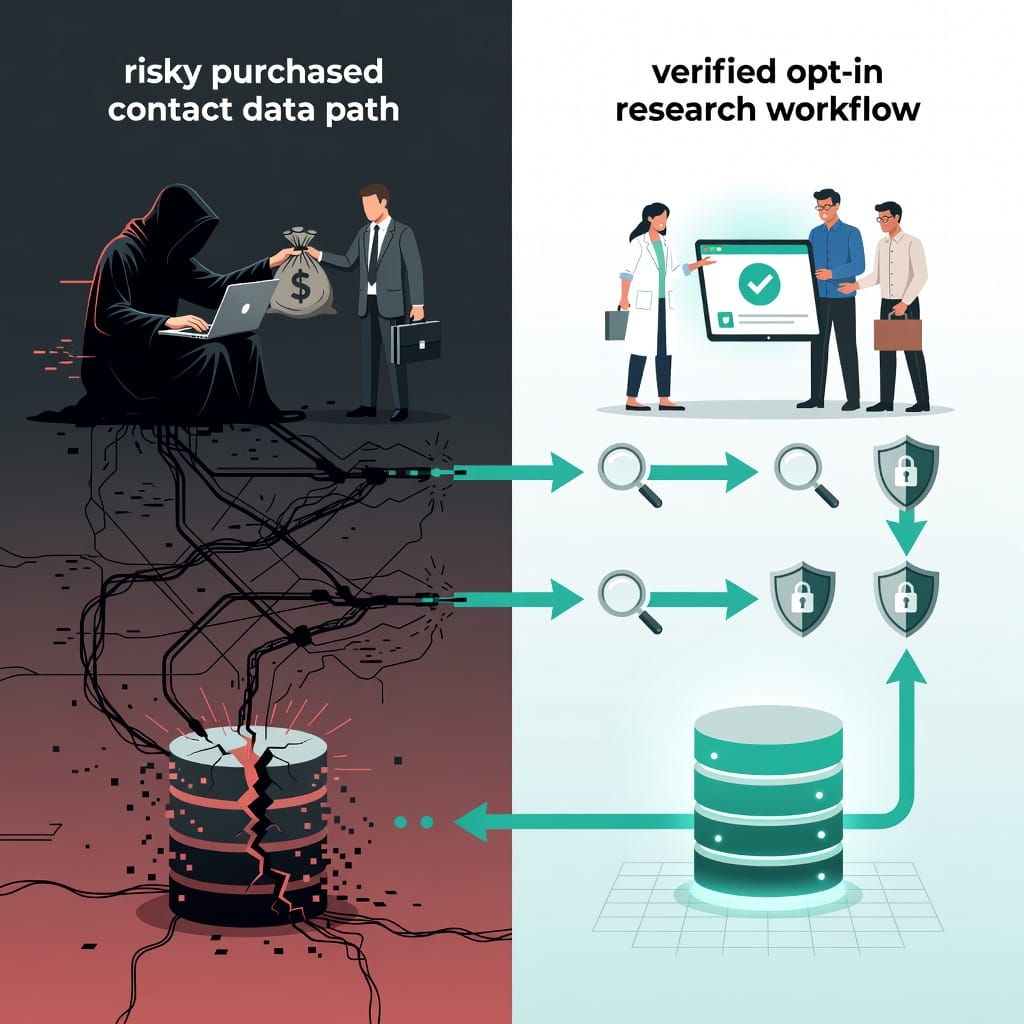
The Hard Truth About Buying Email Lists
Most email marketing advice tells you never to buy a list. The reasoning is straightforward: people on purchased lists have not consented to hear from you, which means higher spam complaint rates, lower engagement, and a fast track to damaged deliverability.
That advice is correct for mass marketing and newsletter-style broadcasts. For cold email outreach, the picture is more nuanced. Cold email, by definition, involves contacting people who have not explicitly opted in to hear from you. The difference between a legitimate cold email campaign and spam comes down to relevance, targeting, and infrastructure.
A purchased list of 10,000 random email addresses is almost certainly a bad idea. A purchased list of 500 highly targeted contacts in your exact industry, with verified email addresses and recent data, can be a legitimate starting point for cold outreach. The difference is not whether you bought the list. The difference is whether the people on it are likely to find your message relevant.
The real question is whether the list you are considering meets three criteria:
- Relevance: Are these people in your target market? Do they have the job titles, industries, and company sizes that match your ideal customer profile?
- Consent tolerance: Cold email does not require prior opt-in in most jurisdictions, but it does require that the recipient has a reasonable expectation of receiving business-related email in their role.
- Data quality: Are the email addresses verified? How old is the data? Has it been checked against spam traps and role-based addresses?
If a list fails any of these three checks, buying it will cost you more in deliverability damage than it saves in time.
When Buying an Email List Actually Makes Sense
There are specific scenarios where purchasing a list is a rational decision rather than a shortcut.
You need to test a new market quickly. If you are entering a new industry, geography, or vertical and need to validate demand within weeks, building a list from scratch through outbound prospecting may be too slow. A targeted purchased list lets you send a small test campaign to gauge response rates before investing in a full lead generation engine.
You lack the tools for manual prospecting. Building a list manually requires LinkedIn Sales Navigator, data enrichment tools, email finders, and verification services. If you do not have these tools and your budget is better spent on the list itself, buying from a reputable provider that includes verification can be more efficient than assembling the stack from scratch.
You need supplementary data for an existing list. If you already have a list of companies or contacts but need to fill in missing email addresses or enrich contact information, a list purchase from a provider that offers data enrichment can fill those gaps faster than manual research.
Your ICP is narrow and well-defined. If you sell to a specific job title in a specific industry in a specific geography, a purchased list filtered to those exact parameters can be more targeted than a broad organic list. The narrower your criteria, the more likely a purchased list is to contain relevant contacts.
In all of these scenarios, the purchased list is a starting point, not a finished campaign asset. You still need to verify the data, warm up your sending infrastructure, and craft personalized outreach. The list purchase saves you the research time, not the campaign execution.
The Real Risks: What Nobody Tells You
The articles that recommend specific vendors rarely dwell on what happens when a purchased list goes wrong. Here is what actually happens.
Spam traps. Email providers and blocklist operators maintain honeypot addresses that are not used for real communication but are published in places where list scrapers find them. If you send to a spam trap, your sender reputation takes an immediate hit. Major traps can land your domain on the Spamhaus or Barracuda blocklists within hours. Recovery takes weeks of remediation work.
Role-based addresses. Purchased lists often contain addresses like info@, sales@, support@, and admin@. These are typically monitored by multiple people and are more likely to be marked as spam. Sending to role-based addresses also signals to mailbox providers that you are spraying broadly rather than targeting specific decision-makers.
Bounce rates above 5 percent. A healthy cold email campaign should have a bounce rate under 3 percent. Purchased lists frequently have bounce rates of 10 to 30 percent because the data is stale or was scraped without verification. High bounce rates tell mailbox providers that you do not maintain your list, which lowers your sender score.
Spam complaint rates above 0.1 percent. The industry threshold for spam complaints is 0.1 percent of emails sent. Purchased lists routinely generate complaint rates of 0.5 percent or higher because recipients never asked to hear from you. Google Postmaster Tools will flag your domain at 0.1 percent and may start routing your emails to spam at 0.3 percent.
Blacklisting. If your complaint rate stays elevated or you hit a spam trap, your sending IP and domain can be added to real-time blocklists. This affects not just the campaign using the purchased list but every email sent from that domain, including transactional emails and replies to existing customers.
GDPR and CCPA liability. If you send to someone in the EU or California who has not consented to commercial email and has not published their contact information in a business context, you may be violating privacy regulations. Fines under GDPR can reach 20 million euros or 4 percent of global revenue. Most list vendors do not indemnify buyers against regulatory risk.
These risks are not theoretical. Every major email service provider has stories of customers who bought a list, sent one campaign, and spent the next three months trying to restore their deliverability.
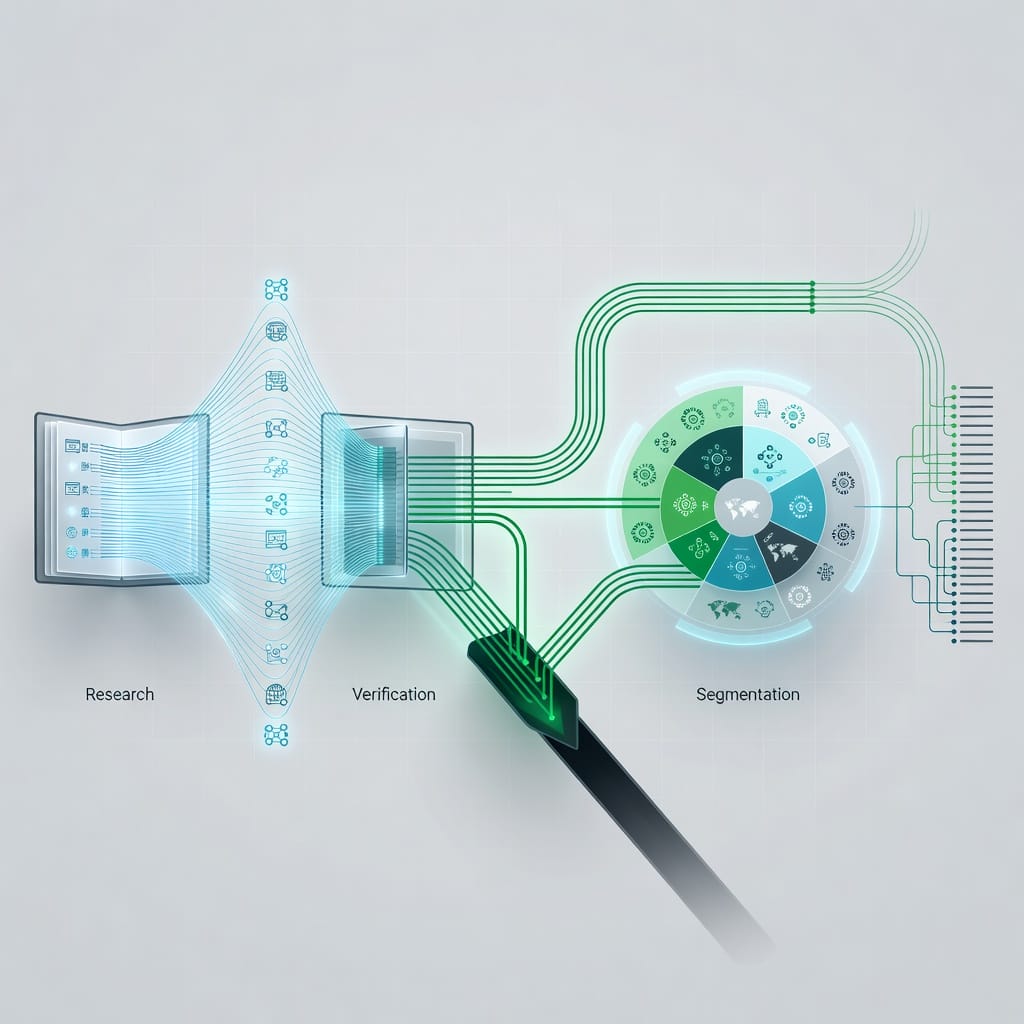
Legal Landscape: CAN-SPAM, GDPR, and CCPA
The legality of buying and sending to an email list depends on where your recipients are located and what your message contains.
CAN-SPAM (United States)
CAN-SPAM applies to all commercial email sent to or from the United States. It does not require prior opt-in. The law requires:
- Accurate header and subject line information
- A clear identification that the message is an advertisement (though this is broadly interpreted)
- A valid physical postal address
- A functioning opt-out mechanism that you honor within 10 business days
CAN-SPAM does not prohibit buying email lists. It does require that every recipient can unsubscribe and that you process those unsubscribes promptly. If you buy a list and send a commercial message, you must include an unsubscribe link and honor removal requests.
GDPR (European Union)
GDPR applies if any recipient is located in the EU, regardless of where you are based. The legitimate interest basis for processing personal data can apply to cold email, but the burden is on you to demonstrate that:
- The recipient has a reasonable expectation of receiving business email in their role
- Your message is relevant to their professional function
- You collected or obtained their data through a lawful method
Purchased lists are harder to justify under GDPR because you cannot demonstrate how the data was originally collected. If the vendor scraped public sources or bought data from a third party without clear consent, your legitimate interest claim is weak. The safer approach under GDPR is to build lists from publicly available business information (company websites, LinkedIn, professional directories) rather than purchased databases.
CCPA (California)
CCPA gives California residents the right to know what personal information is collected about them and to request deletion. It does not directly prohibit cold email, but it requires that you have a lawful basis for processing personal information. If a California resident requests that you delete their data, you must comply within 45 days.
Practical Compliance Checklist
| Requirement | CAN-SPAM | GDPR | CCPA |
|---|---|---|---|
| Prior opt-in required | No | Conditional | No |
| Unsubscribe required | Yes | Yes | N/A |
| Data source disclosure | No | Yes | Yes |
| Right to deletion | No | Yes | Yes |
| Penalty per violation | $50,120 | 20M EUR or 4% revenue | $2,500 per violation |
| Purchased list allowed | Yes | Risky | Conditional |
If you plan to send to purchased lists, restrict your targeting to business contacts in jurisdictions where you can demonstrate a legitimate interest. Avoid sending to personal email addresses (Gmail, Yahoo, Outlook personal accounts) from purchased lists, as these carry the highest regulatory and deliverability risk.
How to Vet an Email List Provider
Not all list vendors are equal. The difference between a provider that sells verified, targeted B2B contacts and one that sells scraped, unverified addresses is the difference between a usable campaign asset and a deliverability disaster.
Questions to Ask Before Buying
Where does your data come from? A reputable provider should be able to describe their data sources: public business directories, company websites, professional networks, and opt-in databases. If the answer is vague or the provider refuses to disclose sources, do not buy.
How do you verify email addresses? Real-time verification at the point of sale is better than batch verification. Some providers verify addresses before including them in search results, which means you only pay for deliverable addresses. Others sell unverified lists and leave verification to you.
How often do you refresh your data? B2B data decays at roughly 2 to 3 percent per month. A list that was compiled six months ago may have 15 to 20 percent invalid addresses. Look for providers that refresh their database at least quarterly.
Do you screen for spam traps? Some providers maintain their own trap detection systems. Ask specifically whether the provider tests against known honeypot addresses and role-based account patterns.
What compliance certifications do you hold? SOC 2 Type II, ISO 27001, and GDPR compliance programs indicate that the provider takes data handling seriously. The absence of any certification does not automatically disqualify a provider, but it means you are taking on more due diligence yourself.
What is your refund or credit policy for bad data? Providers that stand behind their data will offer credit refunds for invalid addresses. If a provider has no policy for replacing bad data, they are selling volume over quality.
Red Flags to Watch For
- Pricing that is significantly below market rates for verified contacts
- No ability to filter by industry, company size, or job title
- Claims of 99 percent or higher deliverability (no legitimate provider guarantees this)
- No unsubscribe handling or compliance information on their website
- Pressure to buy a large package before you can test a small sample
- No physical address or clear company information
7-Step Checklist Before You Buy
Use this checklist before purchasing any email list. If you cannot complete every step, do not buy.
Step 1: Define your ideal customer profile. Write down the exact job titles, industries, company sizes, and geographies you want to reach. A list is only as good as its targeting. If you cannot describe your ICP in one sentence, you are not ready to buy.
Step 2: Set a maximum budget per contact. Calculate what each qualified conversation is worth to your business and work backward. If a contact that converts is worth $200 in lifetime value and you expect a 1 percent conversion rate from cold outreach, each contact on the list is worth roughly $2. Do not pay more than that for the list alone.
Step 3: Request a sample. Any reputable provider will let you download a small sample of contacts matching your criteria. Test the sample by running it through an independent email verification tool. If the sample has a verification rate below 90 percent, do not buy the full list.
Step 4: Verify the provider’s compliance documentation. Ask for SOC 2 reports, GDPR documentation, and data source descriptions. If the provider cannot or will not provide these, the risk is yours to carry.
Step 5: Check the provider’s refund policy. Understand exactly what happens when you send to an address that bounces. Does the provider refund credits? Replace the contact? Require proof of the bounce? Get the policy in writing.
Step 6: Run a small test campaign. Buy the minimum quantity and send a test campaign of 50 to 100 emails. Monitor bounce rate, spam complaints, and reply rate for one week. If the bounce rate exceeds 5 percent or you receive any spam complaints, do not scale.
Step 7: Plan your list processing workflow. Before you buy, know exactly what you will do with the list after download: verify, segment, enrich, and upload to your sending platform. If you do not have a workflow ready, the list will sit in a spreadsheet and lose value.
What to Do After You Buy: Cleaning and Preparation
Buying the list is the first step, not the last. Every purchased list needs processing before it touches your sending infrastructure.
Run Independent Email Verification
Do not trust the provider’s verification alone. Run the entire list through a third-party email verification service. These services check:
- Syntax validity: Does the address follow standard email format?
- Domain validity: Does the domain have valid MX records?
- Mailbox existence: Does the mailbox accept mail? (SMTP-level check)
- Disposable address detection: Is the address from a temporary email service?
- Role-based address detection: Is the address a generic role account?
- Spam trap detection: Does the address match known honeypot patterns?
Expect to lose 5 to 20 percent of addresses during verification, depending on the quality of the original list. Budget for this loss when calculating your cost per contact.
Remove Role-Based and Disposable Addresses
Strip out all addresses matching patterns like info@, sales@, support@, admin@, contact@, hello@, and team@. Also remove addresses from disposable email domains like mailinator.com, guerrillamail.com, and tempmail.com. These addresses generate complaints and damage your sender reputation without producing meaningful engagement.
Segment by Engagement Potential
Not all contacts on a purchased list are equally valuable. Segment the list by:
- Job title seniority: C-level, VP, director, manager, individual contributor
- Company size: Enterprise, mid-market, SMB
- Industry fit: Primary target, secondary target, adjacent
- Data freshness: When was the contact information last updated?
Send your most personalized outreach to the highest-value segment first. Use the response data from that segment to refine your messaging before expanding to lower-value segments.
Remove Duplicates and Cross-Reference
Check the list against any existing contacts in your CRM. Remove contacts that are already customers, existing leads in active conversations, or contacts who have previously unsubscribed from your emails. Sending to someone who has already opted out is a compliance violation under CAN-SPAM and GDPR.
Email Authentication: Non-Negotiable Setup
Before you send a single email to a purchased list, your sending domain must be properly authenticated. Mailbox providers use authentication to verify that your emails are legitimate and not forged. Without authentication, your emails are more likely to be rejected or filtered to spam, regardless of list quality.
SPF (Sender Policy Framework)
SPF publishes a list of IP addresses that are authorized to send email from your domain. Set up an SPF record that includes only your sending infrastructure. Do not use overly permissive SPF records that include every possible sender, as this weakens the authentication signal.
DKIM (DomainKeys Identified Mail)
DKIM adds a cryptographic signature to each email that verifies the message was not tampered with in transit. Generate a DKIM key pair through your email sending platform and publish the public key in your DNS records. Sign every outgoing email with DKIM.
DMARC (Domain-based Message Authentication, Reporting, and Conformance)
DMARC tells mailbox providers what to do when SPF or DKIM fails. Start with a monitoring policy (p=none) and review authentication reports for at least two weeks before moving to quarantine (p=quarantine) or reject (p=reject). DMARC also enables BIMI, which adds your logo to authenticated emails in supported mailboxes.
Authentication Checklist
| Protocol | Purpose | Setup Time | Required Before Sending |
|---|---|---|---|
| SPF | Authorize sending IPs | 15 minutes | Yes |
| DKIM | Sign messages cryptographically | 30 minutes | Yes |
| DMARC | Define failure handling | 30 minutes | Yes |
| rDNS | Match sending IP to domain | 15 minutes | Yes |
| BIMI | Display brand logo | Optional | No, but recommended |
Without all three core protocols (SPF, DKIM, DMARC), your emails will struggle to reach inboxes regardless of list quality. Authentication is the foundation that everything else builds on.
Warming Up Your Sender Domain
A new or recently inactive sending domain has no reputation with mailbox providers. If you start sending to a purchased list from a cold domain, your emails will land in spam regardless of how clean the list is.
What Warmup Actually Does
Warmup gradually increases your sending volume while building a positive engagement history with mailbox providers. The process involves sending small volumes of email to engaged recipients who will open, click, and reply. This positive engagement signals to Google, Microsoft, and other providers that your domain sends wanted email.
Warmup Timeline for Purchased Lists
| Day Range | Daily Volume | Recipient Type |
|---|---|---|
| Days 1-3 | 5-10 emails | Known engaged contacts only |
| Days 4-7 | 20-50 emails | Engaged contacts + warmup pool |
| Days 8-14 | 50-150 emails | Gradual increase |
| Days 15-21 | 150-300 emails | Mix of warmup and targeted prospects |
| Days 22-28 | 300-500 emails | Approaching campaign volume |
| Day 29+ | Full campaign volume | Purchased list segments |
Do not skip the warmup phase. A domain that sends 500 emails on day one from a purchased list will trigger spam filters immediately. A domain that ramps up over four weeks has a much higher chance of landing in the inbox.
Warmup Services
Several tools automate the warmup process by exchanging emails between a network of real mailboxes. These services send your emails to participating inboxes that open, click, and reply, creating positive engagement signals. A warmup service is not a substitute for list quality, but it is a necessary step when sending from a new domain.
Metrics That Matter When Sending to Purchased Lists
Once you start sending to a purchased list, monitor these metrics daily. Any metric outside the acceptable range is a signal to pause the campaign and investigate.
Bounce Rate
- Target: Under 3 percent
- Warning: 3 to 5 percent
- Critical: Above 5 percent
High bounce rates indicate that the list contains invalid addresses that the provider’s verification missed. Pause the campaign and re-verify the remaining list.
Spam Complaint Rate
- Target: Under 0.05 percent (1 complaint per 2,000 emails)
- Warning: 0.05 to 0.1 percent
- Critical: Above 0.1 percent
Spam complaints are the most damaging metric for sender reputation. If your complaint rate exceeds 0.1 percent, stop sending to that list segment immediately. Review your messaging and targeting before resuming.
Unsubscribe Rate
- Target: Under 0.5 percent
- Warning: 0.5 to 1 percent
- Critical: Above 1 percent
High unsubscribe rates suggest that your targeting is too broad or your messaging does not match the recipient’s expectations. Review your ICP and messaging before continuing.
Reply Rate
- Target: Above 1 percent
- Warning: 0.3 to 1 percent
- Critical: Below 0.3 percent
Reply rate is the strongest positive signal for deliverability. If no one is replying, mailbox providers interpret this as disinterest and may start routing your emails to spam. Low reply rates often indicate that the list contacts are not the right audience for your offer.
Open Rate
- Target: Above 30 percent (for warm list)
- Warning: 20 to 30 percent
- Critical: Below 20 percent
Open rates on purchased lists are typically lower than on organically built lists because recipients have no prior relationship with your brand. If your open rate is below 20 percent, the list may contain inactive addresses or the subject lines may not resonate with the audience.
Decision Matrix: When to Pause or Continue
| Metric | Value | Action |
|---|---|---|
| Bounce rate | > 5% | Pause campaign, re-verify list |
| Spam complaints | > 0.1% | Pause campaign, review targeting |
| Reply rate | < 0.3% | Review messaging and ICP fit |
| Open rate | < 20% | Test new subject lines |
| Unsubscribe rate | > 1% | Review list relevance |
| All metrics green | Within targets | Continue, monitor daily |
Buy vs Build: A Cost Comparison
The decision to buy or build an email list comes down to time, money, and risk tolerance. Here is a realistic comparison.
Cost of Buying
| Item | Estimated Cost |
|---|---|
| List of 1,000 targeted B2B contacts | $100 to $500 |
| Email verification service | $10 to $50 |
| Warmup service (1 month) | $15 to $30 |
| Sending platform (1 month) | $15 to $50 |
| Total first month | $140 to $630 |
| Ongoing list refresh (monthly) | $50 to $200 |
Cost of Building
| Item | Estimated Cost |
|---|---|
| LinkedIn Sales Navigator | $100/month |
| Email finder tool | $50 to $100/month |
| Data enrichment tool | $50 to $100/month |
| Email verification service | $10 to $50/month |
| Sending platform | $15 to $50/month |
| Warmup service | $15 to $30/month |
| Total monthly | $240 to $430/month |
| Time to build 1,000 contacts | 2 to 4 weeks |
When Buying Wins
- You need contacts in a new market within days, not weeks
- Your ICP is narrow enough that manual prospecting yields few results per hour
- You have the budget to absorb verification losses and potential deliverability damage
- You are testing a hypothesis and need data quickly
When Building Wins
- You need high deliverability for ongoing campaigns
- You are sending to the same market repeatedly and need fresh contacts over time
- You have regulatory concerns (GDPR, CCPA) that make purchased lists risky
- You want full control over data quality and sourcing
The breakeven point is typically around three to six months. If you plan to run cold email campaigns for longer than six months, building your own list through prospecting tools is usually more cost-effective and safer for deliverability.
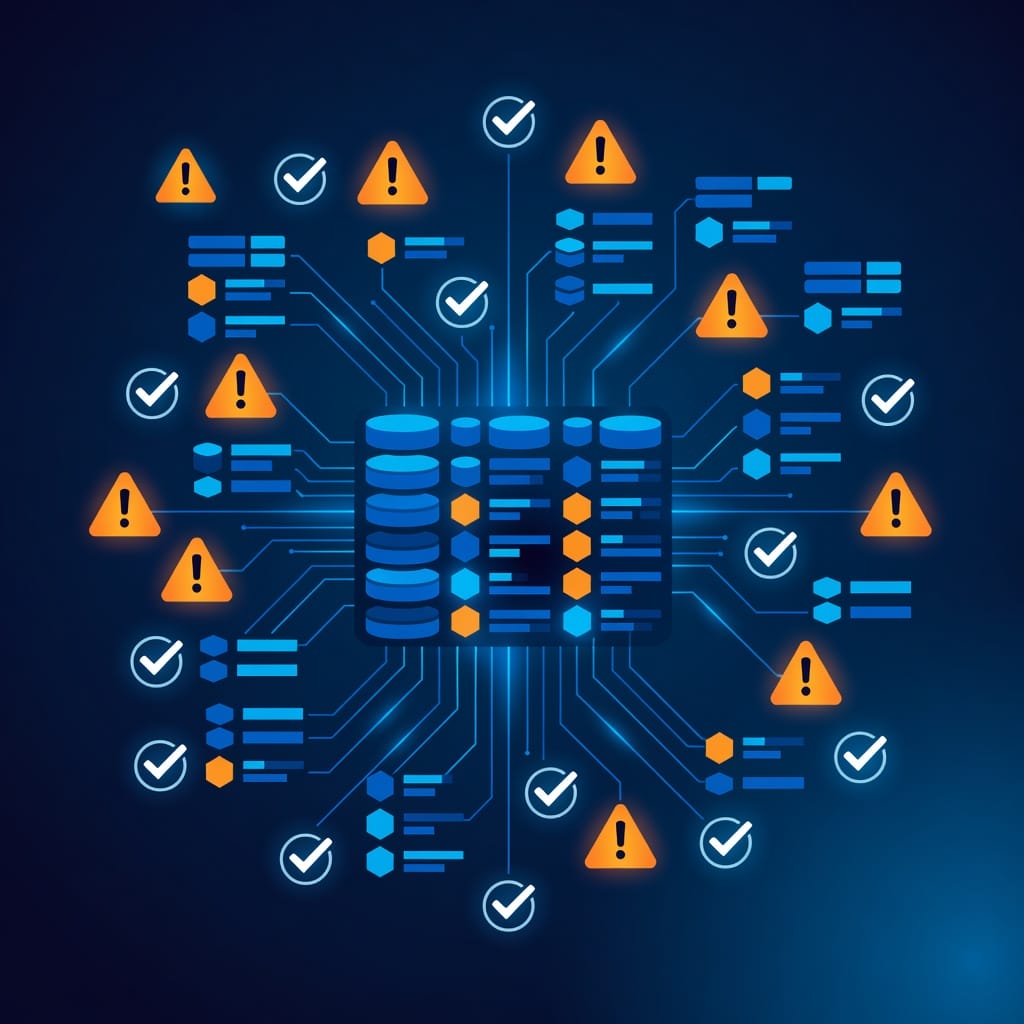
Better Alternatives to Buying Email Lists
If the risks of purchased lists outweigh the benefits for your situation, these alternatives can produce higher-quality contacts with better deliverability outcomes.
LinkedIn Prospecting with Email Finders
Use LinkedIn Sales Navigator to find contacts matching your ICP, then use an email finder tool to locate their business email addresses. This approach gives you control over targeting and data quality. The tradeoff is time: building a list of 500 contacts this way takes 10 to 20 hours of manual work.
Lead Databases with Built-in Verification
Services like Mystrika’s lead database tools provide access to verified B2B contacts without the risks of traditional purchased lists. These platforms verify email addresses in real time and filter out spam traps and role-based accounts before you export. You pay for access to the database rather than for a static list, which means you can build targeted segments as needed.
Content-Based Lead Generation
Publish content that attracts your target audience and capture their email addresses through opt-in forms. This approach produces the highest-quality leads with the best deliverability outcomes, but it takes the longest to generate volume. A well-optimized content program can generate 100 to 500 opt-in leads per month within three to six months.
Co-Marketing and Partnerships
Partner with complementary businesses that already have access to your target audience. A co-branded webinar, ebook, or research report gives you access to a warm audience without buying a list. The leads are higher quality because they have already demonstrated interest in the topic.
Industry Directories and Professional Associations
Many industries have professional directories that list members with contact information. These directories are often public and can be used as a data source for cold email campaigns. The contacts are typically receptive to relevant business outreach because they have listed themselves in a professional context.
Key Takeaways
- Buying an email list is not inherently wrong for cold email, but the risks are real: spam traps, high bounce rates, spam complaints, blacklisting, and regulatory liability.
- A purchased list is only worth buying if it meets three criteria: relevance to your ICP, reasonable consent expectations, and verified data quality.
- Always run independent email verification on a purchased list before sending. Expect to lose 5 to 20 percent of addresses during verification.
- Email authentication (SPF, DKIM, DMARC) is non-negotiable before sending to any list, purchased or built.
- Warm up your sending domain over four weeks before sending to a purchased list at full volume.
- Monitor bounce rate, spam complaint rate, reply rate, and open rate daily. Pause the campaign if any metric exceeds the critical threshold.
- For ongoing campaigns longer than six months, building your own list through prospecting tools is more cost-effective and safer for deliverability.
- Alternatives to buying include LinkedIn prospecting, lead databases with built-in verification, content-based lead generation, co-marketing, and industry directories.
Frequently Asked Questions
Is it legal to buy an email list?
Yes, buying an email list is legal in most countries, but sending to it must comply with applicable regulations. Under CAN-SPAM in the US, you do not need prior opt-in, but you must include an unsubscribe mechanism and honor opt-out requests. Under GDPR in the EU, you need a lawful basis for processing, and purchased lists are harder to justify than organically sourced contacts. Always check the regulations for your recipients’ locations before sending.
Can I buy an email list for cold email outreach?
Yes, but the list must be targeted to your ideal customer profile and the email addresses must be verified. A purchased list of random addresses will generate high bounce rates and spam complaints that damage your sender reputation. A purchased list of highly targeted, verified B2B contacts can work if you follow proper warmup and sending practices.
How much does it cost to buy an email list?
Pricing varies widely by provider, targeting specificity, and data freshness. Targeted B2B contact lists typically cost $100 to $500 per 1,000 contacts. Enterprise-grade data from providers like ZoomInfo or D&B Hoovers costs significantly more and requires annual contracts. Budget for additional costs: email verification ($10 to $50), warmup service ($15 to $30 per month), and a sending platform ($15 to $50 per month).
What is a spam trap and why does it matter?
A spam trap is an email address maintained by blocklist operators and mailbox providers to catch senders who buy or scrape lists. These addresses are not used for real communication but are placed where list harvesters find them. Sending to a spam trap can land your domain on a blocklist within hours, and recovery can take weeks. Reputable list providers screen for spam traps, but independent verification is your best protection.
How do I clean a purchased email list?
Run the list through an independent email verification service that checks syntax validity, domain validity, mailbox existence, disposable addresses, role-based addresses, and spam trap detection. Remove all role-based addresses (info@, sales@, support@), disposable addresses, and duplicates. Cross-reference against your CRM to remove existing customers and previous unsubscribes. Expect to remove 5 to 20 percent of addresses during cleaning.
What is the difference between buying a B2B and B2C email list?
B2B lists contain business email addresses associated with professional roles and companies. These are generally safer for cold email because recipients have a reasonable expectation of receiving business-related communication. B2C lists contain personal email addresses (Gmail, Yahoo, Outlook personal accounts). Sending to B2C lists carries higher regulatory risk under GDPR and CCPA and typically generates higher spam complaint rates. Most cold email experts recommend avoiding purchased B2C lists entirely.
How long does it take to warm up a domain for a purchased list?
A proper warmup takes three to four weeks. Start with 5 to 10 emails per day to known engaged contacts, then gradually increase volume over the warmup period. Do not send to a purchased list at full volume from a cold domain. The warmup process builds a positive sending reputation with mailbox providers, which is essential for inbox placement.
What should I do if my emails from a purchased list are going to spam?
First, check your email authentication (SPF, DKIM, DMARC). If authentication is correct, check your spam complaint rate in Google Postmaster Tools or Microsoft SNDS. If your complaint rate is above 0.1 percent, pause the campaign and review your list targeting and messaging. If your complaint rate is acceptable, the issue may be content-related: reduce promotional language, improve personalization, and test different subject lines. If the problem persists, the list itself may contain too many low-quality addresses, and you may need to start with a fresh, verified list.
Are there any email list providers that guarantee deliverability?
No legitimate provider guarantees deliverability. Deliverability depends on your sending infrastructure, domain reputation, message content, and recipient engagement, not just the list itself. Any provider that claims a specific deliverability percentage is making a promise they cannot keep. Look for providers that offer verified data, spam trap screening, and credit refunds for invalid addresses, but be skeptical of any deliverability guarantee.
What is the best alternative to buying an email list?
The best alternative depends on your timeline and budget. For speed, use a lead database with built-in verification that lets you build targeted segments on demand. For quality, build your list through LinkedIn prospecting combined with an email finder tool. For long-term sustainability, invest in content marketing and lead generation that captures opt-in contacts. A platform like Mystrika combines list building, verification, warmup, and sending in one workflow, which reduces the complexity of managing multiple tools.