
Email automation software has moved from a nice-to-have to a must-have for any business that communicates with customers or prospects through email. Whether you are sending a five-touch cold email sequence, a welcome series for new subscribers, or abandoned cart recovery emails, the right automation platform determines whether your messages land in inboxes or get ignored.
This guide covers everything you need to know about email automation software in 2026: how it works, which tools lead the market, how they compare on features and pricing, and exactly how to choose the right one for your business.
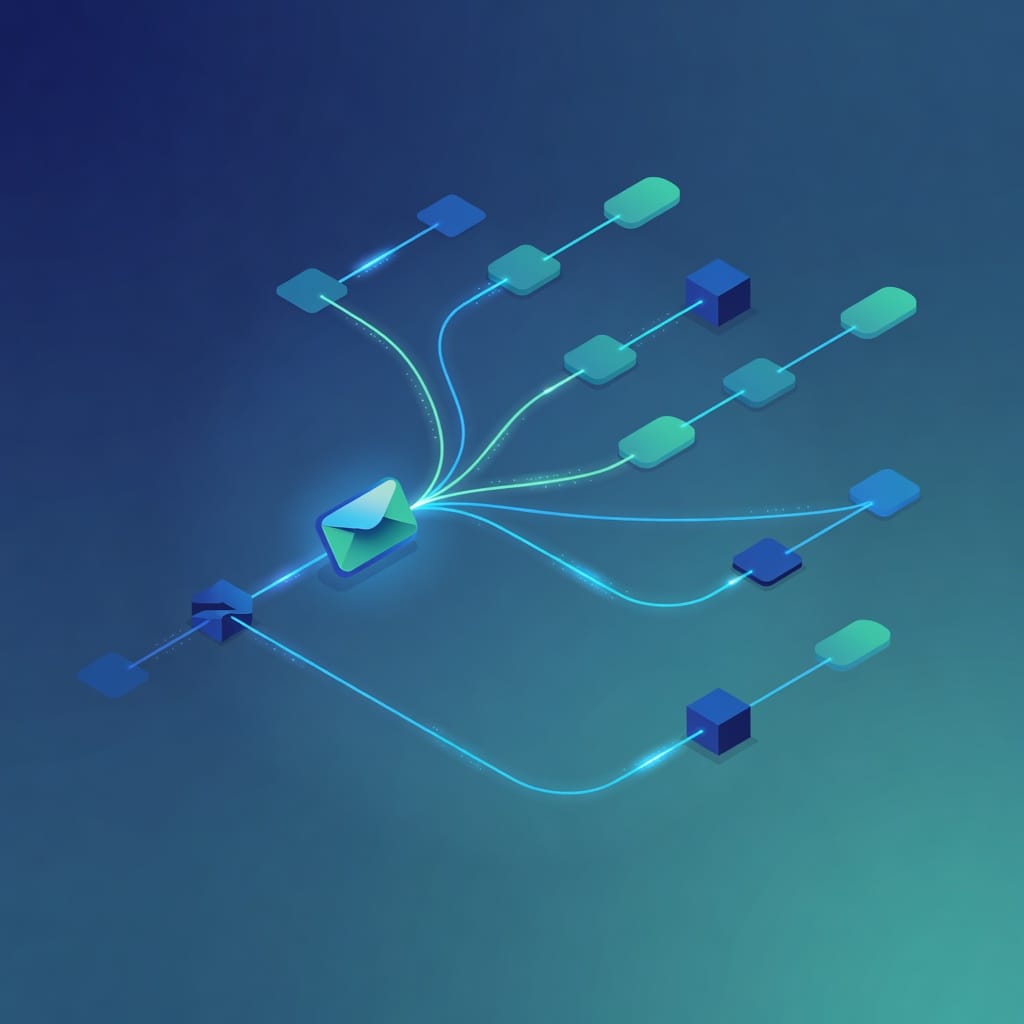
What Is Email Automation Software?
Email automation software is a platform that sends targeted, personalized emails automatically based on predefined triggers, schedules, or user behaviors. Instead of manually writing and sending each email, you set up workflows once and the software executes them at scale.
The core function of email automation software is replacing repetitive manual email tasks with rule-based or AI-driven sequences. A typical automation might work like this: a prospect signs up for a free trial, and the software automatically sends a welcome email on day one, a feature tutorial on day three, and a discount offer if they have not upgraded by day seven. All of this happens without anyone pressing send.
Email automation software differs from standard email marketing tools in one critical way: it uses triggers and conditional logic, not just broadcast sends. While a newsletter tool blasts the same message to everyone on a list, automation software sends different messages to different people based on what they do or do not do.
Who Needs Email Automation Software?
Email automation software serves a wide range of users. Solo entrepreneurs use it to nurture leads while they focus on product development. Marketing teams use it to run multi-step campaigns without manual intervention. Sales teams use it to automate cold outreach sequences that personalize follow-ups based on prospect behavior. Ecommerce brands use it to recover abandoned carts and drive repeat purchases. Even enterprise organizations use it to manage complex, multi-departmental communication workflows at scale.
The common thread across all these use cases is the need to send the right message to the right person at the right time without manually managing each send. If you send more than a few dozen emails per week, or if your email communication involves more than one follow-up, email automation software will save you time and improve your results.
Common Misconceptions About Email Automation
A common misconception is that email automation software is only for large companies with dedicated marketing teams. In reality, most platforms offer entry-level plans that are affordable for solopreneurs and small businesses. Brevo offers a free plan. MailerLite starts at $12 per month. Mystrika starts at $15 per month. The barrier to entry is lower than most people assume.
Another misconception is that automated emails feel impersonal. Well-configured automation does the opposite. By using behavioral triggers and conditional logic, automated emails can be more relevant and timely than manually sent batch emails. A welcome email that arrives immediately after signup feels more personal than a generic newsletter sent to the entire list a week later.
How Does Email Automation Software Work?
Every email automation platform operates on the same fundamental structure: triggers, conditions, actions, and sequences.
Triggers are the events that start an automation. Common triggers include a new subscriber joining a list, a contact clicking a link in a previous email, a purchase being completed, a form being submitted, or a specific date being reached (like a birthday or trial expiration).
Conditions are the if-then logic gates that route contacts down different paths. For example: if a contact opened the last email, send them the follow-up A. If they did not open it, send them follow-up B instead. This conditional branching is what separates true automation from simple autoresponders.
Actions are the tasks the software performs when a contact meets a condition. Actions include sending an email, adding or removing a tag, moving a contact to a different list, updating a CRM field, or triggering an external webhook.
Sequences are the complete workflows that chain triggers, conditions, and actions together. A sequence might have five steps spread over two weeks, with branches at each step based on engagement.
Modern email automation software also includes AI features that optimize send times, generate subject lines, predict the best content for each recipient, and automatically adjust sequences based on real-time engagement data.
Types of Email Automation
Not all email automation is the same. The three main categories are:
Simple automation covers basic autoresponders and date-based emails. A welcome email that fires immediately after signup is simple automation. So is a birthday discount email. Almost every email tool on the market handles this level.
Advanced automation adds behavior-based triggers and tagging. When a contact clicks a link about a specific product, the software tags them with that interest and moves them into a relevant follow-up sequence. This requires a platform with conditional logic and tag management.
Professional automation includes website tracking, ecommerce integration, lead scoring, and multi-channel workflows. The software tracks anonymous website visitors with cookies, connects their browsing behavior to their contact record after they convert, and scores leads based on engagement. This level requires a platform with CRM capabilities and advanced analytics.
Common Automation Workflow Examples
Understanding what email automation looks like in practice helps clarify which type you need. Here are three real-world examples:
Welcome and onboarding sequence. A new user signs up for your SaaS product. Day one: welcome email with login instructions. Day three: feature tutorial based on their account setup choices. Day seven: case study relevant to their industry. Day fourteen: upgrade offer if they are still on the free plan. This is advanced automation with behavior-based branching.
Abandoned cart recovery. A customer adds items to their cart but leaves without purchasing. One hour later: reminder email with the cart contents. Twenty-four hours later: follow-up with a social proof element showing how many people bought the same items. Seventy-two hours later: discount offer if the cart is still active. This is professional automation with ecommerce tracking.
Cold email outreach sequence. A sales prospect receives a personalized introduction email. Three days later if no reply: follow-up with a relevant case study. Five days later if still no reply: break-up email that closes the loop. If the prospect replies at any point, the sequence ends and the prospect moves to a sales follow-up track. This is advanced automation with conditional branching based on reply detection.
Email Automation Software Comparison Table
The table below compares the leading email automation platforms across the features that matter most for business buyers in 2026.
| Software | Best For | Starting Price | Automation Type | AI Features | Deliverability Tools | CRM Integration |
|---|---|---|---|---|---|---|
| Mystrika | Cold email outreach | $15/month | Advanced | AI sequence copilot, smart send-time | Built-in warmup, spam checker, inbox placement | Pipedrive, HubSpot, Salesforce |
| ActiveCampaign | Marketing automation + CRM | $15/month (1,000 contacts) | Professional | Predictive sending, content scoring | Spam testing, list cleaning | Built-in CRM, 850+ integrations |
| Brevo | All-in-one marketing | Free (300 emails/day) | Advanced | AI subject line generator | Double opt-in, separate IP streams | Built-in CRM |
| HubSpot | Full CRM + marketing | $15/month (Starter) | Professional | AI content writer, predictive lead scoring | Deliverability monitoring | Native CRM (best in class) |
| Mailchimp | Creative campaigns | $13/month (Essential) | Advanced | AI subject line helper, creative assistant | List health scoring | Limited (paid tiers) |
| MailerLite | Bloggers and creators | $12/month (1,000 recipients) | Simple to Advanced | AI image generation | Bounce management | Basic API |
| GetResponse | Webinar + email | $16/month (Starter) | Advanced | AI email generator | List validation | Salesforce, API |
| Omnisend | Ecommerce | $16/month (500 contacts) | Professional | AI product recommendations | List cleaning | Shopify, WooCommerce, BigCommerce |
| Klaviyo | Ecommerce data | $20/month (500 contacts) | Professional | Predictive analytics, AI segmentation | Bounce management | Shopify, Magento, custom |
| Drip | Online stores | $39/month (2,500 contacts) | Advanced | AI workflow templates | List cleaning | Shopify, WooCommerce |
| Lemlist | Cold email + LinkedIn | $69/month (Email Pro) | Advanced | AI personalization | Lemwarm warmup, spam checker | HubSpot, Salesforce |
| Moosend | SMBs | $9/month (Pro) | Advanced | AI writer | List cleaning | API, Zapier |
| Constant Contact | Event marketing | $12/month (Lite) | Simple | AI subject line helper | Bounce management | Eventbrite, Shopify |
| Zoho Campaigns | Budget-friendly | $4/month (500 contacts) | Simple to Advanced | AI send-time optimization | List cleaning | Zoho CRM |
| EmailOctopus | Developers (via AWS SES) | $10/month (Pro) | Simple | None | Bounce management | API only |
How to Choose the Right Email Automation Software
Choosing email automation software comes down to matching the platform to your specific use case. Here is a step-by-step framework to make the right decision.
Step 1: Define Your Primary Use Case
The first question to answer is whether you need marketing automation, cold email automation, or both.
Marketing automation is for communicating with people who have opted in to receive your emails. Think welcome sequences, newsletter broadcasts, abandoned cart recovery, and re-engagement campaigns. Tools like ActiveCampaign, Brevo, Mailchimp, and HubSpot excel here.
Cold email automation is for reaching out to prospects who have not opted in. This requires different infrastructure: built-in warmup, SPF/DKIM/DMARC authentication, bounce detection, and gradual sending ramp-up. [Mystrika](https://mystrika.com/) and Lemlist are built specifically for this use case.
If you need both, look for a platform that handles cold email infrastructure while also supporting marketing workflows. Some teams use separate tools for each.
Step 2: Evaluate Your Contact Volume and Growth Trajectory
Pricing scales differently across platforms. Some charge per contact, others per email send, and others per user seat.
- If you have under 500 contacts and send infrequently, free plans from Brevo, Mailchimp, or HubSpot may be sufficient.
- If you have 1,000 to 10,000 contacts, look at ActiveCampaign ($15-$49/month), MailerLite ($12-$25/month), or Mystrika ($15-$139/month).
- If you have over 10,000 contacts, per-contact pricing becomes expensive. Consider platforms with flat-rate plans or per-send pricing like Brevo or EmailOctopus.
Step 3: Check Deliverability Infrastructure
Deliverability is the single most important feature in any email automation platform. An email that does not reach the inbox is an email that does not exist.
Look for these deliverability features:
- Built-in warmup: Gradually increases sending volume to build sender reputation. Critical for cold email and new domains.
- SPF, DKIM, and DMARC configuration: Authentication protocols that prove you are a legitimate sender.
- Bounce detection and management: Automatic removal of invalid addresses to protect sender reputation.
- Spam score checking: Pre-send testing that flags content or technical issues.
- Inbox placement testing: Shows which providers will deliver to inbox vs. spam before you send at scale.
- Engagement-based sending: Prioritizes active recipients and suppresses unengaged contacts.
Step 4: Assess AI and Automation Capabilities
In 2026, AI features are a standard expectation, not a premium add-on. The key AI capabilities to evaluate are:
- AI content generation: Drafts email copy, subject lines, and CTAs based on your brand voice and campaign goals.
- Predictive send-time optimization: Analyzes each recipient’s past behavior to determine the optimal send time individually.
- Smart segmentation: Automatically groups contacts based on behavior patterns, not just static list membership.
- Sequence optimization: Adjusts follow-up timing and content based on real-time engagement data.
- Lead scoring: Assigns points to contacts based on actions and notifies sales when thresholds are reached.
Step 5: Verify Integration Requirements
Your email automation software needs to connect with your existing tech stack. The most important integrations are:
- CRM: If you use Salesforce, HubSpot, or Pipedrive, make sure the email platform syncs bidirectionally.
- Ecommerce platform: For abandoned cart and post-purchase flows, the platform needs native Shopify, WooCommerce, or Magento integration.
- Landing page and form builders: Lead capture flows require seamless form-to-email integration.
- Analytics tools: Google Analytics, Mixpanel, or Amplitude integration for campaign attribution.
Step 6: Evaluate Customer Support and Onboarding
The quality of onboarding and support varies significantly between email automation platforms. Some offer dedicated account managers and personalized setup calls. Others rely on knowledge bases and community forums.
If you are new to email automation, prioritize platforms with strong onboarding. ActiveCampaign and HubSpot offer extensive training resources and certification programs. Mystrika provides personalized onboarding for new users. MailerLite and Brevo have comprehensive knowledge bases with video tutorials.
For teams, consider platforms with multi-user roles and permissions. HubSpot and ActiveCampaign allow granular access controls. Mystrika supports unlimited team members on all paid plans, which is useful for growing sales teams.
Step 7: Test Before Committing
Almost every email automation platform offers a free trial or free plan. Use this period to test the features that matter most to your use case. Send a test campaign and check deliverability using a tool like Mail-Tester or GlockApps. Build a simple automation workflow and verify the conditional logic works as expected. Import a small segment of your contacts and check for formatting issues or data mapping problems. Test the integration with your CRM or ecommerce platform to confirm data syncs correctly.
A free trial that sits unused tells you nothing. Spend two to three hours actively building your first workflow and sending a test campaign before making a decision.
Decision Matrix: Which Tool Fits Your Business?
| If You Are… | Choose This | Because |
|---|---|---|
| A small business doing cold email outreach | Mystrika | Built-in warmup, AI sequencer, affordable starting at $15/month |
| A marketing team with an existing CRM | ActiveCampaign | Best-in-class automation with 850+ integrations |
| An ecommerce brand | Klaviyo or Omnisend | Native ecommerce data, predictive analytics, product feeds |
| A solo creator or blogger | MailerLite | Simple interface, affordable, good deliverability |
| An agency managing multiple clients | HubSpot | Scalable, white-label options, professional reporting |
| A budget-conscious startup | Brevo or Zoho Campaigns | Free or low-cost plans with solid features |
| A sales team doing multichannel outreach | Lemlist | Email + LinkedIn sequences in one platform |
| A developer building custom solutions | EmailOctopus | Amazon SES routing for low-cost high-volume sending |

Email Automation Software for Cold Email vs Marketing Email
One of the most common mistakes businesses make is using marketing email automation software for cold email outreach. These are fundamentally different use cases that require different infrastructure.
Marketing email automation assumes recipients have opted in. The primary challenges are engagement, segmentation, and conversion. Deliverability is still important, but because recipients know you, inbox placement is generally higher. Tools like ActiveCampaign, Brevo, and Mailchimp are optimized for this scenario.
Cold email automation assumes recipients have not opted in. The primary challenges are deliverability, reputation management, and compliance. Cold email platforms need:
- Gradual warmup: Starting with a few emails per day and ramping up over weeks to build sender reputation with ISPs.
- Authentication configuration: Proper SPF, DKIM, and DMARC setup is non-negotiable for cold email.
- Bounce handling: Hard bounces must be removed immediately to prevent reputation damage.
- Sending limits and throttling: Cold email platforms cap daily sends per mailbox to avoid spam flags.
- Unsubscribe management: CAN-SPAM requires a clear opt-out in every commercial email.
Mystrika is built specifically for cold email automation, with built-in warmup, AI-powered sequence optimization, and deliverability monitoring. For marketing automation, ActiveCampaign or Brevo are stronger choices. Some teams use both: Mystrika for outbound prospecting and a marketing platform for subscriber engagement.
Deliverability and Authentication in Email Automation
Deliverability is the single biggest factor determining whether your email automation efforts succeed or fail. For a deeper dive into this topic, see our complete guide to [email deliverability](https://blog.mystrika.com/email-deliverability/). Here is what you need to know about keeping your emails out of spam folders.
Email Authentication Protocols
Three authentication protocols are essential for any domain sending automated email:
SPF (Sender Policy Framework) publishes a list of IP addresses authorized to send email from your domain. When an ISP receives an email claiming to be from your domain, it checks the SPF record to verify the sending server is on the approved list.
DKIM (DomainKeys Identified Mail) adds a digital signature to every email your domain sends. The receiving server checks this signature against a public key in your DNS records to verify the email has not been tampered with in transit.
DMARC (Domain-based Message Authentication, Reporting, and Conformance) tells receiving servers what to do when SPF or DKIM checks fail. A DMARC policy of p=reject tells ISPs to reject unauthenticated email, protecting your domain from spoofing.
Every email automation platform should help you configure these protocols. Some handle it automatically; others require manual DNS setup. If you are sending cold email, proper authentication is not optional. It is the difference between landing in the inbox and landing in spam.
Warmup and Reputation Building
When you start sending from a new domain or IP address, ISPs have no reputation data for it. They treat all email from unknown senders with suspicion. Warmup solves this by gradually increasing sending volume over several weeks, allowing ISPs to observe positive engagement signals before you ramp up to full volume.
Most cold email platforms include built-in warmup. Mystrika, for example, automates the warmup process by sending and replying to emails between a network of real mailboxes, building positive engagement signals for your domain.
Bounce Management
Bounces fall into two categories. Hard bounces are permanent failures caused by invalid or non-existent email addresses. Soft bounces are temporary failures caused by a full inbox or a temporarily unavailable server.
Good email automation software automatically categorizes bounces and removes hard bounces from your lists. This protects your sender reputation and keeps your bounce rate below the 2-5% threshold that ISPs use to flag spammers.
Compliance and Legal Requirements
Automated email is subject to the same regulations as any commercial email. In the United States, the CAN-SPAM Act requires a clear opt-out mechanism in every commercial email, a valid physical postal address, and accurate header information. In Canada, CASL requires express consent for most commercial email and imposes strict record-keeping requirements. In Europe, GDPR requires a lawful basis for processing personal data, clear privacy notices, and the right to erasure.
Email automation software can help with compliance by managing unsubscribe requests automatically, maintaining consent records, and providing opt-in confirmation workflows. Brevo, for example, uses double opt-in by default for all new subscribers. Most platforms also include pre-built templates that include the required unsubscribe links and postal address fields.
If you are sending cold email, compliance is especially important. CAN-SPAM applies to all commercial email regardless of whether the recipient opted in. Every cold email must include a clear unsubscribe link, your physical address, and accurate sender identification. Failure to comply can result in fines of up to $50,120 per violation under CAN-SPAM.
AI Features in Modern Email Automation Software
Artificial intelligence has transformed email automation in 2026. Here are the AI capabilities that separate modern platforms from traditional ones.
AI Content Generation drafts email copy, subject lines, and CTAs based on your campaign goals and brand voice. Instead of writing every email from scratch, you provide a brief and the AI generates options. You review, edit, and approve. This cuts campaign creation time from hours to minutes.
Predictive Send-Time Optimization analyzes each recipient’s historical engagement patterns to determine when they are most likely to open and click. Instead of sending all emails at the same time, the software sends each email at the individual recipient’s optimal time. This can improve open rates by 20-40% compared to batch sending.
Smart Segmentation uses machine learning to group contacts based on behavior patterns rather than static list membership. The AI identifies segments you might not have considered, such as “contacts who open but never click” or “contacts who engage only on mobile devices.”
Sequence Optimization adjusts follow-up timing and content based on real-time engagement. If a contact opens an email but does not click, the AI might send a different follow-up than if they had clicked. If a contact stops engaging, the AI extends the delay between sends or moves them to a re-engagement sequence.
Predictive Lead Scoring assigns points to contacts based on their actions and engagement level. When a contact crosses a threshold, the software notifies your sales team. This ensures sales follows up with the hottest leads at exactly the right time.
Email Automation Software Pricing Comparison
Pricing for email automation software varies widely based on contact count, feature tier, and billing cycle. Here is how the major platforms compare.
| Software | Free Tier | Entry Paid | Mid-Tier | High-Tier | Pricing Model |
|---|---|---|---|---|---|
| Mystrika | No | $15/month (Outreach Starter) | $69/month (Outreach Pro) | $139/month (Outreach Scale) | Per account |
| ActiveCampaign | 14-day trial | $15/month (1,000 contacts) | $49/month (Plus) | Custom (Enterprise) | Per contact |
| Brevo | Free (300/day) | $25/month (Starter) | $65/month (Business) | Custom (BrevoPlus) | Per send |
| HubSpot | Free (1M contacts) | $15/month (Starter) | $800/month (Professional) | $3,600/month (Enterprise) | Per seat + contacts |
| Mailchimp | Free (250 contacts) | $13/month (Essential) | $20/month (Standard) | $350/month (Premium) | Per contact |
| MailerLite | Free (1,000 contacts) | $12/month (1,000 recipients) | $25/month (Power) | Custom (Enterprise) | Per contact |
| GetResponse | Free (500 contacts) | $16/month (Starter) | $54/month (Marketer) | Custom (Enterprise) | Per contact |
| Omnisend | Free (250 contacts) | $16/month (500 contacts) | $59/month (Pro) | Custom (Enterprise) | Per contact |
| Klaviyo | Free (250 contacts) | $20/month (500 contacts) | Usage-based | Custom (Enterprise) | Per contact |
| Drip | 14-day trial | $39/month (2,500 contacts) | Usage-based | Custom (Enterprise) | Per contact |
| Lemlist | No | $69/month (Email Pro) | $99/month (Multichannel) | Custom (Enterprise) | Per user |
| Moosend | 30-day trial | $9/month (Pro) | Custom (Enterprise) | Custom (Enterprise) | Per contact |
| Zoho Campaigns | Free (unlimited, 500 contacts) | $4/month (500 contacts) | $8/month (5,000 contacts) | $12/month (15,000 contacts) | Per contact |
| EmailOctopus | Free (2,500 subs) | $10/month (Pro) | Custom (Enterprise) | Custom (Enterprise) | Per subscriber |
Understanding Pricing Models
Email automation platforms use three main pricing models, and understanding the difference can save you significant money.
Per-contact pricing charges based on the number of contacts in your account. This is the most common model. The cost increases as your list grows, regardless of how many emails you send. ActiveCampaign, Mailchimp, and Klaviyo use this model. It is best for businesses that send frequently to a stable list.
Per-send pricing charges based on how many emails you send. Brevo and EmailOctopus use this model. It is better for businesses that send infrequently or have large lists they only contact occasionally.
Per-user pricing charges based on the number of user seats. HubSpot and Lemlist use this model. It works well for teams with multiple users managing campaigns.

Key Takeaways
- Email automation software sends targeted, personalized emails automatically based on triggers, conditions, and behavioral data, replacing manual email tasks with scalable workflows.
- The three levels of automation are simple (autoresponders), advanced (behavior-based triggers and tagging), and professional (website tracking, lead scoring, multi-channel workflows).
- For cold email outreach, choose a platform with built-in warmup, authentication support, and bounce management. Mystrika and Lemlist specialize in this use case.
- For marketing automation with opted-in subscribers, ActiveCampaign, Brevo, and HubSpot offer the strongest feature sets.
- Deliverability depends on proper SPF, DKIM, and DMARC configuration, gradual warmup for new domains, and active bounce management.
- AI features in 2026 include content generation, predictive send-time optimization, smart segmentation, and sequence optimization based on real-time engagement.
- Pricing ranges from free plans (Brevo, Mailchimp, HubSpot) to enterprise tiers exceeding $3,600 per month. Choose a pricing model that matches your contact volume and sending frequency.
- The most important factor in choosing email automation software is matching the platform to your specific use case: cold email, marketing automation, ecommerce, or multichannel outreach.
Frequently Asked Questions
What is the best email automation software for small businesses?
For small businesses, Brevo offers the best value with a free plan supporting up to 2,000 contacts and 300 emails per day, plus drag-and-drop automation workflows. MailerLite is another strong budget option starting at $12 per month with an intuitive interface. For cold email specifically, Mystrika provides affordable cold email automation starting at $15 per month with built-in warmup and deliverability tools.
Can I use email automation software for cold email outreach?
Yes, but you need software designed for cold email rather than marketing email. Cold email tools like Mystrika and Lemlist include features like built-in warmup, SPF/DKIM/DMARC authentication, bounce detection, and gradual sending ramp-up. Marketing-focused tools like Mailchimp and Brevo are better suited for subscriber-based campaigns where recipients have opted in.
How much does email automation software cost?
Email automation software ranges from free plans (Brevo, Mailchimp, HubSpot) to enterprise solutions costing thousands per month. Entry-level paid plans typically start between $9 and $25 per month for up to 500-1,000 contacts. Mid-tier plans range from $49 to $139 per month. Enterprise plans can exceed $3,600 per month for advanced features and higher contact limits.
What features should I look for in email automation software?
Key features include visual workflow builders, trigger-based automation (behavioral, time-based, event-based), segmentation and tagging, A/B testing, analytics and reporting, deliverability tools (warmup, spam testing, authentication), CRM integrations, and AI-powered features like content generation and send-time optimization. The right mix depends on whether you need marketing automation, cold email outreach, or both.
How does email automation software improve deliverability?
Email automation software improves deliverability through built-in warmup sequences that gradually increase sending volume, spam score checking before campaigns go out, bounce management to remove invalid addresses, authentication configuration (SPF, DKIM, DMARC), and engagement-based sending that prioritizes active recipients. Some platforms also offer inbox placement testing to show where emails land before full deployment.
What is the difference between email automation and email marketing?
Email automation refers to the technology that sends triggered, behavior-based emails automatically without manual intervention. Email marketing is the broader practice of using email to communicate with audiences. Automation software enables email marketing at scale by handling repetitive tasks like follow-ups, segmentation, and personalization. All email automation platforms support email marketing, but not all email marketing tools offer true automation capabilities.