
Choosing the right cold email service is one of the most important decisions you will make for your outreach campaigns. The platform you pick directly affects your deliverability, reply rates, scalability, and ultimately your revenue. With dozens of options on the market and prices ranging from $15/month to over $300/month, making the wrong choice can cost you months of lost momentum.
This guide compares the top cold email services in 2026 across the features that actually matter: deliverability infrastructure, sequence automation, personalization depth, pricing transparency, and compliance. Whether you are a solo founder sending 50 emails a day or an agency running millions of emails per month across dozens of clients, you will find the data you need to make an informed decision.

What Are Cold Email Services and How Do They Work?
Cold email services are specialized platforms designed for sending personalized, one-to-one outreach emails at scale. Unlike email marketing platforms such as Mailchimp or Constant Contact, which are built for broadcast newsletters, cold email services focus on deliverability, reply management, and sender reputation.
A cold email service typically handles the entire outreach workflow:
- Email account management — connecting and rotating across multiple sending accounts to distribute volume and protect reputation
- Sequence automation — creating multi-step follow-up sequences that trigger based on recipient behavior (opens, clicks, replies, or lack thereof)
- Personalization — inserting merge tags, spintax, and conditional content to make each email feel individual
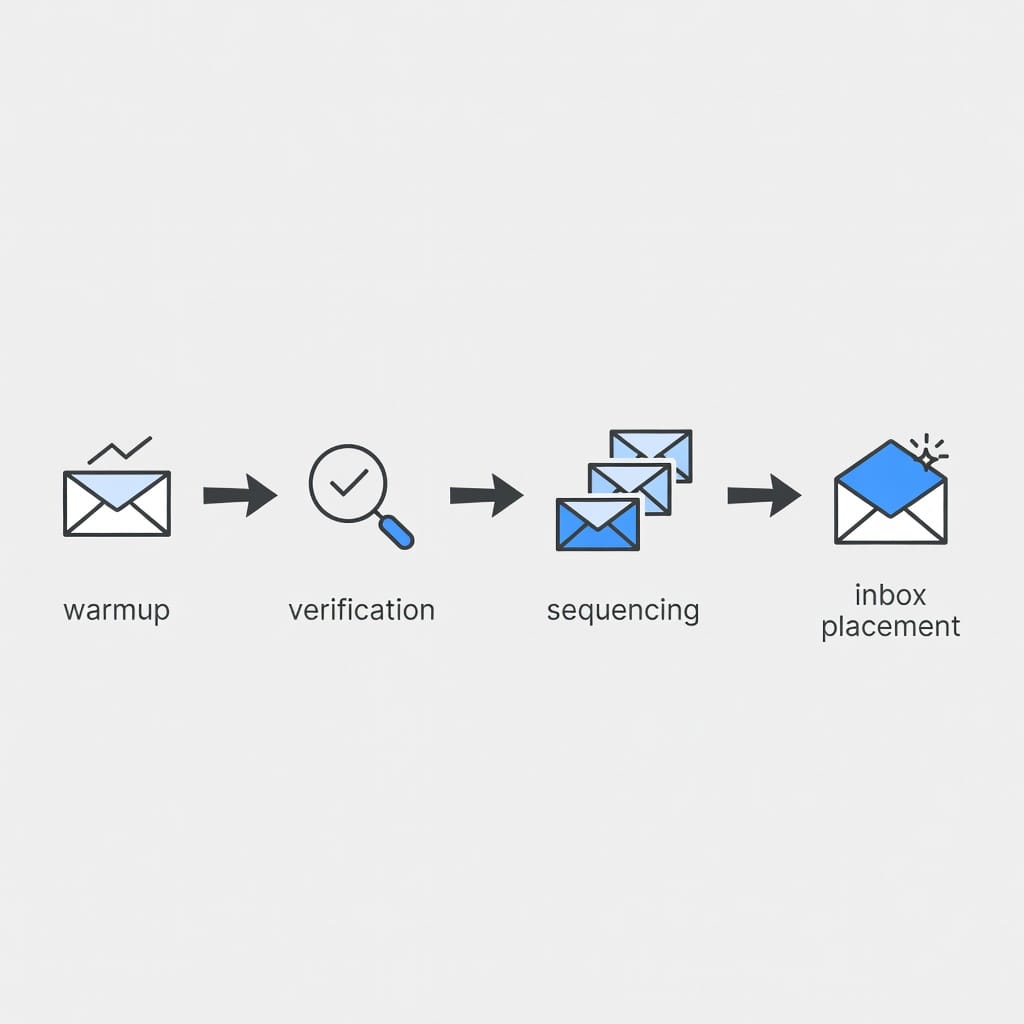
- Deliverability optimization — managing warmup, authentication (SPF, DKIM, DMARC), bounce handling, and blacklist monitoring
- Reply management — providing a unified inbox to track and respond to conversations across all campaigns
- Analytics and reporting — measuring open rates, reply rates, click rates, and deliverability metrics
The key distinction from email marketing platforms is that cold email services optimize for inbox placement and one-to-one conversation management, not for mass broadcast. Using a platform designed for the wrong use case is one of the fastest ways to damage your sender reputation.
What to Look for in a Cold Email Service: The 7 Essential Features
Not all cold email services are created equal. Here are the seven criteria you should use to evaluate any platform before committing.
Deliverability Infrastructure and Email Authentication
Deliverability is the single most important feature of any cold email service. If your emails do not reach the inbox, nothing else matters.
The platform should handle email authentication protocols automatically or make them easy to configure. SPF (Sender Policy Framework) and DKIM (DomainKeys Identified Mail) verify that you are authorized to send from your domain. DMARC (Domain-based Message Authentication, Reporting, and Conformance) tells receiving servers what to do with emails that fail authentication. As of 2024, Gmail and Yahoo require these protocols for bulk senders, and compliance is only becoming stricter.
Look for a service that provides clear setup guides, automated DNS record detection, and ongoing monitoring of your authentication status. Some platforms, like Mystrika, offer one-click authentication setup that handles the technical configuration for you.
Beyond authentication, the platform should offer adaptive sending that varies send intervals and volume to mimic natural human behavior. Sending 500 identical emails in 30 seconds is a fast track to the spam folder.
Sequence Automation and Conditional Logic
Multi-step sequences are the backbone of any cold email campaign. A single email almost never converts. It takes an average of 3 to 7 touchpoints to get a response, and your service needs to handle that automatically.
Look for these capabilities:
- Multi-step sequences with at least 4-6 steps
- Conditional if/then branching based on opens, clicks, replies, and positive vs. negative engagement
- Auto-stop on reply to avoid emailing someone who already responded
- Different follow-up paths for different prospect behaviors
- Easy sequence editing without breaking in-progress campaigns
The best platforms let you build complex, behavior-responsive sequences without needing to learn a visual automation builder. Mystrika’s AI sequence builder, for example, generates complete sequences from just your company URL, target audience, and campaign goals.
Personalization Capabilities
Personalization goes far beyond inserting a first name merge tag. Modern cold email services should support:
- Unlimited custom merge fields from your CSV data
- Spintax for varying subject lines and body content
- Conditional content blocks that show different text based on prospect attributes
- AI-assisted personalization that analyzes prospect data and suggests relevant messaging
- Personalized images and videos (available in higher-tier platforms)
The more personalization options you have, the less your emails look like templates. And the less they look like templates, the higher your reply rates will be.
Email Warmup and Reputation Management
Email warmup is the process of gradually increasing sending volume from a new email account or domain to build a positive sending reputation. Without warmup, a new account sending 100 cold emails on day one will almost certainly land in spam.
Your cold email service should include built-in warmup that:
- Starts with very low daily volume (2-5 emails per day per account)
- Gradually increases over 2-4 weeks
- Engages in positive email interactions (opens, replies, mark-as-not-spam) with a network of real warmup accounts
- Automatically adjusts based on engagement signals
- Monitors reputation across major mailbox providers
Some platforms offer unlimited warmup (Instantly, Mailshake), while others cap it or charge extra. Mystrika includes AI-powered warmup that adapts based on real-time deliverability feedback, adjusting sending patterns as your reputation changes.
Bounce Management and List Hygiene
Bounces are inevitable in cold email, but how your service handles them determines whether they damage your reputation.
Hard bounces (invalid email addresses) should be automatically removed from your list and suppressed from future campaigns. Soft bounces (temporary delivery failures) should trigger retry logic with escalating intervals. Catch-all verification, which tests whether an address on a catch-all domain is actually valid, is the gold standard for list hygiene.
The platform should also integrate with or include email verification to clean your list before sending. Sending to invalid addresses damages your sender score and wastes your sending capacity.
Compliance and Legal Safeguards
Cold email is legal in most jurisdictions when done correctly, but the rules vary by region. Your service should help you stay compliant with:
- CAN-SPAM (US) — requires accurate header information, clear subject lines, a physical address, and a visible unsubscribe option
- GDPR (EU/UK) — requires a lawful basis for processing personal data, which for B2B cold email is typically legitimate interest, plus clear privacy notices and data subject rights
- CCPA (California) — requires disclosure of data collection and the right to opt out of sale of personal information
Look for platforms that include one-click unsubscribe in all templates, suppression list management across campaigns, and data export/deletion capabilities for subject access requests. SOC 2 certification is a strong trust signal for enterprise use.
Reporting, Analytics, and A/B Testing
You cannot improve what you do not measure. A good cold email service provides:
- Campaign-level metrics: open rates, reply rates, click rates, meeting booked rates, unsubscribe rates
- Deliverability-specific reporting: inbox placement rate, spam rate, bounce rate by type
- A/B testing with statistical significance indicators
- Sender reputation monitoring across major providers
- Exportable data for custom analysis
Note that open rates have been increasingly unreliable since Apple’s iOS Mail privacy changes in 2021, which pre-load tracking pixels. Focus more on reply rates, meeting rates, and deliverability metrics than on open rates alone.
Best Cold Email Services Compared: Top 10 Platforms in 2026
Here is a detailed comparison of the leading cold email services available today. Each platform is evaluated on the seven criteria above, with specific pricing and feature data.
Feature Comparison Table
| Feature | Mystrika | Instantly | Smartlead | Lemlist | Apollo.io | Hunter.io | Snov.io | Mailshake | Woodpecker | Reply.io |
|---|---|---|---|---|---|---|---|---|---|---|
| Starting Price (Annual) | $15/mo | $30/mo | $32.50/mo | $55/mo | $49/mo | $34/mo | $30/mo | $25/mo | $20/mo | $49/mo |
| Email Warmup | AI-powered | Unlimited | Included | Lemwarm | Included | Not included | Included | Unlimited | Via Warmy | Included |
| Email Verification | Included | Not included | Included | Not included | Included | Included | 7-tier | On higher plans | Free via Bouncer | Included |
| Multi-Channel | Email only | Email only | Email, LinkedIn, VoIP | Email, Phone, LinkedIn | Email only | Email, LinkedIn | Email, LinkedIn, Phone | Email, LinkedIn | Email, LinkedIn, SMS, WhatsApp | |
| Unified Inbox | Yes | Yes | Yes | Yes | No | No | Yes | Yes | Yes | Yes |
| A/B Testing | Yes | A/Z testing | Yes | Yes | Yes | No | On higher plans | Up to 10 variants | Up to 5 variants | Unlimited |
| CRM Integrations | HubSpot, Salesforce, Pipedrive | HubSpot, Salesforce, Pipedrive | HubSpot, Expandi | HubSpot, Salesforce | HubSpot, Salesforce | HubSpot, Salesforce, Pipedrive | HubSpot, Pipedrive | HubSpot, Salesforce, Pipedrive | HubSpot, Pipedrive, Salesforce | HubSpot, Pipedrive, Salesforce |
| Lead Database | No | 160M+ | No | 450M+ | 270M+ | 107M+ | 500M+ | 100M+ | 1B+ | 1B+ |
| Agency Features | Whitelabel, multi-workspace | No | No | No | No | No | No | No | Agency panel | No |
| SOC 2 / Compliance | SOC 2 | No | GDPR | GDPR | SOC 2 | No | No | No | GDPR | GDPR |
| Free Trial | Yes | Yes | Yes | 14 days | Free plan | Free plan | Free plan | Yes | Yes | Yes |
Mystrika — Best for All-in-One Cold Email with AI-Powered Deliverability
Mystrika is a modern cold email platform that combines AI-powered sequence building, intelligent warmup, and comprehensive deliverability management in a single interface. It is designed for both newcomers and experienced senders who want a platform that handles the technical complexity of cold email automatically.
Key Features:
- AI sequence builder that generates complete campaigns from your company URL, target audience, and goals
- Intelligent email warmup that adapts based on real-time deliverability feedback
- Unified inbox for managing all replies across campaigns
- Whitelabel support for agencies
- Built-in email verification
- SOC 2 compliant
Pricing: Starts at $15/month (annual), making it one of the most affordable options for entry-level users. Higher tiers add more email accounts, higher sending volume, and advanced features.
Best For: Businesses and agencies that want a complete cold email solution with strong deliverability infrastructure and AI-powered automation, without paying for features they do not need.
Pros:
- Affordable entry price at $15/month
- AI-powered warmup that adapts to reputation signals
- Whitelabel and multi-workspace for agencies
- SOC 2 compliant for enterprise trust
- Unified inbox for all campaign replies
Cons:
- Does not include a built-in B2B lead database
- Newer to market compared to some established competitors
Instantly — Best for Unlimited Email Warmup
Instantly has built a strong reputation around its unlimited email warmup capability. The platform lets you connect any number of email addresses from any provider and warm them up simultaneously, which is a significant advantage for high-volume senders.
Key Features:
- Unlimited email warmup across all plans
- AI CoPilot that analyzes prospects and writes sequences based on buying intent
- Unibox with AI-powered conversation categorization
- A/Z testing with unlimited variations
- Native lead database with 160M+ contacts
Pricing: Starts at $30/month (Growth plan), with Hypergrowth at $77.60/month and Light Speed at $286.30/month.
Best For: Enterprises and high-volume senders who need unlimited warmup and AI-powered sequence optimization.
Pros:
- Unlimited email warmup on all plans
- AI CoPilot for prospect analysis and sequence writing
- A/Z testing with unlimited variations
- Advanced lead database filters
Cons:
- Email only, no multi-channel support
- Customer service responsiveness has been criticized
- Expensive for small teams and solopreneurs
Smartlead — Best for Deliverability-First Outreach
Smartlead positions itself as a deliverability-first cold outreach platform. Its SmartDelivery feature tests inbox placement rates, analyzes ESP filters, and tracks over 400 spam blacklists to provide detailed domain health reports.
Key Features:
- SmartDelivery inbox placement testing
- AI-powered unlimited email warmup
- Unified Master Box with dynamic campaign tags
- Built-in email verification
- Domain purchasing pre-configured for cold emailing
Pricing: Starts at $32.50/month (Basic), Pro at $78.30/month, Custom from $174/month.
Best For: Senders who prioritize deliverability testing and want detailed domain health monitoring.
Pros:
- SmartDelivery inbox placement testing
- Built-in email verification
- GDPR compliant
- Pre-configured cold email domain purchasing
Cons:
- Customer support has been reported as slow
- Integrations only available on the Pro plan
- No built-in prospecting database or AI writer
Lemlist — Best for Multi-Channel Outreach
Lemlist combines cold email with LinkedIn automation, VoIP calling, and a 450M+ B2B contact database. Its waterfall enrichment method uses multiple data providers to achieve higher email find rates than single-provider tools.
Key Features:
- Waterfall enrichment for higher email find rates (up to 80%)
- Lemwarm built-in warmup tool
- Native LinkedIn integration for profile visits, connection requests, and messages
- VoIP calling with local numbers, recordings, and transcripts
- AI email writer for personalization
Pricing: Starts at $55/month (Email Pro), Multichannel Expert at $79/month.
Best For: Teams that need multi-channel outreach combining email, LinkedIn, and phone calls in a single platform.
Pros:
- Waterfall enrichment for accurate email finding
- Native LinkedIn automation
- VoIP calling with local numbers
- 450M+ B2B contact database
Cons:
- Multi-channel features only on the more expensive plan
- Limits on connectable email accounts
- Higher starting price than many competitors
Apollo.io — Best for Built-In B2B Lead Database
Apollo.io combines a massive B2B database with cold email and multi-channel outreach capabilities. Its 270M+ prospect database with advanced filtering makes it a strong choice for teams that need lead generation and outreach in one platform.
Key Features:
- 270M+ B2B prospects with advanced filtering
- AI-powered email writing based on prospect data
- Multi-channel sequences (email, phone, LinkedIn)
- Intent signals for in-market leads
- Chrome extension for on-the-go prospecting
Pricing: Starts at $49/month (Basic), Professional at $79/month, Organization at $119/month.
Best For: Sales teams that want an all-in-one prospecting and outreach platform with a large lead database.
Pros:
- Large B2B database with advanced filters
- Intent signals for identifying in-market buyers
- Forever-free plan available
- Chrome extension for prospecting
Cons:
- Lacks sender rotation and email warmup
- Basic plan limits to 2 email sequences
- UI can be difficult to navigate for new users
Hunter.io — Best for Email Finding and Verification
Hunter.io started as an email finder and has expanded into cold email campaigns. Its core strength remains email discovery and verification, with a domain search feature that lets you find email addresses for any company.
Key Features:
- Domain-based email finding and verification
- Warm Lead Tracking for identifying opens without replies
- Ready-to-go cold email templates
- Google Sheets integration for bulk operations
- Tech-stack-based prospecting
Pricing: Starts at $34/month (Starter), Growth at $104/month, Scale at $209/month.
Best For: Teams that prioritize email finding and verification and want a straightforward cold email campaign tool.
Pros:
- Excellent email finding and verification
- Domain search for company-wide prospecting
- Google Sheets integration
- Forever-free plan available
Cons:
- No email warmup
- Very limited connectable email accounts even on paid plans
- No multi-channel support
- No A/B testing
Snov.io — Best Budget Option with Built-In CRM
Snov.io combines email finding, cold email automation, and a built-in CRM in one platform. Its 7-tier email verification process and LinkedIn touchpoints make it a versatile option for budget-conscious teams.
Key Features:
- Built-in email finder with domain and bulk domain search
- 7-tier email verification process
- Trigger-based sequences with AI sentiment analysis
- Built-in CRM with pipeline management
- LinkedIn automation for profile visits and connection requests
Pricing: Starts at $30/month (Starter), Pro at $75/month, Managed Service at $3,999/month.
Best For: Small to mid-size teams that want an affordable all-in-one solution with lead generation, outreach, and CRM.
Pros:
- Affordable entry price
- Built-in CRM with pipeline management
- 7-tier email verification
- Forever-free plan available
Cons:
- No native calling capability
- Prospecting data less accurate than waterfall-enriched tools
- A/B testing only on expensive plans
Mailshake — Best for Cold Calling and Email Combined
Mailshake combines cold email with a powerful dialer for phone outreach. Its direct LinkedIn integration and unlimited warmup make it a strong multi-channel option.
Key Features:
- Unlimited email warmup
- Direct LinkedIn integration (no third-party tool needed)
- Powerful dialer with unlimited minutes to North American numbers
- A/B testing with up to 10 variants
- 1,000+ integrations via Zapier
Pricing: Starts at $25/month (annual), with multi-channel at $85/month.
Best For: Sales teams that combine cold email with phone outreach and want a unified platform.
Pros:
- Unlimited warmup and email verification
- Powerful dialer with unlimited North American minutes
- Direct LinkedIn integration
- Competitive entry pricing
Cons:
- Lead database is smaller than competitors (100M+)
- Multi-channel features only on the most expensive plan
- Limited data finder credits on entry plan
Woodpecker — Best for Agency-Scale Cold Email
Woodpecker is a dedicated cold email platform with strong agency features, including a multi-client panel and white-label capabilities. Its free Bouncer integration for email verification and adaptive sending technology make it a solid choice for agencies.
Key Features:
- Adaptive Sending with randomized intervals and inbox rotation
- Bounce Shield for automatic bounce management
- Free unlimited catch-all email verification via Bouncer
- Agency panel with white-label support
- 1B+ B2B lead database
Pricing: Starts at $20/month, with volume-based pricing that varies by prospect count.
Best For: Agencies and B2B sales teams that need dedicated cold email infrastructure with agency management features.
Pros:
- Lowest starting price at $20/month
- Free Bouncer email verification integration
- Agency panel with white-label
- Adaptive Sending technology
Cons:
- LinkedIn automation requires Dux-Soup (third-party)
- No native calling
- Analytics dashboard is basic compared to competitors
Reply.io — Best for Multi-Channel with SMS and WhatsApp
Reply.io offers the broadest multi-channel support among dedicated cold email platforms, including email, LinkedIn, calls, SMS, and WhatsApp. Its unlimited A/B testing and real-time lead data make it a comprehensive option.
Key Features:
- Multi-channel outreach: email, LinkedIn, calls, SMS, WhatsApp
- Unlimited A/B test variations
- AI-powered email personalization with pre-made prompt templates
- Real-time lead data
- Team performance analytics
Pricing: Starts at $49/month (annual), with multi-channel at $89/month per user.
Best For: Teams that need the widest range of outreach channels, including SMS and WhatsApp.
Pros:
- SMS and WhatsApp support
- Unlimited A/B test variations
- Good deliverability and personalization
- Team performance analytics
Cons:
- Real-time lead database can be slow
- Multi-channel features only on the most expensive plan
- Higher pricing than many competitors
Cold Email Services Pricing Comparison: What You Will Actually Pay
The advertised starting price of a cold email service rarely tells the full story. Here is what you will actually pay at different usage levels.
Entry Level (1-3 Mailboxes, Under 5,000 Emails/Month)
| Service | Advertised Price | What You Get |
|---|---|---|
| Mystrika | $15/mo | Full platform with warmup, verification, unibox |
| Woodpecker | $20/mo | 6,000 emails, 2,000 stored prospects |
| Mailshake | $25/mo | 1,500 emails, 50 data finder credits |
| Saleshandy | $25/mo | 2,000 prospects, 10,000 emails |
| Snov.io | $30/mo | Unlimited emails to 5,000 recipients |
| Instantly | $30/mo | 5,000 emails, unlimited warmup |
| Hunter.io | $34/mo | 6,000 yearly searches, 12,000 yearly verifications |
| Smartlead | $32.50/mo | Basic plan with warmup and verification |
| Apollo.io | $49/mo | 2 email sequences, basic filters |
| Reply.io | $49/mo | 1,000 prospects |
| Lemlist | $55/mo | Email only, no multi-channel |
Mid Tier (5-15 Mailboxes, 10,000-50,000 Emails/Month)
| Service | Price Range | Key Limitations |
|---|---|---|
| Mystrika | $30-60/mo | Scales with accounts and volume |
| Instantly | $77.60/mo | Hypergrowth plan |
| Smartlead | $78.30/mo | Pro plan unlocks integrations |
| Snov.io | $75/mo | Pro plan |
| Mailshake | $85/mo | Multi-channel plan |
| Reply.io | $89/mo/user | Multi-channel plan |
| Woodpecker | $50-100/mo | Volume-based pricing |
| Apollo.io | $79/mo | Professional plan |
| Hunter.io | $104/mo | Growth plan |
| Lemlist | $79/mo | Multichannel Expert plan |
Agency Tier (20+ Mailboxes, 100,000+ Emails/Month Across Clients)
| Service | Price Range | Agency Features |
|---|---|---|
| Mystrika | Custom | Whitelabel, multi-workspace, consolidated billing |
| Woodpecker | $199-599/mo | Agency panel, white-label |
| Instantly | $286.30/mo+ | Light Speed plan, no dedicated agency features |
| Smartlead | From $174/mo | Custom plan |
| Reply.io | Custom | Enterprise plan |
The key insight is that tools that look cheap at entry level often scale aggressively on features you will need immediately, such as warmup, verification, and additional mailboxes. Always calculate the total cost at your expected volume, not just the advertised starting price.
Which Cold Email Service Is Right for You? A Decision Matrix
Use this matrix to match your situation to the right platform.
| Your Situation | Recommended Service | Why |
|---|---|---|
| Solo founder, under 500 emails/month | Mystrika or Woodpecker | Lowest entry price, strong deliverability, no unnecessary features |
| Small B2B sales team (2-10 SDRs) | Mystrika or Instantly | Good balance of features, warmup, and pricing at mid-tier |
| Agency with multiple clients | Mystrika or Woodpecker | Whitelabel, multi-workspace, agency panel |
| Enterprise sales team | Instantly or Reply.io | High-volume infrastructure, multi-channel, enterprise features |
| Need built-in lead database | Apollo.io or Snov.io | Large prospect databases with outreach in one platform |
| Multi-channel (email + phone + LinkedIn) | Lemlist or Reply.io | Native LinkedIn, VoIP, SMS, WhatsApp support |
| Budget under $30/month | Mystrika or Woodpecker | Full-featured platforms at the lowest price points |
| Maximum deliverability focus | Mystrika or Smartlead | AI-powered warmup, deliverability testing, reputation monitoring |
| Email finding and verification priority | Hunter.io | Best-in-class email discovery and verification |
| Cold calling + email combined | Mailshake | Powerful dialer with unlimited North American minutes |
How to Evaluate Cold Email Services: A 4-Week Testing Framework
Do not rely on feature lists and marketing claims alone. Run a structured evaluation to find the platform that actually performs for your specific use case.
Week 1: Shortlist to 3 Platforms
Select three platforms from the comparison above based on your use case, budget, and required features. Sign up for free trials on all three simultaneously.
Week 2: Set Up and Send Test Campaigns
For each platform:
- Connect one test mailbox per platform
- Configure SPF, DKIM, and DMARC (or use the platform’s guided setup)
- Import a list of 100-500 verified prospects (use the same list across all platforms)
- Create a 3-email sequence with the same content and personalization
- Enable warmup on all accounts
Week 3: Measure Deliverability Honestly
Send your test sequences to a seed list that includes addresses at Gmail, Microsoft (Outlook/Hotmail), Yahoo, and a custom domain you control. Repeat the test 2-3 times per platform.
Track:
- Inbox placement rate (inbox vs. spam vs. promotions)
- Bounce rate (hard vs. soft)
- Reply rate
- Time to first response
Week 4: Evaluate Workflow and Integration
For each platform, assess:
- How easy is it to build, edit, and duplicate sequences?
- How does the platform handle replies and conversation management?
- Can you pause, restart, or modify campaigns without breaking active sequences?
- How well does it integrate with your CRM and other tools?
- Is the reporting dashboard useful for your decision-making?
Make Your Decision
Choose the platform that wins on inbox placement first, then workflow fit, then price. A platform that costs $20 more per month but delivers 20% more emails to the inbox is dramatically cheaper in terms of cost per conversion.
Common Cold Email Service Mistakes to Avoid
Even with the right platform, common mistakes can undermine your results.
Skipping warmup. Starting cold email from a new domain or account without warmup is the most common and most damaging mistake. Even with a platform that includes warmup, you need to let the process run for 2-4 weeks before scaling up.
Ignoring authentication setup. SPF, DKIM, and DMARC are not optional. Gmail and Yahoo now require them for bulk senders, and compliance is enforced at the receiving server level. If your authentication is misconfigured, your emails will be rejected or filtered regardless of your platform.
Sending to unverified lists. Every invalid address you email damages your sender reputation. Always verify your list before sending, and use a platform that integrates verification into your workflow.
Using the same content across all accounts. If you connect multiple sending accounts, each should have its own email template variations. Sending identical content from multiple accounts creates pattern recognition signals that trigger spam filters.
Neglecting reply management. Cold email generates conversations, not just clicks. If you do not monitor and respond to replies promptly, you miss opportunities and damage your sender reputation. A unified inbox is essential for any serious campaign.
Choosing on price alone. The cheapest platform is almost never the best value. A $15/month platform that delivers 50% of emails to spam is more expensive than a $50/month platform that delivers 95% to the inbox. Calculate cost per delivered email, not cost per month.
Ignoring compliance. CAN-SPAM, GDPR, and CCPA have specific requirements for commercial email. Ensure your platform supports one-click unsubscribe, suppression list management, and data subject access requests. Non-compliance can result in fines and legal liability.

Key Takeaways
- Cold email services are specialized platforms for personalized one-to-one outreach at scale, fundamentally different from email marketing platforms like Mailchimp
- The seven essential features to evaluate are deliverability infrastructure, sequence automation, personalization, warmup, bounce management, compliance, and analytics
- Mystrika offers the best value at $15/month with AI-powered warmup, unified inbox, and SOC 2 compliance, making it ideal for both newcomers and agencies
- Instantly leads in unlimited warmup capability, while Smartlead excels at deliverability testing and monitoring
- Lemlist and Reply.io offer the broadest multi-channel support including LinkedIn, phone, SMS, and WhatsApp
- Apollo.io and Hunter.io are best when you need built-in lead databases and email finding capabilities
- Always calculate total cost at your expected volume, not just the advertised starting price
- Run a 4-week evaluation testing inbox placement across Gmail, Microsoft, and Yahoo before committing to any platform
- The most common mistakes are skipping warmup, ignoring authentication, sending to unverified lists, and choosing on price alone
Frequently Asked Questions
What is the best cold email service for beginners?
For beginners, Mystrika offers the most approachable entry point with its AI-powered sequence builder, built-in warmup, and unified inbox at $15/month. The platform handles deliverability configuration automatically, so you do not need to be a technical expert to get started. Most dedicated cold email platforms offer free trials or entry-level plans under $50/month that let you test the waters without a large commitment.
How much do cold email services cost in 2026?
Cold email service pricing ranges from $15/month for entry-level plans (Mystrika) to over $300/month for enterprise tiers. Most dedicated platforms fall in the $25-$80/month range for their entry plans. Key factors that affect cost include the number of email accounts you can connect, monthly sending volume, access to warmup and verification features, and whether you need multi-client agency capabilities. Always calculate the total cost at your expected volume, not just the advertised starting price.
Do I need email warmup with my cold email service?
Yes, email warmup is essential for any cold email campaign. When you start sending from a new email account or domain, mailbox providers like Gmail and Microsoft have no reputation data for it. Warmup gradually increases sending volume to build a positive sending reputation. Most cold email services now include built-in warmup, but the quality varies. Mystrika and Instantly offer particularly strong warmup infrastructure that automatically adjusts based on engagement signals.
What is the difference between cold email services and email marketing platforms?
Cold email services are designed for one-to-one or one-to-few personalized outreach, while email marketing platforms (like Mailchimp or Constant Contact) are built for one-to-many broadcast campaigns. Cold email services focus on deliverability, personalization at scale, reply management, and sender reputation. Email marketing platforms focus on templates, newsletters, and list segmentation. Using an email marketing platform for cold outreach can damage your sender reputation because these platforms are not optimized for the sending patterns that cold email requires.
Can I use a cold email service for affiliate marketing?
Most cold email services prohibit affiliate marketing in their terms of service, and using cold email for unsolicited affiliate promotions can violate CAN-SPAM regulations. Cold email is intended for legitimate B2B outreach where you have a reasonable expectation of relevance to the recipient. If you are doing affiliate marketing, use permission-based email marketing platforms instead and ensure recipients have explicitly opted in.
Which cold email service is best for agencies?
Agencies need multi-client management, whitelabel capabilities, and scalable pricing. Mystrika offers strong agency features with whitelabel support, multi-workspace management, and client-shareable analytics starting at competitive price points. Woodpecker and Saleshandy also offer dedicated agency panels. Key features to look for include separate client workspaces, white-label reporting, the ability to manage multiple sender domains per client, and consolidated billing.
What is the best cold email service for high-volume sending?
For high-volume sending (100,000+ emails per month), Mystrika, Instantly, and Reply.io are the strongest options. Mystrika offers AI-powered warmup that scales with your volume, Instantly provides unlimited warmup across all plans, and Reply.io supports the broadest multi-channel outreach. Key considerations for high-volume sending include warmup capacity, sender rotation, bounce management at scale, and the ability to manage multiple domains and accounts.
How do I choose between cold email services that look similar?
Run a 4-week pilot on your top 3 platforms. Measure inbox placement across Gmail, Microsoft, and Yahoo using the same email content and prospect list. Feature lists and marketing claims look similar across tools in the same category, but actual deliverability varies significantly. Choose the platform that wins on inbox placement first, then workflow fit, then price.