
What Is Spintax? Definition and Core Syntax
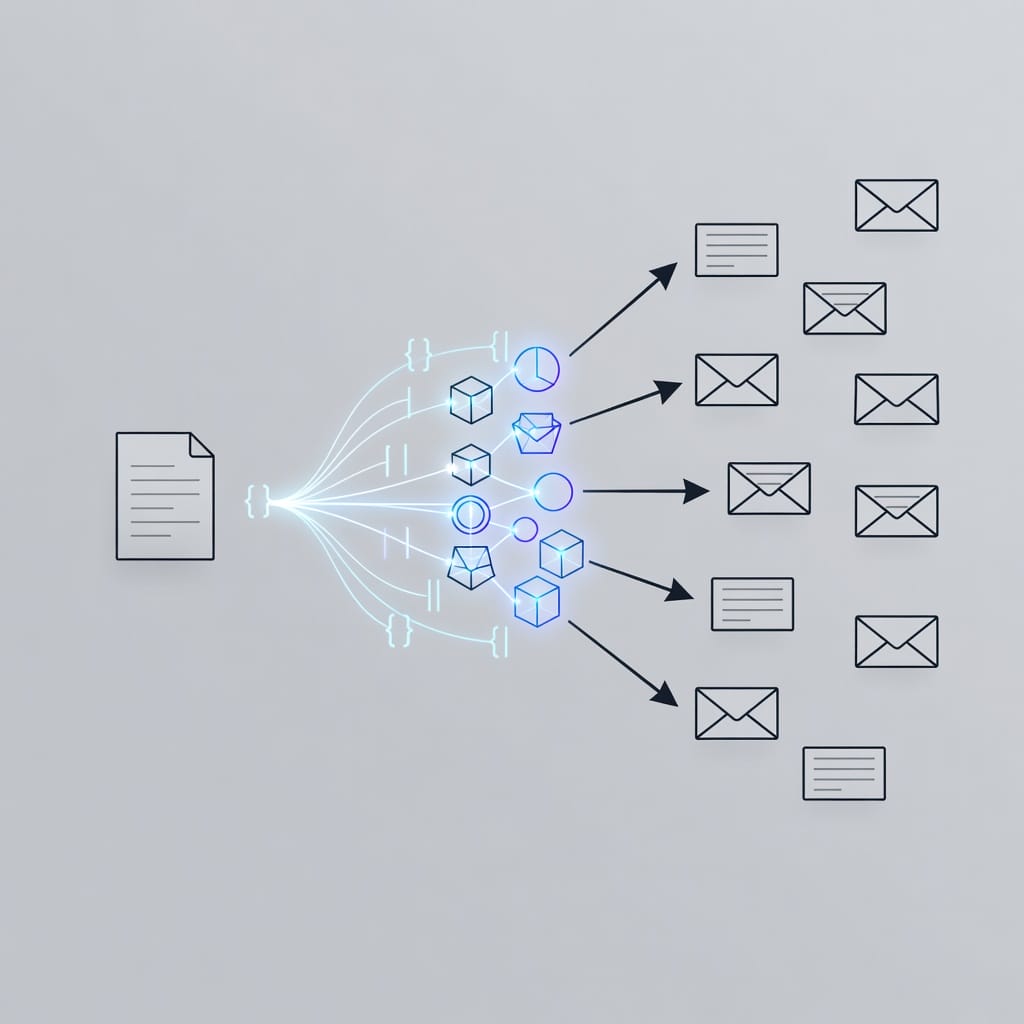
Spintax (short for “spinning syntax”) is a text-variation markup system that lets you write one email template that generates dozens or hundreds of unique versions automatically. It uses curly braces `{}` and pipe characters `|` to define interchangeable word or phrase options. When an email platform sends the message, it randomly selects one option from each spintax block for every recipient.
The simplest spintax example looks like this:
“`
{{RANDOM| Hi|Hello|Hey}} {{first_name|default(‘There’)}},
“`
This single line produces three possible greetings: “Hi John,”, “Hello John,”, or “Hey John,”. The platform picks one at random per send.
Spintax is not a new concept — it originated in article spinning for SEO in the early 2000s — but its modern application in cold email outreach has made it essential for anyone sending at scale. Every major cold email platform supports it, and deliverability experts consider it a baseline requirement for campaigns exceeding a few hundred recipients per day.
Basic Spintax Syntax Rules
The syntax is straightforward:
- Curly braces `{}` wrap the group of options.
- Pipe characters `|` separate each option within the braces.
- The platform randomly selects one option from each group per recipient.
- Options can be single words, short phrases, or entire sentences.
A greeting block: `{Hi|Hello|Hey}` produces one of three words.
A phrase block: `{I noticed|I came across|I saw}` produces one of three phrases.
A CTA block: `{Let me know your thoughts|Does that sound interesting?|Worth a quick chat?}` produces one of three closing questions.
How Spintax Differs From Merge Tags and AI Personalization
Many senders confuse spintax with other personalization methods. Here is how they differ:
| Feature | Spintax | Merge Tags (Custom Variables) | AI Personalization | ||
|---|---|---|---|---|---|
| What it does | Randomizes pre-written options | Inserts known data per recipient | Generates unique text per recipient | ||
| Example | `{Hi | Hello | Hey}` | `{{first_name}}` | AI writes a unique opening line |
| Control | Full — you write every option | Full — you control the data | Partial — AI decides phrasing | ||
| Predictability | High — you see every possible output | High — data-driven | Low — output varies each time | ||
| Best for | Greetings, transitions, CTAs | Names, companies, titles | Opening lines, value props | ||
| Scale | Unlimited combinations | One per data row | Unlimited but costs more |
Spintax and merge tags work together naturally. You can nest a merge tag inside a spintax block: `{Hi|Hello|Hey} {{first_name}},` combines random greeting selection with the recipient’s actual name. AI personalization can layer on top of both for the highest-value parts of the email.
Why Spintax Matters for Cold Email in 2026
Email providers have become aggressive at detecting and penalizing bulk-sent identical content. Gmail, Outlook, and Yahoo now compare message fingerprints across sends — if every email in a campaign shares the same body text, the entire batch risks landing in spam or promotions folders.
The Deliverability Problem Spintax Solves
Modern spam filters use fingerprinting algorithms that hash the content of incoming messages. When the same hash appears across many recipients in a short window, the filter flags the sender as a bulk operator and throttles or blocks delivery. Spintax breaks this fingerprint by ensuring no two emails share the exact same body text.
A 2026 study of cold email campaigns found that the top-performing 25% of senders shared three traits: personalized subject lines, spintax-varied body content, and proper email warmup before launch. Senders who used spintax across at least three sections of their email saw 30-40% higher inbox placement rates compared to those using static templates.
Reply Rate Impact
According to Hunter.io’s 2026 State of Cold Email report, emails with at least two personalization elements achieve a 5.6% reply rate compared to 3.6% for emails with zero personalization — a 56% improvement. Yet only 5% of senders fully personalize every email they send.
Spintax contributes to this by making each email feel individually written. When a recipient reads a message that does not sound like a template, they are more likely to engage. A G2 survey from 2026 found that 69% of decision-makers say they are “bothered by obviously templated outreach.” Spintax is the lowest-effort way to eliminate that templated feel.
Sender Reputation Protection
Email service providers track engagement signals — opens, replies, forwards, and spam reports — at the account level. When identical emails generate low engagement across the board, the provider downgrades the sender’s reputation. This reputation score affects future deliverability for weeks or months, making it difficult to recover once it drops.
Spintax helps by producing varied content that can perform differently across segments, preventing a single bad template from tanking your entire sending reputation. If one variation underperforms, the others still generate positive engagement, keeping your overall metrics healthy. Over time, this diversification protects your sender score from the volatility that comes with static templates.
How Spintax Works Under the Hood
Understanding the mechanics helps you write better spintax and debug issues when they arise.
Random Selection vs. Sequential Distribution
Most cold email platforms use true random selection for each spintax block per recipient. This means:
- Recipient A might get: “Hi Sarah, I noticed your recent post on LinkedIn and was impressed.”
- Recipient B might get: “Hey Sarah, I came across the work you’re doing at Acme and found it really interesting.”
- Recipient C might get: “Hello Sarah, I saw your latest article and wanted to reach out.”
With three spintax blocks each containing three options, you get 3 x 3 x 3 = 27 unique combinations. Add a fourth block and you get 81. Five blocks with three options each produce 243 unique variations.
Some platforms offer a `RANDOM` keyword that you can prepend to a spintax block to ensure the first option is not skipped during selection. This matters because certain platforms default to sequential selection within a session, which reduces variation across a batch. Always check whether your platform uses true random or pseudo-random distribution.
The Math of Spintax Combinations
The total number of unique email versions equals the product of all option counts across all spintax blocks:
“`
Total variations = Options_in_block_1 x Options_in_block_2 x … x Options_in_block_N
“`
A practical example with five blocks of three options each: 3 x 3 x 3 x 3 x 3 = 243 unique emails. With nested spintax, the math compounds further because inner blocks multiply within outer blocks.
Nested Spintax Explained
Nested spintax places spintax blocks inside other spintax blocks, creating layered variation. Here is a concrete example:
“`
{I noticed|I saw} {your {recent post|latest article} on LinkedIn|that you {work at|are with|lead the team at} {company}}
“`
Breaking this down:
- Outer block 1: `{I noticed|I saw}` — 2 options
- Outer block 2: `{your {recent post|latest article} on LinkedIn|that you {work at|are with|lead the team at} {company}}` — 2 outer options
- Inner block 2a: `{recent post|latest article}` — 2 options
- Inner block 2b: `{work at|are with|lead the team at}` — 3 options
Total combinations: 2 x (2 + 3) = 10 unique phrasings.
Nested spintax is powerful but comes with a readability cost. The more layers you add, the harder it becomes to preview every possible output. Limit nesting to two levels deep and always preview 10-15 random variations before sending.

Best Spintax Examples for Cold Email
The most effective spintax targets the parts of an email that recipients notice most: greetings, opening lines, value propositions, engagement questions, and calls to action.
Greeting Variations
“`
{Hi|Hello|Hey} {{first_name}},
{Hi|Hello|Hey there} {{first_name}},
{Good morning|Good afternoon|Hi} {{first_name}},
“`
Keep greetings in your brand’s voice. If your outreach is consultative, stick with “Hi” and “Hello.” If your audience skews younger or more casual, “Hey” works fine. Do not mix overly formal with overly casual in the same block — the tone shift can feel jarring.
Opening Line Variations
The opening line is the highest-leverage spintax target because it determines whether the recipient reads the next sentence.
“`
{I came across|I noticed|I was checking out} {{company}} and {was impressed by|found it interesting how|noticed that} you {recently launched|expanded|announced} {{product_or_initiative}}.
“`
“`
{I saw your {recent post|latest update} on LinkedIn about {topic}|I noticed that {{company}} {recently raised|launched|expanded} {initiative}|Your team’s work on {project} caught my attention}
“`
Value Proposition Variations
The value proposition is where most templates fail because they use the same phrasing every time. Spintax lets you test different angles without creating separate campaigns.
“`
{Many {industry} teams use us to {reduce response times|improve conversion rates|scale outreach}|We help {industry} companies {automate follow-ups|personalize at scale|increase reply rates}|Our platform is built for {industry} teams that need to {send more emails|track every reply|warm up accounts automatically}}
“`
Keep the core claim consistent across all options. If you promise a 40% reply rate improvement in one variation, do not promise 20% in another. The numbers, tone, and scope should match.
Engagement Question Variations
Questions drive replies. Spintax lets you test which question format resonates most.
“`
{Does that sound like something worth exploring?|Would a quick 10-minute call make sense?|Curious if this aligns with your current priorities.|What is your take on {topic}?|Have you considered {approach} for {problem}?}
“`
Call-to-Action Variations
“`
{Let me know what you think|Worth a quick chat?|Happy to share more details if interested|Does that resonate with your experience?|Open to a brief call this week?}
“`
Full Email Template With Spintax
Here is a complete cold email template using spintax across every section:
Subject: {Quick question|Idea for|Thoughts on} {{company}}’s {growth|outreach|sales}
Body:
{Hi|Hello|Hey} {{first_name}},
{I came across|I noticed|I was reading about} {{company}} and {was impressed by|found it interesting how|noticed that} you {recently launched|expanded|announced} {{initiative}}.
{Many {industry} teams struggle with {low reply rates|inconsistent deliverability|manual follow-ups}.|One thing we hear from {industry} leaders is that {personalization at scale|email warmup|sequence automation} is their biggest bottleneck.}
{We help teams like yours {automate the entire outreach workflow|improve deliverability before sending|personalize every email without manual work}.|Our platform is built specifically for {industry} teams that need to {send at scale without losing inbox placement|track every reply in one place|warm up accounts before launch}.}
{Would a 10-minute call make sense to explore this?|Does that resonate with what you are seeing?|Happy to share a few examples if interested.}
{Best|Cheers|Thanks},
{{sender_name}}
{{sender_title}}, {{company}}

How Spintax Improves Email Deliverability
Spintax improves [email deliverability](https://blog.mystrika.com/email-deliverability/) through three mechanisms: fingerprint breaking, engagement diversification, and spam-report dilution.
Breaking the Content Fingerprint
Gmail, Outlook, and Yahoo all compute a hash of incoming email content. When the same hash appears across dozens or hundreds of messages in a short window, the receiving server applies bulk-sender rules. These rules typically route messages to the promotions tab, spam folder, or a throttled delivery queue.
Spintax ensures every email has a unique content hash. Even if two emails share 90% of their structure, the spintax-generated differences in greetings, transitions, and CTAs produce different hashes. This keeps each message in the individual-sender classification rather than the bulk-sender classification.
Engagement Diversification
When you send a static template, every recipient sees the same content. If that content does not resonate, every recipient ignores it simultaneously. Low engagement across the entire batch signals to the provider that your messages are unwanted.
Spintax creates natural A/B testing within a single send. Some variations will perform better than others. The high-performing variations generate opens and replies, which boost your sender reputation. The low-performing variations get ignored, but their impact is diluted by the winners. Over time, you can identify which spintax patterns drive the best engagement and double down on those.
Spam-Report Dilution
A single poorly worded line can trigger spam reports. With a static template, that line hits every recipient. If even 0.1% of recipients mark your email as spam, major providers like Gmail will start routing your future messages to the spam folder for all recipients.
With spintax, only a fraction of recipients see any given phrasing. If one variation triggers spam reports, the damage is contained to that subset, and your overall spam rate stays within acceptable thresholds. This dilution effect is one of the most underappreciated benefits of spintax — it acts as insurance against a single bad line tanking your entire campaign’s deliverability.
Common Spintax Mistakes and How to Avoid Them
Even experienced senders make these mistakes. Here is what to watch for.
Mistake 1: Spinning Only the Greeting
The most common spintax mistake is limiting variation to the greeting line. A recipient who sees “Hi” instead of “Hello” but then reads five identical paragraphs will still recognize the email as a template. The greeting is the least important place to vary because most recipients mentally skip it.
Spintax needs to touch at least three sections of the email — greeting, opening line, and CTA — to meaningfully break the content fingerprint. Focus on the opening line first, because that is where recipients decide whether to keep reading. Then add variation to the value proposition and CTA to maximize the impression of a custom message.
Mistake 2: Tone Inconsistency Across Variations
When one option sounds consultative and another sounds aggressive, the recipient senses something is off. For example, mixing “I wanted to share a resource that might help” with “Your funnel is broken and we can fix it” in the same spintax block creates a jarring experience.
Before launching, read every variation aloud. If any option sounds out of character for your brand, remove it. A good rule of thumb: if you would not say it in a face-to-face meeting with the recipient, do not include it as a spintax option. Consistency in tone matters more than the number of options you provide.
Mistake 3: Forgetting to Close Braces
A single unclosed brace breaks the entire template. Most platforms will either fail to send or display the raw spintax syntax to the recipient. This is one of the most common errors because spintax blocks can be nested and hard to track visually.
Always preview 10-15 random variations before launching a campaign. Many platforms include a built-in preview tool that catches syntax errors automatically. If your platform does not offer preview, copy the template into a text editor with brace-matching to verify every opening brace has a corresponding closing brace.
Mistake 4: Over-Nesting
Nested spintax is powerful, but three or more levels of nesting produce outputs that are hard to predict and often grammatically broken. When an inner block resolves to a different sentence structure than the outer block expects, the result can be incoherent.
Limit nesting to two levels. If you need more variation, add more top-level spintax blocks instead of deeper nesting. More top-level blocks also make your template easier to read, edit, and debug. Save nested spintax for specific phrases that truly benefit from layered variation, such as company-role combinations.
Mistake 5: Using Spintax as a Substitute for Good Copy
Spintax varies the phrasing, but it does not fix a weak value proposition, a poorly defined target audience, or a missing reason to reply. Write strong copy first, then add spintax to vary it. Spinning bad copy just produces many versions of bad copy.
Before adding spintax, ask yourself: does this email give the recipient a clear reason to respond? If the answer is no, fix the copy first. Spintax should amplify good messaging, not mask bad messaging.
Mistake 6: Not Testing Before Sending
Spintax can produce grammatically incorrect combinations, especially with nested blocks. Send test emails to yourself or use your platform’s preview feature to check 10-15 random variations. Look for broken syntax, awkward phrasing, and tone mismatches.
Pay special attention to punctuation. A missing comma or an extra pipe in the wrong place can make a variation unreadable. If you find even one bad variation out of fifteen, fix the spintax block before sending. One broken email to the right prospect can cost you a deal.
Spintax vs. AI-Generated Personalization
Spintax and AI personalization are complementary, not competing. The best cold email campaigns use both.
When to Use Spintax
Spintax excels for structural parts of the email where you want full control over the options:
- Greetings and sign-offs
- Transition phrases between paragraphs
- CTA variations
- Subject line templates
- Follow-up sequence variations
Spintax is also better when predictability matters. If you need to ensure every variation stays within brand guidelines, spintax guarantees it because you write every option.
When to Use AI Personalization
AI personalization excels for parts of the email where uniqueness matters more than control:
- Opening lines that reference specific recipient content
- Value propositions tailored to the recipient’s industry or role
- Pain-point identification based on company data
- Custom examples and analogies
AI can pull from LinkedIn posts, company news, job changes, and other signals to write a genuinely unique opening line for every recipient. This level of personalization is impossible with spintax alone.
The Three-Layer Approach
The most effective strategy combines both methods with merge tags:
1. Merge tags for factual data: name, company, title, industry.
2. Spintax for structural variation: greetings, transitions, CTAs, subject lines.
3. AI personalization for high-impact content: opening lines, value propositions, pain-point framing.
This three-layer approach gives you the predictability of spintax where it matters and the uniqueness of AI where it matters most. Platforms like Mystrika support all three layers in a single campaign, letting you combine custom variables, spintax blocks, and AI-generated fields without switching tools.
How to Use Spintax in Mystrika
Mystrika supports spintax natively in its email composer, alongside custom variables and AI personalization fields. Here is how to set up a spintax-powered campaign.
Step 1: Write Your Base Template
Start with a strong email template that includes merge tags for personal data. Identify the sections that benefit from variation: greeting, opening line, value proposition, question, and CTA. Write each section as static text first without any spintax, then decide which phrases benefit from variation. This prevents you from adding spintax to phrases that work well as-is.
The goal is to have a complete, readable template before you add any spintax. If the template does not work as a static email, spintax will not fix it. Get the messaging right first, then add variation to increase deliverability and engagement.
Step 2: Add Spintax Blocks
Replace static phrases with spintax blocks using curly braces and pipe separators. Mystrika’s editor highlights spintax blocks so you can see them at a glance, making it easy to distinguish spintax from regular text. Use the preview feature to check random variations before saving, and verify that every block produces grammatically correct output.
Start with the highest-impact sections first: opening line, value proposition, and CTA. Add greeting and sign-off spintax last, as these have less impact on deliverability and reply rates.
Step 3: Layer in Custom Variables
Add merge tags for first name, company, title, and any other data you have in your lead list. Mystrika supports custom variables inside spintax blocks, so you can write `{Hi|Hello|Hey} {{first_name}},` and get a unique greeting with the recipient’s name every time. Test that missing data fields do not break your spintax output by running previews against sample contacts.
Custom variables add a second layer of personalization that spintax alone cannot provide. The combination of random variation and data-driven personalization is what makes each email feel individually written rather than templated.
Step 4: Add AI Personalization Fields
For the highest-impact sections, use Mystrika’s AI personalization fields. These generate unique content per recipient based on their LinkedIn profile, company data, or other signals. The AI field sits alongside your spintax blocks and merge tags in the same template, giving you three layers of personalization without increasing send complexity.
Reserve AI personalization for the opening line or value proposition, where a genuinely unique reference can double reply rates. Spintax handles the structural variation, while AI handles the contextual variation.
Step 5: Preview and Validate
Generate 10-15 random previews to check for syntax errors, tone consistency, and grammatical correctness. Mystrika’s preview tool shows the final rendered email for each variation, including all merge tag values and spintax selections. Read the previews as if you were the recipient. If any variation feels awkward, edit the block before launching.
Pay special attention to how merge tags interact with spintax. If a merge tag returns empty data, the surrounding spintax block should still produce a grammatically correct sentence. Test with both populated and empty data fields to catch edge cases.
Step 6: Warm Up Before Sending
Spintax improves deliverability, but it does not replace proper email warmup. Use Mystrika’s warmup feature to [warm up your email account](https://blog.mystrika.com/email-warm-up-tools/) before launching your campaign. A warmed-up account with spintax-varied content performs significantly better than either alone. Start with low volume and increase gradually as your sender reputation builds.
Warmup establishes your sending reputation with email providers. Spintax then protects that reputation by ensuring no two emails share the same content fingerprint. Together, they form the foundation of a sustainable cold email operation.
Step 7: Monitor and Optimize
After launch, track which spintax patterns drive the most replies. Mystrika’s unified inbox shows reply threads from all variations in one view, making it easy to identify winning phrasings. Update your templates based on real performance data. Remove low-performing options and add new ones to keep improving reply rates over time.
Set a recurring review cadence — weekly for high-volume campaigns, monthly for lower-volume ones. The best spintax templates are never finished; they evolve as you learn what resonates with your specific audience segments.
Spintax for Follow-Up Sequences
Follow-up sequences benefit even more from spintax than initial emails because the recipient has already seen your first message. If the follow-up looks identical to the first email, the recipient knows they are in an automated sequence and disengages.
Follow-Up 1: New Angle
Use a completely different spintax set for the first follow-up. Change the opening line, the value proposition angle, and the CTA. The recipient should not recognize the email as a variation of the first message.
“`
{Following up on my note from last week|Wanted to circle back on this|Hope I am not catching you at a bad time}
“`
Follow-Up 2: Social Proof
Introduce a social proof angle with its own spintax set.
“`
{We recently helped {similar_company} achieve {result}|{industry} teams using our platform see an average of {stat}% improvement in {metric}|Just wrapped a project with a {industry} team that {specific_outcome}}
“`
Follow-Up 3: Breakup
The final follow-up should include a breakup angle with spintax options that signal the end of the sequence.
“`
{I will assume this is not a priority right now|Happy to revisit this down the road|I will stop reaching out unless I hear otherwise}
“`
Each follow-up should have its own spintax blocks. Do not reuse the same blocks across emails in the same sequence. The goal is to make every message in the sequence feel like a standalone email, not a template chain.
Spintax Decision Matrix
Use this matrix to decide where to apply spintax in your email based on impact and effort.
| Email Section | Impact on Uniqueness | Effort to Write | Spintax Priority | Recommended Options |
|---|---|---|---|---|
| Greeting | Medium | Low | High | 3-4 |
| Opening line | High | Medium | High | 3-5 |
| Value proposition | High | High | High | 3-4 |
| Pain point framing | High | High | Medium | 2-3 |
| Engagement question | High | Low | High | 3-4 |
| Call to action | Medium | Low | High | 3-4 |
| Sign-off | Low | Low | Low | 2-3 |
| Subject line | High | Medium | High | 3-5 |
| Follow-up opener | High | Medium | High | 3-4 |
| Social proof line | Medium | Medium | Medium | 2-3 |
Prioritize sections rated “High” first. If you have time, add spintax to “Medium” sections. “Low” sections are optional.
Spintax Syntax Comparison Across Platforms
Different cold email platforms support slightly different spintax syntax. Here is how the major platforms compare.
| Platform | Spintax Syntax | Nested Support | RANDOM Keyword | Preview Tool | Custom Variables Inside Spintax | |
|---|---|---|---|---|---|---|
| Mystrika | `{option1 | option2}` | Yes | Yes | Yes | Yes |
| Instantly | `{{option1 | option2}}` | Yes | Yes | Yes | Yes |
| Smartlead | `{option1 | option2}` | Yes | No | Yes | Yes |
| Woodpecker | `{{option1 | option2}}` | Yes | No | Yes | Yes |
| Mailshake | `{option1 | option2}` | Yes | No | Yes | Partial |
| GMass | `{option1 | option2}` | Yes | No | No | Yes |
Note the double-brace vs. single-brace difference. Instantly and Woodpecker use double braces `{{ }}` while most other platforms use single braces `{ }`. If you switch platforms, check the syntax before reusing templates.
How to Test Spintax Variations at Scale
Testing spintax effectiveness requires a structured approach. Here is a framework.
Step 1: Isolate One Variable Per Test
Test one spintax block at a time. If you change the greeting spintax and the CTA spintax simultaneously, you will not know which change drove the result. Run separate tests for each section, keeping all other variables constant so you can attribute changes in performance directly to the spintax variation you modified. Isolation is the foundation of meaningful spintax testing and prevents wasted effort on changes that do not actually move the metrics you care about.
Step 2: Track by Spintax Block ID
Assign an identifier to each spintax block in your template. When a reply comes in, note which variation the recipient saw. Mystrika’s unified inbox shows the sent variation alongside the reply, making this straightforward. Over time, you will build a clear picture of which phrasings drive the most responses and can use that data to optimize your templates for higher reply rates. Without this tracking, you cannot learn from your spintax data or separate strong copy from lucky timing.
Step 3: Measure the Right Metric
Different spintax blocks affect different metrics:
- Greeting and subject line spintax: measure open rates
- Opening line and value proposition spintax: measure reply rates
- CTA spintax: measure meeting-booked rates or conversion
- Follow-up spintax: measure total sequence reply rate
Step 4: Run for Statistical Significance
Collect at least 200 sends per variation before drawing conclusions. With three-option spintax blocks, that means 600 total sends minimum. Smaller sample sizes produce noisy data that can lead you to remove a perfectly good option based on random variation rather than actual performance. Patience during testing pays off in more reliable optimization decisions and prevents you from chasing false signals that waste time and effort on changes that do not actually improve your campaign performance.
Step 5: Iterate
Remove underperforming options and add new ones. The best spintax templates evolve over time as you learn what resonates with your audience. Schedule a monthly review of your spintax patterns to keep your templates fresh and aligned with changes in your market and message. Continuous iteration separates high-performing cold email programs from stagnant ones that rely on the same templates month after month and slowly lose deliverability and reply rates over time. Build spintax optimization into your regular workflow to keep results improving.
Spintax for Subject Lines
Subject lines are the first thing a recipient sees, and they have an outsized impact on open rates. Spintax in subject lines is particularly effective because it prevents the “same subject line” detection that many spam filters use.
Subject Line Spintax Examples
“`
{Quick question|Idea for|Thoughts on} {{company}}’s {growth|outreach|strategy}
“`
“`
{{company}} {question|thought|idea} – {quick one|short note|30 seconds}
“`
“`
{Following up|Checking in|Circling back} on {our conversation|your request|the {topic} project}
“`
Keep subject line spintax to 2-3 options per block and limit to one or two blocks total. Subject lines that are too long or too complex hurt deliverability. Aim for 40-60 characters including spintax.
Spintax Best Practices Checklist
Use this checklist before launching any spintax-powered campaign.
- [ ] Spintax touches at least three sections of the email (greeting, body, CTA minimum)
- [ ] Every spintax option maintains consistent tone and sentiment
- [ ] All braces are properly closed and syntax is valid
- [ ] Nested spintax is limited to two levels maximum
- [ ] Previewed 10-15 random variations for grammar and flow
- [ ] Merge tags work correctly inside spintax blocks
- [ ] Subject line spintax stays within 40-60 characters
- [ ] Follow-up emails use different spintax sets than the initial email
- [ ] Sending account is properly warmed up before launch
- [ ] Spintax blocks have 2-4 options each (not more)
- [ ] No option contains em dashes, en dashes, or special characters that break parsing
- [ ] Test emails sent to multiple addresses to verify random distribution
- [ ] Reply tracking is set up to capture which variation each recipient saw
- [ ] Campaign has at least 200 sends per variation for meaningful testing
Key Takeaways
- Spintax uses curly braces and pipe characters to generate multiple unique email versions from a single template, breaking content fingerprints that trigger spam filters.
- Emails with at least two personalization elements achieve 56% higher reply rates than non-personalized emails, and spintax is the most efficient way to add variation at scale.
- The most effective spintax targets greetings, opening lines, value propositions, engagement questions, and CTAs — at least three sections per email.
- Nested spintax creates exponentially more combinations but should be limited to two levels of depth to maintain readability.
- Spintax and AI personalization are complementary. Use spintax for structural variation and AI for high-impact personalized content in a three-layer approach.
- Always preview 10-15 random variations before sending, and warm up your sending accounts before launching spintax-powered campaigns.
- Track which spintax patterns drive the most replies and iterate based on real performance data, not assumptions.
Frequently Asked Questions
What does spintax stand for?
Spintax is short for “spinning syntax.” It originated in the SEO article spinning industry and was later adopted by cold email platforms as a way to create text variation at scale. The syntax itself remains the same across both use cases, but the goals differ — SEO spinning aimed to create unique content for search engines, while email spintax aims to improve deliverability and reply rates by making each message feel individually written to the recipient.
Is spintax detectable by spam filters?
Modern spam filters can detect spintax patterns if the variation is too shallow — for example, swapping only the greeting while leaving the rest of the email identical. However, spintax that varies multiple sections of the email effectively breaks the content fingerprint that filters use to classify bulk mail. The key is depth of variation, not just the presence of spintax syntax in your template. Vary the greeting, opening line, value proposition, and CTA for the strongest deliverability benefit.
Can I use spintax with merge tags?
Yes. Spintax and merge tags work together naturally. You can place merge tags inside spintax blocks or use spintax blocks alongside merge tags in the same template. Most cold email platforms support this combination. For example, `{Hi|Hello|Hey} {{first_name}},` uses spintax for the greeting selection and a merge tag for the recipient’s name in the same sentence. This combination gives you two layers of personalization with minimal effort and significantly improves the uniqueness of each email.
How many spintax variations do I need?
There is no minimum number, but 3-5 spintax blocks with 2-4 options each (producing 24 to 1,024 unique combinations) is a practical range for most campaigns. More variation is better for deliverability, but diminishing returns set in beyond 5-6 blocks per email. Focus on varying the sections that have the most impact on recipient engagement, such as the opening line and CTA, rather than trying to maximize the total number of combinations.
Does spintax work for follow-up emails?
Yes, and it is especially important for follow-ups. If your follow-up email looks identical to the first email, the recipient immediately recognizes the automation. Use completely different spintax sets for each email in a sequence. Each follow-up should feel like a standalone message, not a variation of the previous one. This is one of the most underutilized spintax strategies and can significantly improve total sequence reply rates over static follow-up templates.
What is the difference between spintax and AI spinning?
Spintax uses pre-written options that you control completely. AI spinning uses a language model to generate variations on the fly. Spintax is more predictable and reliable because you write every option yourself. AI spinning produces more unique output but can introduce tone inconsistencies or factual errors that are hard to catch at scale. Most experienced senders use spintax for controlled variation and AI for high-impact personalization in different parts of the same email template.
Can spintax hurt deliverability?
Poorly written spintax can hurt deliverability if the variations are grammatically broken, tone-inconsistent, or too similar to each other. Spintax itself is not a deliverability risk, but bad copy is bad copy regardless of how many variations exist. Always preview variations and remove any option that does not read naturally. The goal is to improve quality, not just quantity, of your email variations. Better to have three strong options than ten weak ones. Quality always beats quantity when it comes to spintax in cold email.
How do I test spintax before sending?
Use your platform’s preview feature to generate 10-15 random variations. Send test emails to yourself and check for broken syntax, awkward phrasing, and tone mismatches. Some platforms also offer a “send test to multiple addresses” feature that shows the random distribution. If your platform does not have preview, copy the template into a text editor and manually resolve the spintax blocks to check output quality. Testing is not optional — it is the only way to catch errors before they reach your prospects.
What is the best number of options per spintax block?
Two to four options per block is the sweet spot. One option is not spintax. Five or more options per block increases the risk of including a weak option that drags down performance. You can always add more blocks instead of more options per block. Three options per block is a good starting point for most sections, and you can adjust based on how much variation each section needs to feel unique to the recipient.
Does Mystrika support spintax?
Yes, Mystrika supports spintax, along with custom variables inside spintax blocks and AI personalization fields in the same template. The preview tool shows random variations including all nested selections, so you can verify that every combination reads naturally before sending. This makes it easy to combine structural variation with data-driven personalization in one campaign without switching between tools or rebuilding the same sequence in multiple systems. This integration saves time and reduces errors when setting up complex campaigns.
Can I use spintax in subject lines?
Yes, and it is highly recommended. Subject line spintax prevents the “same subject line” detection that many spam filters use. Keep subject line spintax to 2-3 options per block and stay within 40-60 characters total. Subject line variation is one of the highest-impact places to use spintax because it directly affects open rates and inbox placement. A varied subject line can be the difference between landing in the inbox and landing in spam.
How do I know which spintax variation a recipient saw?
Most cold email platforms log the sent variation in the campaign analytics. Mystrika’s unified inbox shows the exact variation sent alongside the reply thread, making it easy to correlate performance with specific spintax patterns. This data is essential for optimizing your templates over time and identifying which phrasing resonates most with your audience. Without this visibility, you are optimizing in the dark and cannot make data-driven improvements to your templates based on what actually works with your audience.
What happens if I forget to close a brace?
An unclosed brace typically causes the platform to either fail to send the email or display the raw spintax syntax to the recipient. Always preview before sending to catch syntax errors. If you see raw curly braces or pipe characters in your test email, you have an unclosed brace somewhere in the template. Fix the syntax immediately, then generate several more previews to confirm the problem is resolved before you send to any real prospects.
Is spintax the same as article spinning?
No. Article spinning was used for SEO to create multiple versions of blog content to avoid duplicate content penalties. Spintax for cold email is used to improve deliverability and reply rates by making each email feel individually written. The syntax is similar, but the application and goals are different. Article spinning aimed to fool search engines, while email spintax aims to improve human engagement and inbox placement for legitimate business outreach to prospects who may benefit from your solution.
Do I need spintax if I use AI personalization?
Yes. AI personalization handles the high-impact, unique parts of the email, but spintax handles the structural variation that makes every email feel different. Using both together produces better results than either alone. Spintax adds reliable variation to predictable parts of the email, while AI adds unique content to the high-value sections that drive replies. The combination gives you control, predictability, and scale at the same time without forcing you to choose between automation and personalization.