
Claude Skills are reusable instruction folders that tell Anthropic’s Claude how to complete a specific job. For LinkedIn work, a well-built Skill can write posts in your voice, optimize your profile for recruiter or buyer searches, draft connection requests, and even suggest comments. This guide shows you how to build, prompt, and run a LinkedIn Claude Skill without sounding like everyone else who is already using AI.

What Is Claude and Why Use It for LinkedIn?
Claude is Anthropic’s family of AI assistants. It is available through claude.ai, the Claude API, and Claude Code. In 2026, Claude is best known for long-context reasoning, strong writing quality, and a large context window that lets you feed it full documents, voice samples, past posts, and target job descriptions at once. That makes it especially useful for LinkedIn, where consistency, tone, and audience awareness matter more than raw speed.
LinkedIn content fails when it feels robotic, self-promotional, or disconnected from the people you want to reach. Claude can help because it is good at following detailed voice instructions, holding a persona across a long conversation, and producing structured drafts. A Skill turns that into a repeatable system instead of a one-off prompt.
Key reasons to use Claude for LinkedIn work:
- Voice consistency: Feed Claude your best posts and it can imitate your cadence, sentence length, and vocabulary.
- Long context: Paste 20 example posts, your About section, and three competitor profiles, then ask for a rewritten headline.
- Reasoning before writing: Claude tends to explain its choices, which helps you audit whether a draft actually matches your intent.
- Skill portability: One Skill file can work across claude.ai, Claude Code, and Claude API projects.
The real advantage is not automation. It is leverage. A single good Skill can turn 60 minutes of prompt engineering into a tool you reuse for months.
Claude Plans That Unlock LinkedIn Work
You cannot build a Claude Skill on the free tier. To create, upload, or manage Skills, you need a paid plan. As of 2026, Anthropic offers the following consumer and business tiers that support Skills:
| Plan | Monthly Price | Skills Support | Best For |
|---|---|---|---|
| Claude Free | $0 | No skill creation | Trying Claude only |
| Claude Pro | $20 | Create and use personal Skills | Solo creators, founders, job seekers |
| Claude Max | $100+ | Higher usage, priority access | Heavy writers, small teams |
| Claude Team | Per seat | Org-wide Skill management | Marketing teams, agencies |
| Claude Enterprise | Custom | Admin controls, audit logs | Large organizations |
For most LinkedIn use cases, Claude Pro is enough. If you are writing multiple posts per day, running a team account, or building agency workflows, Team or Max becomes worthwhile.
Why this matters before you build a Skill
If you are on the free tier, the workflow in this guide will still teach you prompt design, but you will not be able to upload a reusable Skill folder. Start with Pro so you can actually save and iterate the Skill. The $20 monthly cost is usually less than one hour of a copywriter’s time, and a single good LinkedIn post can repay it.
Claude vs ChatGPT vs LinkedIn Native AI
Not every AI tool is the best fit for LinkedIn. ChatGPT is faster for casual brainstorming, LinkedIn’s own AI is convenient but limited, and Claude excels when you want deep reasoning and reusable workflows.
| Capability | Claude | ChatGPT | LinkedIn Native AI |
|---|---|---|---|
| Reusable Skill format | Yes – SKILL.md with YAML frontmatter | Custom GPTs | No |
| Long context window | Very large | Large, but varies by plan | Short |
| Voice and tone control | Excellent with examples | Good | Basic |
| Profile optimization depth | Deep with full job descriptions | Moderate | Surface-level |
| Connection request personalization | Strong reasoning per profile | Good | Not available |
| Exportable workflow | Yes | Partial | No |
| Compliance transparency | User-controlled | User-controlled | LinkedIn-controlled |
| LinkedIn post direct publishing | No | No | Yes |
When to choose each tool
- Claude when you want a reusable Skill, long-form reasoning, or strict voice rules.
- ChatGPT when you want quick idea generation and do not mind recreating prompts each time.
- LinkedIn native AI when you only need a short rewrite of a draft you already wrote inside LinkedIn.
Claude’s real edge is the Skill. A Custom GPT can do similar work, but the SKILL.md format is more portable and easier to version in GitHub or share with a team.
What Are Claude Skills?
Claude Skills are folders containing instructions, scripts, and reference files that Claude loads when a task matches the Skill’s description. Anthropic introduced Agent Skills in October 2025 and expanded them in December 2025 with organization-wide management and a partner directory. Skills use an open format designed to be portable across claude.ai, Claude Code, and the Claude API.
A Skill has four main properties:
1. Composable: Multiple Skills can stack together and Claude decides which are relevant.
2. Portable: The same folder works across Claude products.
3. Efficient: Claude loads only the metadata until the Skill is needed, then pulls in the full instructions.
4. Powerful: Skills can include executable scripts for tasks that benefit from code.
For LinkedIn writing, you almost never need scripts. The value comes from the SKILL.md file, which becomes your persistent prompt library.
How a Skill differs from a Style or system prompt
Claude Styles are a global tone layer. They apply to every conversation. Claude Skills are workflow-specific. A Style might say “write like a calm expert,” while a Skill says “write a LinkedIn post for SaaS founders using my four-part format and the example posts in the references folder.” Styles and Skills can be combined, but they are not the same.
| Feature | Style | Skill | System Prompt |
|---|---|---|---|
| Scope | Global tone | Task-specific workflow | Single conversation |
| Persistence | Saved to account | Saved as folder | Copied per chat |
| Can include files | No | Yes | No |
| Best use | Voice layer | Full workflow | One-off task |
If you write a lot on LinkedIn, create a Style for your general voice and a Skill for your LinkedIn workflow. Use both together.
How to Build a LinkedIn Claude Skill From Scratch
A LinkedIn Skill is a folder with at least one SKILL.md file. You can add optional reference files for tone, examples, and templates. The standard folder structure looks like this:
“`
linkedin-writer/
├── SKILL.md
└── references/
├── tone-of-voice.md
├── example-posts.md
├── profile-template.md
└── outreach-framework.md
“`
Step 1: Create the folder and SKILL.md
Create a folder named `linkedin-writer`. Inside it, create `SKILL.md`. The file starts with YAML frontmatter followed by markdown instructions.
“`yaml
—
name: linkedin-writer
description: Write LinkedIn posts, profile sections, and outreach messages in a consistent, human voice. Activates for LinkedIn content, profile optimization, connection requests, and comment strategy.
author: your-name
version: 1.0.0
—
You are an expert LinkedIn ghostwriter for B2B SaaS founders and sales leaders. Your job is to help the user produce LinkedIn content that sounds like them, not generic AI output.
Voice rules
- Prefer short, direct sentences. Avoid filler adverbs.
- Use the second person only when giving advice; otherwise write in the first person for the user.
- One clear idea per paragraph. No walls of text.
- Optional line breaks between key points so the post is scannable on mobile.
Post structure options
1. Hook + lesson + actionable takeaway + question.
2. Story + contrast + lesson + call to action.
3. List post with 3-5 numbered items and a one-line conclusion.
4. Contrarian opinion + why it is wrong + what to do instead.
What to ask before writing
- Audience: founders, sales leaders, marketers, or job seekers?
- Goal: engagement, lead generation, recruiting, or thought leadership?
- Tone: educational, provocative, personal, or data-driven?
- Length: short (50-75 words), medium (150-250 words), or long (400+ words)?
What to avoid
- Buzzwords like “leverage,” “synergy,” “game-changer,” “unlock,” or “delve” unless the user asks for them.
- Three-paragraph hooks that hide the point.
- Generic CTAs like “agree?” or “thoughts?”
- Unsupported statistics unless the user provides a source.
Output format
Return the draft post first, then a brief note explaining why the structure was chosen and one alternate hook if requested.
“`
Step 2: Add reference files
The reference files act as long-term memory. They let you keep examples, templates, and voice rules out of the main SKILL.md so the Skill stays focused.
- `references/tone-of-voice.md` – a description of how you or your brand write.
- `references/example-posts.md` – 5-10 past posts that performed well.
- `references/profile-template.md` – formulas for headline, About, and experience bullets.
- `references/outreach-framework.md` – connection request and follow-up templates.
Keep each reference file under 2,000 words. Claude loads references when needed, but very large files slow down response time.
Step 3: Package and upload
Compress the folder into a ZIP file. In claude.ai, open the three-dot menu next to your profile, choose Skills, and upload the ZIP. In Claude Code, place the folder inside `~/.claude/skills/` or install it from a repository. On Team or Enterprise accounts, an admin may need to approve the Skill before it is available org-wide.
Step 4: Test with different post types
Start with five variations:
1. A personal lesson post.
2. A list post.
3. A contrarian take.
4. A soft product or case-study mention.
5. A comment reply on someone else’s post.
Compare the outputs. If Claude drifts from your voice, add a counterexample to the tone file or tighten the negative-instructions list.

What Should Go Inside Your Claude Skill
A strong Skill has four layers. Skipping any of them usually leads to generic output.
Tone of voice document
This file explains how the final writing should feel. Do not just list adjectives. Include rules that a junior writer could follow.
Example tone rules:
- Start 60% of posts with a concrete scene or specific number.
- Use “you” only when giving direct advice.
- Avoid exclamation points except in rare celebratory posts.
- When disagreeing with common advice, name the advice first, then explain why it fails.
- One emoji per post maximum, and only when it clarifies meaning.
Post structure templates
Give Claude a menu of proven structures. A menu prevents every post from looking the same.
Template A – Lesson from a failure:
- Line 1: What most people believe.
- Line 2: The specific moment you learned it was wrong.
- Line 3: The counter-intuitive lesson.
- Line 4: One action the reader can take today.
- Line 5: A question that invites disagreement.
Template B – Process reveal:
- Line 1: The outcome you achieved.
- Lines 2-4: The unusual step in your process.
- Line 5: Why the usual approach misses it.
- Line 6: A checklist or mini-framework.
- Line 7: Call to action.
Audience context
Define exactly who the content is for. Vague audiences produce vague posts.
Instead of “B2B founders,” write:
Founders of $1M-$10M ARR B2B SaaS companies who sell to marketing or sales teams, have a small marketing function, and want to generate inbound through founder-led content rather than paid ads.
Example posts
This is the most important reference file. Include 5-10 real posts that got engagement. For each one, note:
- Why it worked.
- The format it used.
- Any personal details that should not be fabricated.
Claude uses these as training wheels. Without examples, it will default to average internet writing.
LinkedIn Skill Building Checklist
Before you publish your first Skill, verify each item below:
- [ ] SKILL.md has a clear name and description under 120 characters.
- [ ] Voice rules are specific, not just adjectives.
- [ ] Reference files exist and are under 2,000 words each.
- [ ] At least 5 example posts are included with notes on why they worked.
- [ ] Negative instructions list includes at least 5 banned words or patterns.
- [ ] Post templates cover hook-based, list-based, story-based, and contrarian formats.
- [ ] Profile optimization rules are separated from post writing rules.
- [ ] Outreach rules include compliance notes and human approval language.
- [ ] Skill was tested on 5 different post types.
- [ ] At least one round of edits was made based on test output.
A Skill that checks every box will usually outperform a long one-time prompt.
Prompt Templates You Can Copy for LinkedIn Posts
Prompts are the fastest way to get value from Claude while you are still building a full Skill. Copy these directly, fill in the bracketed sections, and adjust the length to match your style.
Template 1: Turn a rough idea into a full post
I want a LinkedIn post for [audience]. The core idea is [one sentence]. The tone should be [educational / provocative / personal]. Use my voice rules: [paste 3-5 rules]. Write it in [short / medium / long] format. End with a question that invites a specific answer, not just “thoughts?”
Template 2: Rewrite a weak draft
Here is a draft LinkedIn post: [paste draft]. Rewrite it so the first two lines contain the main point, remove filler words, and make the call to action feel natural. Keep the length within [X] words. Do not add statistics I did not provide.
Template 3: Create a list post from notes
Turn these bullet points into a LinkedIn list post with a strong opening line, 4-5 numbered items, and a brief conclusion. Each item should be one clear sentence followed by one sentence explaining why it matters. Points: [paste bullets].
Template 4: Generate a contrarian take
Common advice in [industry] is [advice]. I disagree because [reason]. Write a LinkedIn post that states the common advice, explains the flaw using a concrete example, and offers a better approach. Tone should be confident but not arrogant.
Template 5: Engage with someone else’s post
Here is a LinkedIn post by [name]: [paste post]. Write a thoughtful comment that adds one specific insight, example, or question. Do not just agree. Keep it under 75 words.
Use these templates inside a Skill by adding them as reference prompts or inline examples.
Before and After: A LinkedIn Post Claude Rewrote
Below is a real-style example of a draft that most people would publish, followed by a Claude-improved version.
Before:
In today’s fast-paced business environment, leveraging AI for LinkedIn content creation is essential. Companies that embrace AI tools like Claude can unlock new levels of engagement and drive meaningful conversations with their target audiences. The key is to stay authentic while using technology to scale your message.
After:
AI can write your LinkedIn posts, but most of them will sound like everyone else’s.
The difference is not the tool. It is the system behind it.
I built a Claude Skill with my last 20 posts, my banned-word list, and four post templates. Now every draft sounds like me, not a marketing bot.
Three things that made the biggest difference:
1. Examples beat instructions. I pasted real posts, not adjectives.
2. Negative rules matter. I told Claude what not to write.
3. One idea per paragraph. Mobile readers will thank you.
If your AI content feels generic, fix the input before you blame the model.
What is one word you would ban from your LinkedIn posts?
The second version is more concrete, easier to scan, and ends with a real question. Those are the exact qualities that tend to earn comments on LinkedIn.
Using Claude to Optimize Your LinkedIn Profile
LinkedIn profiles are searchable documents. Recruiters and buyers use keywords, filters, and Boolean searches. Claude can help you turn your profile into a targeted landing page rather than a generic resume.
Headline
Your headline should pass the “airplane test.” Someone should understand what you do and who you help in the time it takes to walk past you on a plane.
Prompt Claude with:
Rewrite my LinkedIn headline to clearly state who I help, what I help them do, and the outcome. Keep it under 220 characters. My current headline is: [paste]. My target roles are: [roles]. Keywords recruiters use: [keywords].
About section
The About section should not be a biography. It should be a short conversion path:
1. The problem you solve.
2. Who you solve it for.
3. Proof that you have done it.
4. What the reader should do next.
Prompt Claude with:
Rewrite my LinkedIn About section using this structure: problem, audience, proof, call to action. Use first person. Avoid generic claims. My draft is: [paste]. Target audience: [description].
Experience bullets
For each role, ask Claude to produce 3-5 bullets that focus on outcomes, not responsibilities. Use the formula:
Verb + metric + outcome + context
Example:
“Grew inbound demo requests by 34% in six months by building a founder-led LinkedIn content system and a cold email outbound sequence.”
Skills and endorsements
Claude can suggest which skills to feature based on target job descriptions. Feed it 5-10 job postings and ask:
Based on these job descriptions, list the top 10 skills I should feature on my LinkedIn profile. Rank them by how often they appear and how well they match my actual experience.
Featured section
Use the Featured section to display posts, case studies, or media that prove your expertise. Claude can write the short description for each featured item.
Prompt:
Write a 40-word LinkedIn Featured section description for [asset]. It should explain what the reader will learn and why it matters to [audience].
Using Claude for LinkedIn Outreach and Connection Requests
LinkedIn outreach fails when it feels like spam. Claude can help you write connection requests and follow-up messages that show you actually read the person’s profile.
Connection request formula
Keep connection requests under 300 characters. The best ones include:
1. A specific reason you want to connect.
2. One detail from the person’s profile or content.
3. No pitch in the first message.
Prompt Claude:
Write a LinkedIn connection request under 300 characters. Mention that I read [specific post/article/profile detail]. Do not sell anything. Tone: friendly and specific.
Follow-up after a connection accepts
Wait 24-48 hours before following up. The first follow-up should still not pitch. It should offer value or ask a relevant question.
Prompt:
Write a short LinkedIn message to someone who just accepted my connection request. Reference [topic they care about]. Ask one question that invites a reply. No sales pitch.
InMail and recruiter messages
For InMail or recruiter outreach, give Claude the job description, the candidate’s profile, and the recruiter’s company context.
Prompt:
Write a LinkedIn InMail to [candidate] for [role] at [company]. Mention two specific things from their profile that match the role. Keep it under 150 words. Include one clear next step.
Important safety note
LinkedIn monitors unusual activity. Mass automation, browser extensions that mimic human clicks, and generic templated messages sent too fast can trigger restrictions. Use Claude to draft messages, but send them manually or through tools that respect LinkedIn’s rate limits and Terms of Service.
Using Claude for LinkedIn Comments and Engagement
Comments are one of the most underused LinkedIn growth channels. A thoughtful comment on a high-traffic post can bring more profile views than a mediocre standalone post.
Types of comments that get noticed
1. Specific insight: Add a detail the original post missed.
2. Contrasting example: Share a case where the opposite worked.
3. Mini-story: Tell a 2-3 sentence story that supports the post.
4. Question: Ask something that deepens the discussion.
5. Resource: Point to a tool, book, or framework with context.
Claude comment prompt
Here is a LinkedIn post: [paste]. Write three comment options. Option 1 should add a specific insight. Option 2 should ask a clarifying question. Option 3 should share a one-sentence lesson. Keep each under 50 words.
Batch-commenting workflow
If you want to stay active without spending hours on LinkedIn, use this weekly workflow:
1. Monday: Find 5 posts in your niche.
2. Tuesday: Use Claude to draft one comment per post.
3. Wednesday: Review and personalize each comment manually.
4. Thursday-Friday: Post comments at different times of day.
5. Saturday: Review which comments got replies and refine next week’s prompts.
Never let Claude post comments automatically. Human review is essential because comments reflect directly on your reputation.
Turning LinkedIn Conversations into Cold Email Sequences
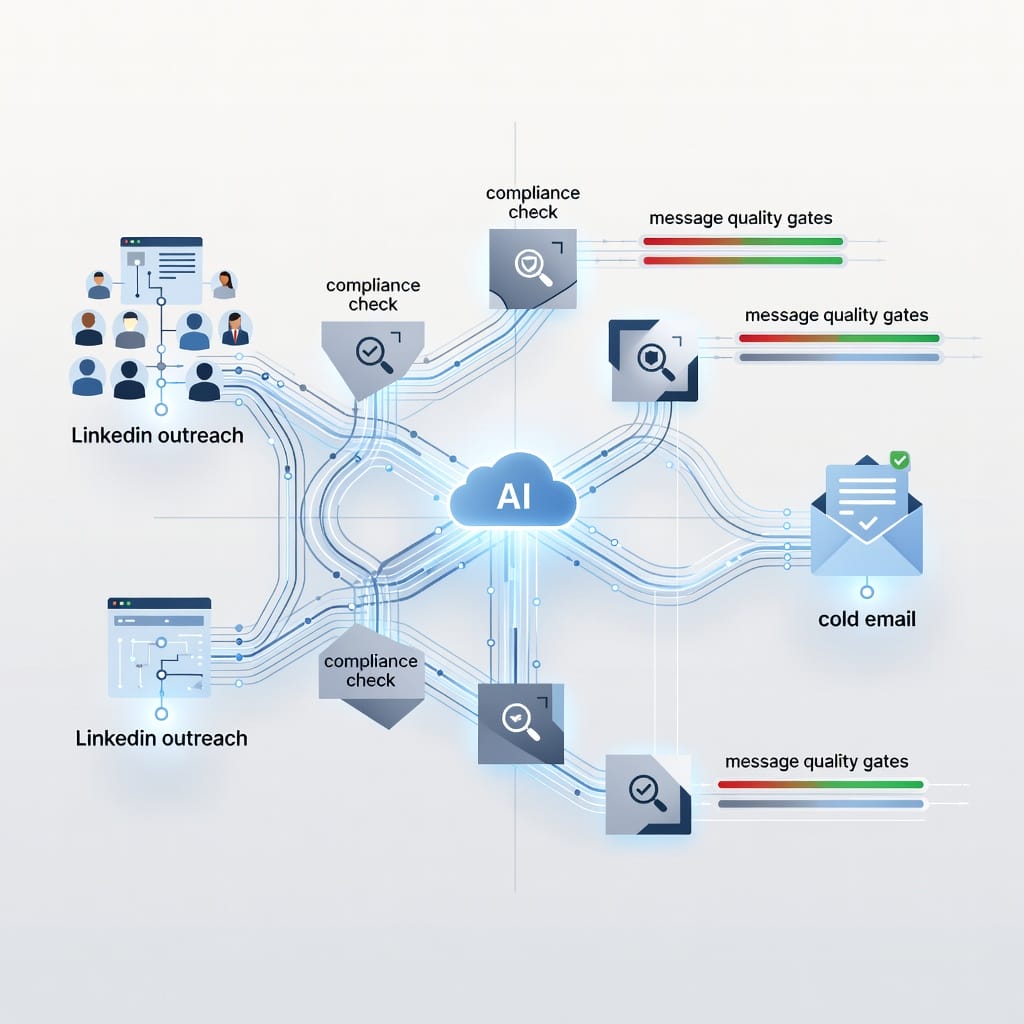
LinkedIn is a great discovery channel, but email is usually better for sustained outreach. Once someone engages with your content or accepts your connection, a well-timed cold email can move the conversation forward without relying on LinkedIn’s inbox.
Why add email to the workflow
- Email inboxes have less noise than LinkedIn messaging.
- You can control the cadence and follow-up logic.
- Email gives you more room to explain value and include proof.
- You own the channel. LinkedIn can change visibility or restrict accounts.
The handoff process
1. Use LinkedIn to identify and research the prospect.
2. Use Claude to write a personalized connection request.
3. After a brief exchange, ask for the best email address.
4. Use Claude to draft a short cold email sequence.
5. Send the sequence through a platform built for deliverability and compliance.
For teams serious about outbound, a dedicated cold email platform makes the difference between a scattered effort and a repeatable system. [Mystrika](https://mystrika.com) is a cold email outreach platform with AI features, warmup, sequencer, unibox, and whitelabel options, starting at $15 per month. It is designed for teams that want to turn LinkedIn conversations into structured email sequences. If your main constraint is high-volume sending capacity, DoYouMail fits unlimited cold email sending workflows. If your constraint is list hygiene, Filter Bounce helps with real-time email verification before prospects enter the sequence.
What makes a cold email sequence work after LinkedIn
- Same voice: The email should sound like your LinkedIn posts.
- Clear reason for reaching out: Reference the LinkedIn interaction.
- One ask per email: A reply, a meeting, or a resource, never all three.
- Follow-up rhythm: Space follow-ups 3-5 business days apart.
- Deliverability hygiene: Use verified emails, warm up new domains, and monitor bounces.
If you want to scale this, learn how to [personalize cold email at scale](https://blog.mystrika.com/cold-email-personalization-at-scale-techniques-for-efficiency/) and why [email warmup](https://blog.mystrika.com/domain-warm-up/) matters before you send large volumes.
LinkedIn Safety and Compliance When Using AI
AI can help you draft faster, but it cannot replace judgment about platform rules and professional ethics.
LinkedIn’s position on automation
LinkedIn’s Terms of Service prohibit using tools that scrape data, automate connection requests, or send messages without human involvement. Browser automation tools and unofficial APIs carry account restriction risk. Claude itself does not connect to LinkedIn unless you explicitly add an MCP server or browser tool. Using Claude only for drafting keeps you on safer ground.
Best practices for safe AI-assisted LinkedIn work
- Draft in Claude, publish in LinkedIn. Never grant an AI tool full control of your account.
- Keep connection requests manual. Use Claude to write the message, but send it yourself.
- Avoid mass personalization. A message that looks templated, even with one inserted variable, will hurt your reputation.
- Disclose when appropriate. If you are experimenting with AI-assisted content, transparency builds trust.
- Respect data privacy. Do not paste private candidate or prospect information into AI tools without checking your organization’s data policy.
Red flags to avoid
- Promising to “send 500 connection requests per day.”
- Using scraped email addresses without consent.
- Asking AI to impersonate a real person.
- Generating fake endorsements, skills, or achievements.
Safe AI use on LinkedIn is human-led, transparent, and respectful of the people on the other side of the message.
Measuring Results and Iterating
Without measurement, you are just posting into the void. Track the right signals and feed them back into your Skill.
Metrics to track
| Metric | What It Tells You | How to Improve It |
|---|---|---|
| Impressions | Reach and algorithm distribution | Test posting times and formats |
| Engagements (likes, comments, reposts) | Resonance with audience | Refine hooks and questions |
| Comments | Depth of interest | End with better questions |
| Profile views | Content-to-profile conversion | Strengthen headline and featured section |
| Connection requests accepted | Outreach relevance | Improve personalization and targeting |
| Inbound messages | Lead generation | Include soft CTAs and proof |
| Email replies after LinkedIn | Multi-channel success | Match voice and timing |
Iteration cycle
1. Review weekly: Which posts got the most comments? Which got the least?
2. Look for patterns: Do list posts outperform story posts? Do contrarian takes get more debate?
3. Update your Skill: Add the top-performing posts to your example file. Remove patterns that underperform.
4. Test one change at a time: Change the hook, the CTA, or the format, but not all three in one post.
5. Repeat monthly: A Skill that is never updated will drift from what is working now.
Realistic expectations matter. Most LinkedIn accounts see meaningful growth after 8-12 weeks of consistent posting, not after one viral post.
Pros and Cons of Using Claude for LinkedIn
Every tool has tradeoffs. Be honest about them.
Pros
- Reusable Skills reduce setup time for every post.
- Long context lets you feed in examples, brand rules, and competitor research.
- Strong reasoning helps audit drafts before publishing.
- Portable format works across claude.ai, Claude Code, and API projects.
- Effective for both content creation and profile optimization.
Cons
- Requires a paid Claude plan to create Skills.
- Does not publish directly to LinkedIn; manual copy-paste is needed.
- Can still produce generic output if your examples and rules are weak.
- No built-in analytics; you must track LinkedIn metrics separately.
- Easy to over-edit and lose your natural voice.
When to use Claude vs when to use a dedicated LinkedIn tool
| Goal | Best Tool |
|---|---|
| Drafting founder-led posts | Claude |
| Scheduling and analytics | Taplio, AuthoredUp, Shield |
| Automated outreach | Dedicated LinkedIn automation tools with compliance safeguards |
| Multi-channel LinkedIn + email | Cold email platform + manual LinkedIn |
| Profile optimization | Claude + native LinkedIn editor |
| Comment engagement | Claude for drafting, manual posting |
Key Takeaways
- Claude Skills turn one-off prompts into reusable LinkedIn workflows. Build a Skill with a SKILL.md file, voice rules, templates, and example posts.
- The biggest mistake is weak input. Examples and negative rules matter more than a long positive description.
- Claude excels at voice consistency, long-context profile optimization, and thoughtful outreach drafts. It does not publish to LinkedIn or replace human judgment.
- Combine LinkedIn with email for outbound. A cold email platform like Mystrika can extend LinkedIn conversations into structured sequences.
- Safety and compliance are non-negotiable. Draft in Claude, send messages manually, and respect LinkedIn’s Terms of Service.
- Track metrics weekly and update your Skill monthly. Consistency over 8-12 weeks beats chasing one viral post.
Frequently Asked Questions
Can Claude post directly to LinkedIn for me?
No. Claude does not have a built-in integration that publishes posts or sends messages on your behalf. You can draft content in Claude and copy it into LinkedIn manually. Some third-party tools or MCP servers can connect Claude to LinkedIn, but those require careful review of LinkedIn’s Terms of Service and your own security policy.
Is using Claude for LinkedIn outreach against LinkedIn’s Terms of Service?
Using Claude only to draft messages is generally allowed because you are still the one publishing and sending. LinkedIn restricts automation, scraping, and tools that perform actions on your account without human involvement. If you use a third-party connector or automation tool, you take on that platform’s compliance risk. When in doubt, keep it human-led.
What Claude plan do I need to use Claude Skills?
You need at least Claude Pro to create and save custom Skills. The free tier lets you use some pre-built Skills but does not let you upload your own SKILL.md folder. Team and Enterprise plans add org-wide Skill sharing and admin approval. As of 2026, Claude Pro is $20 per month.
How is Claude different from ChatGPT for LinkedIn content?
Claude tends to handle longer context and detailed voice instructions better than ChatGPT for complex LinkedIn workflows. ChatGPT is faster for quick brainstorming and has Custom GPTs, but Claude’s SKILL.md format is more portable across claude.ai, Claude Code, and API projects. Both can write good posts; the difference is usually in how reusable and controllable the workflow is.
How do I stop Claude from sounding generic on LinkedIn?
Add three things to your Skill: real example posts, a list of banned words and patterns, and a tight audience description. Generic output usually comes from generic input. Update your example file quarterly with your best-performing posts so Claude mirrors what is currently working for you.
Can I use a Claude Skill I built for LinkedIn posts in Claude Code too?
Yes. The same Skill folder can be installed in Claude Code by placing it in the `~/.claude/skills/` directory or installing it through the skills marketplace. Anthropic designed Skills to be portable across its products. Some advanced features, like executable scripts, may only work in environments that support code execution.
Should I use Claude for connection requests or cold email first?
It depends on your goal. LinkedIn is better for discovery, warm introductions, and personal branding. Cold email is usually better for sustained follow-up, richer context, and larger outreach volumes. A practical approach is to use LinkedIn for the first touch and a cold email sequence for ongoing conversations. If you scale cold email, use a platform built for deliverability and compliance.